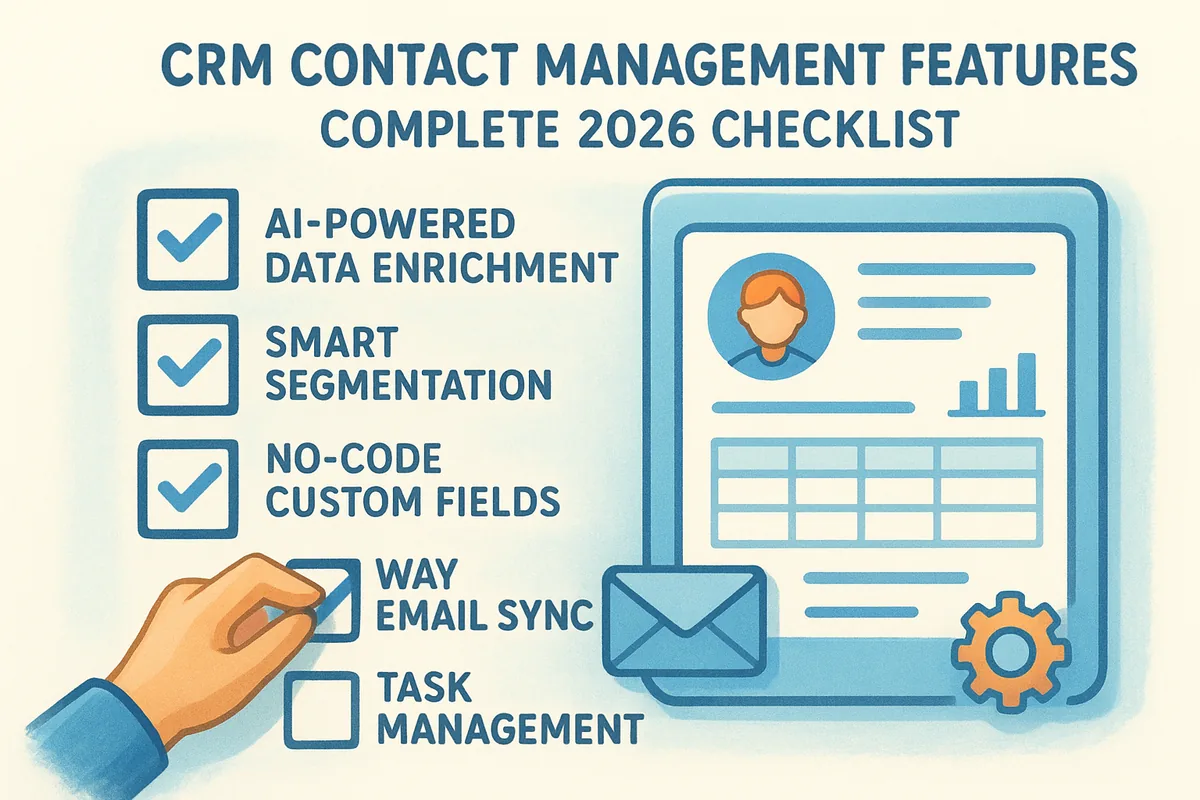
Contact management sits at the center of every CRM because it's where your customer data lives and connects to everything else, deals, emails, tasks, automations. But the feature set has changed significantly heading into 2026. AI-powered data enrichment, smart filtering and segmentation, no-code custom fields, and deep email integration have moved from "nice to have" to baseline expectations. If you're evaluating CRM tools right now, you need an updated checklist that reflects what modern platforms actually deliver.
That's exactly what this article provides. Below, you'll find a complete breakdown of every contact management feature worth evaluating, organized so you can compare platforms quickly and make a confident decision. We built Vedain CRM around the idea that sales teams shouldn't have to pay extra for features that should come standard, so we know firsthand which capabilities matter in daily use and which ones are just marketing fluff. Whether you're shopping for your first CRM or considering a switch, this checklist will give you a clear framework to work from.
What CRM contact management features are
CRM contact management features are the tools and capabilities a platform gives you to store, organize, and act on information about every person in your customer database. At the most basic level, that means a contact record with fields for a name, email, phone number, and company. In a modern CRM, though, the contact record functions as the central hub that connects every interaction, deal, task, email, and note tied to that person. The feature set determines how much context your team actually has when a rep picks up the phone or sends an outreach email.
The core of the contact record
A contact record is only as useful as the data it holds and the structure it uses to hold that data. Standard fields like name, title, company, and email address are the baseline. What separates a capable CRM from a basic one is whether it lets you add custom fields for the specific data points your team tracks, things like subscription tier, preferred contact method, or last product used. Without custom fields, you end up managing the overflow in spreadsheets or sticky notes, which defeats the purpose of having a CRM.
The contact record is not just a storage location. It's the operational foundation your team works from every single day, and its quality directly reflects the quality of your outreach.
Most platforms also let you group contacts through tags, segments, or lists so you can filter your database by meaningful criteria, like all contacts in a specific industry or everyone who attended a recent event. Activity timelines inside the contact record show a chronological log of every email, call, meeting, and deal update, so any team member can pick up where the last one left off without making the contact repeat themselves.
How contact management connects to the rest of the CRM
Contact management doesn't operate in isolation. Every other module in a CRM, from deal pipelines to email campaigns to automation workflows, depends on accurate and well-organized contact data. When a contact record links directly to open deals, scheduled tasks, and email threads, your team spends less time hunting for context and more time actually selling. The depth of those connections is one of the most important things to evaluate when comparing platforms.
For example, if your CRM lets you trigger an automated email sequence the moment a contact is added with a specific tag, or automatically assigns a task to a rep when a contact reaches a certain deal stage, the contact record becomes a live part of your sales engine rather than a static data store. CRM contact management features that connect to automation and reporting give your team compounding value over time because every piece of data you capture feeds into smarter outreach and more accurate forecasting.
You also need to think about how contacts relate to companies or accounts. Some platforms treat contacts and companies as separate objects with a many-to-one relationship, meaning one contact belongs to one company but a company can have many contacts. Others allow more flexible associations. The structure your CRM uses for this relationship affects how you track deals that involve multiple stakeholders from the same organization, which is standard in most B2B sales cycles and needs to be handled cleanly if your team works enterprise accounts.
Why these features matter for revenue teams
Revenue teams live and die by the quality of their contact data. When CRM contact management features are shallow or poorly designed, the damage shows up in ways that are hard to trace back to the source: reps spending 20 minutes reconstructing context before a call, duplicate outreach annoying the same prospect twice, or deals going cold because a follow-up task fell through a gap in the system. The features themselves are not just organizational conveniences. They are operational infrastructure that either supports or undermines your team's ability to close deals.
Bad contact data erodes trust and revenue
Your team needs to trust the data in your CRM before they'll actually use it. When contact records are incomplete, outdated, or duplicated, reps stop relying on the system and start keeping their own notes in personal spreadsheets or email inboxes. That behavior fragments your pipeline visibility and makes it nearly impossible for a manager to get an accurate read on deal status across the whole team. Over time, the CRM becomes a compliance checkbox rather than a tool anyone finds genuinely useful.
The moment your reps stop trusting your contact data, you've lost the core value of your CRM, regardless of what other features it offers.
The problem compounds at scale. A team of five can absorb messy data through sheer memory and communication. A team of twenty or more cannot, and the gaps will start costing you in missed follow-ups, misrouted leads, and duplicated effort across reps who don't know who owns which account.
Clean contact data accelerates every part of your sales process
When your contact records are complete and well-structured, every downstream activity gets faster. Sending a targeted campaign to a specific segment takes minutes instead of hours. Onboarding a new rep means handing them a full activity timeline rather than asking them to reconstruct history from scattered emails. Managers can pull accurate pipeline reports without manually cleaning data first.
The payoff goes beyond efficiency. When your team spends less time managing data and more time engaging prospects, your conversion rates improve. Every feature on this checklist connects back to that same outcome: giving your reps the context and tools they need to act quickly and confidently at every stage of the sales cycle. That is why evaluating these capabilities carefully before committing to a platform is one of the highest-leverage decisions your team will make.
How contact management works inside a CRM
Understanding the mechanics behind contact management helps you evaluate platforms with a clearer eye. When you add a contact to a CRM, you're not just filling in a form. You're creating a linked data object that connects to deals, email threads, tasks, and automation rules. Every action your team takes related to that person gets logged and attached to their record, building a complete interaction history without anyone manually compiling it.
Think of a contact record less like a business card and more like a running case file that every rep on your team can read and contribute to in real time.
From data entry to a living contact record
Contact records start with basic information but grow over time as your team interacts with that person. You can add contacts manually, import them from a CSV, capture them through a lead form on your website, or pull them in directly from an email sync. Once the record exists, the CRM automatically populates it with activity: emails sent and received, meetings scheduled, deals opened, and tasks completed. The record stops being a static entry and becomes a live document your whole team can read and act on.
Most platforms let you configure which fields appear on each record and how they're organized, which means you can surface the data points that matter most to your sales process immediately. Here's a quick overview of how data typically flows into a contact record:
- •Manual entry: A rep types in contact details directly after a call or meeting
- •CSV import: You upload a spreadsheet of existing contacts in bulk
- •Lead form capture: A prospect fills out a form on your site and the CRM creates a record automatically
- •Email sync: Two-way Gmail or Outlook integration pulls in email threads and attaches them to the matching contact
- •API or integration: Third-party tools push contact data into your CRM via a connected integration
How contact data flows across your CRM
Once a contact record exists, every other module in the platform reads from it. Your deal pipeline references the contact to show who owns each opportunity. Your email campaigns pull from contact segments to determine who receives which sequence. Your automation workflows check contact field values to decide which branch to take. This is why the quality of your crm contact management features directly determines the reliability of everything else your team does inside the platform.
Your reports also depend on clean contact data. Pipeline conversion rates and team activity metrics all trace back to how accurately your contact records reflect reality. When your contact data is structured and complete, your reporting becomes a tool you can actually trust to make decisions from.
Contact database and organization features checklist
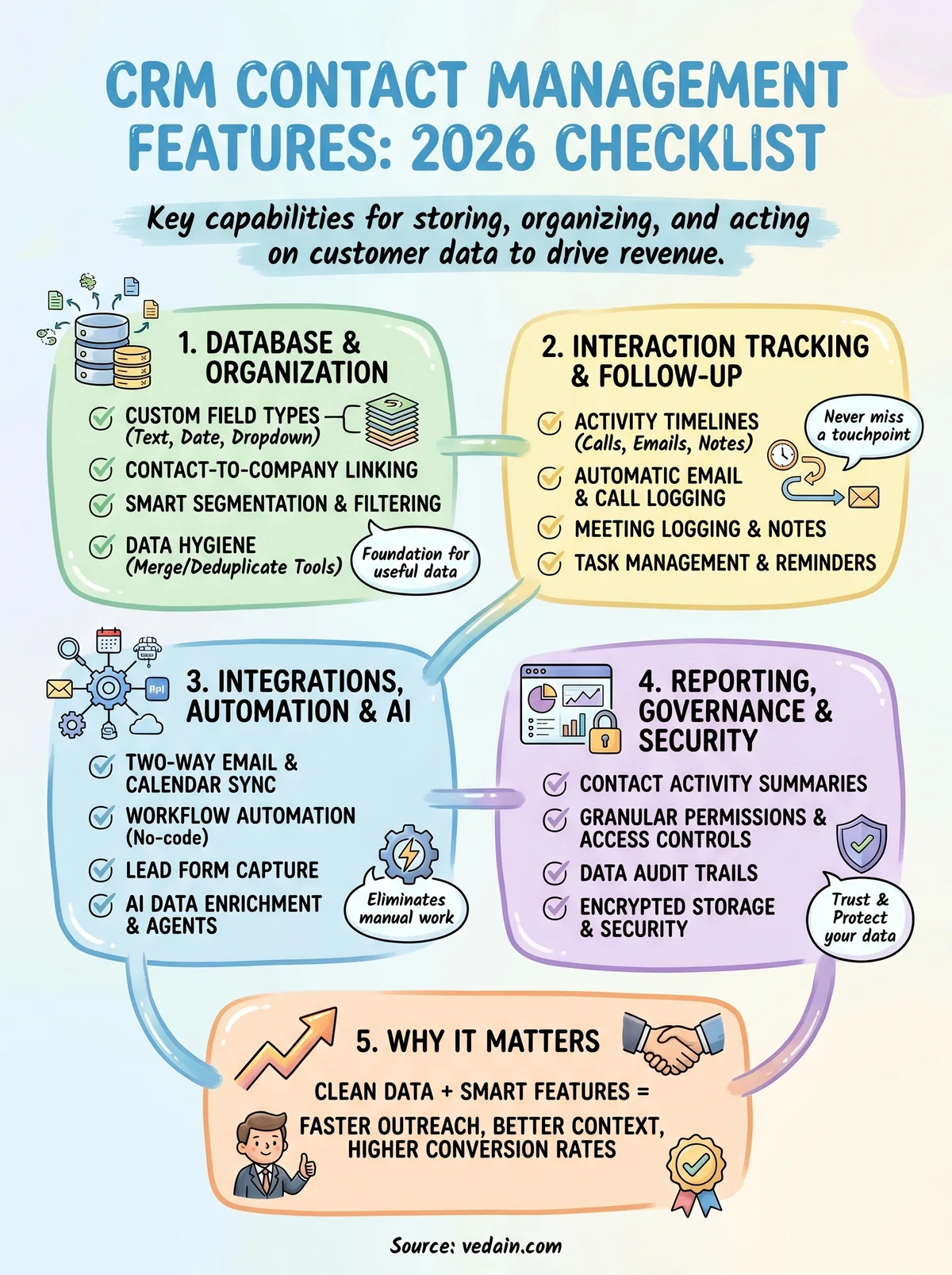
The foundation of any CRM is how well it stores and organizes your contact data. Before you evaluate anything else, get clear on whether a platform handles the basics at the level your team actually needs. A weak database layer creates problems that no amount of automation or reporting can fix downstream. Use this checklist to evaluate the organizational side of crm contact management features before you commit to a platform.
Core record and field configuration
Your contact records need to hold more than a name and an email address. Custom fields let you capture the specific data points your sales process relies on, whether that's industry vertical, company size, or which product a prospect expressed interest in. Without them, your team ends up storing critical context in free-text notes, which makes filtering and reporting unreliable.
The more precisely you can define what a contact "looks like" in your CRM, the more useful every downstream feature becomes.
Check for the following capabilities when evaluating any platform:
- •Custom field types: text, number, date, dropdown, checkbox, and multi-select
- •Required fields: ability to enforce data entry on key fields before a record can be saved
- •Contact-to-company linking: clean many-to-one associations for B2B accounts with multiple stakeholders
- •Bulk field editing: update multiple records at once without opening each one individually
- •Contact scoring: numeric values assigned based on engagement or demographic criteria
- •Duplicate detection: automatic flagging or merging of records that share the same email or phone number
Segmentation and data hygiene
Segmentation tools determine how quickly your team can slice your database into meaningful groups for outreach, reporting, or task assignment. Platforms that only offer basic list views force your reps to scroll and scan instead of filtering to exactly the contacts they need. Smart filters that let you combine multiple field conditions, like "industry is SaaS AND deal stage is Qualified AND last activity was more than 14 days ago," are far more useful in daily practice.
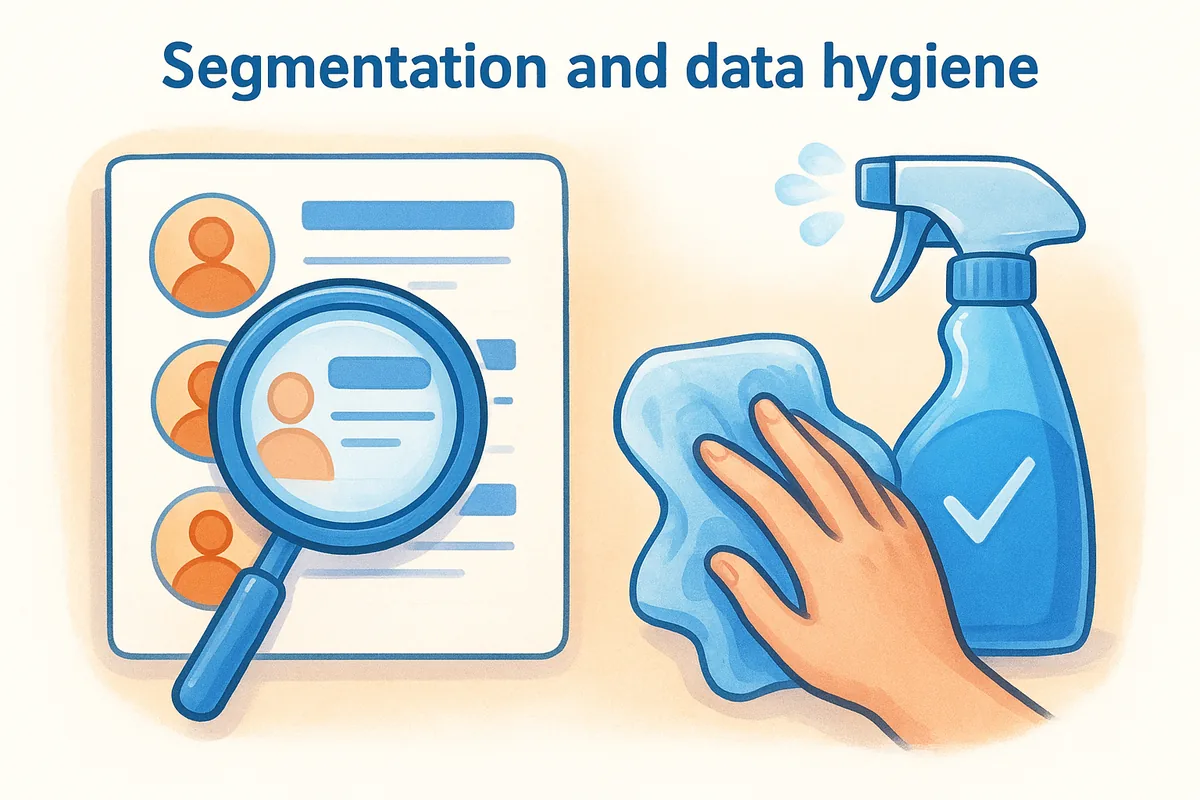
Data hygiene features keep your database reliable over time. Look for merge and deduplicate tools that your team can run without needing a developer. Also check whether the platform logs who created or edited a record and when, since that audit trail becomes critical as your team grows and multiple reps work the same accounts. Clean data in means clean data out, and that directly affects every report you pull from the system.
Interaction tracking and follow-up features checklist
Knowing what happened with a contact matters just as much as knowing who they are. Interaction tracking features capture every touchpoint your team has with a prospect or customer, so no one walks into a call blind or sends a follow-up that contradicts what a colleague already said. When evaluating crm contact management features, this category separates tools that help your team act on context from tools that just store it.
Activity timelines and communication logging
Every interaction your team has with a contact should be visible in one place without anyone manually writing it up. Activity timelines pull together emails, calls, meetings, notes, and deal updates in chronological order so any rep can get up to speed in seconds. The best implementations log activities automatically, but you still need to check whether that automation covers the specific channels your team uses.

If your team has to manually log every interaction, they won't do it consistently, and your contact history will always be incomplete.
Look for these capabilities in any platform you evaluate:
- •Automatic email logging: inbound and outbound messages attached to the contact without manual entry
- •Call logging with notes: structured fields for call outcome, duration, and next steps
- •Meeting logging: calendar events linked directly to the contact record
- •Note-taking with mentions: internal notes on a contact that can tag teammates for visibility
- •Custom activity types: flexibility to define non-standard touchpoints specific to your sales process
- •Activity filtering: ability to view only a specific type of interaction within the timeline
Task management and follow-up reminders
Logging past activity only helps if it leads to action. Task management tools inside the contact record let your reps schedule and track follow-ups without switching to a separate app or maintaining a personal to-do list outside the CRM. When tasks live directly on the contact record, your whole team can see what's scheduled and who owns it.
Check whether the platform lets you set due dates and assign tasks to specific team members from within a contact record. Automated task creation, like a follow-up reminder triggered three days after an email goes unanswered, is a sign that the platform treats follow-up as a workflow rather than a memory exercise. Also verify that overdue tasks surface prominently in the rep's daily view, not buried in a separate module that requires extra clicks to find.
Integrations, automation, and AI features checklist
The most capable crm contact management features don't work in isolation. They connect to the tools your team already uses and trigger actions automatically so your reps spend their time selling, not doing data entry. When you evaluate a platform's integration and automation layer, you're really evaluating how much manual work the system eliminates from your daily workflow.
A CRM that doesn't integrate with your email provider and automate routine follow-up tasks will always create more work than it saves.
Email, calendar, and third-party integrations
Your CRM needs to meet your team where they already work. Two-way email sync with Gmail or Outlook is non-negotiable for most teams because it captures every inbound and outbound message automatically without any manual logging. One-way sync, where the CRM only sends but doesn't receive, leaves gaps in your contact history that compound over time.
Beyond email, check for the following integration capabilities before you commit to any platform:
- •Two-way Gmail and Outlook sync: automatic logging of sent and received messages to the matching contact record
- •Calendar integration: meetings booked through Google Calendar or Outlook appear on the contact timeline
- •Lead form capture: native forms that push new contacts directly into your database from your website
- •API access: ability to connect custom tools or internal systems via a documented API
- •Webhook support: real-time event triggers that send contact data to external platforms when specific actions occur
- •Native third-party connectors: pre-built integrations with tools like Slack, Zapier, or accounting software
Automation and AI capabilities
Workflow automation converts your sales process from a series of manual steps into a system that runs in the background. At the contact level, automation should handle routine tasks like assigning a new lead to a rep, enrolling a contact in an email sequence based on a tag, or creating a follow-up task when a deal stage changes. No-code automation builders matter here because your sales team should be able to configure these rules without waiting on a developer every time the process changes.

AI features are increasingly standard in modern platforms. AI-powered data enrichment fills gaps in your contact records automatically by pulling in job titles, company size, and social profiles. AI content tools help reps draft outreach faster. Evaluate whether AI agents in the platform connect directly to contact records or operate as a separate bolt-on, because tight integration between AI capabilities and your contact data is what makes those features genuinely useful rather than decorative.
Reporting, governance, and security features checklist
Data you can't measure and data you can't protect are both liabilities. The final layer of crm contact management features to evaluate covers how a platform lets you report on contact activity, control who can access and edit records, and protect sensitive customer information. These capabilities are easy to skip during a free trial, but they become critical the moment your team scales or a compliance question lands on your desk.
Contact-level reporting and activity visibility
Your CRM should surface meaningful data about how your team engages with contacts, not just raw numbers. Pipeline conversion reports that trace deals back to specific contact sources tell you which inbound channels are producing your best customers. Activity reports that show calls made, emails sent, and tasks completed per rep give managers a factual basis for coaching conversations instead of relying on gut feel.
If you can't see how your team is engaging with contacts at a granular level, you're managing outcomes rather than the behaviors that drive them.
Check for the following reporting capabilities on any platform you evaluate:
- •Contact source tracking: identifies where each contact originated (form, import, manual entry, integration)
- •Activity summaries by rep: volume of logged calls, emails, and meetings per team member over a selected period
- •Engagement history exports: ability to pull a contact's full interaction log for review or compliance purposes
- •Custom dashboard widgets: drag-and-drop reporting panels that surface the contact metrics your team monitors most
Permissions, data governance, and security
Not every rep on your team should have the same level of access to every contact record. Granular permission settings let you control who can view, edit, delete, or export contacts, which matters both for data hygiene and for protecting sensitive accounts from accidental changes. A new SDR doesn't need the same access level as a senior account executive, and your CRM should make that distinction straightforward to configure.
Data governance tools include things like field-level edit restrictions, record ownership rules, and audit logs that track every change made to a contact record with a timestamp and user attribution. These features protect you when a dispute arises over who updated a record and when. On the security side, verify that the platform uses encrypted data storage and transfer, offers role-based access controls at the module level, and provides options for two-factor authentication. These are baseline expectations for any platform handling customer data in 2026, not premium add-ons.
Next steps for your CRM shortlist
You now have a complete picture of what crm contact management features actually look like across every category that matters. The next step is straightforward: take this checklist into your evaluation process and pressure-test each platform you're considering against it. Pay closest attention to the features your team will use every day, specifically custom fields, email sync, automation, and activity tracking, because gaps in those areas will slow your team down from day one.
Not every platform on your shortlist will check every box, and that's fine. Your goal is to find the tool that covers your core workflow requirements without locking essential features behind a higher pricing tier. If you want a CRM that includes all of these capabilities at a single flat rate with no feature gates, try Vedain CRM free and see how it handles your contact management needs in practice.
Frequently Asked Questions
What contact management features should a CRM have in 2026?
A modern CRM should include centralized contact databases, automated data enrichment, 360-degree customer profiles, real-time synchronization, and AI-powered insights. HubSpot's free tier offers basic contact management with up to 1 million contacts, while Salesforce ($165/month) and Zoho CRM ($14/month) provide advanced segmentation and custom fields. Pipedrive and Freshsales excel at sales-focused contact organization, whereas Vedain specializes in mid-market solutions with deep customization options for contact hierarchies and relationships.
How do I choose between HubSpot, Salesforce, and Zoho for contact management?
HubSpot is best for small businesses seeking ease of use with free contact management for up to 1 million contacts, while Salesforce ($165/month) suits enterprises needing advanced customization and Einstein AI. Zoho CRM ($14/month) offers the most affordable option for small teams with robust contact features, Pipedrive focuses on pipeline-centric contact workflows, Freshsales provides excellent contact scoring, and Vedain delivers specialized solutions for mid-market companies requiring complex contact hierarchies. Your choice depends on team size, budget, and whether you prioritize ease of use or advanced customization.
What is contact data enrichment and why does my CRM need it in 2026?
Contact data enrichment automatically populates missing information like job titles, company details, and firmographics into your CRM records without manual entry. HubSpot integrates ZoomInfo and Hunter for email enrichment, Salesforce uses Data.com, Zoho provides built-in enrichment through third-party APIs, and Freshsales offers automatic data cleansing. This feature saves time, improves lead quality, and ensures your team has complete contact information for better personalization and targeting.
Does Pipedrive have better contact management than HubSpot for sales teams?
Pipedrive ($39/month) and HubSpot (free to $3,200/month) serve different strengths—Pipedrive excels at visual pipeline management with contact associations tied directly to deals, while HubSpot offers more comprehensive marketing automation alongside contact management. For sales-only teams, Pipedrive's contact interface is more intuitive, but HubSpot integrates better with marketing workflows; Salesforce provides the deepest contact customization for enterprises, Zoho balances features and cost, Freshsales delivers strong contact scoring, and Vedain offers tailored solutions for specific industries. The best choice depends on whether your team prioritizes deal management or omnichannel customer interactions.
What contact segmentation capabilities should I look for in a CRM?
Essential contact segmentation includes filtering by industry, company size, engagement level, lifecycle stage, and custom attributes with dynamic list creation. HubSpot provides unlimited contact lists with behavioral triggers, Salesforce offers advanced SOQL querying ($165/month), Zoho CRM enables smart segments with AI recommendations ($14/month), Pipedrive focuses on contact organization around deals, Freshsales includes behavioral segmentation, and Vedain allows white-label segmentation for resellers. Look for automation capabilities that automatically move contacts between segments based on defined criteria to keep your teams aligned with hot prospects.
How important is contact deduplication in modern CRM systems?
Contact deduplication is critical to maintaining data integrity and ensuring your team doesn't duplicate efforts or send conflicting messages to the same person. HubSpot automatically detects duplicates and offers one-click merging, Salesforce provides fuzzy matching logic, Zoho CRM includes built-in duplicate detection ($14/month), Pipedrive has manual merge controls, Freshsales offers automatic duplicate prevention, and Vedain allows custom matching rules. Without deduplication, you risk poor reporting accuracy, wasted marketing spend, and damaged customer relationships—making this a must-have feature for 2026 CRM selection.