Email warmup is the process of gradually increasing your sending volume on a new (or inactive) email account to build trust with email service providers like Gmail and Outlook. Skip it, and providers flag you as a potential spammer. Do it right, and you establish a solid sender reputation that keeps your messages out of the junk folder long-term.
At Vedain CRM, we built email warmup directly into the platform because we've seen too many sales teams burn through domains and waste weeks troubleshooting deliverability issues. Our 21-day warmup process runs automatically alongside your CRM, no third-party tools, no extra costs, no guesswork. It's one of the reasons we include it at our $10/user/month flat rate rather than charging for it as an add-on.
This article breaks down how email warmup works step by step, why inbox providers care about sender reputation, what happens when you skip the process, and how to warm up your email the right way so your campaigns actually land where they should.
Why email warmup matters for deliverability
Every email you send goes through a series of filters before it reaches anyone's inbox. Email service providers like Gmail, Outlook, and Yahoo evaluate dozens of signals in seconds to decide whether your message belongs in the inbox, the promotions tab, or the spam folder. Sender reputation sits at the top of that list, and a new email address starts with zero reputation. Without warmup, providers have no reason to trust you, so they default to caution and route your emails away from the inbox.
How inbox providers decide where your email lands
Inbox providers track engagement signals to determine whether recipients find your emails useful. If people open, reply to, and click through your emails, that signals trustworthiness. If they ignore your messages, mark them as spam, or your emails bounce repeatedly, providers interpret that as a problem. Spam filters from providers like Google apply machine learning models to classify incoming mail, and a new sender who jumps straight to high volume looks exactly like a spammer trying to blast a list before getting caught.
The key signals providers watch include:
- •Bounce rate: How often your emails fail to reach valid addresses
- •Spam complaint rate: How often recipients flag your messages as junk
- •Open and reply rates: Indicators of genuine engagement
- •Sending consistency: Whether your volume spikes or builds gradually
- •Domain authentication: Whether SPF, DKIM, and DMARC records are properly configured
A sender reputation score, once damaged, can take weeks or months to recover, which is why building it correctly from the start matters more than fixing it later.
What a poor sender reputation actually costs you
When you skip email warmup and blast a large list right away, the consequences go beyond a single campaign. Your domain itself accumulates a negative reputation, meaning future emails from that domain suffer even if you fix your sending habits. Providers associate the entire domain with the bad behavior, not just the individual account.
This creates a serious problem for sales teams that depend on outbound email to generate pipeline. If your domain lands on a blocklist, every email you send, including one-to-one messages to warm prospects, faces delivery problems. You might see reply rates drop off, deals stall, and have no clear explanation for why until you dig into your deliverability data.
The connection between sending volume and trust
Understanding what is email warmup requires understanding why volume ramps matter at all. Providers interpret a sudden spike in sending volume as suspicious behavior, especially from a new or dormant address. A real person or legitimate business does not typically go from zero to five hundred emails a day overnight, and inbox algorithms are trained to spot exactly that pattern.
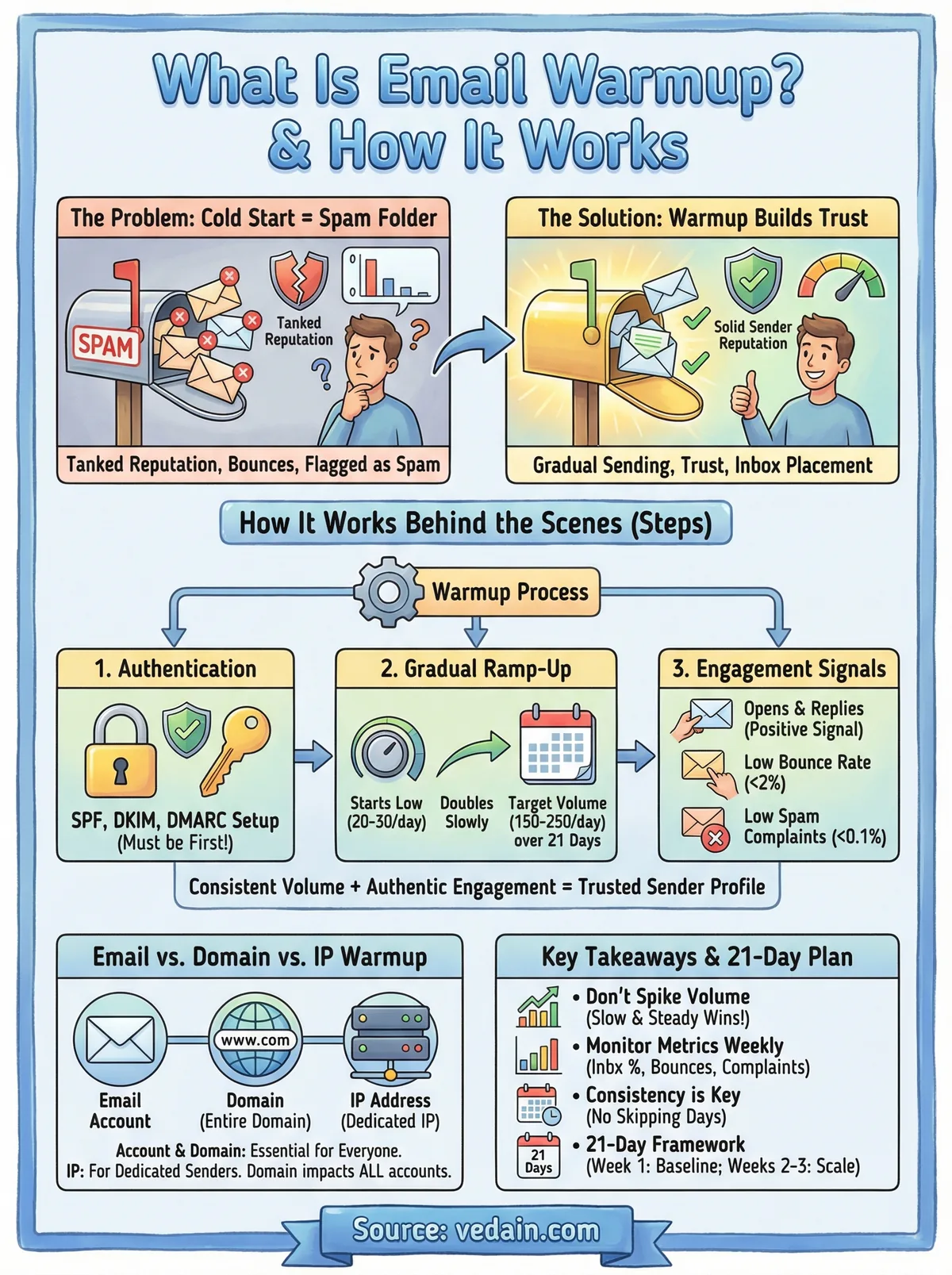
Starting low, around 20 to 30 emails per day in the first week, and doubling every few days gives providers time to observe positive engagement signals before you reach higher send counts. By the time you hit your target daily volume, you have a track record that providers respect, and your inbox placement rates reflect that trust rather than working against it.
How email warmup works behind the scenes
Understanding what is email warmup at a mechanical level helps you make better decisions about your sending setup. The process involves sending small batches of emails to real recipients, generating authentic engagement through opens, replies, and positive interactions, and letting that engagement signal to inbox providers that your address belongs in the inbox. Each positive interaction feeds data back to the provider's algorithms, and over time, that accumulates into a trusted sender profile your campaigns can rely on.
The role of automated warmup pools
Most modern warmup systems, including Vedain's built-in warmup feature, use warmup pools: networks of real email accounts that send to each other and intentionally engage with incoming messages. When your address sends a warmup email to another account in the pool, that account opens the message, moves it out of spam if needed, and sometimes replies. This structured-but-authentic engagement tells Gmail and Outlook that your emails deserve inbox placement.
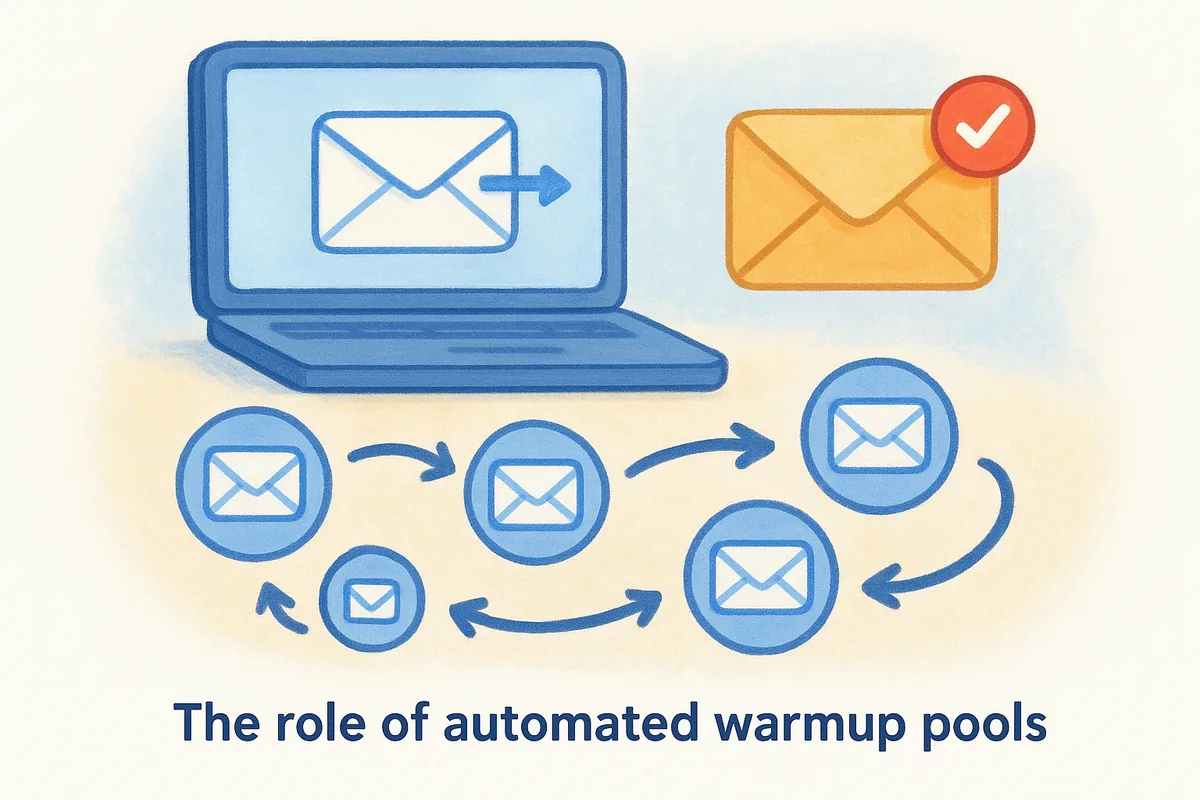
The cycle repeats daily with a controlled sending schedule. Your volume increases on a set curve, and the positive engagement rate stays high throughout because the pool accounts are configured to interact rather than ignore. This keeps your spam complaint rate near zero and your open rates well above the thresholds that trigger aggressive filtering.
How sending schedules build reputation over time
Your warmup schedule works like a credit history. Starting with 20 to 30 emails per day and increasing systematically gives inbox providers time to log positive interactions before you scale. By day 14 or 21, you have documented sending behavior that providers can evaluate, and that record works in your favor when you launch your first real campaign.
Skipping days or sending outside your warmup schedule interrupts the trust-building process, so consistency matters as much as volume.
Providers also monitor sending patterns across time zones and business hours, so a warmup schedule that mimics natural human behavior carries more weight than one that sends at odd hours in large uniform batches. Spreading your warmup traffic throughout the day reinforces the signal that a legitimate, active sender operates behind your domain.
Email warmup vs domain warmup and IP warmup
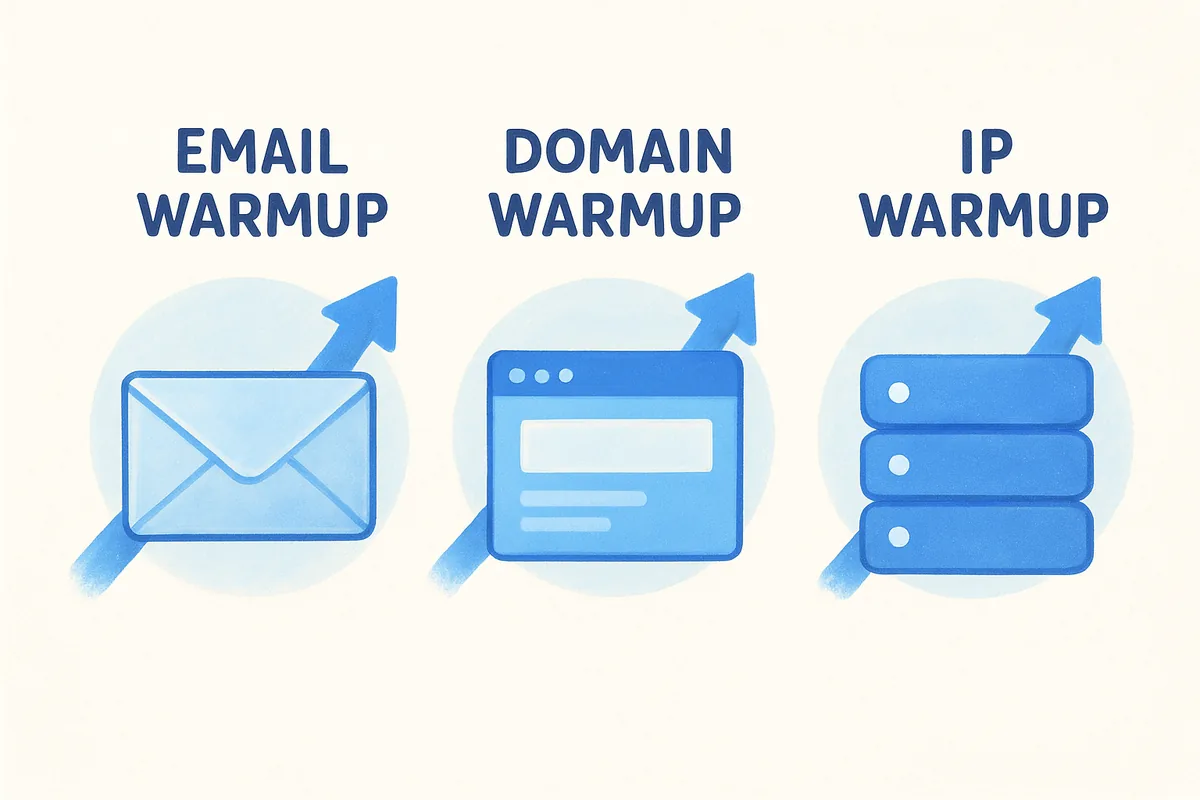
People often use these three terms interchangeably, but they refer to different layers of your sending infrastructure, and confusing them leads to gaps in your deliverability strategy. Knowing what is email warmup compared to domain warmup and IP warmup helps you address each layer correctly, especially when you're setting up a new outbound sales operation from scratch.
What domain warmup means and when it applies
Domain warmup focuses on building the reputation of your sending domain rather than a specific email account. When you register a new domain or use one that has no email history, inbox providers have no record of how it behaves. Domain reputation accumulates through the combined sending behavior of all accounts tied to that domain, so even if you warm up one email address properly, blasting high volume from a second address on the same domain can drag the whole domain's reputation down.
Your domain reputation affects every email sent from your domain, including direct one-to-one messages to prospects, not just bulk campaigns.
Warming a domain means gradually increasing total sending volume across all accounts on that domain, not just one address. Authentication records like SPF, DKIM, and DMARC must be in place before you start, because providers use those records to verify that your domain is legitimate during the reputation-building phase.
How IP warmup differs from both
IP warmup applies specifically to dedicated sending IP addresses, which larger organizations or high-volume senders use instead of shared IP pools. A shared IP means your reputation is partially tied to other senders using the same address. A dedicated IP gives you full control over your sending reputation, but it starts with zero history and requires the same gradual ramp-up that an email account or domain does.
If you send from a shared IP infrastructure, which is the default for most small and mid-sized teams using platforms like Vedain, IP warmup is handled at the platform level. Your focus stays on email account warmup and domain warmup, which are the two layers you directly control and where your actions have the most immediate impact on deliverability outcomes.
A practical 21-day email warmup plan
A structured warmup schedule removes the guesswork from building sender reputation. If you understand what is email warmup at the process level, you already know the goal is steady volume growth paired with strong engagement. The 21-day framework below gives you a concrete starting point that works whether you run warmup manually or through an automated tool like Vedain's built-in warmup feature, which handles this schedule automatically over 21 days.
Week one: establish your sending baseline
Your first seven days set the foundation for everything that follows. Start with 20 to 30 emails per day and focus entirely on generating clean, authentic engagement. Confirm your SPF, DKIM, and DMARC records are correctly configured before day one, and verify your contact list to keep bounces as close to zero as possible during this critical opening phase.
Skipping authentication setup before warmup wastes the entire first week because inbox providers discard reputation signals from unauthenticated senders.
Weeks two and three: scale with consistency
Once you clear the first week with strong engagement signals, you can double your daily volume every three to four days without triggering spam filters. By day 14, target between 80 and 120 emails per day, and keep a close eye on open and reply rates to confirm that engagement stays consistent as volume rises.
During the final stretch, push toward your target campaign volume steadily, ending week three at 150 to 250 emails per day depending on your list size and audience. Check your deliverability data every two days throughout weeks two and three. If your spam complaint rate climbs above 0.1%, pause the ramp, reduce volume, and identify which message types are generating complaints before you continue scaling. Catching problems at this stage costs you a day or two, whereas ignoring them can cost you your domain reputation entirely.
Common email warmup mistakes that hurt deliverability
Even if you understand what is email warmup at a process level, small execution errors erase weeks of careful progress. Most deliverability problems come from repeatable, avoidable mistakes that teams make without realizing the damage accumulates quietly until a campaign completely fails to reach inboxes.
Jumping to high volume before your address is ready
The most common mistake is skipping the ramp and sending at full volume from day one. A fresh email address that suddenly sends 300 messages behaves exactly like a spam account, and inbox providers filter it accordingly. Your daily volume should never more than double compared to the previous day, and any spike outside that curve risks triggering automated filters that can take days to reset.
Pausing mid-warmup and then resuming at the same volume you left off causes a similar problem. Gaps break the consistency signal providers rely on, so treat your warmup schedule as a fixed daily commitment rather than something you can pause and pick back up without consequences.
Consistency throughout the ramp matters more than reaching your target volume quickly. A steady 21-day schedule outperforms a rushed 10-day attempt every time.
Skipping authentication records before you start
Many teams launch warmup before configuring SPF, DKIM, and DMARC records on their sending domain. This single oversight wastes your entire warmup period because providers use these records to verify that your domain is legitimate. Without proper authentication, inbox algorithms treat your messages as unverifiable, and no amount of positive engagement during warmup overcomes that signal.
Set up your authentication records, confirm they propagate correctly using a tool like Google Admin Toolbox, and then start your warmup schedule. Reversing the order guarantees poor results regardless of how carefully you manage your sending volume.
Sending to unverified or low-quality contact lists
Using a contact list full of invalid or unengaged addresses during warmup pushes your bounce rate up fast, and providers interpret elevated bounce rates as a hallmark of spam behavior. Clean your list before warmup starts by removing invalid addresses, role-based emails like "info@" accounts, and contacts who have not engaged in the past year.
Spam complaint rates above 0.1% during warmup can trigger manual review by inbox providers, stalling your deliverability progress for weeks. Sending to a small, high-quality list during warmup produces stronger long-term results than sending to a large, unverified one.
How to measure progress and fix problems fast
Knowing what is email warmup is only useful if you can tell whether yours is working. Deliverability data gives you direct visibility into how inbox providers treat your emails, and checking it consistently during your warmup period lets you catch problems before they compound into a domain reputation issue that takes months to repair.
The metrics that matter most during warmup
Inbox placement rate is your primary signal: the percentage of your emails that land in the inbox rather than spam or promotions. Aim to keep it above 85% throughout your warmup. Spam complaint rate should stay below 0.1% at all times. If either metric slips, reduce your daily send volume immediately and investigate before resuming your ramp. Other numbers worth tracking include:
- •Bounce rate: Keep it under 2%. Anything higher points to list quality problems.
- •Open rate: A sustained drop often signals that providers are routing more mail to spam.
- •Reply rate: Genuine replies from warmup pool accounts confirm that positive engagement is registering.
If your spam complaint rate crosses 0.1%, stop scaling immediately and audit both your content and your contact list before sending another batch.
How to diagnose and fix deliverability problems quickly
When your metrics drop during warmup, the most effective first step is to reduce sending volume by 30 to 50% and hold at that level for two to three days. This gives inbox providers time to see consistent, clean sending behavior before you try to scale again. Check your authentication records first, because a misconfigured DKIM or SPF record silently undermines every email you send regardless of how clean your list is.
Use Google Postmaster Tools to monitor your domain reputation and spam rate directly inside Gmail's infrastructure. This free tool surfaces domain-level reputation scores and flags when your complaint rate rises above safe thresholds, giving you data you can act on the same day rather than discovering problems weeks later when campaign performance collapses. Run these checks every two to three days throughout your warmup, not only when something appears to go wrong.
Next steps to keep your inbox placement high
Now that you understand what is email warmup and how it protects your sender reputation, the next step is putting a consistent system in place. Warmup is not a one-time task: it requires ongoing attention to your sending volume, list quality, and authentication records to maintain the inbox placement you worked to build. Review your deliverability metrics weekly, keep your bounce rate under 2%, and reduce volume immediately if your spam complaint rate climbs above 0.1%.
Your long-term deliverability depends on treating warmup as part of your regular sales workflow, not a setup step you forget once your first campaign goes out. Using a CRM that handles warmup automatically removes the manual work and keeps your domain reputation building without interrupting your pipeline. Start your free trial of Vedain CRM and run your 21-day email warmup directly inside the platform at no extra cost.
Frequently Asked Questions
What is email warmup and why do I need it?
Email warmup is a process of gradually increasing your email sending volume and engagement rates to build sender reputation with email service providers. ISPs like Gmail and Outlook monitor new sender behavior, and warmup helps establish trust so your messages reach inboxes instead of spam folders. Most CRM platforms like HubSpot, Salesforce, and Pipedrive recommend warmup for new email accounts or domains to improve deliverability rates by 20-40%.
How long does email warmup typically take?
Email warmup typically takes 2-4 weeks to complete, depending on your target volume and engagement rates. During this period, you gradually increase daily sends from 10-20 emails to your full sending capacity, monitoring open and reply rates closely. Tools like Vedain's warmup feature and Freshsales' built-in deliverability tools automate this process, while Zoho CRM requires manual monitoring of your sending patterns.
Does email warmup improve spam filter rates?
Yes, email warmup significantly reduces spam filter rates by establishing positive sender reputation signals with email providers. When you gradually build engagement metrics like opens and replies, ISPs recognize your address as legitimate and trustworthy. Salesforce users report 30-50% improvement in inbox placement after completing warmup, compared to cold sending without proper reputation building.
What's the difference between email warmup and list cleaning?
Email warmup builds sender reputation through gradual volume increases and engagement monitoring, while list cleaning removes invalid or inactive email addresses to improve metrics. Both are essential: warmup establishes trust with ISPs, and list cleaning ensures you're sending to real recipients. HubSpot and Pipedrive both offer list validation tools, but only dedicated warmup services like Vedain provide automated reputation building specifically for new senders.
Can I skip email warmup if I have a good sender reputation?
Skipping email warmup is risky even with established reputation, especially when changing email providers or sending to new lists. ISPs evaluate each sending source independently, so switching from Salesforce to a new email service provider requires starting the warmup process again. Freshsales and Zoho CRM users who skip warmup when migrating typically see 40-60% of emails land in spam folders initially.
What email warmup tools work best with CRM platforms?
Popular email warmup tools include Vedain, Lemlist, and Mailreach, which integrate with most CRMs including HubSpot, Salesforce, and Pipedrive through APIs. Zoho CRM has native warmup features built into their email module, while Freshsales offers basic warmup guidance without dedicated automation. Most third-party tools cost $50-300/month and provide automated sending schedules, engagement tracking, and detailed deliverability reports across multiple email accounts.
Related: Email & Deliverability