We built Vedain CRM specifically to solve that problem: $10/user/month, every feature included, no surprises. But we also know we're not the only option worth considering. Different teams have different needs, and the right CRM depends on your workflow, team size, and budget.
So we put together this head-to-head comparison of 12 CRM platforms built for small businesses, covering real pricing breakdowns, standout features, and honest pros and cons for each. Whether you're replacing an outdated tool or buying your first CRM, this guide gives you everything you need to make a confident decision.
How we compared these CRMs
Running a fair small business CRM comparison means setting clear ground rules before you start. We didn't rely on marketing pages or vendor-supplied data alone. We tested each platform hands-on, reviewed verified user feedback from G2 and Capterra, and cross-referenced publicly available pricing pages to make sure every number in this guide reflects what you'd actually pay in 2026, not what a sales rep tells you on a demo call.
What we evaluated
We focused on five core areas that matter most to small business sales teams. Pricing transparency was the first filter: if a platform hides costs behind enterprise quotes or requires a sales call just to share a number, that counts against it. Feature completeness at each tier came next, meaning we looked at what you get in the base plan, not just what's possible if you upgrade two levels.
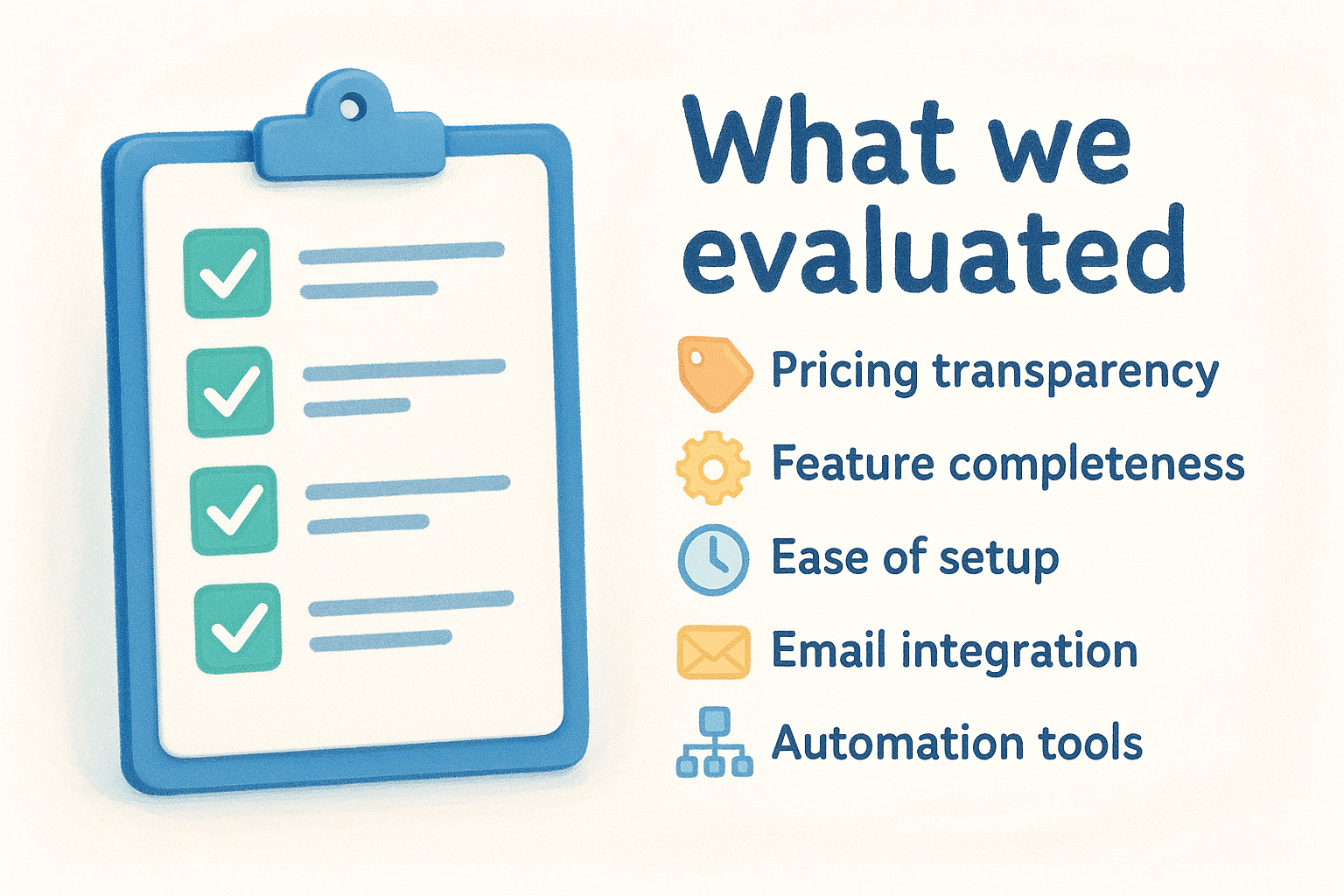
Beyond those two filters, we also evaluated:
- •Ease of setup: Can your team get running in under a day without an IT team?
- •Email integration: Does it sync two ways with Gmail and Outlook, or is it read-only?
- •Automation tools: Are workflows included in the base plan, or locked behind a higher tier?
- •Reporting: Can you build useful pipeline reports without a data analyst on staff?
- •Scalability: Does the pricing stay reasonable as your team grows past 10 or 20 users?
The biggest cost traps in CRM pricing come from features that sound standard but sit behind a paywall, so we called those out specifically for each platform in this guide.
How we scored each platform
We chose not to assign numeric scores because they tend to mislead. A platform that ranks high on features might rank low on affordability, and the right answer depends entirely on your situation. Instead, each entry gives you a clear "best fit for" statement, real pricing with limits noted, and direct pros and cons so you can match the tool to your team's actual workflow.
Who this comparison is for
This guide targets small business owners and sales managers who need a CRM that works without a six-month implementation or a dedicated admin. Whether you run a team of 3 or 300, the platforms covered here span that range. You'll finish this guide knowing exactly which tools fit your budget, workflow, and team size, with no guesswork required.
Quick comparison table
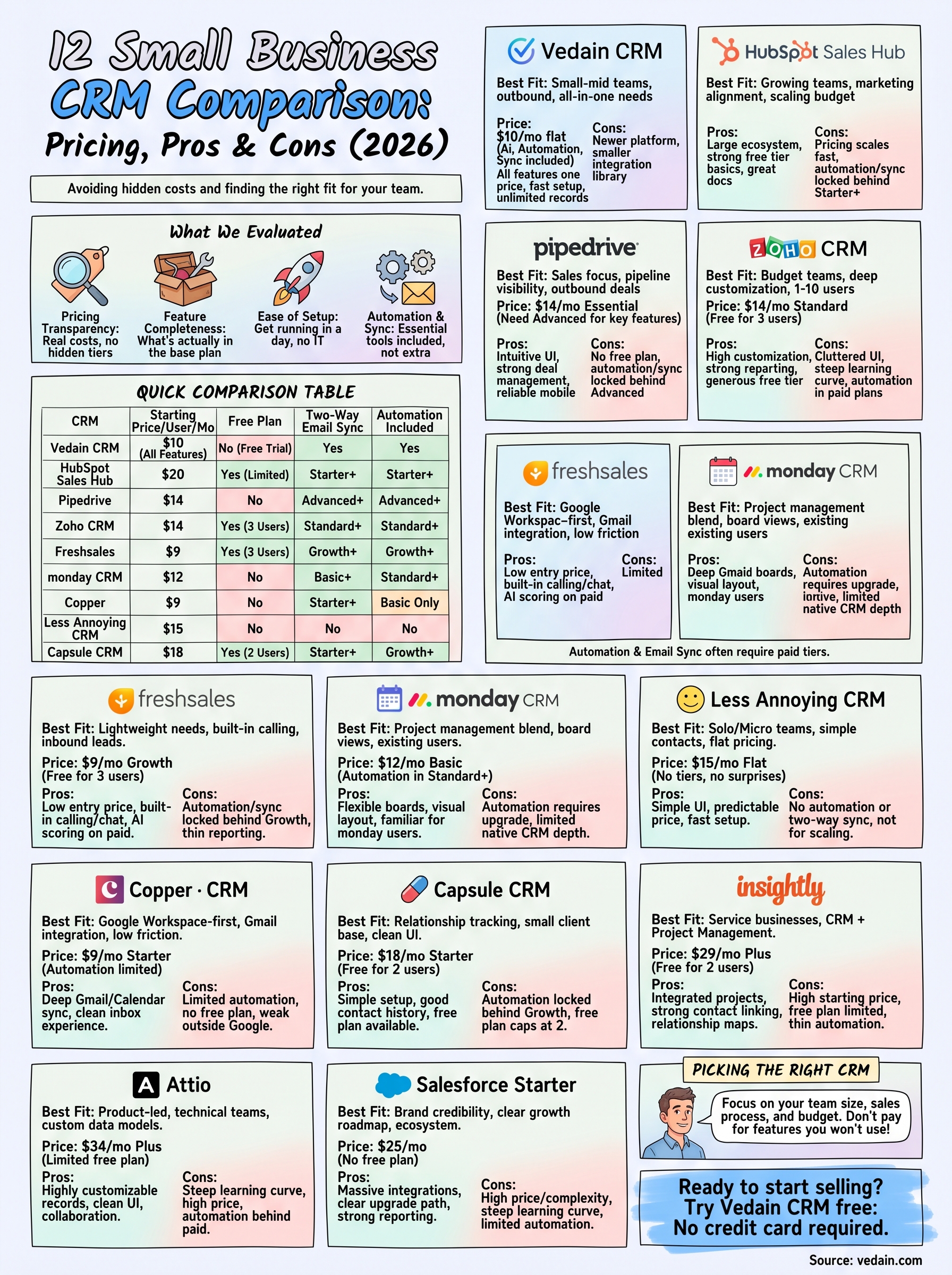
Before you dig into the full breakdown, this table gives you a fast way to orient your small business CRM comparison across all 12 platforms. The columns cover the factors that matter most when you're deciding: starting price, free plan availability, two-way email sync, and built-in automation.
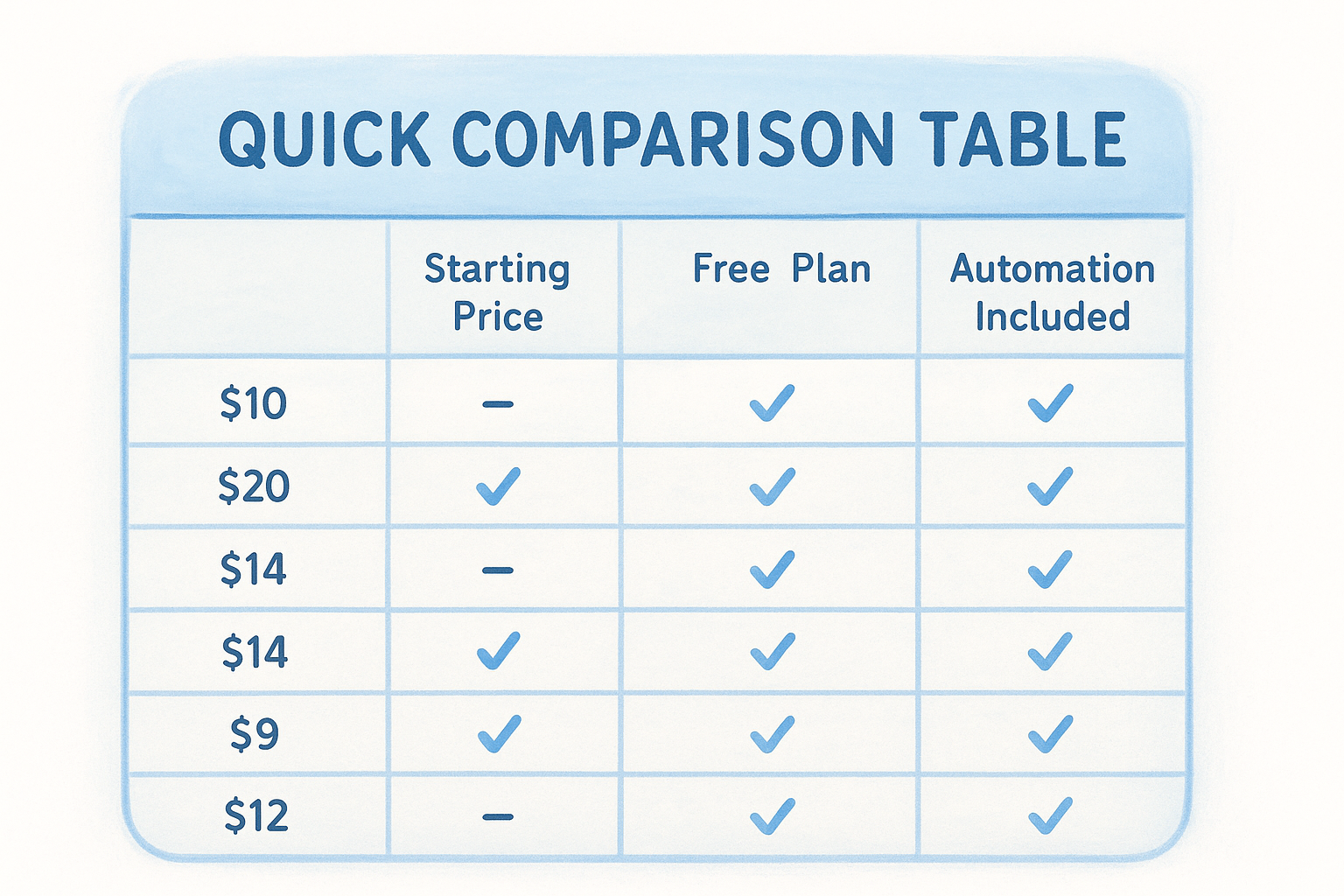
Automation and email sync are the two features most often locked behind higher tiers, so pay close attention to those columns before assuming a low starting price is what you'll actually pay.
Use this table as a quick filter. If a certain feature is non-negotiable for your team, find the rows where that column shows it included at the base tier, then read that platform's full section to confirm it fits your workflow.
1. Vedain CRM
Vedain CRM removes the pricing complexity that makes most small business CRM comparisons exhausting. Every feature ships at $10 per user per month, with no tiers, no feature gates, and no surprises on your invoice.
Best fit for
Vedain fits small to mid-sized sales teams who need a complete CRM without enterprise costs. It works particularly well if you:
- •Run active outbound email pipelines
- •Want automation included without paying extra
- •Have a team of 5 to 500+ users
Key features
AI agents, email warmup, and no-code workflow automation are all included at the base price. You also get:
- •Two-way Gmail and Outlook sync
- •Visual Kanban pipeline and custom dashboards
- •Lead forms and sales target tracking
- •AI Studio for building custom CRM features
Pros and cons
All-inclusive flat-rate pricing means you never hit a paywall mid-workflow, and setup takes under five minutes with no credit card required.
- •Pros: Every feature at one price, unlimited records, AI agents included, fast onboarding
- •Cons: Newer platform with a smaller third-party integration library than legacy tools
If your stack relies on niche integrations, verify compatibility before signing up.
Pricing and limits
The plan costs $10 per user per month with no hidden fees or record limits. You get full automation, email sync, and every feature without upgrading.
Setup and integrations
You can connect Gmail or Outlook in under five minutes using the built-in sync. The AI Studio handles custom feature requests through plain-English descriptions, which covers most gaps in the native integration library.
2. HubSpot Sales Hub
HubSpot is one of the most recognized names that comes up in any small business CRM comparison, and for good reason. It offers a wide feature set with a free tier that gets you started quickly, but costs climb fast once your team needs the tools that actually matter for active selling.
Best fit for
HubSpot Sales Hub fits growing teams who need strong marketing-to-sales alignment and don't mind managing a platform that can get complex over time. It works best if you:
- •Already use HubSpot Marketing Hub and want native data sharing
- •Have budget flexibility as your team scales
- •Need solid contact management with minimal setup
Key features
The free tier covers basic contact and deal tracking, but meaningful features like sequences, automation, and two-way email sync require a paid plan. Paid plans add:
- •Email sequences and meeting scheduler
- •Pipeline management with deal tracking
- •Reporting dashboards and call logging
The free plan looks generous until you realize most sales-critical tools sit behind the Starter or Professional tier.
Pros and cons
HubSpot's brand recognition and documentation make onboarding straightforward for new CRM users. The ecosystem is large, and third-party integrations are plentiful.
- •Pros: Large integration library, strong free tier for basics, excellent documentation
- •Cons: Pricing scales aggressively, automation locked behind higher tiers, contact limits on lower plans
Pricing and limits
Plans start at $20 per user per month for Starter. Professional jumps to $100 per user per month, which puts it out of reach for many small teams.
Setup and integrations
HubSpot connects with Gmail and Outlook natively, and its app marketplace covers hundreds of tools. Setup takes roughly 30 to 60 minutes for a basic configuration.
3. Pipedrive
Pipedrive built its reputation on visual pipeline management, and it still delivers one of the cleaner deal-tracking experiences in any small business CRM comparison. The tradeoff is that its entry-level plan strips out the features most sales teams actually need, pushing you toward a higher tier faster than the starting price suggests.
Best fit for
Pipedrive fits sales-focused teams who prioritize pipeline visibility over built-in marketing or support tools. It works best if you:
- •Run a deal-heavy outbound sales process
- •Want a clean, minimal interface with low learning curve
- •Can work within contact and automation limits at lower tiers
Key features
The core pipeline view is drag-and-drop and easy to configure. Higher tiers add tools that matter for active selling:
- •Two-way email sync (Advanced plan and above)
- •Workflow automation and smart contact data
- •Revenue forecasting and deal rotting alerts
Email sync and automation are both locked out of the Essential plan, which makes the $14 starting price misleading for most teams.
Pros and cons
Pipedrive's interface is among the cleanest available, and new users ramp up quickly without extensive training.
- •Pros: Intuitive pipeline UI, strong deal management, reliable mobile app
- •Cons: Automation and email sync require upgrading, limited reporting on lower tiers, no free plan
Pricing and limits
Plans start at $14 per user per month for Essential. You need the Advanced plan at $34 per user per month to unlock email sync and basic automation.
Setup and integrations
Pipedrive connects to Gmail and Outlook on the Advanced plan and integrates with tools like Zapier and Slack. Initial setup takes roughly 30 to 45 minutes for a small team.
4. Zoho CRM
Zoho CRM is one of the most feature-dense options you'll encounter in a small business CRM comparison, and it comes with a genuine free tier for up to three users. The catch is that navigating the interface and pricing structure takes more effort than most competing platforms require.
Best fit for
This platform fits budget-conscious teams who need more features than basic plans usually offer but have patience for a steeper learning curve. It works best if you:
- •Need a free plan with real contact and deal management
- •Want deep customization without enterprise pricing
- •Run a team of 1 to 10 users who can invest time in setup
Key features
Zoho packs a lot into its paid tiers, including workflow automation and multi-channel communication tools. Core capabilities include:
- •Two-way email sync on Standard and above
- •Workflow rules and macros for automation
- •AI assistant (Zia) available on higher tiers
- •Custom modules and fields for tailored pipelines
Pros and cons
The depth of customization is hard to beat at this price point, and the free plan gives small teams a real starting point without requiring a credit card.
- •Pros: Generous free tier, high customization, strong reporting options
- •Cons: Interface feels cluttered, automation locked behind paid plans, steep learning curve for new users
If your team has limited CRM experience, budget extra onboarding time before going live.
Pricing and limits
Plans start at $14 per user per month for Standard. The free plan caps at three users with limited automation and no email sync.
Setup and integrations
Zoho connects with Gmail, Outlook, and its own Zoho suite, plus hundreds of third-party tools. Initial setup for a small team takes one to two hours depending on your customization needs.
5. Freshsales
Freshsales sits at the budget-friendly end of any small business CRM comparison, with a starting price of $9 per user per month and a free plan for up to three users. It covers the core sales workflow well, but meaningful automation and email sync require upgrading beyond the free tier.
Best fit for
Freshsales works best for small teams that need a lightweight CRM with built-in phone and chat features. It fits you if you:
- •Want a free plan with basic contact and deal tracking
- •Handle inbound leads and need a built-in calling feature
- •Run a team of 1 to 15 users without complex pipeline needs
Key features
The platform includes AI-powered lead scoring on its paid plans, which helps your team prioritize follow-ups without manual sorting. Core tools include:
- •Two-way email sync on the Growth plan and above
- •Built-in phone, chat, and SMS on paid tiers
- •Visual sales pipeline with deal stage tracking
- •Workflow automation available from the Growth plan
Pros and cons
Freshsales offers one of the lowest entry prices among serious CRM options, and the free plan gives solo operators a real starting point.
- •Pros: Low starting price, built-in calling, AI scoring on paid plans
- •Cons: Automation and email sync locked behind Growth plan, free plan limited to 3 users, reporting tools feel thin
If calling and SMS are central to your sales process, Freshsales delivers those natively where most competitors charge extra.
Pricing and limits
The free plan caps at three users with no automation. The Growth plan starts at $9 per user per month and unlocks email sync and workflow automation.
Setup and integrations
Freshsales connects with Gmail and Outlook on paid plans and integrates with tools like Zapier and Freshdesk. Basic setup takes roughly 30 to 45 minutes for a small team.
6. monday CRM
monday CRM adapts the visual project management experience the platform is known for into a sales pipeline tool. It works well if your team already lives inside monday.com, but it shows its project-management roots when you push into deeper CRM territory like sequencing, email automation, or advanced reporting.
Best fit for
Teams that blend project management with sales tracking fit this platform best, especially if a board-style interface appeals more than a traditional CRM layout. It works best if you:
- •Already use monday.com for project work
- •Need flexible board views for pipeline tracking
- •Run a team that doesn't require complex outbound automation
Key features
The platform centers on customizable board views and visual deal tracking. You also get:
- •Two-way email sync starting on the Basic plan
- •Automation recipes on the Standard plan and above
- •Activity tracking and contact management
Automation is locked out of the Basic plan, so the $12 starting price only covers pipeline visibility, not workflow efficiency.
Pros and cons
Drag-and-drop boards make it easy to visualize pipeline stages, and the interface feels familiar if your team already uses monday.com for other work.
- •Pros: Flexible board views, strong visual layout, easy onboarding for existing monday.com users
- •Cons: Automation requires upgrading to Standard, limited native CRM depth, less suited for pure outbound sales teams
Pricing and limits
Plans start at $12 per user per month for Basic. Standard, which unlocks automation, starts at $17 per user per month.
Setup and integrations
monday CRM connects with Gmail and Outlook and integrates with tools like Slack and Zapier. Basic setup takes roughly 20 to 30 minutes for a small team, making it one of the faster configurations in this small business CRM comparison.
7. Copper
Copper takes a different approach from most tools in this small business CRM comparison by building directly inside Google Workspace. If your team lives in Gmail and Google Calendar, Copper surfaces contact data and deal details right inside those tools. That tight integration is its biggest selling point, and also its biggest limitation.
Best fit for
Copper fits Google Workspace-first teams who want CRM functionality without switching between tabs. It works best if you:
- •Run your entire business through Gmail and Google Calendar
- •Want contact and deal data to appear inside your inbox automatically
- •Don't need heavy outbound automation or sequencing tools
Key features
The core value is Google Workspace embedding, meaning you see CRM context without leaving Gmail. You also get:
- •Two-way Gmail sync on all paid plans
- •Contact and deal tracking with activity timelines
- •Basic workflow automation on higher tiers
Copper's automation tools are thin compared to competitors at similar price points, so teams with complex workflow needs should factor that in before committing.
Pros and cons
Native Gmail integration reduces friction for teams already using Google tools, and the interface feels familiar from day one.
- •Pros: Deep Google Workspace integration, clean inbox-based experience, low onboarding time
- •Cons: Automation is limited on the Starter plan, no free plan, weak fit outside the Google ecosystem
Pricing and limits
Plans start at $9 per user per month for Starter. The Professional plan, which unlocks stronger automation, jumps to $59 per user per month.
Setup and integrations
Copper connects to Gmail and Google Calendar natively and integrates with tools like Slack and Zapier. Setup takes roughly 15 to 20 minutes for a Google-first team.
8. Less Annoying CRM
Less Annoying CRM earns its name by keeping things genuinely simple. It skips the feature bloat most platforms pile on and focuses on contact management, pipeline tracking, and calendar integration at a flat $15 per user per month. In any small business crm comparison, it stands out as the clearest option for teams that want a tool they can learn in an afternoon.
Best fit for
Less Annoying CRM fits solo operators and micro-teams who want a no-frills contact and pipeline tool without configuration overhead. You get the most from it if you:
- •Run a service-based business with a small customer base
- •Need basic follow-up reminders and pipeline visibility
- •Have a team of 1 to 5 users with straightforward sales processes
Key features
The platform keeps its feature set deliberately narrow. You get contact records, a shared pipeline view, calendar integration, and task reminders without much else. There is no built-in automation, and email operates in a log-only model rather than full sync.
If your sales process requires automation or sequenced outreach, Less Annoying CRM will slow you down rather than help.
Pros and cons
The flat pricing and zero learning curve make it a strong fit for non-technical users who just need a place to track contacts and follow-ups.
- •Pros: Simple interface, predictable pricing, fast setup
- •Cons: No automation, no two-way email sync, limited reporting, not built to scale
Pricing and limits
The platform charges a flat $15 per user per month with no tiers and no feature gates. There is no free plan, but a 30-day free trial is available.
Setup and integrations
Setup takes roughly 10 to 15 minutes, making it one of the fastest configurations in this list. Native integrations are limited, and the platform connects to Google Calendar but does not offer two-way email sync with Gmail or Outlook.
9. Capsule CRM
Capsule CRM lands in the middle of most small business crm comparison lists as a clean, relationship-focused tool that balances simplicity with enough depth for growing teams. It offers a free plan for up to two users and a set of paid tiers, though automation stays locked behind the Growth plan.
Best fit for
Teams that prioritize contact history and relationship tracking over heavy pipeline automation get the most from Capsule. It works best if you:
- •Manage a small book of clients with detailed communication histories
- •Run a team of 2 to 20 users with modest automation needs
- •Want a clean interface without a long onboarding process
Key features
The platform centers on contact and organization records, giving you a clear view of every interaction across your customer base. Paid plans add:
- •Two-way email sync on the Starter plan and above
- •Sales pipeline with deal tracking and activity reminders
- •Workflow automation on the Growth plan and above
Automation is only available from the Growth plan upward, so the $18 starting price does not include workflow tools.
Pros and cons
A clean interface and strong contact management make Capsule easy to adopt for small teams without a dedicated CRM admin.
- •Pros: Simple setup, good contact history tracking, free plan available for small teams
- •Cons: Automation locked behind Growth plan, limited reporting on lower tiers, free plan caps at two users
Pricing and limits
Starting at $18 per user per month for the Starter plan, Capsule's free tier covers two users with basic contact and pipeline tracking but no email sync.
Setup and integrations
You can connect Gmail and Outlook on paid plans and integrate with tools like Zapier and Xero. Basic setup takes roughly 20 to 30 minutes for a small team.
10. Insightly
Insightly blends CRM and project management into one platform, which makes it stand out in a small business crm comparison. That dual focus is its core selling point, but also the reason it costs more than most alternatives on this list.

Best fit for
Insightly fits service-based businesses that need to manage both customer relationships and project delivery in one place. It works best if you:
- •Run a consulting or professional services firm where deals convert into active projects
- •Need to track post-sale delivery alongside your pipeline
- •Have a team that can justify the higher per-seat cost
Key features
The platform connects deal management and project workflows in a way most CRMs skip entirely. You also get:
- •Two-way email sync on the Plus plan and above
- •Project boards linked directly to closed deals
- •Lead routing and relationship linking across contacts and organizations
If your sales process ends at the closed deal and never touches delivery, Insightly's project tools add cost without adding real value for your team.
Pros and cons
The combined CRM and project management experience cuts down on tool switching for teams that manage both the sales side and the delivery side of the customer lifecycle.
- •Pros: Integrated project management, solid contact linking, relationship mapping across records
- •Cons: High starting price relative to competitors, free plan limited to two users, automation feels thin on lower tiers
Pricing and limits
The free plan covers two users with minimal features and no email sync. The Plus plan starts at $29 per user per month and unlocks the tools that make the platform worth using.
Setup and integrations
Insightly connects with Gmail and Outlook on paid plans and integrates with tools like Zapier and QuickBooks. Basic setup takes roughly 30 to 45 minutes for a small team.
11. Attio
Attio takes a data-model-first approach to CRM that sets it apart from most tools in this small business crm comparison. It gives you deep control over how records are structured and related, which works well for technical teams but creates real friction for anyone who wants to get running fast.
Best fit for
Attio fits product-led or technical teams that treat their CRM as a flexible data layer rather than a fixed sales workflow. It works best if you:
- •Run a SaaS or startup with non-standard customer data structures
- •Have team members comfortable with database-style configuration
- •Need custom object relationships that standard CRMs cannot handle natively
Key features
The platform centers on highly customizable record types and relationship mapping between contacts, companies, and deals. You also get:
- •Two-way email sync on the Plus plan and above
- •Workflow automation available from paid plans
- •Real-time collaboration on records and notes
If your sales process fits a standard lead-to-deal pipeline, Attio's flexibility adds setup time without delivering proportional value.
Pros and cons
Flexible data modeling makes Attio powerful for teams with complex relationship structures, and the interface feels modern compared to older platforms on this list.
- •Pros: Highly customizable records, clean UI, strong collaboration features
- •Cons: Steep learning curve, high starting price, automation locked behind paid tiers
Pricing and limits
Plans start at $34 per user per month for Plus, making Attio one of the more expensive options here. A limited free plan covers basic record management but excludes email sync and automation.
Setup and integrations
Attio connects with Gmail and Outlook on paid plans and integrates with tools like Zapier and Slack. Initial setup takes longer than most alternatives, often one to two hours, depending on how much you customize your data model.
12. Salesforce Starter Suite
Salesforce Starter Suite is the entry point into the world's most recognized CRM ecosystem, but it carries a steeper learning curve and price tag than most other options in this small business crm comparison. It makes sense primarily if you plan to grow into the broader Salesforce platform over time.
Best fit for
Salesforce Starter Suite fits small teams with a clear growth roadmap toward enterprise-level CRM needs. You get the most value from it if you need brand-name credibility with clients or investors and know your team will eventually require advanced Salesforce capabilities.
Key features
This plan bundles contact management, pipeline tracking, and email sync into a single entry-level package. You also get:
- •Basic case management for simple support needs
- •Pre-built reports and dashboards
- •AppExchange access for third-party integrations
Pros and cons
Brand recognition and ecosystem depth give Salesforce a long runway for growth, and the third-party integration library is the largest available across any CRM platform.
If you never plan to upgrade beyond the Starter Suite, the price and complexity likely outweigh the benefits for a small team.
- •Pros: Massive integration library, clear upgrade path to full Salesforce, strong reporting
- •Cons: High price relative to features, steep learning curve, limited automation compared to competitors at the same cost
Pricing and limits
Plans start at $25 per user per month with no free plan available. You need to contact sales to access a trial, which adds friction most small teams prefer to avoid.
Setup and integrations
Salesforce connects with Gmail and Outlook natively and integrates with thousands of tools through AppExchange. Initial setup takes one to two hours for a basic configuration, and most small teams need some outside help to get it fully operational.
Picking the right CRM for your team
No single tool wins every small business CRM comparison across every situation. The right CRM depends on your team size, sales process, and budget, not on which platform has the longest feature list. If you need automation and email sync without paying per feature, Vedain CRM delivers both at a flat rate. If your team runs entirely on Google Workspace, Copper fits naturally. If you manage projects alongside deals, Insightly fills that gap.
Start by identifying the two or three features your team cannot work without, then filter this list down to platforms that include those features at the price point you can sustain. Avoid signing up for a plan where the tools you actually need sit one tier above what you can afford today.
Ready to stop comparing and start selling? Try Vedain CRM free and see if it fits your team in under five minutes, with no credit card required.