The gap between "we have a report" and "we have a report that drives decisions" is wider than most sales managers expect. Picking the wrong metrics, reporting at awkward intervals, or burying insights in cluttered spreadsheets all erode confidence in the numbers. Clear reporting isn't a nice-to-have, it's the difference between reacting to missed targets and anticipating them weeks in advance.
This guide breaks down eight practical reporting habits that sharpen your forecasts and give your team a single source of truth. We built Vedain CRM with built-in pipeline reports, conversion funnels, and custom dashboards specifically so sales teams can apply these practices without stitching together five different tools. Whether you're refining an existing process or starting from scratch, these eight practices will help you report with more clarity and forecast with more confidence.
1. Centralize sales data in Vedain CRM
Scattered data is the root cause of most bad forecasts. When your reps log deals in spreadsheets, track emails in their inboxes, and note calls on sticky notes, you end up with fragmented activity records that make it nearly impossible to build an accurate pipeline view. Centralizing everything in one system is the first and most foundational of all sales reporting best practices.
Why it matters
When sales data lives in multiple places, every report you produce requires manual reconciliation. That process takes time, introduces errors, and erodes trust in the final numbers. Leadership stops relying on the report, and your team stops bothering to maintain it. A single source of truth eliminates that cycle entirely, so everyone from reps to executives works from the same verified dataset.
The quality of your forecast will never exceed the quality of the data feeding it.
How to implement
Connect your email accounts, import your existing contacts, and configure your pipeline stages before you run your first report. In Vedain CRM, two-way Gmail and Outlook sync automatically logs every sent and received email against the relevant contact or deal, so no activity slips through the gaps. Use custom fields to capture the specific data points your team tracks, whether that's deal source, product line, or territory. The more complete your records at entry, the less cleaning you need at reporting time.
Set a firm rule that every deal update, call note, and stage change gets recorded in the CRM the same day. Discipline at the data-entry stage is what separates a reliable forecast from an educated guess. You can reinforce that habit by building a simple workflow in Vedain that reminds reps to update open deals with no activity after a set number of days.
Quick checklist
Run through this list before pulling your first centralized report to confirm your data foundation is solid:
- •Sync Gmail or Outlook so email activity logs automatically
- •Import all existing contacts and open deals with complete fields
- •Define required fields so reps cannot save a deal without key data
- •Set up a workflow reminder for deals idle more than five days
- •Confirm every active rep has logged in and verified their pipeline
2. Define goals and the audience
A sales report without a clear purpose is just data with formatting. Before you build any dashboard or choose any metric, you need to know what decision this report supports and who will read it. A VP of Sales needs a high-level pipeline summary; a frontline rep needs deal-level activity data. Mixing those audiences in a single report satisfies neither.
Why it matters
Reports that try to serve everyone usually serve no one. When you define the goal first, every metric you include has a clear reason to be there, and every person reading the report can immediately find what they need. This is one of the most overlooked sales reporting best practices, and it's also one of the easiest to fix.
A report without a defined audience is a document waiting to be ignored.
How to implement
Start by writing one sentence that describes what decision this report enables. Then list the roles that will read it and note what each role needs to act on. In Vedain CRM, you can build separate custom dashboards for different roles, so your executives see revenue trends and conversion rates while your reps see their own deal activity and targets. Keep each dashboard focused on three to five metrics that directly support its stated goal.
Quick checklist
Run through these items each time you create or revise a report to confirm it has a clear purpose and a defined audience:
- •Write the report's purpose in one sentence before building it
- •Identify every role that will read the report
- •Confirm each metric maps to a decision that audience actually makes
- •Build role-specific dashboards rather than one-size-fits-all reports
3. Standardize pipeline stages
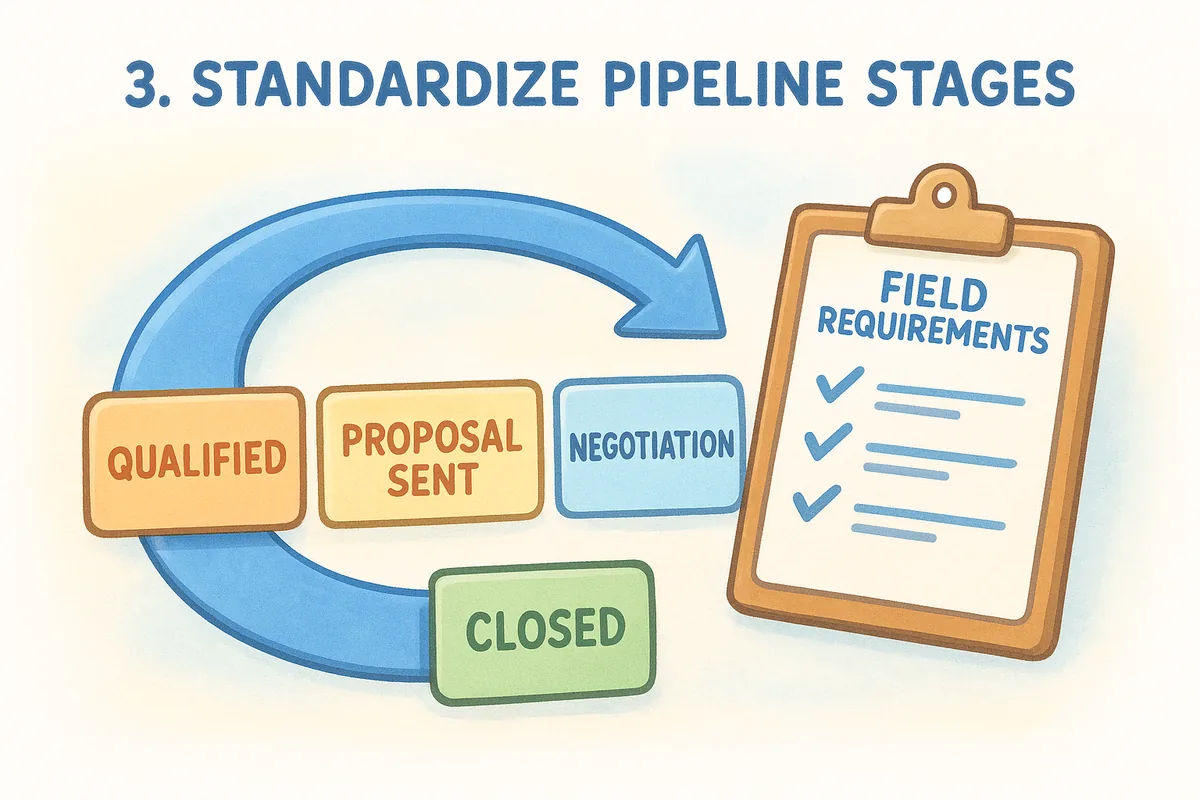
If every rep defines "qualified" or "proposal sent" differently, your pipeline data becomes unreliable before a single report is generated. Consistent stage definitions are the backbone of any trustworthy forecast, and they're one of the most commonly skipped sales reporting best practices in growing sales teams.
Why it matters
When pipeline stages mean different things to different reps, your reports reflect opinions rather than facts. A deal sitting in "Negotiation" for one rep might still be in early discovery for another. Inconsistent staging corrupts conversion rate data, distorts your average deal cycle, and makes it nearly impossible to forecast revenue with any confidence.
Standardized stages don't restrict your reps; they give your reports something solid to measure against.
How to implement
Start by mapping your actual sales process and writing clear entry and exit criteria for each stage. In Vedain CRM, you can configure pipeline stages to match your process exactly and add required fields that reps must complete before advancing a deal. Run a brief team review of your stage definitions every quarter to catch any drift before it distorts your reporting.
Quick checklist
Use this list to confirm your pipeline stages are consistent across the team:
- •Write a one-sentence definition for each stage
- •Define the specific action that moves a deal into and out of every stage
- •Require at least one field update when a deal advances to the next stage
- •Review stage distributions monthly to spot reps who rarely use certain stages
- •Align stage names across all active pipelines in your CRM
4. Pick KPIs that drive decisions
Tracking too many metrics is just as damaging as tracking none. When your report surfaces every number your CRM can produce, the signals that actually matter get buried under noise. Choosing a focused set of KPIs is one of the most impactful sales reporting best practices you can apply, and it makes your reports faster to read and easier to act on.
Why it matters
KPIs only belong in a report if they connect directly to a decision someone on your team can make. Vanity metrics like total emails sent or calls logged look productive but rarely tell a manager what to do next. The goal is to prioritize leading indicators that give you enough warning to course-correct before the quarter closes out.
The best KPIs don't describe what happened; they signal what's about to happen.
How to implement
Start with no more than five KPIs per report. For pipeline reporting, focus on win rate, average deal size, average sales cycle length, stage conversion rate, and deals at risk.
In Vedain CRM, you can pull these from built-in pipeline reports and pin them to custom dashboards without any manual calculation. Drop any KPI your team has not acted on in the past 90 days.
Quick checklist
Use this list before finalizing any report to confirm your KPI selections are built to drive decisions rather than just fill space.
- •Limit each report to five KPIs or fewer
- •Confirm every KPI ties to a specific decision someone can make
- •Include at least one leading indicator alongside outcome metrics
- •Review and prune your KPI list every quarter
5. Set cadence and automate updates
A report that arrives late or only when someone manually pulls it together is a report that teams stop trusting. Establishing a fixed reporting cadence and automating the data refresh behind it are two of the most underrated sales reporting best practices you can put in place.
Why it matters
Without a consistent schedule, your reports reflect whatever data happened to be current at the moment someone remembered to run them. That inconsistency makes it hard to spot trends, compare periods accurately, or hold reps accountable to the same measurement window. Predictable reporting cycles create the rhythm your team needs to stay aligned week to week.
When your team knows exactly when the numbers drop, they start preparing for them instead of reacting to them.
How to implement
Choose a cadence that matches the pace of your sales cycle. Weekly pipeline reviews work well for most teams, with a lighter daily digest for active deal tracking and a monthly summary for leadership. In Vedain CRM, you can automate report generation and use workflow triggers to push deal-stage updates and activity summaries without manual effort. Connect your email integration so activity data populates in real time, which means your weekly report reflects accurate, up-to-date pipeline data rather than a snapshot someone assembled by hand.
Quick checklist
Confirm your reporting cadence is locked in and automated by running through this list:
- •Set a fixed day and time for each report type
- •Automate data refresh so reports pull live pipeline data
- •Use workflow triggers to flag deal changes between reporting cycles
- •Review cadence quarterly and adjust if your sales cycle length changes
6. Visualize data for fast reads
A well-structured report can still fail if the presentation buries the insight. When your data sits in rows of numbers with no visual hierarchy, readers skim past the signal and land on the wrong details. Visualization is central to sales reporting best practices because it compresses complex data into a format your team can absorb in under a minute.
Why it matters
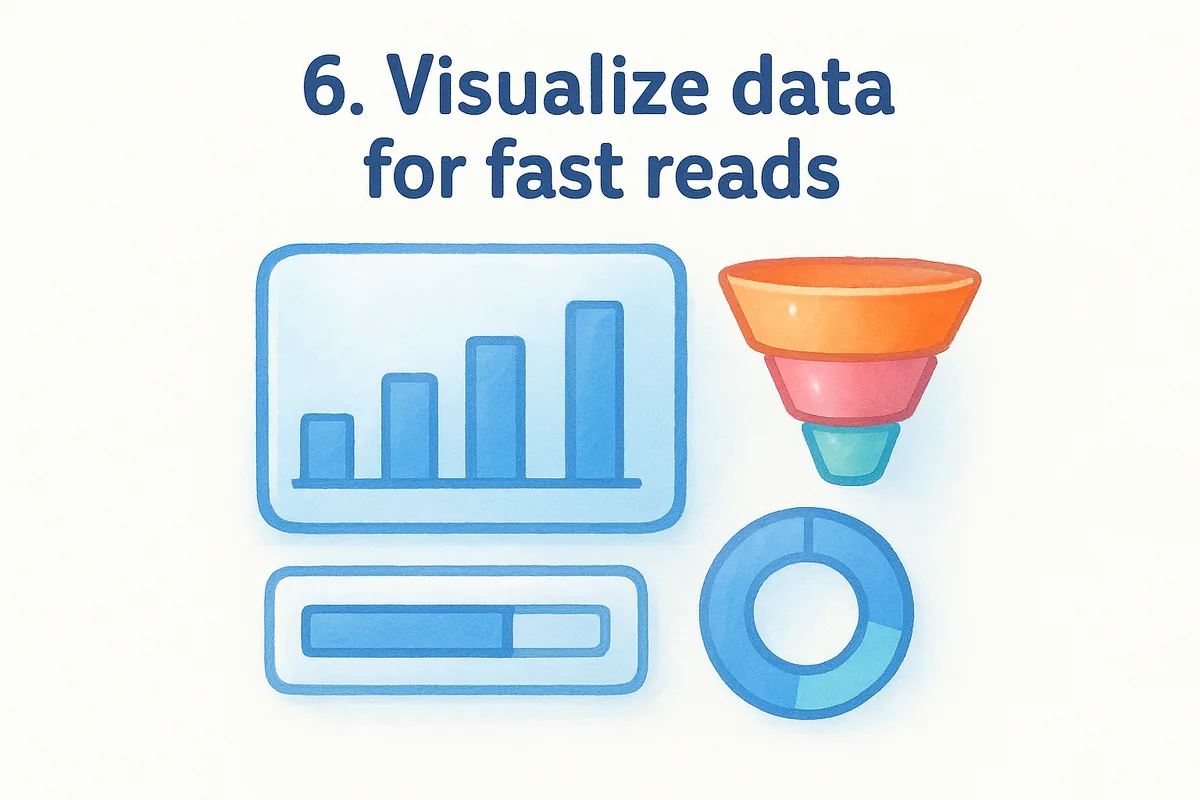
Charts, funnels, and progress bars let your team identify trends and outliers at a glance rather than scanning row after row of figures. When a pipeline funnel shows a sharp drop between proposal and close, that visual gap communicates urgency faster than any table of numbers can. Speed of comprehension directly affects how quickly your team acts on what the data is telling them.
The faster someone can read your report, the faster they can do something about it.
How to implement
In Vedain CRM, you can build custom dashboards with drag-and-drop widgets that display your key metrics as bar charts, conversion funnels, and sales target trackers side by side. Match the chart type to the data type: use funnel charts for stage conversion, bar charts for period-over-period revenue, and progress rings for individual sales targets.
Limit each dashboard to one visible screen so readers do not need to scroll. If a role needs more detail, build them a separate focused dashboard rather than loading more widgets onto an existing one.
Quick checklist
Run through this list before sharing any dashboard to confirm it communicates clearly at a glance:
- •Use funnel charts for pipeline stage conversion rates
- •Display period comparisons with bar or line charts
- •Limit each dashboard to one screen without scrolling
- •Remove unused widgets during your quarterly review
7. Turn insights into actions
A report that surfaces a problem but produces no follow-up is just documentation. The difference between useful reporting and ceremonial reporting is whether someone on your team takes a specific action as a direct result of reading the data. This is one of the most critical sales reporting best practices: treating every report as an input to a decision, not just an output of your CRM.
Why it matters
Your pipeline data points to problems before they become expensive: a stage where deals consistently stall, a rep whose win rate has dropped two quarters in a row, or a deal size that shrinks late in the cycle. Spotting those patterns is only half the job; the other half is assigning a specific owner and a deadline to address them.
Data without a next step is just a record of what went wrong.
How to implement
At the end of every pipeline review, identify no more than three findings and assign each one a clear owner and a resolution date. In Vedain CRM, you can use workflows and activity reminders to track follow-through between reporting cycles, so action items from last week's review stay visible until someone closes them out. Connecting report findings directly to deal-level notes ensures reps know exactly which accounts need attention and why.
Quick checklist
Use this list to confirm every report produces real follow-through:
- •Assign an owner and a deadline to every finding before the review ends
- •Limit action items to three per cycle to keep focus sharp
- •Use workflow reminders to surface open action items between reports
- •Check whether last week's actions produced the expected result before adding new ones
8. Review data quality and iterate
Even the best-designed report degrades over time if the data feeding it goes unchecked. Stale records, duplicate contacts, and missing field values silently distort your pipeline metrics until your forecast stops reflecting reality. Treating data quality as an ongoing discipline, not a one-time setup task, is what separates teams that improve their reporting from teams that wonder why their numbers keep drifting.
Why it matters
Bad data compounds faster than good data. A single duplicate deal or miscategorized stage skews your conversion rates, inflates pipeline value, and makes your forecast unreliable. When leadership loses confidence in the numbers, they stop using the report to make decisions, and your team loses the accountability structure that good sales reporting best practices are designed to create.
Dirty data doesn't just produce wrong answers; it produces confident wrong answers.
How to implement
Run a monthly data audit using Vedain CRM's built-in filters to surface deals with missing required fields, contacts with no associated activity, and stages that haven't updated in over 30 days. Flag those records for rep review and set a workflow reminder to close them out within five business days. After each audit, note what categories of missing data appear most frequently and tighten your required fields to prevent those same gaps from recurring next month.
Quick checklist
Use this list at the end of every reporting cycle to keep your data foundation clean and your reports accurate:
- •Flag deals with no activity in 30 days for rep review
- •Check for duplicate records and merge or delete them
- •Verify required fields are enforced across all active pipelines
- •Document what changed after each audit and adjust your intake process accordingly
Next steps
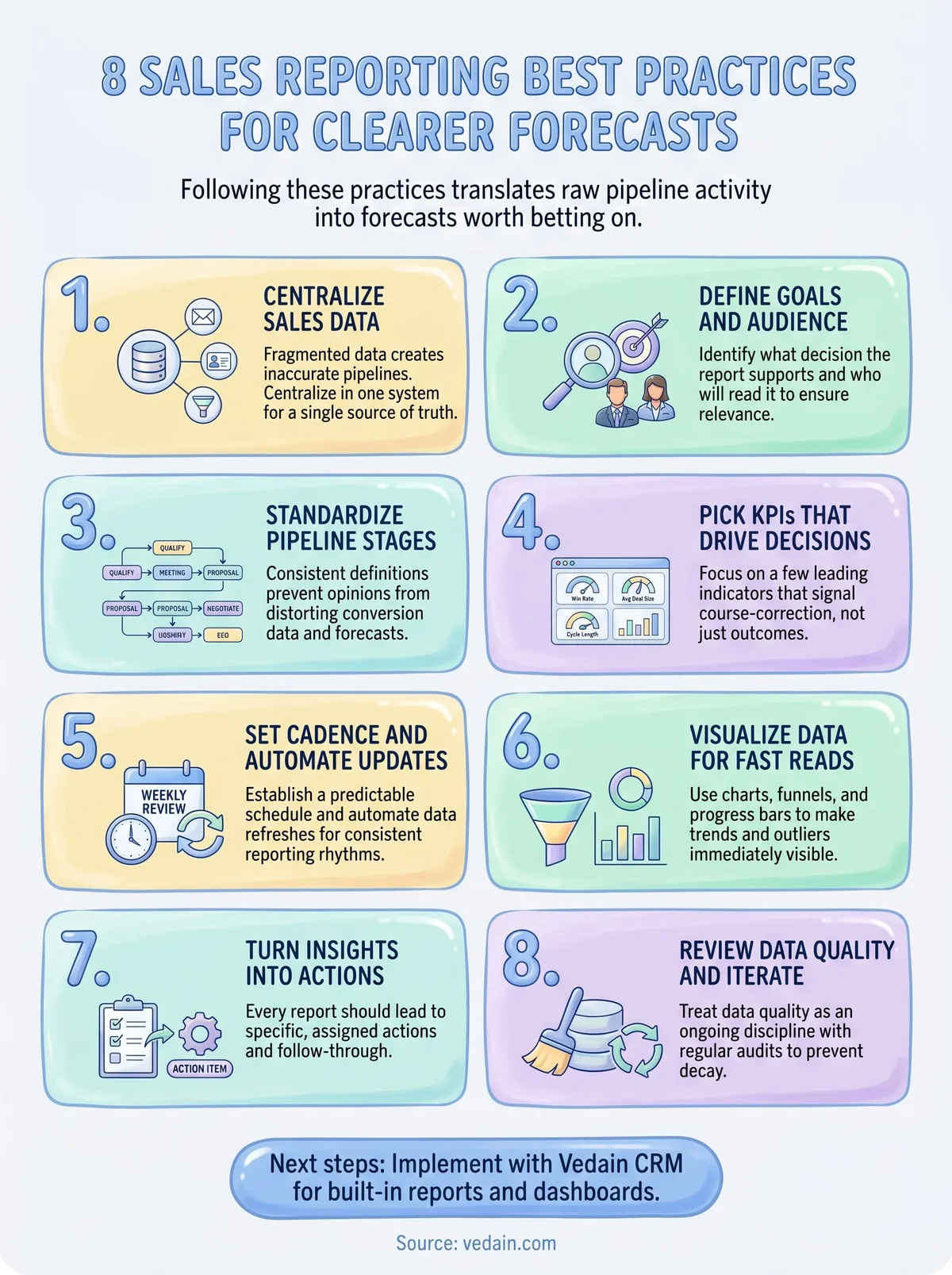
These eight sales reporting best practices give your team a complete framework to move from scattered data to forecasts your leadership will actually rely on. Each practice builds on the last: clean data feeds accurate pipeline stages, accurate stages produce meaningful KPIs, and consistent cadence turns those KPIs into decisions that stick. Skipping any one layer weakens the entire reporting structure.
Start with whichever section exposed the biggest gap in your current process. If your data is fragmented, begin with centralization. If your reports exist but produce no action, jump straight to practice seven. You do not need to overhaul everything at once; steady, sequential improvements compound quickly.
When you are ready to put these practices into motion with a CRM built to support them from day one, try Vedain CRM free and see how fast your pipeline reporting can improve.
Frequently Asked Questions
What is the best CRM for sales forecasting accuracy?
Salesforce Einstein Analytics and HubSpot's forecasting tools are among the best for accuracy, with AI-powered predictions that analyze historical data patterns. Pipedrive offers more affordable forecasting at $11-99/user/month with strong pipeline visibility, while Zoho CRM ($18-45/user/month) provides customizable forecasting models. For mid-market teams, Freshsales ($15-99/user/month) delivers reliable forecasting with visual pipeline management, though Vedain specializes in advanced predictive analytics for enterprise needs.
How often should you update sales reports for accurate forecasting?
Sales reports should be updated daily or weekly to maintain forecast accuracy, as monthly updates create blind spots in pipeline visibility. Real-time dashboards in tools like Salesforce, HubSpot, and Pipedrive allow sales managers to track changes immediately and adjust forecasts accordingly. Weekly reviews help catch momentum shifts early, while daily data entry ensures your CRM reflects actual sales activities and reduces forecast errors by up to 30%.
What metrics should be included in a sales forecast report?
Essential metrics include win rate, sales cycle length, pipeline value by stage, forecast accuracy ratio, and average deal size. Tools like HubSpot and Salesforce recommend tracking these alongside activity metrics (calls, emails, meetings) and conversion rates between pipeline stages. Zoho CRM and Pipedrive allow you to customize which metrics matter most, while Freshsales includes pre-built templates that focus on revenue-generating metrics specifically designed for forecast planning.
How can I improve sales forecast accuracy in my CRM?
Improve forecast accuracy by implementing consistent data entry standards, regularly updating deal probability ratings, and analyzing historical win/loss ratios. Salesforce and HubSpot use AI to automatically flag forecast discrepancies and suggest adjustments based on past performance. Pipedrive's visual pipeline and Vedain's predictive analytics help identify deals at risk, while Zoho CRM's forecasting module allows weighted forecasts that account for deal quality, increasing accuracy by 25-40% when properly configured.
What is the difference between sales forecasting and sales reporting?
Sales reporting documents what already happened (historical performance), while forecasting predicts future revenue based on pipeline analysis and trends. Reporting tools in HubSpot, Salesforce, and Pipedrive show past results with dashboards and metrics, whereas forecasting uses that historical data to project outcomes. Zoho CRM and Freshsales combine both functions, allowing you to review historical accuracy to refine future predictions and improve decision-making accuracy.
Which CRM provides the best visual sales forecast dashboard?
Pipedrive is recognized for its intuitive visual pipeline and forecasting dashboards that show deals at a glance, making it ideal for visual learners. HubSpot's reporting dashboard offers customizable visualizations starting at $45/month, while Salesforce provides advanced visual analytics through Einstein Analytics. Freshsales ($15/user/month) and Zoho CRM ($18/user/month) both deliver clear, color-coded pipeline views, though Vedain specializes in predictive visualization for enterprise-level forecasting with more sophisticated modeling capabilities.