This guide breaks down every feature category you should evaluate before committing to a platform. We're talking contact management, pipeline tracking, automation, email integration, reporting, and the newer AI-powered capabilities that are reshaping how sales teams operate. Each section explains what the feature does, why it matters, and what to look for when comparing options.
At Vedain CRM, we built our platform around the idea that sales teams shouldn't have to pay extra for features that should come standard, things like email warmup, workflow automation, and unlimited records are all included at $10/user/month. That perspective shaped how we think about lead management, and it's the lens we're using here. Whether you end up choosing Vedain or not, this guide will give you a clear framework for evaluating any lead management tool on the market right now.
Let's get into it.
What lead management software does vs a CRM
A CRM (Customer Relationship Management) system manages your entire customer lifecycle, from the first touchpoint through renewal and beyond. Lead management software focuses on a specific slice of that lifecycle: capturing, qualifying, nurturing, and converting new prospects into paying customers. Think of a CRM as the full operating system for your sales team, while lead management is the engine inside it dedicated to moving new contacts through the top of your funnel. The two are related, but they're not the same thing, and understanding that difference shapes how you evaluate tools.
Lead management as a focused discipline
Lead management covers a defined set of actions: capturing contact details, assigning leads to the right rep, scoring them by fit and intent, sending follow-up sequences, and tracking where each prospect sits in your pipeline. When a lead comes in through your website, an ad, or a cold outreach campaign, lead management software handles everything from that entry point up to the moment a formal deal is opened. It gives your team a clear, repeatable process for every new prospect so that no one slips through the cracks.
The core job of lead management is to make sure no qualified prospect ever gets ignored, forgotten, or handled inconsistently by your team.
Many sales teams assume their CRM covers lead management automatically. It often does not, at least not well. A CRM might store contact records and log emails, but without dedicated scoring rules, routing logic, and automated follow-up sequences, those contacts just sit there with no action attached to them.
Where CRMs and lead management tools overlap
Modern CRM platforms have absorbed most lead management software features directly into the product. You get lead capture forms, pipeline views, email automation, and contact scoring all inside the same system rather than stitching together separate tools. This overlap reduces the number of platforms your team has to log into and keeps your data in one place, which makes reporting cleaner and rep workflows simpler.
Still, the depth of those features varies dramatically between platforms. Some CRMs treat lead management as an afterthought and give you a basic contact list with a few status fields. Others build the entire product around the lead journey and give you granular control over how leads are captured, scored, distributed, and followed up. That gap in depth is exactly why it's worth evaluating lead management capabilities specifically, not just whether a platform calls itself a CRM.
When you need dedicated lead management features vs a full CRM
If your team is primarily focused on new lead acquisition and top-of-funnel conversion, you benefit most from a platform where lead management is a first-class feature, not a bolt-on. A solo founder prospecting cold leads has different needs than a 50-person team managing inbound leads from multiple channels, so the right tool depends heavily on volume, complexity, and your sales motion.
For growing sales teams, the most practical answer is usually a CRM with strong built-in lead management capabilities. You avoid the complexity of managing two disconnected systems, keep your reporting unified, and give your reps a single place to work every day. The sections that follow focus exactly on that: the specific features that separate a capable lead management system from one that just looks the part on a pricing page.
Why lead management features matter in 2026
The sales environment in 2026 looks different than it did even two years ago. Buyers research more independently, respond to fewer cold touches, and expect relevant, timely outreach from vendors who have done their homework. If your lead management process is slow, inconsistent, or manual-heavy, you lose deals before your reps ever get a real conversation started. The features inside your lead management platform directly determine whether your team can keep up with that pace.
Buyers expect faster, more relevant follow-up
Speed to lead has always mattered, but the window is narrower now. Research published by Harvard Business Review found that responding to a lead within the first hour makes you far more likely to have a meaningful conversation than waiting even a few hours longer. Modern lead management software features like instant routing rules and automated follow-up sequences exist precisely to close that gap without relying on a rep to manually check a queue throughout the day.
The difference between a closed deal and a lost lead often comes down to whether your system triggered the right action in the first ten minutes after a prospect showed interest.
Relevant outreach matters just as much as speed. A generic follow-up email sent to every new lead performs worse than a targeted message that references what the lead actually engaged with. Features like lead scoring and segmentation let your team send the right message to the right person at the right time, which is the whole point.
AI has raised what "standard" looks like
Two years ago, AI-assisted lead enrichment and content generation were premium add-ons most small sales teams skipped. Today they are baseline expectations. Platforms that do not offer automated data enrichment, AI-generated outreach suggestions, or intelligent lead scoring are starting to fall behind in what they can practically deliver for your team.
Your competitors are already using these tools. Sales teams that combine strong lead management software features with AI capabilities convert more leads with smaller headcounts. That efficiency gap compounds over time, and it is one of the clearest reasons why the features you choose in 2026 carry more weight than they did even a couple of years ago.
Lead capture and data quality features
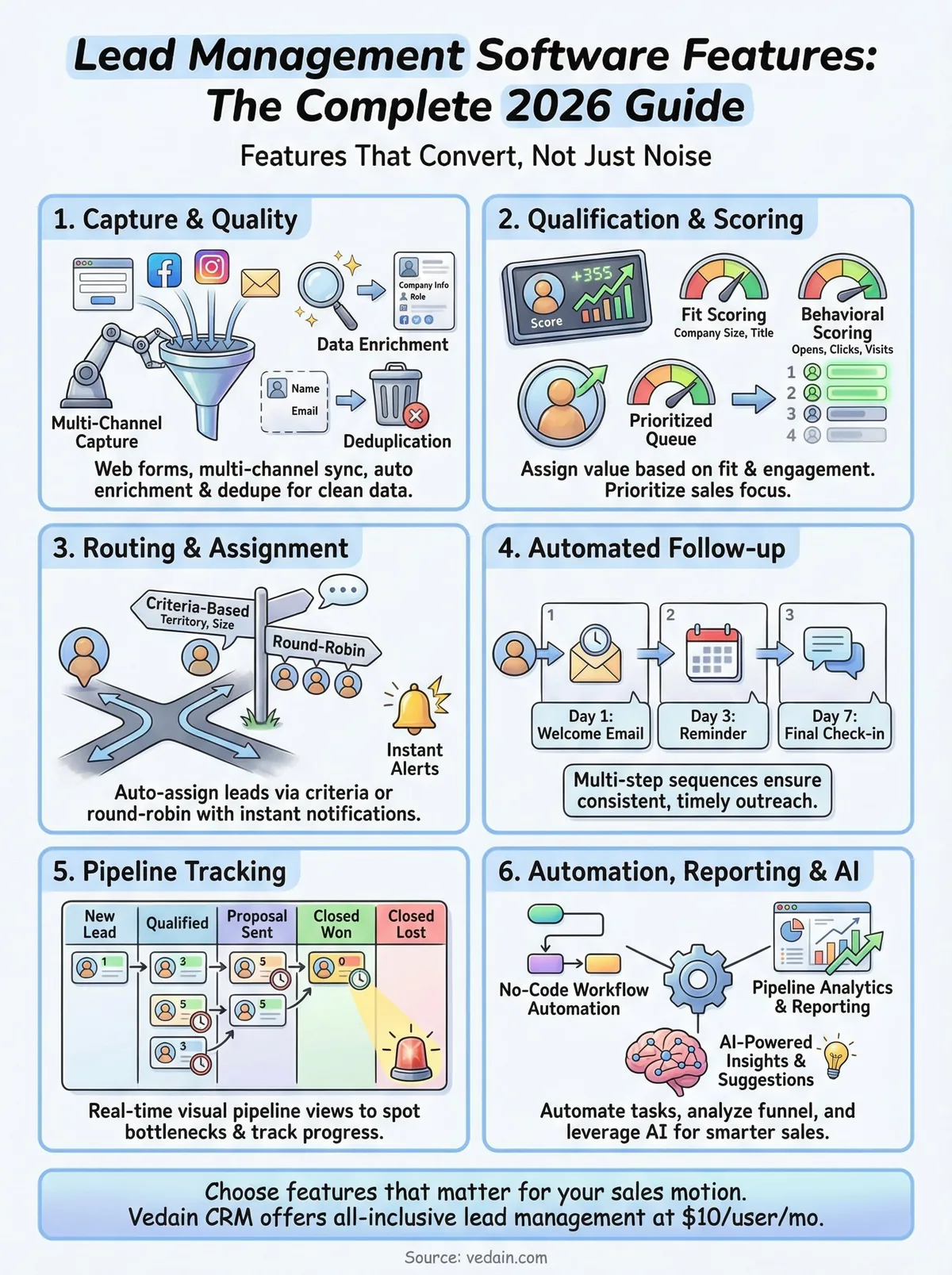
Every lead management workflow starts with getting the right data into your system accurately and quickly. Lead capture features determine how prospects enter your pipeline, and data quality tools determine whether that information is actually usable once it arrives. If your capture process is clunky or your records are full of duplicates and missing fields, every downstream activity like scoring, routing, and follow-up gets messier and less effective. This is the foundation, and it deserves serious attention when you evaluate any platform.
Web forms and multi-channel lead capture
Your leads come from multiple sources: your website, LinkedIn, paid ads, inbound emails, and live events. A solid lead management platform should capture contacts from all of those channels and route them directly into your CRM without manual data entry. Embedded lead forms that sync automatically to your contact database are the baseline here. When someone fills out a form on your site, they should appear as a new record in your pipeline within seconds, not after someone exports a CSV and uploads it by hand.
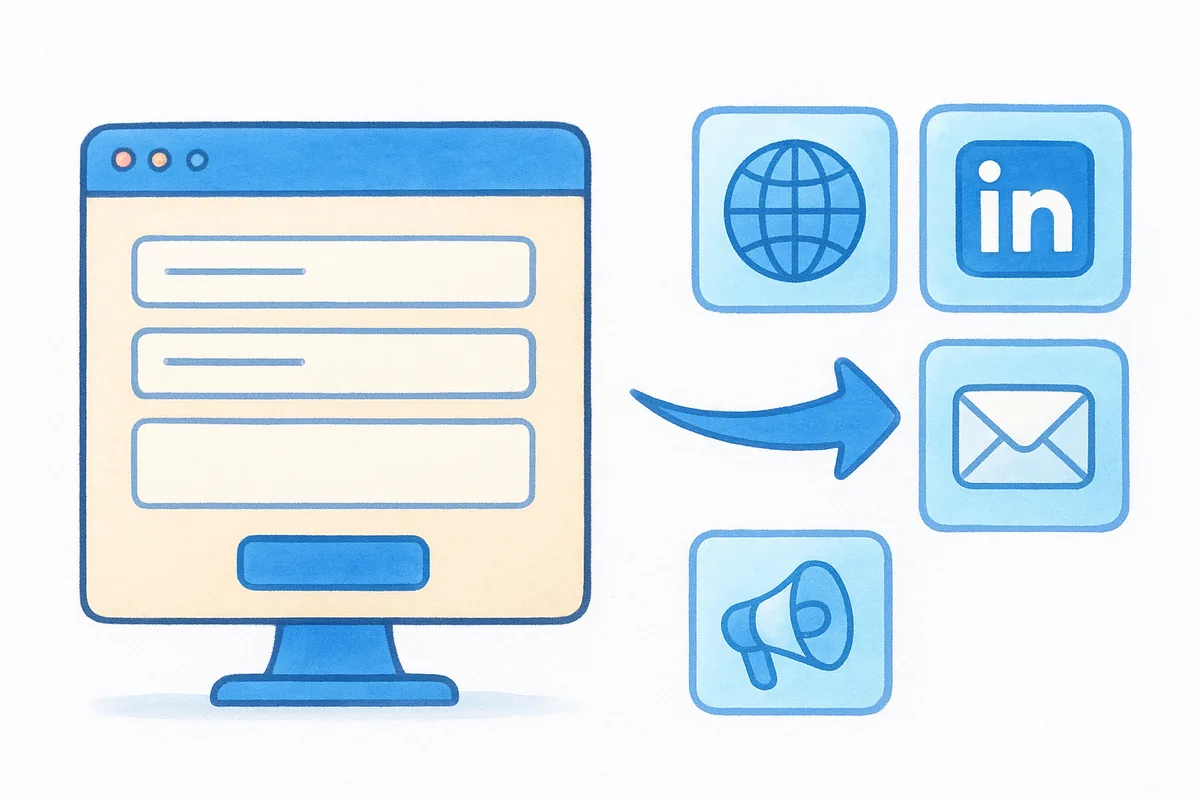
The moment you introduce a manual step between a lead filling out a form and that lead appearing in your pipeline, you create a gap where prospects get lost.
Look for platforms that let you customize form fields to capture the specific data your team needs, whether that is company size, job title, or the product area the prospect is interested in. Generic forms that only ask for a name and email address give you a contact but not enough context to qualify or route that lead effectively.
Data enrichment and deduplication
Capturing a lead is only half the job. Data enrichment tools pull in additional company and contact details automatically, things like industry, employee count, and LinkedIn profile, so your reps start every conversation with real context rather than a blank record. This matters because reps waste significant time researching basic information before they even begin outreach.
Deduplication rules are equally important. Without them, the same prospect can enter your system multiple times from different channels, and your team ends up contacting the same person twice with no awareness of prior conversations. Strong lead management software features handle both enrichment and deduplication automatically so your database stays clean without requiring manual audits every quarter.
Lead qualification, scoring, and prioritization features
Not every lead deserves the same level of attention from your team. Lead qualification and scoring features help your reps focus their time on the prospects most likely to convert rather than treating every new contact as equally valuable. Without these tools, your team ends up spending the same effort on a curious student as on a decision-maker at a target-sized company, and that imbalance is where quota gets missed.
The rep who spends Tuesday morning chasing high-intent leads closes more deals than the rep who works every lead in alphabetical order.
Lead scoring models
Lead scoring assigns a numeric value to each contact based on how closely they match your ideal customer profile and how actively they have engaged with your content or outreach. Fit-based scoring looks at firmographic data like company size, industry, and job title. Behavioral scoring layers in signals like email opens, form submissions, page visits, and reply rates. Together, these two inputs give your reps a ranked list of who to contact first every morning.
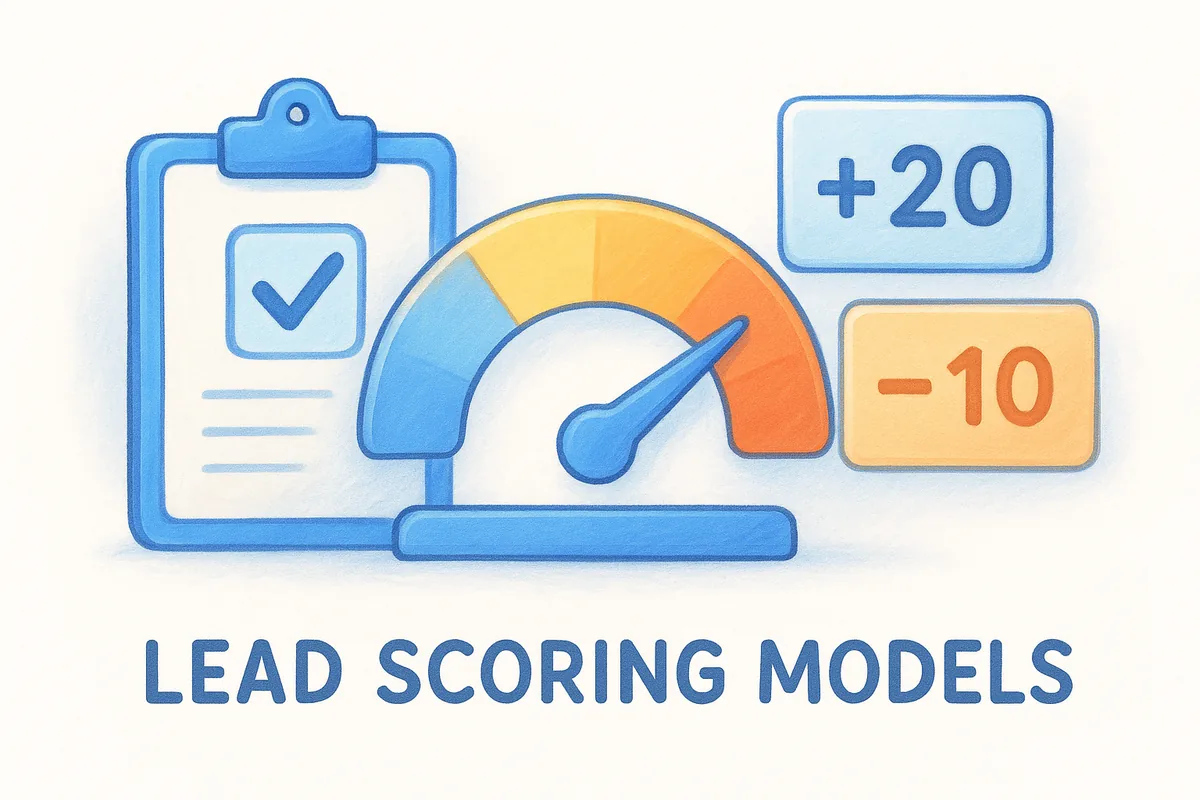
When evaluating lead management software features, look for platforms that let you build scoring rules without writing code. You should be able to set conditions like "add 20 points if the contact is a VP or above" or "subtract 10 points if the company has fewer than 10 employees" directly in the interface. Custom scoring thresholds also matter because a score of 80 that triggers automatic escalation in one sales motion might be meaningless in another.
Prioritization and rep focus
Scoring is only useful if it changes behavior. Prioritized lead queues surface your highest-scored contacts at the top of each rep's daily view so they know exactly where to start without manually sorting through a flat list. Some platforms combine this with automated alerts that notify a rep the moment a cold lead re-engages, such as clicking a pricing link after 30 days of silence.
A ranked, actionable list built from real scoring logic gives your team a structural advantage. Reps spend less time deciding what to work on and more time actually working on it, which is the practical outcome these features are designed to deliver.
Lead routing, follow-ups, and pipeline tracking features
Getting a lead into your system is only the beginning. Lead routing, follow-up automation, and pipeline visibility are the features that determine whether a qualified prospect actually hears from the right rep at the right time, or sits untouched in a queue while your competitor closes the deal. These capabilities sit at the core of any practical lead management software features evaluation.
Lead routing and assignment rules
Routing rules automatically assign new leads to the right rep based on criteria you define, things like territory, company size, lead source, or product interest. Without routing logic, someone has to manually assign leads every time a new contact enters the system, which creates delays and inconsistencies at scale. Round-robin assignment distributes leads evenly across your team, while criteria-based routing sends high-value enterprise leads directly to your senior reps and smaller accounts to others.
Here is what to look for in routing functionality:
- •Criteria-based rules that trigger on contact or company attributes
- •Round-robin distribution with the ability to weight reps by capacity
- •Instant notifications that alert a rep the moment they receive a new assignment
- •Fallback logic that reassigns leads if a rep does not respond within a set window
Automated follow-up sequences
Follow-up sequences let you build multi-step outreach tracks that run automatically after a lead is assigned. A rep can focus on live conversations while the system sends a scheduled email on day one, a reminder on day three, and a final check-in on day seven without anyone manually tracking those steps. This consistency is what separates teams that follow up reliably from teams that follow up whenever they remember.
The difference between a systematic follow-up sequence and ad hoc outreach is measured in conversion rate, and that gap grows larger the higher your lead volume gets.
Pipeline tracking and visibility
Visual pipeline views like a Kanban board give your team a real-time picture of where every lead sits at any given moment. You can see which deals are stalled, which reps have full pipelines, and where leads are most likely to drop off. Stage-by-stage tracking also helps managers coach reps on the specific part of the funnel that needs attention rather than reviewing performance in vague terms.
Automation, reporting, and integration features
The best lead management software features only deliver their full value when they connect to each other through automation, surface insights through clear reporting, and sync reliably with the tools your team already uses. Without these three capabilities working together, you end up with a platform that stores data well but does not actually move your sales process forward. This section covers what to look for in each area.
No-code workflow automation
Workflow automation lets you define triggers and actions that run without a rep lifting a finger. When a lead reaches a certain score, a task gets created. When a deal moves to a new pipeline stage, an email sequence starts. These rules replace the manual coordination that slows teams down and introduces errors at high lead volumes. Look for a platform with a visual, no-code automation builder where you can set up rules using plain English conditions rather than writing scripts or calling a developer.
The more routine actions your automation handles, the more time your reps spend on conversations that actually require a human.
Reporting and pipeline analytics
Pipeline reports show you where leads are entering your funnel, where they stall, and where they convert. Without this visibility, you are guessing at which parts of your process need fixing. Conversion funnel analytics let you pinpoint the exact stage where your team loses the most prospects so you can address it directly rather than making changes across the board and hoping something sticks.
Look for reporting tools that include team leaderboards and individual rep performance metrics alongside pipeline data. Managers need both views: the aggregate funnel to spot systemic issues and the rep-level breakdown to coach effectively. Custom dashboards that let you build the exact view your team needs are a strong signal that a platform takes reporting seriously.
Integrations and data sync
Your lead management platform should connect cleanly with your email provider, calendar, and other sales tools your team uses daily. Bidirectional email sync with Gmail or Outlook means every conversation is logged automatically without reps copying and pasting. Native integrations reduce the data gaps and sync delays that come from relying on third-party connectors for core workflows.
Next steps
You now have a complete picture of what lead management software features actually matter and why each one contributes to your team's ability to convert more prospects into paying customers. Capture quality, scoring accuracy, routing speed, follow-up consistency, automation depth, and clear reporting each play a distinct role in that outcome. Skipping any one of them leaves a gap your competitors will eventually find.
Picking the right platform comes down to matching these features against your actual sales motion. A tool that scores well on paper but buries key features behind expensive upgrade tiers is not a good fit for a team that needs everything working on day one. Vedain CRM gives you all of these capabilities at $10 per user per month with no feature gates and no hidden fees. You can get started in under five minutes without a credit card. Try Vedain CRM free and see how it handles your lead workflow from capture to close.
Frequently Asked Questions
What is the best lead management software for small businesses in 2026?
Pipedrive and Freshsales are the best lead management solutions for small businesses, offering affordable pricing starting at $14-15/month with intuitive interfaces and essential features like lead scoring and automation. HubSpot's free CRM is also excellent for startups with zero budget, though paid plans begin at $45/month for advanced lead management capabilities. Zoho CRM provides competitive pricing at $20/month with robust features, making it ideal for budget-conscious teams that need customization options.
How much does lead management software cost compared to full CRM systems?
Dedicated lead management software typically costs $15-50/month per user, while full CRM systems like Salesforce start at $165/month and HubSpot's Sales Hub begins at $45/month. Pipedrive ($14-99/month) and Zoho CRM ($20-65/month) offer middle-ground solutions with lead-focused features at lower price points. The cost difference reflects that lead management tools specialize in lead capture and nurturing, whereas full CRMs include additional modules for sales, service, and marketing.
What lead management features should I prioritize when choosing a CRM?
The most critical features are lead scoring, automated lead assignment, and lead nurturing workflows that qualify and route prospects efficiently. Look for integration capabilities with your email and marketing tools, real-time lead notifications, and detailed lead analytics to measure performance. HubSpot, Salesforce, and Pipedrive all excel in these areas, though Pipedrive offers superior visual pipeline management while Salesforce provides enterprise-grade customization for complex lead processes.
Can lead management software integrate with email and marketing platforms?
Yes, modern lead management software integrates seamlessly with email platforms and marketing tools through native integrations and APIs. HubSpot offers deep integration with its marketing automation suite, while Pipedrive, Zoho, and Freshsales connect to Gmail, Outlook, and popular marketing platforms like Mailchimp and ActiveCampaign. Salesforce provides the most extensive integration ecosystem with third-party tools, though integration complexity varies by platform and may require technical setup.
What is the difference between lead management and sales pipeline management?
Lead management focuses on attracting, capturing, qualifying, and nurturing prospects before they become sales opportunities, while sales pipeline management tracks deals through stages from opportunity to close. Lead management software like Pipedrive emphasizes lead scoring and automated assignment, whereas full CRMs like Salesforce and HubSpot manage both lead qualification and the entire sales cycle. Freshsales and Zoho CRM bridge both functions, offering comprehensive tools for managing prospects from initial contact through deal closure.
Which lead management software has the best automation features in 2026?
HubSpot offers the most sophisticated lead automation with workflow builder, behavioral triggers, and AI-powered lead scoring through its Sales Hub. Salesforce Einstein provides AI-driven lead management and predictive analytics, though it requires higher investment starting at $165/month. Zoho CRM and Pipedrive deliver excellent automation at mid-market prices, with Zoho offering advanced workflow customization and Pipedrive excelling in lead assignment automation based on capacity and geography.