At Vedain CRM, we compete directly with platforms like Zoho, HubSpot, and Pipedrive, so we know this space inside and out. That also means we can give you a straight, honest breakdown of what Zoho CRM actually does, not a surface-level summary, but a real look at its features, pricing structure, and where it fits (or doesn't) for different types of sales teams.
This article walks you through Zoho CRM's core capabilities, how it works in practice, and who benefits most from using it. Whether you're a founder choosing your first CRM or a sales lead comparing options, you'll leave with enough clarity to make a confident decision, even if that decision isn't us.
Why Zoho CRM matters for sales teams
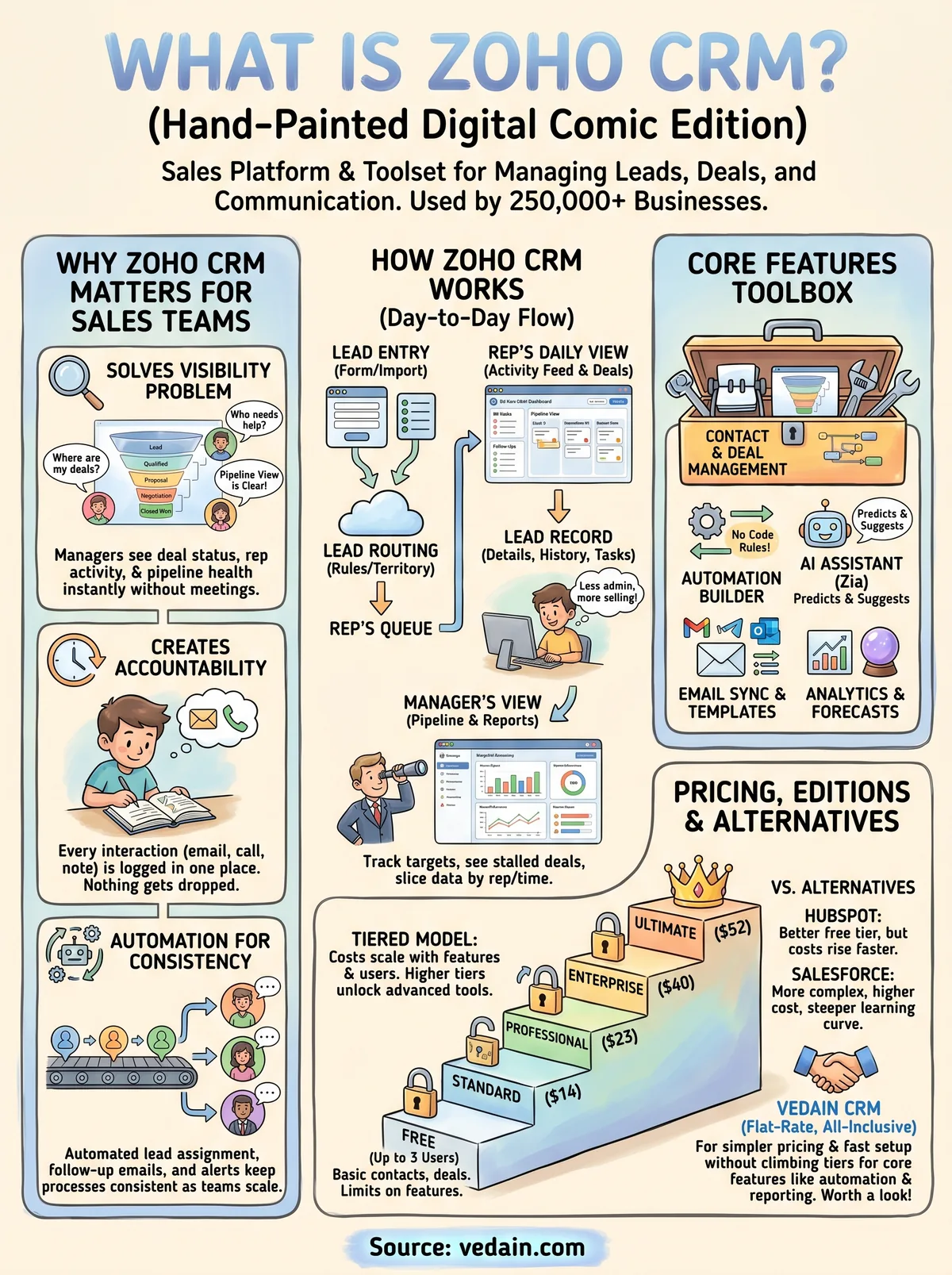
When you're managing a sales team, the biggest problem usually isn't effort. It's scattered information and inconsistent follow-through. Reps store contacts in spreadsheets, deals get forgotten, and managers can't see what's actually happening in the pipeline. Zoho CRM addresses this directly by pulling leads, deals, tasks, emails, and communication history into a single place where everyone works from the same data.
A CRM doesn't just organize data. It creates accountability, because when every interaction is logged, nothing gets dropped.
Sales visibility that actually helps you close
Understanding what is zoho crm starts with the visibility problem it solves. At any point, you should know which deals are moving, which are stalled, and which reps need support. Zoho gives managers a pipeline view that surfaces this information without requiring a weekly meeting or manual status updates from each rep. You can filter by stage, deal value, close date, or assigned rep to quickly identify where your team needs attention.
Sales reps benefit from this visibility too. When your entire contact history, past emails, and deal notes live in one place, you spend less time digging through your inbox and more time having meaningful conversations with prospects. That reduction in administrative friction adds up across a full team over the course of a quarter.
Automation that keeps your process consistent
One of the core reasons Zoho matters for sales teams is its workflow automation capabilities. You can set up rules that automatically assign leads to reps based on territory or source, trigger follow-up emails after a demo, update deal stages based on rep activity, or send a manager an alert when a deal sits untouched past a set number of days. These rules run in the background, so your process stays consistent even during the busiest periods.
For growing teams, this consistency matters even more. As you add new reps, automation ensures your sales process scales with the team rather than depending on each individual to remember every step. Instead of relying on personal discipline to follow up at the right moment, you build the follow-up into the system itself. Zoho's automation builder handles this without requiring any code, which makes it genuinely usable for sales managers without a technical background.
How Zoho CRM works in day-to-day use
Understanding what is Zoho CRM on paper is one thing. Seeing how it fits into your actual workday is another. Most reps start their day by opening their activity feed and task list, which shows every follow-up, call, or email that's due. From there, they move into their assigned deals, log notes after conversations, and update deal stages as opportunities progress. The platform keeps everything in one place so reps spend their time selling rather than switching between tabs and tools.
The real test of any CRM is how much time it saves on administrative work, because that time goes directly back into selling.
How your leads move through the system
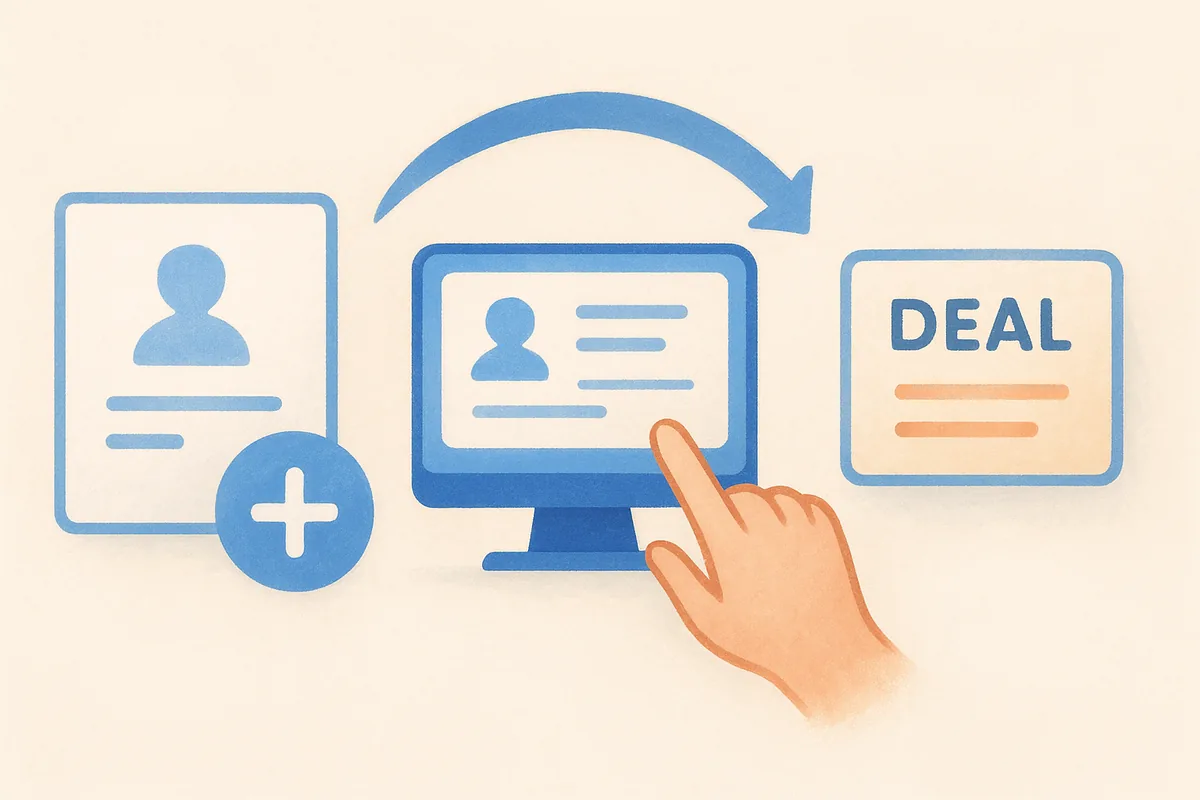
When a new lead comes in, whether from a form, a manual entry, or an imported list, Zoho assigns it based on your routing rules and adds it to the rep's queue. Each lead record holds contact details, source information, communication history, and linked tasks, so nothing requires manual cross-referencing. As the lead converts to a deal, it moves into the pipeline, where stage progression reflects exactly where the opportunity stands.
What managers see and do inside Zoho
Managers work primarily through pipeline dashboards and activity reports rather than individual records. They can see how many deals each rep owns, which deals have gone quiet, and where the team is tracking against monthly targets. If a deal stalls for too long, automated alerts can notify the manager directly. Reporting filters let you slice data by rep, territory, time period, or deal value, which makes weekly reviews faster and more focused on real problems.
Core Zoho CRM features and tools to know
When you ask what is Zoho CRM at a feature level, the answer is a broad platform that covers most of what a sales team needs under one roof. The features range from basic contact tracking to AI-assisted forecasting, and they scale in depth depending on which pricing tier you're on.
Contact and deal management
Contact and deal records form the foundation of everything in Zoho. Each contact holds your communication history, linked deals, tasks, and notes in a single view. Deals move through a customizable pipeline with stages you define, and you can manage multiple pipelines simultaneously if your team sells different products or runs separate processes.
Automation, email, and AI tools
Zoho's automation builder lets you create rules without writing code. You can trigger actions based on field changes, time delays, or user activity, which covers most of the repetitive work your team handles manually today. Beyond that, Zoho includes Zia, its built-in AI assistant, which predicts deal close likelihood, flags anomalies in your pipeline, and suggests the best time to contact a lead.
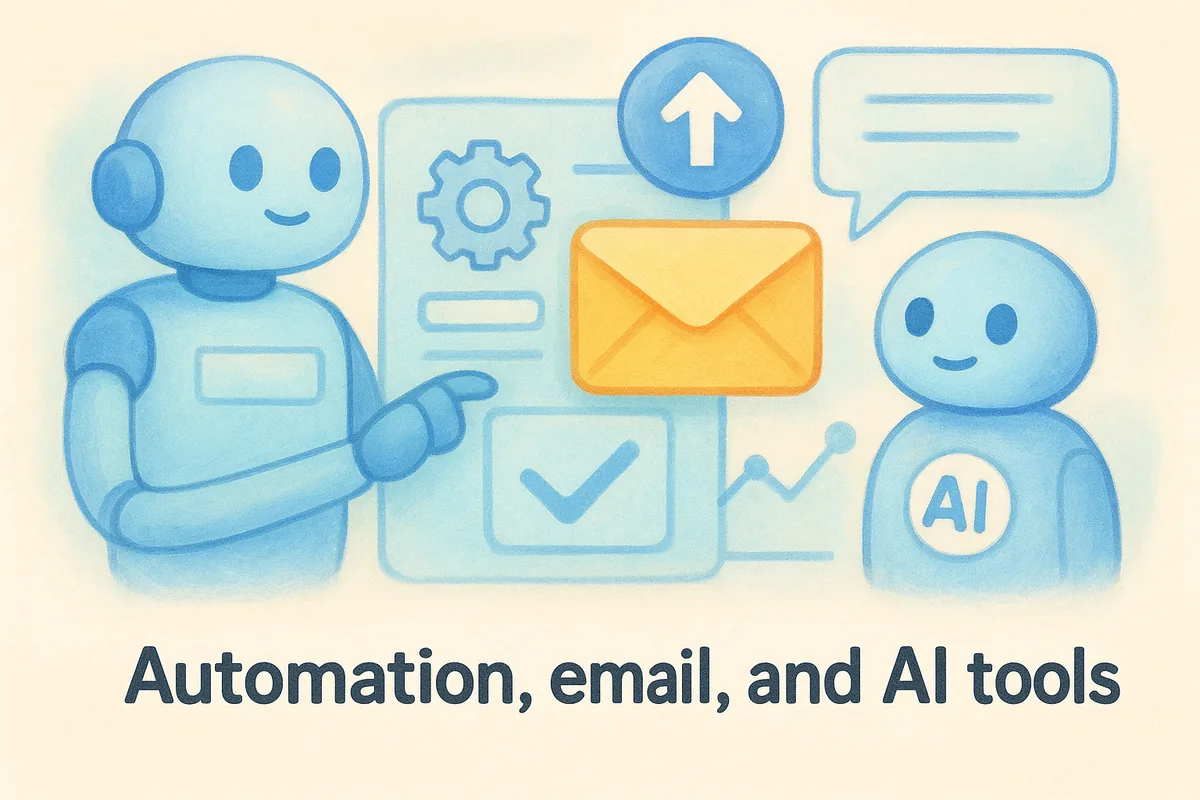
The combination of automation and AI inside Zoho means your team spends less time on repetitive tasks and more time on actual conversations.
Email tools include two-way sync with Gmail and Outlook, along with templates and basic sequence capabilities. You also get reports and dashboards that track activity metrics, conversion rates, and revenue forecasts. These reporting tools give managers the data they need to run pipeline reviews without pulling numbers manually from multiple sources.
Zoho CRM pricing, free plan, and editions
Zoho CRM pricing is one of the more complex parts of understanding what is Zoho CRM as a complete package. The platform runs on a tiered pricing model with five distinct editions, each unlocking more features as you move up. Costs are charged per user per month, and the total expense can grow quickly once you factor in the features most sales teams actually need.
The free plan looks appealing at first, but most teams hit its limits within weeks of serious use.
The free plan and what it actually includes
Zoho offers a free plan for up to three users, which covers basic contact and deal management, a limited number of custom fields, and standard reporting. It works as a starting point for solo operators or very small teams who need simple lead tracking without a budget. However, you lose access to workflow automation, email sync, and advanced analytics on the free tier, which are the features that make a CRM genuinely useful for a growing sales operation.
Paid editions and what they cost
Paid plans start at Standard ($14/user/month) and move through Professional ($23), Enterprise ($40), and Ultimate ($52), all billed annually. Each step up adds capabilities like lead scoring rules, advanced automation, and deeper reporting. The Enterprise and Ultimate tiers are where the platform's full feature set opens up, but those price points put Zoho well above what many small and mid-sized teams budget for their CRM.
Zoho CRM vs other CRMs and top alternatives
When you're researching what is Zoho CRM in the context of your options, the real question is how it stacks up against the alternatives you're also considering. Zoho sits in a competitive space where feature depth and price both vary significantly across platforms, and the right choice depends on what your team actually needs versus what you're willing to pay.
How Zoho compares to HubSpot and Salesforce
HubSpot starts with a more generous free tier and a cleaner onboarding experience, but its paid plans escalate in cost faster than Zoho's as your team grows and your feature needs expand. Salesforce offers greater configurability for enterprise-scale teams but comes with a steeper learning curve, longer implementation timelines, and pricing that puts it out of reach for most small and mid-sized businesses. Zoho lands between these two in both cost and complexity, which makes it a reasonable middle-ground choice for teams that need more than HubSpot's free plan but less than a full Salesforce deployment.
Zoho gives you a lot of features on paper, but the features you actually need are often locked behind higher tiers.
When a simpler alternative makes more sense
If your team is under 20 people and you prioritize fast setup and predictable pricing, Zoho's tiered model can create friction. You may find that by the time you unlock automation, email sync, and reporting at the level your team needs, you're paying at or above the cost of platforms that include everything in a single flat-rate plan. That's where alternatives like Vedain CRM become worth a closer look, particularly if your priority is getting a complete tool without climbing through pricing tiers to access core features.
Next steps
Now that you have a clear answer to what is Zoho CRM and how it works in practice, the next move is figuring out whether it actually fits your team's needs. Zoho is a capable platform with broad feature coverage, but its tiered pricing means the version most sales teams need costs more than the entry-level plans suggest. If you're evaluating CRMs seriously, run a trial on any platform you're considering and test the features your team will use every day, not just the ones that look good on a pricing page.
If transparent, all-inclusive pricing is a priority for you, and you want automation, email sync, pipeline management, and reporting without climbing through tiers to unlock them, it's worth comparing your options side by side. Try Vedain CRM free to see how a flat-rate, feature-complete platform handles the same problems Zoho solves, often at a fraction of the cost.
Frequently Asked Questions
How much does Zoho CRM cost compared to Salesforce and HubSpot?
Zoho CRM starts at $18/user/month for the Standard plan, making it significantly cheaper than Salesforce ($165/user/month for Professional) and HubSpot ($50/user/month for Starter). Zoho offers a free tier for up to 3 users, while competitors like Pipedrive start at $14/user/month but lack Zoho's advanced automation features. For budget-conscious teams, Zoho CRM provides enterprise-level functionality at a fraction of the cost of Salesforce or HubSpot.
What are the main differences between Zoho CRM and HubSpot?
Zoho CRM offers more customization and workflow automation tools at lower price points, while HubSpot is known for its user-friendly interface and tighter marketing automation integration. HubSpot's free CRM is limited, whereas Zoho's free tier supports up to 3 users with full access to core features. For sales teams needing advanced customization and cost efficiency, Zoho CRM typically wins; for marketing-heavy companies, HubSpot's integrated approach may be preferable.
Is Zoho CRM better than Salesforce for small businesses?
For small businesses, Zoho CRM is generally better than Salesforce due to its lower cost ($18/user/month vs. $165/user/month) and easier implementation without extensive IT support. Salesforce offers more scalability and advanced features for enterprise teams, but small businesses rarely need that complexity. Zoho CRM's user-friendly interface, AI-powered sales assistant, and affordability make it the superior choice for startups and SMBs.
What Zoho CRM features does Pipedrive not have?
Zoho CRM includes advanced workflow automation, AI-powered lead scoring, inventory management integration, and built-in email campaigns—features Pipedrive lacks. While Pipedrive excels at visual sales pipeline management and is cheaper at $14/user/month, Zoho CRM provides more comprehensive automation and customization options. Zoho also offers a free tier and includes features like social media integration and advanced reporting that require add-ons in Pipedrive.
How does Zoho CRM's AI assistant compare to competitors?
Zoho CRM's Zia AI assistant provides predictive analytics, lead scoring, and automated follow-up recommendations without additional costs, whereas HubSpot and Salesforce charge extra for AI features. Freshsales offers predictive lead scoring, but Zia integrates more deeply across Zoho's ecosystem with workflow automation and email insights. For AI-powered sales intelligence at no extra cost, Zoho CRM outperforms most competitors except enterprise-tier Salesforce packages.
Can Zoho CRM integrate with other business tools like Freshsales can?
Yes, Zoho CRM integrates with 500+ third-party applications including Google Workspace, Slack, Microsoft Teams, and accounting software—comparable to or exceeding Freshsales' integration capabilities. Zoho's advantage is its integration ecosystem with other Zoho products (Zoho Mail, Books, Desk, Projects) at no extra cost. Unlike Salesforce and HubSpot which charge for many integrations, Zoho CRM includes most integrations standard, making it more cost-effective for businesses using multiple tools.