If you're comparing tools right now, you want straight answers: which platforms are genuinely easy to set up, which ones handle a visual pipeline without a steep learning curve, and which ones won't nickel-and-dime you for basics like email sync or automation. This list breaks down nine options built for exactly that, from lightweight Kanban boards to full sales operating systems.
We tested each tool against real criteria: setup time, pricing transparency, and how well it handles the day-to-day grind of tracking leads and closing deals. You'll see where flat-rate pricing models like Vedain's stack up against tiered giants like HubSpot and Pipedrive, and which tool fits a five-person startup versus a 500-seat sales floor.**
1. What makes sales pipeline software simple to use
Simplicity in a CRM isn't about having fewer features. It's about how fast you can find what you need and how little training a new hire requires before they close their first deal. A simple sales pipeline tool shows you every stage of every deal at a glance, usually on a Kanban board, without forcing you to click through five menus to log a call or move a card. If your team spends more time managing the CRM than managing customers, the tool has already failed at its main job.
A CRM is only as simple as the number of clicks between you and your next task.
Visual pipeline management
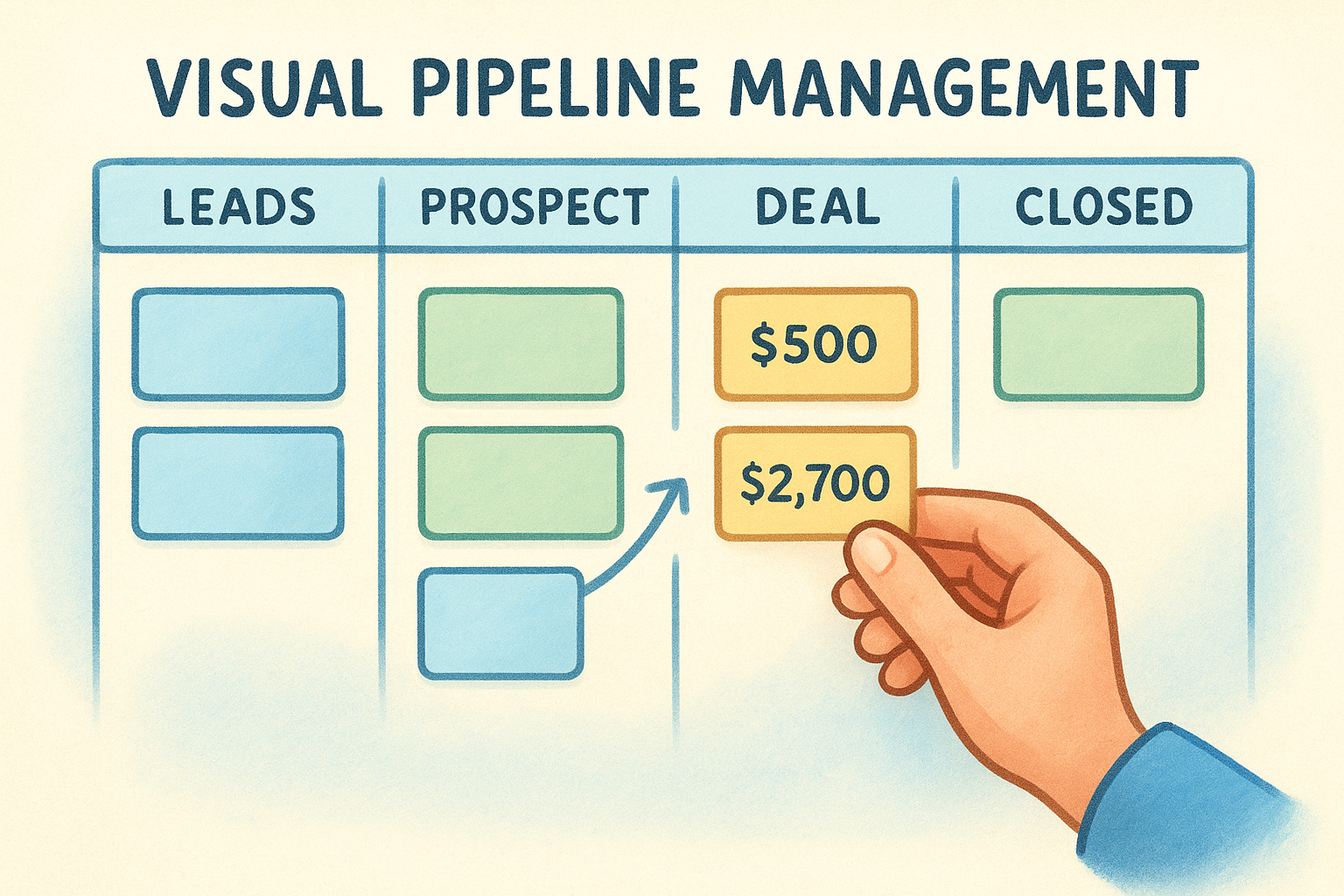
Before anything else, check whether the tool gives you a drag-and-drop pipeline view you can understand in under a minute. You should be able to see deal value, stage, and owner without opening a single record. Tools that bury this behind custom report builders or dashboard configuration wizards defeat the purpose of "simple." Look for color-coded stages, at-a-glance deal counts per column, and the ability to reorder stages without submitting a support ticket.
Fast setup and low learning curve
Setup time tells you a lot about how a tool was designed. If it takes a consultant or a multi-week onboarding call to get your pipeline running, the software was built for enterprise procurement teams, not for reps who need to start logging deals today. The best tools in this category get you from signup to a working pipeline in under 15 minutes, often under 5. Import your contacts, name your stages, and start dragging deals. That's the whole process.
Transparent, predictable pricing
Simplicity also applies to the pricing page, not just the interface. Tiered pricing models that lock automation, email sync, or reporting behind a "Professional" or "Enterprise" plan create hidden complexity you don't discover until you've already onboarded your team. A genuinely simple tool tells you upfront what you get for what you pay, with no surprise add-ons three months in.
Native email and calendar integration
Your reps live in Gmail or Outlook, not in a separate CRM tab. Two-way email sync, meeting scheduling, and activity logging need to happen automatically in the background. If your team has to manually copy-paste email threads into deal notes, the tool isn't simple, it's extra work disguised as software.
Automation without a technical degree
Finally, look for no-code workflow automation that a sales manager can build without pulling in IT. Simple tools let you set up follow-up reminders, stage-change notifications, and lead assignment rules through a visual builder, not a scripting console. Here's a quick checklist to run through when evaluating any tool on this list:
- •Can you build a working pipeline in under 15 minutes?
- •Is the Kanban board the default view, not buried in settings?
- •Does pricing include email sync and automation, or are those add-ons?
- •Can a non-technical manager build an automation rule alone?
- •Does the mobile app mirror the desktop pipeline view?
Keep this checklist in mind as you read through the next nine tools, because it's the same standard we used to rank them.
2. Vedain CRM
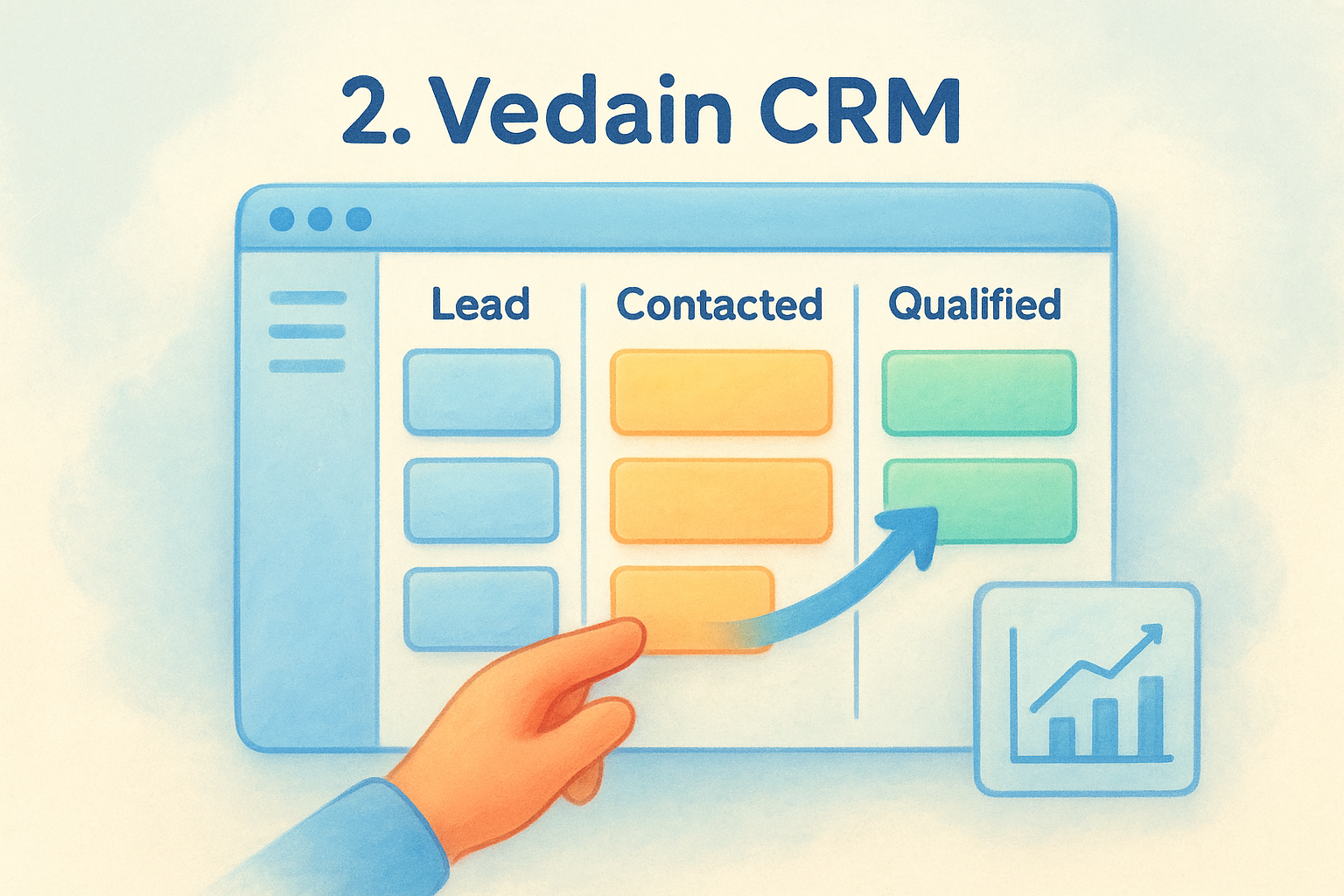
Vedain CRM tops this list because it solves the exact problem this article opened with: pipeline software that stays simple even as your team grows. It's a cloud-based platform built around a visual Kanban pipeline, and every feature, from email sync to automation, ships in one flat plan instead of being locked behind upgrade prompts.
How it works
Setup takes under 5 minutes, and you're dragging deals across a drag-and-drop pipeline before your coffee gets cold. You import contacts, name your stages, and connect Gmail or Outlook for two-way email sync right from onboarding. Behind the board, Vedain includes a no-code Workflows builder for follow-up reminders and lead assignment, plus custom dashboards you can rearrange without touching a settings menu. Reports on conversion funnels and team leaderboards sit one click away from the pipeline itself, not buried in a separate analytics module.
The fastest CRM setup isn't the one with the most tutorials, it's the one that needs none.
Who it's for
Vedain suits sales teams of any size, but it's built especially for founders and small to mid-sized teams who are tired of feature gates. If your reps already live in Gmail or Outlook and you want automation without hiring an admin to run it, this fits. It also works well for teams migrating off HubSpot, Pipedrive, or Zoho who want the same core pipeline tools without paying for tiers they don't use. Teams that want AI-assisted prospecting get a bonus here too: the AI Agent Marketplace and LinkedIn Automation tools come standard, not as a paid add-on.
Pricing
Vedain charges a single flat rate of $10 per user per month, and that price includes everything: unlimited records, email warmup, automation workflows, and reporting. There's no Professional or Enterprise tier hiding features you actually need. You can start a trial with no credit card required, which removes the usual friction of testing a CRM against your actual sales process before committing. For teams comparing total cost against tiered competitors, this flat structure often ends up cheaper the moment you add automation or email sync elsewhere.
3. Pipedrive
Pipedrive built its name on the visual pipeline, and it's still the reference point most people mean when they say "simple sales pipeline software." The board is clean, the deal cards are easy to scan, and moving a deal from one stage to the next takes exactly one drag. It's a solid pick if pipeline visualization is your only real requirement.
How it works
Pipedrive centers everything around its Kanban-style deal board, where each column represents a stage and each card shows deal value, contact, and next activity. You set up custom pipelines for different sales processes, and the Activities feature nudges reps to log calls or schedule follow-ups so deals don't stall. Email sync connects to Gmail and Outlook, though the two-way sync and open-tracking features are split across different plan tiers rather than bundled together. Automation exists through a workflow builder, but the more advanced triggers require the Advanced plan or higher.
A clean pipeline view means little if the automation you need sits behind a paywall.
Who it's for
Pipedrive fits small sales teams and solo founders who want a pipeline-first tool without a lot of extra modules cluttering the view. It's popular with real estate agents, agencies, and B2B teams that run a straightforward, linear sales process. Teams that need heavier reporting, AI features, or unlimited automation tend to outgrow the entry tiers fast and end up shopping for add-ons or a plan upgrade within the first year.
Pricing
Pipedrive's plans run from roughly $14 to $99 per user per month, billed annually, across four tiers: Essential, Advanced, Professional, and Power/Enterprise. Email sync, automation depth, and AI features scale with the tier, so the advertised entry price rarely reflects what a growing team actually pays. A 14-day free trial is available, but you'll want to map your must-have features against Pipedrive's own pricing page before committing, since the gap between "simple" and "fully equipped" can cost real money as you scale.
4. HubSpot CRM
HubSpot built its reputation on the free CRM tier, and that free plan is genuinely useful for tracking contacts and deals. The catch shows up fast once your team needs more than basics: HubSpot's tiered pricing structure spreads core sales features like sequences, custom reporting, and advanced automation across separate Sales Hub tiers that stack up quickly. It's a capable platform, just not a simple one once you scratch the surface.
How it works
HubSpot's pipeline view sits inside Sales Hub, and it looks familiar: draggable deal cards, stage columns, and deal value totals per column. Contact and company records sync automatically with marketing and service data if you're using other Hubs, which is the platform's real strength for teams that need a unified customer view. Email sync with Gmail or Outlook works out of the box, but sequences and meeting scheduling at scale require paid tiers. Automation lives in HubSpot's workflow builder, which is powerful but noticeably more complex to configure than a basic if-this-then-that rule, often requiring a look at HubSpot's own help documentation to get right.
Free is only simple until your team needs the features that live behind the next tier.
Who it's for
HubSpot fits companies that already plan to use its marketing or service tools alongside sales, since the real value comes from the shared database across Hubs. It also suits teams with a dedicated RevOps person who can manage the added complexity of workflow builders and permission settings. Smaller teams that just want a basic pipeline with email sync often find themselves paying for Marketing Hub features they never touch just to unlock the Sales features they actually need.
Pricing
The free CRM covers contact and deal tracking with limited automation. Sales Hub Starter runs about $20 per user per month, Professional jumps to roughly $100 per user per month, and Enterprise climbs past $150. Add-ons for reporting and additional Hubs push the real cost well beyond the advertised entry price for any team scaling past five seats.
5. Freshsales
Freshsales (part of the Freshworks suite) built its pipeline around AI-driven lead scoring, which sets it apart from purely visual tools like Pipedrive. It's a strong middle-ground option if you want a simple sales pipeline view but also want the software to flag which deals actually deserve your attention first. The interface stays clean, though the AI layer adds a bit more setup than a bare-bones Kanban board.
How it works
Freshsales displays deals on a standard drag-and-drop board, with columns for each stage and cards showing deal value and contact info. Its built-in AI, called Freddy, scores leads and deals based on engagement and past conversion patterns, then surfaces next-best-action suggestions right on the pipeline. Email sync with Gmail and Outlook comes standard, and built-in phone and chat let reps contact leads without leaving the record. Automation runs through workflow sequences, but the deeper AI scoring and advanced automation only unlock on higher-priced plans.
Lead scoring only helps if you can afford the plan where it actually works.
Who it's for
Freshsales suits teams that want a pipeline view paired with predictive scoring, particularly sales teams handling higher lead volume who need help prioritizing follow-ups. It also fits businesses already using other Freshworks products, like Freshdesk, since the shared record system reduces duplicate data entry. Teams that just want a clean board and flat pricing without an AI layer to configure may find Freshsales adds complexity they don't need.
Pricing
Freshsales runs a tiered pricing model starting with a free plan for very basic contact management. Paid tiers include Growth at roughly $9 per user per month, Pro at around $39, and Enterprise near $59, all billed annually. Freddy AI features and advanced workflow automation are largely restricted to the Pro and Enterprise tiers, so the entry-level price doesn't reflect what you'll actually pay once your team needs real automation. Check current tiers on the official Freshworks pricing page since Freshsales periodically restructures its plan names and feature splits.
6. Zoho CRM
Zoho CRM is the veteran on this list, and it shows in both directions: the feature set is enormous, but that scale works against the "simple" label the moment you open the settings panel. It's part of the larger Zoho ecosystem, which includes dozens of business apps, so the CRM itself was built to plug into a much bigger machine rather than stand alone as a lightweight pipeline tool. Teams that want a basic pipeline view without wading through modules they'll never touch often find Zoho's depth more distracting than helpful.
How it works
Zoho's pipeline lives inside the Kanban module, with draggable deal cards, stage-based columns, and deal value totals visible per stage. Zia, Zoho's built-in AI, adds lead scoring and anomaly detection, similar in spirit to Freshsales' Freddy, but configuring it well takes time most sales managers don't have on day one. Email sync with Gmail and Outlook works natively, and the Blueprint feature lets you enforce a specific sales process step by step, which is useful for compliance-heavy teams but overkill for a five-person startup. Workflow automation exists through a visual builder, though the more advanced rules and multi-step sequences sit behind higher plan tiers.
More modules rarely mean more clarity, they just mean more places to get lost.
Who it's for
Zoho CRM fits mid-sized to larger sales organizations that already use other Zoho products, like Zoho Books or Zoho Desk, since the cross-app data sharing is the platform's real advantage. It also suits teams with a dedicated CRM administrator who has time to configure Blueprint rules, custom modules, and Zia's scoring model properly. Startups and lean teams that just want a visual pipeline and fast onboarding tend to find Zoho's learning curve steeper than they expected for a tool marketed as accessible.
Pricing
Zoho CRM runs four paid tiers: Standard at roughly $14 per user per month, Professional at about $23, Enterprise near $40, and Ultimate around $52, all billed annually. A free tier exists for up to three users but strips out most automation and reporting. Check the official Zoho pricing page directly, since feature splits between tiers shift often and the advertised entry price rarely covers what a growing sales team actually needs.
7. Streak
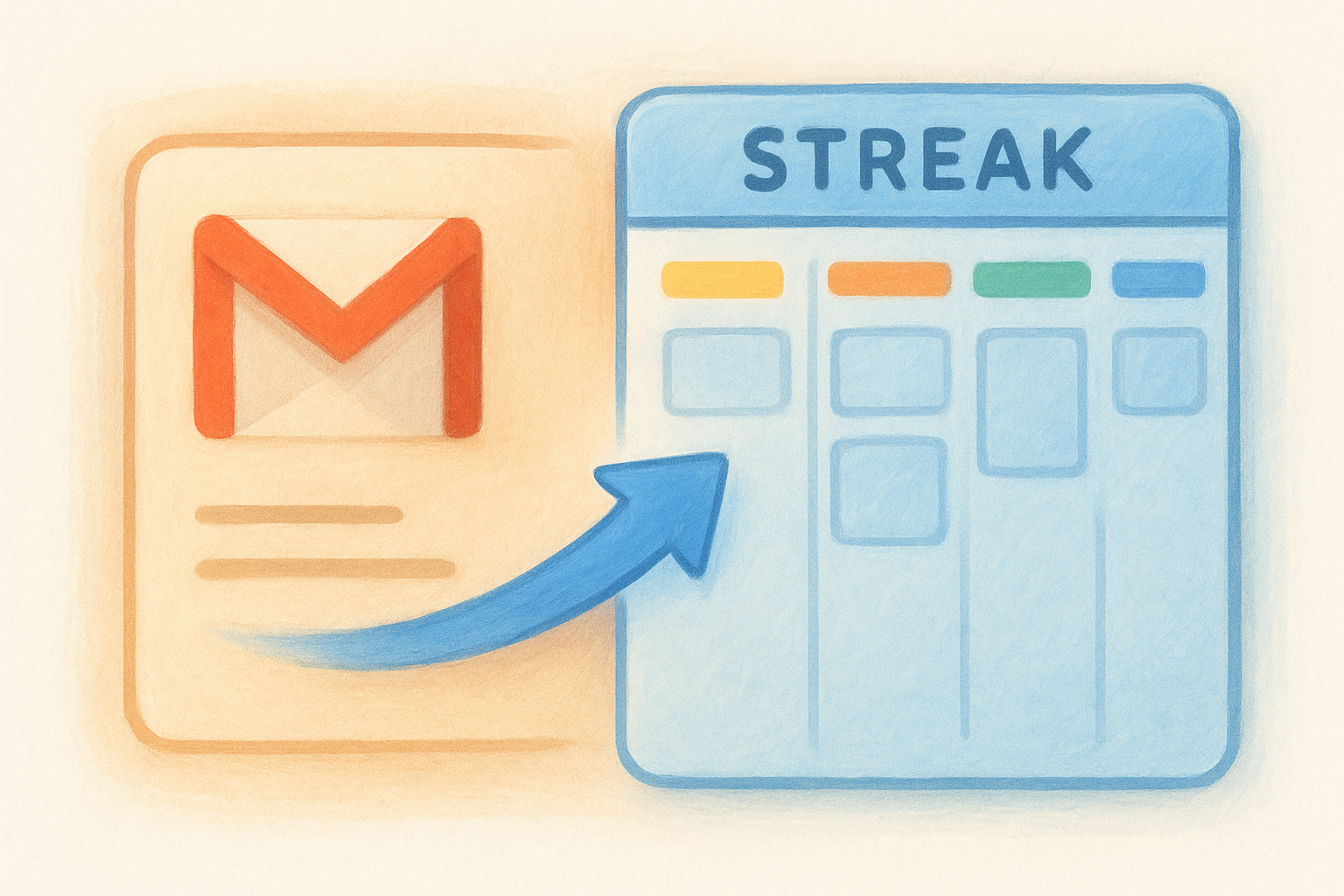
Streak takes a different approach from everything else on this list: it lives entirely inside Gmail, turning your inbox into a simple sales pipeline without asking you to open a separate app at all. That makes it one of the fastest tools to adopt for teams that already run their entire sales process through email threads and don't want to duplicate that work in a standalone CRM.
How it works
Streak installs as a Chrome extension and adds a pipeline view directly above your Gmail inbox, with deal stages shown as columns and each email thread convertible into a pipeline box with one click. You drag boxes between stages the same way you would in any Kanban tool, except every action happens without leaving your inbox. Email tracking shows when a prospect opens your message, and mail merge lets you send templated sequences to a list of contacts. Custom fields let you tag deal value, close date, or any data point you need, and Streak syncs that data across your team so everyone sees the same pipeline from their own Gmail account.
A pipeline that lives inside your inbox is only as strong as your inbox's discipline.
Who it's for
Streak fits small teams and solo operators who run their entire sales process through Gmail and don't want to manage a separate login or app switch. It works especially well for consultants, recruiters, and agencies that track relationships mostly through email threads rather than phone calls or scheduled demos. Teams that use Outlook instead of Gmail are out of luck here, since Streak only works inside the Gmail interface, and teams needing deep automation or a dedicated mobile pipeline view will find Streak thin compared to full CRMs like Vedain or Pipedrive.
Pricing
Streak offers a free plan for individuals with basic pipeline tracking and limited email tracking. Paid tiers include Solo at roughly $19 per user per month and Pro at around $49, both billed annually, adding features like mail merge limits increases, advanced reporting, and API access. There's no flat, all-inclusive tier here, so teams needing automation depth will pay Pro-level pricing for features that come standard elsewhere.
8. Salesmate
Salesmate positions itself as a middle-tier CRM that tries to blend pipeline simplicity with built-in calling and texting, something most tools on this list treat as an add-on. It's a reasonable pick if your team spends as much time on the phone as in email, since the pipeline board and communication tools live in the same screen instead of separate tabs.
How it works
Salesmate's pipeline shows deals as draggable cards across stage columns, with deal value, owner, and last activity visible on each card without opening the record. Built-in calling, texting, and a shared team inbox sit right next to the pipeline, so reps can dial a lead and log the call without switching apps. Email sync with Gmail and Outlook works two-way out of the box, and the Sequences feature lets you build multi-step automated outreach. A no-code Workflow builder handles stage-change alerts and lead assignment, though some of the deeper automation triggers require the higher-priced plans.
A pipeline paired with built-in calling only helps if your team actually sells over the phone.
Who it's for
Salesmate suits sales teams that rely heavily on outbound calling and texting rather than pure email outreach, like insurance agencies, real estate teams, and inside sales floors. It also fits teams that want a single tool for pipeline management and communication logging without paying separately for a dialer add-on. Teams that mainly need a clean visual pipeline with minimal calling features may find Salesmate's phone-centric design adds cost they don't use.
Pricing
Salesmate runs three paid tiers: Basic at roughly $23 per user per month, Pro at around $37, and Business near $41, all billed annually. Calling minutes and texting credits are metered separately from the base plan, so teams that call often will see their real monthly cost climb past the advertised tier price. There's no free plan, and a 15-day trial is the main way to test the pipeline and calling features together before committing to a full seat count.
9. Close CRM
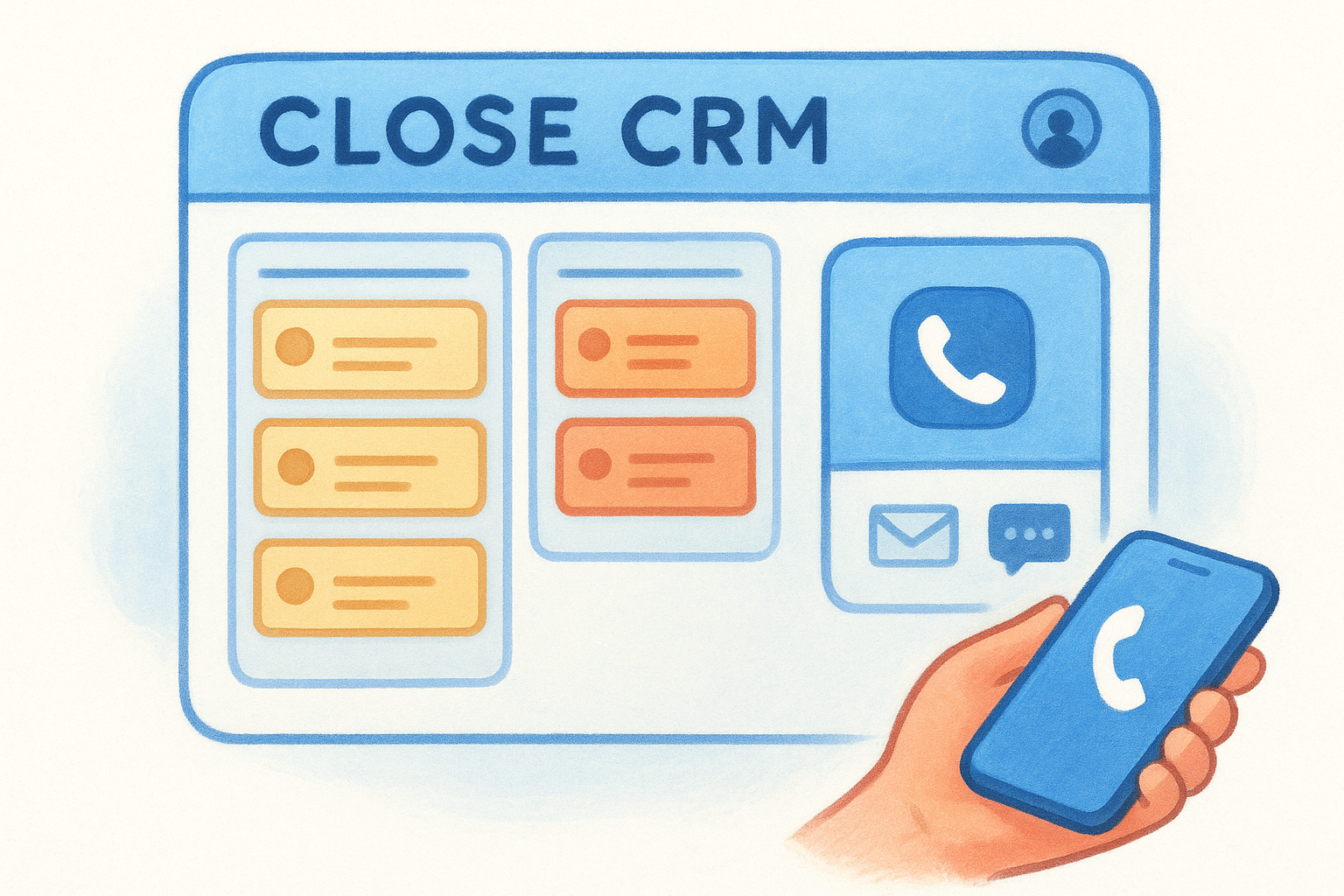
Close built its entire platform around outbound sales, and that focus shows the moment you open a deal record. Where other tools bolt calling onto a pipeline view, Close treats the phone and email as first-class citizens sitting right next to the Kanban pipeline, not buried in a separate tab. It's a strong fit if your team's real bottleneck is call volume, not just deal tracking.
How it works
Close displays deals on a standard drag-and-drop board, but the real differentiator is the built-in calling dialer, SMS, and email sequencing that live inside the same screen as the pipeline. Reps can call a lead, log the outcome, and move the deal card without opening a third-party dialer or switching tabs. Power Dialer and Predictive Dialer features let outbound teams burn through call lists fast, and every call auto-logs to the contact record. Email sync with Gmail and Outlook works two-way, and multi-step sequences combine email and call tasks into a single automated cadence.
A pipeline built for outbound only earns its keep if your team is actually making the calls.
Who it's for
Close suits inside sales teams and SDR-heavy organizations that live on the phone and need call and text tracking as tightly integrated as email. It fits remote sales teams especially well, since Close ships as a browser app with no hardware phone system required. Teams that run a mostly email-based or self-serve motion, without heavy calling, will pay for dialer infrastructure they rarely use.
Pricing
Close runs four tiers: Startup at roughly $19 per user per month, Professional near $59, Enterprise around $89, and Scale at custom pricing for larger teams, all billed annually. Calling minutes beyond the included allotment bill separately, so outbound-heavy teams should budget above the sticker price. A 14-day free trial covers the core pipeline and calling features, giving you enough runway to test call volume against actual plan limits before committing a full seat count.
10. Monday CRM
Monday CRM grew out of Monday.com's project management roots, and that heritage shows in how flexible the board layouts are. Instead of a fixed pipeline structure, you're customizing columns, statuses, and views the way you would on any Monday board, which makes it one of the more visually colorful tools on this list. That flexibility is a double-edged sword: teams who want a simple sales pipeline out of the box sometimes spend their first week configuring instead of selling.
How it works
Monday CRM's pipeline sits on a customizable board where each column represents a stage, and deal cards display whatever fields you choose to show, from deal value to last contact date. You build automations through a visual "when this, then that" builder that connects to dozens of column types, which is powerful once set up but takes longer to configure than a pre-built workflow. Email sync with Gmail and Outlook works two-way, and you can layer in extra boards for onboarding or account management alongside the sales pipeline itself. Custom automations here can get genuinely creative, but that same openness means new users often need a template library or a Monday consultant to get a clean setup running.
Flexibility helps once you know what you need, and slows you down while you're figuring it out.
Who it's for
Monday CRM fits teams that already use Monday.com for project management and want their sales pipeline living in the same workspace as delivery and onboarding boards. It also suits sales managers who like building custom views and don't mind spending extra setup time to get a pipeline tailored exactly to their process. Teams that want a pipeline working in minutes, not days, tend to find Monday's flexibility works against the "simple" label they were hoping for.
Pricing
Monday CRM runs four paid tiers: Basic at roughly $12 per user per month, Standard at around $17, Pro near $28, and Enterprise at custom pricing, all billed annually with a minimum seat count of three. Automation and integration actions are capped per tier, so heavier automation use can push you into a higher plan faster than the sticker price suggests.
11. How to choose the right simple sales pipeline tool
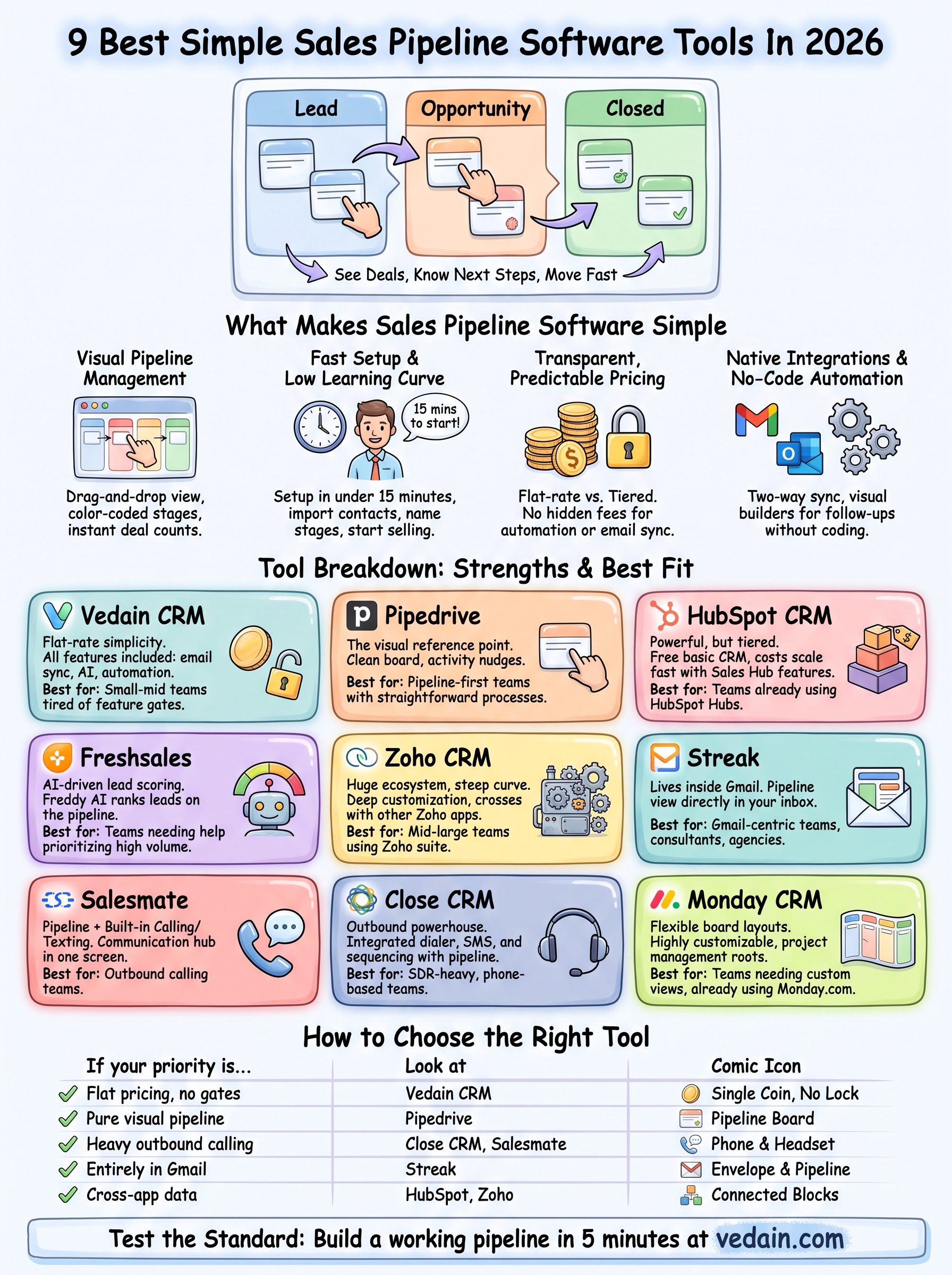
Choosing between nine capable platforms comes down to matching the tool's strengths to your team's actual habits, not the feature list on a marketing page. A five-person startup that just needs a visual pipeline and fast onboarding has different priorities than a 50-seat outbound floor that lives on the phone. Start by asking what your reps do all day: send emails, make calls, or juggle both, since that answer narrows the list faster than any pricing comparison.
Budget matters just as much as features, but only once you know what's actually included. Flat-rate tools like Vedain bundle automation, email sync, and reporting into one price, while tiered platforms like HubSpot, Zoho, and Close often reserve those same features for higher plans. Run the math on what your team needs today, not just the entry-tier sticker price, before you commit a full seat count.
Setup time deserves its own test drive, not just a demo call. Sign up for a trial, import a real batch of contacts, and build one working pipeline stage-to-stage before you talk to sales. If that takes longer than 30 minutes, the tool is telling you something about how your team will feel six months in.
The right pipeline tool is the one your team forgets is even software.
Finally, revisit the checklist from earlier in this article for every finalist: setup speed, default Kanban view, bundled email sync and automation, and a mobile app that mirrors the desktop board. Tools that pass all five tend to stay simple as your headcount grows, while tools that pass one or two tend to turn into the bloated platform you were trying to avoid in the first place.
Finding the pipeline tool that fits your team
Nine tools, one real question: which one will your reps actually use next Monday morning? The answer usually comes down to two things: how fast you can set up a working pipeline and whether the pricing hides features you'll need in three months. Tiered platforms look cheap on the surface, then charge more once you add automation or email sync. Flat-rate tools remove that guessing game entirely.
Grab the checklist from earlier, run a real trial with real contacts, and see how long it takes to build one stage-to-stage pipeline. If it takes longer than a coffee break, keep looking. A simple sales pipeline tool should disappear into your workflow, not become another system to manage.
If you want to test that standard yourself, start a free trial at Vedain CRM and build your first pipeline in under five minutes, no credit card required.