This guide covers the email sequence best practices that actually move the needle, from how many touchpoints to include, to what each email should say, to when exactly it should land in someone's inbox. Every recommendation here is grounded in what works for sales teams running real outbound and nurture campaigns, not theoretical advice pulled from a textbook.
At Vedain CRM, we built multi-step email sequences directly into the platform because we saw too many teams duct-taping together tools just to send a follow-up. With built-in email warmup, two-way sync for Gmail and Outlook, and no-code automation, everything you'll read below can be executed from a single workspace, no upgrades, no add-ons, no surprise invoices.
Here's how to build sequences that people actually open, read, and respond to.
What an email sequence does and why it works
An email sequence is a series of pre-written messages sent to a contact based on a trigger or a fixed schedule. Instead of sending one email and hoping for the best, you build a chain where each message has a specific, defined job: introduce, educate, handle an objection, or push for a response. Done right, a sequence does the work of a consistent sales rep who never forgets to follow up, never sends the wrong message at the wrong time, and never takes a day off.
How sequences differ from one-off emails
Most sales and marketing emails are standalone blasts. You write one message, send it to a list, and watch the open rate. A sequence changes that logic entirely by treating communication as a conversation over time, not a single broadcast. Each email builds on the last. The first message might introduce a problem your product solves; the second offers proof through a customer story; the third makes a direct ask with a clear call to action.
When you design each touchpoint with a clear purpose, you stop competing for attention and start earning it.
Sequences work across the entire sales funnel, from cold outreach to post-purchase onboarding. A new lead who fills out a form on your website has different needs than a prospect who clicked your pricing page three times. Sequences let you respond to both situations with the right message, not a generic one.
Why the psychology works
Buyers rarely act on the first message. Research consistently shows that most responses come after multiple touchpoints, which means a single email almost never converts a cold contact into a customer. Sequences solve that by maintaining presence without requiring manual effort each time.
There is also a consistency effect at play. When someone receives a coherent series of emails that share a clear voice, relevant information, and a logical progression, they start to trust the sender. That trust is what eventually drives a reply or a booking. Following email sequence best practices is not about sending more emails; it is about sending the right emails in the right order so each one does a defined job.
Automation removes the timing problem that trips up most sales reps. Without it, follow-ups depend on a rep remembering to check a spreadsheet or a task list. Automated sequences eliminate that dependency and ensure every lead gets the same level of attention regardless of how busy the team is or how large the pipeline grows.
What a sequence looks like in practice
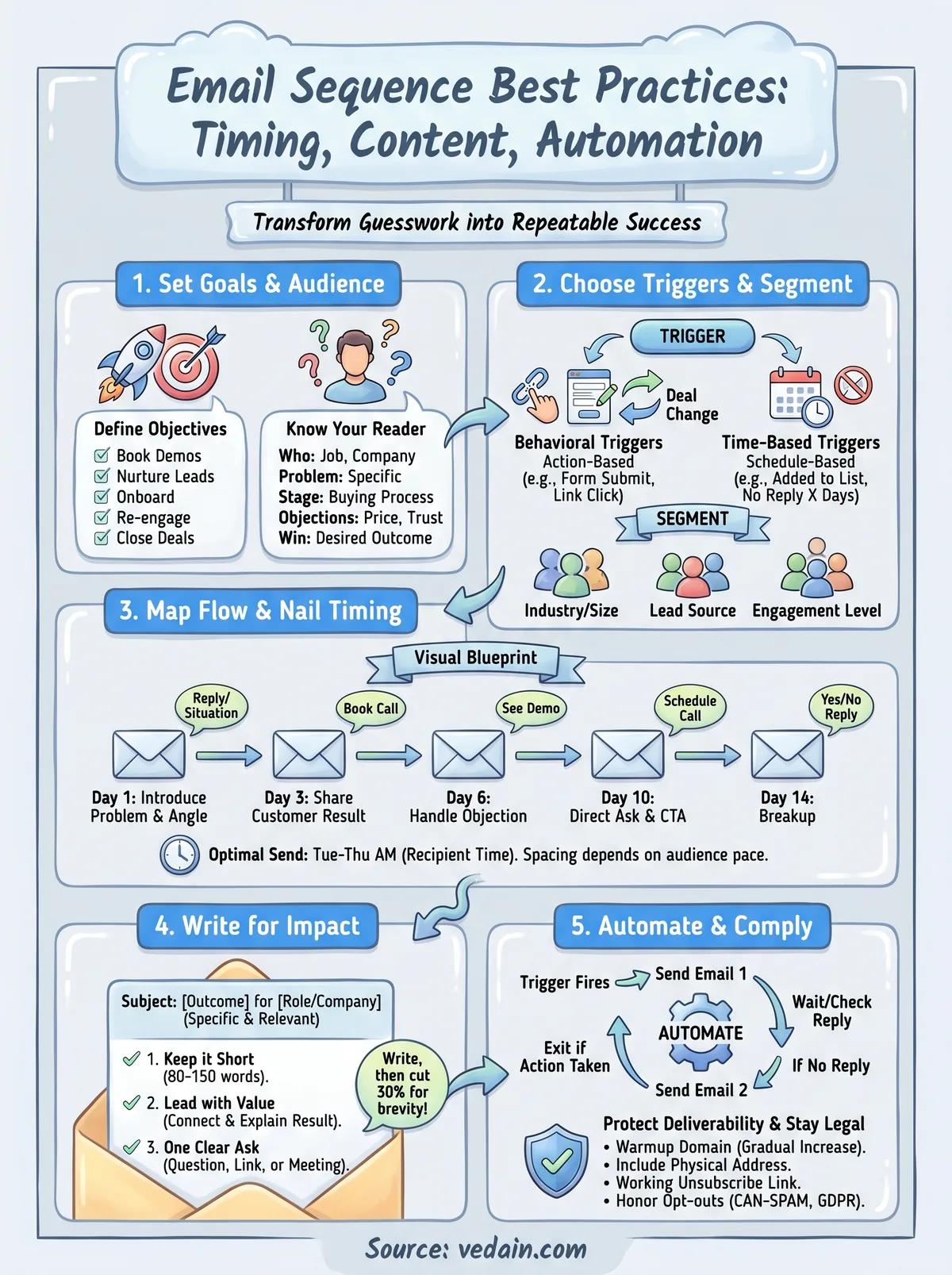
A basic outbound sequence for a B2B product gives you a clear picture of how the touchpoints stack up. Here is a standard five-email structure that balances persistence with respect for the recipient's inbox:
The exact number and spacing depends on your audience and goal, but this structure gives you enough touchpoints to build trust without overwhelming someone's inbox. Each slot in the sequence has a job, and that intentional design is what separates sequences that convert from ones that get marked as spam.
Step 1. Set goals, audience, and success metrics
Every effective email sequence starts with a clear objective, not a subject line. Without a defined goal, you end up writing emails that pull in multiple directions and ask the reader to do too many things at once. Before you draft a single word, decide what this sequence needs to accomplish and who it needs to reach.
Define what success looks like before you write a word
Your goal shapes every decision that follows: how many emails to send, what tone to use, and what specific action you want the reader to take. A sequence designed to book demos looks very different from one built to re-engage dormant leads. Nail this down first, and the rest of the sequence becomes much easier to build.
If you cannot describe your sequence's goal in one sentence, you are not ready to start writing emails.
Track the metrics that match your goal. Here is a quick reference for common sequence objectives and the metrics tied to each:
Know exactly who you're writing to
Following email sequence best practices requires understanding your audience before you set timing or write a single line of copy. A message that resonates with a startup founder will fall flat with an operations manager at a 300-person company. Audience clarity determines your tone, your examples, your subject lines, and your call to action.
Answer these questions before you build the sequence:
- •Who is this person? Job title, company size, and industry
- •What problem are they solving? Be specific, not general
- •Where are they in the buying process? Cold, warm, or close to a decision
- •What objections do they likely have? Price, timing, trust, or fit
- •What does a win look like for them? Frame your value around their outcome
Once you have clear answers, every email in your sequence earns its place because it speaks directly to a real person with a specific need, not a vague persona on a slide deck.
Step 2. Choose triggers and segment the list
A trigger is the event that kicks off your sequence automatically. Without a defined trigger, you end up with a manual process where someone has to remember to enroll contacts, and that breaks down fast. Before you write a single email, decide what specific action or condition puts a contact into the sequence.
Pick the right trigger for each sequence
Triggers fall into two categories: behavioral and time-based. Behavioral triggers fire when someone does something, like filling out a form, clicking a link, or opening a specific email. Time-based triggers fire on a schedule, like 30 days after a deal goes cold or 7 days after a contact is added to a list. Choosing the right one depends on your sequence goal, and matching the trigger to the intent behind it is one of the core email sequence best practices that separates high-converting campaigns from generic blasts.
Here are the most common triggers and when to use each:
Segment before you send
Sending the same sequence to every contact on your list is one of the fastest ways to burn an audience. Segmentation means grouping contacts by shared characteristics so each group receives messages that match their situation. A prospect who downloaded a pricing guide needs different emails than someone who just signed up for a free trial.
Relevance is the single biggest driver of reply rates, and segmentation is how you achieve it at scale.
Start with these four segmentation variables to keep things practical:
- •Industry or company size: The pain points differ significantly between a 10-person startup and a 200-person sales team
- •Lead source: Cold outreach contacts need more trust-building than warm inbound leads
- •Engagement level: Contacts who opened previous emails respond to different angles than those who never clicked
- •Stage in the buying process: Early-stage leads need education; late-stage prospects need a clear reason to act now
Step 3. Map the flow and nail timing
Once you know your goal, audience, and trigger, map the full sequence visually before you write a single email. A flow map forces you to see each touchpoint as a step in a logical chain, not a standalone message. Most sequences fail in the planning stage because the sender jumps straight to writing without a clear picture of how one email connects to the next.
Build your sequence map before writing
A sequence map does not need to be complicated. It is simply a document that lists each email's position, purpose, and call to action in order. This prevents overlap, ensures each message adds something new, and helps you spot gaps where a contact might disengage. Think of it as a blueprint: you would not build a house without one, and you should not build a sequence without one either.
Here is a practical template for mapping a six-email sales sequence:
Set timing based on your audience's pace
Timing is one of the most debated email sequence best practices, and the honest answer is that no single schedule works for everyone. B2B cold outreach typically performs best with gaps of two to four days between emails, giving prospects enough time to see your message without forgetting who you are. For onboarding sequences where engagement is already high, shorter gaps of one to two days work better because the contact just signed up and your brand is still fresh.
Send too fast and you look desperate; send too slow and the contact loses the thread entirely.
Tuesday through Thursday mornings between 8 a.m. and 10 a.m. in the recipient's time zone consistently outperform other send windows for B2B audiences. Start there, then let your own open and reply rate data tell you whether to shift earlier, later, or space your emails further apart.
Step 4. Write emails that people actually read
Good timing and triggers mean nothing if your emails do not hold attention past the first line. Most people scan before they read, and if your opening sentence does not immediately connect to something they care about, they move on. Following email sequence best practices at the writing level means stripping your messages down to what matters and making every word earn its place.
Keep it short and lead with value
The most effective sales and nurture emails are short, focused, and written for one reader, not a crowd. Aim for 80 to 150 words per email in a cold outbound sequence. Longer emails work in onboarding when you need to explain a feature, but for outreach and follow-ups, brevity signals that you respect the reader's time and know exactly what you want to say.
Write your email, then cut 30 percent. Whatever survives is what actually needed to be there.
Use this template as a starting point for a cold outreach email:
Subject: [Specific outcome] for [Company/Role]
Body:
Hi [First Name],
[One sentence connecting to their specific situation or a problem they likely face.]
[One sentence explaining what you do and the result it creates, not features.]
[One clear ask: a question, a link, or a meeting request.]
[Your name]
Use subject lines and openers that earn the click
Your subject line determines whether your email gets opened, and your first sentence determines whether it gets read. Both need to do a job in under three seconds. Avoid vague subject lines like "Quick question" or "Following up" because they add no context and train readers to ignore you. Instead, tie your subject line to a specific outcome or situation the reader can recognize immediately.
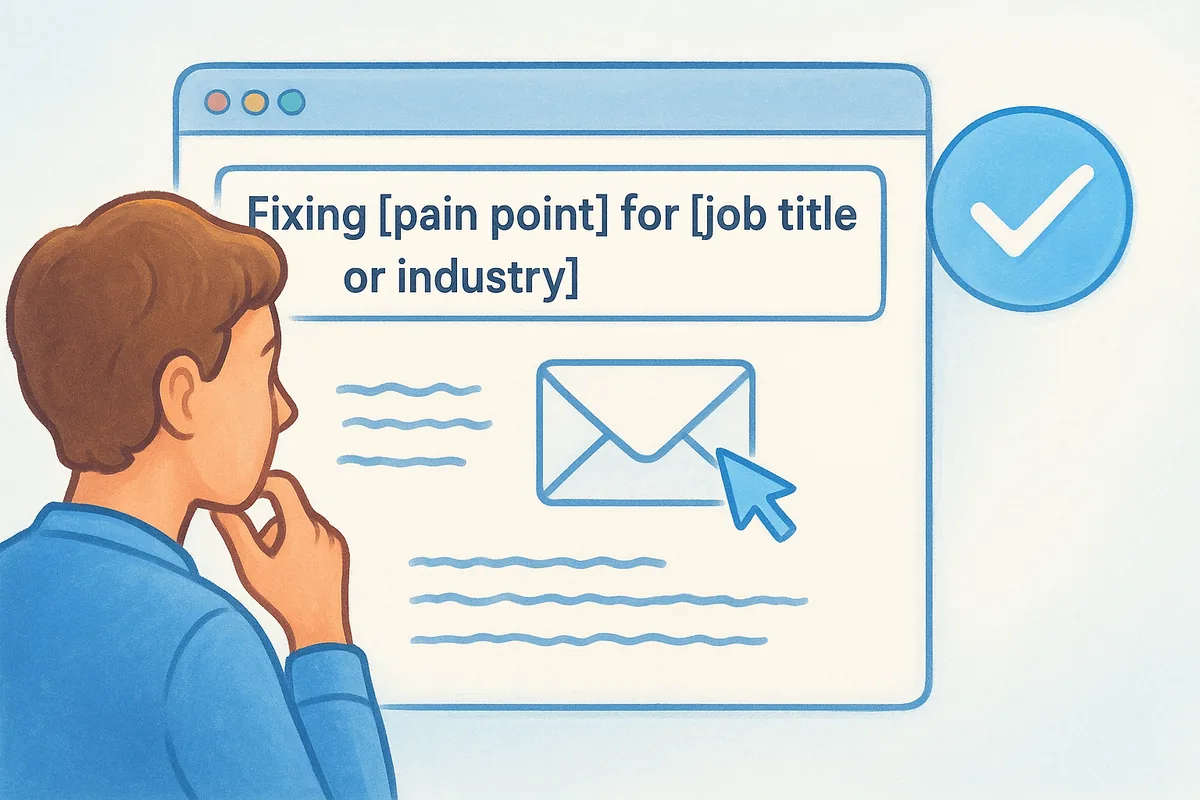
Here are five subject line formats that consistently perform well:
- •Problem-specific: "Fixing [pain point] for [job title or industry]"
- •Result-first: "[Outcome] in [timeframe]: how [Company] did it"
- •Direct question: "Are you still struggling with [specific issue]?"
- •Referral or connection: "[Name] suggested I reach out"
- •Plain and personal: "[Their company] + [Your company]"
Your opener should flow naturally from the subject line and answer the reader's first question: why is this person emailing me right now?
Step 5. Automate, deliver, and stay compliant
Automation is what turns a well-designed sequence into a system that runs without manual effort every day. But setting up automation is only half the job. You also need your emails to actually reach the inbox and stay on the right side of compliance laws. Skipping either of these steps quietly kills the results from every other decision you made in this guide.
Connect your tools and build the workflow
Start by connecting your CRM to your email provider so contacts flow into sequences automatically when a trigger fires. In a no-code automation builder, you define the trigger, set the delay between emails, and choose the exit condition, such as when a contact replies or clicks a specific link. Here is a basic workflow structure you can replicate:
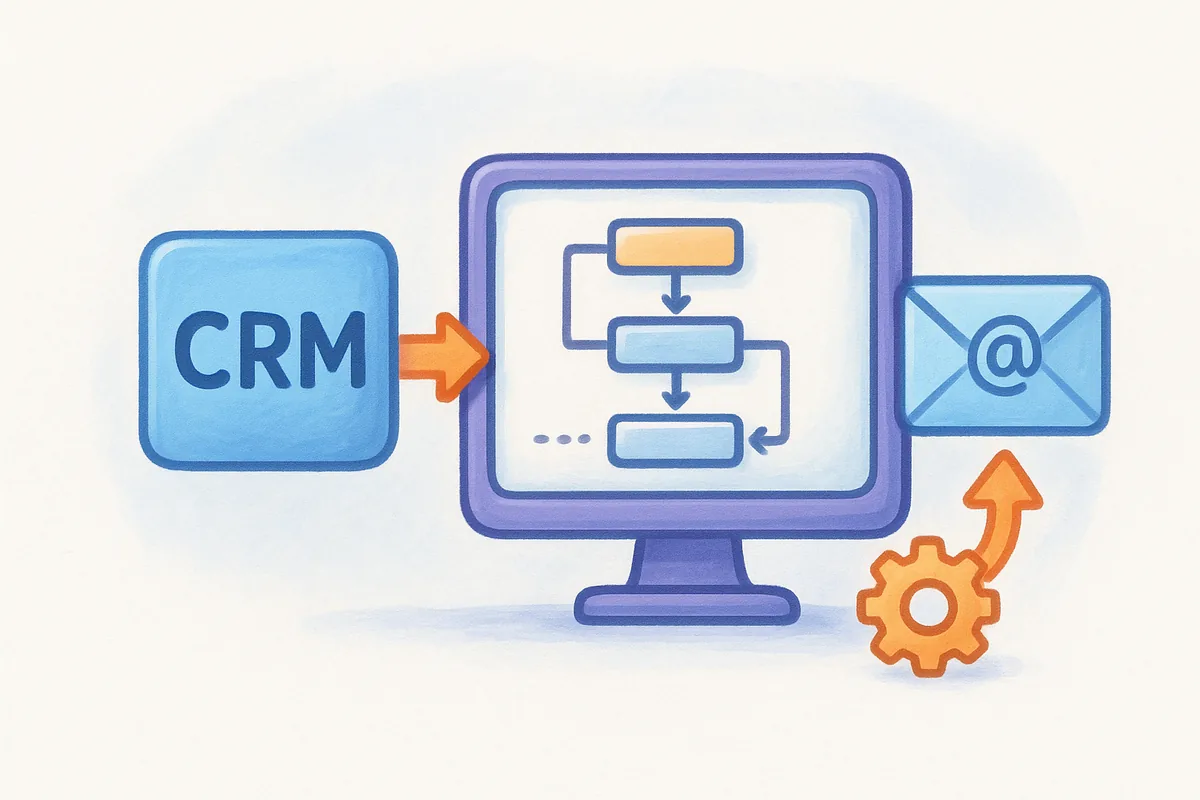
- Trigger fires (form submission, deal stage change, manual enrollment)
- Send Email 1 immediately
- Wait X days, check if the contact replied
- If no reply, send Email 2; if replied, exit sequence
- Repeat until the sequence ends or the contact takes the target action
Test every branch of this workflow before you go live. Send test emails to yourself and confirm that delays, conditional exits, and personalization fields all work as expected.
Protect your deliverability before you scale
High-volume sending from a new or under-warmed domain lands in spam, which means your carefully written emails never get seen. Run an email warmup process before you start sending sequences at scale. Warmup gradually increases your sending volume and builds a positive sender reputation with inbox providers over 21 days. Vedain CRM includes built-in email warmup so you can run this directly inside the platform without a separate tool.
Skipping warmup is the single fastest way to destroy your sender reputation and tank your open rates before your sequence even has a chance.
Follow CAN-SPAM and GDPR rules without cutting corners
Following email sequence best practices includes staying legally compliant. For every sequence you send, make sure you meet these requirements:
- •Include a physical mailing address in every email footer
- •Add a working unsubscribe link that processes opt-outs within 10 business days (CAN-SPAM) or immediately (GDPR)
- •Only contact people who have given consent if you are targeting recipients in the EU or UK
- •Honor unsubscribes across your entire database, not just within a single sequence
Compliance protects both your sender reputation and your business from regulatory risk.
Next steps
You now have a complete framework for building sequences that actually convert. From setting clear goals and triggers to writing emails people read to protecting your deliverability before you scale, every step in this guide connects to the next. Put the email sequence best practices here into action one step at a time: start with one sequence, one audience, and one clear goal before you expand.
Build your flow map first, set your triggers, write short focused emails, and let automation handle the timing. Check your open and reply rates after the first two weeks and adjust based on what the data tells you.
Running all of this from a single platform saves you time and removes the friction of stitching tools together. Vedain CRM gives you built-in email warmup, two-way sync, and no-code automation at a flat rate with no hidden fees. Start your free trial of Vedain CRM and build your first sequence today.
Related reading
Frequently Asked Questions
What is the optimal email sequence length for lead nurturing?
The ideal email sequence for lead nurturing typically consists of 5-7 emails spread over 2-4 weeks, though this varies by industry and audience. HubSpot's research shows that sequences with 5-7 touchpoints generate 50% more conversions than shorter sequences, while Salesforce recommends spacing emails 2-3 days apart to maintain engagement without overwhelming prospects. Tools like Pipedrive and Freshsales allow you to customize sequence length based on your specific sales cycle, with most B2B companies finding success with 6-email sequences over 30 days.
What time of day should I send automated email sequences?
The best time to send email sequences is Tuesday through Thursday between 9-11 AM and 2-3 PM, with Tuesday-Wednesday showing the highest open rates at 25-35%. Zoho CRM and HubSpot data indicates that avoiding Monday mornings (when inboxes are crowded) and Friday afternoons (when attention drops) improves performance by up to 20%. However, your specific audience and industry matter—Vedain and Freshsales offer A/B testing features to identify optimal send times, and most platforms recommend testing your audience's timezone to maximize engagement.
How do I automate email sequences in a CRM without manual effort?
Most modern CRMs like HubSpot ($50-3,200/month), Salesforce ($40-300+/month), and Zoho ($15-55/month) offer visual workflow builders where you can create automated sequences with conditional logic without coding. Pipedrive and Freshsales (both $10-100+/month) provide similar automation features through drag-and-drop interfaces that trigger emails based on lead actions like website visits or email opens. The key is setting up automation rules once—conditions like lead score, deal stage, or behavior patterns—and the CRM handles subsequent sends automatically, reducing manual work by 80-90%.
What email content works best in automated sequences?
Effective automated email sequences combine personalization (using first name, company, behavior data) with clear value propositions, typically following a pattern of education, social proof, and a soft call-to-action. HubSpot reports that sequences with personalized subject lines achieve 26% higher open rates, while sequences that include social proof (testimonials, case studies) convert 34% better than generic content. Salesforce and Zoho recommend alternating between value-focused content (tips, resources) and solution-focused content (product benefits, demos), with Vedain users seeing best results from sequences that ask qualifying questions to segment prospects early.
How many follow-up emails should I send before removing a lead from a sequence?
Most best practices recommend sending 3-5 follow-up emails after initial non-response before unsubscribing or re-segmenting a lead, typically over 30-45 days. Freshsales and Pipedrive users report that 4-email follow-up sequences achieve a 10-15% response rate from previously unengaged leads, while HubSpot data shows diminishing returns after the 5th email. Rather than removing leads entirely, Salesforce and Zoho recommend moving non-responsive leads to a longer-cadence nurture sequence or re-engagement campaign, allowing you to recover contacts at a lower cost than prospecting new leads.
Should I use the same email sequence for all leads or segment by behavior?
You should segment email sequences by behavior, lead source, and industry to improve conversion rates by 30-50% compared to one-size-fits-all approaches. HubSpot and Salesforce both emphasize that leads from paid ads, content downloads, or inbound referrals respond better to different sequences—paid traffic typically needs shorter sequences (3-4 emails) while content leads benefit from longer nurture flows (7-10 emails). Zoho, Freshsales, and Pipedrive offer segmentation features that automatically route leads to different sequences based on firmographic data, engagement level, and deal stage, allowing you to tailor messaging and dramatically improve ROI.