FREE CRM DEMO
See a CRM Demo Without
the Sales Call
Updated August 2026
Vedain CRM demo is free and instant — no discovery call, no SDR sequence. Get full product access in 60 seconds with sample data loaded. Explore pipelines, email campaigns, WhatsApp, AI tools, and more. Compared to HubSpot or Salesforce, setup takes minutes not months. No credit card required. Prefer a guided tour? Book 30 minutes with a specialist.
Full product access · 60-second signup · Nothing to install
WHAT YOU’LL SEE
What the Vedain CRM demo covers
Whether you explore self-serve or take the guided walkthrough, the demo follows a lead’s real journey through the system — from the moment it hits your website to the invoice that closes the loop. Every module below is live in your demo workspace, not a video or a locked preview.
Lead capture → first response
Watch a website visitor become a lead: the AI chat widget qualifies them, the lead lands in your pipeline with source attribution, scoring ranks it, and an assignment rule routes it to the right rep — all before a human touches it.
Pipelines & deals
Drag deals through fully customizable stages, see forecast values update live, and set stage-based automations — the follow-up task that creates itself when a deal stalls is usually the moment evaluators nod.
Email from your own mailbox
Connect Microsoft 365 or Gmail and send tracked emails and multi-step campaigns from your real address — proper threading, your Sent folder, your deliverability. Open and click tracking shows engagement per lead.
AI assistant & agent marketplace
The AI drafts follow-up emails in your tone, answers website visitors 24/7, and scores leads by engagement. Then browse 30+ one-click AI agents — Apollo enrichment, Fireflies call transcription, GPT-4o drafting — all included in the flat price.
Quotes & invoicing inside the CRM
Generate a quote from a deal, convert it to a branded invoice, and take payment — without a separate billing tool. For services teams this alone replaces a second subscription.
Reports & dashboards
Pipeline velocity, source ROI, rep activity and campaign performance out of the box, plus a drag-and-drop custom dashboard builder for the metrics your leadership actually asks about.
A DIFFERENT KIND OF DEMO
Vedain’s demo vs the typical CRM sales demo
A polished screen-share can make any CRM look perfect — that is exactly why vendors insist on driving. The honest test is what happens when you hold the mouse on day one. Here is how the two experiences compare.
| Vedain demo | Typical vendor demo | |
|---|---|---|
| Access the product instantly | Yes | After a discovery call, usually days later |
| Real working account, not a slide tour | Yes | Scripted screen-share on their data |
| No credit card, no sales pressure | Yes | Contact-gated; SDR follow-up sequence |
| Test with your own imported data | Yes | Rarely — sandbox stays hypothetical |
| Whole team can join and click around | Yes | Limited to the call attendees |
| Pricing visible for every feature shown | Yes | Add-on costs surface at contract stage |
EVALUATE LIKE A PRO
The 10-minute CRM demo checklist
Use this on any CRM system demo — ours included. Ten focused minutes on the five tasks below reveal more than an hour of feature tour, because they test the actions your team will repeat every single day. The full methodology is in the step-by-step CRM demo evaluation guide below.
Import 20 rows from a CSV
If import needs documentation, daily use will need training. Field mapping should be automatic and duplicates flagged.
Create a lead, log a call, set a follow-up
These are the actions reps repeat 50× a day — each should take under 15 seconds with keyboard-friendly forms.
Connect your email & send a tracked message
It must send from your real mailbox. Vendor-relay email breaks threading and lands in spam.
Move a deal across stages & trigger an automation
Stage change should be a drag; the automation (task, email, notification) should be configurable without a consultant.
Open it on your phone
Field reps live on mobile. If the mobile view is an afterthought, adoption dies in the parking lot.
THE COMPLETE GUIDE
How to evaluate any CRM demo in 10 minutes
Looking for a quick CRM demo playbook? You're in the right place. (Want to see one in action right now? Start a free Vedain CRM demo — no sales call needed.) Most sales teams sit through a CRM software demo (or demo CRM walkthrough) only to realize, 30 minutes in, that the platform doesn't fit their workflow. That's time you don't get back, and it adds up fast when you're comparing three or four tools side by side.
What is a CRM demo?
A CRM demo is a guided walkthrough of a CRM platform — either a live session with a sales engineer, a pre-recorded product tour, or a self-serve trial where you demo the CRM yourself. The goal is simple: see whether the software can run your sales process before you commit to a subscription.
There are three common formats. A live demo is vendor-led and tailored, but often scripted to hide weaknesses. A recorded demo CRM tour is fast but generic. A free-trial demo puts you in the driver's seat — it's the only format where you can test your own workflow end-to-end, which is why the 10-minute script below is built around it.
The trick isn't watching more demos. It's knowing exactly what to look for before you hit play. A focused evaluation can tell you everything you need in a fraction of the time most vendors expect you to spend. Whether it's pipeline visibility, email integration, or pricing transparency, you can spot deal-breakers early if you have the right framework.
At Vedain CRM, we built a platform with no feature gates and $10/user/month pricing because we believe the demo experience should match what you actually get. This guide walks you through how to evaluate any CRM demo in 10 minutes, so you can stop guessing and start choosing with confidence.
What to prep before you start any CRM demo
Walking into a CRM software demo without preparation is like test-driving a car without knowing what you need to haul. You end up impressed by the leather seats and miss the fact that the trunk is too small. Spending 10 to 15 minutes on prep work before any demo saves you hours of back-and-forth with sales reps and prevents you from choosing the wrong platform.
Document your current sales process
Your sales process is the filter every feature claim has to pass through. Write down how a lead moves from first contact to closed deal in your team today, even if it's messy. Note every handoff point and every step where something breaks or slows down. That list becomes your demo checklist, and anything a vendor shows you that doesn't match a real step in that list is a distraction.
If a feature doesn't map to a real step in your process, it won't solve a real problem.
Set your numbers before you watch anything
Numbers cut through vendor spin fast. Before you open a single demo tab, lock in your current team size and expected growth over the next 12 months, your monthly email volume, and the number of deals you actively track at once. Use this quick reference template:
Filling this in first means you can immediately compare what a vendor charges against what you actually need, without getting distracted by features you will never use.
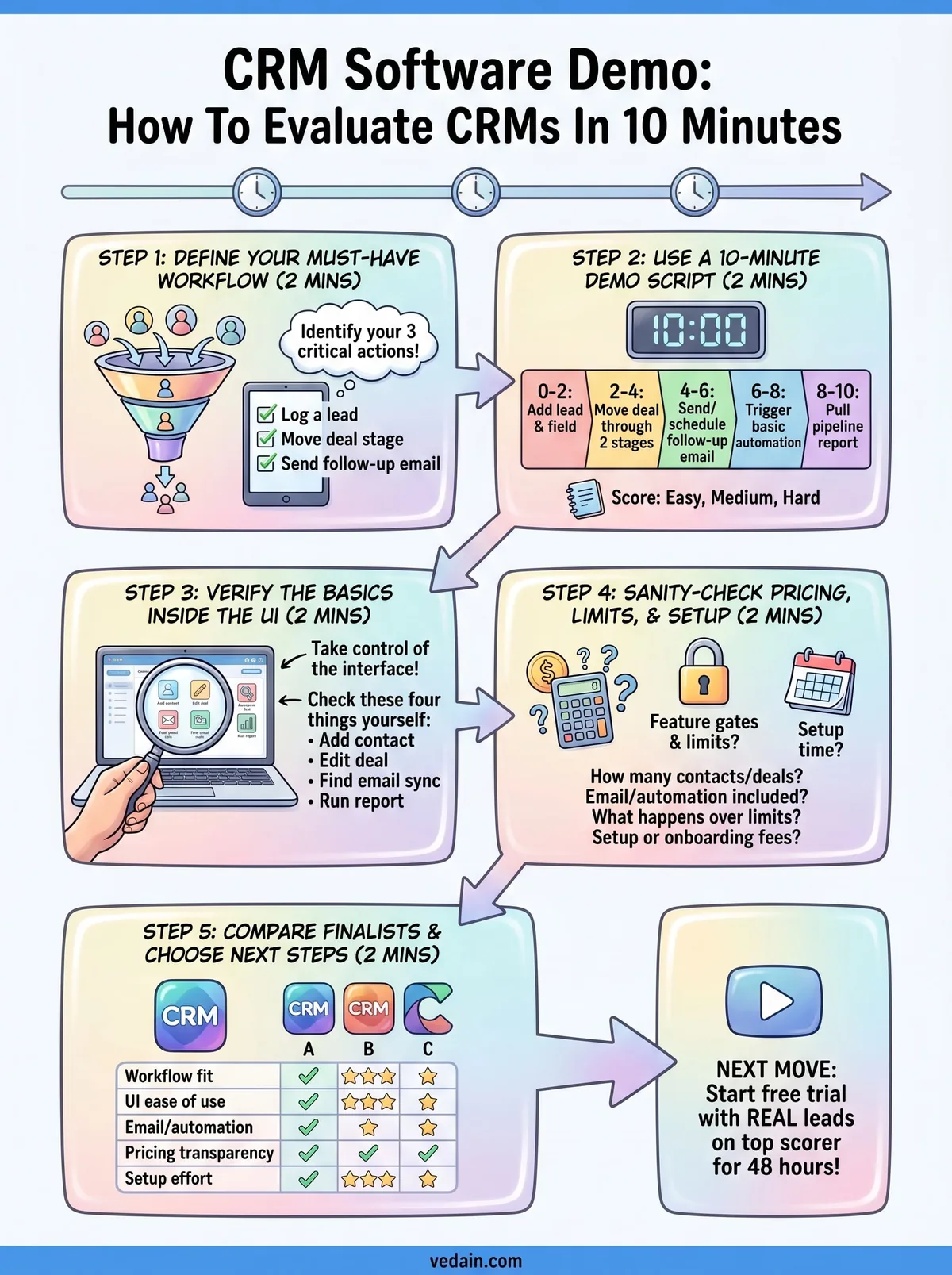
Step 1. Define your must-have workflow in 2 minutes
Before you watch a single crm software demo, you need to know which workflows are non-negotiable for your team. Spending two minutes writing this down before the demo starts will save you from getting talked into features you don't need and overlooking the ones you do.
Pick your three critical actions
Every sales team runs on a short list of core daily actions: logging a lead, moving a deal stage, sending a follow-up email. Narrow your list to the three actions your team performs every single day and write them out in plain language. These become your test cases during the demo.
If a platform can't handle your three daily actions cleanly, no amount of extra features will fix that.
Check for blockers
Some workflows only work with specific integrations. List any tools your workflow depends on before the demo, so you can ask directly instead of assuming. Common blockers include:
- Email sync with Gmail or Outlook
- Calendar and meeting scheduling tools
- Any existing lead capture or form software
Step 2. Use a 10-minute demo script that works
Running every crm software demo through the same script lets you compare platforms fairly, because you're testing identical scenarios each time. Without a script, vendors control what you see, and you end up evaluating features against marketing slides rather than real workflows. Give yourself exactly 10 minutes and follow the same order every time.
Follow this demo script
Walk through these five timed segments during every demo session to cover the full evaluation without going over your limit:
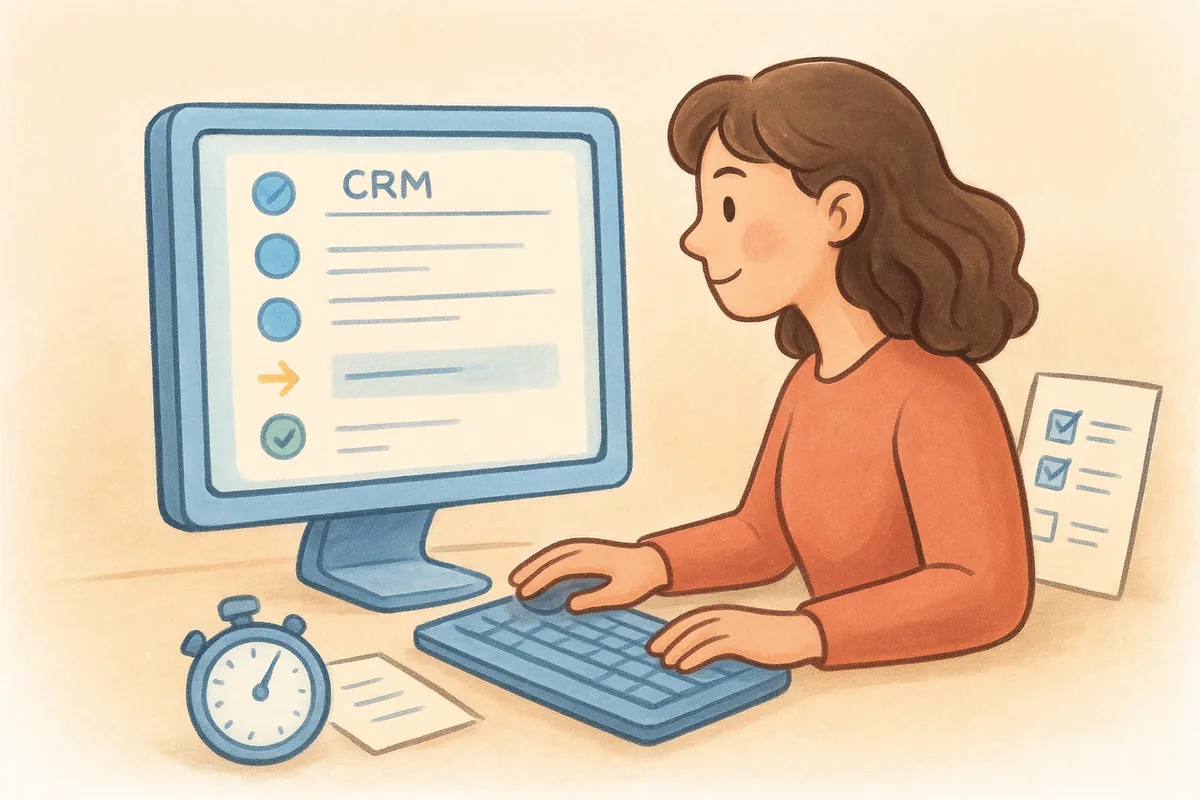
If you can't complete all five steps in 10 minutes, the platform is too complex for daily use.
Take notes as you go
Keep a simple scoring sheet open while you run the script. For each step, note how many clicks it took and whether you needed vendor help. Speed and discoverability matter more than feature count, because your team repeats these actions hundreds of times per month. Rate each step using three labels:
- Easy: found it without any guidance
- Medium: took more than two clicks to locate
- Hard: required the vendor to show you
Step 3. Verify the basics inside the UI, not the slides
Vendor slides and screen recordings are edited to look clean. When you're watching a crm software demo, ask to control the interface yourself or follow along in a live trial account. What you find when you click around unguided tells you far more than anything a sales rep navigates for you.
Take control of the interface
Request a sandbox account or free trial before or during the demo. Open the features your team uses daily and navigate to them without being directed. If you can't find a core function within two clicks, your team won't either.
The real test of a CRM is whether a new user can find what they need without a tutorial.
Check these four things yourself
Run through this quick checklist during your self-guided session:
- Add a contact without any guidance
- Edit a deal stage and confirm it saves correctly
- Find the email sync settings in under one minute
- Locate the reporting section and run one default report
Step 4. Sanity-check pricing, limits, and setup effort
After running your crm software demo script, vendors often quote a headline price that looks affordable until you dig into the details. Feature gates, record limits, and required onboarding packages can turn a $12/user/month tool into something that costs three times more at your actual usage level.
Ask about limits, not just price
Before you commit to a trial, ask your vendor these four direct questions:
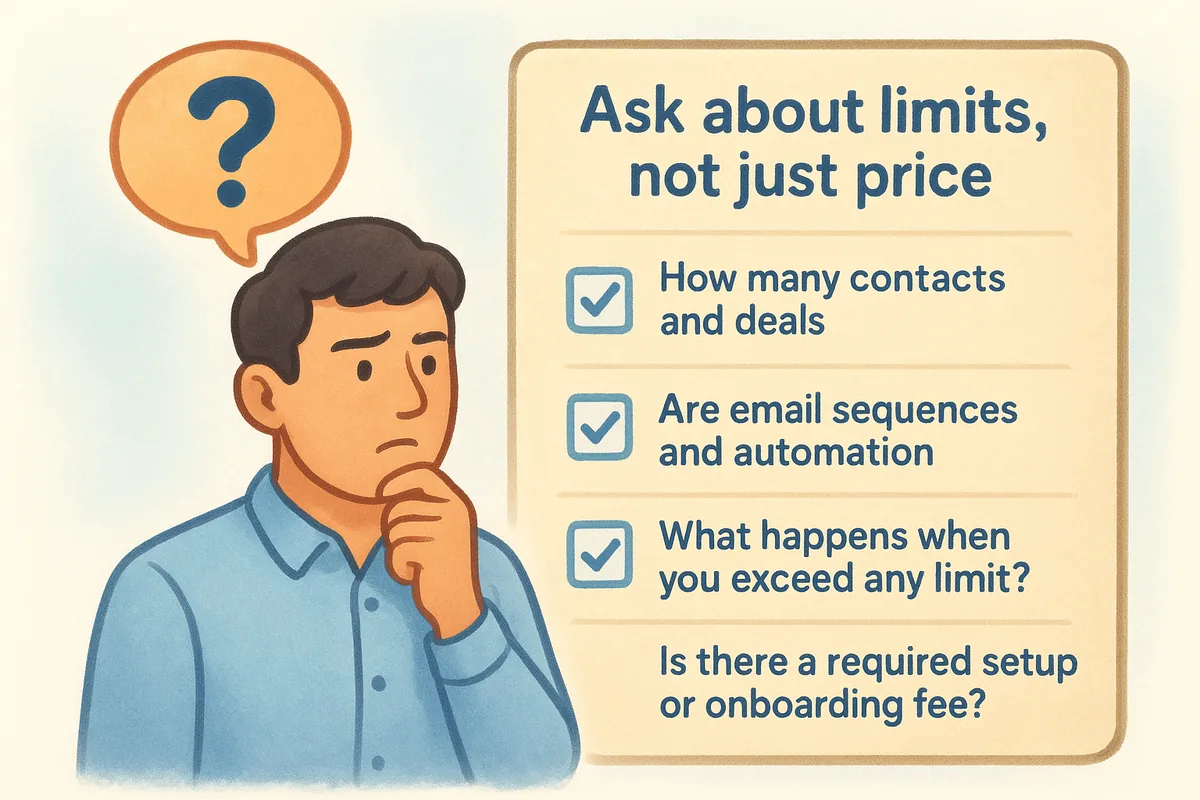
- How many contacts and deals can you store at your plan level?
- Are email sequences and automation included or priced as add-ons?
- What happens when you exceed any limit?
- Is there a required setup or onboarding fee?
A platform that hides limits in the fine print will surprise you after you've already migrated your data.
Estimate your real setup time
Migration effort and integration setup are costs most buyers ignore until they're already locked in. Ask the vendor how long a team your size typically takes to go live, and request a written estimate so you have something concrete to hold them to. Setup that takes weeks instead of days signals a platform your team will struggle to adopt.
Step 5. Compare your finalists and choose next steps
Once you've run your crm software demo script across each platform, you have real data to work with instead of impressions. Pull out your notes from Steps 2 through 4 and score each finalist side by side before your memory blends the details together.
Score each platform with a comparison table
Use this five-factor scoring template to rank your finalists objectively. Score each category from 1 to 5 based on what you observed during your self-guided session.
The platform with the highest total score across factors your team actually uses daily is the right choice, not the one with the longest feature list.
Decide on your next step
After scoring, eliminate any platform that scored below 3 in workflow fit or pricing transparency. For your top scorer, start a free trial using a real lead from your pipeline. Testing with live data for 48 hours tells you more than any demo ever will.
Your next move after the demo
You now have a framework that turns any crm software demo into a focused, 10-minute evaluation instead of a passive sales pitch. The five steps cover everything from locking in your must-have workflows to scoring your finalists against real data you gathered yourself, rather than impressions left by a vendor's curated walkthrough.
Pick one CRM from your shortlist today and run your demo script on a live trial account. Use actual leads from your pipeline, not sample data the vendor pre-loaded. Testing with real records exposes friction points that polished demo videos never show, and it tells you within 48 hours whether the platform fits your team.
If you want a platform that skips the pricing games entirely, start a free trial of Vedain CRM. Vedain includes email sync, automation, and unlimited records at $10 per user per month with no feature gates or hidden fees. Setup takes under five minutes, and no credit card is required to get started.
Bonus: test the three workflows that break most CRMs
Most CRM demos are choreographed to show the platform's strengths. To evaluate what matters for your team, interrupt the demo script and test three workflows that reveal where CRMs typically break down. First: add a lead from two different sources simultaneously (e.g., manually + via an import) and see how the system handles the duplicate. Does it detect and merge, or silently create two records? Duplicate handling is unglamorous but critical — a database with 20% duplicate contacts is unusable for sequence enrollment and reporting.
Second: try to build the custom field your team actually needs — e.g., 'Property Type' with values Villa/Apartment/Commercial for a real estate team, or 'Policy Expiry Date' for insurance. How many clicks does it take? Can a non-technical user do it without help? If a custom field requires a developer or a support ticket, the platform is too rigid for SMB use. Third: check what mobile looks like. Ask the demo rep to show you the mobile app, not the responsive desktop view. Log a call and schedule a follow-up task from the mobile interface. If it takes more than 4 taps, field reps won't use it.
Red Flags in a CRM Demo: What to Watch For
- Slow load times on the demo environment: Demos run on optimised environments. If the demo is slow, production will be slower. Time the page loads — anything above 3 seconds on a core page is a red flag.
- Features only available in higher tiers: If 60%+ of the features shown are 'available on Enterprise', the entry-level plan is a trial disguise. Ask specifically what your target plan includes before the demo ends.
- Can't show a real customer's (anonymised) pipeline: Vendors who can't show a real use case are selling concept, not a proven tool. Ask for an anonymised walkthrough of an existing customer's configuration in your industry.
- No India-specific features for Indian teams: If the demo rep can't demonstrate GST invoicing, IndiaMART lead import, or WhatsApp integration natively, those features don't exist or require expensive add-ons.
- Long implementation timeline: Any CRM that requires 'a 2–3 week implementation project' for a 10-person SMB team is overcomplicated for your needs. A good SMB CRM is live in under 48 hours.
After the Demo: The Three Questions That Decide the Choice
After evaluating 2–3 CRM demos, three questions determine the final decision. First: which platform did your team actually want to use after the demo — not which one had the best feature list, but which one felt intuitive enough that you can imagine your reps logging into it every day? Adoption is the only metric that matters in month 3. Second: what is the true annual cost at your team size, including all the add-ons you'd actually need — WhatsApp, email sequences, reporting, storage? Third: what is the support story — when something breaks or you need to add a feature, can you reach a human who understands your market, or will you be directed to a help article written for a different industry?
PREFER A HUMAN?
Book a guided 30-minute demo
A product specialist walks the platform using scenarios from your industry — recruiting, real estate, manufacturing, agencies, SaaS — and answers the awkward questions vendors usually dodge: migration effort, real pricing, where the product is weak. Bring your whole team; bring your current CRM’s pain points.
- Tailored to your industry and pipeline
- Live migration assessment from HubSpot, Zoho, Salesforce or sheets
- Transparent pricing math for your exact team size
- Recording shared afterwards for absent stakeholders
CRM DEMO FAQ
Free CRM demo — common questions
Yes — both demo paths are free. The self-serve demo is a full working account you create in under a minute with no credit card, pre-loaded with sample leads, deals and campaigns so you can click through every module immediately. The guided demo is a free 30-minute screen-share with a product specialist who walks the platform using scenarios from your industry. Neither creates any billing obligation.
The demo is the product.
Go see for yourself.
Sixty seconds from now you can be dragging a deal across a pipeline. If it doesn’t feel right, close the tab — no follow-up sequence, we promise.