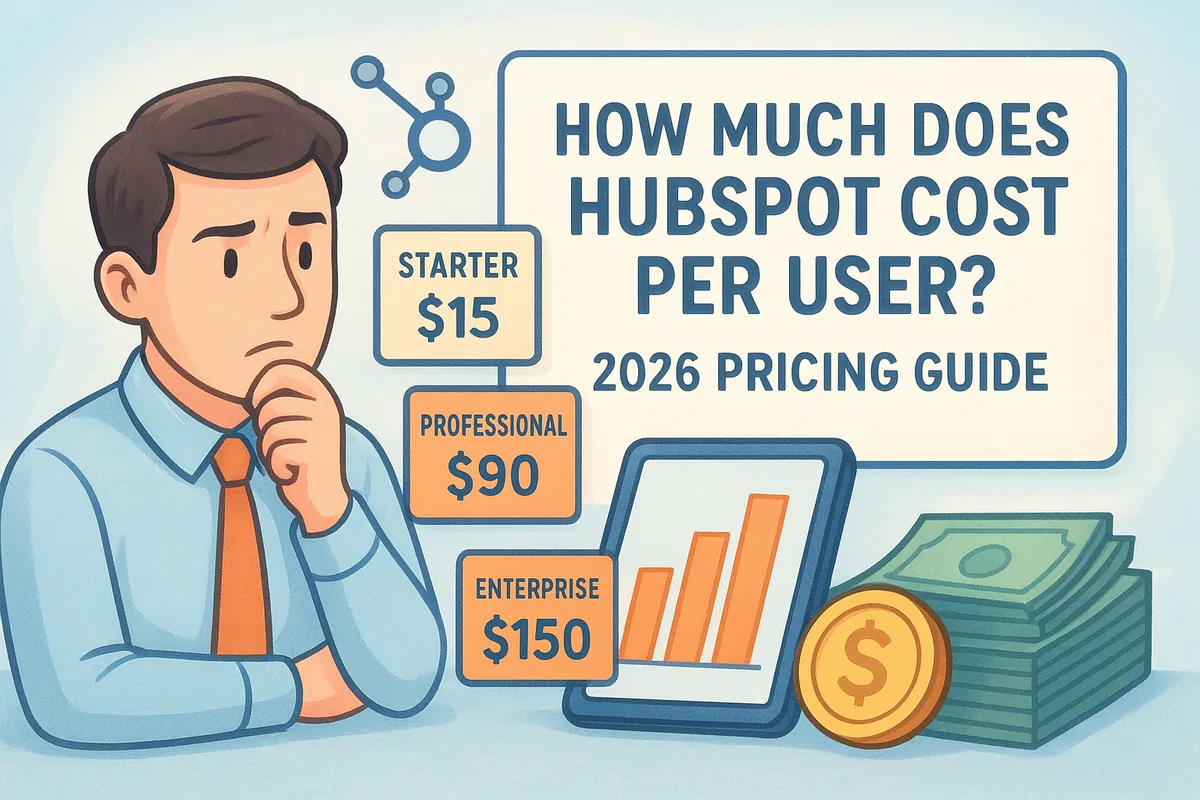
HubSpot's per-user costs in 2026 range from $15/month per seat on Starter plans to over $150/month per seat on Enterprise, and that's before you factor in onboarding fees, add-ons, or bundled Hub pricing. For sales teams watching their budget, understanding exactly where each dollar goes matters.
We built Vedain CRM as a flat-rate alternative, $10 per user per month, all features included, so we know this pricing question well. Our customers ask it constantly before switching. This guide breaks down HubSpot's 2026 per-user pricing across every Hub and tier, so you can calculate your actual cost and decide what makes sense for your team.
How HubSpot pricing works in 2026
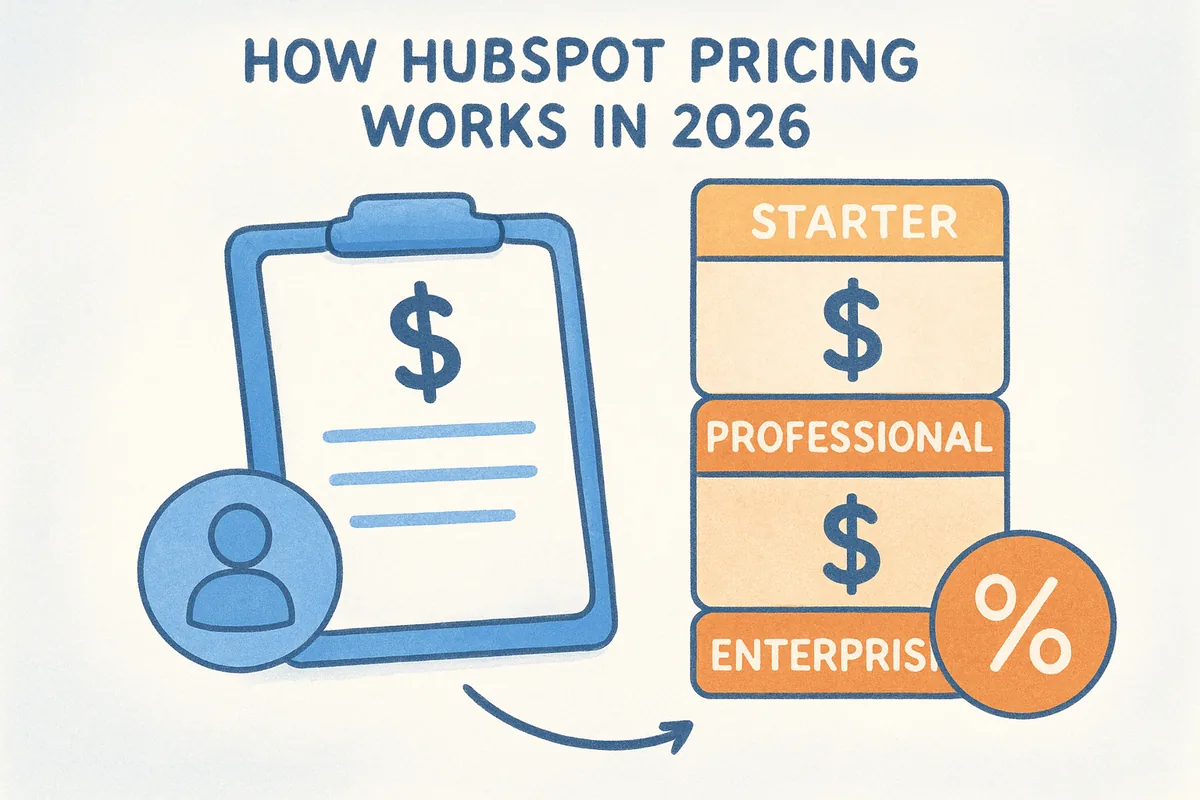
HubSpot does not sell one product at one price. It sells a collection of separate software products called "Hubs," each targeting a different business function. To answer how much does HubSpot cost per user, you first need to understand that the per-user cost depends entirely on which Hub or combination of Hubs you're purchasing, and which pricing tier within that Hub you select. The structure sounds simple on the surface, but the layers underneath it can make your final bill look nothing like the number you saw on HubSpot's pricing page.
The hub-based structure
HubSpot organizes its platform into five main Hubs: Marketing Hub, Sales Hub, Service Hub, Content Hub (formerly CMS Hub), and Operations Hub. Each Hub functions as a standalone product with its own pricing. If your team needs features across more than one Hub, you pay for each one separately unless you purchase a bundle. A sales team that also wants to run marketing campaigns, for example, would need both Sales Hub and Marketing Hub, which immediately multiplies the cost.
Before you price out HubSpot, list every feature your team actually needs and map each one to the specific Hub that contains it. This step alone often reveals that your "CRM cost" is actually three Hub costs combined.
Each Hub is available at three main tiers: Starter, Professional, and Enterprise. HubSpot also offers a free plan with limited functionality across several Hubs, but that free plan has no per-seat cost precisely because it strips out the features most teams need to run a real sales operation.
How tiers change the per-user cost
The jump between tiers is not just about adding features. It fundamentally changes the per-seat pricing model. On Starter plans, you pay a lower per-seat rate but often face hard limits on automation, reporting, and integrations. On Professional plans, the per-seat rate increases significantly, and HubSpot layers in required onboarding fees that you pay once at the start. Enterprise plans carry the highest per-seat rates and typically require a minimum seat commitment, meaning you pay for seats whether or not every person on your team uses them.
For Sales Hub specifically, Starter seats run $15 per month per seat, Professional jumps to $90 per month per seat, and Enterprise seats cost $150 per month per seat as of 2026. Those numbers do not include platform fees that some tiers charge separately from the per-seat cost, which is a distinction many buyers miss during the evaluation process.
Bundled pricing and the "Customer Platform"
HubSpot introduced bundled options that group multiple Hubs under a single subscription called the HubSpot Customer Platform. Bundles are designed to look more cost-effective than buying individual Hubs, and in some cases they are, but the math depends heavily on your seat count and which Hubs you actually need. Teams that only need Sales Hub often find that bundles include Marketing Hub features they will never use, making the bundle more expensive than buying the single Hub outright.
Bundles also lock you into the same tier across all included Hubs. You cannot mix a Professional Sales Hub with a Starter Marketing Hub inside a bundle. This matters because your pricing floor shifts upward the moment you need a Professional-tier feature in even one Hub.
Free tools and where they stop working
HubSpot's free CRM is genuinely useful for small teams just getting started. You get basic contact management, deal tracking, and limited email tools at no cost. The problem is that free users hit feature walls quickly. Automation beyond simple sequences, advanced reporting, custom pipelines beyond one, and most AI features all sit behind paid tiers. Many teams start on the free plan and then face a significant cost jump when they need their second pipeline or their first automated workflow, which is often within the first 90 days of use.
HubSpot per-user pricing by hub and tier
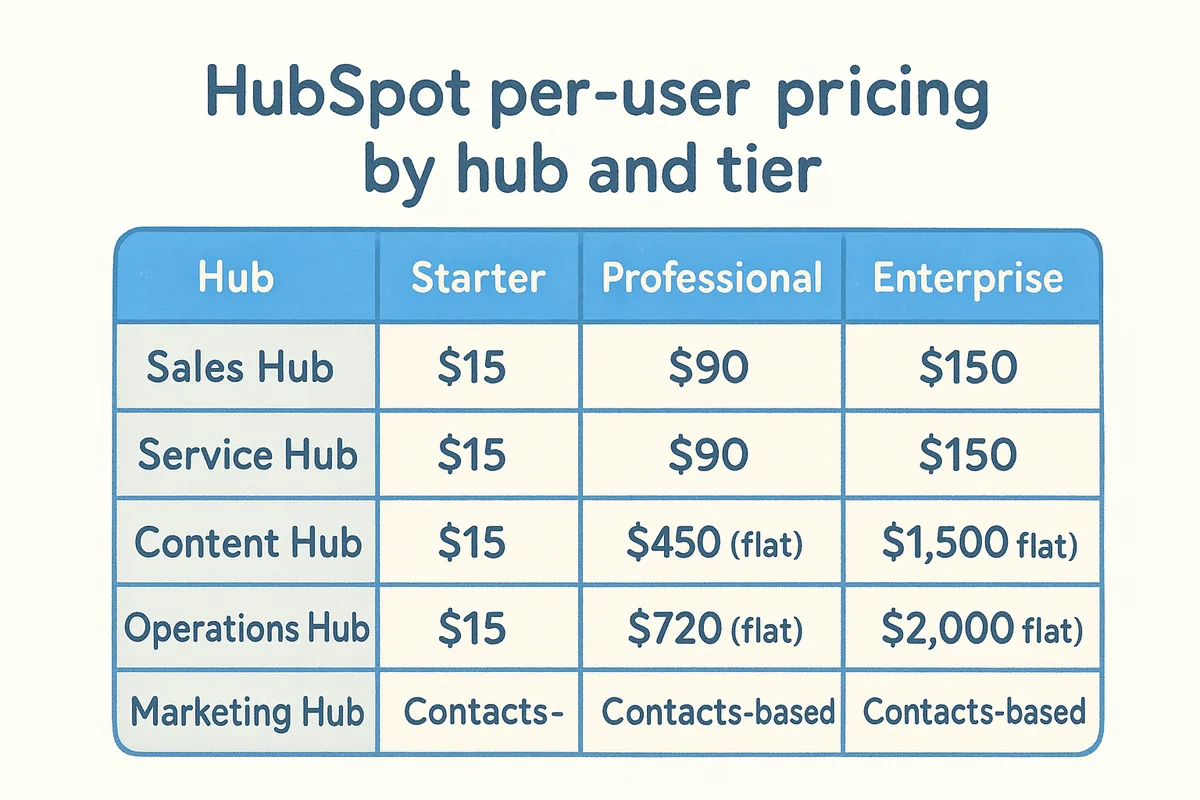
When people search how much does HubSpot cost per user, they usually have one Hub in mind, but the answer spans five separate products with three tiers each. The table below gives you a consolidated view of what HubSpot charges per seat across every Hub in 2026, so you can build an accurate cost estimate before you commit to a plan.
Sales Hub and Service Hub pricing per seat
Sales Hub and Service Hub follow the clearest per-seat model in HubSpot's lineup. At Starter, you pay $15 per seat per month. Professional seats jump to $90 per seat per month, and Enterprise seats hit $150. Those two Hubs mirror each other's pricing almost exactly, which makes sense since they target similar team sizes and workflow needs. One important detail: Professional and Enterprise tiers require a one-time onboarding fee on top of the per-seat rate, which runs $500 for Professional and $3,500 for Enterprise on each Hub.
The onboarding fees are mandatory, not optional, so factor them into your first-year cost calculation before comparing HubSpot to alternatives.
How Marketing Hub pricing works differently
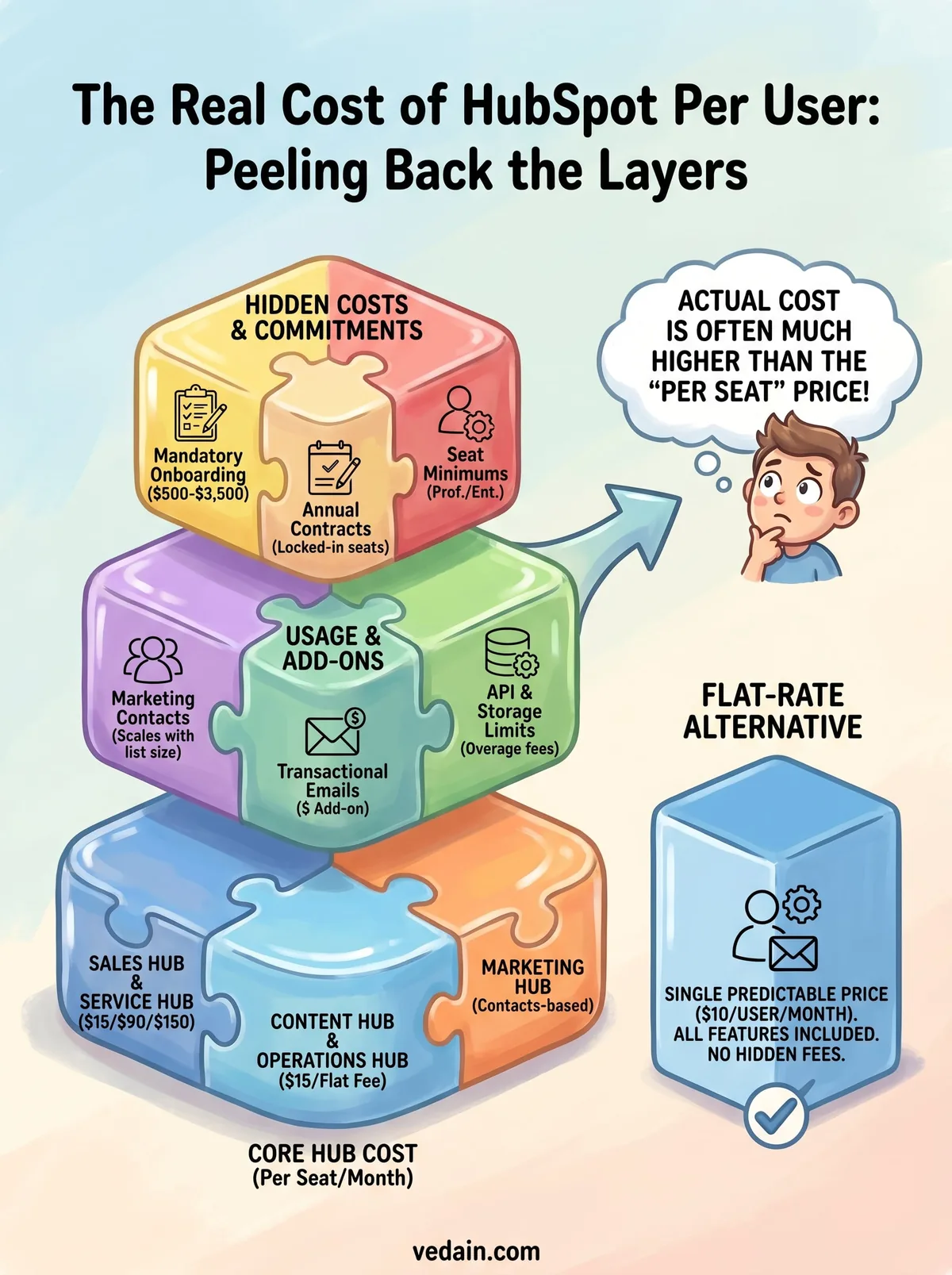
Marketing Hub does not charge per seat the same way Sales Hub does. Instead, it charges based on the number of marketing contacts in your database, with a separate per-seat rate layered on top for users who need full access. At Starter, pricing starts at $15 per month for up to 1,000 contacts. Professional starts at $800 per month for 2,000 contacts. Enterprise starts at $3,600 per month for 10,000 contacts. Additional contacts cost extra at each tier, which means your Marketing Hub bill grows as your list grows, independent of your seat count.
Content Hub and Operations Hub flat fees
Content Hub and Operations Hub do not price per seat at the Professional and Enterprise levels. Instead, they charge flat platform fees: $450 per month for Content Hub Professional and $720 per month for Operations Hub Professional. Enterprise versions of both Hubs carry even higher flat rates. This structure means that adding more users to these Hubs costs nothing extra, but the base cost is significantly higher than the Starter tier's per-seat model suggests.
Seats and user types that change the per-user cost
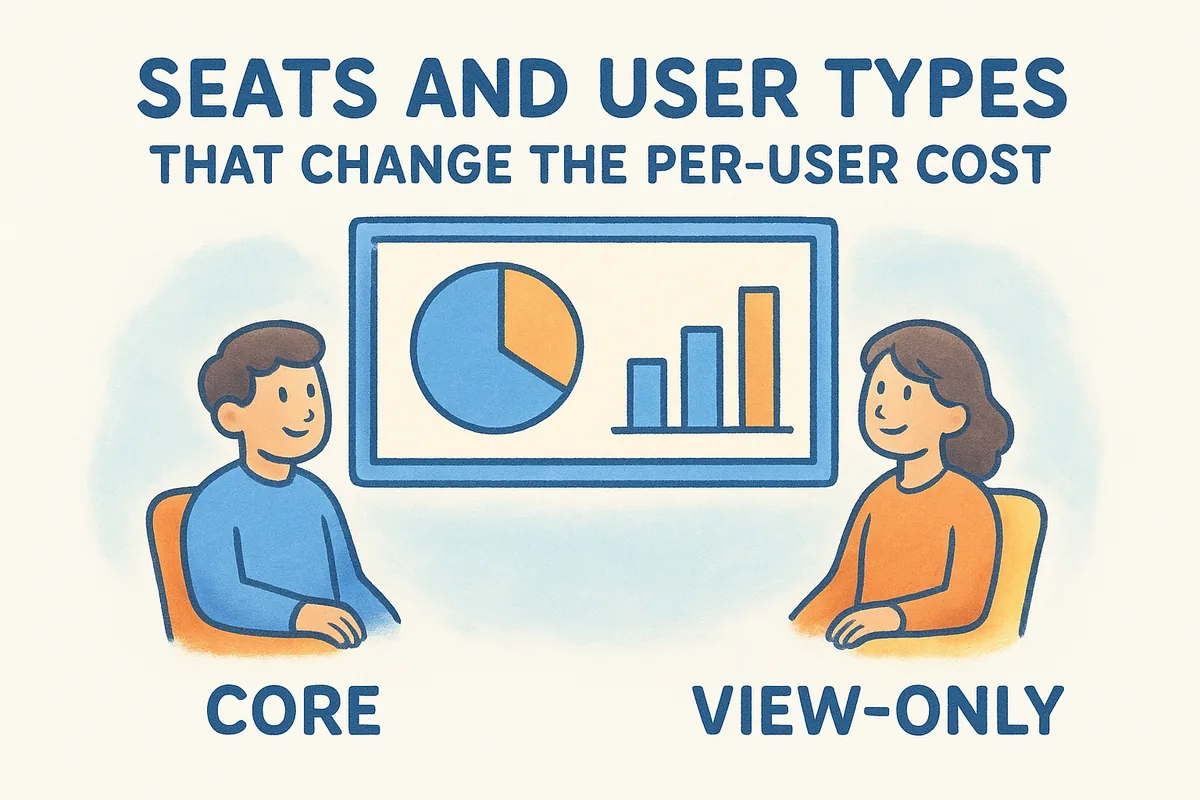
HubSpot doesn't treat every user the same way when calculating your bill. The platform uses distinct seat types that carry different price tags, and understanding the difference between them directly affects how you answer the question of how much does HubSpot cost per user for your specific team. Some users on your account will consume a full paid seat, while others can access parts of the platform at a lower cost, depending on what they need to do.
Core seats and what they include
A core seat is HubSpot's standard paid seat. Anyone on your team who needs to create, edit, or manage records, run automations, build sequences, or access reporting pays the full per-seat rate at whatever tier you're on. On Sales Hub Professional, that means $90 per month per core seat. If your sales team has 10 reps, you're looking at $900 per month just for the seat cost, before any platform fees or add-ons enter the picture.
Count only the users who actually need edit access before purchasing core seats. Adding seats you don't need is one of the most common ways HubSpot costs grow beyond original estimates.
View-only seats and their limits
HubSpot offers view-only seats at a lower rate for users who need to see data but not interact with it. These seats work well for managers, executives, or stakeholders who want to check pipeline reports or review deal progress without actively working records. The trade-off is real, though: view-only users cannot send emails, edit deals, or trigger workflows, which means any team member who touches the CRM in a meaningful way still needs a core seat. Most sales teams find that very few people qualify as true view-only users once they map out actual day-to-day workflows.
Seat minimums at Professional and Enterprise tiers
Professional and Enterprise tiers impose minimum seat requirements that affect your per-user math before you even assign access. Sales Hub Professional requires a minimum of two core seats, and Enterprise plans often carry higher minimums depending on the contract terms. This structure means you pay for those minimum seats regardless of how many people you actually onboard. A two-person team evaluating Enterprise features ends up paying for seats they cannot fully use, which pushes the effective per-user cost well above the listed rate on HubSpot's pricing page.
Marketing contacts and other usage-based costs
Beyond per-seat pricing, HubSpot charges for usage-based variables that scale with your business activity rather than your headcount. These costs sit outside the conversation about how much does HubSpot cost per user, yet they often grow into the largest line item on a HubSpot invoice, especially for teams running active outreach campaigns. If you only compare seat rates without accounting for usage costs, your budget estimate will be wrong before you sign anything.
How contact tiers scale your marketing costs
Marketing Hub pricing ties directly to the number of marketing contacts in your account. HubSpot defines a marketing contact as any contact you actively market to, meaning anyone enrolled in a campaign, email sequence, or ad audience. At the Starter tier, you get 1,000 marketing contacts for $15 per month, and each additional 1,000 contacts costs roughly $14 more per month. At Professional, the base starts at 2,000 contacts for $800 per month, with additional blocks of contacts priced on top.
The contact tier structure means your Marketing Hub bill grows independently of your seat count. A four-person marketing team with a 50,000-contact database pays far more than a twenty-person team with 2,000 contacts. This is the part of HubSpot's pricing that catches teams off guard after they import their existing contact lists and discover they've jumped two or three contact tiers immediately.
Map your current contact database size to HubSpot's contact tiers before you start a trial, because importing contacts automatically triggers a tier upgrade on paid plans.
Transactional emails and other billable actions
HubSpot charges separately for transactional emails sent outside of standard marketing campaigns, such as order confirmations or account notifications. These emails require the transactional email add-on, which starts at $25 per month on top of your existing plan. Teams that rely heavily on automated transactional messaging often treat this as a required add-on, not an optional upgrade, which adds a consistent monthly cost that doesn't show up in any per-seat calculation.
Additional usage costs include custom SSL certificates, extra file storage beyond the plan limit, and additional domains for Content Hub users. Each of these items carries a separate fee that HubSpot adds to your monthly invoice. The pattern across all of these charges is consistent: the base plan covers a defined usage threshold, and anything beyond that threshold costs extra. When you add up contact overages, transactional email fees, and storage costs, the total monthly bill can run 30 to 50 percent higher than the seat-only pricing suggests on the surface.
Bundles vs individual hubs for per-user math
When you're calculating how much does HubSpot cost per user, one of the biggest decisions you'll face is whether to buy a bundled package or pay for individual Hubs separately. HubSpot markets its Customer Platform bundle as a cost-efficient way to access multiple Hubs under one subscription, and in certain scenarios that's true. In other scenarios, paying for a bundle means funding features your team will never open.
When bundles lower your per-user cost
HubSpot's Customer Platform bundle includes Sales Hub, Marketing Hub, Service Hub, Content Hub, and Operations Hub at a combined rate. If your team genuinely needs three or more of those Hubs to run daily operations, the bundle pricing often works out cheaper than purchasing each Hub individually at the same tier. A company running both sales outreach and inbound marketing campaigns, while also managing a support inbox, would likely use at least three Hubs actively, which makes the bundle math favorable.
The bundle also simplifies billing. Instead of managing separate invoices for each Hub, you get a single subscription line that covers your entire platform access. For teams with limited administrative bandwidth, that consolidation has real value beyond the price calculation. However, the simplification only helps if the bundle tier aligns with what your team actually needs across all included Hubs.
Before committing to a bundle, list every feature you plan to use and check which Hub contains it, because paying for a Professional bundle to access one Professional-tier feature across all Hubs is rarely worth the cost difference.
When buying individual hubs saves money
If your team only needs Sales Hub and basic contact management, buying the bundle adds Marketing Hub, Content Hub, and Operations Hub costs to your invoice for tools you will never use. In that scenario, purchasing Sales Hub alone at your required tier keeps your per-user cost low and avoids the inflated base rate that bundles carry.
Individual Hub purchases also give you tier flexibility. You can run Sales Hub Professional while keeping a separate Starter-tier Service Hub if your support needs are limited. Bundles lock all included Hubs to the same tier, which forces your entire bill to the Professional or Enterprise price point the moment you need one advanced feature anywhere in the platform. For sales-focused teams with minimal marketing or service requirements, individual Hub purchases almost always produce a lower per-user cost than any bundle option HubSpot currently offers.
Common extra costs people miss
When teams calculate how much does HubSpot cost per user, they almost always focus on the per-seat rate and stop there. The actual invoice includes several additional line items that HubSpot does not emphasize during the sales process, and each one can add hundreds or thousands of dollars to your annual spending before you've changed a single workflow.
Mandatory onboarding fees
HubSpot charges required onboarding fees for Professional and Enterprise tiers that you pay once at the start of your subscription. These fees are not optional upgrades you can decline, they are built into the contract as a condition of starting your plan. Sales Hub Professional carries a $500 onboarding fee, and Sales Hub Enterprise charges $3,500. If you purchase multiple Hubs at the Professional or Enterprise level, you pay a separate onboarding fee for each one. A team buying both Sales Hub Professional and Service Hub Professional owes $1,000 in onboarding costs on day one, before a single seat is activated.
If you're evaluating HubSpot against alternatives, add the onboarding fees to your year-one cost comparison rather than spreading them across a multi-year estimate, because that first year is significantly more expensive than subsequent years.
Annual contract requirements and billing terms
HubSpot defaults to annual billing on Professional and Enterprise tiers, which means you pay for 12 months upfront rather than month-to-month. This structure affects cash flow more than it affects the total annual cost, but it also means you're locked into your seat count for the contract period. If your team shrinks mid-year, you continue paying for the full seat count you signed up with. Upgrading seats mid-contract adds the new seats at the prorated rate, but downgrading seats generally requires waiting until your renewal date.
API limits and integration add-ons
HubSpot places API call limits on every paid tier, and teams that rely on custom integrations or heavy automation can hit those limits quickly. Starter and Professional plans allow a set number of API calls per day, and exceeding that limit requires either upgrading to a higher tier or purchasing additional capacity. Teams connecting HubSpot to external tools like data warehouses, ERPs, or custom-built applications often discover this limit mid-project when their integrations start failing.
Some integrations also require third-party middleware tools such as Zapier or Make to function, which adds a separate monthly subscription cost on top of your HubSpot bill. That middleware cost rarely appears in any HubSpot pricing estimate, but it becomes a fixed operating expense the moment your workflows depend on it.
How to estimate your HubSpot cost for your team
Figuring out how much does HubSpot cost per user for your specific situation requires more than glancing at HubSpot's pricing page. You need to build your estimate from the ground up using your actual team size, the Hubs you need, your usage patterns, and the fees that apply to your chosen tier. Working through the calculation in steps keeps you from missing a cost category that inflates your final number at contract signing.
Build your seat count first
Start by listing every person who needs active access to HubSpot and what they will do inside the platform. Anyone who edits records, sends emails, runs sequences, or manages automations needs a core seat. Anyone who only reads reports qualifies for a view-only seat at a lower rate. This distinction matters because core seats at Professional tier cost $90 per month each, and misclassifying five view-only users as core seats adds $450 per month to your bill without providing additional value.
Once you have your seat list, apply the minimum seat requirements for your target tier. Professional plans require at least two core seats, so if you're a solo operator evaluating Professional features, you still pay for two. Confirm your headcount against the minimum before you calculate totals.
Add usage costs and fees
After you lock in your seat count, layer in the non-seat costs that apply to your plan. Use the checklist below to make sure you capture every line item:
- •Marketing contacts: Count your current database size and map it to HubSpot's contact tiers for your chosen Marketing Hub plan
- •Onboarding fees: Add $500 for each Professional Hub and $3,500 for each Enterprise Hub you're purchasing
- •Transactional email add-on: Add $25 per month if your team sends automated order or notification emails
- •Annual billing commitment: Multiply your monthly total by 12 to get your first-year cost, since Professional and Enterprise default to annual contracts
- •Middleware tools: Add the monthly cost of any integration tools like Zapier if your workflows connect HubSpot to external systems
Run this full calculation for at least two tier scenarios, such as Starter versus Professional, so you can see exactly what additional features cost in real dollars before you commit.
Your final estimate should include year-one totals with onboarding fees and year-two totals without them, since the two numbers differ significantly. Teams that skip this two-year view often feel blindsided by the first invoice and then underestimate ongoing costs when planning future budgets.
When a cheaper CRM makes more sense
Once you work through the full calculation of how much does HubSpot cost per user for your specific team, the number you land on may be significantly higher than you expected when you first started evaluating HubSpot. For many sales teams, that final figure reveals that HubSpot's pricing structure simply does not match their budget or their actual feature needs, and a cheaper CRM becomes the more rational choice.
Signs that HubSpot's pricing doesn't fit your situation
The clearest signal is when most of your team's daily work fits within a handful of features that cheaper platforms cover at a fraction of the cost. If your team manages leads, tracks deals through a pipeline, sends email sequences, and reviews basic reports, you do not need Marketing Hub's contact-based pricing model or Operations Hub's flat-fee automation suite. Paying for those Hubs, or a bundle that includes them, means funding tools that sit idle while your per-seat cost climbs well past what the actual work requires.
A second signal appears when your team size puts you at a seat count where HubSpot's tier pricing compounds fast. A ten-person sales team on Sales Hub Professional pays $900 per month in seat costs alone, plus the onboarding fee and any usage overages. That same team on a flat-rate platform at $10 per user per month pays $100 per month with no onboarding fee and no contact tiers to manage. The annual cost difference between those two scenarios often covers an additional hire or a full quarter of advertising budget.
If your team's needs are straightforward, paying for platform complexity you don't use makes your cost-per-outcome worse, not better.
What flat-rate CRMs offer instead
Flat-rate CRM platforms solve the core problems that HubSpot's layered pricing creates. You pay one price per user per month, every feature in the platform is available at that price, and your bill scales predictably as your team grows. You never hit a feature wall that requires upgrading to a higher tier, and you never pay mandatory onboarding fees before your first login. For sales teams that want automation, email integration, pipeline tracking, and reporting without a tiered pricing structure, flat-rate platforms deliver the same operational capability at a cost that stays manageable at any team size.
The practical outcome is that you spend less time calculating what each feature costs and more time using the CRM to run your sales process. That shift matters most for small and mid-sized teams where every dollar in the budget needs to produce a clear return.
Final takeaway
When you work through the full picture of how much does HubSpot cost per user, the honest answer is far more than the per-seat rate suggests. Between mandatory onboarding fees, contact-based marketing costs, minimum seat requirements, and annual contract lock-ins, a ten-person sales team on Professional tiers can easily spend $15,000 or more in year one before activating a single workflow.
Your budget deserves better math than that. If your team needs lead management, deal pipelines, email sequences, and automation without the layered pricing structure, a flat-rate CRM gives you the same operational tools at a predictable cost that scales cleanly with headcount. No contact tiers, no mandatory onboarding fees, no feature gates waiting behind a higher tier.
If that sounds like what you're looking for, try Vedain CRM free and run your entire sales process at $10 per user per month, with all features included from day one.
Frequently Asked Questions
How much does HubSpot cost per user per month in 2026?
HubSpot Sales Hub pricing per user per month in 2026: Free = $0 (unlimited users, basic features). Starter = $20/user/month. Professional = $90/user/month. Enterprise = $150/user/month. A 10-person team costs: Starter = $200/month, Professional = $900/month, Enterprise = $1,500/month. Note: Marketing Hub and Service Hub are separate subscriptions with their own pricing. You may pay multiple hub fees if you use more than just Sales Hub.
What does HubSpot Starter include for $20 per user?
HubSpot Sales Hub Starter at $20/user/month includes: 2-way email sync with Gmail or Outlook, deal pipeline with basic automation, email tracking and notifications, meeting scheduling links (1 per user), basic calling (500 minutes/user/month), email templates (5 per account), and conversation inbox. It does NOT include: email sequences (automated follow-up chains), AI features (Breeze), advanced reporting, custom report builder, or call transcription — those require Professional at $90/user/month.
Is HubSpot Professional worth $90 per user per month?
HubSpot Professional ($90/user/month) is worth it if your team uses: email sequences for automated prospect follow-up, Breeze AI for lead scoring and email drafting, call transcription and coaching, custom reporting dashboards, and advanced workflow automation. It's NOT worth it if you're mainly using CRM for contact management and basic pipeline — HubSpot Starter ($20/user) or an alternative like Pipedrive ($34/user) covers those needs at a fraction of the cost. Audit which features your team actually uses before upgrading.
Why does HubSpot get expensive for growing teams?
HubSpot gets expensive for growing teams because of its tier structure and contact-based billing. Each new hire adds $20-90/month in Sales Hub licenses. Crossing contact thresholds in Marketing Hub adds $45-225/month per tier. Upgrading from Starter to Professional for one feature (like sequences) jumps cost by $70/user/month — so a 10-person team sees $700/month added just for that upgrade. Teams often find they need Professional features for 2-3 use cases but pay for the entire tier.
What is included in HubSpot free CRM?
HubSpot free CRM (no time limit, no credit card) includes: unlimited contacts and companies, deal pipeline, basic email tracking (200 notifications/month), email templates (5 per account), meeting scheduling, live chat, basic reporting dashboard, contact activity timeline, Gmail/Outlook integration, and mobile app. NOT included: email sequences, workflow automation, bulk email, AI features, advanced reporting, call recording, custom user roles, or API access beyond basic. The free plan is genuinely useful for 1-2 person teams doing early sales.
How does HubSpot pricing compare to Salesforce?
HubSpot vs Salesforce pricing for a 10-person team: HubSpot Sales Hub Professional = $900/month. Salesforce Sales Cloud Professional = $750/month in licenses (plus implementation $10,000-30,000 one-time). At license cost alone, they're comparable — Salesforce is actually slightly cheaper per user ($75 vs $90). But Salesforce's implementation cost makes it significantly more expensive in Year 1. HubSpot is self-implemented (2-4 weeks). Salesforce requires implementation partners. For teams that can self-implement, HubSpot is the better starting point; for enterprise needs, Salesforce has more customization depth.
More HubSpot Resources