We built Vedain CRM because we saw the same problem from the inside: sales teams paying too much for tools that lock core features behind expensive upgrades. That experience gives us a sharp eye for what actually matters in a CRM, and where vendors tend to hide the real cost. So we put together this comparison not to just promote our own platform, but to give you an honest breakdown of 12 options worth considering in 2026.
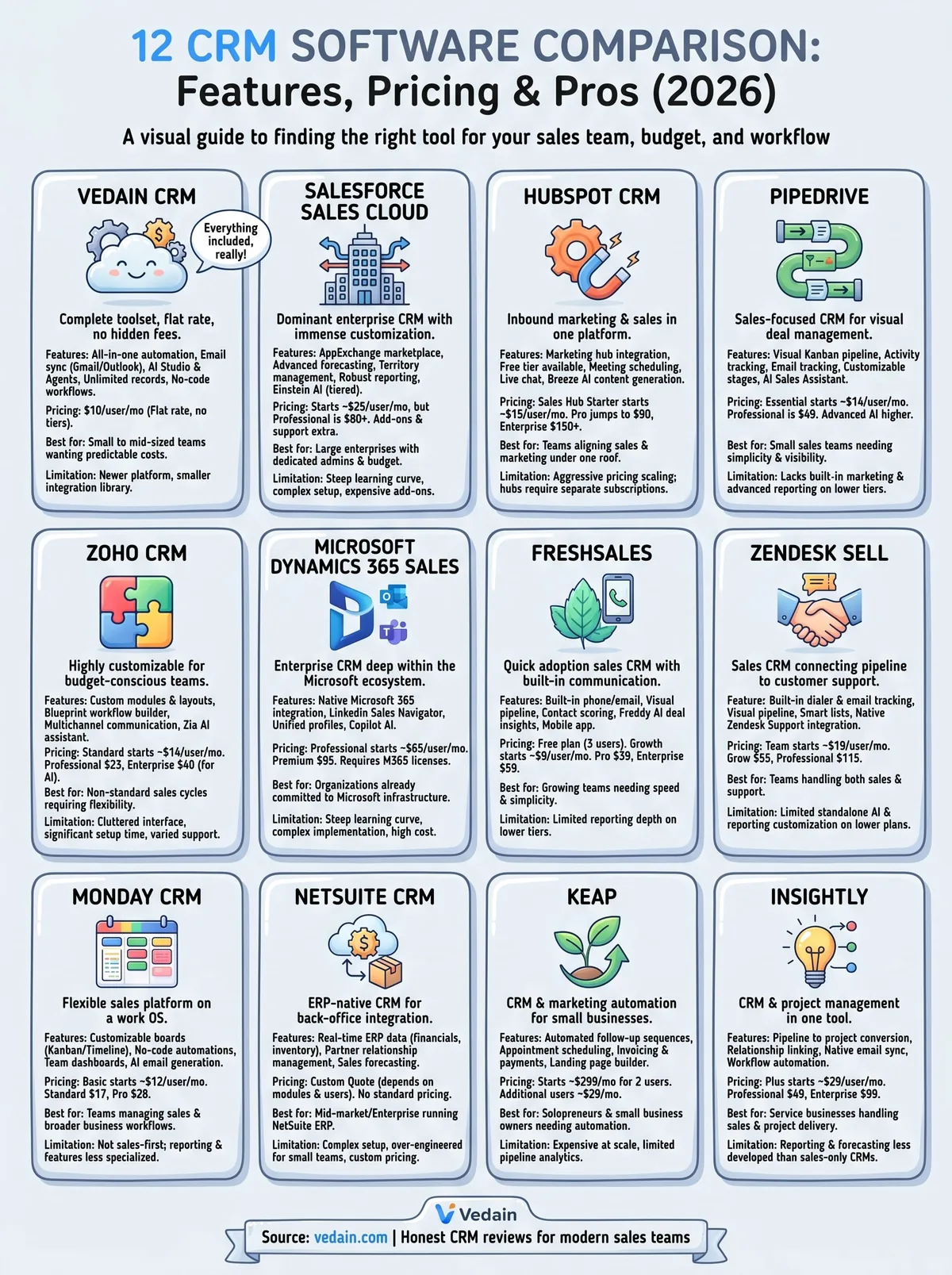
This guide covers each CRM's key features, pricing structure, and standout strengths so you can match the right tool to your team's size, workflow, and budget. Whether you're replacing an outdated system or buying your first CRM, you'll walk away with clear, comparable information across all 12 platforms, including where Vedain fits in the lineup. No fluff, no ranking tricks, just the details you need to make a smart call.
1. Vedain CRM
Vedain is a cloud-based CRM built for sales teams that want a complete toolset without navigating feature tiers or surprise fees. In any CRM software comparison, Vedain stands out because everything from automation to email sync ships at one flat rate, making costs easy to predict as your team grows.
What Vedain is best at
Vedain works best for small to mid-sized sales teams that need a full sales operating system without enterprise-level complexity. You can get your team up and running in under five minutes, and no credit card is required to start the trial.
The platform covers the full sales cycle in one place, from lead capture and pipeline tracking to automated outreach and reporting, without routing you to a separate pricing tier for each capability.
Standout features included in the $10 plan
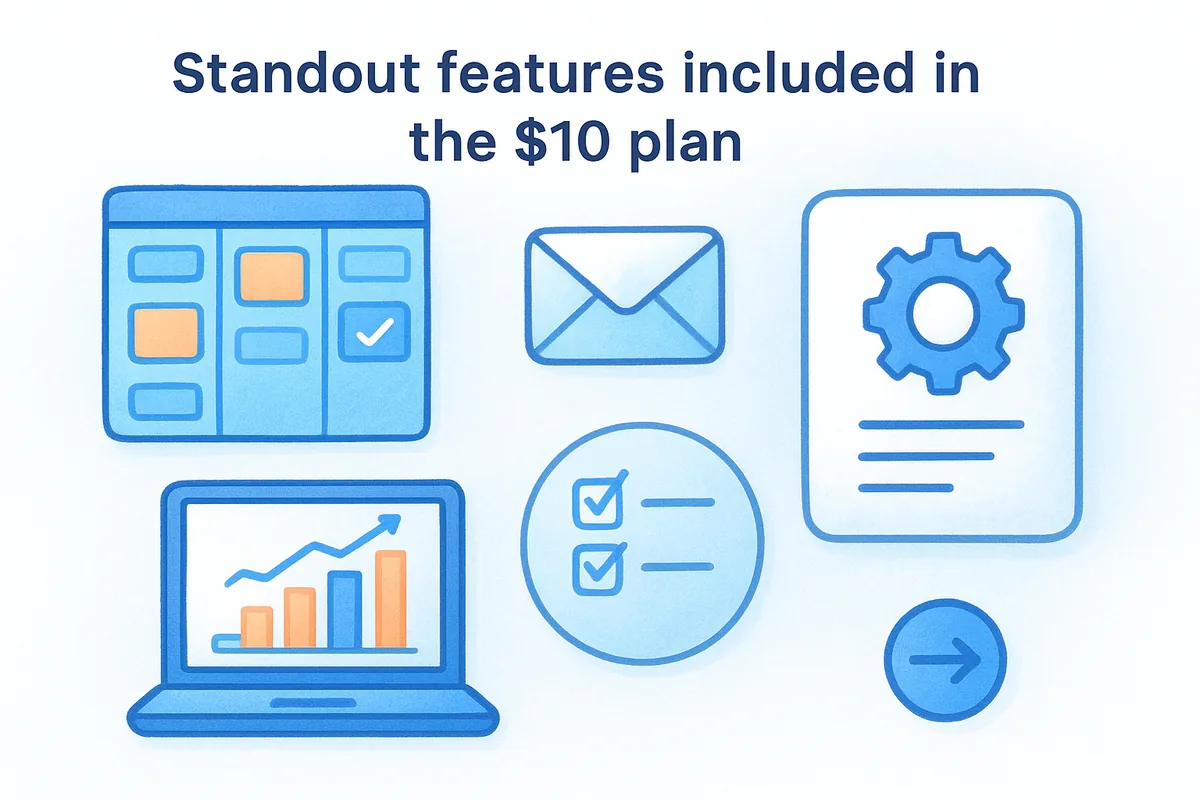
Every user on the $10 per month plan gets the complete platform. That includes a visual Kanban deal pipeline, two-way email sync for Gmail and Outlook, multi-step email campaigns, no-code workflow automation, lead forms, custom dashboards, and sales target tracking.
- •Leads and Contacts with custom fields, notes, and smart filters
- •Email Warmup with a gradual sending ramp to protect domain deliverability
- •Pipeline reports, conversion funnels, and team leaderboards
- •Granular module-level permissions for team management
AI and automation capabilities
Vedain includes an AI Agent Marketplace with 30+ pre-built agents for data enrichment and content generation. You also get LinkedIn Automation for scheduling AI-generated posts, with no separate AI add-on cost on any plan.
Vedain's AI agents and no-code workflow builder handle most routine CRM automation without developer support.
Limitations to know upfront
Vedain is a newer platform, so its third-party integration library is smaller than Salesforce or HubSpot. Teams that depend on niche industry tools or need deeply complex custom objects at scale may encounter some gaps worth evaluating before committing.
Vedain pricing and what it really costs
Vedain charges a flat $10 per user per month with no feature gates and no upsell tiers. All automation, email sync, AI tools, and unlimited records are included at that rate, and the pricing page lists everything without any hidden fees.
2. Salesforce Sales Cloud
Salesforce is the dominant name in enterprise CRM, and in any serious CRM software comparison, it appears near the top for sheer capability. The platform has been building its feature set for over two decades, and that depth shows in both its flexibility and its complexity.
What Salesforce is best at
Salesforce excels with large enterprise sales organizations that need deep customization, complex reporting, and integrations with hundreds of other business tools. If your team has dedicated Salesforce admins and a substantial IT budget, you can configure it to handle almost any sales process imaginable.
Standout features and ecosystem strengths
The platform's AppExchange marketplace gives you access to thousands of third-party integrations, making it the most connected CRM on the market. You also get advanced forecasting, territory management, and robust reporting that enterprise teams rely on at scale.
Salesforce's ecosystem is unmatched, but that breadth often means you're paying for capabilities your team will never actually use.
AI and automation capabilities
Salesforce includes Einstein AI for predictive lead scoring, opportunity insights, and automated activity capture. These features are powerful, but many of the advanced Einstein capabilities require higher-tier plans or separate add-on purchases.
Limitations to know upfront
Setup takes significant time and often requires professional services or a dedicated admin. Smaller teams frequently find themselves overwhelmed by the configuration options and underwhelmed by the support they receive at lower price tiers.
Salesforce pricing and what it really costs
Salesforce Sales Cloud starts at $25 per user per month for the Starter suite, but most teams need the Pro Suite at $100 or higher. Add-ons, storage fees, and premium support push total costs well beyond the listed rates.
3. HubSpot CRM
HubSpot built its reputation on inbound marketing tools before expanding into full CRM territory. In a CRM software comparison, it stands out as a strong choice for teams that want marketing and sales working from a single platform without managing two separate subscriptions.
What HubSpot is best at
The platform works best for teams that run both marketing and sales functions under the same roof. Its free tier makes it appealing for startups and small businesses testing CRM software for the first time without an upfront budget commitment.
Standout features for marketing plus sales
Its core strength is the native marketing hub, which connects email campaigns, landing pages, and contact tracking directly to the sales pipeline. You get contact activity timelines, meeting scheduling, and live chat alongside your deals.
- •Two-way email sync with Gmail and Outlook
- •Deal pipelines with drag-and-drop management
- •Built-in forms and landing pages for lead capture
- •Contact and company enrichment from HubSpot's database
AI and automation capabilities
Breeze AI powers content generation and predictive lead scoring across the platform. Automation workflows handle lead rotation, follow-up emails, and internal notifications, though the more advanced sequences sit behind paid tiers.
HubSpot's free plan is a solid entry point, but most growing teams hit its limits quickly and face a steep jump to paid plans.
Limitations to know upfront
Pricing scales aggressively once you move beyond the free tier. Feature unlocks across Sales Hub, Marketing Hub, and Service Hub often require separate subscriptions, so your total monthly cost can grow faster than expected.
HubSpot pricing and what it really costs
Sales Hub Starter begins at $7 per seat per month billed annually ($20 monthly), but Professional tiers jump to $90 per user. Enterprise pricing pushes well past $150 per user once bundled hubs are factored in.
4. Pipedrive
Pipedrive is a sales-focused CRM built around the principle that a clean, visual pipeline drives better sales behavior. In any CRM software comparison, it consistently earns recognition for simplicity and fast adoption, especially among small sales teams switching from spreadsheets.
What Pipedrive is best at
The platform works best for small to mid-sized sales teams that prioritize deal visibility and want a tool they can learn without a long onboarding process. It keeps the interface focused on moving deals forward rather than managing data across complex modules.
Standout features for pipeline management
The visual pipeline is Pipedrive's strongest asset, giving you a drag-and-drop Kanban board that maps to your real sales stages. Activity tracking, email sync, and customizable pipeline stages help reps stay focused on the right deals at the right time.
- •Contact and deal management with activity reminders
- •Email tracking with open and click notifications
- •Lead inbox to separate prospects from active deals
AI and automation capabilities
Pipedrive includes an AI Sales Assistant that surfaces deal insights and flags inactive opportunities. Workflow automation handles routine tasks like follow-up emails and stage updates, though more advanced automation lives behind higher-tier plans.
Pipedrive's automation covers the basics well, but teams with complex sequencing needs will likely hit the ceiling without upgrading.
Limitations to know upfront
Built-in email marketing and advanced reporting are notably absent from lower plans. Teams needing marketing automation or deeper analytics alongside their pipeline will typically need to add separate tools or upgrade their subscription.
Pipedrive pricing and what it really costs
Pricing starts at $14 per user per month on the Lite plan (billed annually). The Premium tier costs $49–$59 per user, and AI tools plus advanced automation only unlock at higher plan levels.
5. Zoho CRM
Zoho CRM positions itself as one of the most customizable platforms at its price point. In any CRM software comparison, it stands out for delivering a wide feature set that scales from solo operators to enterprise sales teams without forcing you into expensive plans just to access core functionality.
What Zoho is best at
Zoho works best for budget-conscious teams that need genuine flexibility in how they structure the CRM. You can tailor modules, fields, and workflows to match your specific sales process, making it a practical choice for businesses with non-standard sales cycles or industry-specific requirements.
Standout features for customization on a budget
The platform gives you custom modules, layout rules, and validation logic that most CRMs reserve for enterprise tiers. You also get multichannel communication across email, phone, and social channels from within a single interface.
- •Blueprint workflow builder for guided, stage-by-stage sales process automation
- •Canvas drag-and-drop UI customization for personalized layouts
- •Territory management and lead scoring rules available on mid-tier plans
AI and automation capabilities
Zoho's AI assistant, Zia, handles predictive lead scoring, anomaly detection, and conversational queries directly inside the platform. Workflow rules and macros automate repetitive tasks, though advanced AI capabilities require the Enterprise plan or higher.
Zia's anomaly detection flags sudden drops in deal activity early, giving your team time to react before pipeline health deteriorates.
Limitations to know upfront
The interface can feel cluttered for new users, and the volume of configuration options often demands significant setup time before your team sees full value. Customer support response times at lower plan tiers have drawn consistent criticism in user reviews.
Zoho pricing and what it really costs
Zoho CRM starts at $14 per user per month on the Standard plan. The Professional tier runs $23 per user, and Enterprise, where most AI and advanced automation features unlock, costs $40 per user per month.
6. Microsoft Dynamics 365 Sales
Microsoft Dynamics 365 Sales is an enterprise-grade CRM that sits inside the broader Microsoft ecosystem. In a thorough CRM software comparison, it earns consideration primarily because of how deeply it connects with tools your team may already use every day, including Teams, Outlook, and Excel.
What Dynamics 365 is best at
Dynamics 365 works best for mid-to-large organizations already committed to Microsoft infrastructure. If your team runs on Microsoft 365, the native data sharing and workflow connections give you a level of operational continuity that standalone CRMs cannot easily replicate.
Standout features for Microsoft-first teams
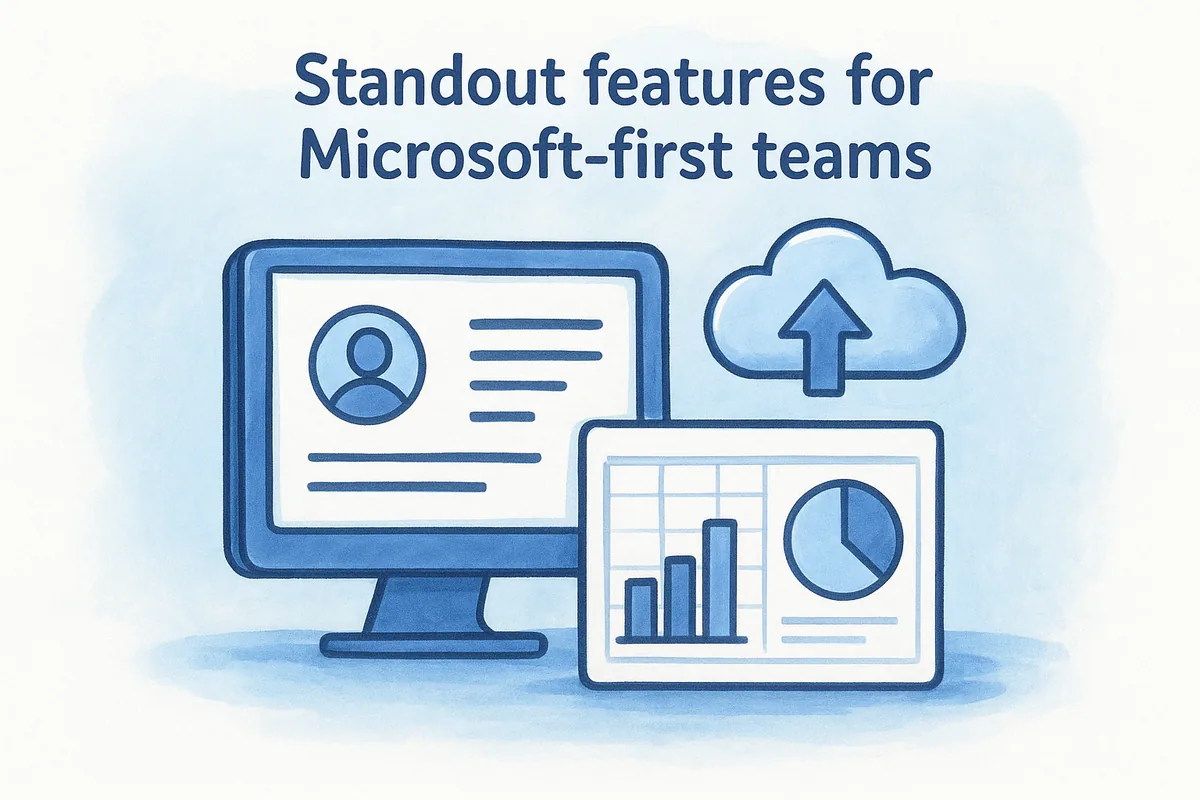
The platform delivers native integration with the full Microsoft 365 suite, which removes the friction of syncing separate tools. You get real-time data in Outlook, co-selling workflows through Teams, and pipeline insights surfaced directly in Excel.
- •Relationship Intelligence powered by LinkedIn Sales Navigator integration
- •Unified customer profiles pulling data across Microsoft products
- •Built-in forecasting tools tied directly to your pipeline stages
AI and automation capabilities
Dynamics 365 includes Copilot, Microsoft's AI layer, for generating meeting summaries, drafting emails, and flagging at-risk deals based on engagement signals.
Copilot's deep connection to Outlook activity gives sales managers real visibility into how reps are actually engaging with prospects.
Limitations to know upfront
The platform carries a steep learning curve and typically requires dedicated IT resources or a Microsoft partner to implement properly. Smaller teams without that support often find the setup timeline and configuration demands frustrating.
Dynamics 365 pricing and what it really costs
Dynamics 365 Sales starts at $65 per user per month for the Professional plan. The Enterprise tier runs $105 per user and Premium $150, and most teams need additional Microsoft 365 licenses on top of that base cost.
7. Freshsales by Freshworks
Freshsales is a sales CRM from Freshworks designed to help teams move fast without sacrificing visibility. In a thorough CRM software comparison, it earns attention for its clean interface and the speed at which new reps can become productive.
What Freshsales is best at
Freshsales works best for growing sales teams that need a CRM they can adopt quickly without a long implementation window. The platform keeps its navigation simple, so your reps spend less time managing the tool and more time closing deals.
Standout features for speed and usability
The platform includes a built-in phone and email system, which means your team can call, text, and send emails directly from the CRM without connecting third-party tools. You also get a visual pipeline, contact scoring based on engagement, and meeting scheduling built into the core product.
- •Activity timeline showing every touchpoint with a contact
- •Customizable sales sequences for automated outreach
- •Mobile app with offline access for reps in the field
AI and automation capabilities
Freshsales includes Freddy AI for lead scoring, deal insights, and next-best-action recommendations. Workflow automation handles task creation and follow-up triggers, though advanced Freddy features require the Pro or Enterprise plan.
Freddy AI's deal insights surface warning signals before a deal goes cold, giving your team a clear window to re-engage.
Limitations to know upfront
Reporting depth is limited on the Growth tier, and teams running complex multi-step campaigns may find the automation builder restrictive compared to more mature platforms.
Freshsales pricing and what it really costs
Freshsales no longer lists a free plan on its pricing grid. The Growth plan starts at $9 per user per month, while Pro runs $39 and Enterprise reaches $59 per user per month.
8. Zendesk Sell
Zendesk Sell is a sales CRM built by the same company behind one of the most widely used customer support platforms. In any CRM software comparison, it stands out because of how directly it connects your sales pipeline to post-sale customer data, giving your team full context on every account without switching tools.
What Zendesk Sell is best at
Zendesk Sell works best for teams that handle both sales and customer support within the same organization. When your reps can see open support tickets alongside deal history, conversations around renewals, upsells, and at-risk accounts become far more informed and productive.
Standout features for sales plus support alignment
The platform includes a built-in dialer, email tracking, and activity reporting to keep your reps working from one interface. You also get a visual deal pipeline, customizable sales stages, and native data sharing with Zendesk Support.
- •Contact and deal management with full activity timelines
- •Smart lists for filtering leads by any field combination
- •Direct integration with Zendesk Support for cross-team account visibility
AI and automation capabilities
Zendesk Sell includes automated task triggers and basic lead scoring to help your team prioritize the right deals. Predictive AI features are more limited than what Salesforce or Freshsales offer, so teams expecting deep forecasting or generative AI tools should factor that into their evaluation.
Zendesk Sell's strongest advantage is shared customer context between sales and support, not its standalone AI depth.
Limitations to know upfront
Reporting customization is restricted on lower-tier plans, and the automation builder lacks the depth that dedicated sales CRMs provide at similar price points.
Zendesk pricing and what it really costs
Zendesk Sell starts at $19 per user per month on the Team plan. The Grow tier runs $55 per user, and the Professional plan reaches $115 per user monthly, where advanced reporting and automation features become available.
9. monday CRM
monday CRM is a flexible sales platform built on the same work operating system that monday.com uses across its entire product line. In a CRM software comparison, it earns attention from teams that want visual workflow management and deal tracking inside one tool rather than stitching separate project and sales platforms together.
What monday CRM is best at
monday CRM works best for teams that manage both sales activity and broader business workflows from a single workspace. If your reps collaborate closely with operations, marketing, or project delivery, the shared platform structure keeps everyone working from the same data without constant manual handoffs.
Standout features for workflows and visibility
The platform gives you highly customizable boards for tracking leads, deals, and contacts in whatever layout suits your process, whether that's Kanban, timeline, or table view. You also get automations for status changes, notifications, and task assignments without writing a single line of code.
- •Drag-and-drop pipeline builder with custom stages and field types
- •Native integrations with Gmail, Outlook, Slack, and Zapier
- •Team dashboards that surface deal progress, activity counts, and quota attainment
AI and automation capabilities
monday CRM includes AI-powered email generation and deal summarization to cut down on manual admin work. Automation recipes handle repetitive triggers across boards, though advanced AI features are gated behind higher-tier plans.
monday CRM's automation builder is approachable enough for non-technical users to configure meaningful workflows within their first week.
Limitations to know upfront
The platform is not purpose-built for sales, so dedicated CRM features like email sequencing and forecasting feel less developed compared to sales-first tools. Teams with complex pipeline analytics needs may find the reporting too surface-level.
monday pricing and what it really costs
monday CRM starts at $12 per user per month on the Basic plan. The Standard tier runs $17 per user, and the Pro plan reaches $28 per user monthly, where most automation and integration features fully unlock.
10. NetSuite CRM
NetSuite CRM is an ERP-native platform built by Oracle for businesses that want their sales data to live inside the same system managing finance, inventory, and operations. In a thorough CRM software comparison, it earns a spot because of how tightly it connects the sales pipeline to back-office processes that most standalone CRMs never touch.
What NetSuite CRM is best at
NetSuite works best for mid-market and enterprise companies that already run NetSuite ERP and want their sales reps to see real-time order status, billing history, and inventory data without switching tools. The depth of integration between sales and operations is its clearest competitive advantage.
Standout features for ERP-connected selling
The platform gives your team real-time visibility into customer financials, order history, and fulfillment status directly from the contact or deal record. You also get partner relationship management and sales forecasting tools that pull live data from the ERP layer.
NetSuite's ERP connection means your sales reps can quote accurately based on live inventory and pricing without ever leaving the CRM.
AI and automation capabilities
NetSuite includes workflow automation and role-based dashboards for surfacing the right data to the right people. Native AI capabilities are less advanced than dedicated sales CRMs, but Oracle continues expanding the analytics layer.
Limitations to know upfront
Setup is complex and typically requires an implementation partner, which adds both time and cost before your team sees value. Smaller teams often find the platform over-engineered for their actual sales volume.
NetSuite pricing and what it really costs
NetSuite does not publish standard per-user pricing publicly. Costs depend on your module selection, user count, and contract terms, so expect a custom quote through a sales conversation with Oracle.
11. Keap
Keap is a CRM and marketing automation platform built specifically for small businesses and solo operators. In this CRM software comparison, it stands out because it combines contact management, automated follow-up, and payment collection into one tool designed for teams without a dedicated IT department.
What Keap is best at
The platform works best for small business owners and solopreneurs who need automated follow-up without managing separate marketing and sales tools. Keap handles the repetitive work that typically falls through the cracks when you're running a lean operation with limited staff.
Standout features for small business automation
Your team gets automated follow-up sequences, appointment scheduling, and invoice creation inside a single interface. You also get a built-in landing page builder and lead capture forms that pull new contacts directly into your automated workflows without any third-party connection required.
- •Contact segmentation with tags and custom fields
- •Quotes and payment collection built directly into the CRM
- •Two-way text messaging for direct outreach
AI and automation capabilities
Keap includes pre-built automation templates for common small business scenarios like lead follow-up, appointment reminders, and abandoned cart sequences. The automation builder walks you through setup visually, though advanced branching logic requires more time to configure than dedicated sales CRMs offer.
Keap's pre-built automation templates get small business owners running their first follow-up sequences in a single afternoon.
Limitations to know upfront
Reporting depth and pipeline management are noticeably less developed compared to sales-first platforms. Teams expecting strong forecasting or multi-stage pipeline analytics will find Keap underpowered for those specific use cases.
Keap pricing and what it really costs
Keap starts at $299 per month for up to two users. Adding teammates costs $39 per additional user per month, making it significantly more expensive at scale compared to flat-rate platforms.
12. Insightly
Insightly is a CRM and project management platform that combines contact and deal tracking with post-sale project delivery in one tool. In this CRM software comparison, it earns its place because it closes a gap most CRMs ignore: what happens to the customer relationship after a deal is closed and work actually begins.
What Insightly is best at
Insightly works best for service-based businesses and agencies that need to hand off a closed deal to a project or delivery team without switching platforms. Your sales reps and delivery staff share the same contact records, reducing the communication gaps that slow down onboarding and project starts.
Standout features for CRM plus projects
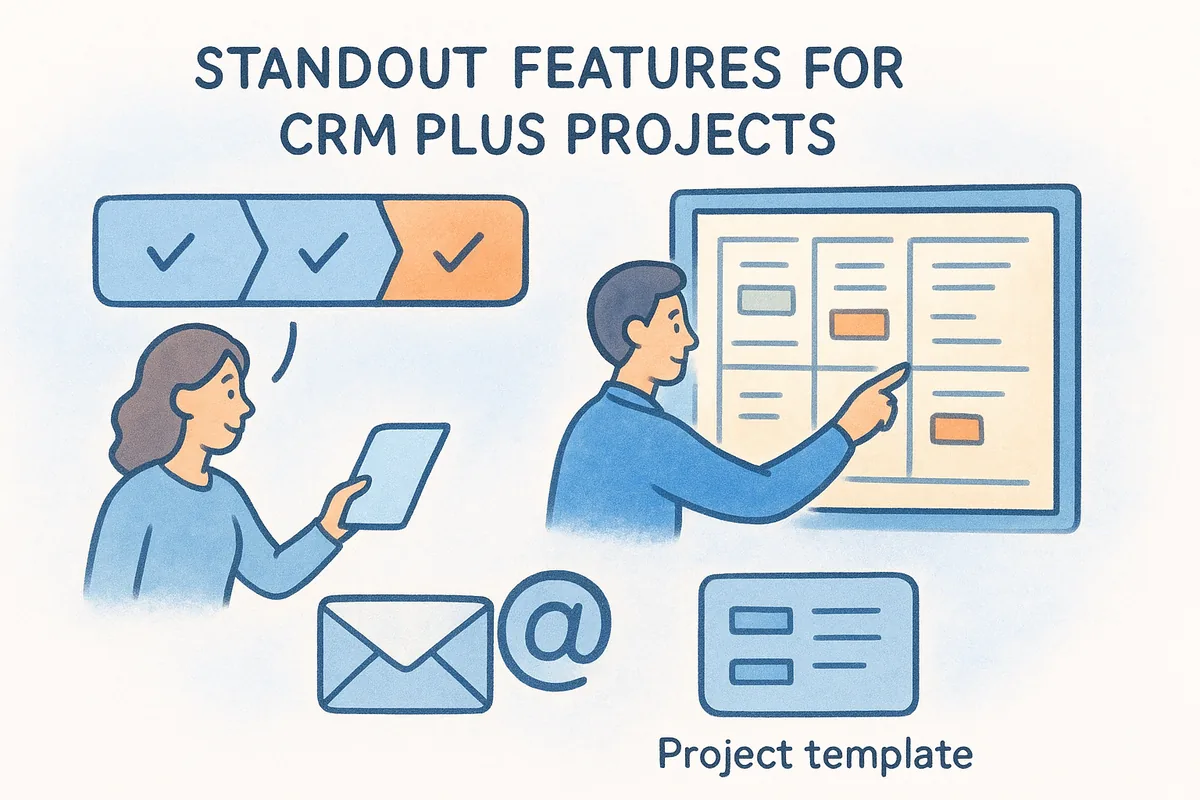
The platform connects your pipeline directly to project boards, so you can convert a won deal into a tracked project with tasks, milestones, and assigned team members in a few clicks. You also get relationship linking, which maps contacts to organizations and opportunities in a way that mirrors how real accounts actually work.
- •Custom pipeline stages with role-based permissions
- •Native email sync with Gmail and Outlook
- •Built-in project templates for repeatable delivery workflows
AI and automation capabilities
Insightly includes workflow automation for task creation, lead assignment, and email alerts based on deal activity. Its AI features are relatively basic compared to platforms like Salesforce, but the automation builder handles the most common sales triggers without needing developer support.
Insightly's project conversion feature is its sharpest differentiator, turning a closed deal into a structured delivery workflow in minutes.
Limitations to know upfront
Reporting and forecasting feel underdeveloped compared to dedicated sales CRMs at similar price points. Teams focused purely on pipeline management may find the project features add interface complexity they simply do not need.
Insightly pricing and what it really costs
Insightly starts at $29 per user per month on the Plus plan. The Professional tier costs $49 per user, and Enterprise reaches $99 per user monthly, where advanced permissions and custom dashboards become available.
Next steps
This crm software comparison covered 12 platforms across a wide range of team sizes, budgets, and use cases. Every option here solves a real problem for someone, but the right fit depends on what your team actually needs today, not what a vendor's feature list says you might need someday. Enterprise teams with deep IT resources will get value from Salesforce or Dynamics 365. Teams blending sales and support will appreciate Zendesk Sell. Small businesses running lean will find Keap's automation worth the cost.
For sales teams that want a complete toolset at a predictable price, Vedain delivers automation, email sync, AI tools, and unlimited records at $10 per user per month with no hidden tiers or upgrade traps. You can verify that claim yourself without a credit card. Start a free trial and see how your pipeline looks inside a CRM built to stay affordable as your team grows at Vedain CRM.
Related reading
Frequently Asked Questions
What is the cheapest CRM software for small businesses in 2026?
Pipedrive offers the most affordable CRM for small businesses starting at $14/month per user, while Freshsales begins at $15/month and Zoho CRM at $18/month. HubSpot's free tier is unlimited but their paid plans start at $50/month, making it pricier than competitors for budget-conscious teams. All three budget options provide essential sales tracking, pipeline management, and basic automation for startups.
Is Salesforce or HubSpot better for enterprise CRM needs?
Salesforce is generally superior for large enterprises requiring deep customization, advanced scalability, and complex workflows, though it's significantly more expensive starting at $165/month. HubSpot offers a more user-friendly interface and better all-in-one marketing integration for mid-market companies, starting at $50/month. Salesforce's strength lies in handling massive datasets and highly specialized implementations, while HubSpot excels at ease-of-use and faster deployment for growing businesses.
Which CRM has the best free plan: HubSpot, Zoho, or Pipedrive?
HubSpot offers the most comprehensive free CRM plan with unlimited contacts, basic automation, and access to their entire app marketplace. Zoho CRM provides a free plan limited to 3 users with 1,000 records, while Pipedrive doesn't offer a truly free tier—only a 14-day trial. HubSpot's free plan is best for startups wanting to test CRM functionality without restrictions, though both Zoho and Pipedrive require paid subscriptions for ongoing use.
Does Vedain CRM compete with Salesforce and HubSpot in features?
Vedain CRM is an emerging mid-market solution that focuses on affordability and ease-of-use rather than competing directly with Salesforce's enterprise complexity or HubSpot's marketing integration. Vedain lacks some advanced customization features found in Salesforce and doesn't offer the same marketing automation capabilities as HubSpot. It's best suited for small to mid-sized teams prioritizing cost-effectiveness over specialized enterprise requirements.
What CRM software integrates best with email and calendar tools?
HubSpot and Freshsales offer the deepest email and calendar integrations, with native Outlook and Gmail synchronization included in most plans. Pipedrive and Zoho CRM also provide strong email integration but require additional setup or plugins. Salesforce integrates well through third-party apps but requires more configuration compared to HubSpot's native, out-of-the-box email and meeting sync features.
Which CRM is easiest to learn and implement for non-technical users?
HubSpot and Freshsales are widely considered the easiest CRMs for non-technical users due to their intuitive interfaces and minimal onboarding friction. Pipedrive follows closely with its visual pipeline management system that requires almost no training. Salesforce and Zoho have steeper learning curves requiring either extensive training or dedicated implementation partners, making them better suited for organizations with IT support resources.