But CRM has evolved well beyond a digital Rolodex. Modern platforms handle everything from email automation and deal tracking to AI-powered data enrichment and reporting, often replacing a patchwork of disconnected tools with one centralized system. For sales teams especially, a good CRM isn't optional. It's the operating system that keeps pipelines moving and quotas within reach.
That's exactly why we built Vedain CRM: a platform that gives sales teams every feature they need, leads, deals, email sync, automation, AI agents, and more, at $10 per user per month with nothing locked behind paywalls. We know CRM inside and out, and this guide reflects that expertise. Below, you'll find a clear breakdown of what CRM software is, the different types available, the benefits it delivers, and real examples of platforms (including ours) so you can make an informed choice.
What CRM software is and how it works
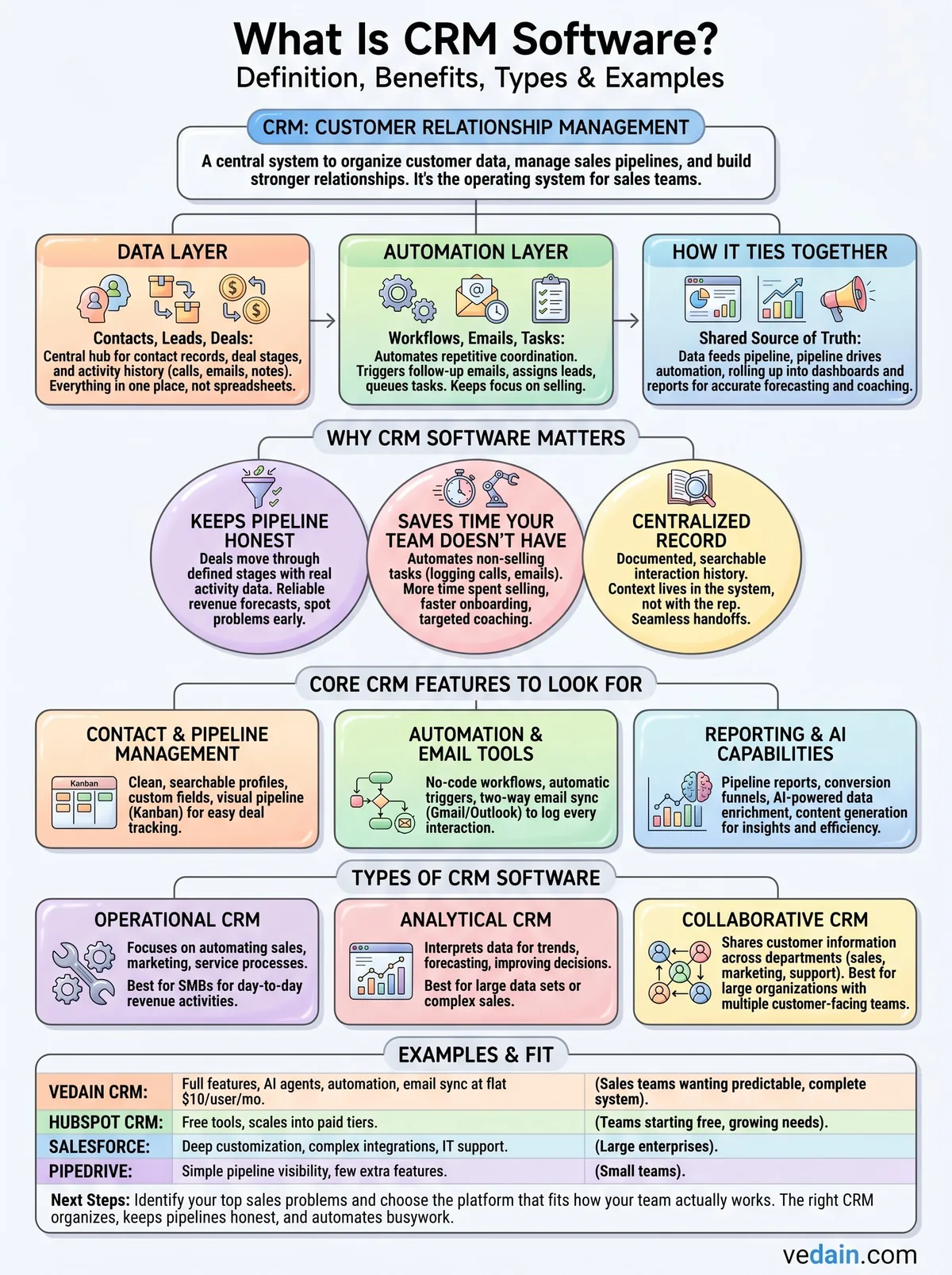
CRM stands for Customer Relationship Management, and the software built around that concept gives your team a single place to track every interaction with every prospect and customer. If you've ever wondered what is CRM software in practical terms, think of it as a centralized hub where contact records, deal stages, email threads, and activity history all live together instead of being scattered across spreadsheets, inboxes, and memory. Every rep on your team sees the same up-to-date picture, which means fewer dropped balls and more consistent follow-through.
The data layer: contacts, leads, and deals
Most CRMs organize information around three core objects that mirror how a real sales process works. Contacts represent the individual people you're selling to, while companies (also called accounts) hold the organizational context behind each contact. Deals capture the actual revenue opportunities you're actively working to close.
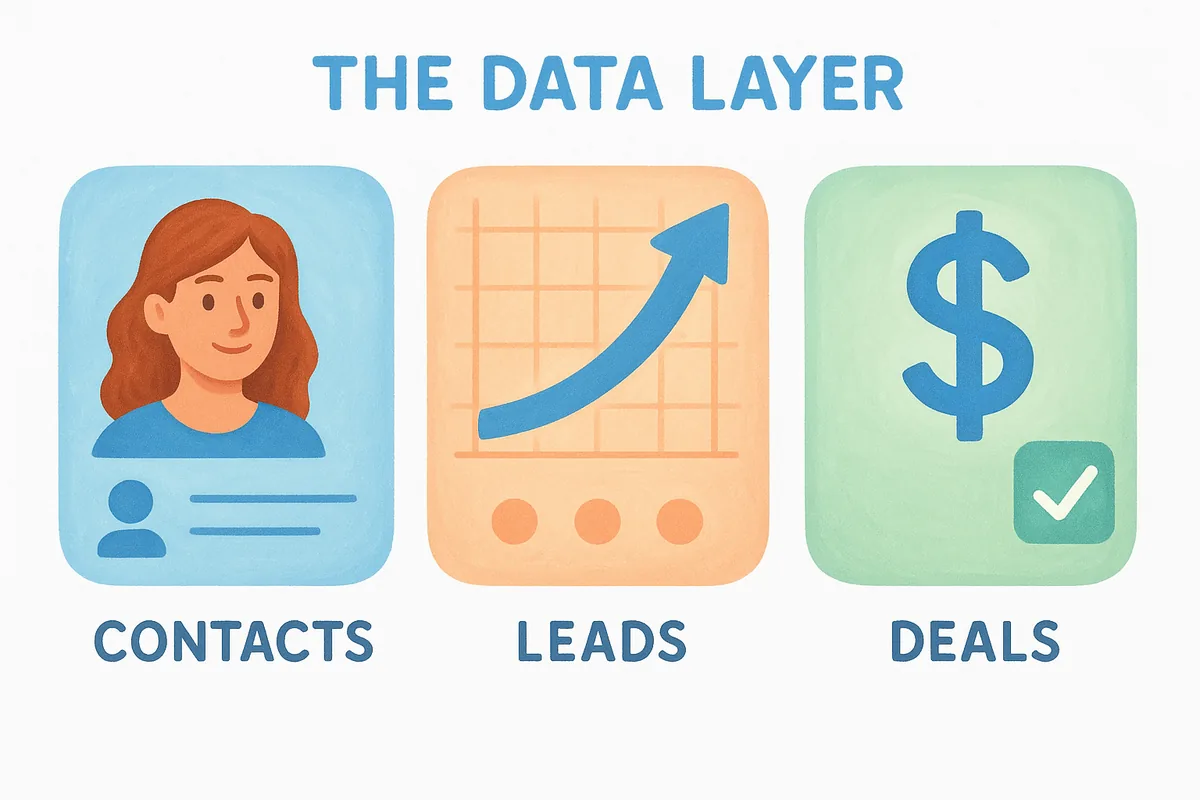
Here's how those objects typically relate:
- •Contacts belong to companies and can be linked to one or more deals
- •Deals move through pipeline stages (e.g., Qualified, Proposal Sent, Negotiation, Closed Won)
- •Activities like calls, emails, and notes attach to both contacts and deals, keeping context in one place
The automation layer: workflows, emails, and tasks
A modern CRM doesn't just store data. It acts on data. When a lead fills out a form on your website, a workflow can immediately assign that lead to the right rep, send a personalized intro email, and queue a follow-up task, without anyone doing it manually. Email sequences keep prospects engaged over time by sending timed messages based on actions they take, like opening an email or clicking a link.
The best CRMs don't just record what happened; they help you decide what to do next.
Your team stays focused on selling because the repetitive coordination work runs in the background automatically. Reps get notified when a deal stalls, when a prospect re-engages, or when a contract needs attention.
How everything ties together
The real power of a CRM comes from how these layers connect. Your contact data feeds your pipeline, your pipeline drives your automation triggers, and all of that activity rolls up into dashboards and reports that show you exactly where revenue is being won or lost. You no longer need to pull data from five different tools to understand your numbers.
Instead, your whole team operates from one shared source of truth that updates in real time, making coaching easier, forecasting more accurate, and handoffs between reps far less painful.
Why CRM software matters
Understanding what is CRM software is only half the picture. The other half is knowing why it changes outcomes for sales teams. Without a CRM, critical deal information lives in individual inboxes and personal notes, which means when a rep leaves, that context disappears with them. With a CRM, every interaction is documented and searchable, so your team can pick up any conversation without missing a beat and customers never feel like they're starting from scratch.
A centralized record of every customer interaction is the foundation of consistent, scalable sales.
It keeps your pipeline honest
A pipeline that lives in a spreadsheet is a pipeline you can't trust. CRM software forces deals to move through defined stages with real activity data behind them, so you can see which opportunities are progressing and which ones have stalled. Revenue forecasts built on accurate pipeline data are far more reliable than gut-feel estimates your leadership team has to second-guess every quarter.
Managers also gain the ability to spot problems before they become losses. When a deal sits in the same stage too long, your CRM flags it, giving you time to coach the rep or re-engage the prospect before the opportunity closes the wrong way.
It saves time your team doesn't have
Sales reps spend a significant portion of their week on non-selling tasks like logging calls, writing follow-up emails, and updating records manually. A CRM with built-in automation handles those tasks automatically, which gives reps back hours they can redirect toward actual selling. More time spent selling means more deals closed, and that effect compounds over a full quarter.
When your whole team operates from the same live data, onboarding new reps becomes faster because the process lives in the system rather than someone's head. Consistent data also makes coaching more targeted since managers can see exactly where individual reps are losing deals.
Core CRM features to look for
Not every platform that calls itself a CRM delivers the same value. When you're evaluating what is CRM software for your team, the specific features available determine whether the tool actually solves your sales problems or just adds another system to manage. The right set of features keeps your reps focused and gives your leadership team real visibility into what's working.
Contact and pipeline management
Your CRM's foundation is how well it handles contact records and deal tracking. You need clean, searchable contact profiles with custom fields that reflect your actual sales process, plus a visual pipeline that shows every deal's current stage at a glance. A Kanban-style board works well here because reps can drag deals forward without navigating through menus.
The ability to filter contacts by any combination of fields saves hours your team would otherwise spend manually sorting through records.
Automation and email tools
Manual data entry and repetitive follow-up tasks are where deals stall and reps burn out. Look for a CRM that lets you build no-code workflows that trigger automatically based on deal activity, like sending a follow-up email when a lead fills out a form or alerting a manager when a deal sits idle too long. Two-way email sync with Gmail or Outlook is also non-negotiable: every email your rep sends or receives should log automatically against the right contact and deal, with no copy-pasting required.
Reporting and AI capabilities
Strong reporting tells you exactly where revenue is being won and lost. Pipeline reports, conversion funnels, and team leaderboards give managers the data they need to coach effectively. More advanced platforms now include AI agents that enrich contact data and generate content, cutting research time and keeping records accurate without manual effort.
Types of CRM software
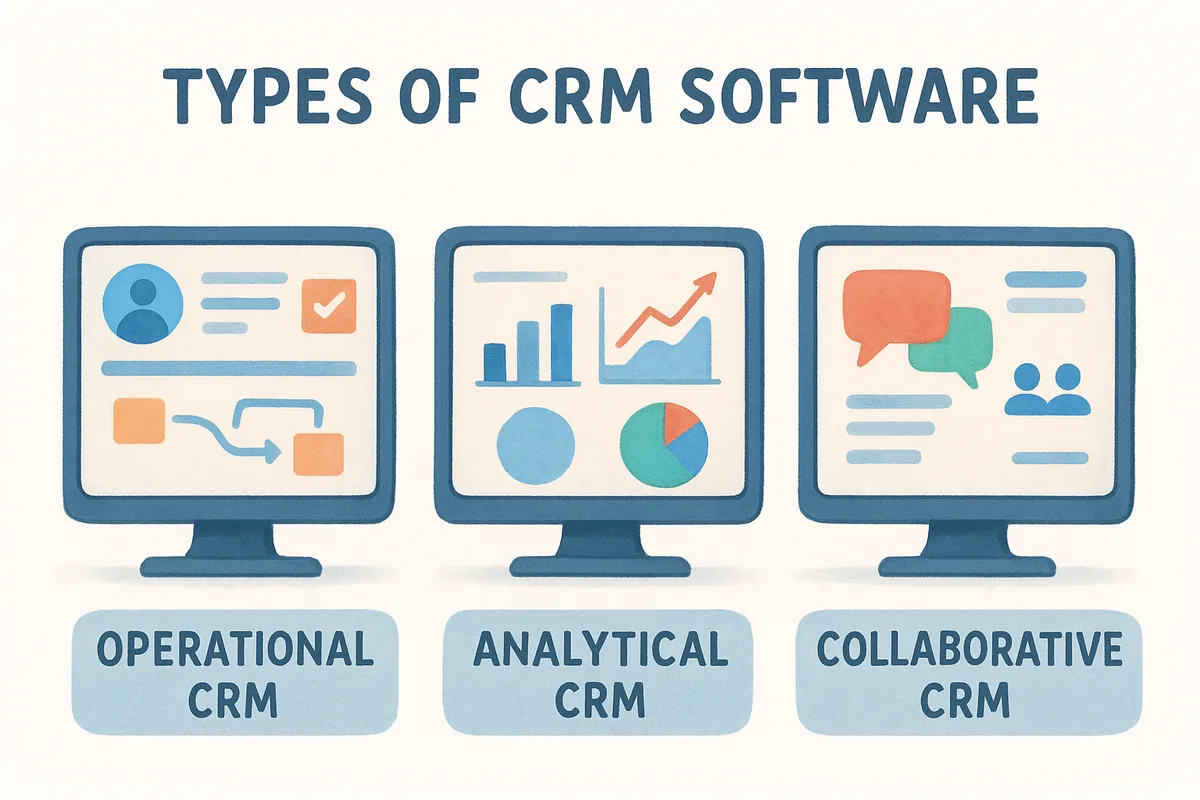
When you ask what is CRM software for your specific situation, the answer depends partly on which type you need. CRM platforms generally fall into three categories, each built around a different primary goal. Understanding the distinctions helps you pick a system that fits how your team actually sells, rather than one that adds complexity your reps ignore.
Operational CRM
Operational CRMs focus on automating and streamlining the day-to-day sales, marketing, and service processes that drive revenue. This is the type most sales teams think of first: a platform where you manage contacts, move deals through a pipeline, run email sequences, and trigger workflows based on rep or prospect actions. Most small and mid-sized businesses need an operational CRM above all else because it directly supports the activities that close deals.
Analytical CRM
Analytical CRMs are built around interpreting customer data to surface trends, forecast revenue, and improve decision-making. Rather than managing workflow, they dig into historical data to show you which segments convert best, where deals stall most often, and how individual reps perform over time. Teams with large data sets or complex, long-cycle sales get the most value from this category.
Analytical tools become far more useful once you have a solid base of clean, consistent data from an operational CRM.
Collaborative CRM
Collaborative CRMs prioritize sharing customer information across departments, particularly between sales, marketing, and customer support. The goal is to make sure every team member, regardless of role, works from the same customer context. Larger organizations with multiple customer-facing teams benefit most from this type because siloed data between departments creates gaps that damage the customer experience and slow deals down.
Examples of CRM software and who they fit
When you understand what is CRM software in theory, the next step is seeing how real platforms translate that into practice. Every CRM on the market targets a different type of buyer, and choosing the wrong one costs you time, money, and team adoption. The comparison below gives you a clear snapshot of four widely-used platforms and the teams each one fits best.
How the major platforms compare
CRM selection comes down to fit, not just feature lists. Your team's size, budget, and workflow complexity all shape which platform actually works for you day to day. Use this breakdown as a starting filter before you commit to a trial.
The lowest price rarely means the best fit. The right CRM is the one your reps open every morning without being asked.
Where Vedain fits in
Vedain CRM is built for sales teams that want every feature available on day one, without paying more as their usage grows. You get email sync, no-code automation, AI agents, email campaigns, lead forms, and full reporting all at $10 per user per month with nothing hidden behind a higher pricing tier. If your team has outgrown spreadsheets and needs a complete, predictable sales operating system, Vedain is a strong fit worth testing immediately.
Next steps
Now that you know what is CRM software and how it fits into a real sales operation, the next move is choosing a platform that matches how your team actually works. The right CRM organizes your contacts, keeps your pipeline honest, and automates the busywork that slows reps down between conversations. That combination directly translates into more time selling and fewer deals falling through the cracks.
Start by listing the three or four sales problems costing your team the most time right now, whether that's inconsistent follow-up, poor pipeline visibility, or manual data entry. Use that list to evaluate platforms against your actual needs rather than feature counts. If you want a system that covers all of those areas at a flat, predictable price with no feature gates, try Vedain CRM free today and see how quickly your team can get up and running. Setup takes under five minutes.
Related reading
- •What is a CRM? A plain-English guide for small business owners
- •9 CRM best practices to maximize ROI
Frequently Asked Questions
What does CRM stand for?
CRM stands for Customer Relationship Management. CRM software helps businesses manage interactions with current and potential customers by centralizing contact records, deal pipelines, emails, and activity history in one place.
How much does CRM software cost?
CRM software ranges from free (HubSpot free tier, Vedain free trial) to $300+ per user per month for Salesforce Enterprise. Most small business CRMs cost $10–$25 per user per month. Vedain CRM is $10 per user per month with all features included and no paywalled tiers.
What is the difference between CRM and a spreadsheet?
Spreadsheets store data but don't automate follow-ups, track email opens, alert reps when deals go cold, or generate pipeline reports. A CRM like Vedain does all of this automatically and gives every team member a real-time shared view of every deal and contact.
Which CRM is best for small business?
The best CRMs for small business are Vedain ($10/user/month, all features included), HubSpot (free up to $90/user/month), and Zoho CRM ($14–$52/user/month). Vedain is built specifically for small sales teams that need full features — email sync, automation, AI agents, and reporting — without paying more as they grow.
Is CRM software hard to learn?
Modern CRMs like Vedain take one to two days to set up and most reps are comfortable within a week. Legacy platforms like Salesforce have a much steeper learning curve and typically require a dedicated admin or implementation partner.
What is the difference between operational and analytical CRM?
Operational CRM manages day-to-day sales activity — contact records, pipeline stages, follow-up tasks, and email sequences. Analytical CRM focuses on reporting: revenue forecasts, win-rate trends, rep performance, and deal velocity. Most modern platforms like Vedain include both in one system at no extra cost.