Domain warmup is the process of gradually increasing your email sending volume over a set period, typically two to three weeks, so inbox providers recognize you as a legitimate sender, not a spammer. It's not optional. Without it, even well-crafted sales emails get filtered out, and your deliverability rate drops before your pipeline ever fills up.
This guide breaks down a practical, day-by-day plan to warm up your email domain in 21 days. You'll learn exactly what to send, how much to send, and what to monitor along the way. We built this process into Vedain CRM as a built-in email warmup feature, so our users can automate the entire warmup cycle without juggling spreadsheets or third-party tools. But whether you use Vedain or handle it manually, the fundamentals covered here apply either way. Let's get into it.
What domain warm-up is and why it matters
When you register a new domain and start sending emails from it, inbox providers have no history to judge you by. Gmail, Outlook, and Yahoo use filtering algorithms that evaluate your sender reputation score before deciding where your message lands: the inbox, promotions tab, or spam folder. A brand-new domain has a neutral score by default, which means providers treat every email from it with deep skepticism until you prove otherwise.
Domain warm-up is the practice of starting with a low daily send volume and increasing it gradually over two to three weeks until you reach your target sending capacity. Each time a recipient opens your email, clicks a link, or replies, you earn positive reputation signals. Understanding how to warm up email domain correctly is the difference between consistent inbox placement and outreach that never gets seen.
A domain that skips the warm-up phase can take months to recover full deliverability, even after the root issues are fixed.
How inbox providers score new domains
Email service providers and inbox providers track dozens of signals to decide whether you're a legitimate sender. These include your bounce rate, spam complaint rate, open rate, and the consistency of your sending patterns. New domains have no track record, so providers apply extra filtering scrutiny until you've built up enough positive data points to be trusted.
Here are the key reputation signals inbox providers monitor:
What happens when you skip the warm-up
Skipping the warm-up phase isn't just a risk; it's a near-guaranteed problem. Sending hundreds of cold emails from a new domain on day one tells inbox providers you're behaving like a spammer. Most of those emails land in spam immediately, and the negative signal compounds quickly: low open rates push your reputation further down, which sends more emails to spam, which drops open rates even lower.
Recovering a damaged sender reputation is significantly harder than building one correctly from scratch. You may need to reduce send volume to near zero for weeks and earn back trust incrementally, all while your pipeline sits idle. Getting the warm-up right from day one costs far less time and effort than repairing a domain that providers have already flagged.
Step 1. Set up authentication and sending basics
Before you send a single warm-up email, you need to authenticate your domain properly. Inbox providers use authentication records to verify that the emails coming from your domain are actually sent by you. Missing these records is one of the most common reasons new domains fail warmup before it even begins. Knowing how to warm up email domain correctly starts with getting this foundation right.
Configure SPF, DKIM, and DMARC
Three DNS records protect your sender identity and signal to inbox providers that your emails are legitimate. SPF tells receiving servers which IP addresses are authorized to send on your behalf. DKIM adds a cryptographic signature to each email. DMARC tells providers what to do when emails fail either check.
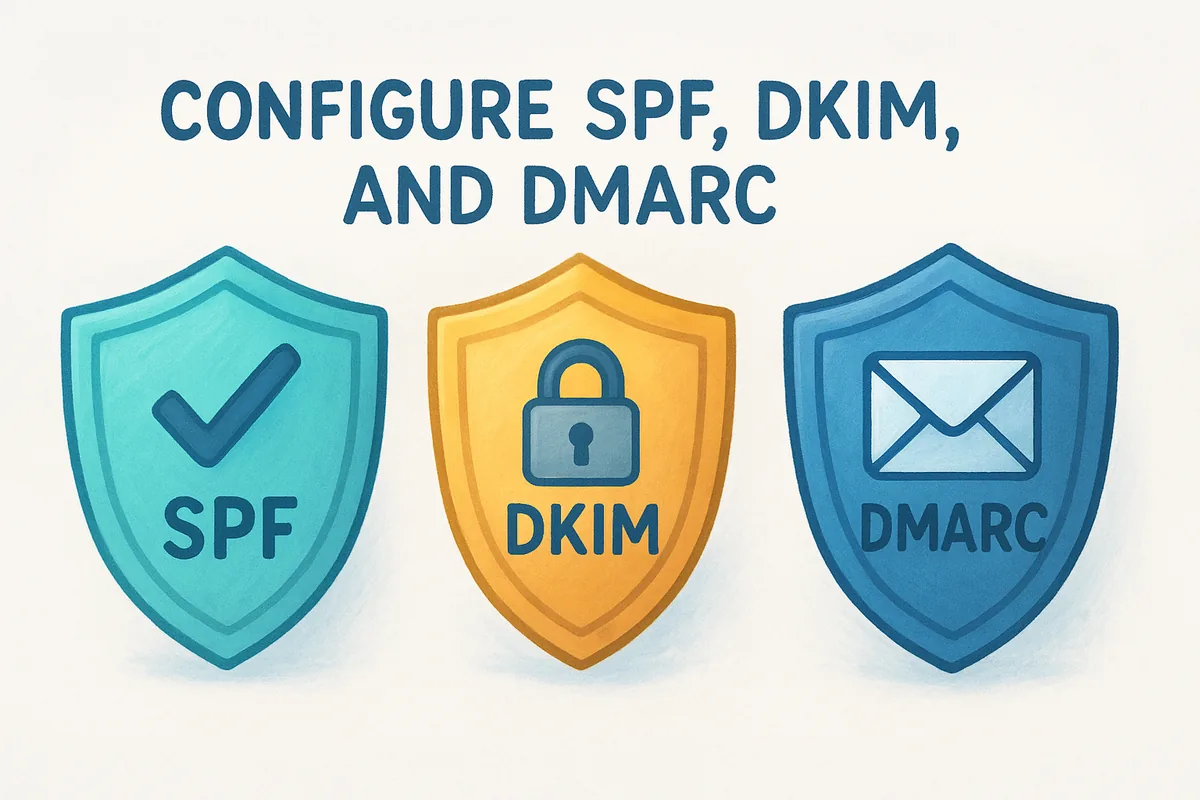
Skipping any one of these three records will undermine your warmup, no matter how carefully you manage your send volume.
Add these records in your DNS management panel at your domain registrar. Here are the standard formats to use:
Use a dedicated sending subdomain
Rather than warming up your root domain (company.com), send from a subdomain like mail.company.com or outreach.company.com. This isolates your outbound email reputation from your main domain, so any deliverability issues during warmup don't affect your core business communications. Set up SPF, DKIM, and DMARC specifically on the subdomain.
Before you send your first warm-up email, run through this checklist:
- •SPF, DKIM, and DMARC records are live on the sending subdomain
- •Your email tool is connected to the subdomain, not the root domain
- •You've confirmed the records are active using a DNS lookup tool
Step 2. Build your 21-day warm-up schedule
Once your authentication records are live, you're ready to start sending. The core principle of how to warm up email domain correctly is a gradual, predictable volume increase. Starting low and climbing steadily gives inbox providers the consistent positive signals they need to trust your domain before you push volume higher. Think of it like breaking in a new car engine: you run it easy at first, then build up over time.
Follow the 21-day volume ramp
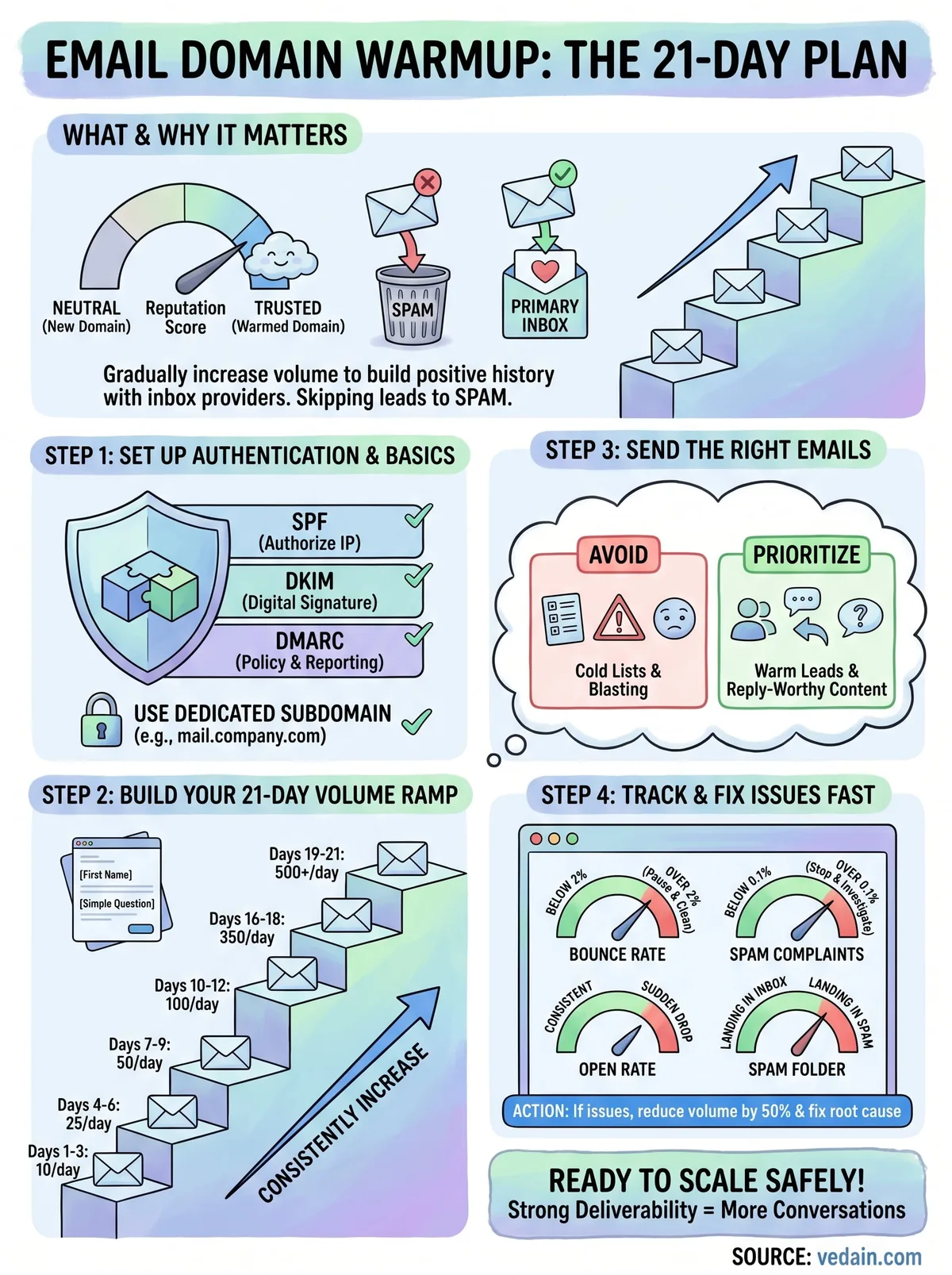
Your daily send volume should increase by roughly 50 to 100 percent every few days, not every single day. Below is a reliable warm-up schedule that takes you from 10 emails per day to over 500 by day 21.
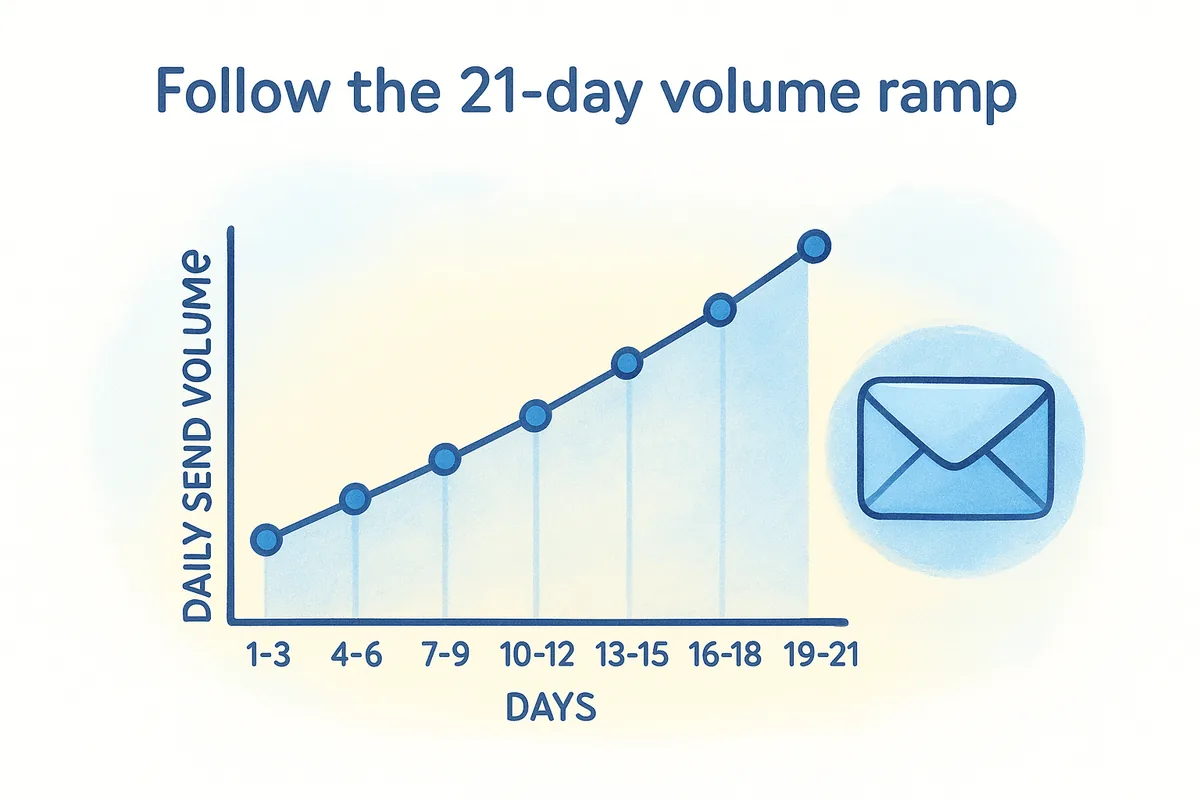
Resist the urge to skip ahead in this schedule, even if your early open rates look strong. A sudden volume spike is one of the clearest spam signals to inbox providers.
Keep your sending consistent day to day
Consistency matters as much as volume. Sending emails on a regular weekday schedule and maintaining a similar send time each day mimics how a legitimate business communicates. Avoid skipping full days and doubling volume the next day to compensate, since irregular patterns look suspicious to filtering algorithms. Space your emails throughout the day rather than sending them all within a single hour.
Step 3. Send the right emails to the right people
Your send volume schedule only works if the emails you're sending generate positive engagement. Low open rates, high bounce rates, and spam complaints all damage your reputation faster than high volume alone. Part of knowing how to warm up email domain correctly is understanding that the quality of your recipient list and your email content matters just as much as the sending pace.
Prioritize engaged, real recipients
During the first two weeks of your warmup, only send to contacts who are most likely to open and reply. That means warm leads who've interacted with your brand, existing customers, or colleagues you can ask to engage with your messages directly. Avoid purchasing email lists or scraping contacts for warmup sends. These lists are full of invalid addresses, spam traps, and uninterested recipients that will spike your bounce and complaint rates exactly when you can least afford it.
Sending to 50 highly engaged contacts is far more valuable to your domain reputation than blasting 500 cold leads during the first week.
Write emails that earn replies
Inbox providers treat replies as strong trust signals. A reply tells the algorithm that a real person found your message worth responding to. During warmup, write emails that naturally invite a response: ask a simple question, request feedback, or check in with a current contact.
Here is a simple warmup email template you can use:
Keep your messages short, personal, and direct so recipients actually reply.
Step 4. Track deliverability and fix issues fast
Sending emails without monitoring results is like driving with your eyes closed. During your warmup, deliverability data tells you whether your strategy is working or whether you need to adjust before small problems compound into a damaged reputation. Knowing how to warm up email domain effectively means staying on top of key signals throughout the entire 21-day process, not just at the end.
Watch these metrics during warmup
Check your sending metrics every two to three days at minimum. You don't need to obsess over every number, but you do need to catch warning signs early before inbox providers register a pattern.
If your spam complaint rate climbs above 0.1%, stop sending immediately and investigate your list quality before continuing.
What to do when something goes wrong
When a metric moves in the wrong direction, reduce your daily send volume by 50 percent and hold that lower volume for three to five days. Do not push forward with the original ramp schedule until your numbers stabilize. If your bounce rate is spiking, clean your contact list with an email verification tool before sending again. If open rates drop suddenly, send a test message to a personal Gmail or Outlook inbox and check whether it lands in spam. Fix the root cause first, then resume the ramp gradually.
Ready to Scale Sending Safely
You now have a complete, step-by-step system for how to warm up email domain correctly in 21 days. Authentication records, a gradual volume ramp, quality recipient lists, and consistent daily monitoring are the four pillars that separate a domain with strong deliverability from one buried in spam folders. Each pillar builds directly on the last, so skipping any one of them puts the others at risk.
The work you put in during these 21 days pays off for every outbound campaign that follows. A properly warmed domain means your sales emails reach real inboxes, get opened, and generate replies instead of disappearing into spam. That foundation directly shapes how many conversations you start and how fast your pipeline grows.
If you want to automate the warmup process and manage your entire sales pipeline in one place, start your free trial with Vedain CRM. The built-in email warmup feature handles the ramp schedule for you so you can focus on selling instead of tracking spreadsheets.
Frequently Asked Questions
How long does it take to warm up an email domain for deliverability?
It typically takes 21 days to properly warm up an email domain and establish sender reputation with ISPs. During this period, you should gradually increase email volume, maintain low bounce rates, and monitor engagement metrics. Tools like HubSpot's email warmup feature and Salesforce's deliverability monitoring can automate parts of this process, though they charge $50-300/month depending on volume and features.
What is the difference between email warmup and email authentication?
Email warmup gradually builds your sender reputation by increasing email volume over time, while email authentication (SPF, DKIM, DMARC) verifies your identity to ISPs. Authentication is a one-time setup that proves you own the domain, whereas warmup is an ongoing process that demonstrates legitimate sending patterns. Both are essential—Zoho CRM ($14-55/month) and Freshsales ($15-99/month) both include authentication setup guides, but warmup requires manual effort or third-party tools.
Will my email domain get flagged as spam if I don't warm it up?
Yes, sending large volumes immediately from a new domain without warming up significantly increases the likelihood of being marked as spam or blocked by ISPs. Cold domains lack established reputation scores, so ISPs treat high-volume sends as suspicious activity. Pipedrive ($12-99/month) and Vedain offer compliance monitoring to help prevent this, but even their tools recommend gradual volume increases during the initial 21-day period.
Can I warm up multiple email domains at the same time?
You can warm up multiple domains simultaneously, but each domain requires its own separate warmup schedule and authentication setup (SPF, DKIM, DMARC records). Attempting to warm up too many domains at once may spread your sending reputation too thin and slow overall deliverability improvement. HubSpot and Salesforce allow multi-domain management, but recommend warming up 1-2 domains at a time for optimal results, especially for enterprises.
What email volume should I send during the first week of domain warmup?
During week one of warmup, start with 20-50 emails on day one and increase by 10-20% daily, reaching 200-500 emails by day seven. The exact volume depends on your ISP's tolerance and list quality—poor list quality requires slower ramping. Freshsales provides warmup templates and Zoho CRM offers send rate controls ($14-55/month) to help you maintain optimal gradual increases without triggering spam filters.
How do I know if my email warmup is working or if I'm still getting blocked?
Monitor your bounce rate, spam complaint rate, and email open rates throughout the 21-day warmup period—these metrics indicate sender reputation health. If bounce rates stay below 5%, complaints below 0.1%, and opens are above 15%, your warmup is succeeding. Pipedrive ($12-99/month), HubSpot ($50+/month), and Vedain all provide real-time deliverability dashboards to track these indicators, helping you adjust your warmup strategy if needed.
Related: Email & Deliverability