We built Vedain CRM specifically because this pricing mess frustrated us, too. Every feature, email warmup, automation, pipeline management, AI agents, is included at $10/user/month with no feature gates. That experience gave us a front-row seat to how CRM vendors structure (and obscure) their costs. So we decided to break the whole thing down for you.
This guide covers what CRM software actually costs in 2026, from per-user plans and flat-rate models to the hidden fees buried in fine print. You'll find pricing comparisons across major platforms like HubSpot, Salesforce, Pipedrive, Zoho, and Close, plus a clear framework for calculating your real total cost of ownership. Whether you're buying your first CRM or evaluating a switch, this article gives you the numbers and context you need to make a smart decision without overspending.
Why CRM software pricing feels confusing
The short answer: CRM vendors build their pricing that way on purpose. Most platforms in 2026 use multi-tier structures where the headline price gets you maybe 40% of the product. The features you actually need, like automation, email sync, or advanced reporting, sit in higher tiers at two or three times the cost. When you start seriously evaluating CRM software pricing across five different vendors, you are not comparing apples to apples. You are comparing a stripped-down starter plan against a full enterprise license and wondering why the math never adds up.
Vendors design pricing to obscure comparisons
CRM companies know that most buyers will click on the cheapest number first. That is why the lowest tier exists: not to serve your needs, but to get you into a comparison with competitors. Once you are inside a demo or trial, the upsell begins. Sales reps walk you through features you love, and you only discover later that those features require a plan upgrade. The pricing page shows you a number, but it takes a 30-minute sales call to learn what that number actually buys.
When you cannot compare two CRM plans side by side without reading three separate pricing pages, that confusion is working exactly as the vendor intended.
Feature tiers punish you for growing
One of the biggest frustrations in CRM pricing is that you can get trapped. You start on a mid-tier plan because it covers your current needs, then six months later your team grows from five to twelve reps. Suddenly you need more seats, and the per-user cost at your current tier makes scaling painful. To access better automation or reporting for a larger team, you move to the next tier, which adds a per-user charge that compounds fast. A team of twelve at $65/user/month costs $780/month before you factor in onboarding fees, integrations, or support packages.
Some vendors structure this deliberately. They keep automation limits low at starter tiers, knowing that any active sales team will hit those limits within 90 days. Hitting those limits forces an upgrade rather than letting you grow naturally within the plan you originally purchased. Your budget gets revised upward not because your needs changed dramatically, but because the plan was designed to be outgrown.
The baseline price never includes everything
Here is where CRM software pricing gets genuinely misleading for most buyers. The advertised per-user price typically excludes several categories of real cost: onboarding fees, API access charges, third-party integration costs, storage overages, and support tier upgrades. Some vendors charge separately for features like email tracking or calendar sync, which most buyers assume are included by default.
Zoho CRM, for example, charges different rates across Standard, Professional, Enterprise, and Ultimate plans. Each tier jump adds significant per-user cost, and certain features like advanced analytics or AI tools only appear at the top level. HubSpot's model works similarly, with core CRM features free but almost every meaningful sales feature locked behind paid tiers that start at $20/user/month and can reach $150/user/month or more. Building an honest budget requires reading fine print across multiple pages and multiple plan levels before you can land on a number you can actually defend to your finance team.
How CRM pricing models work
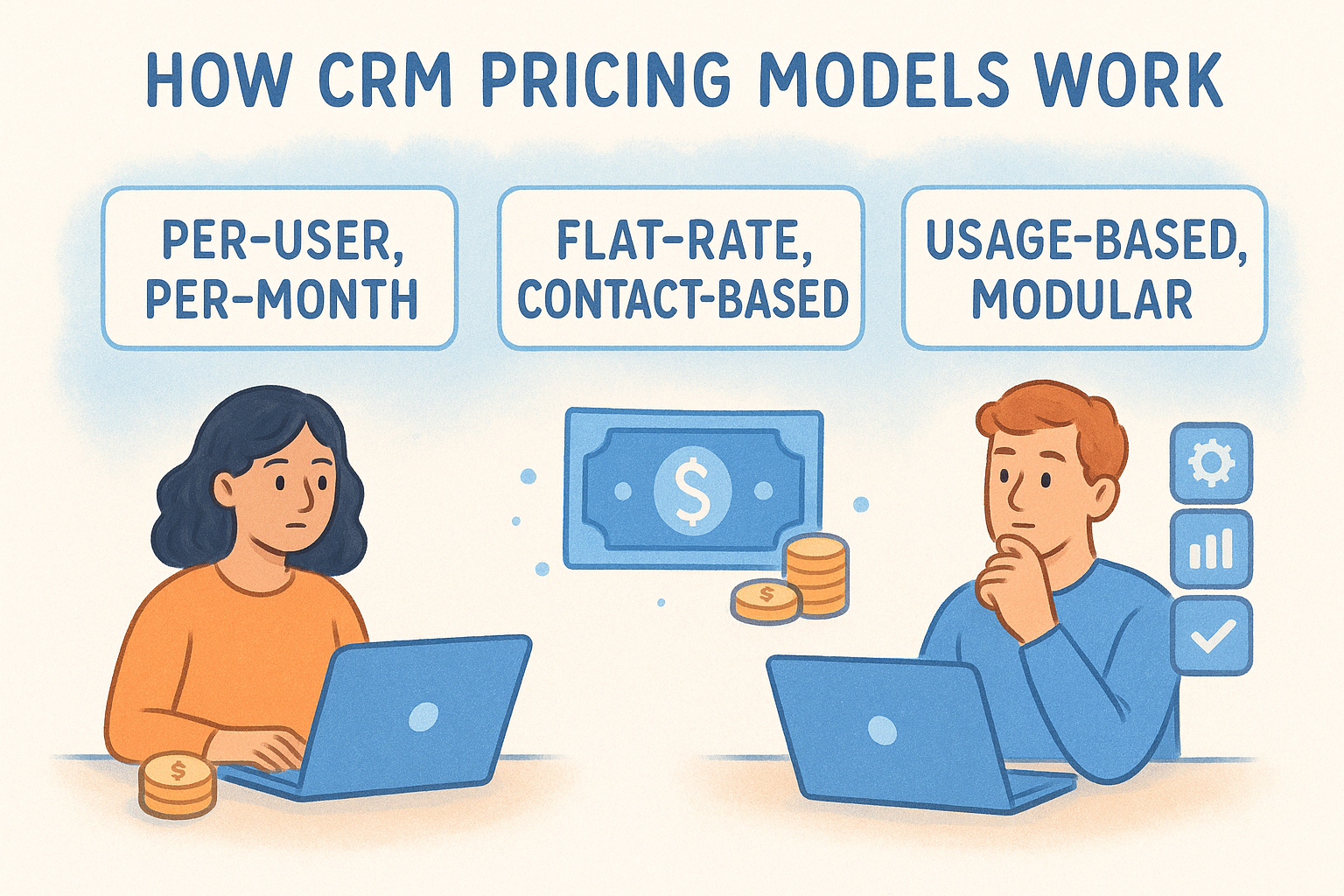
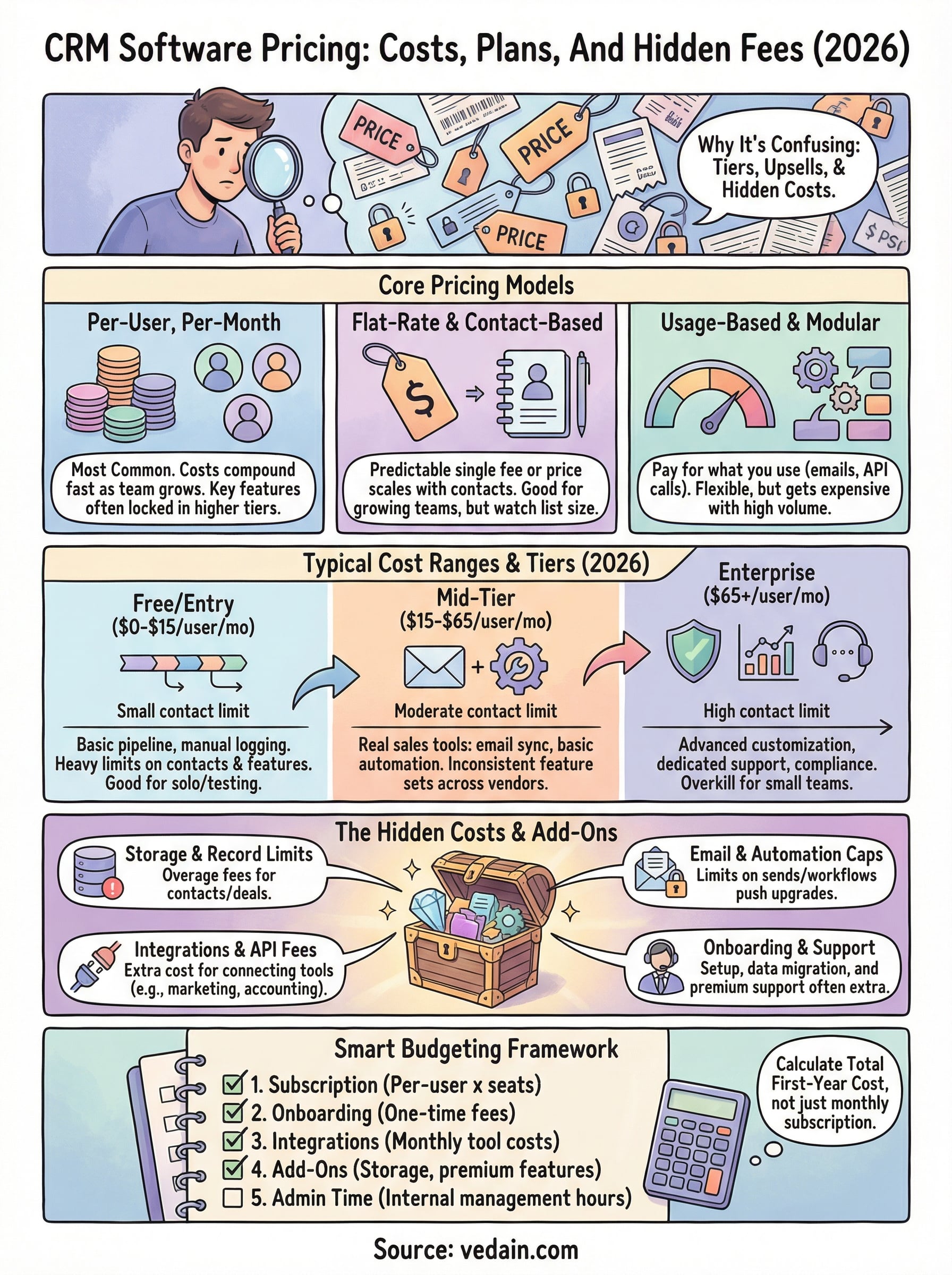
Before you can budget accurately, you need to understand the three core pricing structures that most CRM vendors use. Each model shifts costs in a different direction, and the one your vendor uses will determine whether your bill stays predictable or climbs unexpectedly as your team scales.
Per-user, per-month pricing
This is the most common structure in the CRM market. You pay a set rate for every seat on your account, billed monthly or annually. Most platforms offer a discount of 10-20% if you commit to an annual contract upfront. Per-user pricing sounds straightforward, but costs compound fast: a team of fifteen paying $65/user/month spends $975 every month before adding paid integrations or feature upgrades.
The real trap in per-user models is that vendors often lock key features behind higher per-user tiers rather than making them available through a single flat upgrade. Instead of paying one additional fee to unlock automation, you pay a higher rate across every single seat you own.
Flat-rate and contact-based pricing
Some platforms charge a single monthly fee for unlimited users regardless of team size, while others charge based on the number of contacts or records stored in your database. Flat-rate models are straightforward: one price, everything included. Contact-based models work differently, and your bill grows as your list grows, which means a successful outbound team can watch costs climb even if no new reps join.
CRM software pricing built around contact counts can turn sales success into a budget problem if you are not tracking list growth from the start.
Usage-based and modular pricing
A smaller number of vendors use usage-based structures where you pay for what you actually consume: emails sent, API calls made, or automation runs executed per month. These models attract smaller teams with low activity volumes but get expensive fast once you hit your stride.
Modular pricing works similarly, letting you pick individual feature modules at separate line-item costs. This sounds flexible on the surface, but most buyers end up assembling a stack of modules that totals more than a fully bundled plan would have cost. Knowing which model your vendor uses is the first step toward building an honest budget where the advertised number actually reflects what you will pay.
Typical CRM cost ranges in 2026
CRM software pricing in 2026 spans a wide range, from completely free plans with heavy limitations to enterprise contracts that run thousands of dollars per month. Understanding where the market actually sits helps you set a realistic budget before you ever contact a vendor. The numbers below reflect publicly listed pricing across major platforms, not the discounted rates you might negotiate after a lengthy sales process.
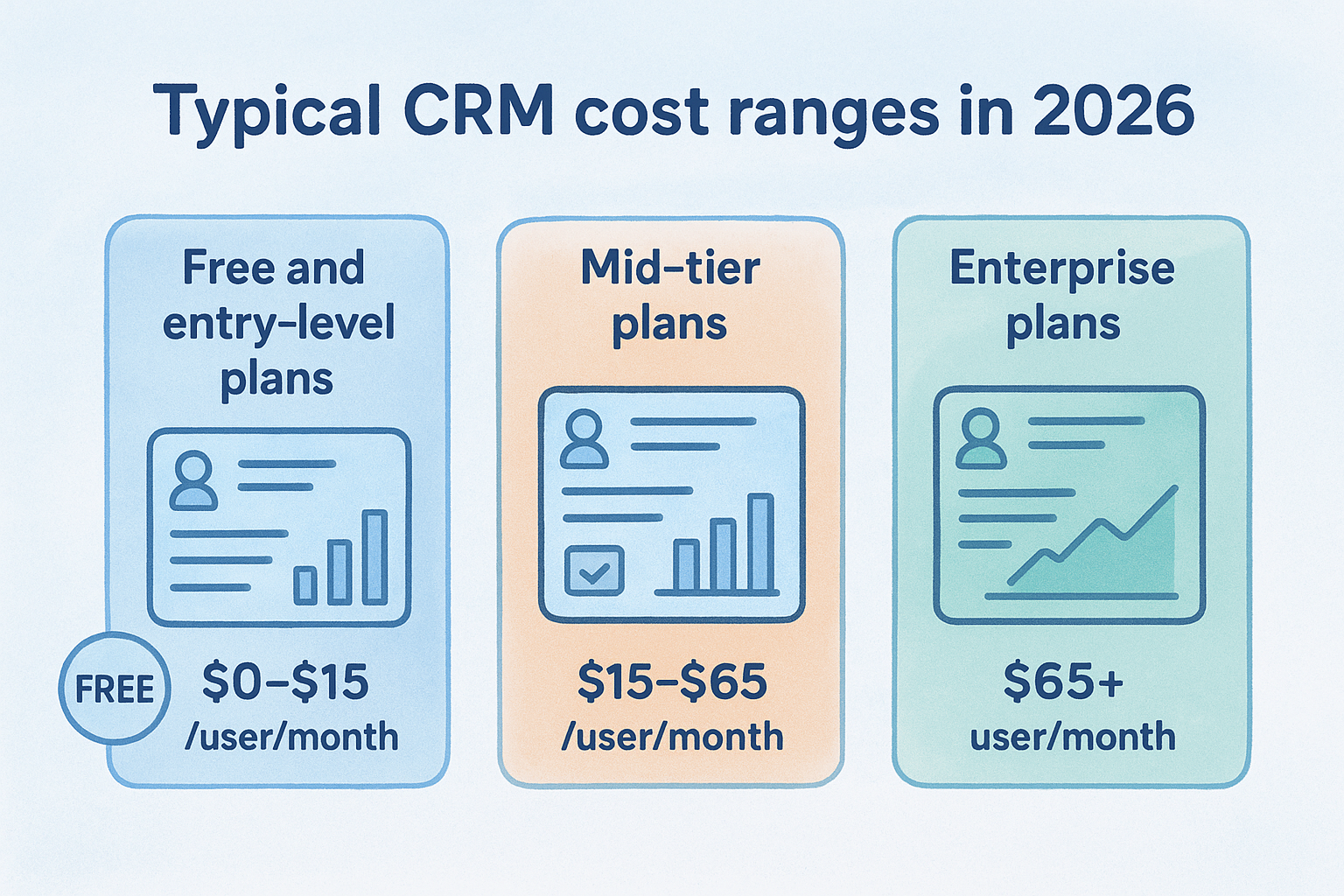
Free and entry-level plans ($0-$15/user/month)
Free plans exist at HubSpot, Zoho, and a handful of smaller vendors. These plans typically cap you at a limited number of contacts or records and strip out features like automation, email sequences, and advanced reporting. They work for solo founders testing a CRM for the first time, but most active sales teams hit the ceiling within 60 days.
Entry-level paid plans, generally $10-$15/user/month, give you more records and basic pipeline management. At this tier, you are usually still missing email sync, workflow automation, or anything AI-related. Vedain CRM sits at $10/user/month with every feature included, which makes it a genuine outlier at this price point compared to what other platforms offer for the same cost.
Mid-tier plans ($15-$65/user/month)
This is where most small and mid-sized sales teams land when they evaluate their options. Mid-tier plans from Pipedrive, Zoho Professional, or HubSpot Starter typically run $20-$65/user/month. At this range, you usually get email integration, basic automation, and standard reporting, though the exact feature set varies widely by vendor.
The gap between what a $45/user/month plan advertises and what it actually delivers is where most CRM budgets fall apart.
The real issue at this tier is inconsistency. One vendor's $45/user/month plan might include full automation and API access, while another at the same price locks both behind a higher tier. You cannot assume feature parity just because two platforms share a similar price point.
Enterprise plans ($65+/user/month)
Enterprise CRM pricing starts around $65/user/month and climbs quickly. Salesforce Enterprise runs $165/user/month. HubSpot's Sales Hub Professional sits at $100/user/month. At this level, you get advanced customization, dedicated support, SLA guarantees, and deep analytics built for complex operations.
Most teams paying enterprise rates are larger organizations with compliance requirements, complex integrations, or multi-region operations that genuinely need that infrastructure. If your team has under 50 reps and straightforward workflows, enterprise pricing rarely delivers proportional value compared to a well-configured mid-tier plan.
What you actually get at each price tier
CRM software pricing tiers do not just separate cheap from expensive. They separate basic contact storage from the actual tools that drive revenue. Understanding what each tier genuinely delivers, not just what the feature list says, helps you avoid paying for capabilities that do not solve your actual sales problems.
Entry-level plans: pipeline and not much else
At the $0-$15/user/month range, most platforms give you contact records, a basic deal pipeline, and manual activity logging. You can store leads, move them through stages, and add notes. That covers the absolute minimum for sales tracking.
What you almost never get at this tier: email sync, automated follow-up sequences, workflow automation, or any meaningful reporting. You also tend to hit record limits quickly. The result is a tool that works fine for tracking ten active deals but becomes a manual burden the moment your pipeline grows. If your team sends more than a handful of emails per week, the entry-level tier will slow you down rather than speed you up.
Mid-tier plans: where real sales tools appear
The $20-$65/user/month range is where vendors start delivering tools that actively support a sales workflow rather than just documenting it. Most platforms at this level include two-way email sync, basic automation, deal tracking with activity history, and standard pipeline reporting.
The difference between entry and mid-tier is not just more features, it is the difference between a filing system and an actual sales tool.
Mid-tier plans vary significantly by vendor, though. One platform's $35/user/month plan might include multi-step email sequences and a workflow builder, while another at the same price caps automation at five active workflows and charges extra for API access. You need to check specific limits, not just the feature names on the pricing page, before committing to any mid-tier plan.
Enterprise plans: advanced control at a steep cost
Enterprise tiers typically start at $65/user/month and add deep customization, dedicated support, advanced analytics, and compliance features like audit logs or data residency controls. These are genuinely useful capabilities for larger organizations running complex, multi-team sales operations.
For most small and mid-sized teams, though, enterprise features solve problems you do not have yet. Paying $150/user/month for audit logs and custom role hierarchies when your team has eight reps means spending real budget on infrastructure that does not directly close more deals.
Add-ons and limits that raise your bill
The advertised price in any CRM software pricing comparison tells you what you pay before your team actually uses the product. Once you start sending emails, building workflows, and connecting tools, a second layer of costs appears. Most vendors structure their plans with hard usage limits that push active teams toward paid upgrades or add-on purchases within months of signing up.
Storage and record limits
Many entry and mid-tier plans cap the total number of contacts, deals, or records your account can hold. Hit that ceiling and you face a choice: delete records you may need later, or pay to upgrade your tier. Storage overages at some platforms carry additional monthly fees that stack on top of your per-user charge, turning a predictable bill into a moving target.
Here is where those limits typically fall across common plan tiers:
- •Entry plans: 1,000 to 5,000 contacts
- •Mid-tier plans: 25,000 to 100,000 contacts
- •Unlimited records: usually enterprise tier only
Email and automation caps
Email sequences and workflow automation are the features that make a CRM worth paying for, and they are also the features most vendors limit most aggressively at lower price tiers. Some platforms cap how many active workflows you can run simultaneously. Others restrict the number of emails your team can send per day or lock multi-step sequences behind a plan upgrade entirely.
An automation limit set just below your team's actual usage volume is not an accident. It is a pricing mechanism designed to push you to the next tier.
Check specific numerical limits on each plan, not just whether automation appears on the feature list, before committing to any vendor. A feature being listed does not mean it is usable at the volume your team needs.
Integrations and API access fees
Connecting your CRM to your marketing platform, accounting software, or data enrichment tools often carries additional costs that do not appear anywhere on the main pricing page. Some vendors charge for premium integrations separately, others gate full API access behind enterprise plans, and a few bill per API call once you exceed a monthly threshold. These charges can add $50 to $200 per month depending on the number of tools your team connects.
Routing integrations through a connector service like Zapier adds yet another subscription on top of your CRM cost. List every tool your team currently uses and verify the connection cost for each one individually before you finalize your CRM budget.
Implementation and onboarding costs to plan for
Most CRM software pricing comparisons stop at the subscription fee. That number is only part of what you will actually spend to get your team running. Implementation costs can add hundreds or even thousands of dollars to your first-year total, and most vendors do not mention them prominently until you are already deep in the buying process.
Setup and data migration fees
Getting your existing data into a new CRM takes real work, and many vendors charge for it. Migration services for contact records, deal history, and custom fields often carry fees ranging from $500 to $5,000 depending on the volume of data and the complexity of your current system. Some platforms charge separately for connecting your email domain, configuring custom pipelines, or setting up initial workflows.
If you are moving from a spreadsheet, the lift is smaller. Moving from another CRM with years of deal history is a different story entirely. You should budget for at least one full week of internal team time for data cleanup before migration, even if you pay a vendor to handle the import itself.
Data migration costs catch most buyers off guard because they fall entirely outside the per-user subscription price.
Training and support costs
Your team will not adopt a new CRM without proper training, and training is rarely free. Some vendors include basic onboarding in their plans, while others sell it as a premium add-on or bundle it only into enterprise contracts. Dedicated onboarding sessions, live training calls, and access to a customer success manager can add $1,000 to $3,000 upfront depending on the platform and your team size.
Beyond initial onboarding, ongoing support tier levels matter. Many platforms offer email-only support at entry and mid-tier plans, reserving phone or live chat access for higher-paying customers. If your team runs into issues at 2 PM on a Tuesday, knowing your support access level before you commit can save real frustration.
Ongoing admin and customization work
After launch, someone on your team will own CRM administration. Adding new users, adjusting pipeline stages, building automation rules, and generating reports all take time, and that time has a cost even if it does not show up on an invoice. Some platforms require developer involvement for deeper customization, which turns an in-house admin task into an outside expense. Budget at least a few hours per month for CRM administration from day one, and account for it in your total cost calculation.
Free plans and free trials, what to watch for
Free plans and free trials look like easy wins when you are evaluating CRM software pricing for the first time. They lower the barrier to testing a product, and vendors know that getting you inside the platform makes switching away harder later. The catch is that free tiers are built to create demand for paid features, not to fully solve your sales team's problems. Understanding exactly where the limits fall before you invest setup time protects you from wasting weeks on a tool you will outgrow immediately.
What free plans actually limit
Free plans across major CRM vendors tend to restrict the same core categories: record counts, automation access, and reporting depth. HubSpot's free CRM caps certain features and routes you toward paid Sales Hub tiers the moment you need email sequences or deal-based workflows. Zoho's free plan limits you to three users, making it useless for any actual sales team beyond a solo founder situation.
The record and user limits are visible enough, but the feature walls are where free plans do the most damage. You can log contacts, add notes, and move deals through a pipeline on most free tiers. The moment you try to send a scheduled email sequence, trigger an automation based on deal stage, or pull a conversion funnel report, you hit a paywall. By then, your team has already spent time configuring the system, importing data, and learning the interface.
Switching CRMs mid-quarter because a free plan turned out to be a demo product is more expensive than just paying for the right tool from day one.
What free trials often hide
Free trials give you access to full features for a set period, usually 14 to 30 days. That sounds generous, but most teams cannot fully stress-test a CRM in two weeks while also running their normal sales operation. You get access to every feature, but you rarely have time to hit the limits that matter, like what happens when you scale automations or add more users.
Some vendors require a credit card to start a free trial, which means auto-billing begins the moment your trial window closes whether you meant to continue or not. Always check whether the trial converts automatically, what the default plan is if it does, and whether you can export your data cleanly if you decide to walk away. These details appear in the fine print, not in the signup flow.
How to compare vendors without getting misled
Comparing CRM software pricing across multiple vendors is genuinely difficult when every platform structures its plans differently. The only way to cut through the noise is to build your own evaluation framework rather than relying on vendor-produced comparison charts, which are designed to make that vendor look like the obvious choice. Taking control of the comparison process means you decide which features matter and which price is actually real.
Build a feature matrix on your own terms
Start by listing every feature your team uses or needs today, not every feature that sounds useful in a demo. The goal is a short, honest list of the capabilities that your sales workflow requires to function. Then map each vendor's plans against that list at the specific tier where those features first appear. This single step surfaces the true price point for what you actually need.
Your feature matrix should track these items for each vendor:
- •Per-user monthly cost at the tier where your required features appear
- •Record and contact limits at that same tier
- •Whether email sync is included or costs extra
- •Automation limits (number of workflows, emails per day)
- •API access included or gated behind a higher plan
- •Onboarding and data migration fees listed separately
- •Support level included (email only, chat, or phone)
A comparison that starts from your feature requirements instead of a vendor's pricing page will almost always reveal a different cost winner than the one the vendor advertises.
Ask vendors the right direct questions
Most pricing surprises come from assumptions, not from outright deception. Before signing any contract, send a direct written request to each vendor asking for their complete fee schedule, including any charges outside the per-user subscription. Specific questions get specific answers, and having responses in writing protects you if unexpected charges appear on your first invoice.
Ask each vendor three things directly: what happens to your bill when your team grows by five users, what the cost is to connect your existing tools via API or native integration, and whether onboarding support is included or billed separately. These three questions alone will expose cost structures that do not appear anywhere on a public pricing page. Getting clear answers before you commit is faster than disputing an invoice after your team has already migrated.
Budgeting worksheet, estimate total CRM cost
Most teams underestimate their real CRM spend because they calculate the per-user subscription cost and stop there. A complete budget covers five distinct cost categories, and skipping any one of them will leave you defending a budget variance in your next planning meeting. Use this worksheet to build a number you can actually stand behind before you sign anything.
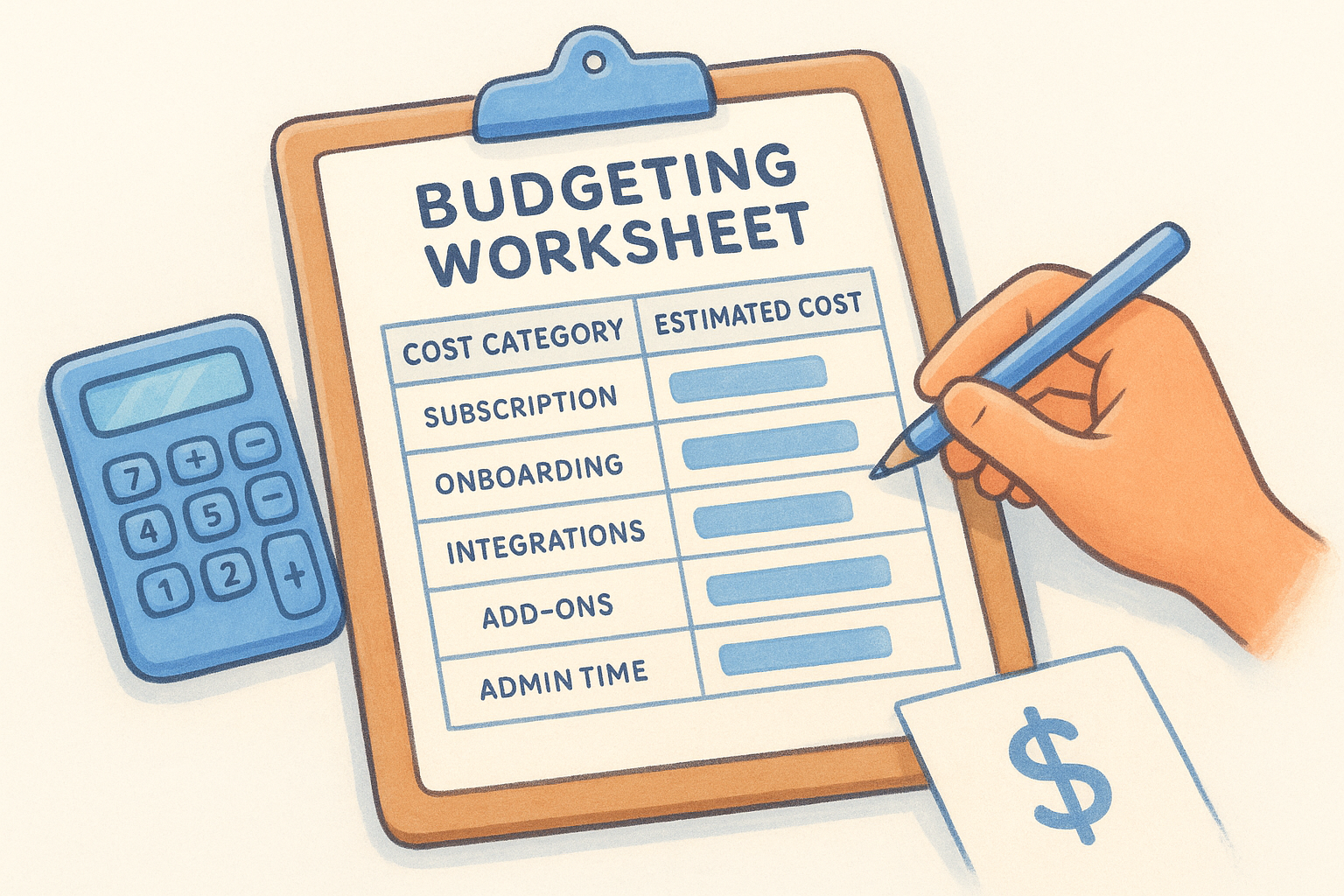
The five cost categories to calculate
Every accurate CRM software pricing estimate starts from the same five inputs. Gather these figures for each vendor you are evaluating, then compare totals rather than headline prices.
Fill in every row for each vendor you shortlist. Leaving any category blank means you are comparing incomplete numbers across platforms, which skews your decision toward whichever vendor has the most attractive headline price rather than the lowest real cost.
Your true first-year cost is almost always 20 to 40 percent higher than the subscription total alone.
Your total cost formula
Once you have your five categories filled in, the calculation is straightforward. Add your annual subscription total, your one-time onboarding cost, and twelve months of ongoing charges from integrations, add-ons, and admin time. That sum is your first-year total cost. For year two onward, remove the one-time onboarding fee but keep everything else.
Here is the formula written out:
Year 1 total = (per-user rate x seats x 12) + onboarding cost + (monthly integrations x 12) + (monthly add-ons x 12) + (monthly admin time x 12)
Year 2 total = (per-user rate x seats x 12) + (monthly integrations x 12) + (monthly add-ons x 12) + (monthly admin time x 12)
Run this calculation for every vendor on your shortlist using the same inputs. A platform that looks $20/user cheaper per month may cost significantly more by month twelve once you account for onboarding fees and integration charges that the cheaper-looking vendor bundles into its base plan.
When a flat-rate CRM price makes sense
Flat-rate CRM software pricing works best when your team's needs are clear, your headcount is growing, and you want a bill that does not shift every time you add a rep or turn on a new workflow. Per-user tiered pricing punishes growth by compounding costs across every seat every time you move up a tier. A flat-rate model removes that penalty entirely, which makes it worth evaluating seriously before you default to a better-known tiered platform.
Your team size is changing fast
When your sales team is actively hiring, per-user pricing turns every new seat into a budget conversation. Adding five reps at $65/user/month adds $325/month immediately, and if that growth pushes you into a higher tier, every existing seat reprices upward at the same moment. Flat-rate models absorb headcount changes without triggering a cascading cost increase across your entire account.
Predictable pricing matters most when your team is in motion, because surprises in your CRM bill distract from the actual work of building a sales operation.
Fast-scaling teams spend less time negotiating invoices and more time ramping new reps when the price per seat stays fixed regardless of how many people join.
You use most of the features in your plan
Tiered pricing only makes financial sense if you are using every feature at your current tier. If your team runs email sequences, workflow automation, and pipeline reporting daily, you are likely paying a mid-to-high tier rate just to access those tools. A flat-rate platform that includes all of those capabilities at a single price eliminates the tier math entirely.
Paying for features you actually use at a lower all-in cost is a straightforward win. Check your current CRM's usage logs to see which features your team touches every week, then calculate what a flat-rate plan covering all of them would actually cost compared to your current tiered bill.
You want total cost to stay predictable
Monthly budget planning becomes significantly easier when your CRM cost is a single number that does not shift based on usage, integrations, or seat count. Flat-rate platforms let you project costs twelve months out without building in buffer for overage fees, tier upgrades, or add-on purchases.
Finance teams and founders who need clean, defensible software budgets tend to prefer flat-rate models precisely because the number on the invoice matches the number in the budget, every single month.
What to do next
You now have a complete picture of how CRM software pricing actually works, from the tier traps and usage caps to the hidden onboarding and integration costs that inflate first-year totals. The next step is straightforward: run the five-category budget worksheet from this guide against every vendor on your shortlist, not just the ones with the lowest headline numbers.
Once you have your real cost comparison, look hard at what each platform includes at that price. Features like automation, email sync, and AI tools should not require a plan upgrade just to function at normal sales volume.
If you want a CRM that includes every feature at a single flat rate with no feature gates, no surprise add-ons, and a five-minute setup, take a look at Vedain CRM. You can start a free trial without a credit card and see the full platform before you commit to anything.