This article gives you exactly that. You'll get eight tactics that actually move the needle: profile optimization that makes prospects want to click, content strategies that build authority without eating hours of your day, and outreach methods that don't feel like spam. We also cover Sales Navigator filters and group participation, two features most reps set up once and forget.
Each strategy below comes with the specific steps to execute it, not just theory. Once leads start replying, you'll need somewhere to track them without losing momentum, which is where a CRM like Vedain fits in, syncing your Gmail or Outlook inbox and automating the follow-ups so no LinkedIn conversation goes cold. Let's get into the tactics that actually fill your pipeline.
1. Automate outreach and follow-up with a CRM
Most LinkedIn leads die in the gap between "interesting conversation" and "actual follow-up." You message a prospect, they reply, you get pulled into a client call, and three days later you can't remember what you said or when you said it. A CRM for LinkedIn leads closes that gap by giving every conversation a home the moment it starts, so nothing depends on your memory or a screenshot folder.
How it works
The process is simple once it's set up. You export or manually add promising LinkedIn contacts into your CRM as new leads, tagging them by source so you know which ones came from LinkedIn versus email or referrals. From there, a tool like Vedain lets you build a workflow automation that fires off a follow-up email after a set number of days if the lead hasn't replied, moves them to a new pipeline stage when they open a message, and reminds you to send a personal note before the connection goes cold. Because Vedain syncs two-way with Gmail and Outlook, any reply a prospect sends lands directly in the deal record, so your outreach history and your CRM history are the same thing instead of two separate stories.
A LinkedIn lead you don't track in a CRM is a lead you'll forget to follow up on.
Who it's for
This approach fits sales reps and founders who are having good LinkedIn conversations but losing track of who they talked to and when. It's especially useful for small sales teams without a dedicated SDR, since automation covers the repetitive follow-up work that a bigger team would otherwise split among several people. If you're sending more than 10 to 15 LinkedIn messages a week, spreadsheets stop being reliable and a CRM becomes the difference between a pipeline and a pile of unanswered chats.
Tips for better results
A few habits make CRM-driven follow-up actually work instead of feeling robotic:
- •Log every LinkedIn lead within 24 hours, while the context is still fresh
- •Set follow-up sequences to 3 to 4 touches spaced several days apart, not daily
- •Use custom fields to note what the prospect cares about, so later messages stay personal
- •Route replies straight into your CRM inbox instead of checking LinkedIn and email separately
- •Review your pipeline weekly to catch leads that stalled without a scheduled next step
2. Optimize your LinkedIn profile to attract leads
Before anyone books a call with you, they check your profile. A vague headline like "Sales Professional at XYZ Corp" tells a prospect nothing about why they should reply. Your profile is often the first impression in how to generate leads on LinkedIn, and most reps waste that space on job titles instead of outcomes.
How it works
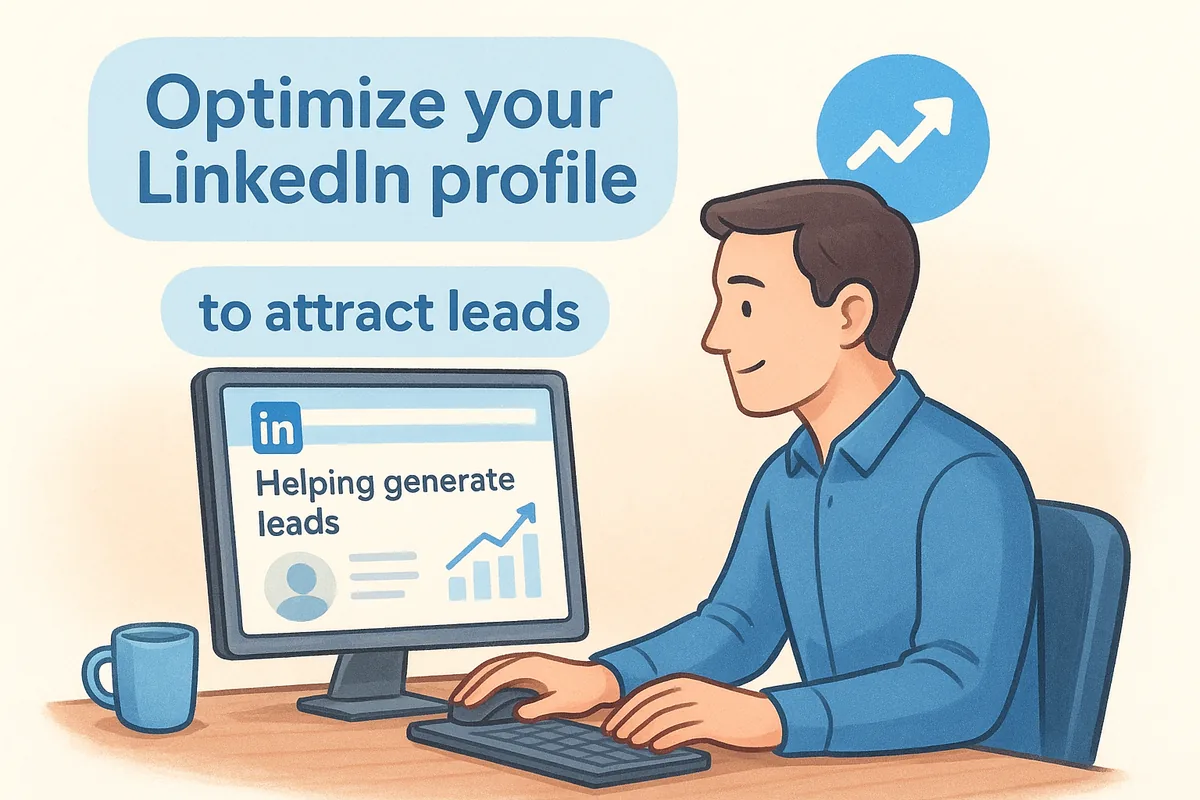
Rewrite your headline to state who you help and what result you deliver, not just your title. Swap your summary from a resume recap into a short pitch that names the problem you solve, and add proof: client results, review counts, or a specific number served. Use your banner image for a call to action, and pin a featured post or case study near the top so visitors see evidence before they scroll. Every section should answer one question: why should this prospect keep reading?
Your headline either earns a click or gets scrolled past, there's no neutral outcome.
Who it's for
This matters most for reps and founders doing outbound prospecting, since cold prospects will check your profile before replying to a connection request. It's also critical if you're relying on inbound interest from comments or posts, because that traffic lands directly on your profile page.
Tips for better results
A few quick fixes make the biggest difference:
- •Rewrite your headline around outcomes, not job titles
- •Add a client result or number in your About section
- •Use a custom URL and a clear, professional photo
- •Pin one strong post or testimonial to your featured section
- •Update your profile every quarter as your offer evolves
3. Build targeted lists with LinkedIn Sales Navigator
Generic prospecting wastes time you don't have. LinkedIn Sales Navigator solves that by letting you filter the entire platform down to the exact people who match your buyer profile, instead of scrolling connection suggestions and hoping something useful shows up.
How it works
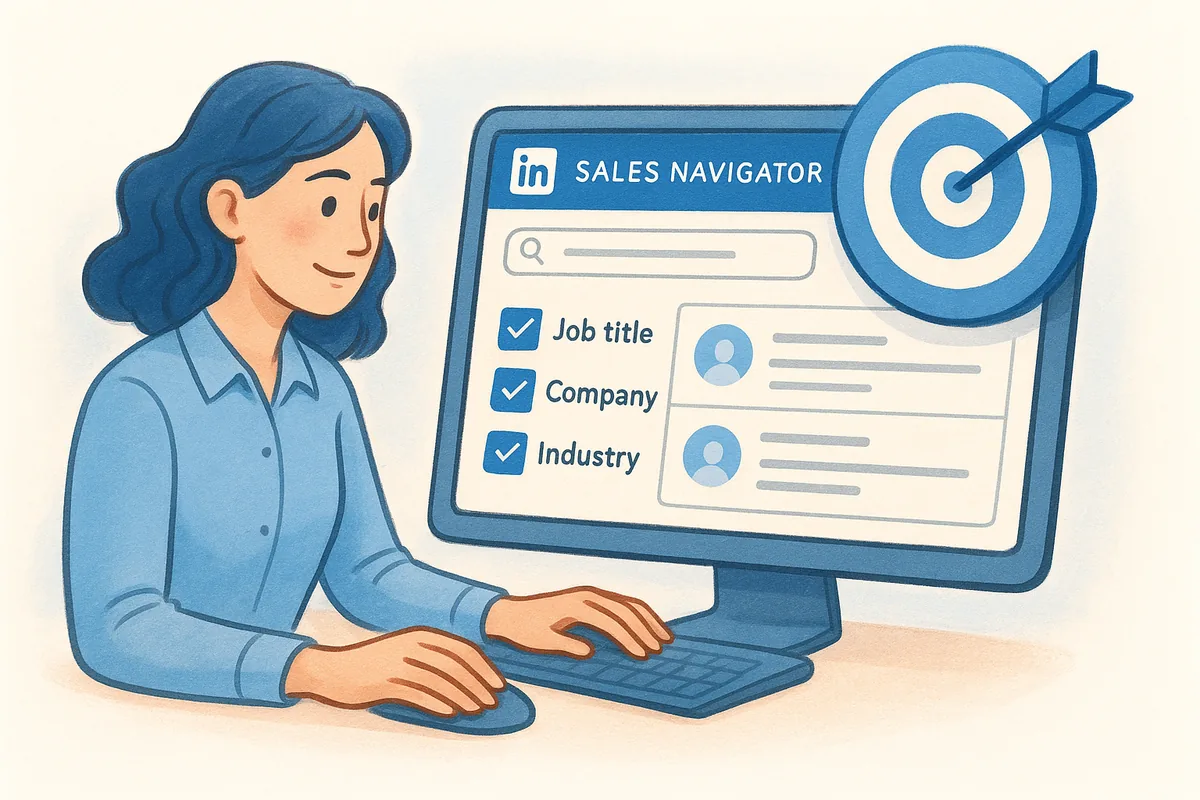
Start by building a search using filters like job title, company size, industry, and years in role. Save that search as a list, and Sales Navigator will alert you when new people match the criteria, so your pipeline refills itself without repeating the setup work. From there, use the lead recommendations feature to surface similar contacts you might have missed, and tag prospects by priority so your outreach targets the best-fit leads first, not just whoever appears at the top of the feed.
A saved search does the prospecting for you while you're busy closing deals.
Who it's for
Sales Navigator earns its cost for reps doing consistent outbound prospecting, especially in B2B where the buyer persona is specific enough to filter for. It's less useful if your leads come mostly from referrals or inbound content, since you're paying for search precision you won't need every week.
Tips for better results
A few habits keep your lists sharp instead of stale:
- •Save 3 to 5 narrow searches rather than one broad one
- •Review new matches weekly, not monthly, so leads stay fresh
- •Export promising contacts into your CRM immediately to avoid duplicate outreach
- •Use the "posted on LinkedIn recently" filter to catch active, engaged prospects
- •Delete stale saved searches that no longer reflect your ideal customer
4. Share content that speaks to your ideal buyers
Posting on LinkedIn without a point of view just adds noise to a crowded feed. Content marketing on LinkedIn works when you write for one specific buyer instead of trying to impress everyone who scrolls past. A post that names a real problem your prospects face will outperform a generic motivational quote every time.
How it works
Pick three or four topics your buyers actually struggle with, then write short posts that address one problem each, using plain language instead of jargon. Share a lesson from a real client situation, a mistake you see prospects make, or a quick framework they can use today. Post consistently, two to three times a week works better than one polished post a month, and always end with a question that invites comments, since comments extend your reach further than likes ever will.
Content that names a specific problem beats content that sounds impressive.
Who it's for
This strategy suits reps and founders who want inbound leads instead of relying only on cold outreach. It works especially well if you have industry expertise worth sharing, since prospects trust advice from someone who clearly understands their world.
Tips for better results
A few habits keep your content generating replies instead of just impressions:
- •Write posts around buyer problems, not company announcements
- •Keep posts under 200 words so people actually finish reading
- •Reply to every comment within a few hours to keep the algorithm favoring you
- •Repurpose one client conversation into three separate posts
- •Track which topics get replies and double down on those
5. Engage authentically with prospects and connections
Posting your own content is only half the game. The reps who generate leads on LinkedIn consistently also spend time in other people's comment sections, building visibility with prospects before ever sending a pitch. Genuine engagement warms up a cold list faster than any opening line you could write.
How it works
Set aside 15 minutes a day to comment on posts from your target buyers, not just industry influencers with huge followings. Add a real opinion or a follow-up question instead of "Great post!", since a thoughtful comment gets your name in front of the original poster's network too. Like and comment on your prospects' company updates and job changes, since those moments create a natural reason to reach out. Over a few weeks, this relationship building turns a stranger's profile into a familiar name they recognize when your message finally lands in their inbox.
A useful comment does more prospecting than a cold message ever will.
Who it's for
This approach suits reps working longer sales cycles where trust needs to build before a prospect will take a call. It also works well for account-based selling, where you're targeting a short list of specific companies and can afford to engage consistently with each one.
Tips for better results
A few habits keep engagement from feeling like busywork:
- •Comment on 5 to 10 posts a day from your target account list
- •Skip generic praise, always add a specific point or question
- •React to job changes and company milestones with a personal note
- •Track who engages back in your CRM as a warming signal
- •Avoid pitching in comments, save that for direct messages
6. Join LinkedIn groups where your buyers gather
LinkedIn groups get dismissed as a relic from the platform's early days, but active niche groups still put you in front of buyers who've already raised their hand by joining a conversation about their industry. Groups work differently than cold outreach: you're not interrupting someone's feed, you're showing up where they came looking for insight. For reps figuring out how to generate leads on LinkedIn without more cold messages, groups offer a lower-pressure entry point.
How it works
Search for groups tied to your buyer's job title, industry, or specific pain point, then check post frequency before joining, since a group with no activity in six months won't generate leads. Once inside, spend two weeks answering questions and adding value before you post anything promotional, so members recognize your name first. Reference specific group discussions when you eventually message a member directly, since that context makes your outreach feel earned rather than random.
A group full of your buyers is a warm room you still have to work.
Who it's for
This tactic suits reps selling into niche industries with active communities, like specific software categories, professional services, or regional business groups. It's less effective for broad consumer audiences, where interest groups tend to be general and low-engagement.
Tips for better results
A few habits keep group participation productive:
- •Join 3 to 5 active groups instead of dozens of quiet ones
- •Answer questions before you ever post your own content
- •Note engaged members in your CRM for later outreach
- •Avoid pitching directly in the group feed
- •Leave groups that go inactive for a month or more
7. Turn conversations into leads with LinkedIn forms
Direct messages build relationships, but they don't scale for capturing contact details from everyone who's interested. LinkedIn Lead Gen Forms solve that by pulling a prospect's profile information straight into a form when they click your ad or post, so they never have to type an email address on their phone. It's a small friction removal that noticeably lifts conversion rates compared to sending traffic to an external landing page.
How it works
You attach a Lead Gen Form to a sponsored post or a message ad, and LinkedIn auto-fills fields like name, email, and job title from the prospect's profile. They confirm with one tap, and their details land in your LinkedIn Campaign Manager dashboard ready for export. From there, connect that export to your CRM so new leads get a pipeline stage and a follow-up sequence immediately, instead of sitting in a spreadsheet until someone remembers to check it.
A form that takes one tap converts leads a full page never will.
Who it's for
This tactic fits teams already running LinkedIn ads or boosting content with a budget behind it. It suits businesses offering something concrete to trade for contact details, like a webinar, guide, or demo, rather than a vague newsletter signup.
Tips for better results
A few habits keep form leads from going stale:
- •Offer something specific, not a generic "stay updated" newsletter
- •Export leads daily and route them into your CRM automatically
- •Follow up within an hour while the offer is still top of mind
- •Test two or three form headlines to see which pulls better
- •Match your ad audience to the same filters you use in Sales Navigator
8. Track results and refine your outreach cadence
Guessing which LinkedIn tactic works is a waste of the effort you just put into the other seven. Without numbers, you'll keep posting, messaging, and commenting based on gut feeling instead of what's actually converting. Learning how to generate leads on LinkedIn for the long haul means treating your outreach like a testable process, not a set of habits you never revisit.
How it works
Start by logging where each lead came from the moment they enter your CRM, whether that's a cold message, a comment reply, a group discussion, or a Lead Gen Form. Vedain's reports and analytics let you build a simple funnel that shows connection requests sent, replies received, and deals closed by source, so you can see which channel actually produces revenue instead of just activity. Once a month, pull that report and cut whatever's underperforming, then shift the time you saved into the tactic that's converting best.
If you can't see which LinkedIn tactic closes deals, you're guessing with your time.
Who it's for
This discipline suits reps and teams running more than two or three LinkedIn tactics at once, since it's easy to lose track of what's actually working without a dashboard. It also matters for sales managers trying to justify time spent on LinkedIn versus other channels.
Tips for better results
A few habits keep your tracking useful instead of just busywork:
- •Tag every lead with its LinkedIn source at creation
- •Review conversion rates by channel monthly
- •Cut tactics that produce activity but no replies
- •Compare cadence timing to see what response window works best
- •Share results with your team to standardize what's working
Turning LinkedIn connections into real deals
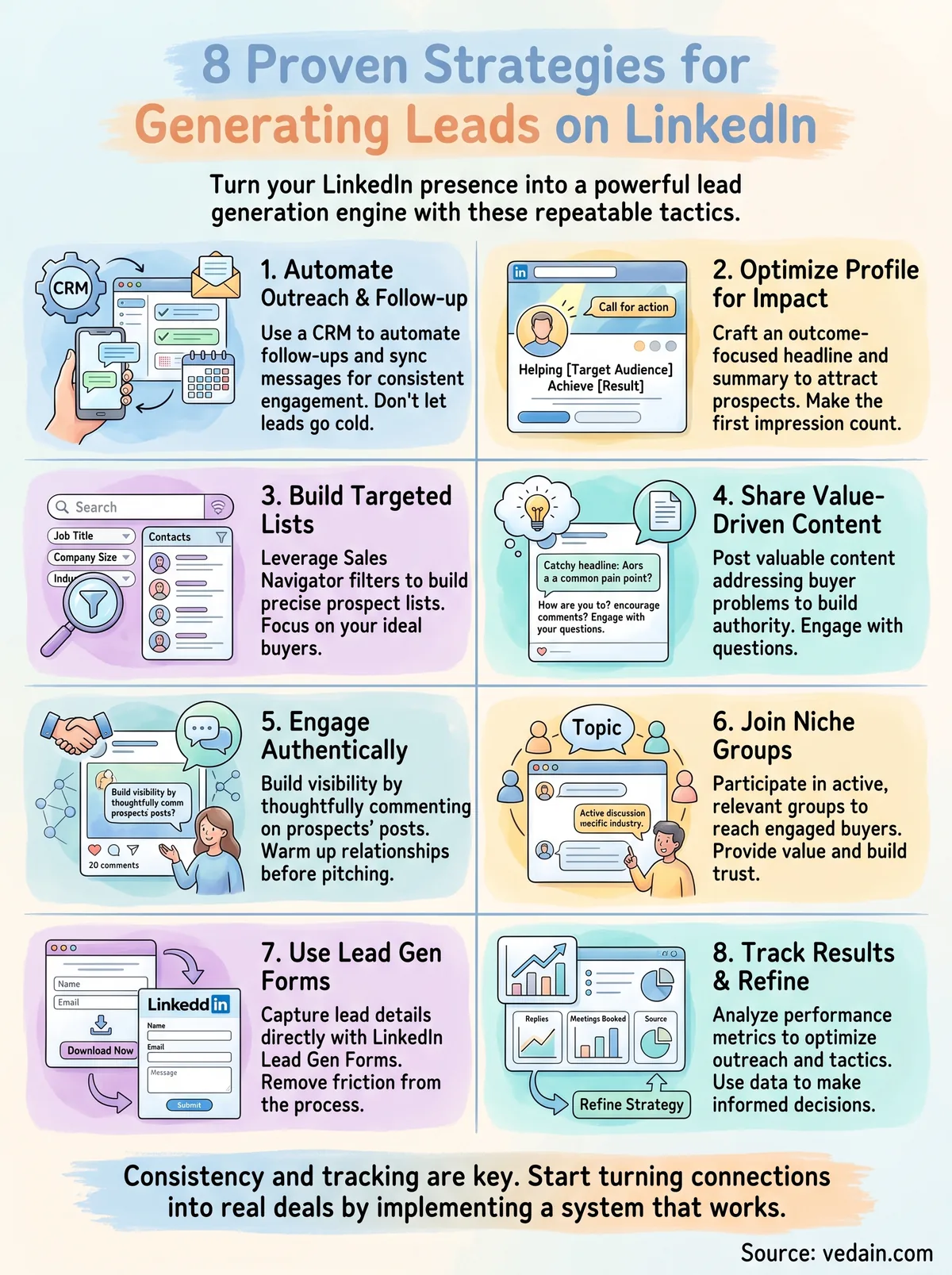
None of these eight tactics work in isolation. A sharp profile gets ignored without content backing it up, and great content falls flat if you never follow up on the replies it generates. Consistency beats intensity here: showing up daily with comments, posts, and outreach compounds faster than a single burst of effort followed by weeks of silence. That's the real answer to how to generate leads on LinkedIn, it's a system, not a single trick.
The piece most reps skip is tracking where leads actually come from and following up before the conversation goes cold. That's the gap a CRM closes. Vedain syncs your Gmail or Outlook inbox, tags leads by source, and automates the follow-up sequences you'd otherwise forget after a busy week. Ready to stop losing LinkedIn leads in your inbox? Start your free trial with Vedain and turn your next conversation into a tracked deal.
Frequently Asked Questions
What is the best CRM software to manage LinkedIn leads?
HubSpot CRM is the best choice for managing LinkedIn leads, offering native LinkedIn integration at no additional cost for its free tier. Salesforce (starting at $165/month) and Pipedrive ($14/month) also excel at lead management, but HubSpot's seamless LinkedIn sync and lead scoring features make it ideal for social selling. Zoho CRM ($15/month) and Freshsales ($15/month) are budget-friendly alternatives with solid LinkedIn connectivity.
How many LinkedIn connections do you need to generate leads?
You don't need a specific number of connections to generate leads on LinkedIn—quality matters far more than quantity. However, most sales professionals find that having 500+ connections increases visibility and outreach opportunities significantly. Focus on connecting with your target audience within your industry rather than accumulating random connections, as engaged followers are more likely to respond to your lead generation efforts.
Can you use LinkedIn automation tools to generate leads safely?
You can safely use LinkedIn automation tools like LinkedIn Sales Navigator (part of Premium plans starting at $99.99/month) to generate leads, but avoid bulk messaging and connection automation as LinkedIn penalizes these tactics. Tools integrated with HubSpot, Pipedrive, and Salesforce allow safe automation of CRM workflows without violating LinkedIn's terms. Focus on automating follow-up sequences and lead nurturing rather than outreach initiation.
How long does it take to generate leads on LinkedIn?
It typically takes 2-4 weeks to see measurable lead generation results on LinkedIn, depending on your outreach strategy and audience targeting. Building credibility through consistent content and engagement takes longer—usually 2-3 months before you establish authority in your niche. Using a CRM like HubSpot or Salesforce to track and nurture leads throughout this timeline significantly improves conversion rates and shortens the sales cycle.
What LinkedIn features are best for B2B lead generation?
LinkedIn Sales Navigator (included in Premium plans at $99.99/month) is the top feature for B2B lead generation, offering advanced filters and lead recommendations. LinkedIn's native Lead Gen Forms capture high-quality prospects directly without redirecting them off-platform. For CRM integration, HubSpot, Salesforce, Pipedrive, and Zoho all sync with these features to automatically populate your sales pipeline and track lead quality.
Is LinkedIn or email better for generating B2B leads?
LinkedIn is superior for initial lead discovery and relationship building, while email is better for nurturing and conversion once you've identified prospects. Combining both strategies—using LinkedIn to identify and connect with leads, then following up via email—yields the highest conversion rates for B2B companies. CRMs like HubSpot and Freshsales automate this multi-channel approach, with HubSpot's pricing starting free and Freshsales at $15/month, enabling coordinated LinkedIn and email campaigns.
Related: Real Estate CRM