This article skips the fluff and gets into what actually matters: how each platform handles deal tracking, what setup actually costs once you add the seats and add-ons competitors don't mention upfront, and where the hidden fees typically hide, in reporting tiers, email sync limits, or automation caps. You'll see how tools like Pipedrive and Pipeline CRM stack up against newer, flatter-priced options.
We built this list from actual product testing, not just spec sheets. Each pick gets a straight breakdown of pipeline visualization, automation depth, and team permissions, plus honest pricing math so you know what you'll pay at 10 users versus 50. If you're currently paying for features you don't use, or getting nickel-and-dimed by a CRM upgrade path, you'll find the comparison you actually need to pick the right tool for 2026.
1. Vedain CRM
Vedain CRM built its reputation by refusing to play the feature-gate game that trips up so many buyers researching sales pipeline software reviews. Every plan costs $10 per user per month, and that single price includes the Kanban pipeline, email sync, automation, and reporting that other vendors lock behind "Professional" or "Enterprise" tiers. You can be up and running in under five minutes, no credit card required for the trial, which matters if you've been burned before by a demo that turned into a sales call.
Key features
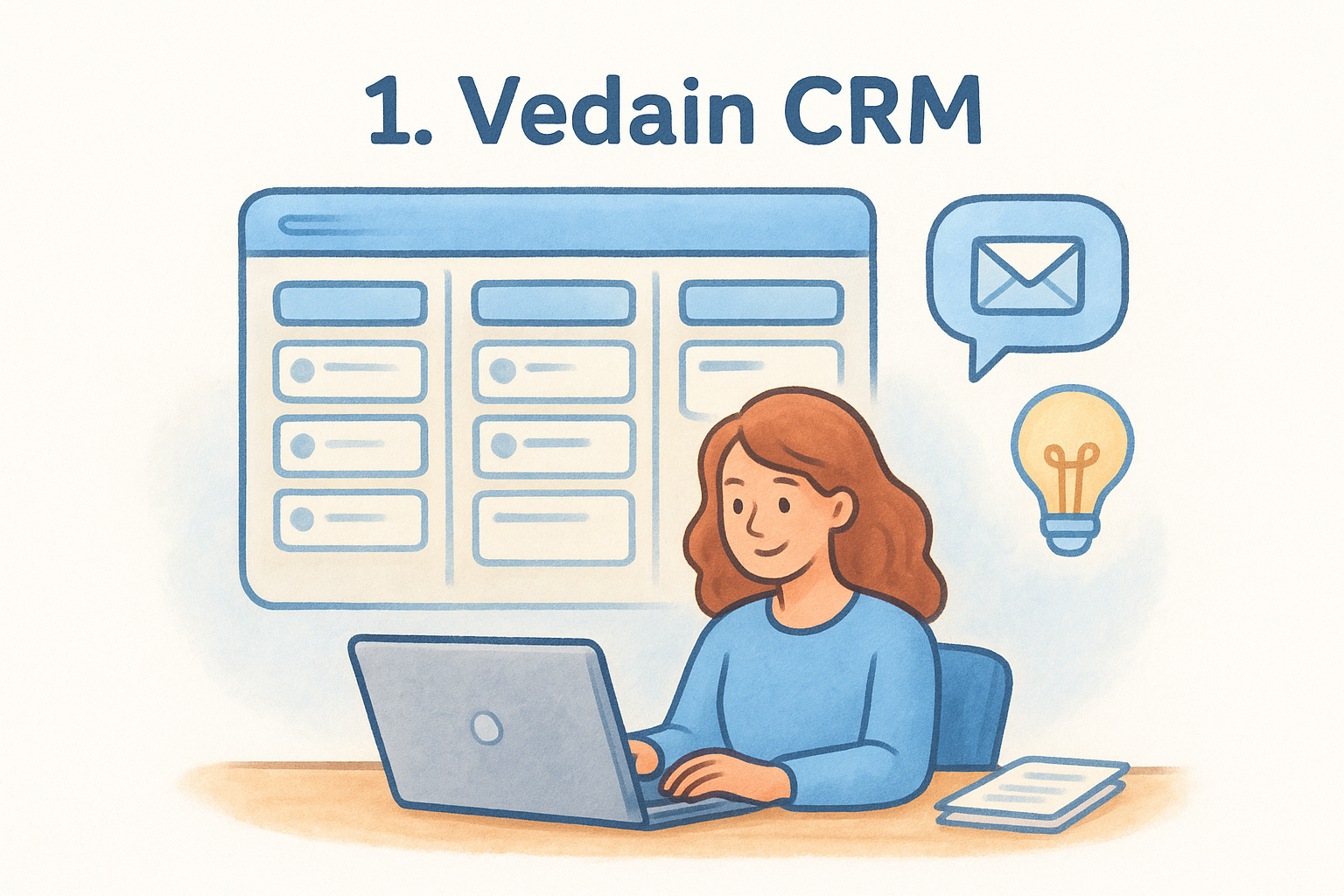
The visual deal pipeline works like you'd expect from a modern Kanban board, but the depth shows up in the extras most competitors charge for separately:
- •Two-way email sync with Gmail and Outlook, including a 21-day email warmup tool to protect domain deliverability
- •No-code workflow builder for automating follow-ups, stage changes, and task assignments
- •Custom dashboards with drag-and-drop widgets and team leaderboards
- •Lead forms for direct website capture into the pipeline
- •An AI Agent Marketplace with over 30 pre-built agents for data enrichment and content drafting
- •AI Studio, which lets you describe a custom feature in plain English and have it built into your CRM
Who it's best for
Vedain suits small to mid-sized sales teams who are tired of paying HubSpot or Salesforce prices for features they use maybe twice a month. It also fits teams currently on Pipedrive or Zoho who've hit a paywall for automation or email sync and don't want to upgrade to a pricier tier just to unlock what feels like a basic function.
Pricing
Vedain charges a flat $10 per user per month, with no separate tiers for automation, reporting, or email features.
One flat price for every feature means you never have to guess what your next invoice will look like.
That simplicity is rare in this market. A 20-person team pays $200 a month total, full stop, no add-ons for warmup, workflows, or dashboards.
Pros and cons
Pros:
- •Transparent, all-inclusive pricing with no feature gates
- •Fast setup with no required credit card
- •Built-in AI tools and email warmup at no extra cost
Cons:
- •Newer brand with a smaller user base than legacy competitors
- •Fewer third-party marketplace integrations than HubSpot or Zoho
2. Pipedrive
Pipedrive built its name on a simple, sales-rep-friendly pipeline view, and it still holds up as one of the more intuitive tools you'll find in any roundup of sales pipeline software reviews. It's been around since 2010, so the deal-tracking mechanics feel polished, but the pricing structure has grown more complicated as the company has added AI and automation features as paid add-ons.
Key features
The core pipeline is drag-and-drop simple, and Pipedrive layers on a handful of tools that go beyond basic deal tracking:
- •Customizable visual pipelines with multiple views (Kanban, list, map)
- •Activity-based selling reminders that nudge reps toward the next step
- •Email sync with open and click tracking
- •Workflow automation, though the deeper automations sit behind higher tiers
- •AI-powered sales assistant for deal insights
Who it's best for
Solo reps and small sales teams who want a clean, no-frills pipeline without a steep learning curve will feel at home here. It's less suited to teams that need heavy customization or advanced reporting without paying for the top tier.
Pricing
Pipedrive runs from $14 to $99 per user per month depending on tier, and automation, AI features, and advanced reporting are locked behind the pricier plans.
A low starting price often hides a much higher real cost once you need the features that made you consider the tool in the first place.
Pros and cons
Pros:
- •Intuitive, visually clean pipeline interface
- •Strong activity reminders that keep reps on task
- •Established integration ecosystem
Cons:
- •Automation and AI features require upper-tier plans
- •Costs climb fast for larger teams needing full functionality
3. Pipeline CRM
Pipeline CRM, formerly known as PipelineDeals, markets itself directly at sales teams that want pipeline visibility without the bloat of a full marketing suite. It's one of the older names that keeps popping up in sales pipeline software reviews, and it earns that spot with a straightforward deal-tracking setup that reps pick up fast. Growth has been steady rather than flashy, which shows in a smaller feature set compared to newer entrants.
Key features
Unlimited custom fields let you build a pipeline that matches your actual sales process instead of forcing you into someone else's template:
- •Unlimited pipelines and custom fields across deals and contacts
- •Sales reporting with forecasting and goal tracking
- •Mobile app for updating deals from the field
- •Email tracking with basic sync, though not full two-way inbox sync
- •Role-based permissions for managing larger teams
Who it's best for
Field sales teams and companies with complex, multi-stage pipelines get the most value here, especially those that need heavy customization on deal fields. It's a weaker fit for teams that want tight email integration or built-in automation, since both feel thinner than what competitors offer at similar price points.
Pricing
Plans run from $25 to $49 per user per month, with advanced reporting and automation reserved for the top tier.
Paying more for a plan doesn't guarantee you get the automation you actually need, always check the tier breakdown first.
Pros and cons
Pros:
- •Highly customizable pipeline structure
- •Solid mobile experience for field reps
- •Straightforward onboarding
Cons:
- •Email sync lags behind Gmail/Outlook native integrations
- •Automation features are limited even on higher tiers
4. HubSpot CRM
HubSpot needs no introduction if you've spent any time reading sales pipeline software reviews, since its free tier is often the first CRM a growing business ever touches. The free plan genuinely works for basic contact and deal tracking, but the moment you need automation, custom reporting, or more than a handful of active workflows, you're looking at Sales Hub pricing that climbs quickly.
Key features
HubSpot's pipeline sits inside a much larger ecosystem that spans marketing, service, and CMS tools, which explains both its popularity and its complexity:
- •Visual deal pipeline with customizable stages and deal properties
- •Free forever tier covering contacts, deals, and basic email tracking
- •Marketing Hub and Service Hub integration for full customer lifecycle tracking
- •Sequences and workflow automation, gated behind paid Sales Hub tiers
- •Extensive app marketplace with thousands of integrations
Who it's best for
HubSpot fits growing companies that plan to eventually run marketing, sales, and support from one connected system rather than stitching tools together. It's a poor match for lean sales teams who only need pipeline tracking, since you'll pay for a lot of adjacent functionality you won't touch.
Pricing
The free CRM covers basics, but Sales Hub runs from $20 to $150 per user per month, and many automation features require the Professional tier or above.
Free CRM tools rarely stay free once your team needs the automation that actually saves time.
Pros and cons
Pros:
- •Genuinely useful free tier for very small teams
- •Deep ecosystem across marketing and service
- •Huge integration marketplace
Cons:
- •Costs escalate fast past the free plan
- •Automation and reporting require pricier tiers
5. Zoho CRM
Zoho CRM shows up in nearly every list of sales pipeline software reviews because it packs an enormous amount of functionality into a genuinely affordable price. It's part of the larger Zoho suite, so if you're already using Zoho Books or Zoho Desk, the CRM slots in with less friction than a standalone tool would. The tradeoff is a learning curve that catches new users off guard, since the interface has grown dense over the years.
Key features
Zoho's pipeline sits on top of a genuinely deep feature set, though a lot of it requires digging through menus to find:
- •Customizable Kanban and list-view pipelines with multiple pipeline support
- •Zia, Zoho's built-in AI assistant, for deal scoring and forecasting
- •Workflow automation with blueprint-based process enforcement
- •Native integration across the wider Zoho ecosystem
- •Multichannel communication tracking, including email, social, and telephony
Who it's best for
Businesses already invested in the Zoho ecosystem get the most value here, especially teams that want CRM, accounting, and helpdesk tools under one login. Teams that just want a clean, simple pipeline without a steep setup process will likely find the interface more cluttered than they want.
Pricing
Zoho CRM runs from $14 to $52 per user per month, with automation blueprints and advanced AI features reserved for the higher tiers.
A CRM that does everything only helps if your team actually has time to learn where everything is.
Pros and cons
Pros:
- •Deep feature set at a competitive price
- •Strong ecosystem integration for existing Zoho users
- •Solid automation once configured
Cons:
- •Steep learning curve for new users
- •Interface feels dated compared to newer entrants
6. Freshsales
Freshsales, part of the Freshworks family, targets teams that want built-in AI without piecing together a separate tool. It's a newer name in sales pipeline software reviews, but it's grown fast by bundling phone, chat, and email into one pipeline view instead of forcing you to buy add-ons for basic communication tracking. The interface feels cleaner than Zoho's, though it still asks you to configure a fair bit before it feels tailored to your process.
Key features
Freddy AI sits at the center of the platform, scoring leads and surfacing deal insights without extra setup:
- •Freddy AI for lead scoring, deal insights, and next-best-action suggestions
- •Built-in phone and chat alongside email tracking
- •Visual pipeline with custom deal stages and rotting-deal alerts
- •Workflow automation for follow-ups and task assignment
- •Territory management for splitting accounts across reps
Who it's best for
Freshsales suits mid-sized teams that want phone and chat baked into the CRM rather than bolted on through a third-party integration. It's less ideal for teams that only need basic email-based pipeline tracking, since you'll pay for communication channels you may not use.
Pricing
Plans run from $9 to $59 per user per month, with Freddy AI features and advanced automation reserved for the Pro and Enterprise tiers.
A low entry price rarely includes the AI features that convinced you to look at the tool in the first place.
Pros and cons
Pros:
- •Strong built-in AI for lead scoring
- •Phone and chat included without third-party add-ons
- •Clean, modern interface
Cons:
- •Advanced AI and automation require upper tiers
- •Fewer customization options than Zoho or HubSpot
7. Monday sales CRM
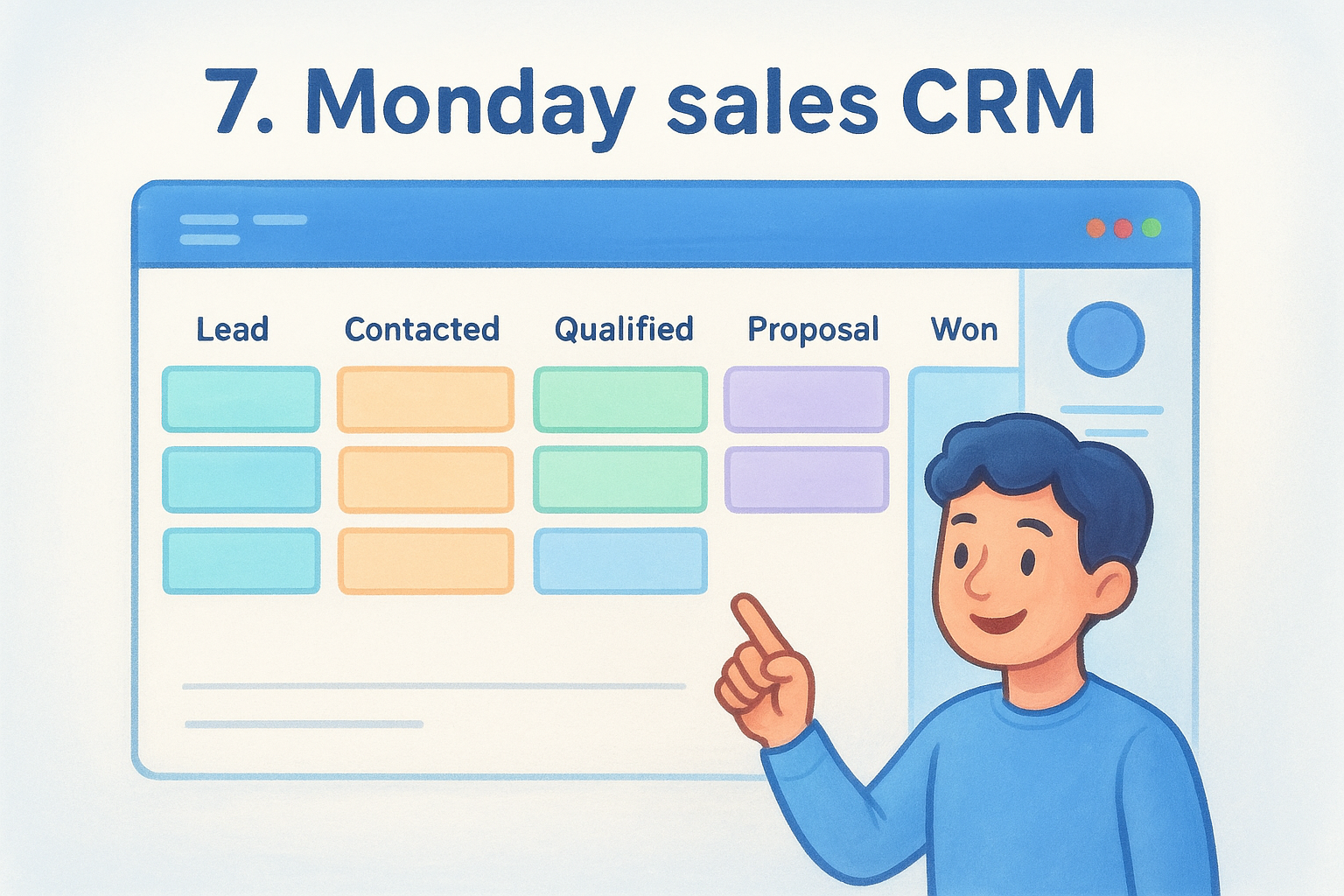
Monday sales CRM grew out of the broader Monday.com work management platform, so the pipeline view feels more like a flexible spreadsheet than a traditional CRM screen. That flexibility is the whole pitch: you build the columns, statuses, and automations to match your process instead of adapting to someone else's template. It shows up often in sales pipeline software reviews aimed at teams who find rigid CRMs frustrating, though the tradeoff is that you'll spend real time configuring boards before the tool feels useful.
Key features
The customizable board structure carries most of the value here, with automation layered on top:
- •Color-coded pipeline boards with fully custom stages and fields
- •Automation recipes for status changes, notifications, and task creation
- •Email tracking and templates built into the deal view
- •Built-in forecasting and revenue reporting dashboards
- •Integrations with the wider Monday.com work management suite
Who it's best for
Teams that already run projects on Monday.com benefit most, since the CRM shares the same interface and automation engine. It's a rougher fit for reps who want a pipeline that works out of the box, since the setup demands more configuration time than most competitors on this list.
Pricing
Monday sales CRM runs from $12 to $30 per user per month, with a three-seat minimum and advanced automation gated behind higher tiers.
Flexibility is only an advantage if your team has the time to build the system before using it.
Pros and cons
Pros:
- •Highly customizable pipeline structure
- •Strong automation once configured
- •Works well alongside Monday.com project boards
Cons:
- •Requires a three-seat minimum
- •Setup takes longer than most competitors
8. EngageBay
EngageBay rounds out this list as the budget pick for teams that want marketing, sales, and support bundled together without paying HubSpot-level prices. It started as an all-in-one alternative to the bigger suites, and that positioning still holds: you get a CRM pipeline plus email marketing and helpdesk tools in one login. The interface feels less polished than newer entrants, but the price makes it worth a look if you're comparing every option in these sales pipeline software reviews before committing.
Key features
EngageBay packs marketing and sales tools into the same dashboard, so the pipeline doesn't sit in isolation:
- •Drag-and-drop deal pipeline with custom stages and deal tracking
- •Built-in email marketing sequences and landing page builder
- •Helpdesk ticketing included in higher tiers
- •Basic workflow automation for follow-ups and task creation
- •Contact scoring based on engagement activity
Who it's best for
EngageBay suits startups and small teams that want marketing and sales tools bundled together without buying separate subscriptions for each. It's a weaker fit for sales-only teams that don't need landing pages or ticketing, since you'll be paying for modules you may never open.
Pricing
Plans run from $12.74 to $101.99 per user per month, with automation and advanced reporting locked behind the higher tiers.
Bundled tools save money only if your team actually uses every bundle included.
Pros and cons
Pros:
- •Affordable entry price for bundled functionality
- •Marketing and support tools included, not sold separately
- •Decent automation for the price point
Cons:
- •Interface feels less refined than competitors
- •Advanced features require jumping to pricier tiers
Finding the right pipeline software for your team
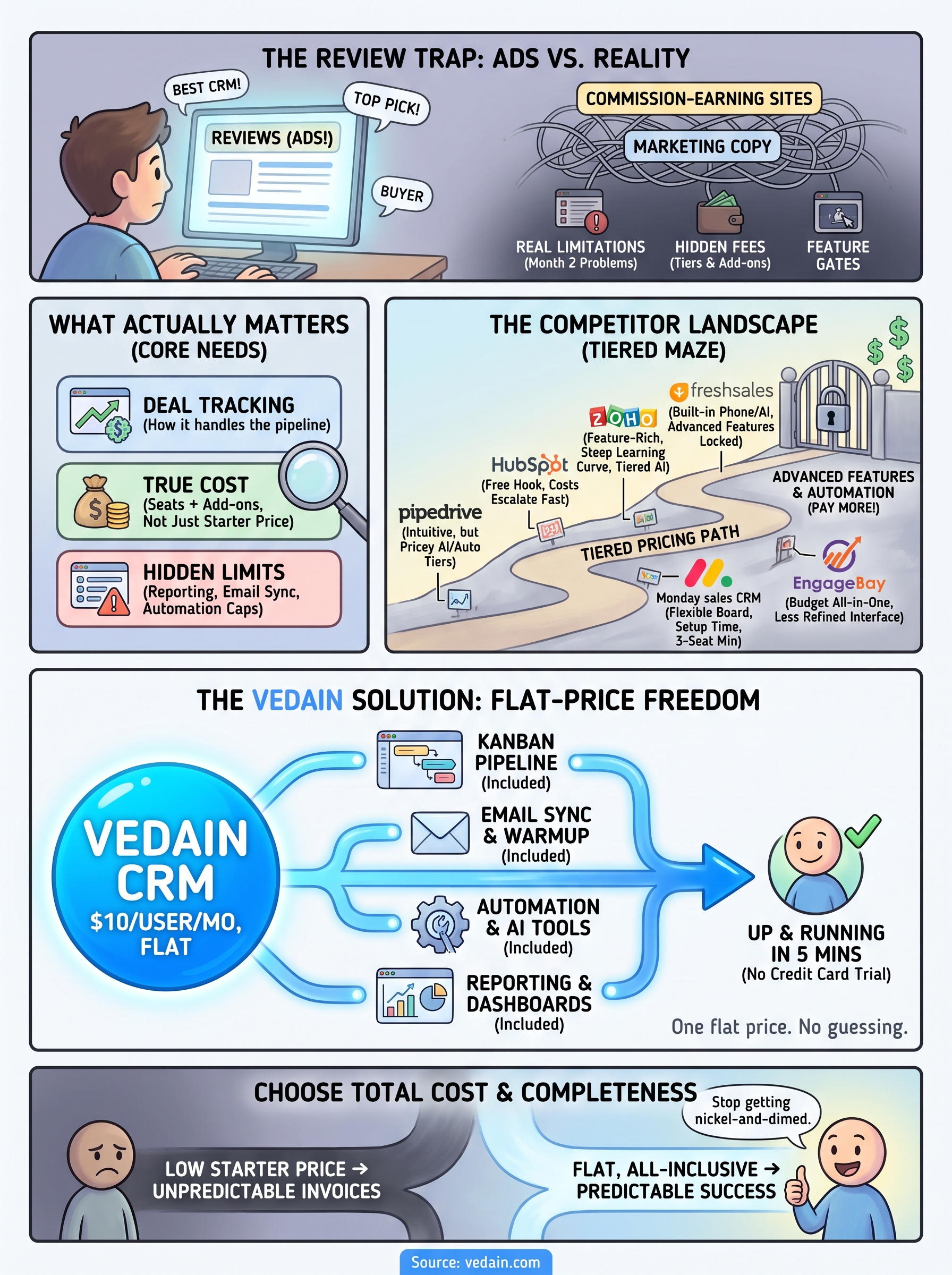
Every tool on this list can track a deal from lead to close. The real differences show up in what you pay once your team grows past five or ten seats, and how many features quietly move behind a paywall the moment you actually need them. Pipedrive, HubSpot, and Zoho all work fine on paper, but their tiered pricing tends to punish teams for scaling up or wanting automation that should be standard.
If you're choosing based on total cost and completeness rather than a flashy demo, that's exactly the gap Vedain was built to close. One flat rate covers the pipeline, email sync, warmup, automation, and reporting other vendors sell piece by piece. No credit card is required to try it, and setup takes less than five minutes. If you're tired of guessing what next month's invoice looks like, start your free Vedain CRM trial and see the difference for yourself.
Frequently Asked Questions
What is the best sales pipeline software for small businesses in 2026?
Pipedrive and Freshsales are the best sales pipeline software options for small businesses, offering affordable pricing starting at $14-15/month with intuitive pipeline management. HubSpot's free tier is also excellent for startups with no budget, while Zoho CRM provides a cost-effective alternative at $14/month with strong customization. These options balance affordability with essential features like deal tracking, automation, and reporting without overwhelming complexity.
How much does Salesforce CRM cost compared to other pipeline software?
Salesforce's Essentials plan starts at $165/month per user, making it significantly more expensive than competitors like Pipedrive ($14-99/month) and Zoho CRM ($14-52/month). HubSpot's Professional plan runs $800/month, while Freshsales costs $19-99/month, offering similar functionality at a fraction of Salesforce's enterprise pricing. Salesforce justifies its cost through advanced customization, scalability, and AI-powered features for large enterprises.
Which sales pipeline software has the best AI features for sales forecasting?
Salesforce Einstein and HubSpot's AI tools lead the market in intelligent sales forecasting and pipeline analytics. Vedain also incorporates AI-driven insights for pipeline health monitoring and deal predictions. While Pipedrive and Freshsales offer automation and basic forecasting, they don't match the advanced machine learning capabilities of Salesforce and HubSpot for predictive analytics and revenue projections.
Can I use Zoho CRM as a free sales pipeline tool?
Yes, Zoho CRM offers a free plan that includes basic pipeline management, deal tracking, and up to 3 users, making it one of the most generous freemium options available. The free version lacks advanced features like workflow automation and detailed reporting found in HubSpot's free tier or paid plans. For growing teams needing more functionality, Zoho's paid plans start at $14/month and provide workflow automation, advanced analytics, and better customization.
What are the top sales pipeline software features to look for in 2026?
Essential features include visual pipeline management with drag-and-drop deals, automated workflows, real-time reporting, mobile access, and AI-powered forecasting capabilities. Integration with email, calendar, and communication tools is critical, as offered by HubSpot, Salesforce, and Pipedrive. Additionally, look for customizable stages, deal probability tracking, team collaboration tools, and scalability—features that differentiate leaders like Freshsales and Vedain from basic pipeline software.
Is Pipedrive better than HubSpot for sales pipeline management?
Pipedrive is better for sales teams that prioritize visual pipeline management and ease of use, with faster onboarding and lower cost ($14-99/month), while HubSpot excels for teams needing integrated marketing, sales, and customer service in one platform. HubSpot offers more AI features and reporting depth, but costs more ($800+/month for full functionality), whereas Pipedrive keeps pricing simple and focused on sales. The choice depends on whether you need a dedicated sales tool (Pipedrive) or an all-in-one business platform (HubSpot).