This guide answers the question directly: which tools actually automate commission calculations, payouts, and reporting without forcing you into a separate system your sales team ignores. We looked at payout accuracy, ease of setup, and how well each tool ties commission data back to your deal pipeline, since disconnected tools are usually the ones nobody trusts.
Below you'll find 10 platforms worth evaluating in 2026, ranging from dedicated commission engines to CRMs like Vedain that keep the deal data commission math depends on inside the pipeline itself. Each entry covers pricing, key features, and who it fits best, so you can pick a tool that matches your team's size and workflow complexity without overpaying for enterprise bloat.
1. What to look for in a sales commission tracking tool
Before you compare vendors, get clear on what actually solves the problem. Most teams switch to commission tracking software because their spreadsheet model broke under real-world complexity: tiered rates, accelerators, SPIFs, or reps splitting deals across territories. A good tool has to handle that complexity without requiring a spreadsheet formula degree from whoever runs payroll.
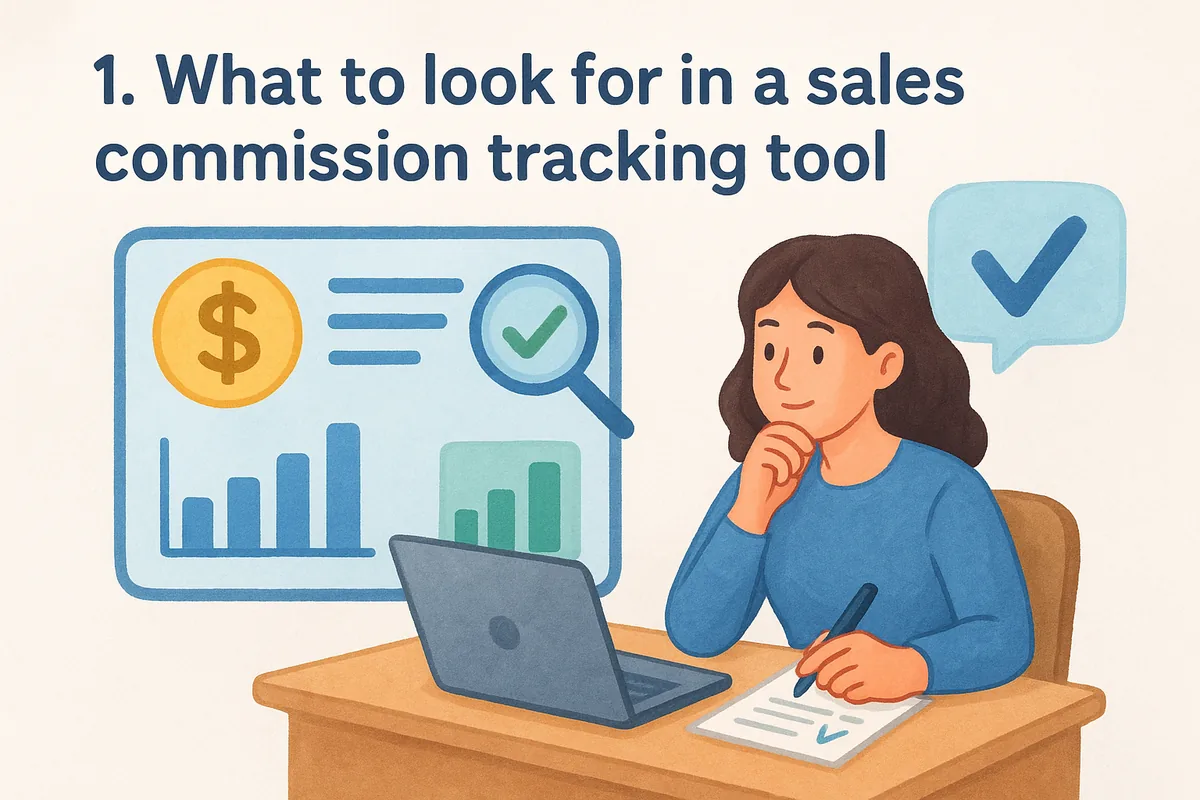
Start with calculation flexibility. Your plan design should never be limited by what the software can express. If you run tiered commission structures, multi-rep splits, or clawbacks for churned accounts, confirm the tool supports those rules natively rather than through workarounds. Ask vendors directly how they handle retroactive plan changes, because mid-year adjustments are where most tools quietly fail.
Next, look at data integration. Commission numbers are only as trustworthy as the deal data feeding them. The tool needs a clean, near-real-time sync with your CRM, your billing system, and your ERP if you have one. Disconnected data means someone on your team is still manually exporting CSVs, which defeats the entire point of automating payouts.
A commission tool is only as good as the deal data it pulls from, so integration quality matters more than any dashboard feature.
Rep-facing visibility matters just as much as backend accuracy. Reps who can log in and see exactly how their commission is calculated, in real time, trust the number more and stop pinging finance every cycle. Look for statements that break down each deal's contribution, not just a lump total at month's end.
Consider these factors as you shortlist tools:
- •Plan complexity support: tiered rates, accelerators, splits, draws, and clawbacks
- •Integration depth: native CRM sync (Salesforce, HubSpot, etc.) plus ERP and billing connections
- •Approval workflows: multi-step sign-off before payouts go final
- •Audit trail: full history of every calculation and adjustment for dispute resolution
- •Rep self-service: real-time dashboards showing earned and projected commission
- •Implementation time: weeks versus months to go live
- •Pricing model: per-user, per-payee, or flat platform fee
Finally, weigh implementation effort against your team size. A 200-rep enterprise sales org can justify months of setup for a system like Anaplan. A 10-person startup usually can't. If your commission structure is straightforward (flat rate or simple tiers tied directly to closed deals), you may not need a standalone commission engine at all. Some teams get more value from one of the best CRMs for sales teams in 2026 that keeps deal values, owners and targets clean in the pipeline, then calculate payouts from that data in a spreadsheet. That distinction shapes several entries on this list, starting with the CRM-native option below.
2. Vedain CRM
Vedain doesn't calculate commissions itself, and there is no built-in commission module. What it gives you is the clean deal data every commission calculation depends on: each deal card carries its owner, value and stage, plus any custom fields you add for rates or split percentages, so the numbers you export to a spreadsheet or commission tool match what reps see. For teams with simple flat-rate plans, that can be enough without adding another vendor relationship.
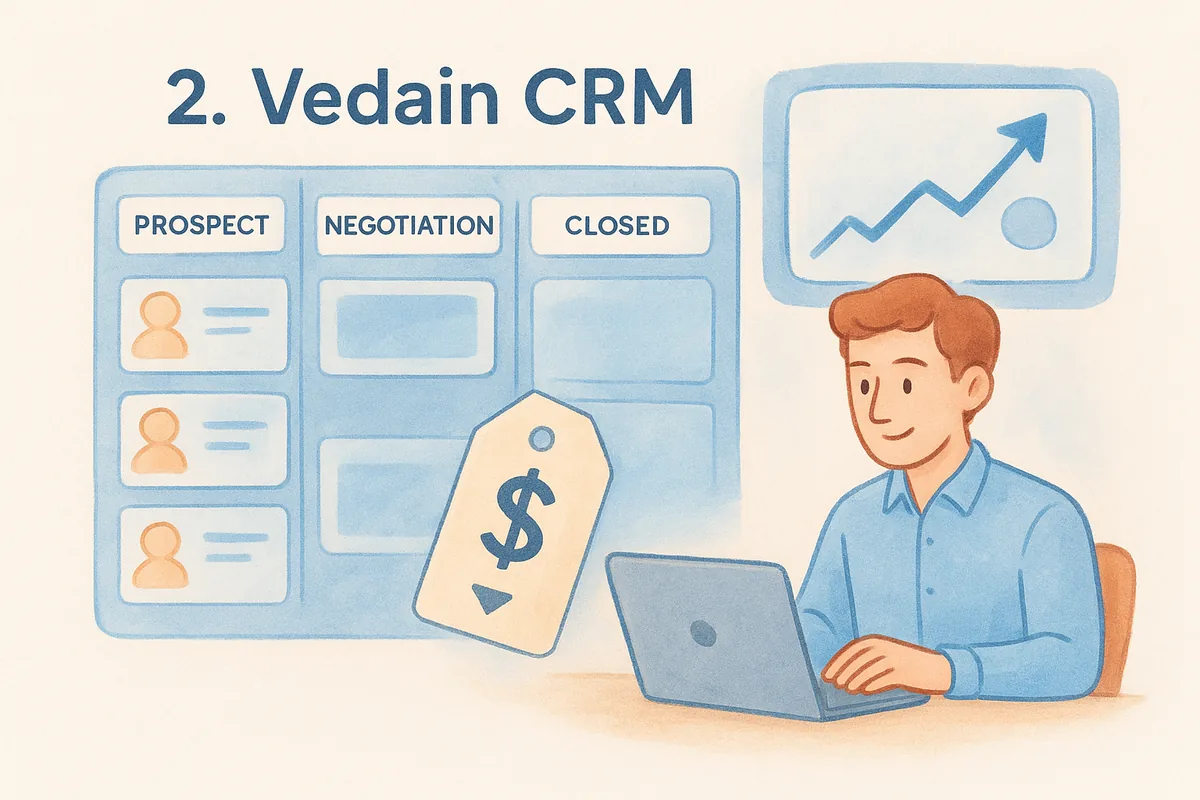
When the deal data behind commissions lives in the same pipeline reps use daily, disputes drop because everyone starts from the same numbers.
Key features
Vedain's Kanban deal pipeline with custom stages tracks every deal's stage, value and owner, and its custom dashboards let managers build a leaderboard or closed-won view without writing a report from scratch.
- •Kanban pipeline with custom stages and deal values per rep
- •Custom fields to record rates or split-deal percentages (payout math is done outside Vedain)
- •Team management with module-level permissions for finance versus sales
- •Reports and analytics covering conversion funnels and rep leaderboards
- •Sales targets and quota tracking against monthly and quarterly goals
- •Workflow automation to notify managers when deals close
Best for
Smaller sales teams with simple flat-rate commission structures fit Vedain best: you track deals and targets in the CRM and work out payouts from its reports or an export. If you need tiered rates, accelerators or automated payouts, pair it with a dedicated commission tool from this list. Teams already frustrated by feature gates in HubSpot or Pipedrive tend to appreciate that Vedain doesn't lock reporting or automation behind a pricier tier.
Pricing
Vedain charges a flat $10 per user per month, with every feature included, no tiered plans and no add-on fees for automation, reporting, or email sync. You can start a trial without entering a credit card, and setup typically takes under five minutes.
3. CaptivateIQ
CaptivateIQ built its name on flexibility for complex commission plans that spreadsheet-style logic can't handle. Instead of forcing your comp structure into rigid templates, it uses a formula-driven engine that mirrors how finance teams already think about plan design, which is why RevOps teams at mid-market and enterprise companies often shortlist it first. Reps and managers get a shared source of truth for every payout, cutting down the back-and-forth that plagues manual commission tracking software built on Excel.
Key features
Underneath the interface, CaptivateIQ runs on a no-code formula builder that handles tiered rates, accelerators, and multi-rep splits without engineering help.
- •No-code formula builder for custom plan logic
- •Real-time rep dashboards showing earned and projected commission
- •Native integrations with Salesforce, NetSuite, and HRIS platforms
- •Approval workflows with audit trails for every adjustment
- •Scenario modeling to test plan changes before rollout
Formula flexibility matters most once your commission plan outgrows flat percentages, and that's exactly where CaptivateIQ earns its reputation.
Best for
Growing sales organizations with complex, multi-tier commission structures fit CaptivateIQ well, especially teams past 50 reps where manual reconciliation has already become a finance bottleneck. Companies running frequent plan changes benefit most, since the scenario modeling lets you test a new structure before it ever touches a paycheck.
Pricing
Here's the catch: CaptivateIQ doesn't publish public pricing, and quotes are negotiated based on payee count and implementation scope. Expect a sales-led buying process with a demo before you see numbers, and budget for onboarding time measured in weeks rather than the five-minute setup you'd get from a CRM-native option. That trade-off makes sense if your plan complexity genuinely demands it, but it's worth confirming before committing budget.
4. QuotaPath
QuotaPath positions itself as the middle ground between spreadsheet chaos and heavyweight enterprise platforms, aiming at revenue teams that want commission tracking software without the months-long implementation cycle of tools built for 500-person orgs. Founders and RevOps leads at smaller companies tend to like it because you can build a plan, connect your CRM, and start showing reps live numbers within days rather than weeks. The pitch is straightforward: fast setup, transparent plan builder, and enough flexibility to handle real-world sales compensation without a consultant on retainer.
Key features
QuotaPath's plan builder lets non-technical users configure tiered rates and accelerators through a visual interface rather than raw formulas, which shortens the learning curve for smaller finance teams.
- •Visual plan builder with no formula-writing required
- •Real-time commission tracking synced to CRM deal stages
- •Rep-facing dashboards showing quota attainment and projected payout
- •Native integrations with Salesforce, HubSpot, and Stripe
- •Forecasting tools that model payout impact before plans go live
A plan builder that finance can configure without engineering support saves weeks of back-and-forth during rollout.
Best for
Smaller sales teams and startups scaling past their first spreadsheet-based comp plan fit QuotaPath well. It suits companies that need more structure than a CRM's built-in reporting but don't have the payee volume or budget to justify an enterprise commission engine. RevOps teams running lean, without a dedicated compensation analyst, tend to appreciate how little hand-holding the setup requires.
Pricing
QuotaPath publishes tiered pricing starting around $15 to $20 per payee per month depending on plan complexity, with higher tiers unlocking advanced integrations and forecasting features. A free tier exists for very small teams with basic tracking needs, though it caps out fast once you add tiered rates or multiple integrations. Compared to fully custom quotes from enterprise vendors, QuotaPath's published pricing makes budgeting easier if you're evaluating multiple tools side by side.
5. Everstage
Everstage markets itself as a no-code commission platform built for revenue teams that want gamification alongside accuracy, not just a payout calculator. It leans into rep engagement, with badges, leaderboards, and contests layered on top of the core commission tracking software engine, which appeals to sales leaders trying to make comp plans feel motivating rather than purely administrative. Underneath the gamified layer sits a genuinely capable calculation engine that handles the same tiered rates and split-deal logic you'd expect from any serious commission platform.
Key features
Everstage's no-code plan designer lets RevOps build multi-tier structures without writing formulas, and its rep-facing app doubles as a mobile-friendly commission statement.
- •No-code plan designer for tiered and accelerator-based structures
- •Gamification layer with leaderboards, badges, and contests
- •Mobile app for reps to check earnings on the go
- •Dispute resolution workflow built directly into rep dashboards
- •Native integrations with Salesforce, HubSpot, and major HRIS tools
Gamification only works if the underlying math is trustworthy first, and Everstage treats accuracy as the foundation rather than an afterthought.
Best for
Mid-sized to enterprise sales organizations that want to boost rep engagement alongside accurate payout automation fit Everstage well. Companies running SPIFs or short-term incentive contests benefit most, since the platform was designed with that use case in mind rather than bolted on later. Teams whose reps check commission status obsessively will appreciate the mobile app, which cuts down on the constant "what did I earn this month" messages to finance.
Pricing
Everstage doesn't publish public pricing, following the same sales-led model as most enterprise commission platforms. Quotes depend on payee count, plan complexity, and which integrations you need, and you'll go through a demo before seeing numbers. Budget for a multi-week implementation timeline, since configuring gamification rules alongside compensation logic takes longer than a bare-bones calculator setup.
6. Xactly Incent
Xactly Incent has been around long enough to become the default answer when enterprise finance teams ask for sales commission tracking software that can survive an audit. It grew out of the broader Xactly compensation suite, which means Incent rarely operates alone. Most large deployments pair it with Xactly's planning and analytics modules, so you're really buying into an ecosystem rather than a standalone calculator. That depth is exactly why it shows up in RFPs for organizations running thousands of payees across multiple business units.

Key features
Underneath its enterprise packaging, Incent runs a rules engine built to model almost any compensation plan finance can design, including territory-based splits and multi-currency payouts.
- •Rules engine supporting tiered, accelerator, and territory-based plans
- •Multi-currency and multi-entity support for global sales orgs
- •What-if modeling to test comp plan changes before rollout
- •Deep integrations with Salesforce, SAP, and Workday
- •Audit-ready reporting built for SOX compliance requirements
Enterprise commission tools earn their price tag through audit trails and compliance reporting, not through faster setup.
Best for
Large sales organizations with complex, multi-entity commission structures fit Xactly Incent best, particularly public companies under SOX reporting requirements. Teams with a dedicated compensation analyst or RevOps function benefit most, since the rules engine rewards someone who understands plan design deeply rather than a generalist configuring it part-time. Companies already using other Xactly products get added value from the shared data model across modules.
Pricing
Xactly doesn't publish pricing, and every quote runs through a sales cycle involving a needs assessment and demo. Expect implementation timelines measured in months, not weeks, especially if you're migrating historical commission data from a legacy system. Budget accordingly if your team is under 50 reps, since the setup effort rarely pays off at that scale.
7. Performio
Performio built its reputation on handling messy, custom commission logic that other platforms force into rigid templates. It targets mid-market and enterprise revenue teams whose plans have accumulated years of exceptions, one-off SPIFs, and legacy rules that nobody wants to rebuild from scratch. Rather than asking you to simplify your comp plan to fit the software, Performio's engine adapts to whatever logic finance already signed off on, which makes migration from spreadsheets or a legacy system less painful than it sounds.
Key features
Performio's calculation engine handles nested conditional logic that most commission tracking software can't express without workarounds, and its reporting layer gives finance a full reconciliation view before payouts finalize.
- •Custom logic engine for nested rules and legacy plan structures
- •Automated reconciliation reports flagging discrepancies before payout
- •Rep dashboards with drill-down views into every calculation
- •Approval workflows with configurable multi-step sign-off
- •Integrations with Salesforce, NetSuite, and major HRIS platforms
When your commission plan has years of exceptions baked in, you need software that adapts to the plan, not the other way around.
Best for
Mid-market and enterprise sales organizations with complex commission plans carried over from legacy systems fit Performio best. Teams migrating off spreadsheets after years of manual exceptions benefit most, since the platform was built to absorb that complexity rather than force a redesign. Companies with an in-house RevOps or compensation analyst get the most value, since configuring nested rules still takes someone who understands the plan's history.
Pricing
Performio doesn't publish public pricing, and quotes depend on payee count, plan complexity, and integration needs. Expect a sales-led process with a demo and needs assessment before you see numbers, plus an implementation timeline measured in weeks to a few months depending on how much historical data you're migrating. That effort pays off mainly for teams whose plan complexity genuinely justifies it.
8. Salesforce Spiff
Salesforce Spiff (formerly Spiff before its 2024 acquisition) plugs directly into the Salesforce ecosystem, which makes it the obvious pick for teams already running their entire sales operation inside Salesforce. Rather than bolting on a third-party integration layer, Spiff pulls deal and opportunity data natively, so commission calculations update the moment a deal changes stage. Sales leaders who've spent years customizing Salesforce workflows tend to like that Spiff feels like a natural extension of the platform rather than a separate app with its own login and quirks.
Key features
Spiff's calculation engine handles tiered plans and multi-rep splits while staying tightly synced to Salesforce's native data model, which cuts down on the reconciliation errors that plague loosely connected tools.
- •Native Salesforce integration with real-time opportunity sync
- •Visual plan builder for tiered rates, accelerators, and splits
- •Rep-facing statements showing earned versus projected commission
- •Dispute management workflow built into the rep portal
- •Forecasting tools tied directly to pipeline data
A commission tool built on top of your existing CRM data model removes an entire category of sync errors before they happen.
Best for
Salesforce-centric sales organizations of any size fit Spiff best, particularly teams that have already invested heavily in Salesforce customizations and don't want a separate commission tracking software vendor to manage. Companies migrating off manual sales compensation spreadsheets while staying inside the Salesforce ecosystem get the fastest path to accurate, automated payouts.
Pricing
Salesforce Spiff doesn't publish public pricing, following Salesforce's typical enterprise sales process with quotes based on payee count and Salesforce edition. Expect the buying conversation to run through your existing Salesforce account team, and budget for implementation timelines that depend heavily on how customized your current Salesforce instance already is.
9. Commissionly
Commissionly targets the exact gap most enterprise tools ignore: smaller sales teams that still need real commission automation but can't justify a five-figure annual contract. It skips the gamification layers and sprawling configuration screens of bigger platforms, focusing instead on getting a working commission plan live fast. Teams switching off spreadsheets for the first time tend to pick Commissionly because the setup conversation stays simple, not because it lacks depth for standard commission structures.
Key features
Commissionly's plan builder covers the calculations most small and mid-sized teams actually need, without forcing you through enterprise-grade configuration to get there.
- •Visual plan builder for tiered rates, splits, and accelerators
- •Automated payout calculations synced to CRM deal data
- •Rep-facing dashboards showing earned and pending commission
- •Approval workflow before payouts get finalized
- •Integrations with Salesforce, HubSpot, and common accounting tools
Smaller teams rarely need every feature enterprise platforms bundle in, they need accurate math and a fast path to using it.
Best for
Small and mid-sized sales teams moving off spreadsheets for the first time fit Commissionly well, especially companies without a dedicated compensation analyst on staff. Businesses that need standard commission structures handled reliably, without paying for enterprise features they'll never touch, get the most value here. It also suits finance teams that want a straightforward tool they can configure themselves rather than waiting on a vendor's implementation team.
Pricing
Commissionly prices per payee per month, with published starting rates lower than most enterprise competitors on this list, though exact tiers depend on plan complexity and integration needs. Check current numbers directly with the vendor before budgeting, since commission tracking software pricing shifts as vendors add features. Setup typically runs days rather than the weeks-to-months timeline common among the enterprise platforms covered earlier in this list.
10. Qobra
Qobra built its platform around European sales teams first, which shows in how it handles multi-currency payouts and localized compliance requirements that many US-built tools treat as an afterthought. The company positions itself as a lighter-weight alternative to Xactly or Anaplan, aimed at revenue teams that want automated commission tracking without a six-month implementation project. Finance leads who've evaluated both camps often mention Qobra's onboarding speed as the deciding factor, since you can typically get a working plan live inside a few weeks rather than a quarter.
Key features
Qobra's plan builder handles the same tiered and split-deal logic you'd expect from any serious commission tracking software, paired with reporting built for finance teams that need audit-ready numbers every cycle.
- •No-code plan builder for tiered rates, accelerators, and splits
- •Multi-currency support built for international sales teams
- •Real-time rep dashboards showing earned and forecasted commission
- •Approval workflows with a full audit trail for every adjustment
- •Native integrations with Salesforce, HubSpot, and Microsoft Dynamics
A tool built with multi-currency payouts as a core feature, not a bolt-on, saves real headaches for teams selling across borders.
Best for
Sales organizations with international teams or multi-currency payout needs fit Qobra best, particularly companies with a mix of US and European reps reporting into one comp plan. Mid-market teams that want enterprise-grade calculation logic without an enterprise-length implementation timeline get the most value here. Companies already frustrated by how slowly Xactly or Anaplan moved through their sales cycle tend to shortlist Qobra as the faster alternative.
Pricing
Qobra doesn't publish full public pricing, though the vendor advertises a faster, more transparent quoting process than most enterprise competitors on this list. Expect pricing to scale per payee, with quotes depending on plan complexity and which CRM integrations you need. Budget for implementation measured in weeks, a meaningful advantage if your team can't wait months to go live.
11. Anaplan
Anaplan sits at the top end of this list as a full planning platform that happens to include commission calculation, not a dedicated commission tool that expanded into planning. Companies already running sales capacity planning, quota setting, and territory design inside Anaplan often extend the same platform to handle commission calculations, since the data model already connects headcount, quota, and pipeline. That connection is the whole pitch: instead of syncing a separate commission engine to your planning tools, everything lives in one modeling environment built for finance and RevOps to share.
Key features
Anaplan's modeling engine handles commission structures as one layer inside a much broader planning system, which is powerful but requires real configuration work to set up correctly.
- •Connected planning across quota, territory, and commission data
- •Custom modeling engine for any plan logic finance can design
- •Scenario planning to test compensation changes against revenue forecasts
- •Multi-currency and multi-entity support for global organizations
- •Integrations with Salesforce, SAP, and major ERP systems
Anaplan rewards teams that already plan compensation alongside quota and territory design, not teams looking for a standalone payout calculator.
Best for
Large enterprises with dedicated planning teams fit Anaplan best, particularly organizations that already use it for quota setting, forecasting, or workforce planning and want commission logic in the same model. Businesses without an internal analyst who can build and maintain Anaplan models will struggle to get value proportional to the cost and effort involved.
Pricing
Anaplan doesn't publish pricing, and every deal runs through an enterprise sales cycle with custom quotes based on modules, user counts, and modeling complexity. Implementation regularly takes months and often involves a certified implementation partner. Budget significant internal resources beyond the license fee itself, since the modeling work is where most of the real cost sits.
12. How to choose the right tool for your team
Matching a tool to your actual team size matters more than matching it to the longest feature list, the same way a CRM buying checklist starts with your team before its features. A 12-person startup evaluating Anaplan or Xactly Incent will spend months in implementation for capabilities it may never use, while a 400-rep enterprise trying to run compensation through a lightweight CRM will hit plan-complexity limits fast. Start by counting payees, then count how many distinct rate structures you actually run today, not how many you might need in three years.

Budget for implementation reality, not just the license fee. Enterprise platforms like Xactly, Performio, and Anaplan often carry setup timelines measured in months and sometimes require a paid implementation partner. Lighter tools like QuotaPath or Commissionly can go live in days or weeks, which matters if your reps are already confused about last quarter's payout.
The right commission tool is the one your team actually uses without a training manual, not the one with the most checkboxes on a comparison page.
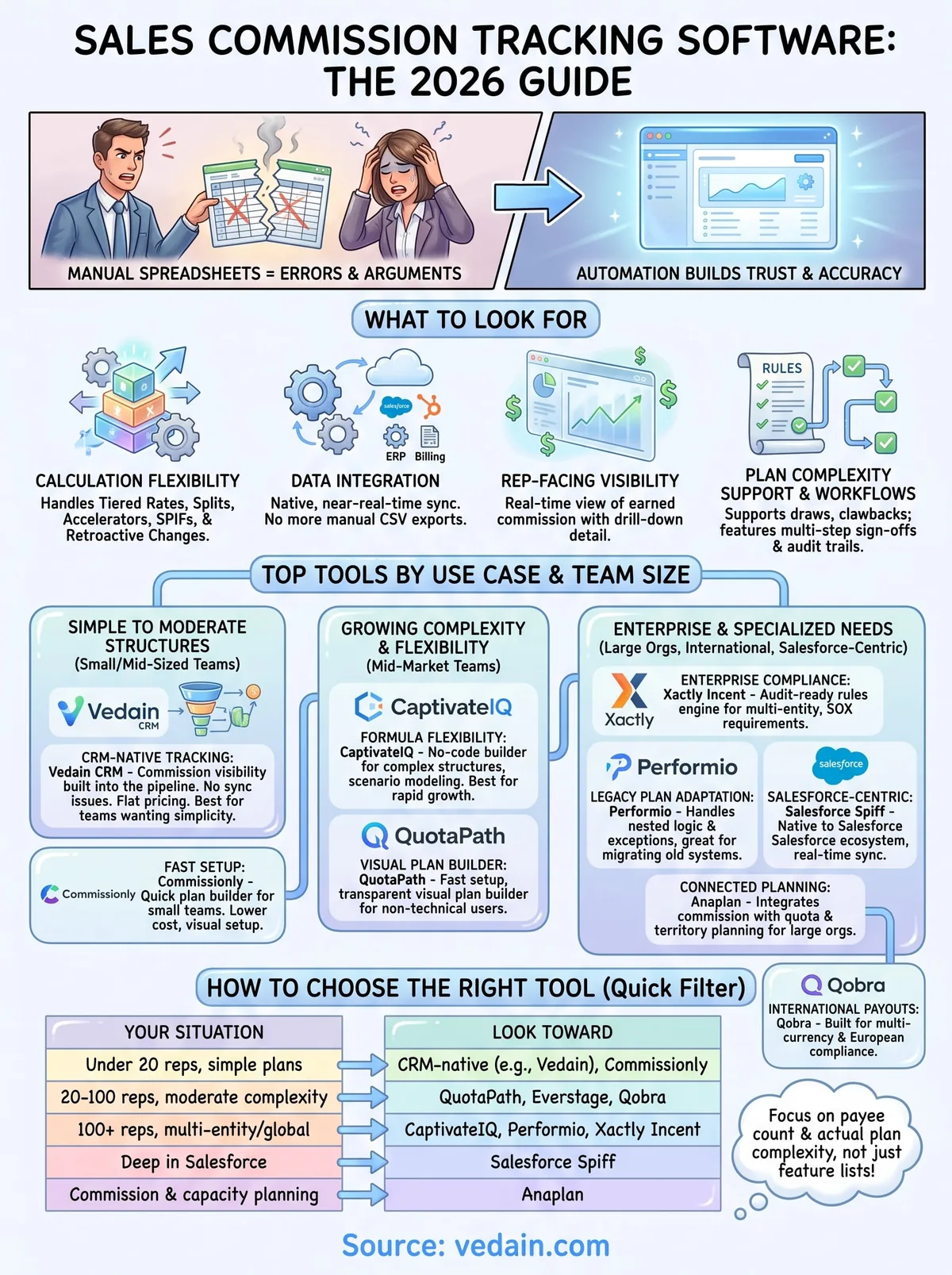
Use this quick filter before you request a demo:
Running this sales commission tracking software shortlist against your actual payee count and plan complexity, rather than a vendor's feature deck, keeps you from paying enterprise prices for startup problems, or the reverse.
13. Sales commission tracking software FAQs
Questions about sales commission tracking software tend to repeat across every buying committee, so here are direct answers to the ones that come up most.
Do I need a dedicated commission tool, or can my CRM handle it? Smaller teams with straightforward or moderately tiered plans often do fine with CRM deal reports plus a spreadsheet for the payout math, especially when the full feature set is included in one plan. Once you're running multi-entity payouts, retroactive plan changes, or hundreds of payees, a dedicated engine usually pays for itself in reduced reconciliation time.
How long does implementation actually take? Expect days to a couple weeks for lightweight tools like QuotaPath or Commissionly. Enterprise platforms like Xactly, Performio, or Anaplan regularly run months, especially if you're migrating historical data from spreadsheets.
The fastest implementations belong to tools built for your actual plan complexity, not the ones with the most features.
What does this software typically cost? Pricing splits into two camps: published per-payee rates (QuotaPath, Commissionly) and custom quotes (CaptivateIQ, Xactly, Anaplan, Performio, Spiff, Qobra), much like the hidden fees buried in CRM plans. Vedain, a CRM rather than a commission engine, costs a flat $10 per user per month for the full CRM, with no payee fee.
Can these tools handle commission clawbacks and disputes? Most platforms on this list include some form of audit trail and dispute workflow, though depth varies. Confirm clawback logic specifically during a demo, since it's the feature vendors most often gloss over until you ask directly.
Will reps actually trust the numbers? Only if they can see the calculation, not just a total. Prioritize tools with real-time, drill-down statements over ones that surface a lump sum at month's end, since transparency is what actually stops the monthly disputes this whole category exists to solve.
Finding the right fit for your sales team
Picking the best sales commission tracking software comes down to one honest question: does your plan complexity actually justify the implementation cost? Enterprise engines like Anaplan and Xactly Incent earn their price when you're running multi-entity payouts across hundreds of reps. Everyone else usually gets more value from a lighter tool that goes live in days, not months.
Most small and mid-sized teams don't need a separate commission vendor at all. They need commission visibility built into the same pipeline reps already check every day, so nobody argues over numbers that should have matched from the start. Vedain keeps that deal data (owners, values, stages and targets) in one pipeline; it doesn't calculate payouts, so teams with tiered plans pair it with a commission tool or a spreadsheet.
If your team fits that description, start a 14-day free trial and see how clean your deal data can get.
Frequently Asked Questions
What is the best commission tracking software for small sales teams?
For small teams with simple plans, lightweight commission tools like QuotaPath or Commissionly are the usual picks, since they connect to your CRM and go live in days. Most CRMs, including Pipedrive (from $14/user/month on Lite, billed annually), Zoho CRM (from $14/user/month) and Vedain ($10/user/month), don't calculate commissions natively, so teams either export deal data to a spreadsheet or pair the CRM with a dedicated tool.
How much does Salesforce commission tracking cost compared to alternatives?
Salesforce's commission tool, Spiff, is quote-only and priced by payee count on top of a Sales Cloud licence (Starter Suite $25, Pro Suite $100, Core $195 per user/month). Pipedrive and Zoho CRM (both from $14/user/month) cost far less but don't calculate commissions natively, so they're usually paired with a tool like QuotaPath or Commissionly. Vedain ($10/user/month) is also a CRM without a commission engine, and HubSpot Sales Hub (Starter from $7/seat, Professional $90/seat on annual billing) relies on custom properties or marketplace apps for commissions.
Can HubSpot track sales commissions automatically?
Partly. HubSpot's Sales Hub (Starter from $7/seat, Professional $90/seat on annual billing) can approximate commission tracking with calculated deal properties and workflows, but it isn't a commission engine and needs manual configuration. Pipedrive and Vedain don't calculate commissions out of the box either; for tiered rates, accelerators or splits, teams connect a dedicated tool such as Salesforce Spiff, QuotaPath or CaptivateIQ, while HubSpot stays popular for its marketing and service tools.
Which CRM has the cheapest commission tracking software?
Most CRMs don't include commission calculation, so the cheapest route is usually a low-cost CRM plus a spreadsheet or a lightweight per-payee tool. Pipedrive starts at $14/user/month (Lite, billed annually), Zoho CRM at $14/user/month with a free plan for 3 users, and HubSpot's free tools cover 2 users. Vedain costs $10/user/month with a 14-day free trial (no free plan) but has no built-in commission calculation. Dedicated tools like QuotaPath and Commissionly add a per-payee fee on top.
Is Vedain better than Salesforce for commission management?
Not for commission calculation: Vedain has no built-in commission engine. It's a simpler, cheaper CRM ($10/user/month) that keeps deal owners, values, stages and sales targets in one pipeline, which you can report on or export for payout math. Salesforce pairs with Spiff for native commission automation, at a much higher combined cost. If you need automated commissions on a small budget, run Vedain alongside a lightweight tool like QuotaPath or Commissionly.
What sales commission tracking features do I need in a CRM?
Essential commission tracking features include automated calculation, multi-tier commission structures, real-time dashboards, and accurate payment history; in most CRMs (Pipedrive, Zoho CRM, HubSpot, Vedain) these come from a dedicated commission tool rather than the CRM itself, while Salesforce offers them through Spiff. You should also prioritize integration with your accounting software, customizable commission rules, and role-based reporting access. Additionally, look for mobile access to commission data, audit trails for compliance, and forecasting capabilities—features that distinguish premium commission platforms from budget-friendly CRMs like Pipedrive's Lite plan.