The best option depends on your firm's size, how much you bill per client, and whether you need tax-season automation or year-round bookkeeping workflows. Some platforms specialize in accounting practice management, while others are general-purpose CRMs compared across 2026 that adapt well to service-based deadlines. What matters most is deadline tracking paired with clear pricing, so you're not paying extra per feature as your client list grows.
This list breaks down eight CRMs worth considering in 2026, including where Vedain CRM fits for firms that want automated workflows and flat, all-inclusive pricing without the upsells common in bigger platforms. You'll get a straight comparison of pricing, standout features, and best-fit scenarios so you can pick the right system for your practice instead of guessing.
1. Vedain CRM
Vedain CRM built its reputation on flat, all-inclusive pricing, and for accounting firms watching every line item, that matters as much as any feature list. Most crm for accountants searches turn up platforms that charge extra for automation, email sync, or reporting once you cross a client threshold. Vedain skips that entirely: its single plan includes every feature at $10 per user per month with no add-ons, which makes budgeting predictable even as your client roster grows from 10 to 200.
Key features
Accounting firms live and die by their pipeline visibility, and Vedain's visual Kanban board lets you track engagements from initial consultation through signed retainer without losing sight of where each client sits. The Workflows automation builder handles the repetitive parts of client onboarding, document requests, and renewal reminders using no-code logic, so you're not asking a junior staffer to manually track fifty tax deadlines in a spreadsheet. Custom fields let you tag clients by entity type, filing frequency, or fiscal year end, and smart filters surface exactly who needs attention this week.
A flat rate that includes automation beats a tiered plan that nickel-and-dimes you for the features you actually need.
Accounting integrations
Vedain connects with Gmail and Outlook through two-way email sync, which covers the inbox most bookkeepers and accountants already live in for client correspondence. Lead capture forms sit on your firm's website to pull in new client inquiries directly into the pipeline, and the reporting suite generates conversion funnels and team leaderboards useful for firms tracking referral sources and staff capacity. While Vedain doesn't offer a dedicated QuickBooks or Xero connector out of the box, its open workflow builder, webhooks and REST API let firms build custom automations around the tools they already use.
Pricing
Vedain’s single plan costs $10 per user per month, with no tiered gating, and you can start a 14-day free trial without a credit card.
Who it's best for
Small to mid-sized accounting and bookkeeping firms that want deadline tracking, automated client communication, and a real pipeline view without paying for enterprise complexity will find Vedain a strong fit. Firms currently overpaying for HubSpot or Salesforce tiers just to unlock automation should take a serious look, since Vedain includes those same capabilities at a fraction of the cost. Teams under 50 clients who want setup finished in under five minutes, rather than a multi-week onboarding project, get the most value here.
2. Karbon
Karbon built its name as an accounting practice management platform first and a CRM second, and that shows in how it treats work. Instead of a generic sales pipeline, Karbon organizes everything around client work items, tasks, and internal team communication threads that live inside a shared inbox. Firms that outgrew Karbon's original design as a simple task tracker now use it as a fuller client relationship system, though it still leans heavily on workflow templates rather than deal-stage tracking.
Key features
Karbon's standout is its triage inbox, a shared email view where staff can assign client messages to work items without forwarding threads or duplicating replies. Work templates cover recurring engagements like tax prep, bookkeeping close, and audit cycles, and a firm-wide calendar shows every deadline across every client at once. Time tracking is built in, which matters for firms billing hourly rather than on retainer.
Templates built specifically for tax season and monthly close save more setup time than a generic sales pipeline ever will.
Accounting integrations
Karbon connects natively with QuickBooks Online and Xero, pulling client data straight into work items, plus Gmail and Outlook for the shared inbox. This tighter document workflow integration is where Karbon pulls ahead of general-purpose CRMs.
Pricing
Karbon starts around $59 per user per month on its Team plan, with higher tiers required for advanced automation and reporting, a steep jump from flat-rate alternatives.
Who it's best for
Mid-sized firms with 10 or more staff running structured, repeatable client onboarding cycles will get the most from Karbon's templates. Solo practitioners and small firms watching costs will likely find the price tag hard to justify against simpler tools.
3. TaxDome
TaxDome markets itself as an all-in-one practice management platform built specifically for tax and accounting firms, bundling client portal, document management, and billing into a single system. Where Karbon leans on internal workflow, TaxDome puts the client portal front and center, giving clients a branded login to upload documents, sign engagement letters, and pay invoices without leaving the platform. Firms that field constant "where's my document" emails during tax season often adopt TaxDome specifically to move that traffic out of the inbox.
Key features
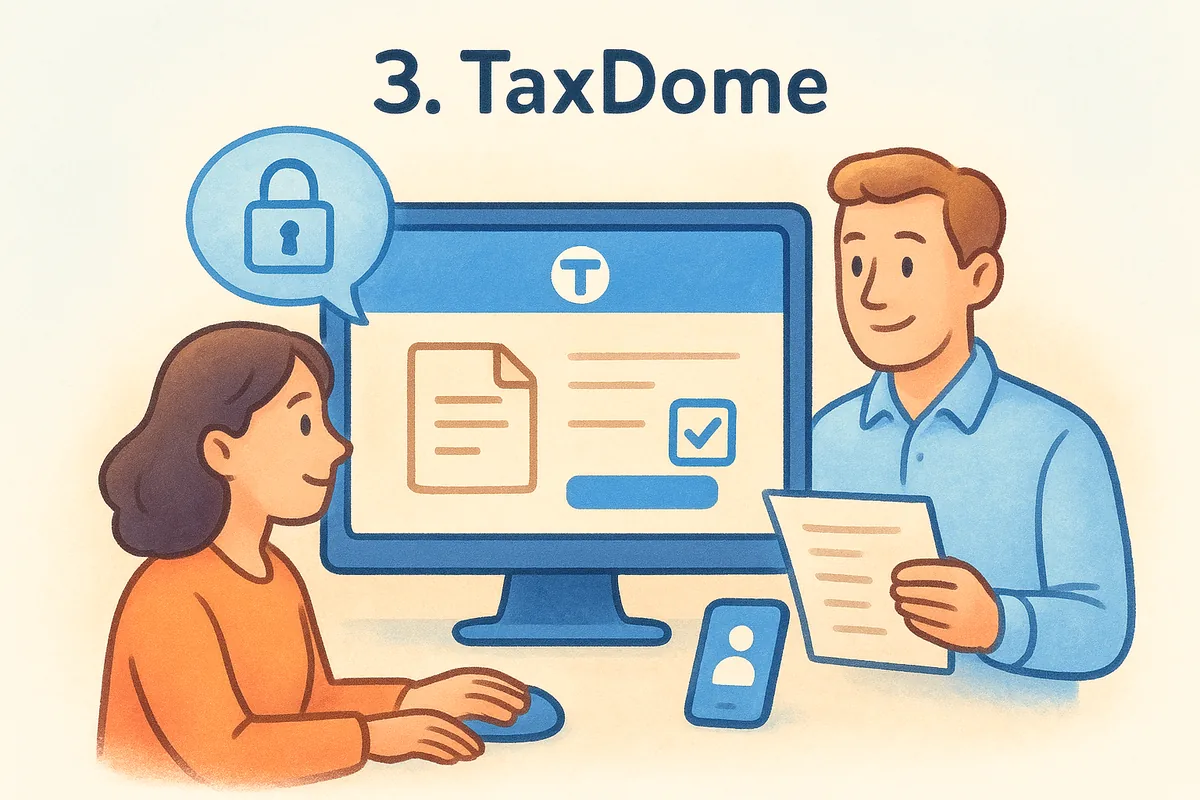
TaxDome's client portal handles secure document exchange, e-signatures, and client messaging in one branded space, which cuts down on the scattered email threads that plague busy tax season. Built-in invoicing and payment processing let firms bill directly from the same system tracking the engagement, and automated workflows move a return through prep, review, and filing stages with status visible to both staff and client. A mobile app extends the portal experience so clients can snap a photo of a document instead of scanning it.
A branded client portal cuts document chasing far more than another sales pipeline stage ever will.
Accounting integrations
TaxDome integrates with QuickBooks Online, Xero, and several tax prep software packages including Drake and Lacerte, plus Gmail and Outlook for two-way email sync. This depth of tax software integration is TaxDome's clearest advantage over general CRMs that treat accounting firms as just another vertical.
Pricing
TaxDome charges around $58 per user per month on its standard annual plan, with add-ons for extra storage and premium support pushing costs higher for growing teams.
Who it's best for
Tax preparation and bookkeeping firms that need heavy client document exchange and e-signature volume, especially during peak season, get the most value from TaxDome. Firms without a client-facing portal need won't recoup the cost.
4. Capsule CRM
Capsule CRM takes a simpler approach than Karbon or TaxDome, offering a straightforward sales and contact management tool that smaller accounting practices can set up without a learning curve. Unlike practice management platforms built around tax season workflows, Capsule sticks closer to a traditional sales pipeline, which suits firms that treat new client acquisition as a real sales process rather than an inbound referral trickle. Bookkeepers running a lean shop with a handful of staff often pick Capsule specifically because it avoids the bloat of enterprise CRMs.
Key features
Capsule organizes contacts, opportunities, and cases into clean pipeline stages, with custom fields letting you tag clients by service type or renewal date. Task automation handles follow-up reminders for proposals and engagement letters, and a built-in project tracker lets you manage onboarding steps once a client signs. Milestone tracking keeps larger advisory engagements visible without needing a separate project tool.
A clean, simple pipeline still beats no pipeline, even without accounting-specific templates.
Accounting integrations
Capsule connects with Xero for two-way data sync, pulling invoice and contact information directly into client records, plus Gmail and Outlook for email tracking. It lacks a native QuickBooks connection, which limits its appeal for firms running that ecosystem, though Zapier can bridge the gap for basic automations.
Pricing
Capsule's Starter plan runs about $18 per user per month, with a Growth tier near $36 adding advanced reporting and permissions, still cheaper than Karbon or TaxDome but above flat-rate alternatives.
Who it's best for
Small firms and solo practitioners who want a light crm for accountants focused on new business development, rather than deep tax workflow management, will find Capsule easy to adopt. Firms needing heavy document exchange or QuickBooks depth should look elsewhere on this list.
5. Zoho CRM
Zoho CRM appeals to accounting firms already using other Zoho products, like Zoho Books or Zoho Invoice, since the whole suite shares a data layer. That connection makes Zoho attractive for firms wanting a single vendor handling both client relationship management and back-office accounting, rather than stitching together separate tools. The tradeoff is complexity: Zoho's flexibility comes with a steeper setup curve than purpose-built practice management platforms.
Key features
Zoho CRM's workflow automation covers lead scoring, task assignment, and email sequences, and its Blueprint feature lets firms build multi-step approval processes for engagement letters or proposal sign-off. Custom modules let you build accounting-specific fields, like filing status or fiscal year end, without needing a developer. Zia, Zoho's built-in AI assistant, surfaces deal predictions and suggests next steps based on past client interactions.
Suite-wide integration saves time only if your firm already runs on the rest of that suite.
Accounting integrations
Zoho CRM connects natively with Zoho Books for invoicing and payment history, plus Gmail and Outlook for email sync. Third-party connectors reach QuickBooks and Xero through Zapier, though native depth there lags behind TaxDome or Karbon's direct integrations. Firms outside the Zoho ecosystem will spend more setup time bridging these gaps than firms already inside it.
Pricing
Zoho CRM's paid tiers start around $14 per user per month and climb past $52 for the Ultimate plan, with automation and advanced analytics locked behind higher tiers, a familiar tiered-pricing pattern next to one flat rate among larger CRM vendors.
Who it's best for
Firms already invested in Zoho's broader suite, or those wanting deep customization without hiring a developer, get the most from Zoho CRM. Firms wanting simpler setup or flat pricing without tier-based feature gates should look at Zoho alternatives with flat pricing and weigh the added complexity against the cost savings elsewhere on this list.
6. HubSpot CRM
HubSpot CRM markets itself as a free entry point that scales into a full marketing and sales suite, and plenty of accounting firms start here because the free tier looks generous on paper, at least until you read what HubSpot's free plan actually caps. Firms already running HubSpot for marketing content or website forms sometimes extend it into client management rather than adopting a separate tool. The catch shows up fast once you need automation depth or advanced reporting, since HubSpot's free and Starter tiers strip out most of what makes a crm for accountants actually useful for deadline-driven work.
Key features
HubSpot's contact timeline logs every email, call, and meeting note against a client record, giving staff full context before a call. Marketing tools like landing pages and email sequences help firms generate new client leads, and a basic deal pipeline tracks proposals through signed engagements. Custom properties let you tag clients by service type, though building accounting-specific workflows requires the paid Professional tier.
Free CRM software rarely stays free once your firm needs the automation that makes it useful.
Accounting integrations
HubSpot connects with QuickBooks Online through its App Marketplace, syncing invoices and payment status into contact records, plus Gmail and Outlook for two-way email sync. Xero integration relies on third-party connectors rather than a native build, which adds setup friction for firms outside the QuickBooks ecosystem.
Pricing
HubSpot's free plan covers basic contact management, but the Starter tier runs about $20 per user per month, and Professional jumps to roughly $100 per user per month once you need automation and custom reporting, a steep climb for firms billing modest retainers.
Who it's best for
Growing firms that already use HubSpot's marketing tools and want unified lead tracking across departments will find the platform familiar. Smaller firms focused purely on client deadlines and document workflow will likely outgrow the free tier faster than expected and face costly upgrades.
7. Pipedrive
Pipedrive built its name as a sales-first CRM designed around a visual pipeline, and accounting firms that treat new client acquisition like a real sales motion tend to like how simple that pipeline is to set up. Unlike Karbon or TaxDome, Pipedrive doesn't try to manage the actual client engagement once work starts. It's built for tracking prospects from first contact to signed retainer, then handing off to whatever tool runs the work itself. Firms wanting a dedicated sales pipeline tool without practice management bloat often land here.
Key features
Pipedrive's drag-and-drop pipeline view shows every prospective client by stage, with activity reminders nudging staff when a follow-up call or proposal email is overdue. Email tracking shows opens and clicks on proposals, and a built-in caller lets staff log calls without switching apps. Automation handles basic tasks like moving a deal stage after an email reply, though deeper workflow logic requires the pricier tiers.
A CRM built purely for winning new clients won't help once you need to manage the work you just won.
Accounting integrations
Pipedrive connects with QuickBooks through its Marketplace app, syncing basic invoice data into deal records, plus Gmail and Outlook for two-way email sync. Xero support relies on Zapier rather than a native build. Firms wanting document management or a client portal will need a separate tool alongside Pipedrive, since it doesn't attempt that layer.
Pricing
Pipedrive's Lite plan starts around $14 per user per month, with Growth near $39 and Premium near $59 once you need automation and reporting depth, a tiered structure similar to Zoho and HubSpot and worth weighing against a flat-rate pipeline CRM.
Who it's best for
Small firms and solo practitioners focused heavily on new client acquisition, rather than document-heavy engagement management, will find Pipedrive's pipeline easy to run. Firms needing deadline tracking across active client work should pair it with another system or choose a platform built for both.
8. Salesforce Sales Cloud
Salesforce Sales Cloud sits at the top of the CRM market, and large accounting firms with dedicated IT staff sometimes choose it precisely because it can be shaped into almost anything. That flexibility comes at a cost most small and mid-sized firms won't want to pay, both in dollars and in setup time. Where Vedain or Capsule get a firm running in an afternoon, Salesforce implementations for accounting practices often run for weeks with a consultant involved, which is a fair reminder of how hard CRM systems are to learn.
Key features
Salesforce's customizable objects let firms build accounting-specific data structures from scratch, tracking anything from filing status to referral source with no real ceiling on complexity. Its automation engine, Flow Builder, handles multi-step approval chains and renewal reminders, and AI features through Einstein surface deal scoring and next-best-action suggestions. Reporting depth outpaces every other tool on this list, with custom dashboards pulling from nearly any data field in the system.
Enterprise flexibility helps only if your firm has the staff to configure and maintain it.
Accounting integrations
Salesforce connects with QuickBooks and Xero through its AppExchange marketplace, plus native Gmail and Outlook sync for client communication tracking. Most of these connectors require paid add-ons or a certified implementation partner to configure properly, which adds cost beyond the base subscription.
Pricing
Salesforce Sales Cloud starts around $25 per user per month on its Starter plan, climbing to $195 per user per month for the Core edition (formerly Enterprise) with the automation and AI features firms typically want, plus separate costs for implementation support.
Who it's best for
Large accounting firms with dedicated admin staff and budget for a custom-built system will get real value from Salesforce's depth. Smaller firms and solo practitioners should consider a Salesforce alternative without the admin burden, since the cost and setup time rarely match what a growing practice actually needs.
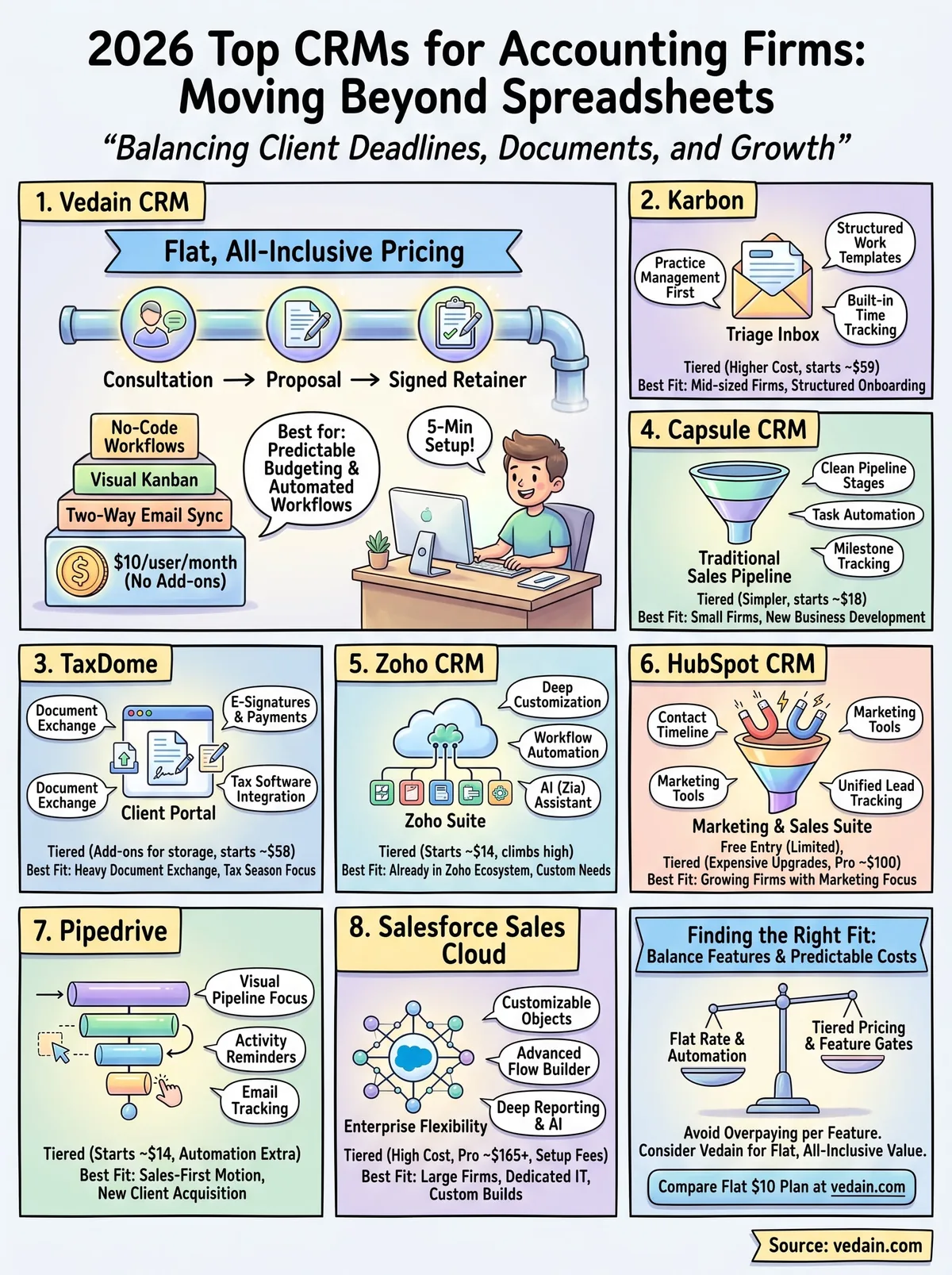
Finding the right fit for your firm
Every platform on this list solves a different piece of the accounting workflow puzzle. TaxDome and Karbon lean into document-heavy tax season work, Zoho and HubSpot suit firms already tied to a bigger software suite, and Salesforce fits only firms with the budget and staff to run it properly. If your firm is small to mid-sized and tired of paying extra for automation, reporting, or email sync that should come standard, that's exactly the gap Vedain fills. Flat pricing at $10 per user per month means you're not recalculating your software budget every time you add a client or a staff member.
Before you commit to a full year on any platform, run the numbers against your actual client count and feature needs. If predictable costs and a working pipeline in under five minutes sound better than another tiered contract, compare Vedain's flat $10 plan and run it against your current setup.
Related reading
Frequently Asked Questions
What is the best CRM for accounting firms?
The best CRM for accounting firms depends on your specific needs, but top options include Zoho CRM ($18-65/user/month) and HubSpot ($50-3,200/month) for their strong integration capabilities with accounting software. Vedain and Pipedrive ($14-99/user/month) are also popular choices for accountants seeking user-friendly interfaces and automation features. Consider your team size and budget when comparing these platforms against Salesforce, which offers enterprise solutions but at a higher price point.
How much does a CRM cost for accountants?
CRM costs for accountants typically range from $18-99 per user per month for mid-market solutions. Zoho CRM starts at $18/user/month, making it one of the most affordable options, while HubSpot's professional plan begins at $800/month and Pipedrive ranges from $14-99/user/month. Vedain offers specialized accounting CRM pricing, and Salesforce enterprise plans can exceed $100/user/month, so smaller accounting firms should explore budget-friendly alternatives first.
Can you integrate CRM with accounting software?
Yes, most modern CRMs integrate seamlessly with popular accounting software like QuickBooks and Xero. Zoho CRM, HubSpot, and Pipedrive all offer native integrations or third-party connectors through platforms like Zapier to sync financial data directly. Vedain is specifically designed for accounting workflows and provides out-of-the-box accounting software compatibility, making it easier than Salesforce for accountants who need real-time financial synchronization.
Is Zoho CRM good for accounting practices?
Zoho CRM is excellent for accounting practices, offering accounting-specific modules and affordable pricing starting at $18/user/month. It integrates well with QuickBooks, Xero, and other accounting tools, and provides automation features that save accountants time on client management. While HubSpot and Salesforce offer more advanced capabilities, they lack Zoho's accounting-focused features and cost significantly more, making Zoho a strong choice for small to mid-sized accounting firms.
What CRM features do accountants need most?
Accountants need CRMs with strong contact management, document storage, task automation, and accounting software integration as core features. Zoho CRM, Vedain, and Pipedrive excel at these essentials, while HubSpot offers advanced reporting and HubSpot's Operations Hub includes deeper financial data management. Salesforce provides enterprise-level customization but requires more technical setup than simpler alternatives like Vedain or Pipedrive, so assess which features align with your firm's workflows.
Should accountants use Salesforce or Zoho CRM?
Zoho CRM is generally the better choice for most accountants due to its lower cost ($18-65/user/month), easier implementation, and accounting-specific features compared to Salesforce's $100+/user/month enterprise pricing. However, Salesforce is superior for large accounting firms with complex sales processes and multiple departments requiring customization. HubSpot, Pipedrive, and Vedain offer middle-ground options that balance affordability with functionality, making them worth evaluating before committing to either platform.