Invoice, collect, and reconcile — all in one place.
Create and send professional invoices with Razorpay or Stripe payment buttons built in. Track payment status, send reminders, and support recurring billing.
Updated September 2026 · From $10/user/month
Included in every plan. Cancel anytime.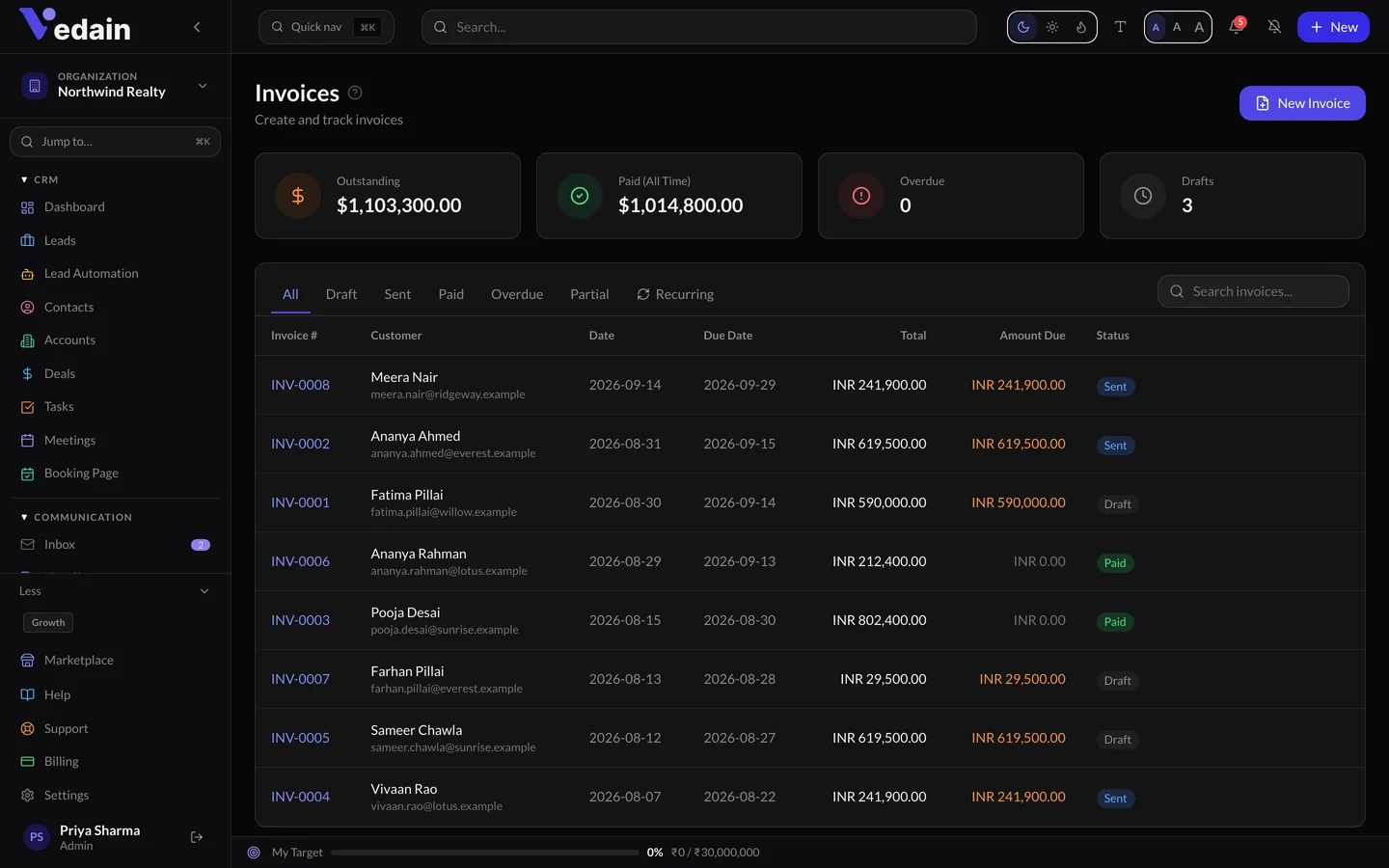
Invoice, collect, and reconcile — all in one place.
GST-ready invoices with your branding, sent with Stripe or Razorpay payment links so clients pay online in a click. Status tracking shows sent, viewed, paid and overdue — and payment reconciliation happens in the CRM, not a separate accounting inbox.
Built for multi-currency businesses
Bill in INR, USD or AED with correct tax handling per region. Payment links can also be sent standalone — from a contact, a deal or a WhatsApp conversation — for collecting without a formal invoice.
Part of Vedain, not bolted on
Invoices & Payments works on the same records, permissions and reports your team already uses — one platform, one price.
Questions
Go deeper on invoices
Learn more about Invoices & Payments
Guides and best practices from our knowledge base.
Stop Bounces with the Campaign Verification Guard
Every email campaign in Vedain has a Deliverability guard. It checks recipients when the campaign starts and skips addresses that would bounce, before they can hurt your sender reputation. Here’s how to set it, where skipped people appear, and how to prepare a big send.
AI Enrichment and Inbox Intelligence: What They Do and What They Cost
Data Health’s AI tools fill in details the free rules can’t: company facts from websites, seniority from job titles, and updates hidden in email replies. Company profile and Job-title intelligence share a one-time free allowance and then a simple flat price per run; Inbox intelligence is charged only for records it updates. You always see the price before anything runs.
AI Enrichment Pricing: The One-Time Free Allowance and Flat Pack Fees
AI enrichment has deliberately simple pricing: a one-time free allowance to try it, then one flat price per run based on how many records that run fills — never per field, and never a surprise. This guide explains the allowance, the pack tiers, how records are counted, how it is billed, and the questions people ask most.
Turn it on this afternoon.
Invoices & Payments is ready in every Vedain workspace. New here? Start with invoices and grow into the rest of the platform.
No credit card for the trial. Cancel from the same screen you enabled it.