Here's the direct answer: spreadsheets work fine for a solo founder tracking a dozen prospects. Once you add teammates, follow-ups, and email threads, you need real pipeline visibility and automatic activity tracking that a grid of cells can't give you. A CRM replaces manual data entry with structured deal stages, reminders, and reporting that update themselves.
In this article, we'll break down exactly where Excel holds up, where it falls apart, and what a modern CRM like Vedain does differently, including pricing, setup time, and automation. By the end, you'll know which option actually fits your team's size and sales process, not just which one feels more familiar today.
Why the CRM vs Excel decision matters for your sales team
Most founders don't choose Excel because it's the best tool. They choose it because it's the tool already open on their laptop. That decision feels harmless until your pipeline has 40 open deals, three reps updating the same file, and a customer who calls asking about a follow-up nobody sent. At that point, the choice between crm vs excel spreadsheets stops being about preference and starts affecting revenue.
The real cost of a slipped deal
Spreadsheets don't alert you when a lead goes cold. They don't flag a deal that hasn't moved stages in three weeks. Every bit of accountability depends on someone remembering to check the sheet, and someone always forgets. A missed follow-up on a $15,000 deal costs a lot more than the $10 a month a CRM seat costs, and it's one of the most common reasons sales teams quietly lose deals. Once you're tracking more than 20 or 30 active opportunities, the odds that something falls through the cracks stop being small.
A spreadsheet only tracks what someone remembers to type in. A CRM tracks what actually happened.
What breaks first as you grow
The failure points show up in a predictable order as headcount and deal volume climb:

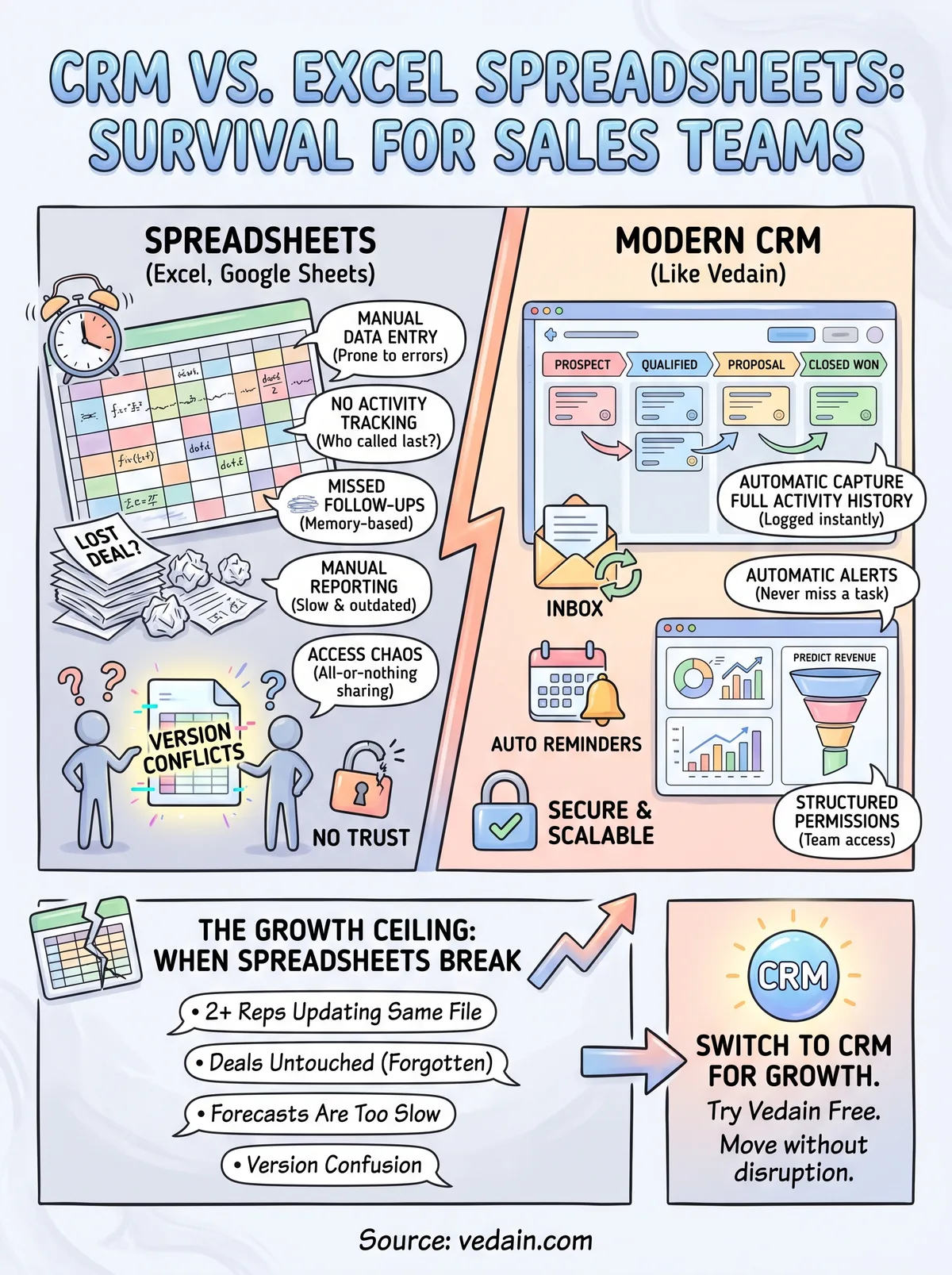
- •Version conflicts: two reps editing the same tab, one overwriting the other's update
- •No activity history: you can see the deal's current stage but not who called last or what was said
- •Manual reporting: someone spends Friday afternoon copying numbers into a chart for the Monday meeting
- •No reminders: follow-ups depend entirely on memory or a separate calendar app
- •Access chaos: everyone can see and edit everything, including deals that aren't theirs
Each of these is survivable on its own. Together, they compound into a sales process nobody fully trusts, which is often the real reason teams start shopping for a CRM.
The trust problem no spreadsheet solves
Sales managers rely on pipeline data to predict revenue without spreadsheets, coach reps, and decide where to spend on hiring or ads. If that data lives in a spreadsheet that's manually updated and inconsistently formatted, the forecast is only as good as the least diligent person on the team. Reports pulled from a CRM's automated pipeline tracking, by contrast, reflect what's actually happening because the system logs stage changes, email opens, and call activity as they occur, not as someone remembers to note them down.
There's also a growth ceiling that spreadsheets hit fast. Google Sheets and Excel start to slow down and glitch once a file has thousands of rows with formulas and conditional formatting layered on top. Microsoft itself notes that very large workbooks can hit performance and row limits that make day-to-day use painful (support.microsoft.com). A CRM has no such ceiling. It's built to hold tens of thousands of contacts and deals without breaking a sweat, which matters the moment your business moves past its first dozen customers and starts scaling in earnest.
How to decide between Excel and a CRM for your business
Deciding between a spreadsheet vs CRM software setup comes down to a few honest questions about your team, not your budget. Ask yourself how many people touch the pipeline daily, how many deals are open at once, and whether anyone outside sales needs visibility into that data. If the answer to any of those is "more than a handful," a spreadsheet is already working against you, even if it hasn't broken yet.
Signals you're still fine with a spreadsheet
Size matters more than industry here. A single founder or a two-person team with under 20 active deals can usually get by on Excel or Google Sheets for a while longer:
- •You're the only person entering and updating data
- •Deal count stays under 20-30 open opportunities
- •No one needs automated reminders or email tracking
- •Reporting is a quick glance, not a formal weekly review
Signals you need a CRM now
Once any of these show up, the spreadsheet is costing you more than it's saving:
- •Two or more people update the same pipeline
- •Deals sit untouched because no one remembers to follow up
- •Leadership asks for forecasts you can't produce quickly
- •You've lost track of which version of the sheet is current
If you're spending more time maintaining the spreadsheet than closing deals, it's time to switch.
Running both side by side for a week or two is a useful gut check. Track the same ten deals in Excel and in a free CRM trial, then compare how much manual work each one takes to keep current. Most teams find the CRM takes less effort within days, not weeks, because it logs activity automatically instead of waiting for someone to type it in. If cost is the hesitation, look at what you actually get for the price. Vedain's plan costs $10 per user per month with every feature included, which is often cheaper than the patchwork of spreadsheet add-ons and reminder apps teams cobble together to make Excel behave like a real CRM.
CRM vs Excel spreadsheets: key differences at a glance
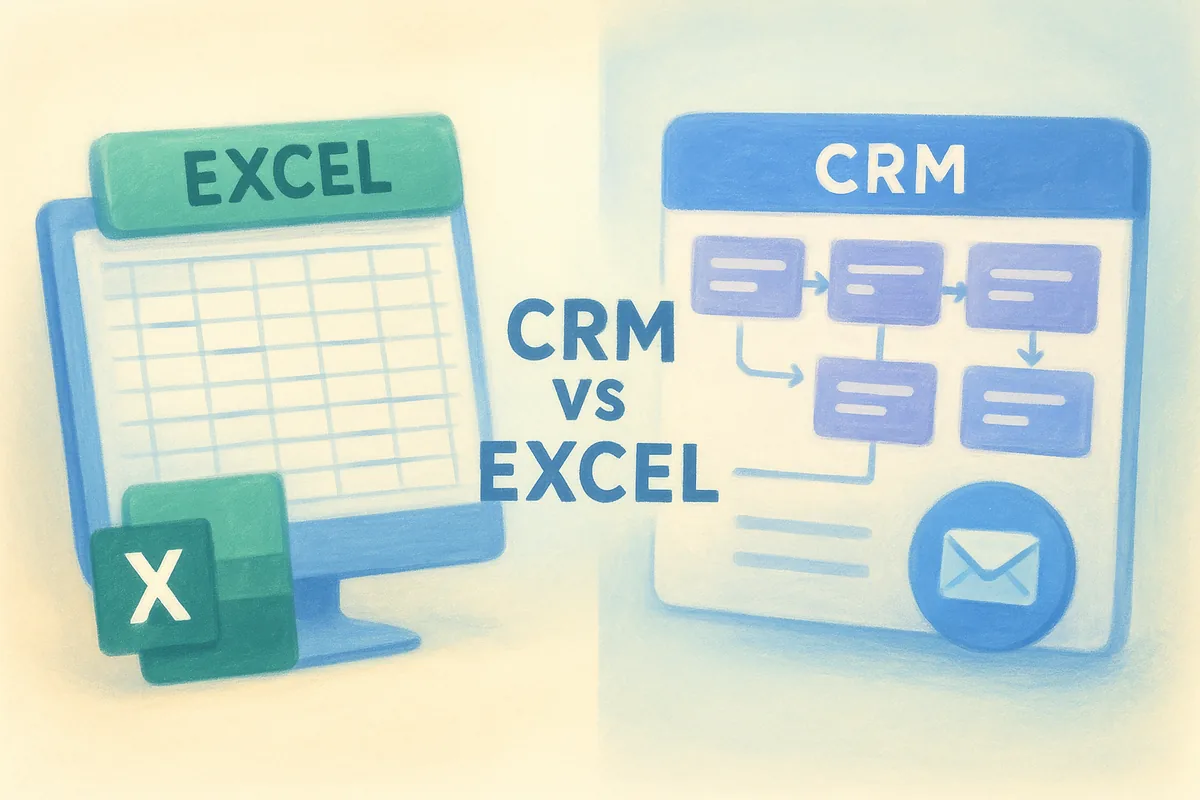
Comparing excel vs crm software feature by feature makes the decision far less abstract, especially once you know which CRM features actually matter. The table below lines up the tasks every sales team handles daily, from logging a call to pulling a forecast, and shows how each tool handles them in practice.
Side-by-side comparison
| Task | Excel / Google Sheets | CRM (like Vedain) |
|---|---|---|
| Adding a new lead | Manual row entry, prone to typos | Lead capture forms feed contacts in automatically |
| Tracking deal stage | Manual dropdown, easy to forget updating | Visual Kanban pipeline updates with a drag |
| Email follow-up | Separate inbox, no link to the deal | Two-way email sync logs every message |
| Reminders | None, unless manually set elsewhere | Automatic task and follow-up alerts |
| Reporting | Manual charts, built by hand each week | Live dashboards and conversion funnels |
| Access control | All-or-nothing sharing | Module-level permissions per teammate |
| Cost at 10 users | Free, but add-ons and time cost stack up | $100/month flat, no hidden fees |
Excel tracks data. A CRM tracks a process, and that's the difference that shows up in your close rate.
Notice how the gap isn't really about storage or formulas. Excel can technically hold a client list of any size, but it can't act on that data the way a CRM does. Every row in a spreadsheet is passive until a human opens the file and edits it. Every record in a CRM is active, triggering reminders, updating reports, and syncing emails without anyone touching a keyboard. Once you see the two side by side, the question stops being which tool is more powerful in isolation and becomes which one your team will actually keep updated six months from now.
How to move from spreadsheets to a CRM without disruption
Switching from a spreadsheet to CRM software doesn't have to mean a chaotic week of double data entry and confused reps. The migration itself usually takes less time than the anxiety about it suggests, especially if your spreadsheet is already reasonably organized with columns for name, company, stage, and last contact date.
Clean up before you import
Garbage in, garbage out applies directly here. Before uploading anything, strip duplicate rows, standardize your stage names, and delete stale leads you were never going to close anyway. A clean import takes minutes; a messy one creates a pipeline full of junk records nobody trusts.
That's the basic shape most CRM import tools expect, and Vedain's leads and contacts module maps CSV columns to fields automatically during setup, so you can move your Excel contacts across without losing data.
Run both systems for one week, then cut over
Overlap avoids the disruption teams fear most. Keep the old spreadsheet open as read-only reference for exactly one week while the team enters new activity in the CRM. This gives reps a safety net without letting old habits creep back into daily use.
The goal isn't a perfect migration, it's a pipeline nobody has to double-check.
Teams that follow this pattern, along with a few onboarding habits that make reps stick with the CRM, report full adoption within about five business days:
- Export your spreadsheet as CSV and clean the columns
- Import leads from a CSV file into the CRM's pipeline, along with your deals
- Assign owners and permissions per teammate
- Set follow-up reminders for every open deal
- Archive the spreadsheet as read-only
Vedain's setup runs under five minutes for the basics, and no credit card is required to start the trial, so there's no financial commitment forcing a rushed decision before the team is ready. Within a week, most reps stop opening the old file entirely because the CRM already has everything they need.
Choosing the right tool for where your business is headed
Spreadsheets aren't wrong, they're just built for a smaller job than the one your sales team eventually needs done. The crm vs excel spreadsheets question really answers itself once you count how many hands touch your pipeline and how much revenue rides on a follow-up nobody remembers to send. Excel works until it doesn't, and by the time it breaks, you've usually already lost a deal to prove it.
Growth is the real deciding factor here. If you're adding reps, closing bigger deals, or reporting to anyone above you, a structured pipeline pays for itself fast, especially at a flat rate with no feature gates. You don't have to guess which side of that line you're on. Try Vedain free for 14 days and see how your current pipeline behaves inside a real CRM before you commit to anything.
Frequently Asked Questions
Can Excel spreadsheets replace CRM software for sales management?
No, Excel spreadsheets cannot fully replace dedicated CRM software for professional sales management. While Excel is free and familiar, it lacks automation, real-time collaboration features, and data security that CRM platforms like HubSpot (Sales Hub from $20/seat/month), Salesforce (from $25/user/month), and Pipedrive (from $14/user/month) provide. CRMs offer features such as pipeline tracking, automated workflows, and AI-powered insights that spreadsheets simply cannot deliver at scale.
How much does CRM software cost compared to Excel?
CRM software costs range from about $9 to $500+ per user per month, while Excel is typically $6-$10 per user monthly as part of Microsoft 365. Budget-friendly CRM options include Pipedrive ($14/user/month), Zoho CRM ($14/user/month), and Vedain ($10/user/month), which offer more features than Excel at competitive prices. For small businesses, the investment in a CRM usually pays for itself through improved sales efficiency and data accuracy.
What are the main limitations of using Excel for customer relationship management?
Excel's main limitations for CRM include poor data organization, difficulty with real-time updates across teams, limited automation capabilities, and security vulnerabilities when sharing sensitive customer information. Unlike HubSpot or Salesforce, Excel cannot create automated workflows, send triggered emails, or provide AI-powered analytics. Additionally, Excel files become slow and unreliable when managing thousands of customer records, whereas CRM platforms are built to handle large-scale data efficiently.
Is a CRM worth the cost for small businesses or should I use Excel?
A CRM is worth the cost for small businesses once you have 50+ customers or need team collaboration, as it saves time and improves customer retention. Affordable options like Zoho CRM and Pipedrive (both from $14/user/month) are specifically designed for small business budgets and offer better ROI than free Excel solutions. Excel works fine for tracking fewer than 20 clients, but quickly becomes inefficient as your business scales and your team grows.
Can you use Excel alongside a CRM software or should I choose one?
Yes, you can use Excel alongside CRM software for supplementary tasks like financial projections or one-time analysis, but your primary customer data should live in one system. Leading platforms like HubSpot, Salesforce, and Pipedrive offer Excel export features and integrations that allow you to pull reports into spreadsheets when needed. Using multiple systems for the same data creates duplicates, errors, and wasted time reconciling information between platforms.
What features does CRM software have that Excel doesn't?
CRM software includes automation, lead scoring, email integration, pipeline management, AI forecasting, and real-time collaboration—features Excel cannot match. Platforms like HubSpot offer automated follow-up workflows, Salesforce provides advanced analytics and Einstein AI, and Zoho CRM includes built-in customer support tools. Excel is static and manual, while CRM systems actively manage your customer relationships and alert teams to opportunities and at-risk accounts automatically.