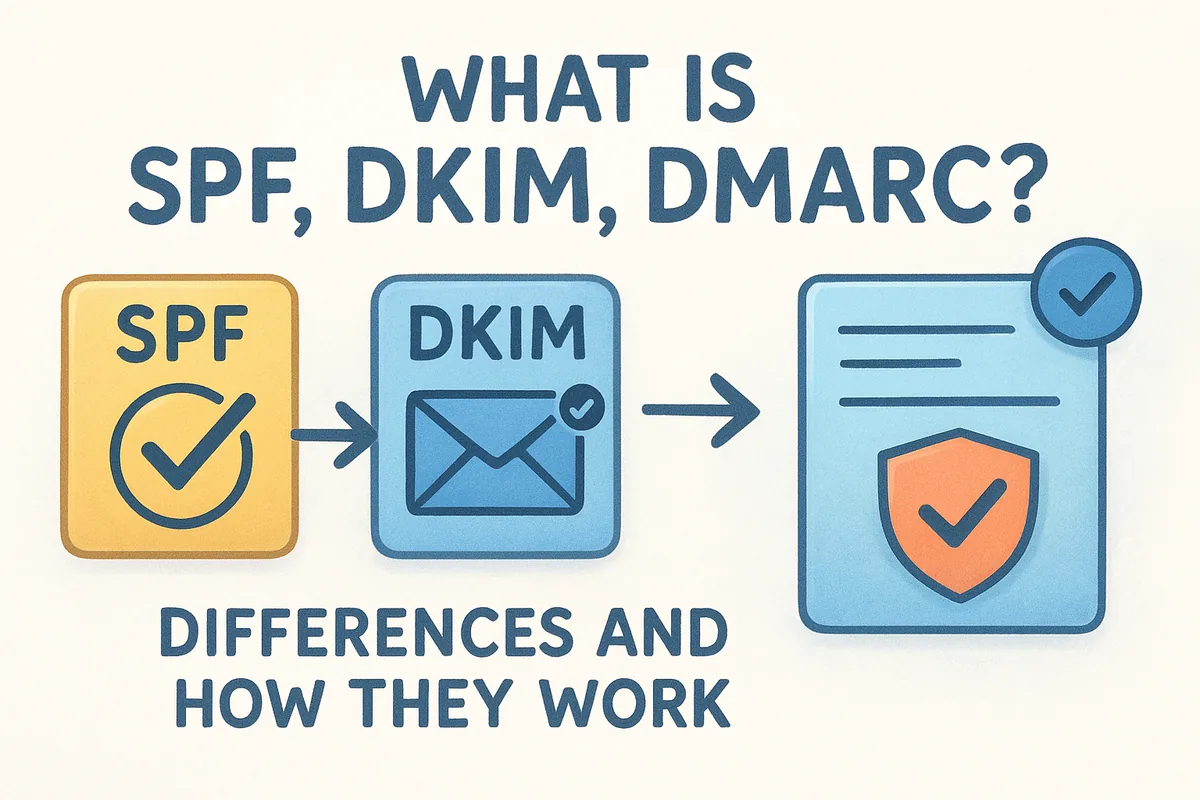
These three acronyms, SPF, DKIM, and DMARC, are email authentication standards that verify your identity as a sender and protect your domain from being spoofed. They sound technical, but the concepts are straightforward once you break them apart. If you're sending outbound emails through a CRM (like Vedain, which includes email warmup and two-way email sync with Gmail and Outlook), getting these protocols right isn't optional, it's the baseline.
This guide explains what each protocol does individually, how they differ from one another, and how they work together to keep your emails out of spam folders and your domain reputation intact.
What SPF, DKIM, and DMARC mean
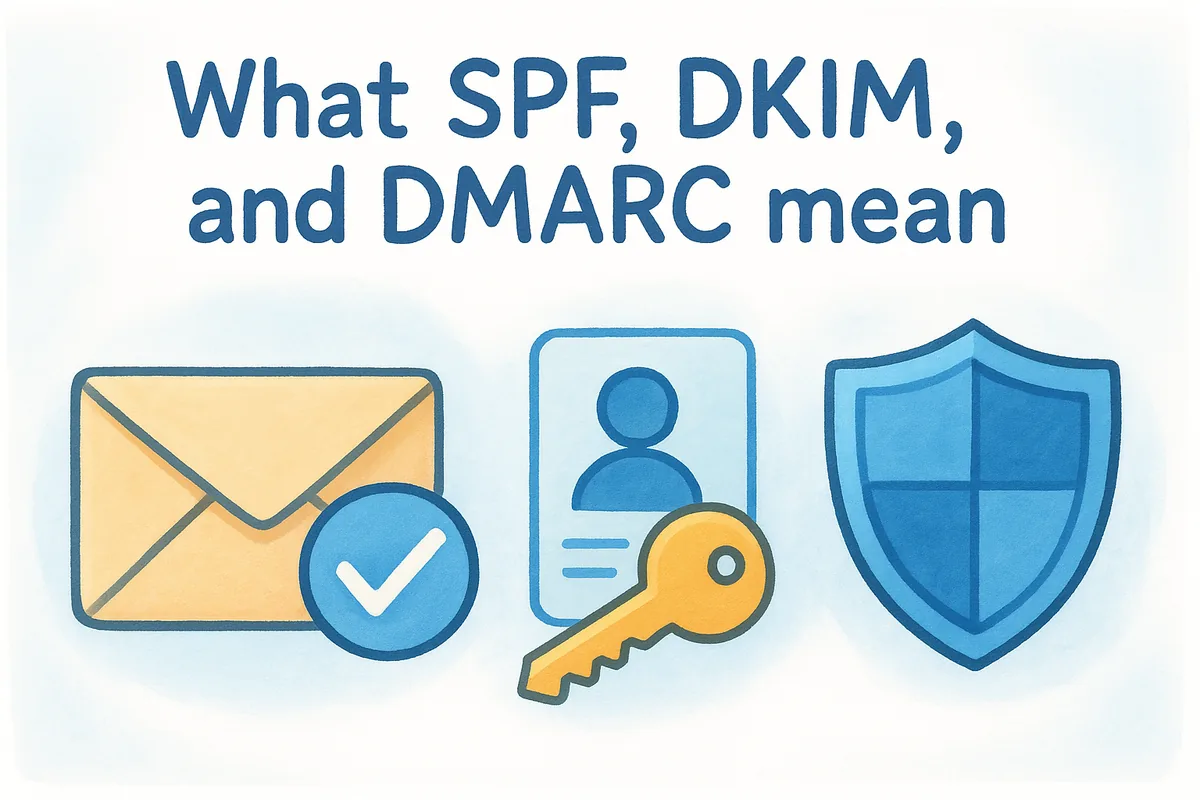
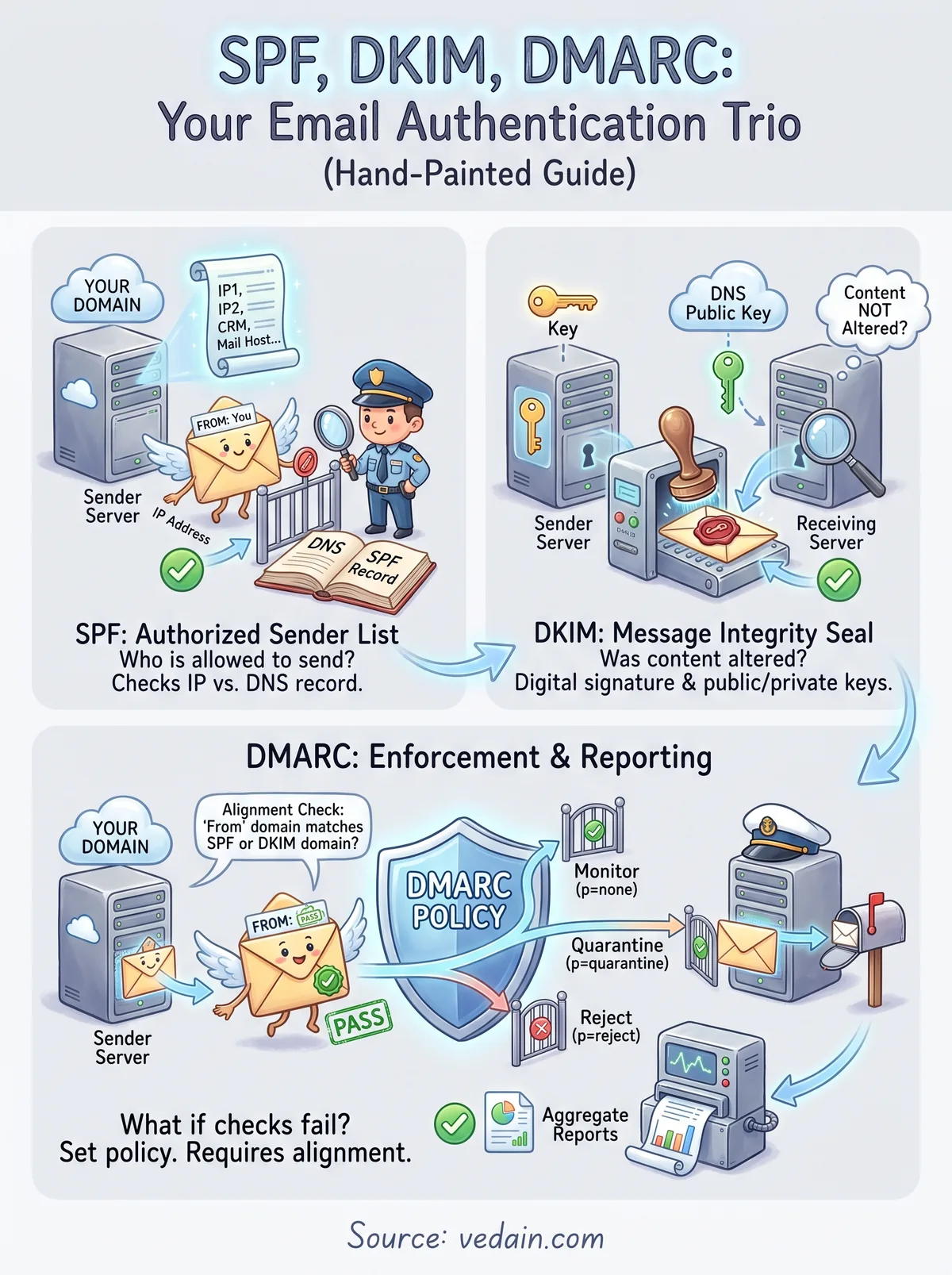
When people ask what is SPF, DKIM, DMARC, the simplest mental model is to think of email authentication like a verified mail system. SPF confirms which servers are allowed to send on your domain's behalf. DKIM applies a digital signature to your emails that proves the content wasn't altered in transit. DMARC ties both together by defining what happens when a message fails either check. Each protocol handles a different layer of authentication, and you need all three working together before your outbound email is genuinely protected.
SPF (Sender Policy Framework)
SPF, or Sender Policy Framework, is a DNS record that lists the specific IP addresses and mail servers authorized to send email from your domain. When a receiving mail server gets a message claiming to be from you, it checks that list against the sending server's IP address. If the IP is on the approved list, the message passes SPF. If it isn't, the receiving server treats the email as suspicious. You publish this record directly in your domain's DNS settings, and it takes effect as soon as it propagates.
SPF covers these three things at a basic level:
- •Who is allowed to send email from your domain
- •Which IP addresses or mail servers are on the approved list
- •What signal the receiving server gets when the check passes or fails
DKIM (DomainKeys Identified Mail)
DKIM, or DomainKeys Identified Mail, works by attaching a cryptographic signature to every outgoing email. Your domain stores a public key in its DNS records, and your sending server signs each message using a matching private key. When the receiving server gets your email, it pulls the public key from your DNS and uses it to verify the signature.
A valid DKIM signature tells the receiving server that the email content is exactly what your server originally sent, with nothing changed in transit.
If someone intercepts and modifies your message before it arrives, the signature breaks and the receiving server knows immediately that something changed. This makes DKIM your proof of message integrity, not just sender identity.
DMARC (Domain-based Message Authentication, Reporting, and Conformance)
DMARC stands for Domain-based Message Authentication, Reporting, and Conformance. It builds directly on SPF and DKIM by letting you set a policy that tells receiving servers what to do when an email fails one or both of those checks. Your three policy options are monitor only, quarantine to spam, or reject outright.
Beyond enforcement, DMARC also sends you regular aggregate reports showing who is sending email from your domain. Those reports let you catch unauthorized senders quickly and confirm that your legitimate email sources are all authenticated correctly.
How SPF works
When people first look into what is SPF, DKIM, DMARC, SPF is the right place to start because it handles the most fundamental question: is this server allowed to send email from your domain? The receiving mail server checks the IP address of the machine that delivered your message and compares it against the list of approved senders you've published in your DNS records. If the sending IP matches an entry on that list, the check passes. If it doesn't, the receiving server treats your message as suspicious.
An SPF record won't protect your domain on its own, but without one, any server can claim to be sending email from your address.
What an SPF record looks like
Your SPF record lives in your domain's DNS settings as a TXT record. It starts with a version declaration and then lists the IP addresses or services authorized to send on your behalf. If you send email through Google Workspace and a third-party CRM, your record needs to include both as approved sending sources.
A basic SPF record looks like this: v=spf1 include:_spf.google.com include:sendgrid.net ~all. The ~all tag tells receiving servers to soft fail any sender not on your list, meaning suspicious but not automatically rejected. Using -all instead makes it a hard fail and tells the server to block those messages before they reach any folder.
What happens when SPF fails
When a message fails your SPF check, the receiving server applies your defined policy. A soft fail typically routes the email to spam. A hard fail causes the server to reject the message entirely, and neither result is acceptable for a sales team relying on outbound email to drive pipeline.
Your SPF record needs updating every time you add a new sending tool. If you connect a new CRM or email platform and forget to add it to your record, emails from that service will fail authentication even though you own the sending domain.
How DKIM works
DKIM adds a layer of message integrity to your email that SPF alone cannot provide. While SPF confirms that an authorized server sent your email, DKIM proves that the message content itself was not changed between your server and the recipient's inbox. When you're working through what is SPF, DKIM, DMARC, think of DKIM as the tamper-evident seal on an envelope. If the seal is broken, the receiving server knows immediately that something changed in transit.
How the signing and verification process works
Your email server signs each outgoing message using a private cryptographic key that only your server holds. This signature gets embedded in the email's header before the message leaves your server. At the same time, you publish a corresponding public key in your domain's DNS records so that any receiving mail server can retrieve it for verification.
If a message is modified after it leaves your server, the DKIM signature breaks and the receiving server treats the message as unverified.
When a receiving server gets your email, it pulls your public key from DNS and runs a verification check against the signature in the header. If the signature matches, DKIM passes. If the content changed at any point during delivery, the two keys will not reconcile, and the check fails.
What a DKIM failure means for your email
A failed DKIM check tells the receiving server that your message cannot be confirmed as unmodified. In practice, this typically routes your email to spam or triggers a rejection outright, depending on the receiving server's configuration. If your DMARC policy is set to quarantine or reject, a DKIM failure combined with an SPF failure gives the receiving server clear grounds to block your message before it reaches any inbox.
How DMARC works and what alignment means
DMARC sits on top of SPF and DKIM as the enforcement and reporting layer. Once you understand what is SPF, DKIM, DMARC at the individual level, DMARC is where everything connects. You publish a DMARC record in your DNS as a TXT entry, and that record tells receiving mail servers what action to take when your messages fail SPF, DKIM, or both. Without a DMARC record, passing SPF or DKIM still leaves your domain open to spoofing because there's no defined consequence for failure.
What alignment means in DMARC
Alignment is the part of DMARC that most guides skip over, but it's critical. DMARC alignment means the domain in the "From" header of your email must match the domain used in either the SPF check or the DKIM signature. If your email claims to come from yourdomain.com but the SPF record is tied to a completely different domain, DMARC will fail even if SPF itself technically passes.
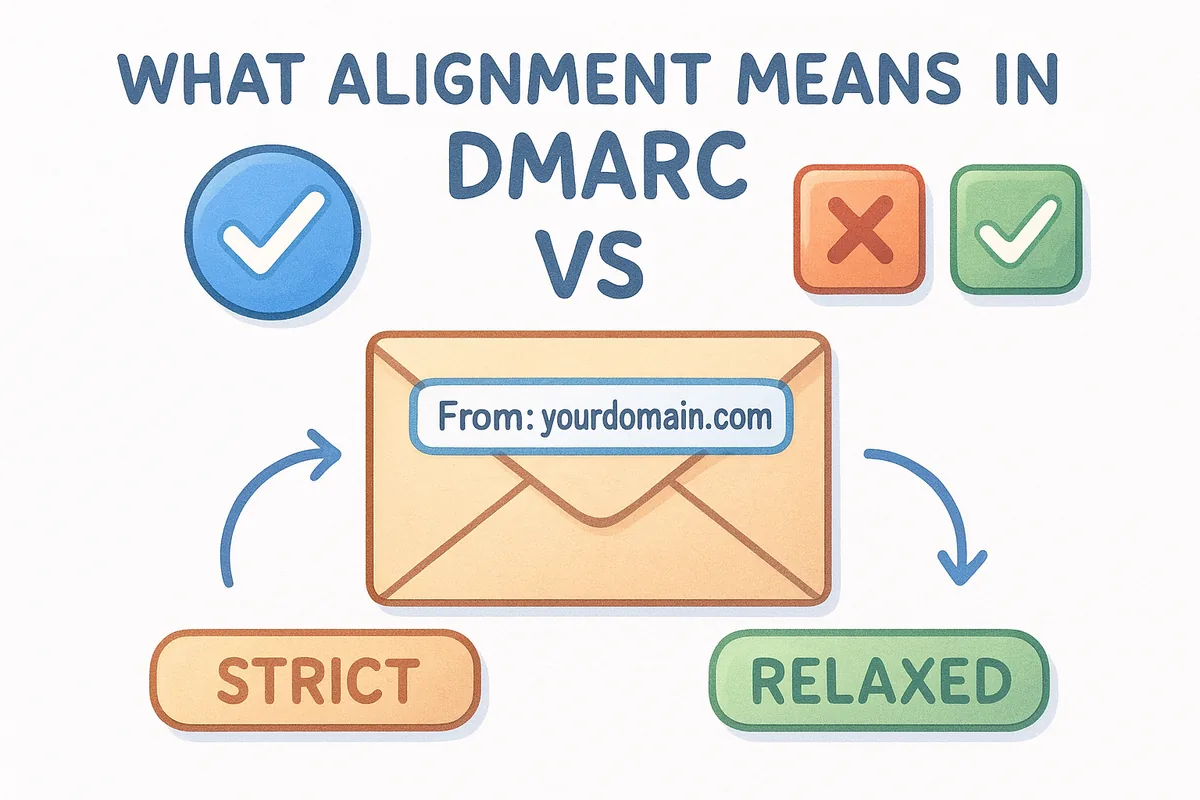
Passing SPF or DKIM is not enough. DMARC requires that the authenticated domain aligns with the domain your recipient actually sees in the From field.
You have two alignment options: strict alignment, where the domains must match exactly, and relaxed alignment, where a subdomain match is acceptable. Most senders use relaxed alignment to give their subdomains room to authenticate without breaking deliverability.
DMARC policy levels
Your DMARC record includes a policy tag (p=) that sets the enforcement level. The three options are:
- •p=none: Monitor only. Failing messages are delivered, but you receive reports.
- •p=quarantine: Failing messages go to the recipient's spam folder.
- •p=reject: Failing messages are blocked entirely before delivery.
Starting with p=none lets you review reports and fix authentication gaps before you move to quarantine or reject.
How to set up and test SPF, DKIM, and DMARC
Once you understand what is SPF, DKIM, DMARC and how each protocol works, the setup process follows a clear sequence. You publish all three records as TXT entries in your domain's DNS settings, starting with SPF, then DKIM, and finally DMARC. Rushing straight to a DMARC enforcement policy before confirming the other two records are working is the most common setup mistake teams make.
Adding your DNS records in order
Start with your SPF record by logging into your domain registrar or DNS provider and creating a TXT record for your root domain. List every service that sends email on your behalf, including your email host and any CRM or outbound platform you use. Next, enable DKIM signing inside your email service provider, whether that's Google Workspace, Microsoft 365, or your CRM. Each platform generates a public key and provides you with a specific TXT record to add to your DNS. Once propagation completes, activate signing from within the platform dashboard.
Only add your DMARC record after you confirm both SPF and DKIM are passing, otherwise your policy will flag legitimate email before you've fixed any gaps.
Add your DMARC record last under the subdomain _dmarc.yourdomain.com, and start with p=none to collect aggregate reports without touching deliverability. Review those reports for two to four weeks before tightening your policy to quarantine or reject.
Testing your records after setup
Once all three records are live, send a test email to a Gmail address and open the original message source to check the authentication headers. Look for "PASS" next to SPF, DKIM, and DMARC in the authentication results section. If any check fails, revisit that specific DNS record and verify the published values match exactly what your email platform requires before running another test.
Next steps for protected deliverability
Now that you understand what is SPF, DKIM, DMARC and how each protocol contributes to a protected sender identity, the next move is straightforward: audit your current DNS records and confirm all three are configured correctly. Run a test email through Gmail and check the authentication headers. If any check shows a failure, fix that specific record before adjusting your DMARC policy to quarantine or reject.
Beyond the technical setup, keep your SPF record updated every time you add a new sending tool or CRM to your stack. A single unauthenticated sending source can quietly push your emails into spam without any obvious warning. Once your authentication is solid, pair it with consistent sending volume and domain warmup to build long-term inbox placement. If you want a CRM that includes built-in email warmup and two-way email sync alongside your outbound campaigns, start your free trial with Vedain and build your pipeline on a deliverability-first foundation.
Frequently Asked Questions
What is SPF and why do I need it for email authentication?
SPF (Sender Policy Framework) is an email authentication protocol that prevents spammers from sending emails on behalf of your domain by allowing you to specify which mail servers are authorized to send messages from your domain. Most CRM platforms like HubSpot, Salesforce, and Zoho require SPF configuration to improve email deliverability rates and protect your brand reputation. Without SPF, your legitimate emails are more likely to end up in spam folders, reducing customer engagement.
How does DKIM signing work and what does it protect?
DKIM (DomainKeys Identified Mail) works by adding a digital signature to your email headers, allowing recipients to verify that your messages haven't been altered during transmission and actually came from your domain. Major CRM providers including Freshsales, Pipedrive, and Vedain all support DKIM implementation to validate message authenticity. This cryptographic signature protects your emails from tampering and significantly improves trust with email receivers.
What is the difference between SPF and DKIM authentication methods?
SPF validates the sender's IP address against an authorized list, while DKIM uses cryptographic signatures to verify that the email content hasn't been modified. Unlike SPF, DKIM doesn't check the IP address but instead authenticates the actual message body, making them complementary technologies that work best together. HubSpot and Salesforce both recommend implementing both protocols alongside DMARC for comprehensive email security.
Why is DMARC important for protecting my business domain?
DMARC (Domain-based Message Authentication, Reporting and Conformance) ties SPF and DKIM together to create a complete email authentication policy while providing detailed reports on authentication failures and email abuse. DMARC prevents domain spoofing attacks where bad actors impersonate your company, which is critical for protecting customer trust and brand reputation. Zoho CRM, Freshsales, and other enterprise platforms include DMARC monitoring to help you enforce stricter email security policies.
Can I use SPF, DKIM, and DMARC together in my CRM system?
Yes, using all three authentication methods together creates a robust email security framework that protects both your domain and your customers—most modern CRM systems including HubSpot, Pipedrive, and Salesforce support implementing all three simultaneously. SPF checks the sender's IP, DKIM verifies message integrity, and DMARC enforces policies and provides reporting on all authentication results. This multi-layered approach significantly reduces email spoofing, phishing attempts, and improves overall deliverability rates.
How do I set up SPF, DKIM, and DMARC records in my DNS?
You need to add three separate DNS records: an SPF record listing authorized mail servers, a DKIM public key record, and a DMARC policy record that specifies how to handle authentication failures. Most CRM platforms like Vedain, Freshsales, and Zoho provide step-by-step setup wizards and generate the exact DNS text records you need to copy into your domain provider's DNS settings. After adding these records, allow 24-48 hours for DNS propagation and verify authentication through your CRM's email monitoring dashboard.