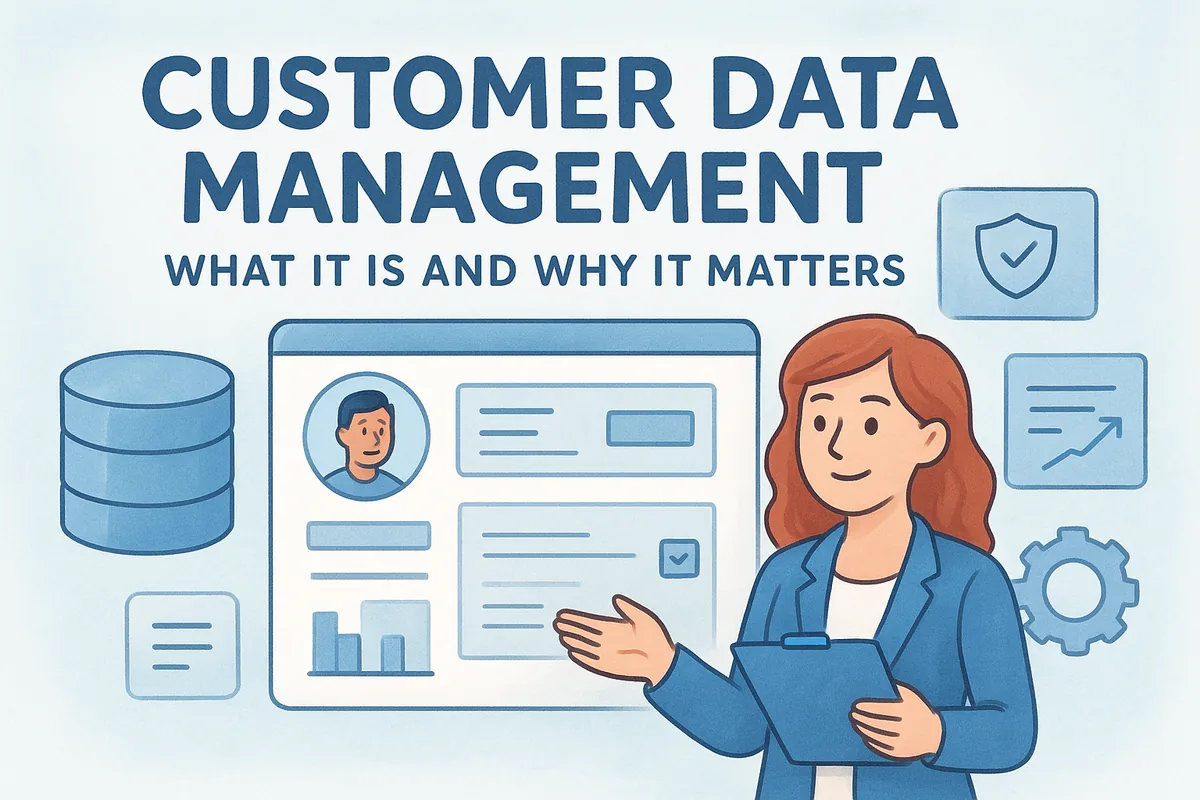
If you're asking what customer data management means, here's the short answer: it's the system and process behind capturing customer details, keeping them accurate, and making them accessible to the people who need them, sales reps, support agents, and marketers alike. Done right, it turns scattered spreadsheets and inbox threads into a single source of truth that drives faster follow-ups and fewer dropped leads.
This article breaks down what customer data management actually involves, why it matters for revenue and customer experience, and the core processes that make it work: collection, storage, cleaning, and security. You'll also get practical best practices you can apply right away, whether you're running a five-person sales team or managing data across hundreds of reps.
Why customer data management matters
Sales teams lose deals for reasons that have nothing to do with price or product fit. A rep forgets a promised callback. Two people email the same prospect with different offers. A lead form fills out a contact record that never syncs with the deal pipeline. These aren't personality problems, they're data management problems, and they compound as a team grows past five or ten people.
Good customer data management fixes this by giving everyone the same picture of a customer at the same time. When a support agent can see the last three emails a rep sent, or a sales manager can see which leads have gone cold for two weeks, decisions get faster and more accurate. This is the practical heart of customer data management CRM systems: the CRM is the tool, but the discipline of managing the data well is what makes the tool worth using.
A CRM full of messy data is just a more expensive spreadsheet.
Revenue depends on clean, connected data
Duplicate records, outdated phone numbers, and disconnected email threads cost real money. A rep who calls a prospect using last year's job title looks careless. A campaign that emails the same contact twice under two different records looks sloppy. Neither mistake is dramatic on its own, but multiplied across hundreds of contacts, they erode trust and slow down every deal in the pipeline.
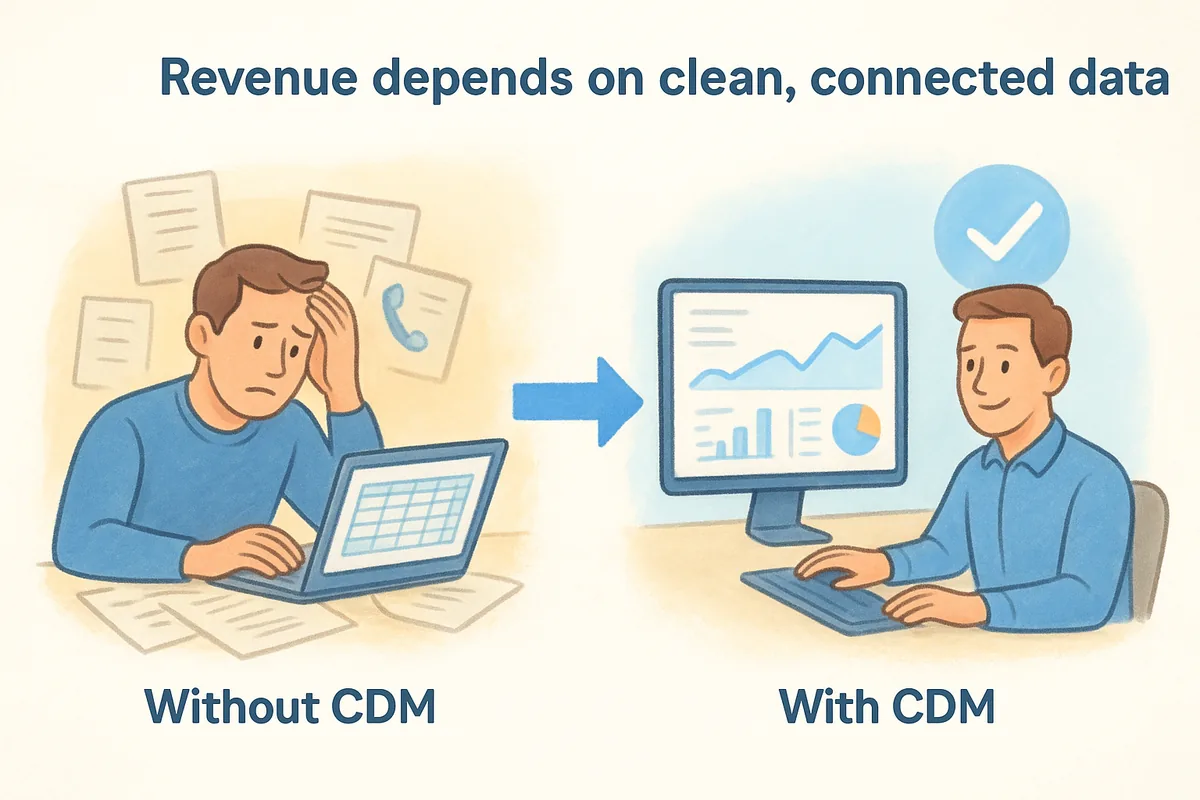
Here's a quick look at what changes when customer data is managed well versus when it isn't:
| Without CDM | With CDM |
|---|---|
| Reps chase contacts across spreadsheets and inboxes | One record shows every interaction in one place |
| Duplicate leads get contacted twice, sometimes with conflicting offers | Deduplication keeps one clean record per contact |
| Follow-ups slip because no one owns the next step | Automated workflows trigger the right follow-up on time |
| Reporting takes hours of manual spreadsheet work | Dashboards pull live numbers in seconds |
Customer experience hinges on context
Buyers notice when a company remembers them, and they notice even more when it doesn't. Asking a returning customer to repeat information they already gave you signals that your systems, and by extension your team, aren't paying attention. Well-organized customer data lets any team member pick up a conversation exactly where it left off, whether that's a sales rep closing a deal or a support agent handling a renewal question.
Organizations that treat customer data as an asset rather than an afterthought tend to see this show up in retention numbers. Customers stay longer when every interaction feels informed rather than generic. That's not a marketing slogan, it's a direct result of reps and agents having the right context at the right moment instead of digging through old email threads to piece together a history.
Compliance and trust are non-negotiable
Customer data management also carries a legal and reputational weight that's easy to underestimate. Regulations like the EU's GDPR and various U.S. state privacy laws require businesses to know what customer data they hold, why they hold it, and how they secure it. Mishandled data, whether through a breach or simple carelessness, damages the trust that took years to build. Businesses that stay organized aren't just avoiding fines, they're protecting the relationship that generates repeat revenue in the first place. Guidance from bodies like the U.S. Federal Trade Commission on data security practices is a useful baseline for any team handling customer information.
How to build a customer data management strategy
Starting a customer data management strategy doesn't require a massive overhaul on day one. It requires a clear plan for what data you collect, where it lives, and who's responsible for keeping it accurate. Most teams skip straight to buying software and skip the planning step, which is why so many CRMs end up as expensive junk drawers within a year.
A strategy without ownership is just a wish list.
Audit what you already have
Before adding new tools, look at what data already exists across spreadsheets, inboxes, and old systems. Pull a sample of records and check for duplicates, missing fields, and outdated contact details. This audit tells you whether your real problem is collection, cleanup, or both, and it keeps you from building new processes on top of a broken foundation.
Define your data standards
Once you know what you're working with, set rules for how data gets entered going forward. A simple, documented standard prevents the mess from returning six months later.
- •Use consistent formats for phone numbers, company names, and job titles
- •Require key fields (email, company, deal stage) before a record counts as "complete"
- •Set a naming convention for custom fields so reps don't create five versions of the same one
- •Decide who can edit or delete records, and log major changes
Assign clear ownership
Someone on your team needs to own data quality, not as a side task but as a named responsibility. This person doesn't have to be full-time on data alone; a sales ops lead or team manager can run monthly checks for duplicates and stale leads. Without a named owner, cleanup tasks get deferred indefinitely because everyone assumes someone else is handling it.
Automate where it counts
Manual entry is where most data problems start, so automate the repetitive parts: lead form submissions, email logging, and deal stage updates. Workflows that automatically assign new leads or flag inactivity remove the guesswork and keep your customer relationship data current without adding to your team's workload. The goal isn't zero manual work, it's spending manual effort on judgment calls instead of data entry.
Key components of a strong CDM system
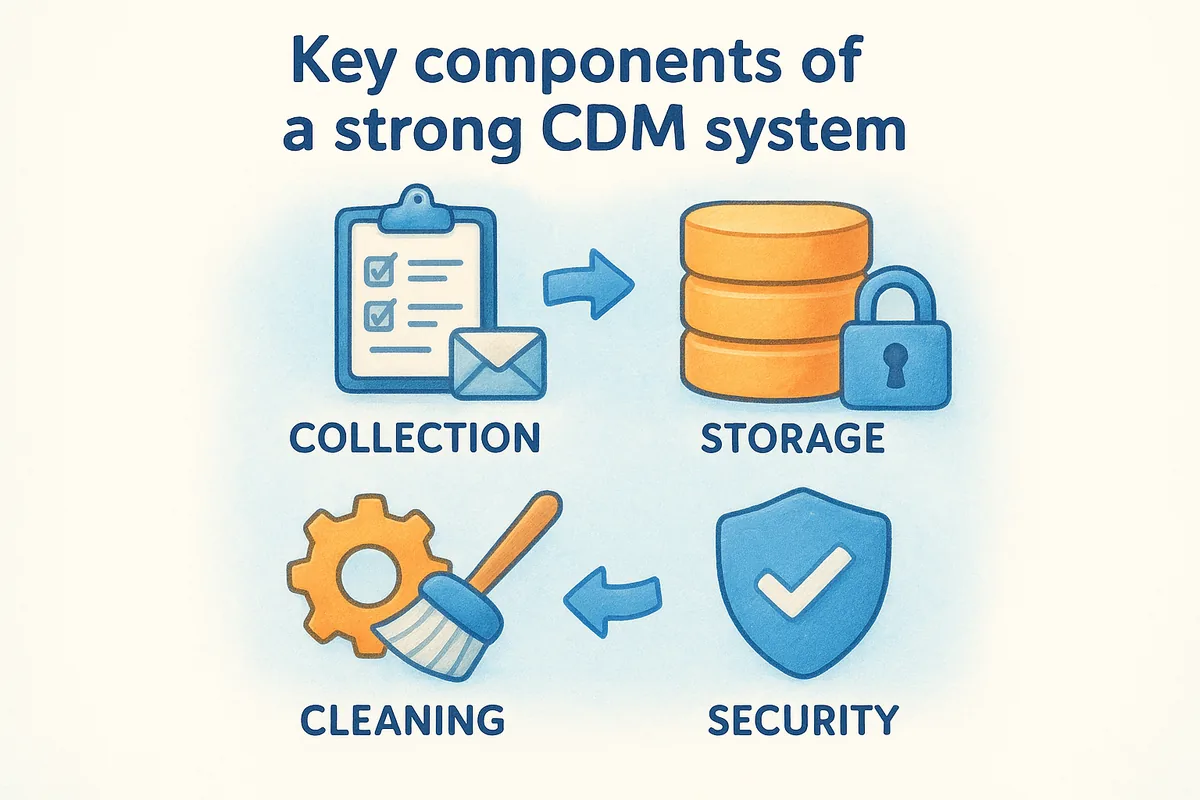
A strong customer data management system rests on four processes working together: collection, storage, cleaning, and security. Skip any one of them and the whole system degrades, no matter how good your CRM software looks on a demo call. Think of these as the plumbing behind every dashboard and report your team relies on.
Collection without cleaning just fills your CRM with faster-growing junk.
Collection: capturing data at every touchpoint
Data enters your system from lead forms, email replies, support tickets, and manual entry after a call. Each of these sources needs a consistent path into your CRM, otherwise information sits stranded in someone's inbox. A lead capture process that automatically routes form submissions into the pipeline, rather than relying on a rep to copy details over manually, is the difference between a record that exists on day one and one that shows up three weeks late.
Storage: one system, one source of truth
Once data is captured, it needs a single home. Storing contact details in one place and deal notes in another guarantees mismatched records within months. A centralized system, where contacts, deals, emails, and notes all live under the same record, gives everyone the same view without a second lookup.
Cleaning: routine maintenance, not a one-time fix
Data decays fast. Job titles change, emails bounce, and phone numbers go stale within a year for a meaningful share of contacts. Regular deduplication and field audits keep the database usable instead of just large.
| Task | Frequency |
|---|---|
| Duplicate check | Monthly |
| Stale lead review | Monthly |
| Required field audit | Quarterly |
| Full data export/backup | Quarterly |
Security: protecting what you collect
Every piece of customer data you store is a liability if it's mishandled. Permissions matter here: not every rep needs access to every field, and granular access controls limit exposure if an account gets compromised. Encryption, regular backups, and clear data retention rules round out a system that protects both the customer and the business holding their information.
Customer data management vs. CRM: what's the difference
People use these terms interchangeably, but they're not the same thing. Customer data management is the discipline: the rules, processes, and standards for how you collect, clean, and secure customer information. A CRM is the software where that discipline gets applied day to day. You can have a CRM with terrible data management (duplicate contacts, missing fields, no one responsible for cleanup) and you can, in theory, practice good data management without any CRM at all, using spreadsheets and shared drives. Neither extreme works well in practice, which is why the two concepts get lumped together so often.
Your CRM is the container. Customer data management is what keeps what's inside it useful.
Think of it this way: the CRM gives you fields, pipelines, and dashboards. Customer data management is the decision to require an email address before a lead counts as qualified, the monthly habit of merging duplicate records, and the permission settings that keep a junior rep from deleting a closed-won deal by accident. A CRM without that discipline behind it just becomes a more expensive version of the messy spreadsheet it replaced.
Why the distinction matters for your CRM choice
This distinction matters most when you're picking software, because a CRM that supports good data management habits will save you months of cleanup later. Look for a platform that makes the right behavior the default, not an add-on you have to configure or pay extra for.
- •Deduplication tools built in, not bolted on as a paid upgrade
- •Custom fields and required fields you can set without a developer
- •Module-level permissions so reps only see and edit what they need
- •Two-way email sync so conversations log automatically instead of relying on manual entry
Vedain CRM bakes these into the flat $10-per-user price, which matters because tiered pricing models often lock deduplication, permissions, or sync behind higher plans, exactly the features that make customer data management possible in the first place. A CRM should make good data habits the path of least resistance, not an upsell you discover six months in when your database is already a mess.
Common challenges and how to overcome them
Even teams that understand the value of customer data management run into the same handful of obstacles. Recognizing these problems early saves months of cleanup later, and most of them trace back to habits rather than software limitations.
Most data problems aren't technical, they're behavioral.
Duplicate and inconsistent records
Duplicates creep in when reps create a new contact instead of searching for an existing one, or when a lead form and a manual entry both generate records for the same person. Left unchecked, this turns into split histories where half a customer's emails live on one record and half on another. Fixing it means running a deduplication process on a schedule rather than waiting for it to become unmanageable, and choosing a CRM that flags likely duplicates automatically at entry time instead of after the fact.
Data silos across teams
Sales, support, and marketing often keep their own versions of the same customer, updated at different times and stored in different tools. A support ticket closed last week might never reach the rep trying to upsell that same account this week. Breaking down data silos requires a shared system where every team logs activity against the same record, not separate exports that get stitched together manually once a quarter.
Low adoption from the team
A CRM only works if reps actually update it, and many don't because manual entry feels like busywork on top of selling. This is the most common reason data quality slips even after a team invests in the right tools. The fix is reducing friction: automatic email logging, one-click stage updates, and workflows that fill in fields reps would otherwise skip. When the system does the logging for them, manual entry stops being the bottleneck.
| Challenge | Root Cause | Fix |
|---|---|---|
| Duplicate records | No search-before-create habit | Automated deduplication |
| Data silos | Teams use separate tools | Shared record across departments |
| Low adoption | Manual entry feels like overhead | Automate logging and updates |
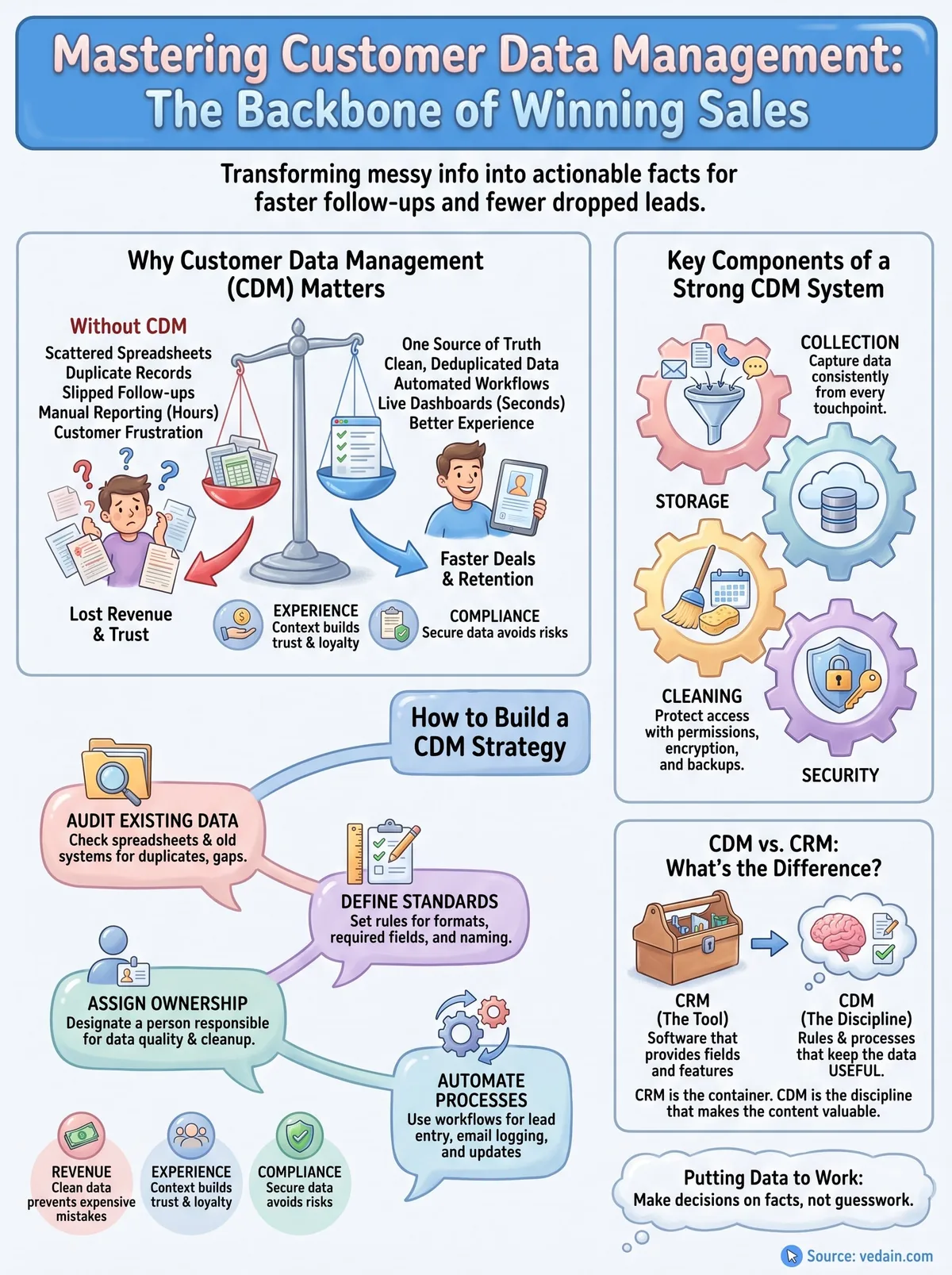
Putting customer data to work
Good customer data management isn't a one-time project. It's the habit of keeping records clean, giving the right people access, and automating the entry work reps would otherwise skip. Get those pieces right and every follow-up, report, and renewal conversation runs on facts instead of guesswork.
None of this requires enterprise budgets or a dedicated data team. It requires a CRM that makes deduplication, permissions, and email sync part of the default setup, not a paid add-on you discover you need after your database is already messy. That's the gap most tiered pricing models create, and it's exactly what a flat-rate CRM should close.
If you're ready to stop managing customer data across spreadsheets and disconnected inboxes, try Vedain CRM and see how a system built around clean data from day one changes how fast your team follows up.
Related reading
- •Customer Segmentation for SMBs: A Practical Guide to Targeting the Right People with the Right Message
- •Customer Lifetime Value (CLV): How to Calculate It, Why It Changes Everything, and How to Increase It
Frequently Asked Questions
What is the difference between customer data management and customer relationship management?
Customer data management (CDM) focuses specifically on collecting, organizing, and maintaining accurate customer information, while CRM is a broader software strategy that uses that data to manage all customer interactions and relationships. CDM is the foundation that enables effective CRM platforms like HubSpot, Salesforce, and Zoho to function properly. Think of CDM as the infrastructure and CRM as the application built on top of it.
How much does customer data management software cost?
Customer data management costs vary widely depending on the platform and features you need. HubSpot's CRM starts free with paid plans from $20/seat/month, Salesforce begins at $25/user/month, Pipedrive starts at $14/month, Zoho CRM offers plans from $14/user/month, and Vedain costs a flat $10/user/month. Enterprise solutions and custom implementations can cost thousands monthly, depending on data volume and customization requirements.
What are the best practices for organizing customer data in a CRM?
The best practices include establishing clear data entry standards, implementing regular data quality audits, segmenting customers by meaningful criteria, and centralizing all customer touchpoints in one system. Platforms like HubSpot and Freshsales make this easier through automation features and built-in data validation rules. Consistency in formatting, regular deduplication, and assigning data ownership responsibilities are essential for maintaining reliable customer records.
Why is customer data security important in CRM systems?
Customer data security protects your business from data breaches, ensures compliance with regulations like GDPR and CCPA, and maintains customer trust and reputation. Enterprise CRM platforms like Salesforce offer advanced encryption, access controls, and audit trails to safeguard sensitive information, and Vedain includes module-level permissions to limit who sees what. Poor data security can result in legal penalties, lost customers, and significant financial damage to your organization.
How can I improve data quality in my CRM system?
You can improve data quality by implementing automated data validation rules, establishing clear naming conventions, conducting regular audits, removing duplicates, and training your team on proper data entry procedures. Most modern CRMs including HubSpot, Pipedrive, and Salesforce offer automated tools and workflows that help maintain clean data automatically. Regular monitoring and assigning data stewardship responsibilities are critical for long-term data quality.
What are the key features to look for in a customer data management platform?
Key features include centralized data storage, automated data validation, segmentation capabilities, integration with other business tools, and robust security measures. Leading platforms like Salesforce, HubSpot, and Zoho offer customizable fields, API access, and advanced analytics for deeper customer insights. You should also prioritize user-friendly interfaces, strong support, and scalability to handle your business growth.