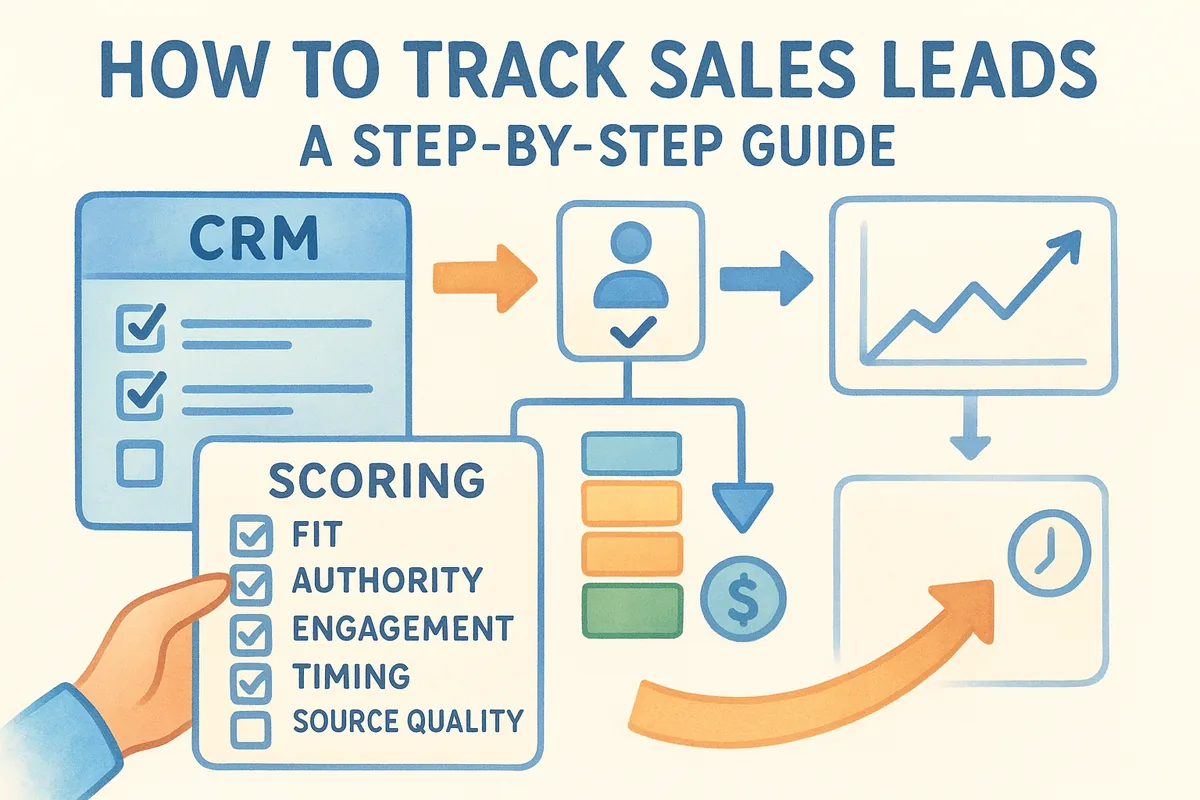
Tracking leads well comes down to three things: capturing them consistently, organizing them by stage, and following up on time. That means setting up a clear intake process, scoring and sorting leads so your team knows who to call first, and using automated reminders so nothing sits untouched. Get these right and your pipeline stops feeling chaotic and starts producing predictable results.
This guide walks through the exact steps, from capturing a lead the moment it comes in to moving it through your sales pipeline and reporting on what's working. Along the way, you'll see where the right CRM setup removes the manual busywork that causes leads to fall through in the first place.
Why tracking sales leads matters
Most sales teams lose deals long before a prospect says no. Lead leakage happens quietly: a form fill sits unanswered over a weekend, a trade show contact never gets entered anywhere, a rep changes phones and loses a month of notes. Research from Harvard Business Review found that companies which contact leads within an hour are nearly seven times more likely to qualify them than those who wait even a few hours longer. If you don't know exactly where each lead sits and who owns the next action, you're leaving revenue on the table every single week.
The real cost of untracked leads
Untracked leads don't just disappear, they cost you money you already spent to generate them. Every lead came from somewhere: an ad, a referral, a cold email, a booth at a conference. When that lead goes cold because nobody logged it or followed up, you've burned the acquisition cost with nothing to show for it. Marketing spend and sales effort both get wasted, and worse, you can't even diagnose the problem because there's no record of what happened.
A lead you can't see is a lead you've already lost.
Next, consider what happens to your forecasting when leads live in scattered inboxes and sticky notes. You can't predict next quarter's revenue if you don't know how many qualified leads are in your pipeline right now, or how long they typically take to close. Sales managers end up guessing, and guesses turn into missed targets. A proper tracking system turns that guesswork into a number you can actually trust.
What proper tracking gives you back
Once leads are tracked consistently, three things improve almost immediately. Response times shrink because everyone can see new leads the moment they arrive. Follow-up consistency improves because reminders fire automatically instead of relying on memory. And reporting becomes possible, because you finally have data on where leads come from and which ones convert.
Organizations that track leads systematically also get sharper at spotting patterns. Maybe your webinar leads convert at twice the rate of your cold outreach leads, or maybe leads that don't get a response within 24 hours almost never close. You only see these patterns when every lead is logged the same way, in the same place, with timestamps attached.
Why this matters more as you grow
A solo founder can sometimes keep leads straight in their head, at least for a while. That breaks down fast the moment you hire a second rep, add a new channel, or start running paid campaigns. Team growth multiplies the number of leads and the number of people who need visibility into them, and without a shared system, information gets siloed in each rep's personal workflow. That's exactly when deals start slipping between people instead of just between forgotten follow-ups.
Getting this right early also saves you a painful migration later. Teams that put off building a real tracking process usually end up scrambling to import years of scattered contacts into a CRM all at once, cleaning up duplicates and guessing at deal stages after the fact. Setting up structured lead tracking now, even if you're small, means you scale without that cleanup project hanging over you. The next section walks through exactly how to choose a system that fits, so you can start capturing leads correctly from day one instead of retrofitting a process after the damage is done.
Step 1. Choose a lead tracking system
Before you capture a single lead, decide where it's going to live. Spreadsheets feel free and familiar, but they break down fast once more than one person needs to update them at the same time. Version conflicts creep in, formulas break, and nobody trusts the numbers after a few months. If you're serious about how to track sales leads long-term, you need a system built for the job, not a workaround.
Spreadsheets vs. a dedicated CRM
Google Sheets or Excel might work for a solo founder with ten leads a month, but growth exposes every weakness in that setup. There's no automatic reminder when a lead goes quiet, no way to see who last touched a record, and no built-in view of your pipeline by stage. A dedicated CRM replaces all of that guesswork with structure that everyone on the team sees the same way.
If your lead tracking system can't remind you to follow up, it's not a system, it's a filing cabinet.
What to look for in a CRM
Not every CRM fits every team, so look past the marketing pages and check for the features that actually prevent leads from slipping. Email sync matters more than most people realize, because reps live in Gmail or Outlook and won't switch tools to log every conversation. Custom fields let you capture the details specific to your business, whether that's contract size, industry, or referral source.
Here's a quick checklist to run through before you commit to a platform:
- •Two-way email sync with Gmail or Outlook, not a one-way import
- •A visual pipeline you can customize by stage
- •Lead capture forms you can embed on your website
- •Workflow automation for reminders and follow-up sequences
- •Transparent pricing with no feature gated behind a higher tier
- •Setup that takes minutes, not weeks of onboarding calls
Pricing deserves its own scrutiny here too. Many CRMs advertise a low entry price, then lock automation, email sync, or reporting behind a premium plan. Vedain avoids that by pricing at a flat $10 per user per month with every feature included, so you're not stuck upgrading mid-year just to unlock the automation you needed from day one. Whatever you choose, make sure it's a system your whole team will actually use, not just the one you set up and abandon after week two.
Step 2. Capture leads from every channel
Leads come from more places than most teams realize, and every place they come from needs a way to land directly in your tracking system. Website forms, email replies, phone calls, LinkedIn messages, trade show badges, referrals from existing customers. If any one of those channels relies on someone remembering to type the lead into your CRM later, you will lose leads. The fix isn't more discipline, it's removing the manual step entirely.
Set up automatic capture at every entry point
Start with your website, since that's usually the highest-volume channel and the easiest to automate. Lead forms embedded on your site should feed straight into your CRM the moment someone submits, with no export, no copy-paste, no delay. Vedain's Lead Forms do exactly this: build the form, drop it on your site, and every submission creates a record automatically with the source already tagged.
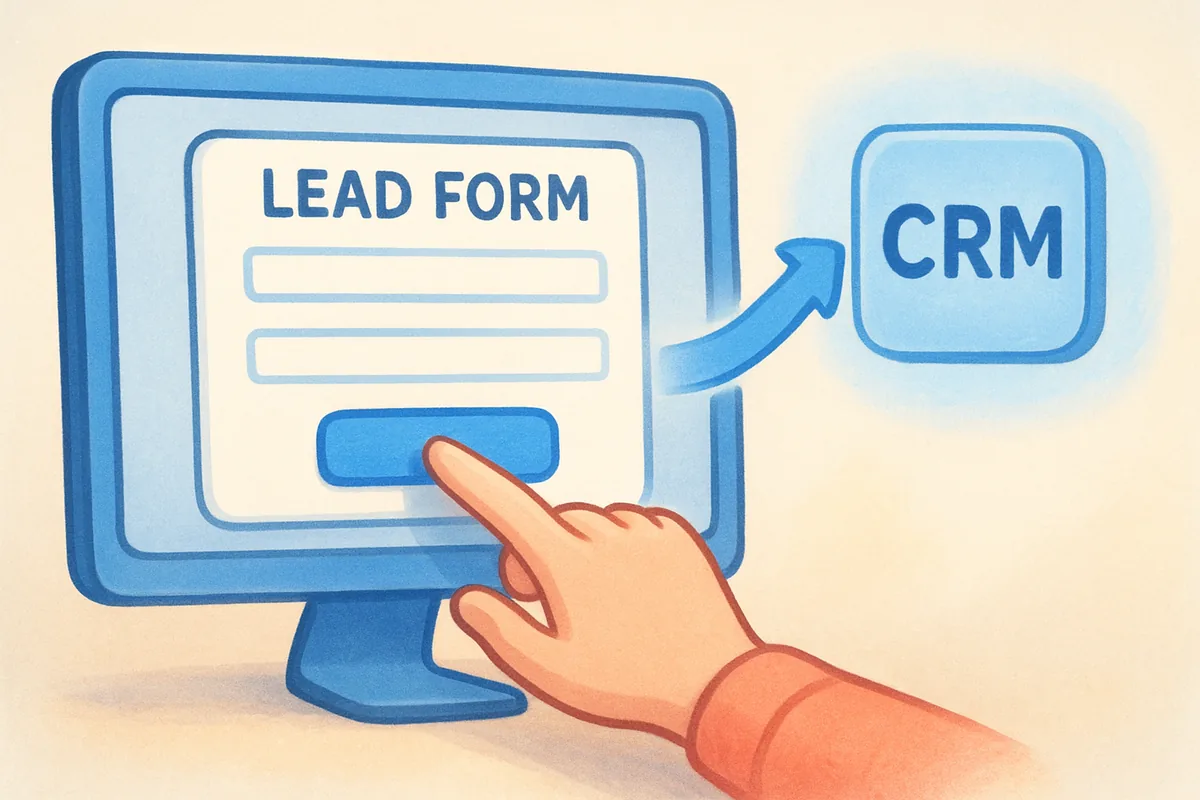
A lead that requires manual entry is a lead that eventually gets skipped.
Email needs the same treatment. If your reps are working out of Gmail or Outlook, two-way email sync logs every reply and new contact without anyone opening the CRM separately. That matters because reps won't stop using their inbox, so the CRM has to meet them there instead of fighting for their attention.
Cover the channels that aren't digital-first
Phone calls and in-person events are easy to lose because there's no form submission to trigger anything automatically. Build a habit, not just a tool, around these: log the contact within the same hour, before you move to the next task. A quick checklist helps here:
- •Website form fills: auto-captured through your CRM's lead form integration
- •Inbound emails: captured through two-way email sync, no manual entry
- •Phone calls: logged within the hour, with a note field for context
- •LinkedIn messages: copied into the CRM the same day, tagged with source
- •Trade show or event contacts: entered within 24 hours, before badges get lost
- •Referrals: logged immediately with the referrer's name attached for follow-up
Tag the source every single time
Whichever channel a lead comes from, tag it at the moment of entry, not later. Retroactively guessing where a lead came from wastes time and produces bad data, which then feeds bad decisions about where to spend your marketing budget. Consistent source tagging from day one is what makes Step 6's reporting actually mean something instead of being a pile of untagged records you have to clean up before you can trust a single chart.
Step 3. Qualify and score your leads
Not every lead deserves the same amount of attention, and treating them all equally is how your best reps waste hours chasing people who were never going to buy. Lead qualification is the filter that separates a curious visitor who downloaded a checklist from a decision-maker actively comparing vendors. Skip this step and your team burns its limited time on volume instead of quality, which tanks morale as fast as it tanks conversion rates.
Build a simple scoring model
You don't need a complicated algorithm to qualify leads well. A basic point system based on fit and behavior gets you most of the way there, and you can refine it once you have a few months of data. Score each lead against criteria like these:
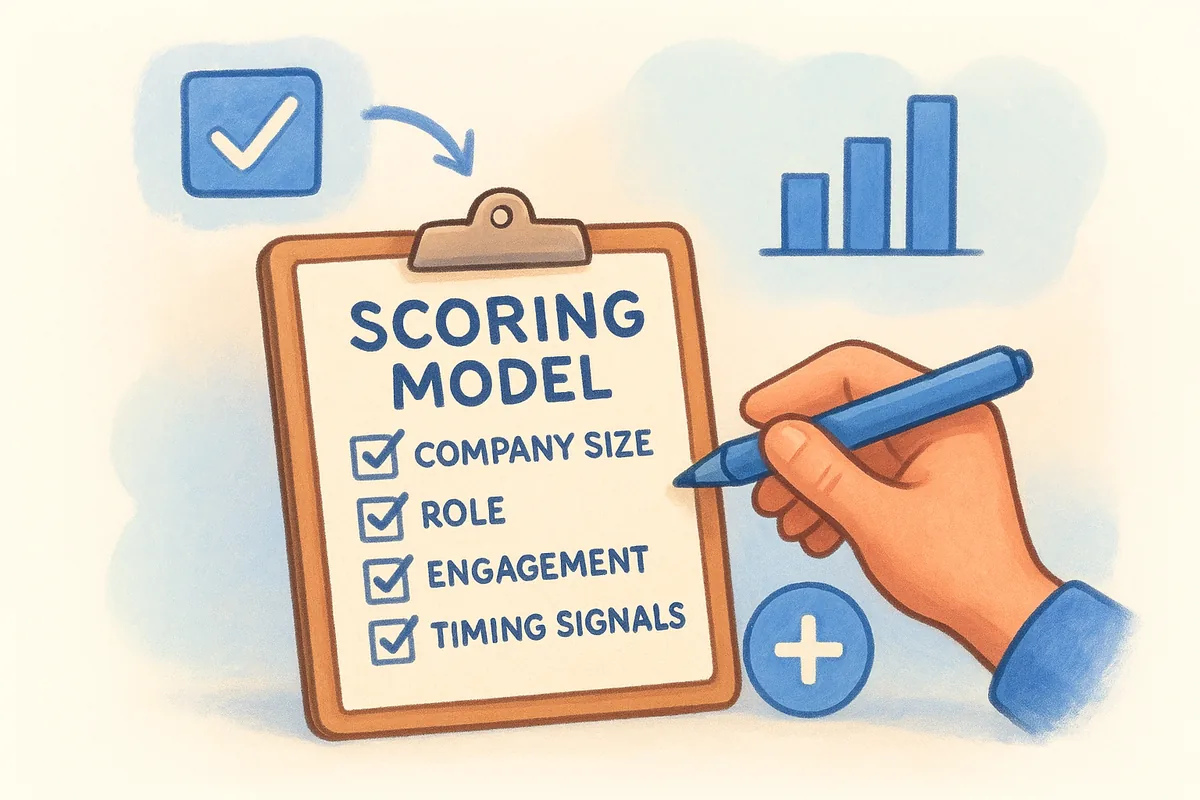
- •Company size or budget fit: does this lead match the profile of customers who actually buy from you?
- •Role or authority: is this person a decision-maker, an influencer, or just gathering information for someone else?
- •Engagement level: did they open every email, request a demo, or just download one PDF and disappear?
- •Timing signals: did they mention a deadline, a renewal date, or an active search for a solution?
- •Source quality: leads from referrals or high-intent search terms typically score higher than cold list purchases.
Assign points to each factor, set a threshold, and anything above that line gets fast-tracked to a rep. Anything below it goes into a nurture sequence instead of a rep's daily call list.
Chasing every lead equally means your best leads wait behind your worst ones.
Use custom fields to capture qualifying data
Scoring only works if the data behind it actually exists in your system, which means you need somewhere to put it. Vedain's custom fields let you track exactly the qualifying details that matter for your business, whether that's deal size, industry vertical, or a specific pain point a lead mentioned on a call. Set these up once, and every rep fills them in the same way, which keeps your scoring consistent instead of dependent on one person's judgment.
Route qualified leads immediately
Once a lead crosses your qualification threshold, get it in front of a rep the same day, ideally within the hour given how much conversion odds drop with delay. Use smart filters to build a view that shows only leads above your score threshold, sorted by how recently they came in, so reps always know who to call next without digging through a full list. Leads that don't qualify yet aren't dead, they just move to nurturing instead of a rep's queue, which is exactly what Step 5 covers next.
Step 4. Organize leads in a sales pipeline
Capturing and scoring leads only gets you halfway. Once a lead qualifies, it needs a home that shows exactly where it stands in your sales process, not a folder buried three clicks deep. A sales pipeline gives every lead a visible stage, from first contact to closed deal, so anyone on the team can glance at it and know what's happening without asking around. This is the core of how to track sales leads once volume picks up, because a list without stages is just a list, not a process.
Define stages that match how you actually sell
Don't copy a generic pipeline template if it doesn't match your sales motion. Map stages to the real decisions a lead makes on the way to buying:
- •New lead: captured but not yet contacted
- •Contacted: first outreach sent, awaiting response
- •Qualified: meets your scoring threshold from Step 3
- •Proposal sent: pricing or a formal offer is in their hands
- •Negotiation: terms or objections are being worked through
- •Closed won / Closed lost: final outcome, logged either way
Keep the list short. Six or seven stages is usually enough; anything longer and reps start skipping steps just to move faster.
Visualize it as a Kanban board
A spreadsheet can technically list stages in a column, but a visual pipeline makes bottlenecks obvious in a way rows of text never do. Vedain's Kanban board lets you drag a lead card from "Contacted" to "Qualified" the moment a call happens, and everyone watching the board sees the shift in real time. If ten cards pile up in "Proposal sent" and barely move, you know exactly where deals are stalling before a single report tells you.
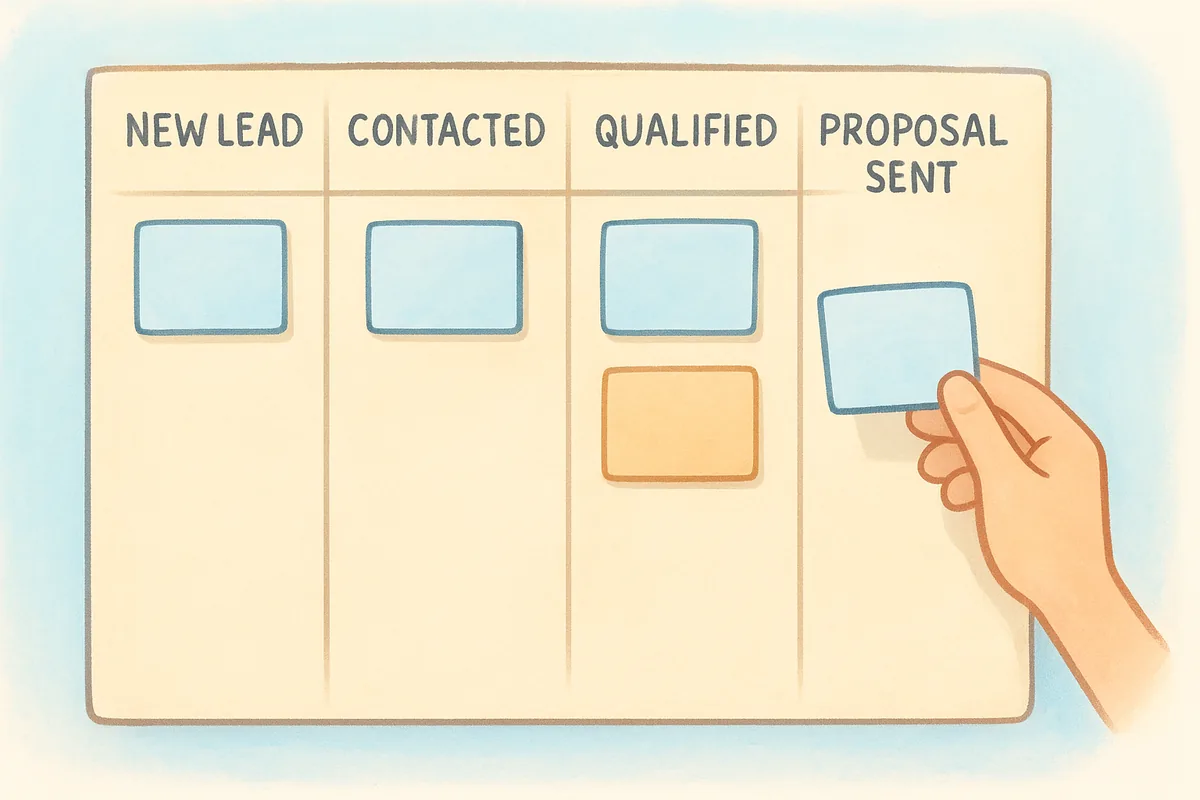
A pipeline you can see is a pipeline you can fix.
Assign an owner and a next action to every lead
Stages alone don't stop leads from going quiet. Every card in your pipeline needs an owner responsible for it and a next action with a date attached, whether that's "send follow-up email Thursday" or "call back after their budget review." Reports of stalled deals are almost always missing one of these two things: nobody owns the lead, or nobody knows what the next step is supposed to be. Fixing that is cheap compared to losing the deal, and it sets up the automation in Step 5, which turns those next actions into reminders that fire without anyone having to remember them manually.
Step 5. Automate follow-ups and nurturing
Manual follow-up works fine until you have more than a handful of leads at once, then it quietly falls apart. No-code workflows solve this by turning the next action from Step 4 into something that fires on its own, whether that's an email, a task, or a reminder to call. Vedain's workflow builder lets you set these up in plain rules, like "if no reply after 3 days, send follow-up email 2," without writing a single line of code.
Build a workflow for every stage transition
Each stage in your pipeline should have a matching automation, so leads never sit waiting on someone's memory. A basic setup looks like this:
- •New lead captured: send an instant acknowledgment email within minutes
- •Contacted, no reply after 3 days: trigger follow-up email and notify the rep
- •Qualified, no proposal sent after 5 days: create a task for the assigned rep
- •Proposal sent, no response after 7 days: send a check-in email automatically
- •Closed lost: tag the lead and route it into a long-term nurture sequence
Automation doesn't replace your rep, it just makes sure the rep never forgets.
Nurture leads that aren't ready to buy yet
Leads below your qualification threshold from Step 3 shouldn't disappear, they should move into a multi-step sequence that keeps your name in front of them until timing improves. Vedain's Email Campaigns feature handles this with automated sequences that space out messages over weeks instead of dumping everything on day one. A simple three-email nurture sequence might look like this:
Swap in your own content, but keep the cadence realistic. Emails that arrive too fast read as spam, and sequences that stretch too long lose the lead's attention before you get a reply.
Keep deliverability in mind while you automate
Sequences only work if the emails actually land in an inbox instead of a spam folder, which matters more once you're sending in volume through automation. Email warmup protects your sending domain by gradually increasing volume over time, and Vedain builds this in as a gradual warmup ramp so your automated follow-ups don't tank your deliverability the moment you turn workflows on. Set this up before you scale your sequences, not after you notice open rates dropping. Once follow-ups run themselves, the next step is checking whether they're actually working, which is where source and metric tracking comes in.
Step 6. Track sources and key metrics
Once leads are flowing through your pipeline with tags and automation in place, you finally have the raw material for real reporting. Source tracking only pays off if you actually look at it, so this step is about turning the data you've been collecting since Step 2 into decisions about where to spend your time and budget. If you've been wondering how to track sales leads well enough to act on the numbers, this is where it happens.
Know which metrics actually matter
Don't drown in vanity numbers that look good but don't change what you do next week. Focus on a short list that ties directly to revenue:
- •Lead volume by source: how many leads came from each channel this month
- •Conversion rate by source: what percentage of leads from each channel become customers
- •Average response time: how long between a lead arriving and first contact
- •Time in each pipeline stage: where deals slow down or stall completely
- •Win rate: closed won deals as a percentage of total qualified leads
- •Customer acquisition cost by channel: what you spent to get a lead versus what it closed for
Track these consistently, on the same schedule, so you're comparing real trends instead of one good week against one bad one.
Build reports that show the full funnel
A single number rarely tells you enough on its own. Vedain's Reports & Analytics module builds pipeline reports and conversion funnels automatically from the data you've already tagged, so you can see exactly where leads drop off between stages without exporting anything to a spreadsheet first. A conversion funnel report might show 200 leads captured, 80 qualified, 30 proposals sent, and 12 closed won, which immediately tells you where the biggest leak sits.
If you can't see where leads drop off, you can't fix the drop.
Compare team performance without guesswork
Metrics matter at the individual level too, not just the channel level. Team leaderboards show response times and conversion rates by rep, which surfaces coaching opportunities faster than a monthly check-in ever could. If one rep consistently closes referrals at twice the rate of cold leads, that's worth digging into and sharing with the rest of the team.
Once you have a few weeks of clean data, you're ready to act on it, which is exactly what the next step covers.
Step 7. Review and refine your process
Data sitting in a report does nothing on its own. The whole point of tracking sales leads is to change what you do based on what the numbers show, so this step is about building a recurring habit of review, not a one-time audit you run once and forget. Regular reviews turn your CRM from a record-keeping tool into an actual decision-making tool, and skipping this step is how teams end up with months of clean data they never act on.
Set a fixed cadence for reviewing metrics
Pick a schedule and stick to it, because inconsistent reviews produce the same guesswork you were trying to eliminate in Step 6. A simple structure works well for most teams:
- •Weekly: check response times and stalled deals, fix anything urgent
- •Monthly: review conversion rates by source and rep, adjust lead scoring if needed
- •Quarterly: reassess your pipeline stages and qualification criteria against actual sales cycles
Put these reviews on the calendar the same way you'd schedule a client call. If they only happen when someone remembers, they stop happening within a month.
A process you never review is a process you're only guessing works.
Adjust based on what the data actually shows
Once you spot a pattern, change something concrete rather than noting it and moving on. If leads from a certain source convert at half the rate of others, cut spend there or change your follow-up sequence for that channel. If deals stall in the same pipeline stage every month, that stage probably needs a clearer next action or an extra automated nudge from Step 5. Qualification criteria should shift too, since the fit that mattered when you had ten customers might not match who actually buys once you have a hundred.
Get feedback from the people using the system
Reports only tell part of the story. Ask your reps directly what's slowing them down: too many manual steps, a stage that doesn't match reality, a scoring model that flags the wrong leads as hot. Vedain's Custom Dashboards make it easy to build a view tailored to what each rep or manager actually needs to see day to day, instead of forcing everyone to dig through the same generic report. A dashboard nobody looks at is as useless as a spreadsheet nobody updates, so build reviews around what your team will actually use.
Treat this step as ongoing rather than final. The teams that keep converting well aren't the ones who built a perfect system once, they're the ones who keep tightening it every month based on real numbers instead of instinct.
Building a lead tracking habit that sticks
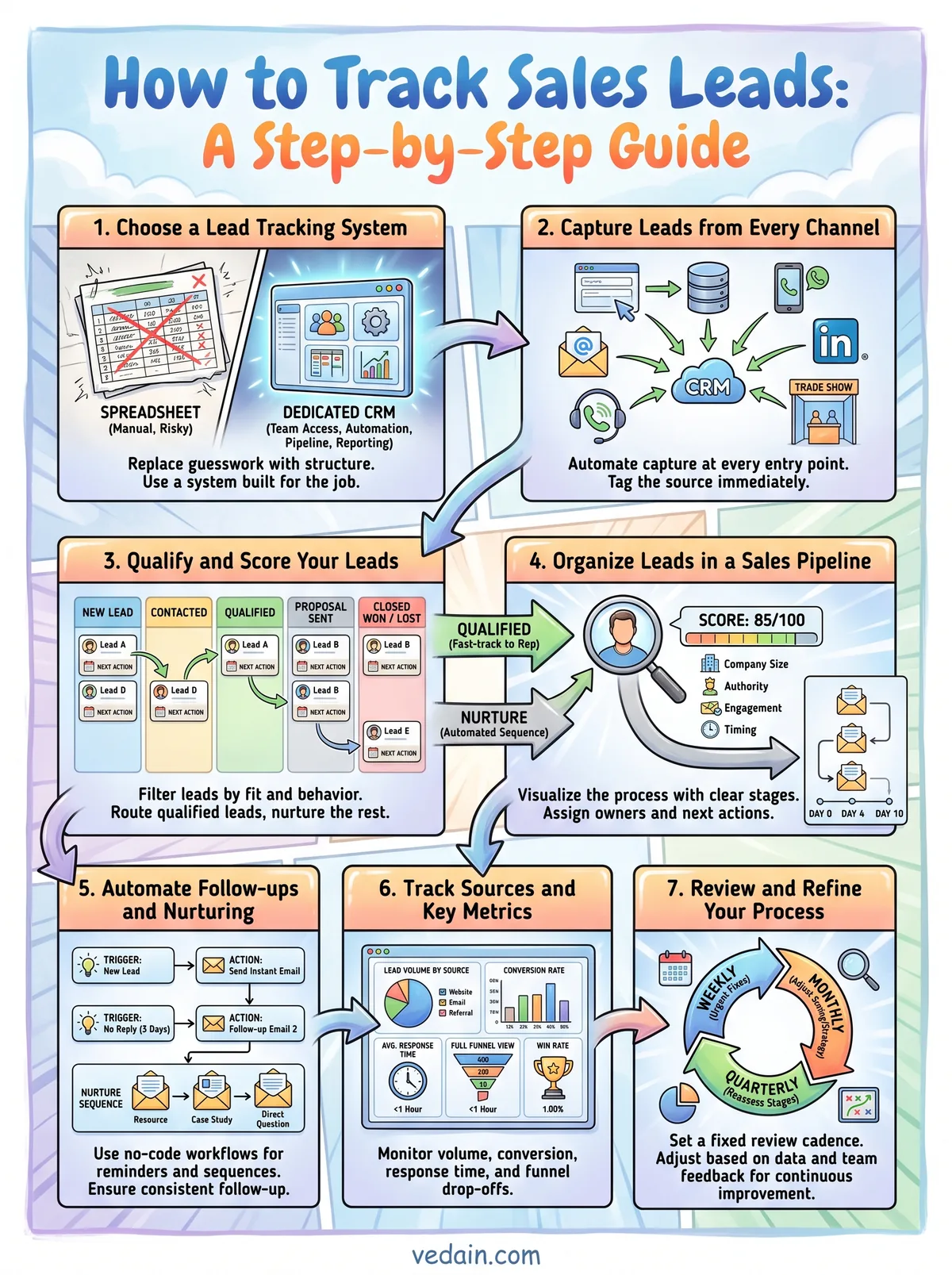
None of these seven steps work in isolation. Consistent capture feeds your scoring, scoring feeds your pipeline, and your pipeline feeds the reports that tell you what to fix next. Skip one link and the whole chain weakens, which is why the teams that win aren't smarter, they're just more consistent about logging, following up, and reviewing week after week.
Start small if you have to. Pick one channel, capture it automatically, and add the next piece once that habit holds. Manual tracking will always break down as you grow, so the sooner you build the habit around a real system, the less cleanup you'll face later.
If you're still juggling spreadsheets and sticky notes, try Vedain free and see how fast a real pipeline replaces the guesswork, without a credit card or a week of setup.
Related reading
Frequently Asked Questions
How do you track sales leads effectively?
Track sales leads effectively with these 5 practices: (1) Centralize — all leads enter one CRM, not separate spreadsheets or email folders per rep. (2) Capture source — record where every lead came from (referral, Google Ads, trade show, website form) to know which channels drive revenue. (3) Log every interaction — calls, emails, and meetings logged within 24 hours; no undocumented conversations. (4) Always have a next step — every open lead has a task or follow-up date. No lead should ever be 'waiting' without a scheduled action. (5) Review weekly — manager reviews all leads that haven't had activity in 7 days.
What is the best way to track sales leads without a CRM?
Track sales leads without a CRM using: a shared Google Sheet or Notion database with columns for name, company, contact info, lead source, current stage, last contact date, next follow-up date, and notes. This works for 1-2 people managing under 50 active leads. The breaking points: when two reps both update the same row simultaneously, when you can't remember who contacted whom, and when you have 100+ leads and lose track of follow-ups. At that point, a CRM (even free HubSpot) is more efficient than the most sophisticated spreadsheet. Most teams hit this point within 6-12 months of active selling.
How do you track lead sources in CRM?
Track lead sources in CRM by: (1) Creating a 'Lead Source' custom field with standardized options (Google Ads, Organic Search, Referral, Trade Show, Direct Outbound, Partner, Social Media, Website Form, Other). (2) Capturing source at lead creation — make it a required field so reps always fill it in. (3) Using UTM parameters on marketing links so web form submissions auto-populate source. (4) Running monthly reports — which sources generated the most leads, which converted to deals, which had the highest close rate. This tells you where to invest marketing and sales development budget.
How do sales teams track follow-ups in CRM?
Sales teams track follow-ups in CRM with: (1) Tasks — create a follow-up task with a due date every time you end an interaction without a next meeting scheduled. (2) Pipeline stage rules — require a next step before advancing a deal. (3) Overdue task alerts — CRM notifies reps each morning of follow-ups due or overdue. (4) Activity timeline — managers see the last activity date on each lead; anything without activity in 7 days is flagged in the pipeline review. (5) Automation — CRM auto-creates a follow-up task when a deal has no activity for 3 days.
What information should you track for each sales lead?
Track this information for each sales lead: Contact info (name, title, email, phone, LinkedIn). Company details (company name, size, industry, website, location). Lead origin (source, date entered, campaign). Qualification data (budget range, authority/decision-maker, specific need, timeline). Interaction history (every call, email, meeting with date, topic, and outcome). Current stage and probability. Next follow-up date and action. Won/Lost reason (when the lead closes). Optional but valuable: competitor they're also evaluating, objections raised, referral source name. More data = better forecasting and coaching, but keep required fields to under 10 to avoid rep resistance.
How do you measure lead tracking effectiveness?
Measure lead tracking effectiveness with: (1) Lead response time — how quickly after a lead enters the system does the first contact happen? (Under 1 hour is the target; every hour of delay reduces conversion rate.) (2) Follow-up compliance — % of leads with a scheduled next activity at any given time. (3) Activity logging rate — % of calls and emails that get logged in CRM vs total calls made. (4) Pipeline accuracy — how close are CRM pipeline value and close date predictions to actual results? (5) Lead aging — average days from creation to closed won/lost. Long aging = leads are stalling. A healthy lead tracking system shows 80%+ follow-up compliance and under 30-day average lead age for short-cycle sales.