
But here's where things get confusing: some tools call themselves contact managers, others call themselves CRMs, and the feature overlap can make your head spin. Understanding the difference, and knowing which features actually matter, saves you from paying for bloated software you'll never fully use. At Vedain CRM, we built our platform around this principle: give sales teams everything they need to manage contacts, track deals, and automate outreach at a flat $10/user/month, no feature gates attached.
This article breaks down what contact management software is, the core features to look for, the real benefits it delivers, and how it compares to full CRM systems. Whether you're evaluating your first tool or replacing one that's not cutting it, you'll walk away with a clear framework for making the right choice.
Why contact management matters for growing teams
Growing a sales team sounds like a good problem to have, but it comes with a real operational challenge: the more people you add, the harder it gets to keep your contact data clean, current, and accessible. When each rep stores contacts their own way, you end up with duplicate records, outdated information, and no visibility into who last spoke to a prospect or what was said. That is not a people problem. It is a systems problem, and contact management software is the system that solves it.
The cost of scattered contact data
When your team tracks contacts across spreadsheets, inboxes, and personal notes, you do not just waste time. You lose deals. A rep who cannot quickly find a contact's full history before a call goes into that conversation blind, and another rep might reach out to the same lead twice in one week, which damages trust. Microsoft research on workplace productivity consistently shows that knowledge workers spend a significant chunk of their day searching for information instead of doing actual work, and sales teams are no exception.
The more contacts your business accumulates, the faster disorganized data compounds into lost revenue.
Duplicate records and missing context slow down every part of your sales process. When you cannot see whether a contact opened your last email, attended a demo, or raised a pricing concern three months ago, you are guessing instead of selling. The problem gets worse at scale: a team of five might survive in a shared spreadsheet, but a team of twenty-five cannot.
How contact volume grows faster than you expect
Most businesses underestimate how quickly their contact database expands. You start with a handful of leads, then add website form submissions, conference connections, referrals, and inbound inquiries. Within a year, a small sales team can easily accumulate thousands of contacts pulled from multiple sources, all with different formats and varying levels of detail.
Contact management software solves this by giving you searchable, filterable records where every contact follows a consistent data structure. You can tag contacts by industry, deal stage, or lead source. You can pull up a complete interaction history in a single click. When a new rep joins your team, they can get up to speed on any contact's background in minutes rather than digging through old email threads and asking colleagues what happened six months ago.
Why organized contacts directly affect revenue
Understanding what is contact management software means understanding its direct connection to sales performance. Organized contact data leads to faster follow-ups, and faster follow-ups lead to more closed deals. Google's research on consumer behavior points to response speed as a critical factor in purchase decisions, and that principle applies equally in B2B sales: the rep who follows up first with the right context wins more often.
Your team can only act on information they can find quickly. When contact records are complete, current, and centralized, reps spend less time on admin work and more time on conversations that move deals forward. Managers also gain real visibility into team activity, so coaching is based on actual data rather than assumptions. The downstream effect on revenue is direct: better contact management means fewer leads slip through the cracks, and more of your pipeline converts into closed business.
What contact management software does day to day
Understanding what is contact management software becomes much clearer when you look at the specific tasks it handles every single day. Rather than storing contacts in a static list, a good contact manager actively supports your team's workflow from the moment a new lead enters the system to the day they become a customer and beyond. It removes the manual overhead that slows reps down and replaces guesswork with structured, accessible data.
Capturing and organizing contact records
Every time a new contact enters your pipeline, the software creates a structured record that stores their name, company, email, phone number, and any custom fields your team needs, like job title, industry, or lead source. Instead of asking reps to manually transfer this information from forms, imports, or email signatures, many tools pull that data in automatically.
Custom fields and smart filters let you segment your contact list in ways that actually map to how your team sells. You can group contacts by deal stage, geographic region, or any tag your team applies, and then act on those segments with targeted outreach rather than blasting everyone the same message.
Logging interactions and tracking history
A contact record is only useful if it tells the full story of every interaction. Contact management software logs emails, calls, notes, and meetings so anyone on your team can open a record and immediately see what has happened with that contact and what should happen next.
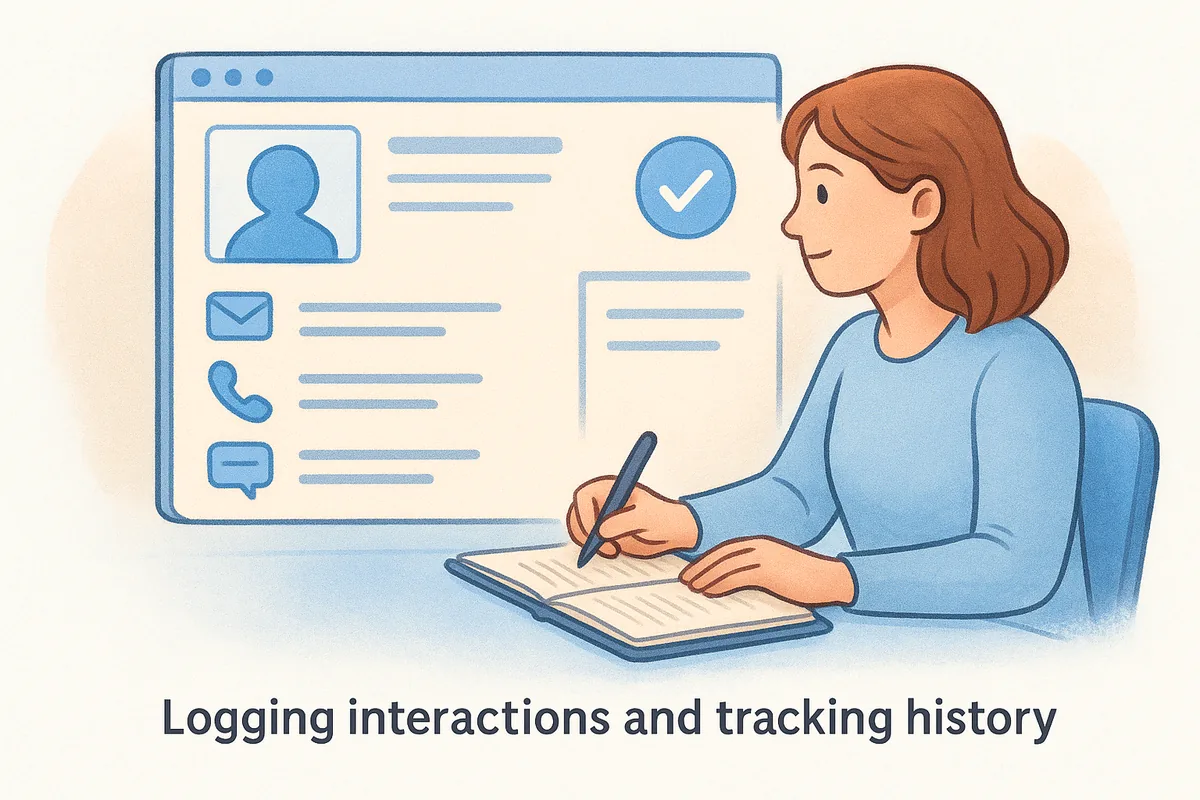
When every interaction is logged automatically, reps stop wasting time reconstructing history before calls and start spending that time on the conversation itself.
Two-way email sync is one of the most practical features here. Instead of manually copying emails into the CRM, the software pulls them in directly from Gmail or Outlook, so your records stay current without any extra effort from your team.
Surfacing reminders and next steps
Contact management software also handles the forward-looking side of relationship management: reminders, follow-up tasks, and activity alerts. When a rep sets a follow-up for two weeks out, the system surfaces that task at the right time so nothing slips through. Automated reminders tied to contact records keep your entire team working proactively rather than reactively.
Contact management software vs CRM software
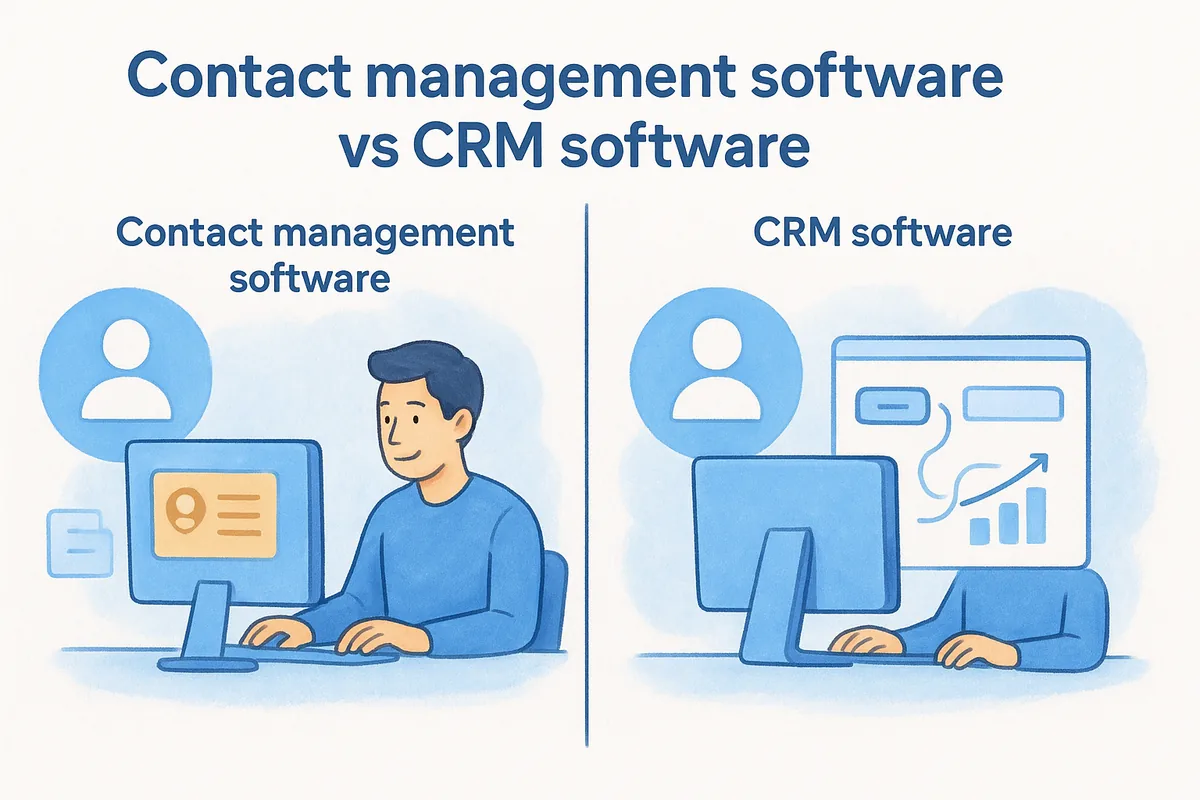
The terms get used interchangeably online, but they are not the same thing, and confusing them leads to buying tools that either do too little or way more than you actually need. Contact management software focuses on storing, organizing, and retrieving contact data, while a full CRM (Customer Relationship Management) platform extends that foundation into deal tracking, pipeline management, reporting, and sales automation. One is a component; the other is a complete sales operating system.
What contact managers focus on
A standalone contact manager does one thing well: it keeps your people data clean and accessible. You get structured contact records, interaction history, notes, and basic filtering. If your primary need is knowing who your contacts are and what past conversations looked like, a contact manager covers that ground. Freelancers, small service businesses, or teams with simple outreach needs often find a dedicated contact manager is enough to stay organized without the overhead of a full platform.
If your sales process involves more than a handful of contacts and a few basic follow-ups, you will likely outgrow a standalone contact manager faster than you expect.
What CRMs add on top
A CRM starts with contact management at its core, then layers in the tools that actually move deals forward. That means deal pipelines with visual tracking, email automation, workflow triggers, reporting dashboards, and team performance analytics. When you ask what is contact management software in the context of a CRM, the honest answer is that it is the foundation, not the full product.
The practical difference shows up in your daily workflow. A contact manager tells you who a person is. A CRM tells you who they are, where they sit in your pipeline, what emails they have received, whether they opened them, what tasks are due on their record, and how they contribute to your team's revenue targets. For any sales team tracking multiple deals across multiple stages, that added layer is not a nice-to-have. It is the difference between managing relationships and actively driving them to close.
Most modern CRMs, including Vedain, include full contact management as a built-in module rather than a separate product, which means you get organized contact data and a complete sales workflow under one roof at a single price.
Key features to look for in a contact manager
Not every contact management tool is built the same way, and the feature gap between a basic option and a full-featured platform is significant. When you evaluate tools, the specific capabilities determine whether the software supports how your team actually works or just creates another system to maintain. Understanding what is contact management software at a practical feature level helps you ask the right questions before you commit to anything.
Structured records with custom fields
The foundation of any contact manager is the contact record itself. Every tool stores basic details like name, email, and phone number, but the ones worth using let you extend those records with custom fields that match how your team sells. You might need to track contract value, product interest, or the specific event where you first connected with a contact. Without that flexibility, you end up shaping your data around the tool's defaults instead of your actual sales process, which creates gaps that slow your team down.
Full interaction history and email sync
A contact record without history is just a business card. Two-way email sync with Gmail or Outlook automatically pulls conversations into each contact record so your team always has full context before reaching out. Look for tools that log calls, notes, and meetings in a single timeline so you see the complete picture in one place.
When every touchpoint is visible in one timeline, reps stop reconstructing history and start using it to have better conversations.
Automatic logging beats manual entry every time because reps under pressure skip manual steps, and those gaps cost you context at the worst possible moment.
Search, filtering, and segmentation
Your database grows faster than you expect, and without strong search and filtering, finding the right contacts becomes a daily friction point. Smart filters let you combine field values, tags, and activity data to isolate exactly the segment you need for a campaign or a follow-up push. Saved filter sets prevent your team from rebuilding the same searches repeatedly and make acting on specific contact groups fast and consistent.
Automation for follow-ups and tasks
Manual reminders break down under volume. Workflow automation tied to contact activity ensures follow-up tasks get created and emails get sent at the right time without relying on reps to remember every step. Look for a no-code builder so your team can configure these automations without IT support, which keeps your process running smoothly even as your contact database scales into the thousands.
How to choose the right contact management tool
Choosing the right tool comes down to matching the software's capabilities to how your team actually sells, not how the vendor describes their ideal use case. Most buying decisions go wrong when teams focus on feature lists instead of workflow fit. Before you evaluate any platform, get clear on three things: the size of your team, the complexity of your sales process, and the tools you already use, because those three factors narrow your options fast.
Start with your team's actual workflow
Understanding what is contact management software helps here, but what matters more is understanding your own process. Map out the steps your team takes from first contact to closed deal and look for where things break down. If reps spend time hunting for contact history before calls, you need strong interaction logging. If follow-ups get missed regularly, automated task creation is non-negotiable for your team. The goal is to pick a tool that removes specific friction points, not one that looks impressive in a demo.
- •Do you need pipeline tracking alongside contacts, or just organized records?
- •Does your team send email sequences, or is one-to-one outreach enough?
- •How important is reporting on individual or team activity?
Match the tool to your growth stage
A freelancer managing 200 contacts has different needs than a sales team of 30 tracking thousands of active leads. Start with a tool that fits where you are today, but pay close attention to whether it scales with you. Switching platforms mid-growth is expensive in both time and lost data, so factor in whether the pricing model stays reasonable as your user count and contact volume increase.

The cheapest option today becomes the most expensive option if you outgrow it in twelve months and have to migrate your entire database.
Evaluate total cost, not just the sticker price
Per-seat pricing models often advertise low base costs but lock core features behind higher tiers. Check which features sit behind paywalls before you commit to any trial. Automation, email sync, and reporting are standard capabilities that should be included at the base price, not add-ons. A flat, all-inclusive pricing model removes that guesswork entirely and makes your actual monthly cost predictable as your team grows.
Best contact management tools for 2026
Understanding what is contact management software helps you spot the tools that actually deliver on their promise versus ones that just market well. The platforms below all handle contact storage and interaction logging, but they differ significantly in scope, pricing, and who they're built for. Use this list to match a tool to your team's specific workflow and budget.
Vedain CRM
Vedain CRM is a full sales operating system built around clean contact management at a flat $10 per user per month with no feature tiers or hidden fees. Every plan includes custom fields, two-way email sync with Gmail and Outlook, no-code workflow automation, email campaigns, and a 30+ AI agent marketplace for data enrichment and enrichment tasks. Setup takes under five minutes, and your team gets unlimited records from day one with no credit card required for the trial.
If you want a platform that covers contact management and the full sales pipeline without the cost climbing as you scale, Vedain removes the guesswork by putting every feature on the table at a single price. That makes it the most practical option for sales teams that want automation and contact management without paying separately for each capability.
HubSpot CRM
HubSpot's free tier makes it an easy starting point for small teams with basic contact needs. The free version covers contact storage, email logging, and surface-level deal tracking. Costs escalate quickly once your team needs automation, sequences, or advanced reporting, with paid tiers running into hundreds of dollars per month per user.
HubSpot works well for teams with budget flexibility and a need for marketing and sales in one platform. For teams that primarily need organized contact records and pipeline visibility, the pricing model makes it harder to justify as your user count grows.
Pipedrive
Pipedrive centers its product on visual pipeline management, with contact management built in as supporting infrastructure. The tool is well designed and relatively easy to learn, which makes it a reasonable fit for small sales teams getting started.
Email automation and workflows sit behind higher-priced plans, so your real cost rises fast if you want the features that make contact management useful at scale.
Check which features are gated before committing to any Pipedrive plan, especially if automation and email sync are non-negotiable for your team's workflow.
Conclusion
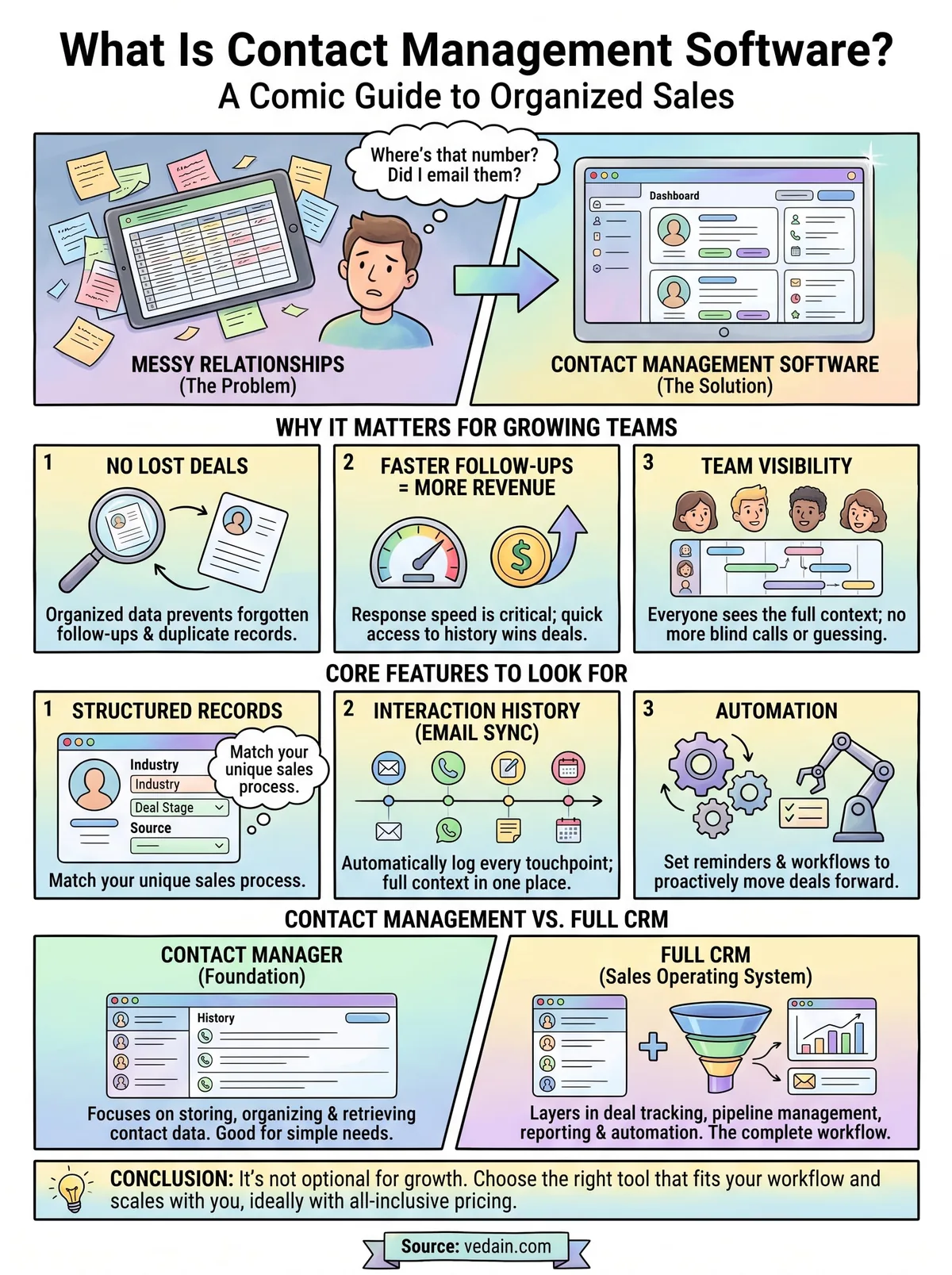
Contact management is not optional once your sales team starts growing. Understanding what is contact management software shows you why organized, accessible contact data sits at the foundation of every high-performing sales process. Whether you run a small team or a growing organization, the right tool removes friction, keeps your team aligned, and ensures no contact or follow-up ever slips through the cracks.
The tools you choose should fit how you sell today while scaling with you as your contact volume grows. All-inclusive pricing, strong automation, and full email sync separate the platforms worth using from the ones that look good in demos but cost you later in hidden fees and gated features.
If you want a platform that covers contact management and your full sales pipeline at a single flat rate, start your free trial with Vedain CRM and see how fast your team gets organized without paying more as you scale.
Frequently Asked Questions
What is the best contact management software for small businesses?
HubSpot CRM and Zoho CRM are the top choices for small businesses, offering free plans with essential contact management features. HubSpot's free tier includes unlimited contacts and basic automation, while Zoho CRM starts at $14/user/month with more advanced features included. Pipedrive ($14/month) is also excellent for sales-focused teams needing visual pipeline management alongside contact organization.
How much does contact management software typically cost?
Contact management software ranges from free to $300+ per month depending on features and users. HubSpot's free plan costs nothing, Zoho CRM starts at $14/user/month, Pipedrive begins at $14/month, Freshsales at $15/month, and Salesforce starts at $165/month for more enterprise solutions. Most platforms offer tiered pricing that scales with team size and feature requirements.
What features should I look for in contact management software?
Essential features include centralized contact storage, duplicate detection, segmentation, automation workflows, and integration capabilities. Look for built-in communication tools (email, calling, SMS), activity tracking, custom fields, and reporting—all offered by HubSpot, Salesforce, and Zoho CRM. Advanced options like AI-powered insights, mobile apps, and API access distinguish premium solutions like Salesforce and Vedain from basic alternatives.
Is contact management software worth the cost?
Yes, contact management software provides strong ROI by reducing manual data entry, improving response times, and enabling better customer targeting. Businesses using platforms like HubSpot or Salesforce report 20-30% improvements in sales productivity and higher customer retention rates. Even free plans like HubSpot's or low-cost options like Zoho CRM ($14/user/month) typically pay for themselves within weeks through efficiency gains.
What's the difference between contact management and CRM software?
Contact management software focuses primarily on storing and organizing customer information, while CRM software includes contact management plus sales pipelines, customer service, and marketing automation. HubSpot and Salesforce are full CRM platforms offering comprehensive business tools, whereas simpler contact managers handle address books and communication history. For most growing businesses, a full CRM like Pipedrive or Zoho CRM offers better long-term value than contact-only solutions.
Can contact management software integrate with other business tools?
Most modern contact management platforms offer extensive integrations with email, calendars, communication tools, and business applications. HubSpot integrates with Gmail, Slack, and 1,500+ apps, Salesforce connects to virtually any enterprise tool, and Zoho CRM integrates across the Zoho ecosystem plus third-party platforms. Pipedrive and Freshsales also provide API access and popular integrations, making them adaptable to your existing tech stack.