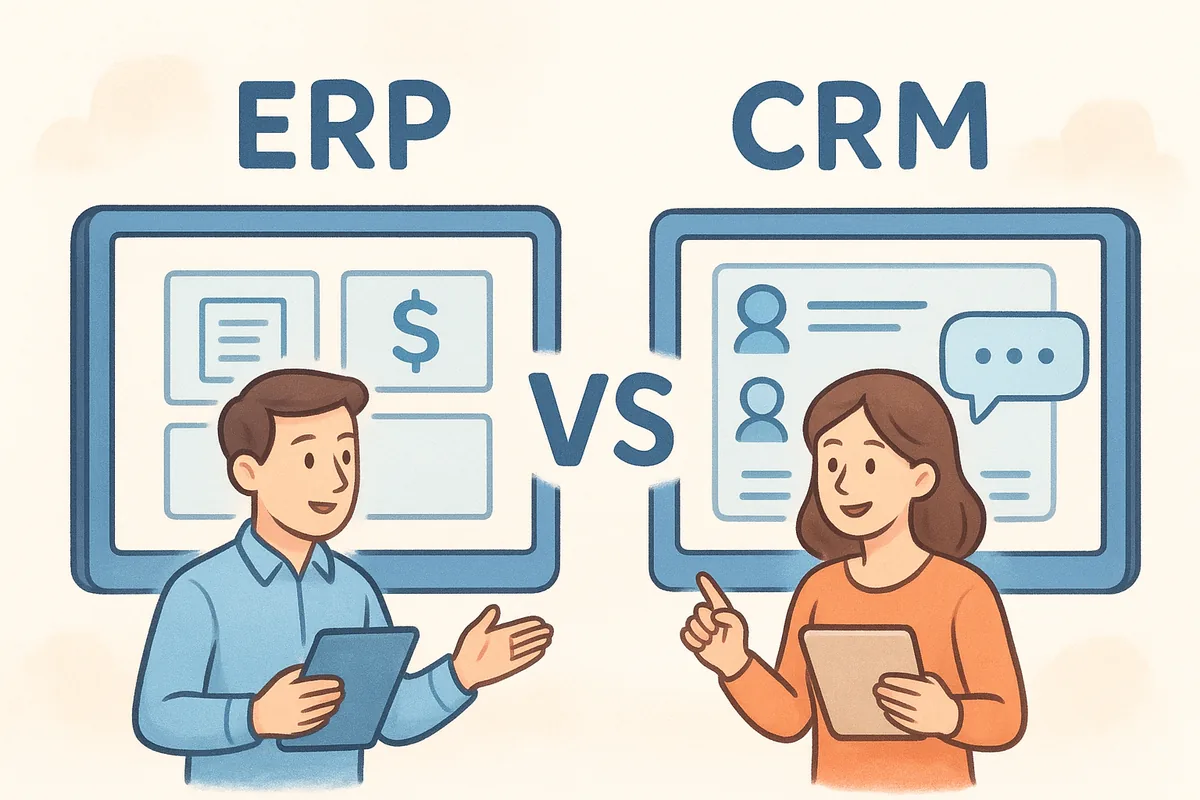
Here's the short answer: erp/crm software meaning breaks down into two distinct tools. ERP (Enterprise Resource Planning) manages your internal operations like inventory, finance, and supply chain. CRM (Customer Relationship Management) manages everything customer-facing, from leads to deals to communication history. They solve different problems, even though some platforms try to blend them.
In this article, we'll define each system clearly, walk through the key differences that actually matter for day-to-day work, and help you figure out which one solves your immediate problem. If you're a sales team drowning in spreadsheets and missed follow-ups, you'll see why a dedicated CRM platform built for pipeline management, like the one we work with daily, often gets you moving faster than a bloated all-in-one system ever could.
Why knowing the difference between ERP and CRM matters
Mixing up ERP and CRM costs you real money, not just confusion. Businesses routinely buy the wrong system, pay for modules they never touch, and then wonder why adoption is low six months later. Understanding erp crm software meaning before you sign a contract saves you from a expensive rebuild down the road, because migrating data between systems after the fact is painful and rarely cheap.
The cost of picking the wrong tool
Sales teams that get handed an ERP system for pipeline management usually abandon it within weeks. ERP platforms are built around structured data entry, rigid workflows, and finance-first logic. A sales rep trying to log a call or move a deal to the next stage inside an ERP interface often gives up and goes back to a spreadsheet. That's not a training problem, it's a fit problem. The tool was never designed for the job.
A CRM tracks relationships. An ERP tracks resources. Confuse the two and you'll pay for features nobody on your team will ever open.
The reverse mistake happens too. Companies buy a CRM expecting it to manage inventory counts or generate financial statements, then get frustrated when it can't. Neither system is broken in these cases, they're just being asked to do a job outside their design.
Different departments, different priorities
ERP and CRM serve different audiences inside the same company, and that's a big part of why the confusion persists:
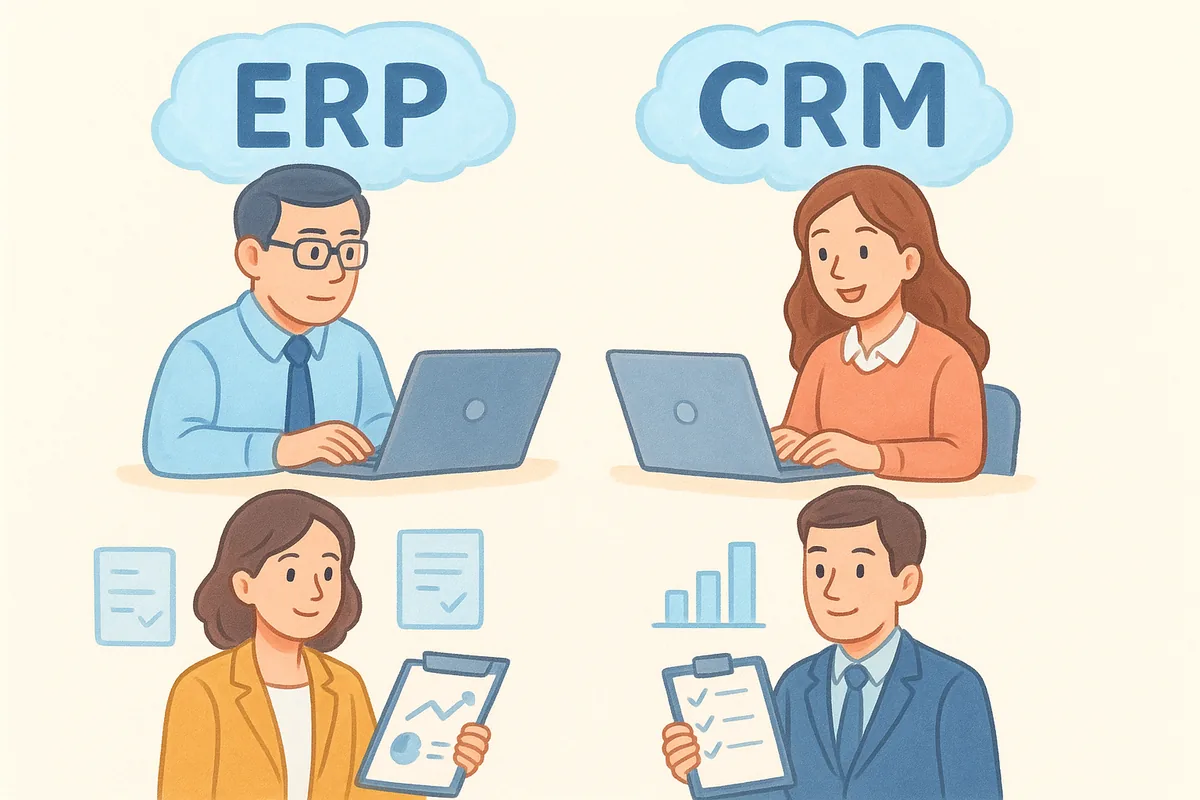
- •Finance and operations teams lean on ERP for accounting, procurement, and inventory tracking
- •Sales and customer success teams lean on CRM for lead tracking, deal pipelines, and email history
- •Warehouse and supply chain staff need ERP visibility into stock levels and vendor orders
- •Account managers need CRM visibility into contact history and renewal dates
When leadership doesn't understand this split, they end up buying one platform and forcing every department to squeeze their workflow into it. The result is usually a system that half the company resents.
Budget and implementation timelines diverge sharply
ERP implementations are notoriously long and expensive. Enterprise-grade systems from vendors like SAP or Oracle can take months to configure, often requiring consultants and dedicated IT staff just to get live. According to the U.S. Small Business Administration, operational software investments should match the actual scale of your business, not the aspirational scale you hope to reach someday.
CRM software, by contrast, is built for speed. A sales team can be up and running in a modern CRM the same day they sign up, sometimes in under five minutes if the platform is designed for quick setup. That timeline difference alone should tell you something about scope: ERP is a structural investment, CRM is an operational one.
Why this matters for growing teams specifically
Growing sales organizations feel this distinction the most. If your team is missing follow-ups, losing track of deals, or duplicating outreach because nobody can see the full pipeline, that's a CRM problem, not an ERP problem. Throwing an enterprise resource planning system at a sales visibility issue won't fix missed calls or forgotten emails. It just adds complexity on top of an existing problem.
Knowing this difference upfront also protects your budget. Instead of paying for a bloated suite where half the modules sit unused, you can invest in the specific tool that solves the specific problem you have right now. That's the whole point of understanding what each system actually does before you shop.
How to decide whether you need ERP, CRM, or both
Start by asking what's actually broken. If your pain point is missed follow-ups, deals stalling with no visibility, or reps duplicating outreach, that's a CRM problem. If you're struggling with inventory accuracy, financial reporting, or procurement bottlenecks, that's an ERP problem. Most growing businesses can answer this in five minutes just by listing the last three fires they had to put out.
Signs you need a CRM first
Sales-driven businesses almost always need CRM before ERP. Watch for these signals:
- •Deals live in someone's inbox or a shared spreadsheet instead of a pipeline
- •Reps can't see deal history when a lead calls back
- •Follow-ups get missed because there's no automated reminder system
- •Leadership has no visibility into conversion rates or team performance
- •Email threads with prospects are scattered across multiple inboxes
If three or more of these sound familiar, a CRM is your priority. A platform with a visual pipeline and built-in email sync solves this faster than any ERP module ever will.
Signs you need ERP first
ERP becomes necessary once your operational complexity outgrows manual tracking. This usually shows up in businesses managing physical goods, multiple locations, or complex financial reporting requirements.
If your bottleneck is closing deals, buy a CRM. If your bottleneck is running the business behind the deal, buy an ERP.
Companies with warehouses, manufacturing lines, or multi-entity accounting typically hit this wall before a pure sales team does. If you're reconciling inventory counts by hand or your finance team spends days closing the books each month, that's an ERP-shaped problem.
When you genuinely need both
Some businesses need both systems running simultaneously, usually once they scale past a certain size. A distributor selling to hundreds of accounts, for example, needs CRM to manage the sales relationship and ERP to manage stock levels and order fulfillment. In that case, the systems should integrate rather than compete, feeding data back and forth so sales reps see stock availability and finance sees deal status.
Don't buy both on day one just because a vendor bundles them. Sequence matters. Solve the sharper pain first, prove the tool works, then layer in the second system once the operational need is real, not hypothetical.
Key differences between ERP and CRM software
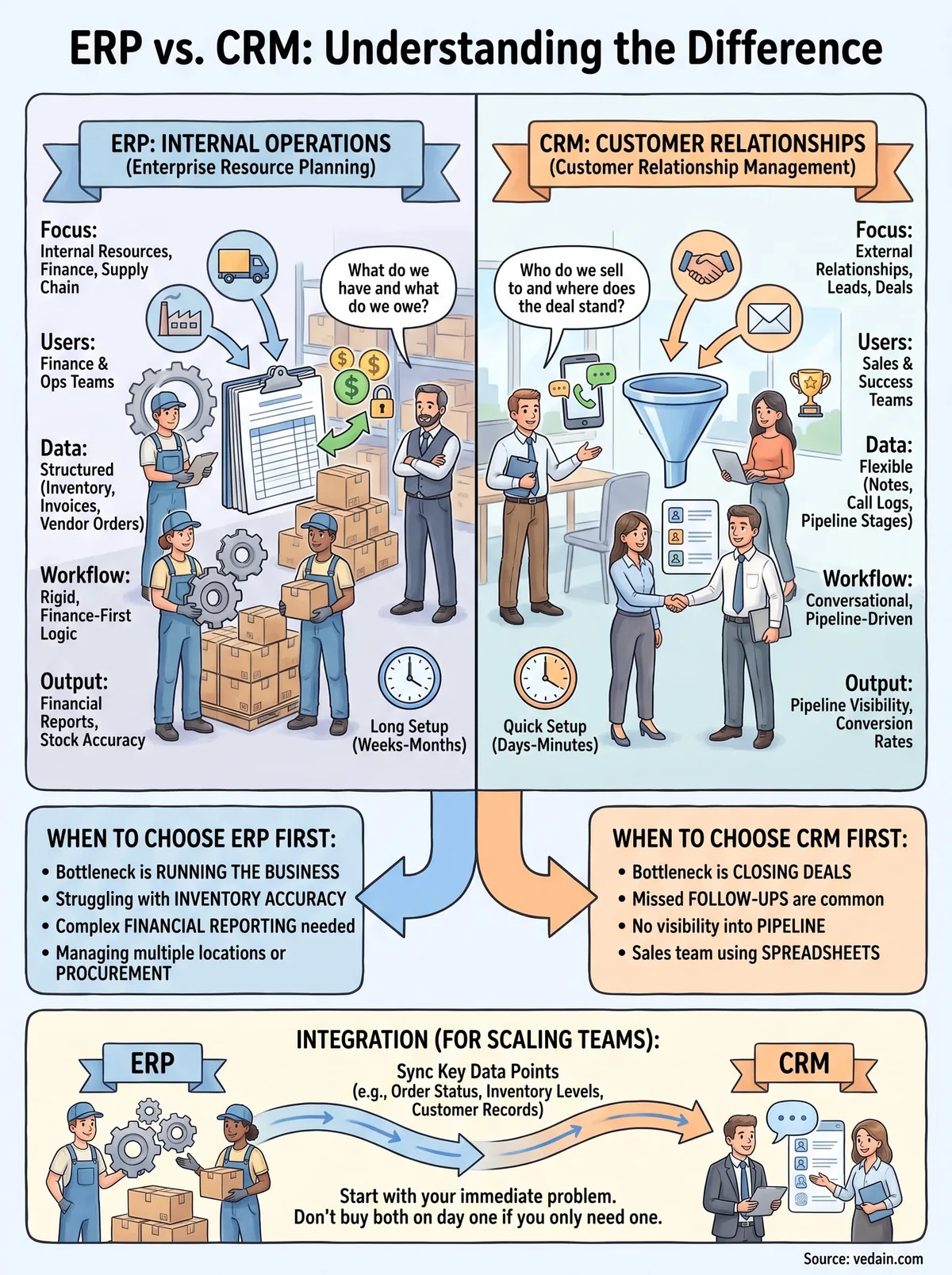
Once you understand why the two systems solve different problems, the actual feature-level differences become easy to spot. ERP software centers on internal resources: what you have in stock, what you owe vendors, and how money moves through the business. CRM software centers on external relationships: who your leads are, where deals sit in the pipeline, and what was said in the last email. Neither system pretends to do the other's job well, and trying to force one into the other's role is where most implementations go sideways.
Core focus and primary users
Think about who opens each tool every morning and why. A warehouse manager checking reorder points needs ERP. A sales rep checking which deals are stalling needs CRM. That split shows up clearly when you compare the two side by side.
| Aspect | ERP | CRM |
|---|---|---|
| Primary focus | Internal operations, resources, finance | External relationships, sales, customer data |
| Typical users | Finance, operations, warehouse, procurement | Sales, marketing, customer success |
| Core data | Inventory levels, invoices, vendor orders | Leads, deals, emails, contact history |
| Setup time | Weeks to months, often with consultants | Same day to a few days |
| Main output | Financial reports, stock accuracy, cost control | Pipeline visibility, conversion rates, deal velocity |
ERP answers "what do we have and what do we owe." CRM answers "who do we sell to and where does that deal stand."
Data structure and workflow logic
Data inside an ERP tends to be rigid by design. Line items, purchase orders, and journal entries follow strict rules because a single mistake can throw off a balance sheet. Structured accuracy matters more than speed. CRM data is looser and more conversational: notes, call logs, email threads, and deal stages that shift constantly as a rep works a lead. Flexible tracking matters more than rigid structure, because sales conversations rarely follow a fixed script.
Reporting and decision-making
ERP reporting answers questions like cost per unit, gross margin, or days of inventory on hand. CRM reporting answers questions like conversion rate by stage, average deal size, or which rep is closing fastest. Leadership pulls ERP reports to manage the business's financial health. Leadership pulls CRM reports to manage the sales team's pipeline health. Both matter, but they answer entirely different questions, and conflating them in one dashboard usually just muddies both.
Real-world examples of ERP and CRM systems
Abstract definitions only go so far, so let's look at what these systems actually look like when a real team is using them. Picture a mid-sized furniture manufacturer. Their operations team runs an ERP platform to track raw material orders, manage production schedules, and close the books at month end. Their sales team, meanwhile, runs a separate CRM to manage relationships with retail buyers, track quotes, and follow up on renewal contracts. Same company, two systems, two completely different jobs.
Common ERP examples in practice
Enterprise resource planning tools show up most often in businesses with physical inventory, manufacturing, or multi-location finance. Names like SAP, Oracle NetSuite, and Microsoft Dynamics come up constantly in this space because they handle the heavy lifting of procurement, accounting, and supply chain visibility. A distribution company might use ERP to track which warehouse has stock of a specific SKU, automatically reorder from a vendor when inventory drops below a threshold, and generate a profit-and-loss statement without a finance team manually reconciling spreadsheets.
Common CRM examples in practice
On the sales side, CRM software solves a narrower but equally critical problem: keeping every lead, deal, and conversation organized in one place. A software startup might use a CRM to capture leads from a website form, automatically assign them to a rep, track every email exchange in one thread, and move the deal through a visual pipeline from "contacted" to "closed won." This is where a platform like Vedain fits, since it's built specifically for that workflow rather than trying to be a full inventory or accounting ERP.
ERP examples center on what a business produces and moves. CRM examples center on who a business talks to and sells to.
A side-by-side look
Seeing both in action side by side makes the split obvious:
| Business scenario | System used | What it tracks |
|---|---|---|
| Reordering raw materials before a stockout | ERP | Inventory thresholds, vendor lead times |
| Following up with a lead who requested a demo | CRM | Deal stage, last email sent, next action |
| Closing the monthly financial statements | ERP | Accounts payable, accounts receivable, cost centers |
| Tracking why deals stall in negotiation | CRM | Pipeline reports, conversion funnels |
Going through these examples side by side makes one thing clear: the two systems rarely overlap in daily use, even inside the same company.
How ERP and CRM work together when integrated
Once a business grows past a certain size, ERP and CRM stop competing for the same job and start feeding each other data instead. Sales reps in the CRM need to know if a product is in stock before promising a delivery date. Finance teams in the ERP need to know when a deal closes so they can generate an invoice without someone manually re-entering the order. Integration is what closes that gap, and it's the reason large distributors, manufacturers, and multi-location retailers run both systems side by side instead of picking just one.
What actually passes between the two systems
Most integrations sync a handful of specific data points rather than everything in both platforms. Common examples include:
- •Order and deal status, so a closed CRM deal automatically triggers an ERP invoice or fulfillment order
- •Inventory levels, so sales reps see real stock counts before quoting a delivery timeline
- •Customer records, so billing details entered once in ERP don't need re-entry in CRM
- •Payment history, so account managers know if an invoice is overdue before pitching an upsell
That last point matters more than people expect. A rep pushing a renewal on an account with an unpaid invoice looks careless, and integrated systems catch that before the call happens.
Where the connection typically breaks down
Integration sounds simple until someone tries to build it without a clear owner. Data mismatches are the most common failure point, usually because a customer record gets created differently in each system and never reconciles. Sync delays cause the second most common headache, where a deal closes in CRM but the ERP order doesn't appear until hours later, leaving warehouse staff scrambling.
Integration doesn't merge ERP and CRM into one tool, it just lets them talk without someone manually copying data between the two.
Keeping the scope realistic
Smaller sales teams rarely need this level of integration on day one. If you're running five reps and haven't hit inventory complexity yet, a standalone CRM with a clean workflow builder handles the job fine, and you can layer in an ERP connection later once the operational need actually shows up. Building the connection too early just adds maintenance overhead for a problem you don't have yet.
Choosing the right system for your team
At this point, the erp/crm software meaning should feel a lot less abstract. ERP runs the back office: inventory, finance, procurement. CRM runs the front office: leads, deals, and every conversation with a customer. Most sales-driven businesses hit their first real bottleneck on the CRM side, not the ERP side, because missed follow-ups and invisible pipelines cost deals faster than any inventory issue does.
Start with the problem in front of you. If reps are losing track of deals or leadership can't see conversion rates, fix that first before you even think about enterprise resource planning. You don't need a bloated suite to solve a sales visibility problem, you need a tool built for it.
If that's where you are right now, try Vedain CRM and see how fast a dedicated pipeline tool can get your team organized.
Related reading
Frequently Asked Questions
What is the main difference between ERP and CRM software?
ERP (Enterprise Resource Planning) software manages internal business operations like finance, inventory, and HR, while CRM (Customer Relationship Management) software focuses on managing customer interactions and sales pipelines. ERP systems like SAP or Oracle handle back-office processes, whereas CRM platforms like Salesforce, HubSpot, and Zoho CRM prioritize customer engagement and sales tracking. Most businesses use both systems together to create a complete operational ecosystem.
Is Salesforce an ERP or CRM system?
Salesforce is primarily a CRM system designed for managing customer relationships, sales pipelines, and customer service. While Salesforce has expanded to include some ERP-like capabilities through acquisitions (like Tableau for analytics), it remains fundamentally a CRM solution, with paid plans from $25/user/month (Starter Suite). Competitors like HubSpot (free; Sales Hub from $20/seat/month) and Pipedrive ($14-79/user/month) also focus on CRM rather than full ERP functionality.
Can one software platform do both ERP and CRM functions?
Yes, some integrated platforms like Zoho offer both ERP and CRM capabilities within one ecosystem, with Zoho CRM starting at $14/user/month and Zoho ERP handling inventory and accounting. However, most businesses choose best-of-breed solutions, pairing dedicated CRM platforms like Freshsales ($9-59/user/month) or Vedain with specialized ERP systems for optimal functionality. The decision depends on company size, budget, and specific operational needs.
What are examples of ERP software vs CRM software?
ERP software examples include SAP, Oracle, NetSuite, and Microsoft Dynamics 365 Finance & Operations, which manage finance, supply chain, and HR operations. CRM software examples include Salesforce, HubSpot, Zoho CRM, Pipedrive ($14-79/user/month), Freshsales, and Vedain, which focus on sales, marketing, and customer service management. The key distinction is that ERP handles internal business processes while CRM manages external customer relationships.
Do small businesses need both ERP and CRM software?
Small businesses typically prioritize CRM software first since managing customer relationships directly impacts revenue, with affordable options like Pipedrive ($14-79/user/month), Freshsales, or HubSpot's free tier offering entry points. As businesses grow and complexity increases around inventory, accounting, and payroll, they may add an ERP system or use all-in-one platforms like Zoho that combine both functionalities. Many small businesses find that CRM alone is sufficient initially, adding ERP capabilities as they scale.
Which CRM software integrates best with ERP systems?
Salesforce and Microsoft Dynamics 365 offer seamless integration between their CRM and ERP modules since they're built on the same platforms, though this comes at premium pricing (Salesforce Core $195/user/month; Dynamics 365 Sales Enterprise $105/user/month). Zoho's ecosystem provides tight integration between Zoho CRM ($14-65/user/month) and Zoho ERP, making it ideal for companies wanting unified systems without switching platforms. HubSpot and Pipedrive work well with third-party ERP systems through APIs and middleware tools like Zapier or integration platforms, offering more flexibility for businesses using different vendors.