Operational CRM software is built specifically for that job: managing the front line work of sales, marketing, and support, like tracking deals, sending sequences, and logging every customer touchpoint in one place. This guide breaks down the 9 best tools on the market right now, so you can match features to how your team actually sells instead of guessing based on brand recognition.
We tested each platform on pipeline management, email automation, reporting, and pricing transparency, since hidden fees and feature gates are what push most teams to switch CRMs in the first place. You'll find well known names alongside leaner, more affordable options like Vedain, which bundles automation and email tools that competitors often charge extra for. By the end, you'll know exactly which tool fits your team's size, budget, and workflow.
1. Vedain CRM
Vedain sits at the top of this list because it solves the exact problem operational CRM buyers keep running into: paying more every time they need a feature that should already be included. It's a cloud-based CRM built around the day-to-day mechanics of selling, capturing leads, moving deals through a pipeline, and automating the follow-up work reps skip when they're busy. Setup takes under five minutes, and you don't need a credit card to start the trial, which matters if you've been burned by CRMs that lock features behind enterprise tiers.
Key features
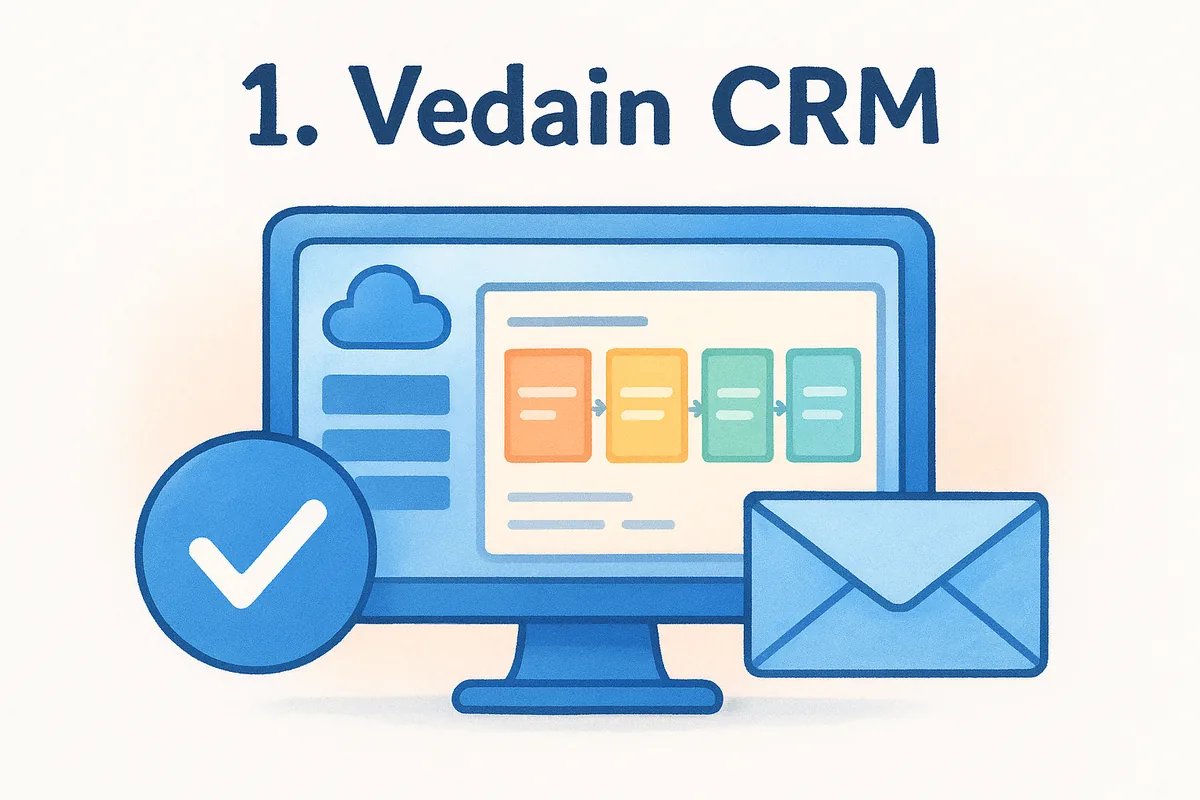
Vedain covers the operational side of CRM without forcing you to bolt on separate tools for email or automation. The visual Kanban pipeline lets reps drag deals through stages while custom fields and smart filters keep lead data organized as your list grows. Two-way email sync with Gmail and Outlook means every reply, open, and click logs automatically against the right contact, so nothing gets lost in someone's personal inbox.
- •Leads and contacts management with custom fields and smart filters
- •Visual deal pipeline (Kanban board) for tracking opportunities
- •Two-way email sync for Gmail and Outlook
- •No-code workflow builder for automating repetitive tasks
- •Email warmup tool that ramps sending gradually to protect domain deliverability
- •Lead capture forms for your website
- •Custom dashboards, pipeline reports, and team leaderboards
- •AI Agent Marketplace with 30+ agents for enrichment and content
Email warmup is worth calling out specifically since almost no competitor bundles it. If your cold outreach keeps landing in spam, that's usually a domain reputation problem, and Vedain builds the fix directly into the platform instead of pointing you to a third-party service.
Pricing
Only one detail matters here: Vedain charges $10 per user per month, flat, with every feature included. There are no separate tiers for automation, no per-seat charge to unlock reporting, and no cap on records or contacts that pushes you into a pricier plan once you grow.
One flat price, every feature unlocked, no upgrade prompts waiting six months down the road.
Compare that to the sprawling tier structures you'll see later in this list, where core automation or email sync often sits behind a mid-tier or top-tier plan. Vedain's transparent pricing model means the quote you get on day one is the quote you're still paying at 500 users.
Best for
Teams that have outgrown spreadsheets but don't want to pay enterprise prices for enterprise complexity will get the most out of Vedain. It fits sales teams of 5 to 500+ users, especially startups and small-to-mid-sized businesses currently on HubSpot, Pipedrive, or Zoho who are tired of watching their bill climb every renewal. If your team lives in Gmail or Outlook and wants automation, email warmup, and reporting without stitching together three subscriptions, this is the operational CRM software built for that exact setup.
2. HubSpot CRM
HubSpot built its name as one of the most recognizable CRM software platforms, and its free tier is genuinely useful for teams just starting to formalize their sales process. Once you need real automation or advanced reporting, though, the pricing climbs fast, and that's the tradeoff you're signing up for with this operational CRM tool.
Key features
HubSpot's strength is breadth. It connects a CRM to marketing, service, and CMS tools under one login, so data flows between departments without manual exports.
- •Contact and deal management with a visual pipeline
- •Email tracking, templates, and meeting scheduling
- •Workflow automation (gated behind paid tiers)
- •Marketing and service hubs that share the same contact database
- •Reporting dashboards with customizable widgets
Representatives who already use HubSpot's marketing tools will find the CRM integration smooth, since lead scoring and campaign data sit in the same record as deal history.
Pricing
Free plans cover basic contact and deal tracking, but automation, custom reporting, and higher email sending limits require the Starter, Professional, or Enterprise tiers. Professional plans for Sales Hub run well past $90 per seat monthly once you add the features most operational teams actually need.
The free plan gets you in the door, but the tools that run your sales operation live behind a paywall.
That tiered structure is exactly what pushes price-sensitive teams to look at flat-rate alternatives instead of paying per feature.
Best for
HubSpot suits larger companies that already run marketing campaigns and want a single vendor handling CRM, content, and service tickets together. It's a strong fit if budget isn't the deciding factor and you want an established ecosystem with a large app marketplace. Smaller sales teams watching every dollar will likely find the per-seat cost harder to justify once they need automation beyond the basics.
3. Zoho CRM
Zoho CRM has been around long enough to build one of the widest feature sets in this category, and it's a natural fit if you're already using other Zoho apps for invoicing, support, or marketing. It's a genuinely capable operational CRM software option, but the sheer number of modules and settings means new admins often spend weeks configuring things that Vedain ships with out of the box.
Key features
Zoho packs in automation, AI, and customization options that rival much pricier platforms, though many live behind higher tiers.
- •Sales pipeline management with customizable stages
- •Zia AI assistant for lead scoring and forecasting
- •Workflow automation rules and blueprints for process enforcement
- •Multichannel communication (email, phone, live chat, social)
- •Extensive third-party marketplace and API access
Because Zoho sells CRM as part of a larger suite, the deal pipeline connects easily to Zoho Books, Zoho Campaigns, and Zoho Desk if you're already inside that ecosystem.
Pricing
Zoho's entry plans start cheap, around $14 per user monthly on annual billing, but the features most operational teams need, like advanced workflow automation and AI forecasting, sit in the Enterprise tier closer to $40 per user monthly.
A low sticker price on paper often turns into a much higher bill once you add the automation your team actually needs.
That gap between the advertised entry price and the real cost of a usable plan is the most common complaint from teams evaluating Zoho against flatter pricing models.
Best for
Businesses already invested in the Zoho ecosystem, or those wanting deep customization and don't mind a longer setup process, will get the most value here. It also suits teams that want AI-driven forecasting without adding a separate tool. If your priority is a quick setup and predictable per-user pricing instead of tier-by-tier upgrades, this operational CRM option will likely feel heavier than you need.
4. Pipedrive
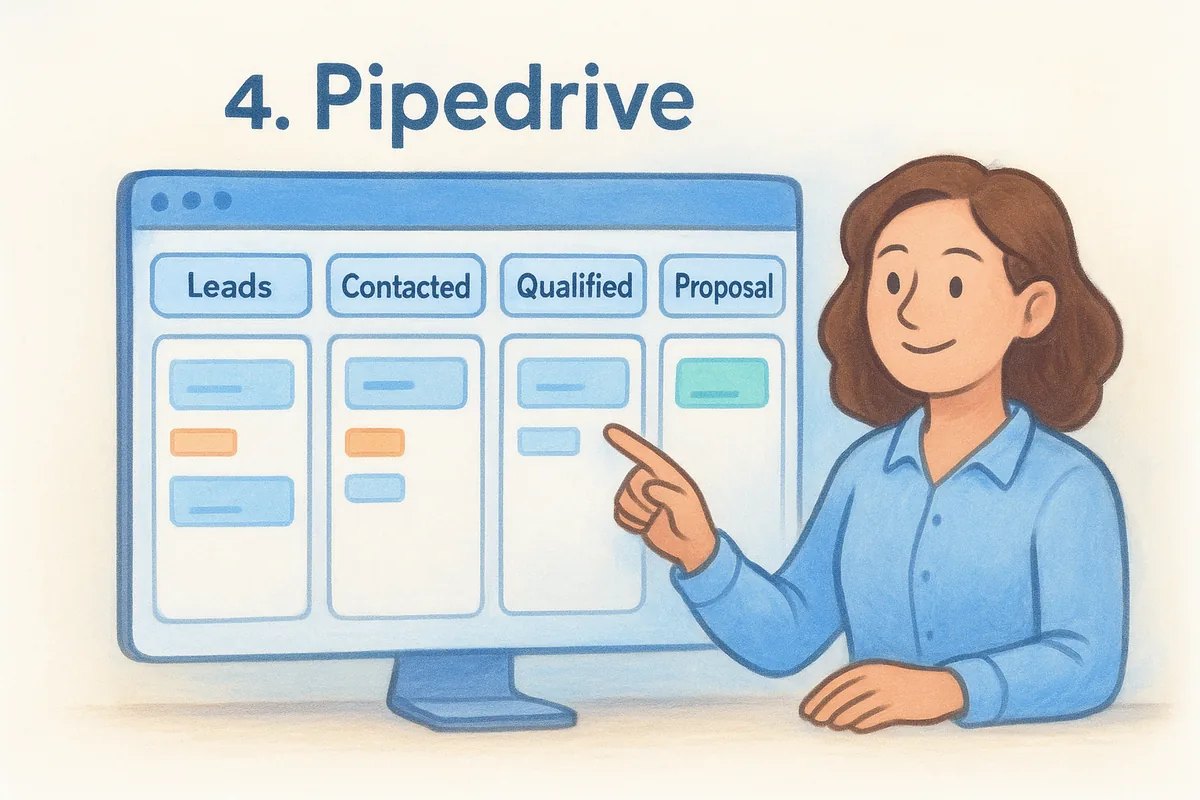
Pipedrive was built by salespeople, and that shows in how the pipeline itself works. It's one of the more visual operational CRM software tools on this list, designed around the idea that reps should spend their time moving deals forward, not hunting through menus to log an activity. That focus makes it a favorite among small sales teams who want something simpler than HubSpot or Zoho without sacrificing pipeline visibility.
Key features
Pipedrive keeps its core experience centered on deal tracking, with automation and reporting layered in as add-ons rather than baked into every plan.
- •Visual, customizable sales pipeline with drag-and-drop deal stages
- •Activity reminders that nudge reps toward the next follow-up
- •Email sync with Gmail and Outlook (full sync on higher tiers)
- •Workflow automation for repetitive tasks like status updates
- •Revenue forecasting and customizable reports
The interface is genuinely easy to learn, which is why reps who've never used a CRM before tend to adopt it faster than heavier platforms.
Pricing
Pipedrive's entry plan starts around $14 per user monthly, but automation, email sync limits, and advanced reporting require upgrading to Growth, Premium, or Ultimate tiers, pushing the realistic cost closer to $39 to $59 per user monthly for teams that need more than basic pipeline tracking.
A clean pipeline view is easy to sell, but the automation that actually saves your team time costs extra.
That gap between the entry price and a fully functional plan mirrors what you'll find with Zoho, and it's worth budgeting for before you commit.
Best for
Small to mid-sized sales teams who want a fast, visual pipeline and don't need heavy marketing or service features will do well with Pipedrive. It suits reps who live in their deal list all day and want minimal friction logging activity. Teams that need built-in email warmup or a flat rate across every feature should compare costs carefully before assuming the $14 entry price reflects what they'll actually pay.
5. Freshsales
Freshsales, part of the Freshworks suite, built its reputation on an AI assistant called Freddy that scores leads and suggests next actions inside the deal view. It's a solid operational CRM software pick if you want built-in intelligence without stitching together a separate lead-scoring tool. Freshworks also sells helpdesk and marketing products, so teams already using Freshdesk will find the crossover data useful.
Key features
Freshsales leans on automation and AI more than most tools at this price point, though the deeper AI features sit behind higher plans.
- •Freddy AI for lead scoring, deal insights, and next-best-action suggestions
- •Visual sales pipeline with drag-and-drop stages
- •Built-in phone and email with activity tracking
- •Workflow automation for lead assignment and follow-ups
- •Custom reports and forecasting dashboards
Admins who want automation to fire based on lead behavior, not just time delays, will appreciate how granular the trigger conditions are compared to simpler pipeline tools.
Pricing
Freshsales no longer lists a free tier (it offers a 21-day trial), and the plans that unlock automation and AI scoring start around $9 per user monthly and climb past $59 per user monthly for the Enterprise tier with full forecasting and custom modules.
The AI features that make Freshsales worth choosing are also the ones locked behind the priciest plan.
That pricing curve looks gentle at first glance, but teams report the jump from Growth to Pro is where real automation needs push most buyers.
Best for
Growing teams that want AI-assisted lead scoring without buying a separate enrichment tool will get the most out of Freshsales. It suits companies already using other Freshworks products for support or marketing, since the shared contact data cuts down on duplicate entry. If your team wants predictable, all-inclusive pricing instead of a multi-tier climb to unlock automation, this operational CRM option will feel more expensive over time than it first appears.
6. Salesforce Sales Cloud
Salesforce is the name most people picture when they hear "enterprise CRM," and Sales Cloud is the module built for exactly the operational work this list covers: pipeline tracking, forecasting, and activity logging at massive scale. Few platforms match its depth of customization options, but that depth comes with a learning curve and implementation cost most small teams never anticipate when they first request a demo.
Key features
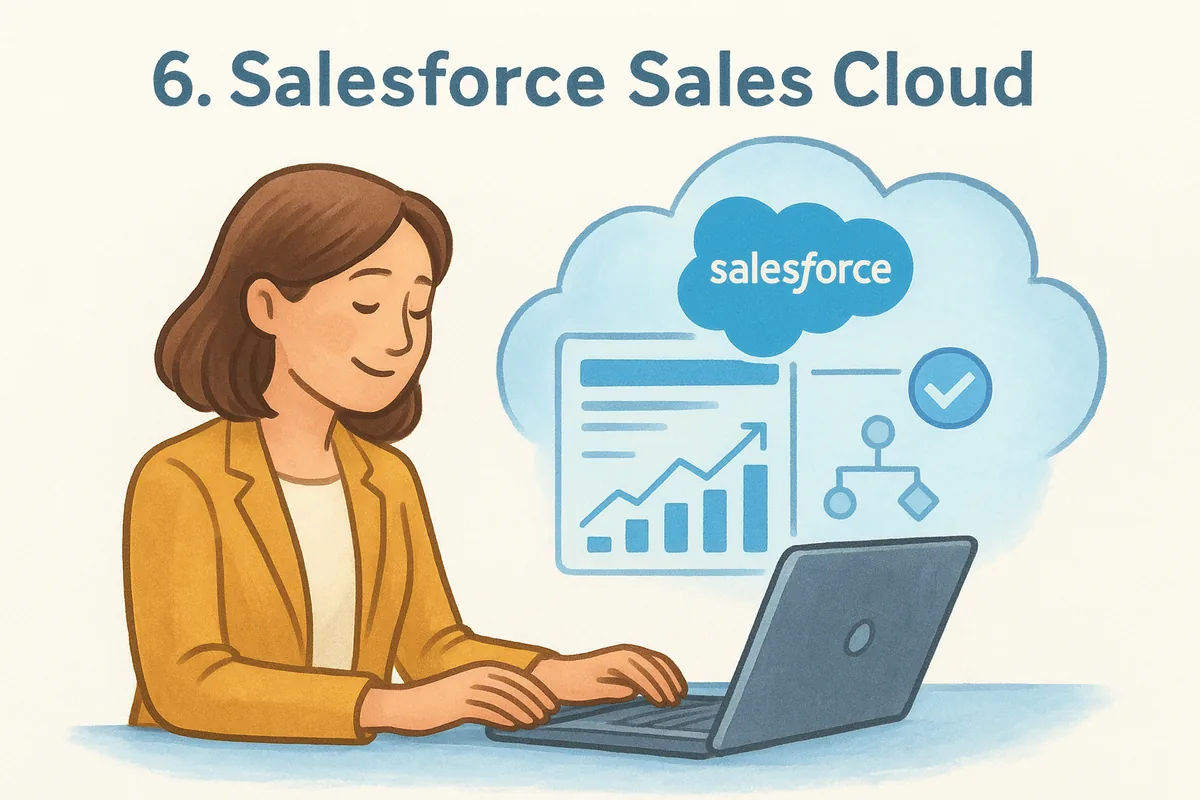
Salesforce treats the CRM as a platform you build on top of, not a finished product you switch on. Admins configure objects, fields, and automation rules through Flow Builder, which gives you near-total control over how data moves through your sales pipeline.
- •Customizable opportunity pipeline with forecasting tools
- •Flow Builder for advanced, no-code process automation
- •Einstein AI for lead scoring and predictive analytics
- •Extensive AppExchange marketplace for third-party integrations
- •Role-based permissions and audit trails for enterprise governance
Given how much of Sales Cloud runs on configuration, most companies bring in a certified admin or consultant just to get the pipeline set up correctly.
Pricing
Entry-level Starter plans price around $25 per user monthly, but the automation and forecasting features operational teams actually rely on sit in the Pro Suite and Core (formerly Enterprise) tiers, running $100 to $195 per user monthly. Add-ons like Einstein AI and advanced reporting often cost extra on top of that.
The platform that can do almost anything also charges almost as much as your rent to unlock most of it.
Implementation and training costs frequently exceed the software subscription itself in the first year.
Best for
Large sales organizations with dedicated admin staff and complex approval processes will get real value from Salesforce's depth. It suits companies that need heavy customization across multiple departments and can absorb the setup time. Smaller teams wanting a working operational CRM software setup on day one, without hiring someone to configure it, will find this option far more than they need.
7. monday CRM
monday CRM grew out of monday.com's work management platform, and that heritage shows in how flexible the boards feel. If your team already tracks projects in monday.com, adding CRM boards means sales data lives next to the same visual system your other departments use. It's a strong operational CRM software choice for teams that value customization over a rigid, pre-built sales process.
Key features
monday CRM treats the pipeline as a customizable board rather than a fixed structure, which gives admins more freedom to match the tool to their exact process.
- •Fully customizable pipeline boards with color-coded stages
- •Automation recipes for lead assignment, follow-up reminders, and status updates
- •Email sync and templates built into contact records
- •Visual dashboards pulling data across multiple boards
- •Integrations with the broader monday.com work management suite
Teams that already run projects in monday.com will find the shared interface cuts down training time, since reps aren't learning a second tool from scratch.
Pricing
monday CRM starts around $12 per seat monthly on the Basic plan, but automation actions and integrations are capped by tier, and unlocking higher automation limits pushes you into the Standard or Pro plans at $17 to $28 per seat monthly. Enterprise pricing requires a custom quote.
Flexible boards are only as useful as the automation limits your plan actually allows.
Those automation caps catch teams off guard once their workflows scale past a few hundred actions a month.
Best for
Teams already using monday.com for project management, and who want sales data on the same visual boards, will get the most value here. It suits organizations that prefer building their own pipeline structure over adopting a pre-configured one. If your team wants automation without tracking action limits against a monthly cap, this operational CRM option requires more plan management than a flat-rate alternative.
8. Copper CRM
Copper built its entire pitch around Google Workspace, and that focus is obvious the moment you open it. If your team lives in Gmail, Google Calendar, and Google Drive, Copper feels less like a separate app and more like an extension of tools you already use. It's a narrower operational CRM software option than most on this list, but that narrowness is the point for teams who don't want to leave their inbox to manage a deal.
Key features
Copper's strength is how tightly it wraps around Google's ecosystem instead of just syncing with it. Pipeline updates, contact logging, and email tracking all happen inside Gmail rather than requiring a tab switch.
- •Native Gmail and Google Workspace integration with a sidebar view
- •Visual pipeline with drag-and-drop deal stages
- •Automated data entry that pulls contact and company details from email threads
- •Workflow automation for task creation and follow-up reminders
- •Reporting dashboards for pipeline and revenue tracking
Reps who already spend most of the day in Gmail tend to adopt Copper faster than heavier CRMs, simply because there's no new interface to learn.
Pricing
Copper's Basic plan starts around $23 per user monthly, but it caps pipelines and reporting features that most operational teams need. The Professional plan, priced closer to $59 per user monthly, unlocks full automation and custom reporting, and Business plans run about $99 per user monthly for advanced permissions and forecasting.
A Gmail-native CRM is only as flexible as the plan tier you're willing to pay for.
Teams outside the Google ecosystem gain little from Copper's core advantage, which makes the price harder to justify if you're on Outlook.
Best for
Small to mid-sized teams fully committed to Google Workspace, especially agencies and consultancies that manage relationships mostly through email, will get the most out of Copper. It suits reps who want minimal setup and a CRM that feels invisible most of the day. Teams on Outlook, or those needing built-in email warmup and flat pricing across every feature, should look elsewhere on this list.
9. Zendesk Sell
Zendesk Sell grew out of Zendesk's support software, and that lineage matters if your sales and service teams need to see the same customer history. It's built for companies that already run Zendesk for tickets and want their sales pipeline to sit next to support data instead of living in a separate system. As operational CRM software goes, Zendesk Sell is narrower than most on this list, focused tightly on pipeline visibility and rep activity rather than marketing or heavy customization.
Key features
Zendesk Sell keeps its feature set lean, prioritizing the daily mechanics of prospecting and deal tracking over broad platform sprawl.
- •Visual sales pipeline with customizable stages and drag-and-drop deals
- •Built-in calling and email tracking with activity logging
- •Lead scoring based on rep-defined criteria
- •Workflow automation for task creation and follow-up sequences
- •Shared customer data with Zendesk's support and ticketing products
Teams already running Zendesk for customer service will notice the payoff immediately, since a rep can see open tickets right next to deal history without switching tools.
Pricing
Entry plans start around $19 per user monthly, but automation, advanced reporting, and higher lead limits require the Growth or Professional tiers, which run $55 to $115 per user monthly depending on the features you add.
Buying a CRM to match your helpdesk sounds efficient until the combined bill lands on your desk.
That combined cost adds up fast for teams paying for Zendesk support seats and Sell seats separately, which is worth mapping out before you commit to the ecosystem.
Best for
Companies already using Zendesk for customer support, and who want sales and service data unified in one record, will get the clearest value here. It suits teams prioritizing activity tracking and call logging over marketing automation or deep customization. Businesses without an existing Zendesk subscription will likely find better value, and simpler pricing, starting fresh with a flat-rate operational CRM built for sales alone.
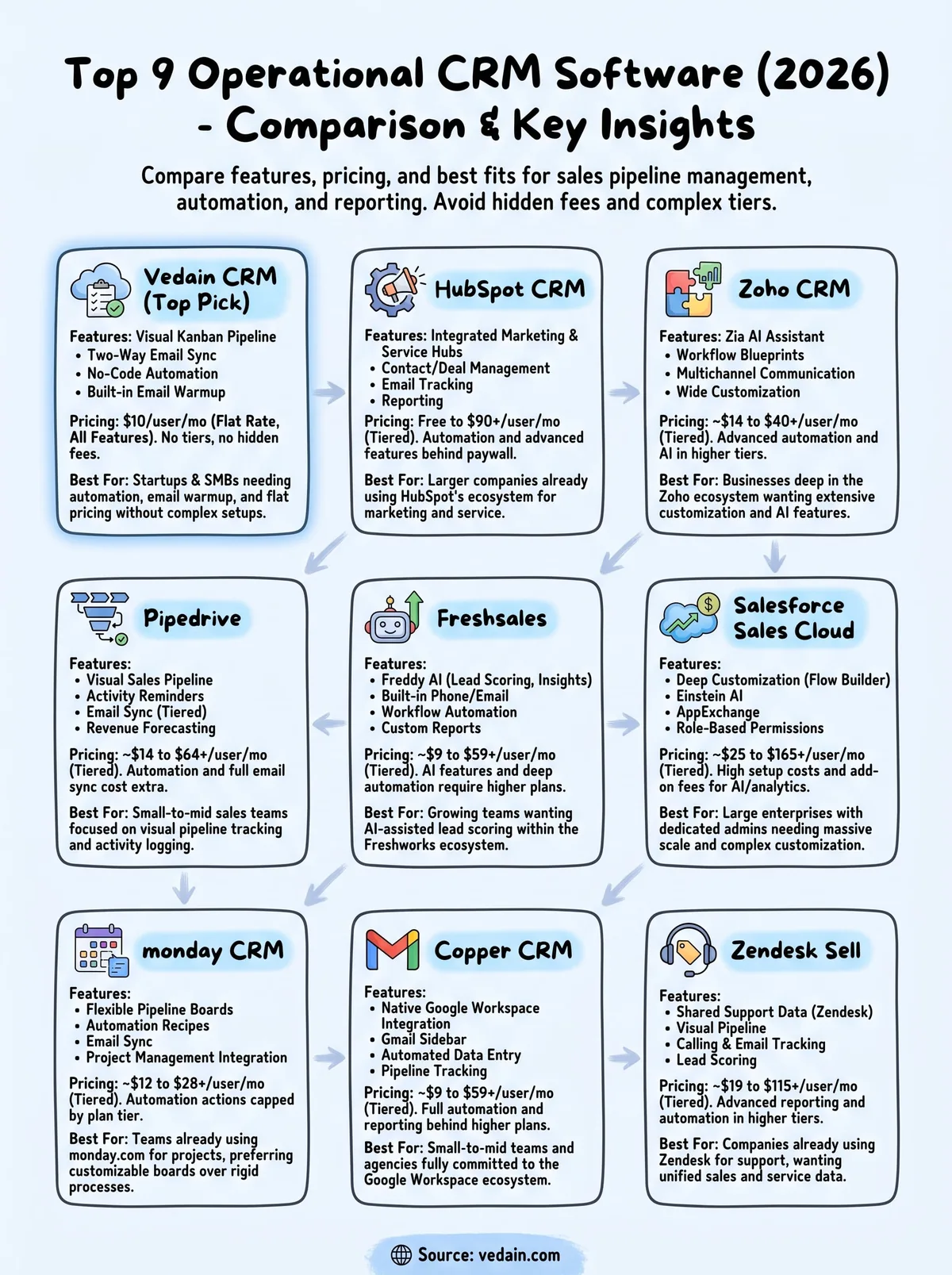
Finding the right operational CRM for your team
Every tool on this list can technically track a deal and send a follow-up email. The real differences show up in pricing tiers, setup time, and how much you'll pay once your team actually needs automation, reporting, and email sync working together. Salesforce and Zendesk Sell reward large organizations with dedicated admins. Copper and monday CRM reward teams already locked into Google Workspace or monday.com. HubSpot, Zoho, Pipedrive, and Freshsales all start cheap and climb fast once you unlock the features operational teams depend on daily.
Rather than budgeting for tier upgrades six months from now, pick the operational CRM software that gives you everything upfront. Vedain charges one flat rate per user, no feature gates, no surprise renewal jump. If you want pipeline management, email warmup, and automation working together from day one, start your free trial with Vedain and see the setup for yourself in under five minutes.
Frequently Asked Questions
What is the cheapest operational CRM software for small businesses in 2026?
Vedain (a flat $10/user/month with every feature), Pipedrive and Zoho CRM offer the most affordable operational CRM solutions, with Pipedrive and Zoho CRM both starting at $14/user/month billed annually. All three provide essential sales automation, contact management, and pipeline tracking features suitable for small teams. While HubSpot's free tier exists, paid Sales Hub plans start at $20/seat/month and climb quickly at Professional, making these options more budget-friendly for growing businesses.
Is Salesforce or HubSpot better for operational CRM in 2026?
Salesforce is better for enterprise-level operational CRM with advanced customization and scalability, while HubSpot excels for mid-market companies prioritizing ease of use and integration with marketing tools. Salesforce's Pro Suite runs $100/user/month (Starter Suite $25) with complex implementation, whereas HubSpot Sales Hub starts at $20/seat/month with faster deployment. Your choice depends on team size, technical resources, and whether you need marketing automation integrated with sales operations.
Which operational CRM has the best contact management features?
Freshsales and Zoho CRM lead in contact management with AI-powered insights, automatic data enrichment, and comprehensive contact histories. Freshsales offers built-in phone and email with its contact management, while Zoho CRM provides advanced segmentation and custom fields at competitive pricing. HubSpot and Salesforce also provide robust contact management but at higher price points, with Vedain offering specialized contact organization for specific industries.
What operational CRM software is easiest to implement and use?
HubSpot and Pipedrive are the easiest operational CRM platforms to implement, with intuitive interfaces and minimal setup time. HubSpot offers guided onboarding and extensive free resources, while Pipedrive's visual pipeline interface requires little training for sales teams. Zoho CRM also ranks highly for user-friendliness, though it has more features than Pipedrive, making it slightly steeper for beginners compared to Salesforce's complex customization requirements.
Which operational CRM software integrates best with other business tools?
HubSpot and Zoho CRM offer the broadest native integrations with 1,000+ apps each, supporting everything from email marketing to accounting software. Salesforce provides deep customization through APIs and Salesforce AppExchange, though integrations often require developer resources. Pipedrive and Freshsales offer solid integrations with popular tools like Slack and email platforms, making them practical choices for mid-market teams without dedicated IT support.
What is the best operational CRM for sales automation and pipeline management?
Pipedrive and Salesforce are the top choices for sales automation and pipeline management, with Pipedrive specializing in visual deal tracking and Salesforce offering enterprise-grade automation workflows. HubSpot provides excellent pipeline management with AI-powered insights, while Zoho CRM delivers comparable features at lower costs. Freshsales and Vedain also support automation, but Pipedrive and Salesforce remain the gold standard for teams prioritizing sales velocity and deal velocity optimization.