"Worth it" has three parts: the license price, the work around the license, and whether your team will actually use the result. Salesforce is a platform with many products, not a single CRM app. That is its strength and also its tax on small teams. The license is often the smallest part of the bill.
This article walks through why the question is hard, what each small-business edition costs, and a three-year cost example for a five-person team. It then covers what you get, where Salesforce fits badly, how to decide, and how it compares with a simpler CRM. We build Vedain, a simpler CRM, so we have a stake in the answer. That is why we use Salesforce's own published figures and say plainly where Salesforce wins.
Why the Salesforce question is harder than it looks
Salesforce is worth it for a small business when process complexity, not headcount, is your problem. A 10-person firm with six-month deals, several contacts per account and a service team can need Salesforce. A 40-person company selling in one phone call may not.
Salesforce is a platform, not a single CRM app
Salesforce sells sales, service, marketing and commerce tools on one data model. The small-business suites bundle slices of all four. That means you can start with leads and deals, then add case management, email campaigns and a storefront without switching systems.
The catch is that every extra capability is another thing to configure, test and maintain. A tool built for companies with dedicated admins asks small teams to carry that work between sales calls.
Why small teams get burned
The most common complaint from small teams is that Salesforce is overkill. They pay for a platform designed for large organizations with many departments, then use a tenth of it. The usual causes are predictable: a rushed setup, dirty imported data, and reps who keep working from their inbox and spreadsheet because the CRM feels like extra typing.
The reverse mistake exists too. Teams that pick a very light tool, outgrow it in two years and face a painful migration sometimes wish they had started on a larger platform. The right question is not "is Salesforce good?" It is "does my sales process need what Salesforce adds, today or within about a year?"
Salesforce pays off when your process is messy enough to need structure, not when your company is merely hoping to grow.
What Salesforce really costs a small business
Expect Salesforce to cost $0 to $100 per user per month in licenses, plus setup, data work, training and admin time that often exceed the license in year one. Treat every figure here as a snapshot, because Salesforce changes prices and packaging. Confirm on its official pricing page before budgeting.
License prices for the small-business suites
At the time of writing, Salesforce lists three small-business suites in US dollars. Teams in India and the UAE should check the pricing page for their own currency and billing terms.
| Suite | Listed price | Users and terms |
|---|---|---|
| Free Suite | $0 | Two user licenses |
| Starter Suite | From $25/user/month | Monthly or annual billing, transaction fees may apply |
| Pro Suite | From $100/user/month | Billed annually, contract required |
Past these suites, the larger products cost more. Sales Cloud Enterprise is listed at $175 per user per month, billed annually. Older articles still quote an "Essentials" edition, so ignore those figures. The current entry points are the three suites above.
The costs around the license
Licenses are only the start of what CRM software really costs. Typical consultant quotes for a basic setup run roughly $1,000 to $5,000, and complex projects with custom workflows, several integrations or a legacy CRM migration can pass $10,000. Data migration adds money if your records sit in several spreadsheets with duplicates. Training adds more, and Salesforce's free Trailhead courses cover the basics but not your specific process.
Then comes the quiet cost. Someone has to manage permissions, fix broken automations, build reports and keep data clean. In a small team that person also has a sales or operations job.
A three-year example for a five-person team
Take five users. The Free Suite is out because it covers two. We assume a partner-led setup at $3,500, inside the typical range above, and we leave admin time out.
| Option | License per year | Setup | Year one | Three years |
|---|---|---|---|---|
| Salesforce Starter | $1,500 | $3,500 | $5,000 | $8,000 |
| Salesforce Pro | $6,000 | $3,500 | $9,500 | $21,500 |
| Vedain, annual billing | $500 | $0, self-setup | $500 | $1,500 |
Starter is $25 × 5 users × 12 months. Pro is $100 × 5 × 12. Vedain's annual price works out to about $8.33 per user per month, so $8.33 × 5 × 12 is about $500. If you set up Starter yourself, year one drops to $1,500. That is still three times the Vedain figure, and you still pay for the admin hours. The suites also include different features, so the table shows the cost gap, not an equivalent feature match, and you can calculate your own payback period with your real user count.
For a five-person team, the license is the visible cost, but setup and admin time decide whether Salesforce pays back.
What you get for the money at each edition
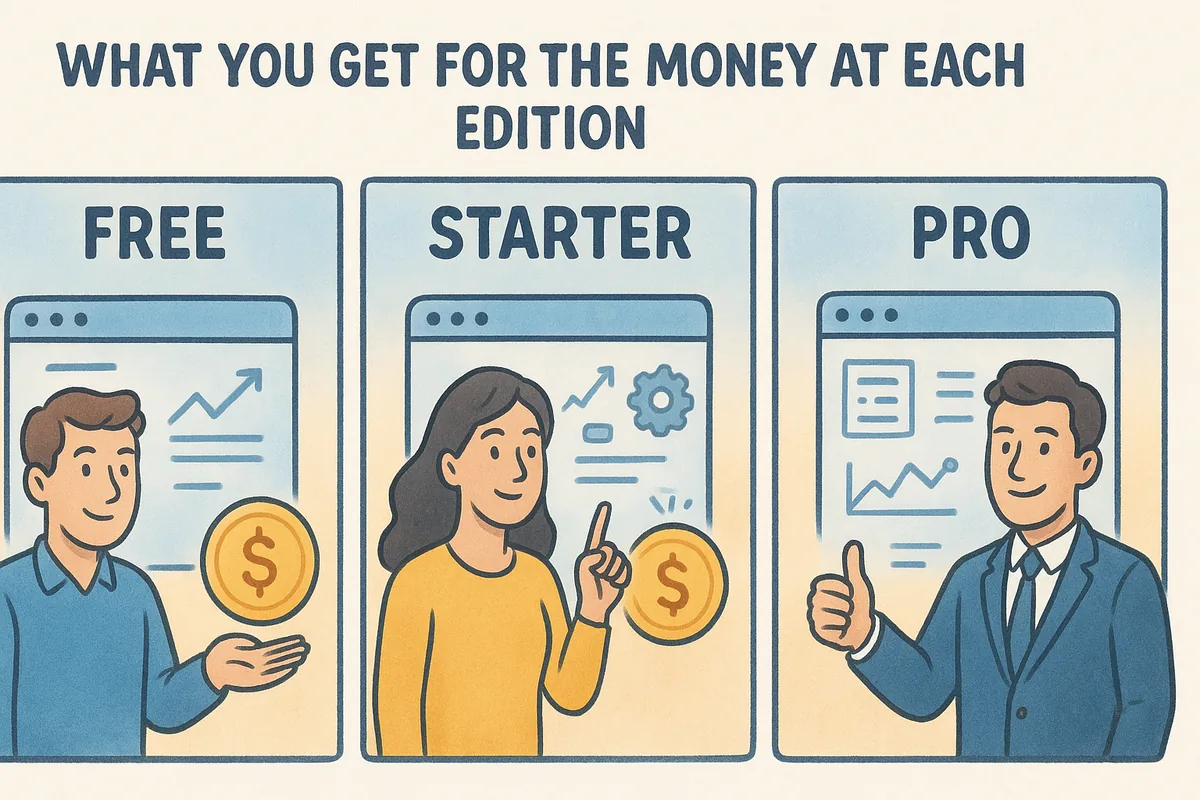
Each step up buys real capability, so the question is whether you will use it. All three suites cover account, contact, lead and opportunity management, some Flow automation, and customizable reports and dashboards.
Free Suite: a real CRM for two people
The Free Suite gives two users a working pipeline, case management, assistive AI, email campaigns, forms and basic analytics. It is a good way for a founder and one colleague to learn the platform without a contract.
- •Lead, opportunity and customer case management
- •Customizable reports and dashboards
- •Basic email and calendar integration
- •About 100 marketing email sends per month
The limits arrive fast. The email allowance runs out quickly if you have a list of a few thousand contacts, and a third user forces you onto a paid suite.
Starter Suite: routing, flows and marketing basics
Starter adds built-in sales flows, lead routing, email nurture campaigns, lead scoring, payment links and an ecommerce storefront. Marketing sends rise to about 2,000 per month. It suits a team that has settled how it sells and wants leads assigned and followed up automatically.
Lead routing matters when inquiries arrive faster than someone can divide them by hand. If you get ten leads a week, a shared spreadsheet column does the same job.
Pro Suite: where the platform opens up
Pro adds deeper customization, quoting, forecasting, AppExchange access and a sandbox for testing changes before they reach live data. This is the tier where Salesforce stops being "a CRM" and becomes something you build on.
That flexibility is the reason to pay four times the Starter price. If you cannot name the specific custom record, approval path or forecast you need, you are buying capability for a future that may not arrive.
Buy the edition for the problem you can describe today, not for the platform you might need in three years.
Where Salesforce becomes a poor fit for small teams
Salesforce is a poor fit when you lack someone to administer it, when your sales motion is simple, or when your lead sources and channels need extra connectors. The product is not bad. The mismatch is between its design and a small team's reality.
Complexity and admin work
Signing up takes minutes. Making Salesforce something people trust every Monday takes planning: field design, stage definitions, permission sets, data rules. Without a named owner, the instance fills with half-used fields and reports nobody opens.
As a rule of thumb, plan for a few hours of admin per week in the first months. If nobody on your team has those hours, budget for a consultant, which pushes you back toward the cost figures above.
Adoption and cost creep
Reps adopt tools that save them time, and drop tools that add typing. Partial adoption is the usual way Salesforce projects fail: pipeline data goes stale, forecasts stop being believable, and managers go back to asking reps for updates in chat.
Costs creep as well. Extra storage, premium support, marketplace apps and a move from Starter to Pro all raise the bill beyond the first quote. This is a common reason teams leave: the platform they bought for $25 per user ends up costing several times that once real needs surface.
Gaps for India and UAE sales workflows
Teams in India and the UAE often sell over WhatsApp, capture leads from IndiaMART, Justdial and Facebook or Instagram ads, and want GST invoices and local-currency payments. With Salesforce, check each of these before you commit. Ask whether it connects natively, through a marketplace connector, or only through custom work, and price that connector.
A WhatsApp message thread that never reaches the CRM defeats the purpose of having one. Test your real lead sources in the trial, not a demo dataset.
The cost of a CRM includes every connector and workaround your real lead sources require.
How to decide if Salesforce is worth it for you
Decide by testing your own process against clear signs, then trial the tool with real data. The goal is to find out whether Salesforce removes work you currently do, not whether it looks impressive in a demo.
Signs that point to Salesforce, and signs that do not
Salesforce is likely worth it if most of these are true:
- •Three or more people regularly work the same account
- •Deals take months and involve several contacts and approval steps
- •You need custom records that standard deal and contact fields cannot hold
- •Sales, service and finance each keep a separate version of the customer
- •Someone on your team can own admin for a few hours each week
A simpler CRM is likely the better call if most of these are true:
- •You run one pipeline with a handful of stages
- •Your leads arrive mostly through WhatsApp, email and marketplace listings
- •Nobody has spare time to administer a system
- •You mainly need follow-up reminders, email sync and reports
- •Your budget makes a $5,000 first year hard to justify
Run a two-week test before you commit
Do this whether you are testing Salesforce or any alternative:
- Write your sales process in plain steps, from first inquiry to closed deal.
- Import 50 to 100 real records, not sample data.
- Connect your email, and connect one real lead source such as a website form or marketplace feed.
- Have every rep log all activity in the tool for ten working days.
- Count the hours spent configuring and fixing, then ask each rep if the tool saved time.
- Price the full setup you would actually need, including connectors and help.
If configuration takes longer than selling in those two weeks, that is your answer. If a tool reaches a working pipeline in under an hour, as simpler CRMs often do, you learn something too.
The best test of any CRM is whether your reps use it unprompted in week two.
How Salesforce compares with a simpler CRM
A simpler Salesforce alternative wins on price, setup speed and adoption. Salesforce wins on depth, customization and ecosystem. For most small B2B teams the first set of advantages matters more.
Side-by-side comparison
| Tool | Starting price | Free plan or trial | Best for |
|---|---|---|---|
| Salesforce Free Suite | $0 for two users | Free plan | Founders testing a real CRM |
| Salesforce Starter Suite | From $25/user/month | Start from the Free Suite | Small teams with settled sales flows |
| Salesforce Pro Suite | From $100/user/month, annual contract | Check Salesforce for current terms | Teams needing custom records and forecasting |
| Vedain | $10/user/month, about $8.33 annually | 14-day trial, no credit card, no free plan | Small B2B teams wanting every feature in one plan |
HubSpot, Zoho and Pipedrive also sit in the simpler category. Their plans, free tiers and user limits change often, so read each vendor's official pricing page before comparing, or start with CRM prices side by side.
What a one-plan CRM gives you instead
Vedain has one plan at $10 per user per month, with every CRM feature included and no feature tiers. Annual billing gives two months free. Setup takes less than five minutes. The trial lasts 14 days with no credit card, and if you do not subscribe afterward the account is paused, so you can still subscribe and pick up where you left off.
Vedain's full feature set covers lead, contact and deal management with a visual pipeline, two-way Gmail and Microsoft 365 sync, email sequences with open and click tracking, calling campaigns, workflows, reports, booking pages and GST invoices. It captures leads from IndiaMART, Justdial, website forms, Facebook and Instagram Lead Ads, and imports from Google Sheets or CSV. Some things cost extra and are billed separately: WhatsApp Business messaging, LinkedIn email and phone lookups, and AI data clean-up.
What you give up
Be clear about trade-offs. Vedain has no native iOS or Android apps, only a mobile-responsive web app. It has no e-signature, no commission calculation and no Arabic interface. If your business depends on those, or on deep customization and a large partner ecosystem, Salesforce is the stronger choice.
Pick Salesforce for depth you can name, and a simpler CRM for speed and a lower bill.
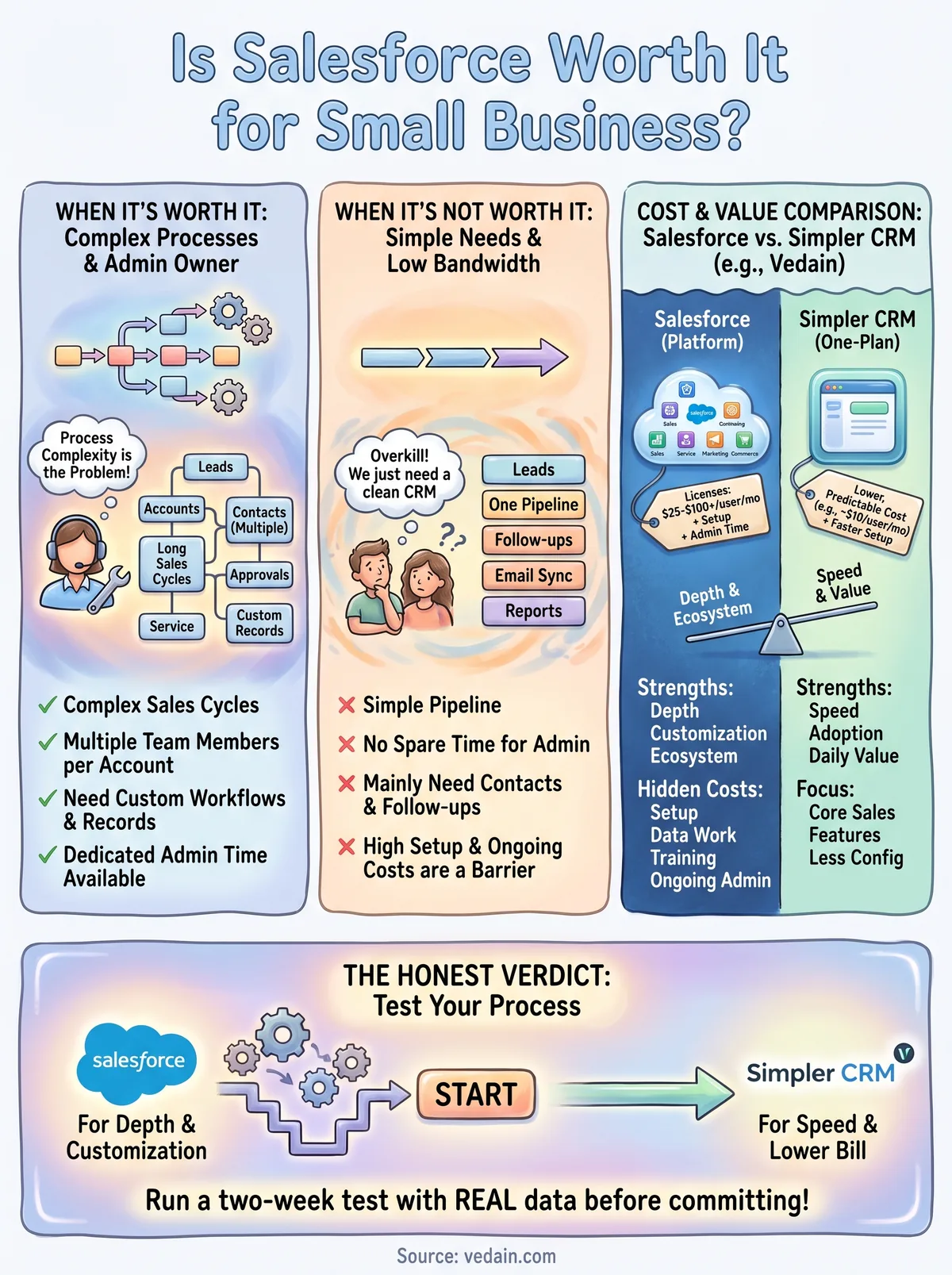
The honest verdict
Salesforce is worth it for a small business when your process is complicated, you can name what you will customize, and someone owns the admin. For a simple pipeline, the license plus setup and upkeep costs more than the value it adds, and a one-plan CRM does the daily job faster. Use the two-week test to confirm before you sign anything.
If you sell over WhatsApp, capture leads from IndiaMART and Justdial, and want predictable costs, try the simpler route first. You can see Vedain's one-plan pricing and start a 14-day trial with real leads. That tells you more than any comparison article can.
Frequently Asked Questions
Is Salesforce a good choice for small businesses?
Yes, for small businesses with complex sales cycles, several people touching each account, or someone who can administer it. It is a weaker choice for teams with a simple pipeline and no admin time. Start by describing your process, then see whether the platform's extra structure fixes a real problem.
How much does Salesforce cost for a small business?
Salesforce currently lists a Free Suite for two users, Starter from $25 per user per month, and Pro from $100 per user per month. Setup, data migration, training and admin time add to that. A five-person team on Starter might spend about $5,000 in year one with partner-led setup.
Can you use Salesforce for free?
Yes, up to two users on the Free Suite. It includes lead, opportunity and case management, reports and basic email tools. Adding a third user means moving to a paid suite.
Why are people leaving Salesforce?
The reasons small teams give are cost growth, admin burden, complexity and low adoption by reps. Many find that alternatives to Salesforce for small teams cover their daily needs. Some leave simply because they bought more platform than their process required.
Is Salesforce hard to set up for a small team?
Basic setup with a clean spreadsheet, standard stages and two users is manageable in-house, helped by Trailhead. It gets harder with a legacy CRM migration, several integrations, custom automation or unusual permissions. At that point, plan on outside help.
Is learning Salesforce worth it in 2026?
That depends on your goal. For a career in admin, development or consulting, Salesforce skills are widely used, and Trailhead is free. For a small-business owner, spending that time on selling is usually better than learning a platform you may not need.