Most sales teams lose leads in the gap between a form submission and the first reply. The enquiry goes to a shared inbox, a spreadsheet nobody opens, or a chat window nobody watches. This guide compares eight tools on how they capture leads, what they cost and what they hand off to your CRM, so you can pick one and be live this week.
We build Vedain CRM, so it is listed first, and we say plainly where it falls short. Prices for every other tool are the vendors' published list prices, billed annually unless noted. Vendors change prices often, so confirm on their pricing pages before you buy.
What lead capture software does and when you need it
Lead capture software collects contact details from people who show interest in your business, then sends them to the place where your team follows up. You need it as soon as leads arrive from more than one place, or when any lead waits more than a few hours for a reply.
What it captures and how it works
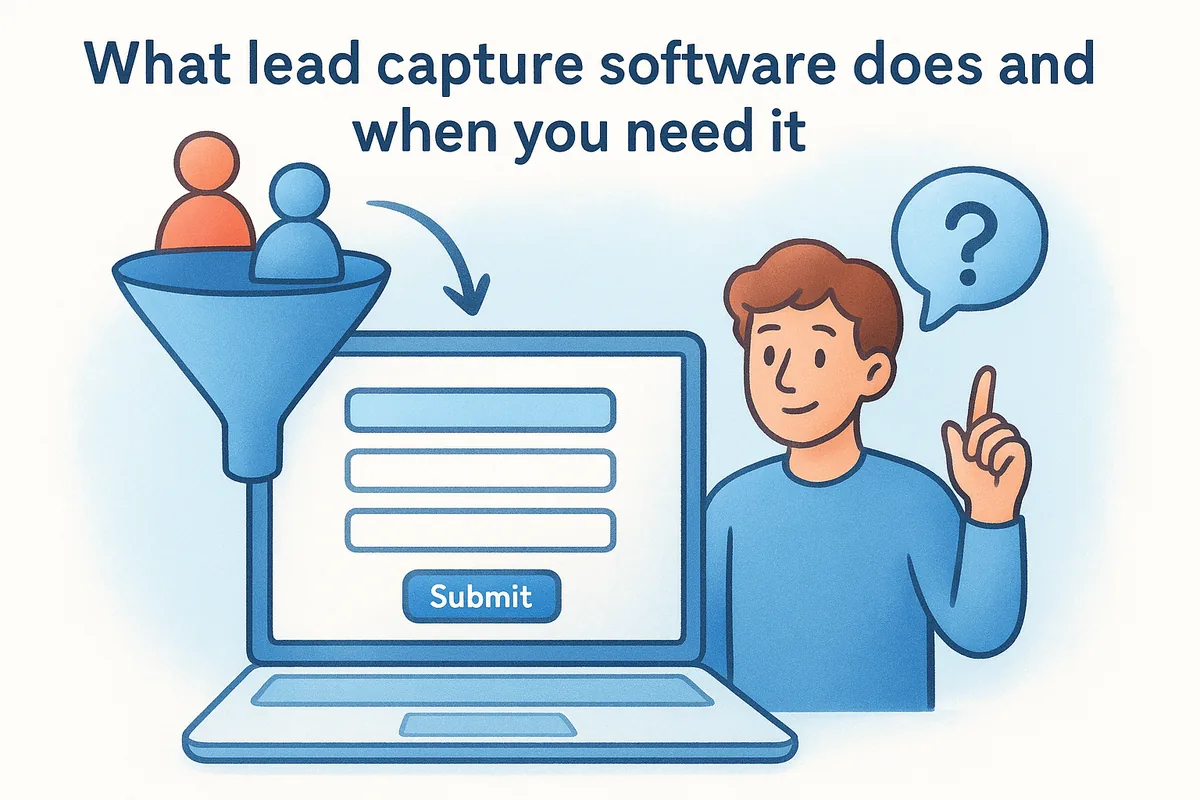
At its simplest, online lead capture software puts a form, chat window or popup in front of a visitor, stores what they type and syncs it to your CRM, email tool or spreadsheet. Better tools add conditional logic, lead scoring and routing, so a hot enquiry reaches a salesperson in minutes while a casual download goes into a nurture sequence.
Common capture methods include:
- •Website forms and embedded contact forms
- •Multi-step flows and quizzes that qualify as they collect
- •Popups and exit-intent offers
- •Live chat and chatbots
- •Standalone landing pages for ads
- •Ad platform lead forms, such as Facebook and Instagram Lead Ads
- •Imports and API connections from portals and spreadsheets
Capture is only half the job: a lead that cannot reach a salesperson within minutes is a lead you paid for and lost.
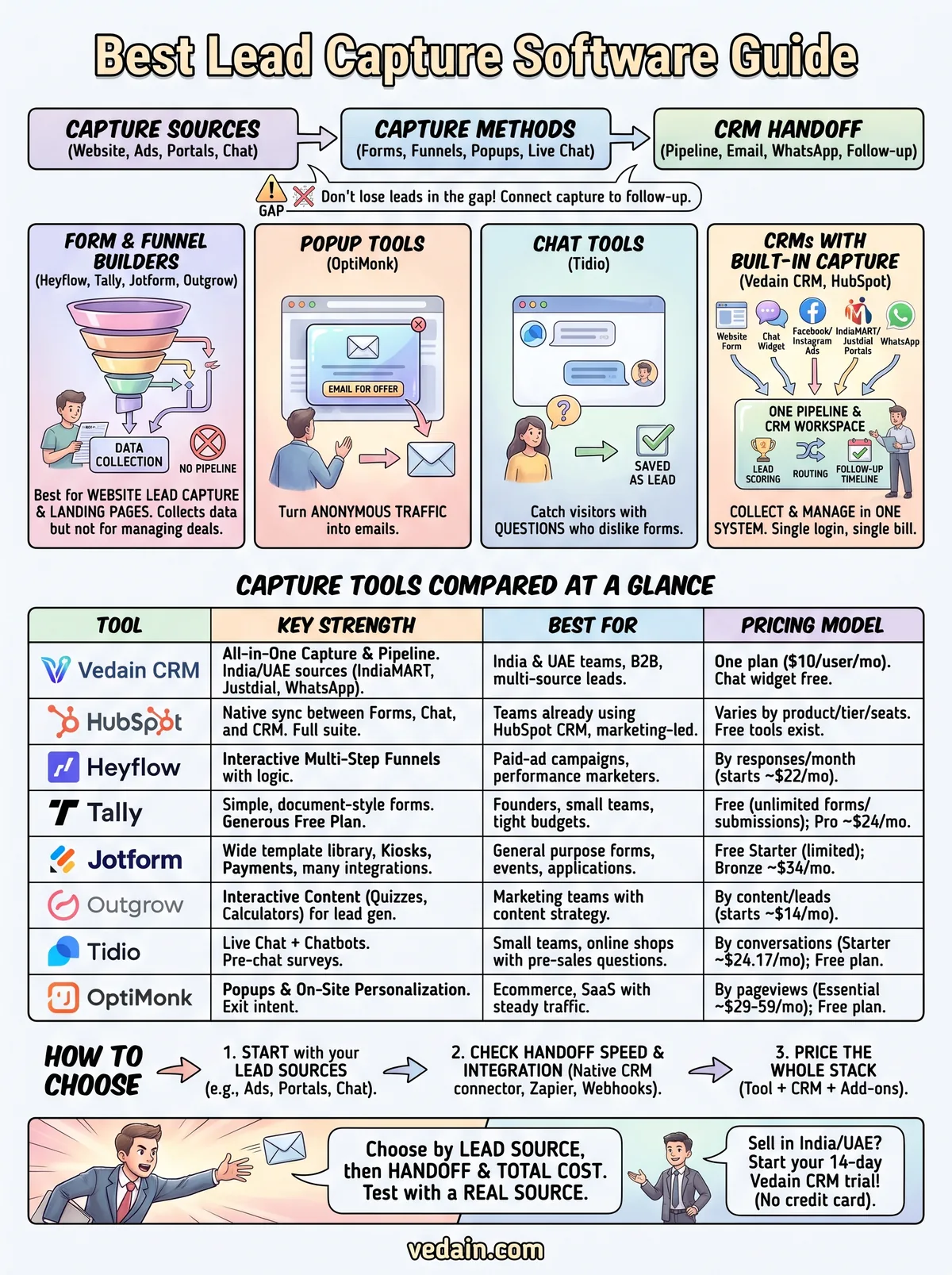
Four types of tools and where each fits
Tools fall into four groups, and knowing which group you need narrows the list fast.
- •Form and funnel builders (Heyflow, Tally, Jotform, Outgrow): best for website lead capture and landing pages. They collect data but are not a place to manage deals.
- •Popup tools (OptiMonk): turn a share of anonymous traffic into emails.
- •Chat tools (Tidio): catch visitors who have a question but dislike forms.
- •CRMs with capture built in (Vedain CRM, HubSpot): collect the lead and manage the follow-up in one system.
Most small teams end up with one capture tool plus a CRM. A CRM with capture built in collapses that into one bill and one login.
1. Vedain CRM
Vedain CRM is an all-in-one sales CRM for small and mid-sized teams in India and the UAE, with lead capture built into the same workspace where you track deals. It is the right pick when your leads come from many places and you want them in one pipeline.
How it captures leads
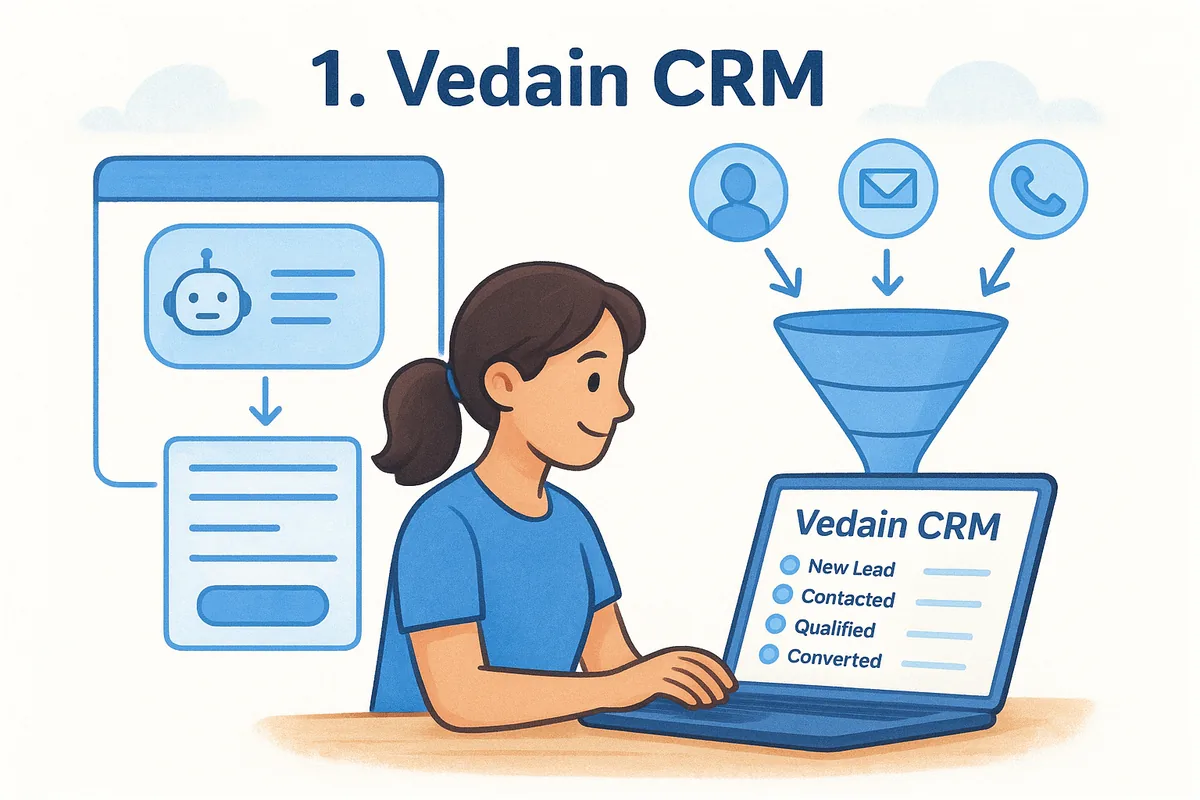
Vedain brings leads in from the sources that India and UAE sales teams actually use, then lets you act on them without leaving the CRM. The Live Chat widget answers visitors with an AI assistant and saves every chat as a lead. Website forms, Facebook and Instagram Lead Ads and portal feeds arrive in the same pipeline.
- •Website forms and Live Chat with an AI assistant
- •Facebook and Instagram Lead Ads
- •IndiaMART and Justdial via API
- •Bayut, Property Finder and Dubizzle lead emails, parsed from a synced mailbox
- •Google Sheets and CSV import, plus Zapier, Make, webhooks and a REST API
- •A Chrome extension that captures LinkedIn profiles
After capture, AI lead scoring and no-code workflows help you decide who gets a call first. Two-way Outlook (Microsoft 365) and Gmail (over IMAP) sync keeps the conversation in one timeline. Email verification has a free quick check and 50 free mailbox checks, then $0.005 per check.
Vedain's edge is not one clever form but the number of lead sources that land in one pipeline with scoring and follow-up attached.
Pricing
Vedain has one plan at $10 per user per month (₹500 or AED 25), with every CRM feature included. Annual billing gives two months free, about $8.33 per user per month. The 14-day free trial needs no credit card, and setup takes under five minutes.
There is no free CRM plan. The chat widget is the exception: it stays free after the trial for businesses that do not need to reply live from the Vedain inbox, with 100 AI conversations a month on unlimited pages. Some extras are billed separately:
- •WhatsApp Business: ₹1,500 one-time registration plus a ₹1,000 monthly platform fee, plus Meta's per-message rates
- •LinkedIn email and phone lookups: ₹5 per email and ₹10 per phone number found
- •AI data clean-up and email verification: charged per use from your wallet
Best for and limits
Vedain suits B2B teams that sell over WhatsApp, pull leads from IndiaMART, Justdial or property portals, and want transparent per-seat pricing. Solo founders and 50-person revenue teams both fit. You can add or remove seats from the Billing page at any time.
Know the limits before you start. Vedain focuses on capture and follow-up rather than page design, so for a heavily designed quiz or funnel, pair a builder with Vedain through webhooks or Zapier. The interface is English only, and it is a mobile-responsive web app rather than a native iOS or Android app.
2. HubSpot
HubSpot is a broad marketing and sales platform whose forms sync automatically with its CRM. It fits teams that want capture, email marketing and reporting under one vendor and can budget for the whole suite.
How it captures leads
HubSpot's lead capture tools cover embedded forms, popup forms, live chat and chatbots. Every submission creates or updates a contact record in the CRM, so the form and the pipeline never drift apart. That native sync is the main reason teams choose it over a standalone form builder.
- •Forms that write straight to CRM contact records
- •Popup forms for offers and content
- •Live chat and chatbots for visitors with questions
- •Follow-up email and automation from the same platform
HubSpot's strength is that capture, CRM and marketing share one database, and its weakness is that you pay for that breadth.
Pricing
HubSpot prices by product, tier, seats and contact volume, so there is no single number to quote. Entry-level tools are available at no cost, but features such as workflow automation and testing sit in paid tiers. Open its pricing page and price the exact bundle for your headcount before you commit.
Best for and limits
HubSpot is best for teams that already run HubSpot's CRM, or marketing-led companies that want one system for content, forms and email. The platform is mature and well documented.
The trade-off is cost and complexity. Pricing can step up as you add contacts, seats and automation, and setup takes more planning than a single-plan tool. If you want flat per-seat pricing and a pipeline running in an afternoon, a simpler CRM is easier to budget.
3. Heyflow
Heyflow is a no-code builder for interactive, multi-step lead forms, quizzes and landing pages. It is aimed at marketers who send paid traffic to a page and need to qualify visitors before they reach sales.
How it captures leads
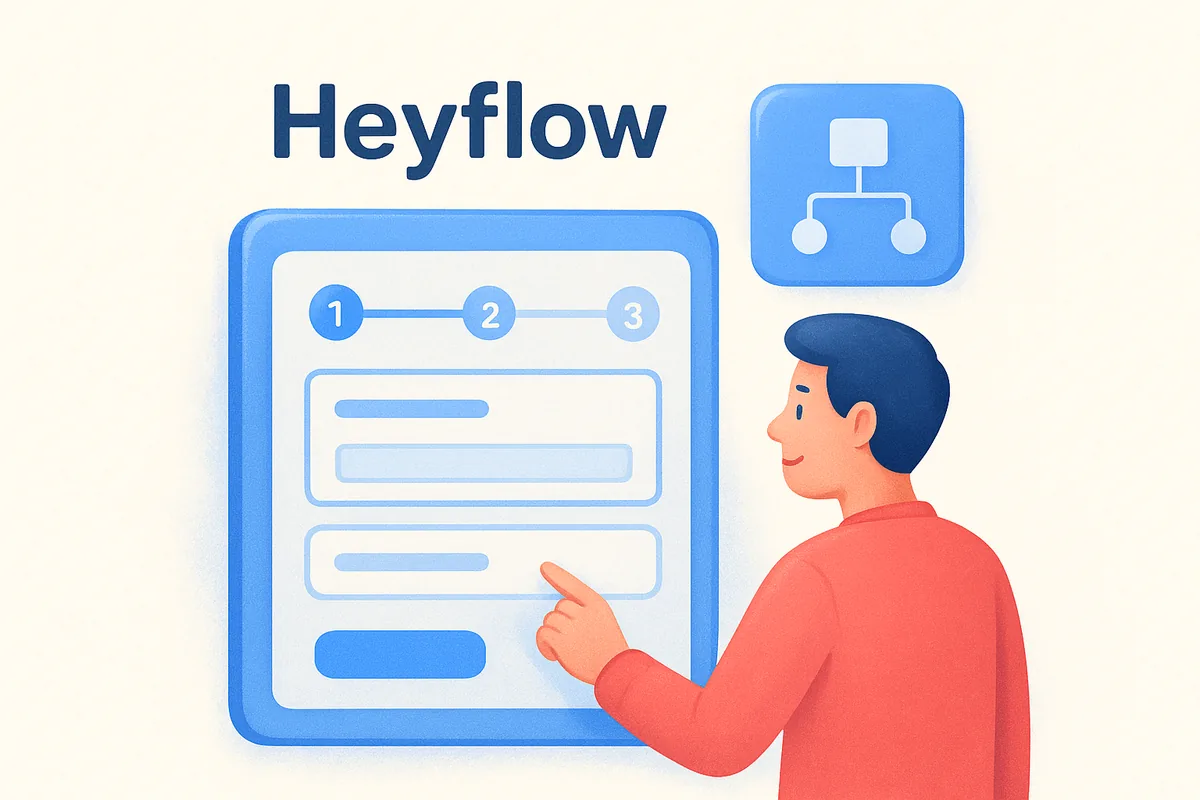
Heyflow replaces a static form with a flow of one question at a time, using conditional logic so each visitor sees only relevant questions. You can publish a flow as a standalone page, an embed or a popup, which makes it a capable lead capture page software option. Partial submits store answers even when a visitor never reaches the submit button.
- •Multi-step forms, quizzes and configurators
- •Landing pages on custom domains
- •Integrations with HubSpot, Salesforce, Pipedrive, Zoho CRM, Mailchimp and ActiveCampaign
- •Ad tracking for Meta, Google Ads, LinkedIn and TikTok
- •Native A/B testing on its top plan
If your leads come from paid ads, qualifying questions inside the form beat sorting out junk leads after the fact.
Pricing
Heyflow prices by responses, meaning completed submissions. Annual-billing prices, before VAT, start from about $22 a month:
- •Starter: about $22/month for 50 responses a month and 5 funnels
- •Growth: about $79/month for 250 responses and 10 funnels
- •Scale: about $229/month for 1,000 responses and 20 funnels, including A/B testing
- •Enterprise: from about $1,100/month
Best for and limits
Heyflow is best for performance marketers and agencies running ad campaigns who want polished multi-step funnels without a developer. The visual builder and logic map are its strongest points.
Watch the response caps. A successful ad week can burn through a small plan quickly. It has no native chatbot and no CRM of its own, so you still need a pipeline tool behind it. Check that your CRM has a native connector, or plan on webhooks or Zapier.
4. Tally
Tally is a no-code form builder with a document-style editor, and it has the most generous free plan on this list. It suits small teams that need clean website forms without a monthly bill.
How it captures leads
You build forms the way you write a document, typing questions and adding blocks. Conditional logic, calculations and answer piping are available on the free plan. Tally is a form tool, not a funnel builder, so you embed forms in your site or share a link.
- •Unlimited forms and unlimited submissions on the free plan
- •Conditional logic and calculation fields
- •Webhooks, Zapier and Make for sending leads onward
- •Native connections such as Notion and Google Sheets
- •A template collection for common use cases
For a simple contact or enquiry form, Tally gives you most of what paid builders charge for at no cost.
Pricing
Tally keeps its pricing short:
- •Free: unlimited forms and submissions, conditional logic, calculations and key integrations
- •Pro: about $24/month, adding custom domains, removal of Tally branding, partial submissions and drop-off analytics
- •Business: about $74/month, adding data retention controls and email verification
Best for and limits
Tally is best for founders, small teams and anyone validating a lead capture flow before paying for a bigger tool. It is based in the EU and describes itself as GDPR compliant.
The gaps are clear. It has no popups, no landing page builder, no lead scoring or segmentation and no built-in A/B testing. Design options are basic. You will pair it with a CRM, and your leads will reach that CRM through Zapier, Make or webhooks unless you copy them over by hand.
5. Jotform
Jotform is a general-purpose online form builder with a large template library and wide CRM integrations. It is a safe choice when you need forms for many jobs, not only lead capture.
How it captures leads
Jotform builds forms, surveys and simple apps with a drag-and-drop editor and more than 10,000 templates. Forms can be embedded, shown as popups or lightboxes, shared by QR code or run offline in kiosk mode. It also offers an AI landing page generator and AI chat agents that turn a form into a conversation.
- •Embedded forms, popups and lightboxes
- •QR codes and offline kiosk mode for events
- •An AI landing page generator for standalone pages
- •Native integrations with Salesforce, HubSpot, Zoho and Pipedrive
- •Payment collection inside forms
Jotform wins on breadth: one tool handles the lead form, the event kiosk and the payment form.
Pricing
Jotform's published tiers, billed annually, are:
- •Starter: free, with Jotform branding and strict limits on submissions and storage
- •Bronze: about $34/month
- •Silver: about $39/month
- •Gold: about $99/month, including HIPAA compliance
- •Enterprise: custom pricing
Prices can vary by region, so check the current rate for your country.
Best for and limits
Jotform is best for teams that want one familiar form tool for lead capture, event sign-ups, applications and payments. The editor is easy for non-technical staff.
Submission and storage limits apply even on paid plans, so a high-traffic form may force an upgrade. Reporting is lighter than in dedicated lead tools, and there is no built-in A/B testing. Treat it as the collection layer and let a CRM handle scoring and follow-up.
6. Outgrow
Outgrow builds interactive content such as quizzes, calculators and assessments that collect lead details as people use them. It fits teams whose audience will happily answer questions if the result is useful.
How it captures leads
Outgrow is built around content that gives something back: an outcome quiz, a price calculator, a graded assessment. The visitor sees a result, and you get their answers and contact details. Responses feed segmentation, so you can sort leads by what they said and assign them to different campaigns.
- •Outcome quizzes, calculators, assessments and polls
- •Popups and full-page experiences
- •Lead scoring and segmentation, with CRM integration
- •Built-in A/B testing across content variations
- •Native Salesforce and HubSpot integrations, plus many more
A calculator that answers "what will this cost me?" earns a lead's email far more willingly than a generic newsletter box.
Pricing
Outgrow prices by content types, number of live pieces and leads a month:
- •Freelancer Limited: about $14/month, 250 leads a month
- •Freelancer Pro: about $25/month, 1,000 leads a month
- •Essentials: about $95/month, 7,500 leads a month, with chatbot and landing page types
- •Business: about $600/month, 50,000 leads a month, with custom domain and full branding removal
Check Outgrow's own pricing page for current limits, since plans change.
Best for and limits
Outgrow is best for marketing teams with a content strategy, such as service firms that can offer a quote calculator or a readiness assessment. Segmentation from quiz answers is a real advantage over plain forms.
The jump from the entry plans to Business is steep, and removing Outgrow branding requires a higher plan. It also does more than you need if all you want is a contact form.
7. Tidio
Tidio combines live chat and chatbots, so it catches leads from visitors who would never fill in a form. It suits small businesses and online shops that field a lot of quick pre-sales questions.
How it captures leads
Tidio opens a chat on your site and collects contact details through pre-chat surveys and automated flows. It ships with more than 40 automation templates for lead collection, appointment booking and quote requests. Conversations from your website, Facebook Messenger, Instagram and WhatsApp land in one contact list.
- •Pre-chat surveys that collect name, email and preferences
- •Chatbot flows built in a visual, no-code editor
- •Website chat plus Messenger, Instagram and WhatsApp channels
- •An AI agent add-on for answering common questions
Chat captures the visitor who has a question but will not fill in a form, which no static form can do.
Pricing
Tidio prices by billable conversations, with annual billing:
- •Free: 50 billable conversations, 100 flow visitors reached and a one-time allowance of AI conversations
- •Starter: from about $24.17/month for 100 conversations
- •Growth: from about $49.17/month starting at 250 conversations
- •Plus: from about $749/month for larger teams
Add-ons for flows and the AI agent cost extra, and a 7-day free trial is available.
Best for and limits
Tidio is best for small teams that want a live chat and a chatbot on their website without a developer. It works well alongside a form tool.
Flow automations pause when your monthly visitor limit is reached, so a traffic spike can mean missed leads. Chat is also not a pipeline. You still need a CRM behind it to assign owners and track deals.
8. OptiMonk
OptiMonk is a popup and on-site personalization tool that turns anonymous traffic into emails and offers. It fits ecommerce stores and SaaS sites that already have steady visitors.
How it captures leads
OptiMonk shows popups, sticky bars and full-screen overlays based on visitor behavior, including exit intent, traffic source and page history. You offer a discount, a guide or a quiz in exchange for an email address. It integrates deeply with Shopify, including unique discount codes.
- •Popups, sticky bars and full-screen overlays
- •Exit-intent and behavior-based targeting
- •AI-powered smart popups and A/B testing
- •Shopify product recommendations and discount codes
Popups work when the offer matches the page, so a targeted popup on a pricing page beats a generic email box on every page.
Pricing
OptiMonk prices by monthly pageviews. Its published plans include:
- •Free: 10,000 pageviews a month, 1 domain and unlimited campaigns
- •Essential: about $29 to $59/month for 20k to 50k pageviews
- •Growth: about $99 to $174/month for 100k to 250k pageviews
- •Premium: about $249 to $374/month for 500k to 1M pageviews
AI features such as smart A/B testing are an add-on.
Best for and limits
OptiMonk is best for online stores and product-led SaaS sites where a lot of visitors browse and leave. The free plan is enough to test whether popups work for you.
Pricing follows pageviews, so a busy site pays more even if conversions stay flat. Mobile exit-intent detection is inconsistent on some devices, which matters if most of your traffic is on phones. Like the others here, it captures emails but is not a CRM.
How to choose lead capture software for your website
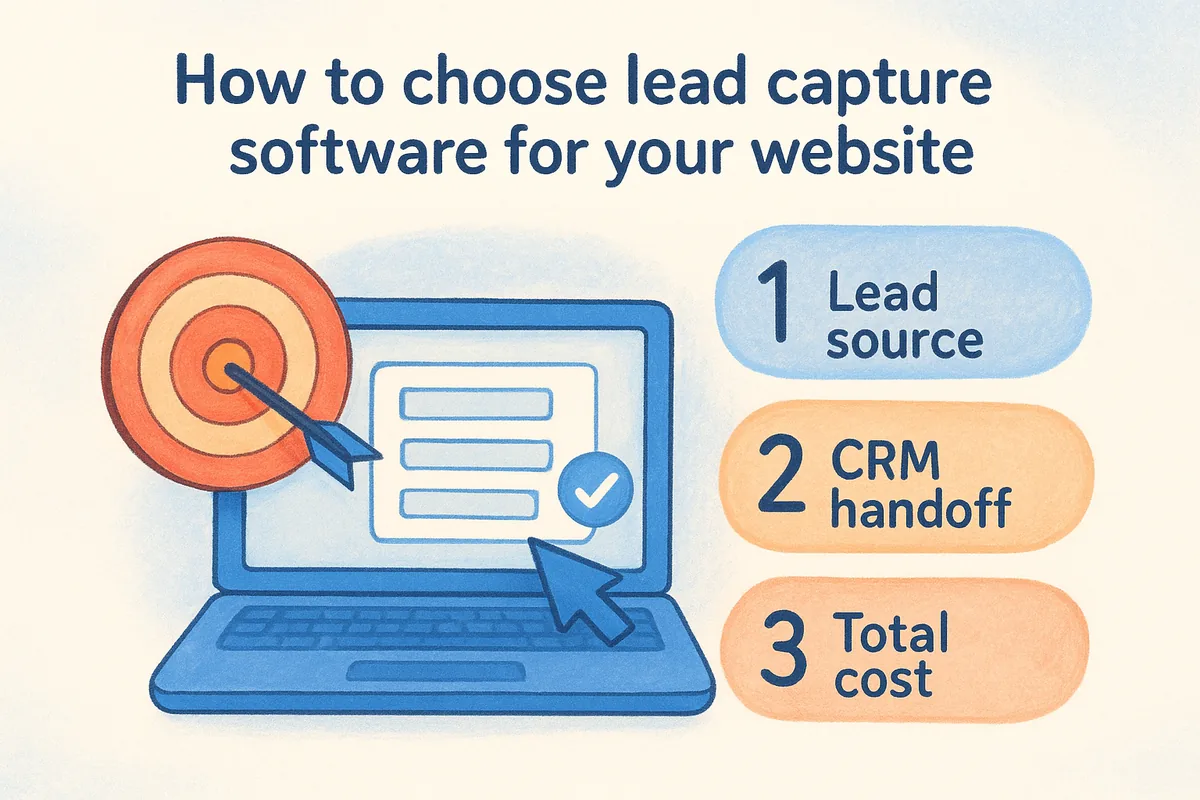
Choose by lead source first, CRM handoff second and total monthly cost third. Features come after those three, because most teams use a small share of them.
Start from where your leads come from
List your real lead sources before you open a pricing page. A team whose leads arrive from IndiaMART, Justdial and WhatsApp has very different needs from a team running paid ads to a quiz.
- •Paid ads to a single page: a funnel or landing page builder such as Heyflow
- •A simple enquiry form on your site: Tally or Jotform
- •Visitors with questions: chat, as in Tidio or Vedain's Live Chat
- •Lead portals, ad lead forms and WhatsApp: a CRM with native feeds, such as Vedain
- •Anonymous browsing traffic: a popup tool such as OptiMonk
Check what happens after capture
Ask how a lead reaches a salesperson and how quickly. A form tool that only emails a shared inbox has not solved your problem, however nice the form looks.
Look for a native connector to your CRM, or at minimum Zapier, Make or webhooks. Check that routing, alerts and duplicate handling exist. Also verify email addresses before you send campaigns, because fake or mistyped emails damage your sender reputation.
Price the whole stack, not one tool
A cheap form builder plus a separate CRM often costs more than one tool that does both. Take a five-person sales team. One option is a form builder (Jotform Bronze at about $34 a month) plus a CRM at about $12 per seat (monday CRM Basic). The other is Vedain on annual billing.
| Setup | Monthly cost | Yearly cost |
|---|---|---|
| Form builder plus separate CRM | $34 + (5 × $12) = $94 | $1,128 |
| Vedain, 5 users, annual billing | 5 × $8.33 = about $41.67 | $500 |
The gap is about $628 a year. The comparison is not like-for-like: a dedicated builder gives more design control, and Vedain's WhatsApp and lookup costs are extra. It still shows why you should add up the stack.
Add up every tool, seat and add-on before you compare plans, because the real price is the stack, not the form builder.
Lead capture software compared at a glance
This table puts the eight tools side by side on starting price, free options and best use. Prices are list prices billed annually where a vendor offers annual billing, and they change, so confirm on each vendor's site.
Side-by-side comparison
Use the table to shortlist two tools, then run a trial of each with a real form or a real lead source.
| Tool | Starting price | Free plan or trial | Best for |
|---|---|---|---|
| Vedain CRM | $10/user/month ($8.33 billed annually) | 14-day trial, no card; no free CRM plan; chat widget free | India and UAE teams that want capture and CRM in one |
| HubSpot | Varies by product, tier and seats | Entry-level free tools; check limits | Teams that want a full marketing and sales suite |
| Heyflow | About $22/month | Free trial offered | Paid-ad funnels and multi-step forms |
| Tally | Free; Pro about $24/month | Free plan | Simple forms on a tight budget |
| Jotform | Free; Bronze about $34/month | Free Starter plan | All-purpose forms, kiosks and payments |
| Outgrow | About $14/month | Check vendor site | Quizzes and calculators |
| Tidio | Starter from about $24.17/month | Free plan; 7-day trial | Live chat and chatbots |
| OptiMonk | Essential about $29 to $59/month | Free plan to 10,000 pageviews | Popups for ecommerce and SaaS |
Shortlist two tools, then test each with a real lead source, because a demo form never shows you your routing problems.
Quick picks by situation
- •You sell over WhatsApp and take leads from IndiaMART or Justdial: Vedain CRM
- •You already live in HubSpot: HubSpot forms
- •You spend on ads and need qualifying funnels: Heyflow
- •You need free, simple forms today: Tally
- •You run events and need offline kiosks: Jotform
- •You have a calculator or quiz idea: Outgrow
- •You get many pre-sales questions: Tidio
- •You have steady traffic and want more emails: OptiMonk
Choose the tool that fits your leads
Start with your lead sources, then check how fast a lead reaches a salesperson, then add up the real monthly cost. Form builders like Tally, Jotform and Heyflow collect leads well, chat and popup tools catch visitors who skip forms, and a CRM with capture built in keeps everything in one pipeline. Run a trial with a real form or a real lead source before you commit.
If you sell in India or the UAE and want leads from forms, chat, ads and portals in one place, start your 14-day Vedain trial. There is no credit card, setup takes under five minutes, and the one plan includes every CRM feature.
Frequently Asked Questions
Is there free lead capture software?
Yes. Tally has a free plan with unlimited forms and submissions, Jotform and OptiMonk have free tiers with limits, and Tidio's free plan covers 50 billable conversations. Vedain has no free CRM plan, but its Live Chat widget stays free after the trial and saves every chat as a lead.
What is the difference between lead capture software and a CRM?
Lead capture software collects the contact details, and a CRM stores them and manages the follow-up through to a closed deal. Some tools do both, such as Vedain and HubSpot, while form builders only collect and pass leads on. If a tool has no pipeline, you need a CRM behind it.
Do I need a landing page builder to capture website leads?
Not always. An embedded form or a chat widget on your existing pages captures leads well. A dedicated page builder or funnel tool helps when you send paid traffic to a single page and want to test headlines and questions.
How do I capture leads from IndiaMART or Justdial?
Use a CRM that connects to those portals, or route their leads through an API or webhook. Vedain pulls IndiaMART and Justdial leads in through an API connection and drops them into your pipeline. Most form builders are not designed for portal leads, so check for a native connector or plan on Zapier or webhooks.
How quickly should I follow up on a captured lead?
As fast as you can, and ideally within minutes for a high-intent enquiry. Set up an instant alert or automatic assignment so the lead reaches a named owner. A scoring rule that flags demo requests and pricing enquiries helps your team call the hottest leads first.
Can an AI chatbot capture leads?
Yes. An AI chat assistant can answer common questions, ask for a name and email, and save the conversation as a lead. Tidio and Vedain's Live Chat both work this way. Review the saved chats regularly, because the assistant can only answer what it has been taught.