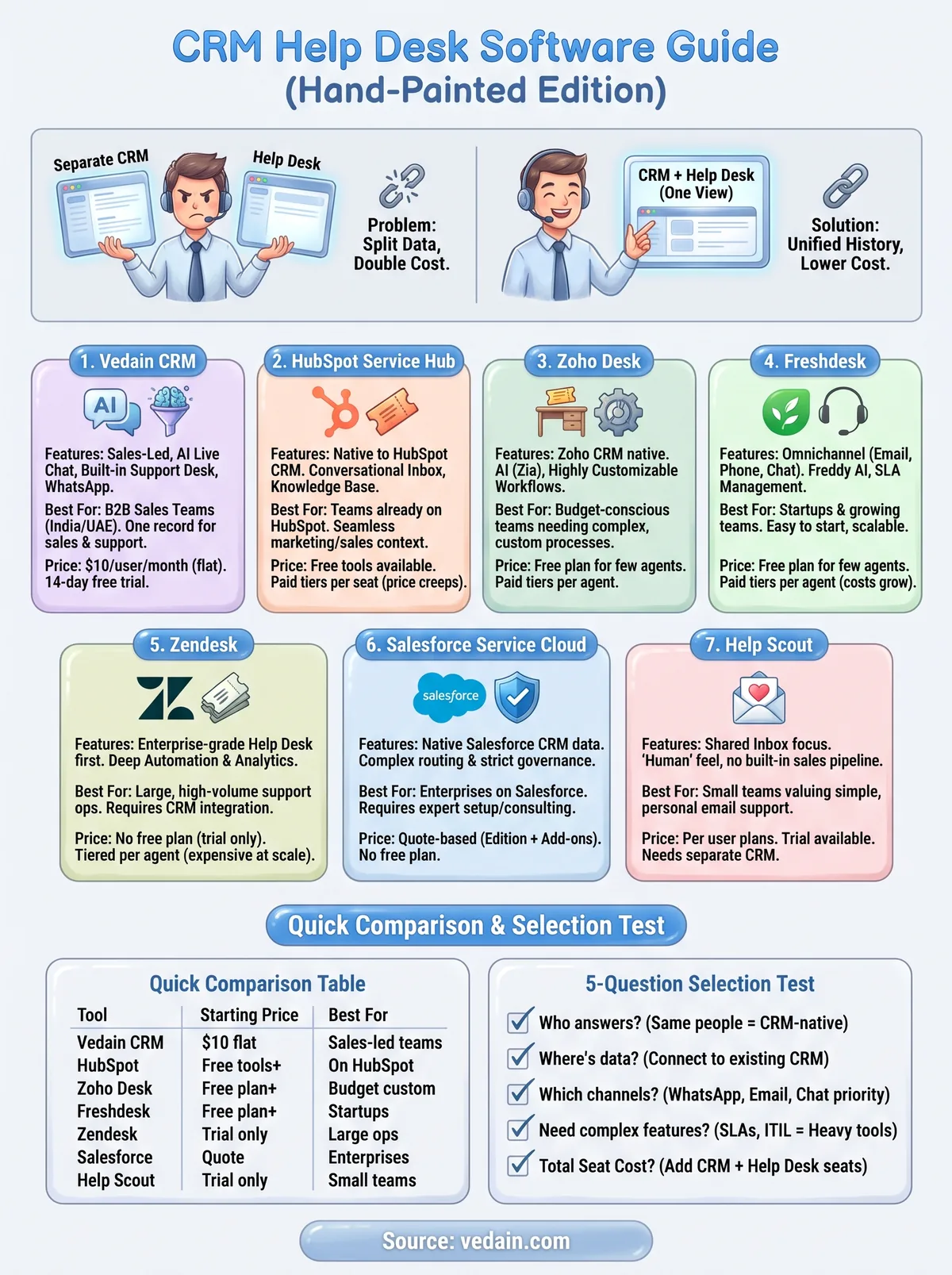
Most teams hit the problem the same way. Support requests land in a shared Gmail inbox, the sales history sits in the CRM, and the person answering a customer opens both and guesses. Buying a separate help desk fixes the inbox, but it doubles your seat cost and splits your customer data across two systems.
This guide compares seven tools on how they handle tickets, how deeply they connect to CRM data, who they suit and what they cost. Vedain CRM is our product, so it comes first, and we say plainly where it does not fit. The other six are the established options you will meet on any shortlist.
1. Vedain CRM
How it handles tickets and CRM data
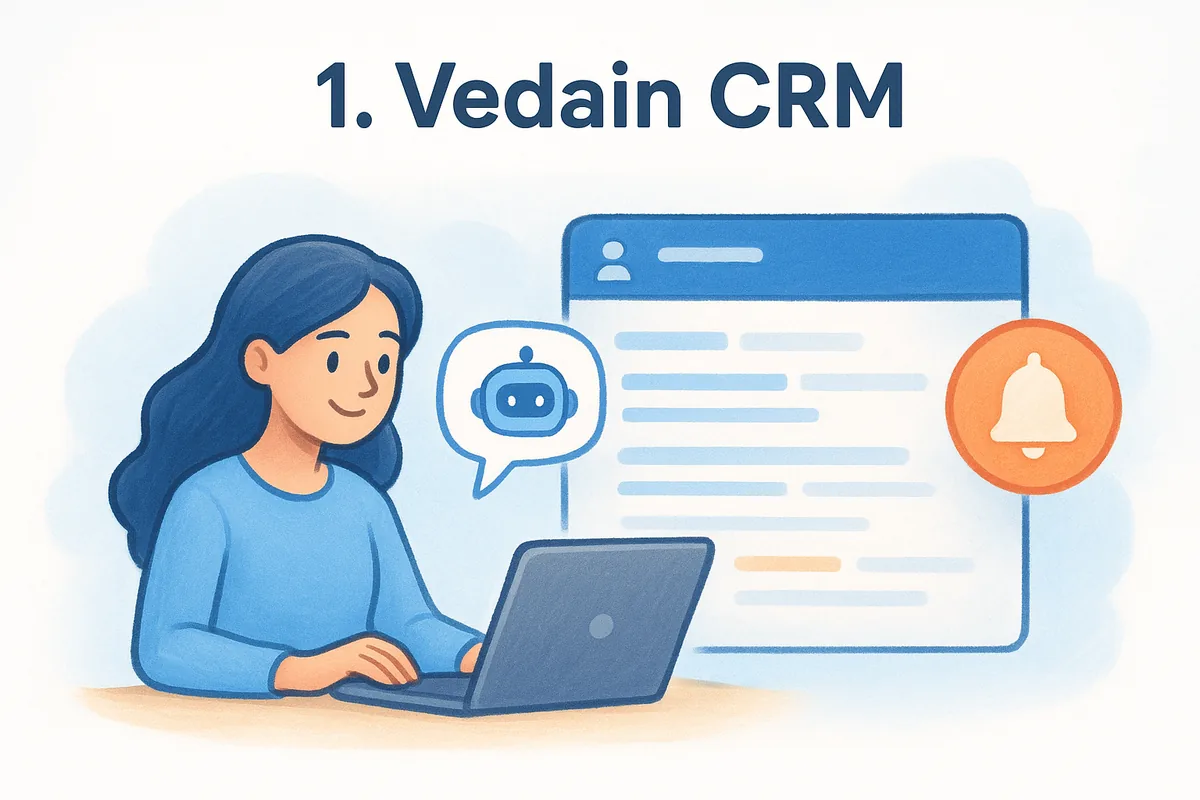
Vedain is a sales CRM with a built-in support layer, not a standalone service-management suite. Live Chat with an AI assistant answers website visitors and saves every conversation as a lead. The Support Desk keeps customer questions next to the contact, account and deal they belong to. Setup takes under five minutes, so a small team can run a working support flow the same afternoon.
- •Website Live Chat with an AI assistant, with each chat saved as a lead
- •Support Desk and team inbox beside contact, account and deal records
- •Two-way Outlook (Microsoft 365) and Gmail (over IMAP) email sync
- •WhatsApp Business inbox with broadcasts and a chatbot builder
- •No-code workflows, reports and custom dashboards
Who it suits
Vedain fits sales-led B2B teams in India and the UAE whose support work is mostly pre-sales questions, onboarding and account follow-ups. Picture a team that captures leads from IndiaMART, Justdial or Facebook and Instagram ads and talks to buyers on WhatsApp. The same person can see the lead source and the open question in one record.
If support is an extension of your sales conversation, one record per customer beats a second tool.
Skip Vedain if you need a full service-management suite. It is a mobile-responsive web app without native iOS or Android apps, and the interface is English only. Check the features page for the ticket-level controls your team requires, such as SLA timers, before you commit.
Pricing and trade-offs
Vedain has one plan at $10 per user per month (₹500 or AED 25) with every CRM feature included. Annual billing gives two months free, about $8.33 per user per month, and the 14-day trial needs no credit card. There is no free plan. A 10-person team pays $100 a month, or $1,000 a year billed annually. A chat and support agent seat costs $5 a month for people who only answer chat and the desk, and each CRM seat includes one free agent seat (up to 3).
WhatsApp is billed separately, on usage. It costs ₹1,500 one-time to register and ₹1,000 a month as a platform fee, which includes 1 admin and 5 users (extra users are ₹250 each per month). On top of that you pay Meta's per-message rates: ₹0.98 for marketing, ₹0.14 for utility and authentication, and nothing for service replies. The free live chat widget stays free after the trial, with 100 AI answers a month, if you do not need to reply live from the Vedain inbox.
2. HubSpot Service Hub
How it handles tickets and CRM data
HubSpot Service Hub sits directly on HubSpot's CRM, so every ticket attaches to a contact, company and deal without any sync. Agents see past purchases, marketing activity and open deals on the same ticket. That context is the main reason to pick it.
- •Ticket pipelines and custom properties built in a few clicks
- •A conversational inbox that combines channels in one view
- •Live chat, a customer portal and a knowledge base
- •CSAT and NPS surveys for feedback
- •A drag-and-drop builder for routing and follow-ups
Who it suits
Service Hub suits small and mid-sized teams already on HubSpot who want support, sales and marketing to share one customer record. Agents can spot upsell opportunities because the commercial history sits beside the ticket.
Service Hub is strongest when HubSpot is already your system of record, and much weaker when it is not.
If you run a different CRM, much of its value disappears. It also lacks the deeper IT features, such as asset tracking, that internal IT teams expect.
Pricing and trade-offs
HubSpot offers free tools with basic ticketing, and paid tiers are priced per seat per month. Published entry prices differ between review sites, so confirm the figure on HubSpot's pricing page. Prices change.
The trade-off is cost creep. Advanced features get expensive as you upgrade, and some controls, such as single sign-on, sit in the top tier. Add Sales Hub and Marketing Hub and the total can outgrow a flat-priced CRM quickly.
3. Zoho Desk
How it handles tickets and CRM data
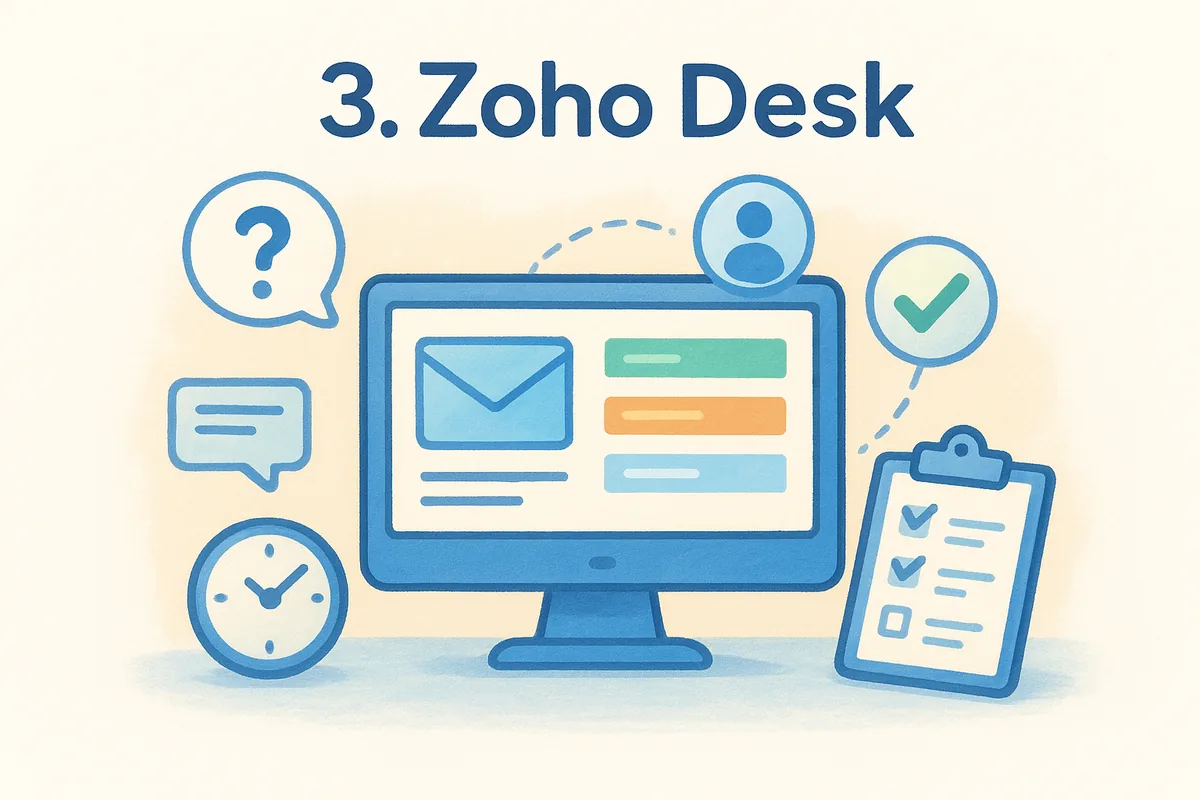
Zoho Desk is a dedicated help desk that integrates natively with Zoho CRM and the rest of the Zoho apps. Tickets from email, phone, chat, social media, a self-service portal, forums and web forms land in one queue. It also offers an API for connecting other systems.
- •Custom fields and workflow rules for ticket assignment and escalation
- •Zia, an AI assistant for reply suggestions, tagging, routing and sentiment
- •A knowledge base and a Help Center where customers track tickets
- •Multi-branded help centers for companies with several brands
- •Time tracking and reports on resolution time and tickets per agent
Who it suits
Zoho Desk suits teams that want highly customizable ticket workflows without enterprise pricing, especially those already using Zoho CRM. If your process is unusual or likely to change, the flexibility is a real advantage.
Zoho Desk gives you the most workflow control per dollar, and you pay for it in setup time.
New users can find the options overwhelming, and some reviewers call the interface dated in places. Budget a few hours for configuration rather than expecting a five-minute start.
Pricing and trade-offs
Pricing is per agent per month, tiered by plan. Zoho has offered a free plan for a small number of agents, but limits and plan contents change, so check the current page. In particular, confirm which plan includes live chat before you build a workflow around it.
The main trade-off is that the deepest CRM integration is with Zoho's own CRM. If your sales team lives in another CRM, you rely on connectors. Its reporting is also less polished than the analytics in Zendesk, although it covers the basics well.
4. Freshdesk
How it handles tickets and CRM data
Freshdesk is an omnichannel help desk from Freshworks, whose CRM product is Freshsales. It covers email, phone, live chat and social channels, with automation for routing, prioritization and canned responses. One reviewer who tested it had it running in under 20 minutes.
- •SLA management with response and resolution deadlines
- •Freddy AI chatbot for common questions
- •Automated alerts so agents track ticket progress
- •Knowledge base and self-service options
- •Reporting that deepens on higher tiers
Who it suits
Freshdesk suits startups and growing teams that want to begin with email ticketing and add channels later without migrating. The free plan covers core ticketing for a very small team, so you can test real workflows before paying.
Freshdesk is the easiest way to start with a real help desk and add channels as you grow.
If your sales team needs pipeline views next to every ticket, note that Freshsales is a separate product and currently lists no free plan. Advanced analytics sit in higher tiers, so data-driven teams should plan for an upgrade.
Pricing and trade-offs
Freshdesk has a free plan for a couple of agents and paid plans per agent per month, billed annually or monthly. Sources quote different entry prices, so check Freshworks' pricing page for the current tier names and figures.
Automation grows more powerful as you climb the tiers, and so does the bill. The trade-off is that the cheap tier is generous for ticketing but thin on analytics. Some reviewers also report slow vendor support, so test responsiveness during your trial.
5. Zendesk
How it handles tickets and CRM data
Zendesk is a help desk first, built for large, fast-growing support teams that need depth. It pulls email, chat, social and phone into one thread. Its CRM side comes from integrating it with the CRM you already use, rather than from a built-in pipeline.
- •Flexible routing, SLAs and escalations with layered conditions
- •Reporting that shows stuck tickets and overloaded agents, exportable for leadership
- •AI agents and bots for automated resolution
- •A knowledge base for self-service
- •Mobile apps for agents
Who it suits
Zendesk suits support organizations with high ticket volumes and an admin who can configure it. If you handle thousands of tickets a month across many channels, the automation and analytics justify the effort.
Zendesk wins on support depth and loses on out-of-the-box CRM context.
For a five-person team that also sells, it is probably too heavy. Expect a learning curve, and expect to invest time or an admin in setup.
Pricing and trade-offs
Zendesk has no free plan, only a free trial, and charges per agent per month by tier. Review sites list different starting prices, so read the current pricing page and compare the tier that includes the automation you need, not the cheapest one.
Costs rise as you add agents. Add a separate CRM subscription and an integration to keep customer data in sync, and the total for a mixed sales and support team is the highest on this list outside Salesforce.
6. Salesforce Service Cloud
How it handles tickets and CRM data
Salesforce's service product, now marketed as Agentforce Service and long known as Service Cloud, runs on Salesforce CRM data. Cases link to accounts, contacts and opportunities. If your sales team is already in Salesforce, support gets the full customer record with no integration layer.
- •Case management tied to accounts and contacts
- •Omnichannel routing across email, chat, phone and messaging
- •Knowledge articles for agents and customers
- •Flow-based automation and AI agents
- •Reports on the same data model as sales
Who it suits
It suits enterprises already on Salesforce with an admin or a consulting partner. Complex approval rules, several departments and strict governance are where it earns its cost.
Salesforce Service Cloud rewards organizations that already pay for Salesforce expertise.
Small teams rarely benefit. Setup and ongoing configuration take real skill, and the platform is far more than a five-agent team needs.
Pricing and trade-offs
Salesforce prices per user by edition, with add-ons for AI and extra capabilities. There is no permanent free plan, only trials and demos, and the final quote depends on the edition and add-ons you choose. Check Salesforce's pricing page, since figures change.
The trade-off is transparency and speed. A quote-driven price and a long implementation are the opposite of a flat per-seat plan you can start in minutes. Choose it for capability, not for cost control.
7. Help Scout
How it handles tickets and CRM data
Help Scout is a shared inbox for customer support that keeps replies personal. It has no built-in sales pipeline. Instead it connects to CRMs and other tools, including Salesforce, HubSpot, Jira, Slack, Shopify and Stripe, so agents see customer details beside the conversation.
- •Shared inbox with assignment and internal notes
- •Collision detection to prevent duplicate replies
- •Live chat and a knowledge base
- •AI drafts for faster replies
- •Workflows for routine tasks, plus an API for custom apps
Who it suits
Help Scout suits small support teams that want email-style conversations rather than a ticket-factory feel. It is quick to roll out and agents pick it up easily.
Help Scout is the right choice when your agents value simple, human conversations over heavy automation.
It is a weak fit if you want pipeline stages, lead capture or WhatsApp inside the same tool. Sales and support would still live in two systems.
Pricing and trade-offs
Pricing is per user per month, and plan limits, such as the number of mailboxes, affect the total as you grow. Confirm current plans and any free tier on Help Scout's pricing page.
The trade-off is that you buy a help desk and keep paying for a CRM. For a team where the same people sell and support, that means two subscriptions and a connector to maintain.
Comparison table and how to choose
What CRM help desk software combines
Help desk management software tracks, assigns and measures support tickets, with routing rules, SLAs and reports. A CRM stores contacts, companies and deals. Help desk software with CRM data merges the two, so an agent handling a ticket also sees the contact's history, owner and open deals. Tools differ in whether that merge is native (Vedain, HubSpot, Salesforce, Zoho with Zoho CRM) or an integration you maintain (Zendesk, Help Scout, and Freshdesk with a non-Freshworks CRM).
Side-by-side comparison
Use this table to narrow the list. The competitor columns describe plan structure, because published entry prices vary by source and change often. Verify current prices on each vendor's page.
| Tool | Starting price | Free plan or trial | Best for |
|---|---|---|---|
| Vedain CRM | $10/user/month (about $8.33 billed annually) | 14-day trial, no card; no free plan | Sales-led teams in India and the UAE |
| HubSpot Service Hub | Per seat, tiered | Free tools plus trial | Teams already on HubSpot |
| Zoho Desk | Per agent, tiered | Free tier for few agents, plus trial | Customizable workflows on a budget |
| Freshdesk | Per agent, tiered | Free plan plus trial | Startups growing into more channels |
| Zendesk | Per agent, tiered | Trial, no free plan | Large support teams |
| Salesforce Service Cloud | Per user, edition-based quote | Trial, no free plan | Enterprises on Salesforce |
| Help Scout | Per user, by plan | Trial | Small teams wanting a shared inbox |
A five-question selection test
Answer these in order and the shortlist usually shrinks to two tools.
- Who answers customers? If the same people sell and support, favor a CRM-native tool. If a separate department does support, a dedicated help desk fits.
- Where does customer data live today? Prefer the tool that already connects to it.
- Which channels do customers use? WhatsApp, email and website chat decide more than feature lists.
- Do you need SLAs, multi-brand help centers or ITIL workflows? If yes, rule out lightweight options.
- What is the total seat cost? Add CRM seats and help desk seats together, because a split stack charges twice for anyone who needs both.
For a 10-person team where everyone needs the CRM and some answer tickets, one flat plan costs $100 a month, or $1,000 a year billed annually, on Vedain. With a split stack, price both subscriptions for the same ten people and compare the sums.
Choosing your CRM help desk
The right tool is the one that puts the customer record in front of the person answering. Pick HubSpot or Salesforce if you already live in them, Zoho Desk or Freshdesk for dedicated support on a budget, Zendesk for deep support operations, and Help Scout for simple shared inboxes. If your team sells and supports from the same seats, a CRM with a support layer avoids paying twice.
Run your two best candidates through a real week of tickets before deciding. If Vedain is on your list, see Vedain's flat $10 per user pricing and start the 14-day trial with no credit card.
Frequently Asked Questions
What is CRM help desk software?
It is software that handles support tickets and customer records in the same system. Agents answer requests from email, chat or messaging while seeing the contact's history, owner and open deals. Some vendors build both functions, and others connect a help desk to a separate CRM. The test of CRM help desk software is whether an agent sees the customer's history without opening a second tab.
Is a help desk the same as a CRM?
No. A help desk manages incoming support requests, with routing, SLAs and ticket reports. A CRM manages the relationship, with leads, pipelines and deal history. They overlap in the customer record, which is why the combined tools exist.
Do I need both a CRM and a help desk?
Not always. If your support volume is low and your reps handle it, a CRM with a built-in support desk and live chat is enough. A dedicated help desk makes sense once you have a separate support team, strict SLAs or high ticket volume.
What is the best CRM for customer service?
It depends on your team. HubSpot Service Hub and Salesforce Service Cloud offer the deepest native CRM context, Zoho Desk offers customization on a budget, and Vedain suits sales-led teams in India and the UAE. Match the tool to who answers customers and where your data lives.
Who is Zendesk's biggest competitor?
There is no single answer. Freshdesk, Zoho Desk, HubSpot Service Hub and Salesforce Service Cloud are the names most often compared with it. Which one competes depends on team size and whether you need native CRM data.
Is there free CRM help desk software?
Some vendors offer limited free tiers, such as HubSpot's free tools and Freshdesk's free plan, but limits change, so check each pricing page. Vedain has no free plan. It offers a 14-day trial without a credit card, plus a live chat widget that stays free after the trial.