Gmail alone gives you contacts, labels and search. It does not track deals, remind you when a lead goes quiet or show your teammate what you already promised a prospect. The harder problem is that almost every CRM says it has a "Gmail integration", and the phrase covers everything from a contact card in a sidebar to a full pipeline inside your inbox. Prices also jump once you need sequences or open tracking.
This guide compares nine CRMs side by side and explains how each one connects to Gmail, what it costs and who it fits. We build Vedain CRM, so it comes first, and we say plainly where it fits and where it does not. Prices come from vendor listings and change often, so confirm on each pricing page before you buy.
What makes a CRM good for Gmail integration
A good Gmail CRM logs your email and meetings automatically, shows CRM context while you read a thread, and lets you act on a lead without retyping data. The depth of that connection matters more than the badge on the feature page.
Three ways a CRM connects to Gmail
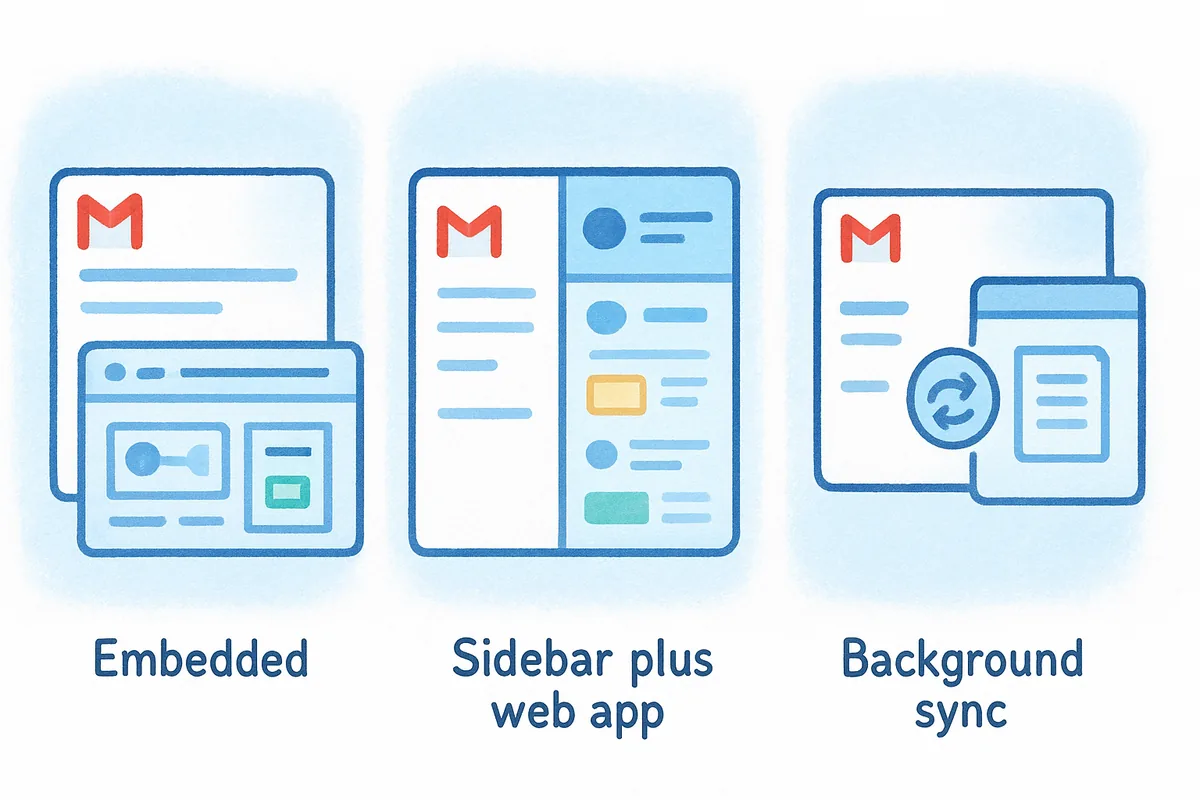
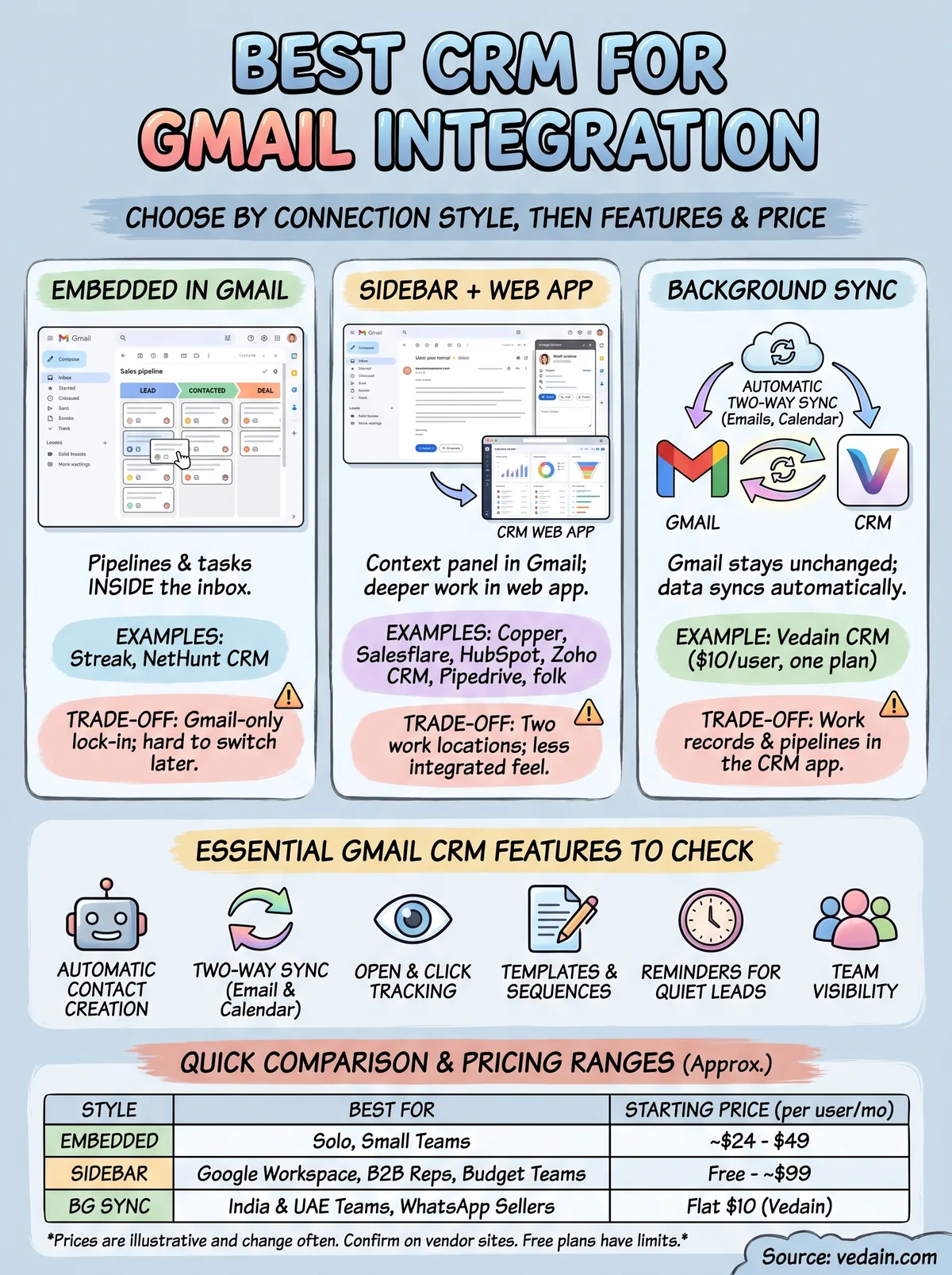
Every tool on this list falls into one of three styles. The style decides how much of your day happens in Gmail and how much happens in the CRM, so pick it first and compare features second.
| Style | What you do inside Gmail | Examples | Trade-off |
|---|---|---|---|
| Embedded | Pipelines, deals and tasks appear in the Gmail interface itself | Streak, NetHunt CRM | Gmail-only, so switching to Outlook later means switching CRMs |
| Sidebar plus web app | A panel next to each email shows the contact and lets you add notes | Copper, Salesflare, HubSpot, Zoho CRM, Pipedrive, folk | Two places to work, and deeper tasks happen in the web app |
| Background sync | Gmail stays unchanged while emails sync two-way into the CRM | Vedain CRM | You open the CRM app to work records and pipelines |
Choose the connection style before you compare features, because it decides where your team will actually spend its day.
Features worth checking before you commit
Check the features that remove manual work, since a CRM nobody updates is useless. These are the ones that separate tools in practice:
- •Automatic contact creation from people you email or meet, so no one types names by hand.
- •Two-way sync of sent and received email, with calendar sync if you book meetings in Google Calendar.
- •Open and click tracking on emails you send from Gmail.
- •Templates and sequences with personalization fields.
- •Reminders for unanswered threads and conversations that went quiet.
- •Team visibility, so colleagues see the history without forwarding emails.
Check which plan unlocks each item. A feature shown in a demo often sits on a higher-priced tier.
Limits to know before you send from Gmail
Sending bulk email from Gmail has ceilings that no CRM can remove. Google documents daily sending limits of roughly 500 messages for personal accounts and 2,000 for Google Workspace accounts, and exceeding them can pause your sending. If you plan sequences, verify addresses before you send and ramp volume gradually, because bounces hurt your sender reputation faster than anything else.
Lock-in and access deserve a second look too. Gmail-only tools break if your company later moves to Outlook, so ask whether the CRM also supports Microsoft 365. And every CRM asks Google for permission to read your mail. Review the permission screen, and remember you can revoke access from your Google Account at any time.
Gmail CRM comparison at a glance
The table below puts all nine tools in one view so you can shortlist in a minute, then read the sections that matter to you.
Side-by-side comparison
| Tool | Starting price (per user per month) | Free plan or trial | Best for |
|---|---|---|---|
| Vedain CRM | $10, one plan with every feature | 14-day trial, no card, no free plan | India and UAE teams selling over WhatsApp and email |
| Streak | Pro about $49 billed annually | 14-day trial | Solo founders and small teams working only in Gmail |
| Copper | Entry plan about $9 billed annually; Business $99 | 14-day trial, no free plan | Google Workspace teams |
| NetHunt CRM | About $24 to $30 | 14-day trial, no free plan | Automation inside Gmail |
| Salesflare | About $29 billed annually; Pro $49 | Up to 30-day trial, no free plan | B2B reps who hate data entry |
| HubSpot CRM | Free CRM; paid from about $15 billed annually | Free plan | Teams starting at zero budget |
| Zoho CRM | Paid from about $14 billed annually | Free plan for a small number of users, plus 15-day trial | Budget teams that need a broad feature set |
| Pipedrive | From about $14 | 14-day trial, no free plan | Visual pipeline lovers |
| folk | Standard $24 billed annually | 14-day trial, no free plan | Relationship and LinkedIn-driven work |
Prices are what vendors and recent reviews list, and they change. Treat them as a guide, then check the vendor's pricing page.
What a five-person team pays
Take a five-person sales team on annual billing. The table shows the plan each vendor lists, per user and for five users per month. Plans differ in what they include, so the numbers show budget ranges, not like-for-like value.

| Tool | Plan used | Per user | Five users per month |
|---|---|---|---|
| Vedain CRM | Single plan, monthly billing | $10 | $50 |
| Pipedrive | Entry plan | about $14 | $70 |
| Zoho CRM | Paid entry plan | about $14 | $70 |
| HubSpot | Paid entry plan | about $15 | $75 |
| folk | Standard | $24 | $120 |
| NetHunt CRM | Entry plan | $24 to $30 | $120 to $150 |
| Streak | Pro | about $49 | $245 |
| Salesflare | Pro | $49 | $245 |
| Copper | Business | $99 | $495 |
Vedain on annual billing works out to about $8.33 per user, so the same team pays roughly $41.67 per month, or $500 per year. Entry plans from other vendors often leave out sequences, tracking or automation, so compare the plan that holds the features you need.
The sticker price of an entry plan tells you little, so compare the cost of the plan that includes the Gmail features you will actually use.
1. Vedain CRM
How the Gmail integration works
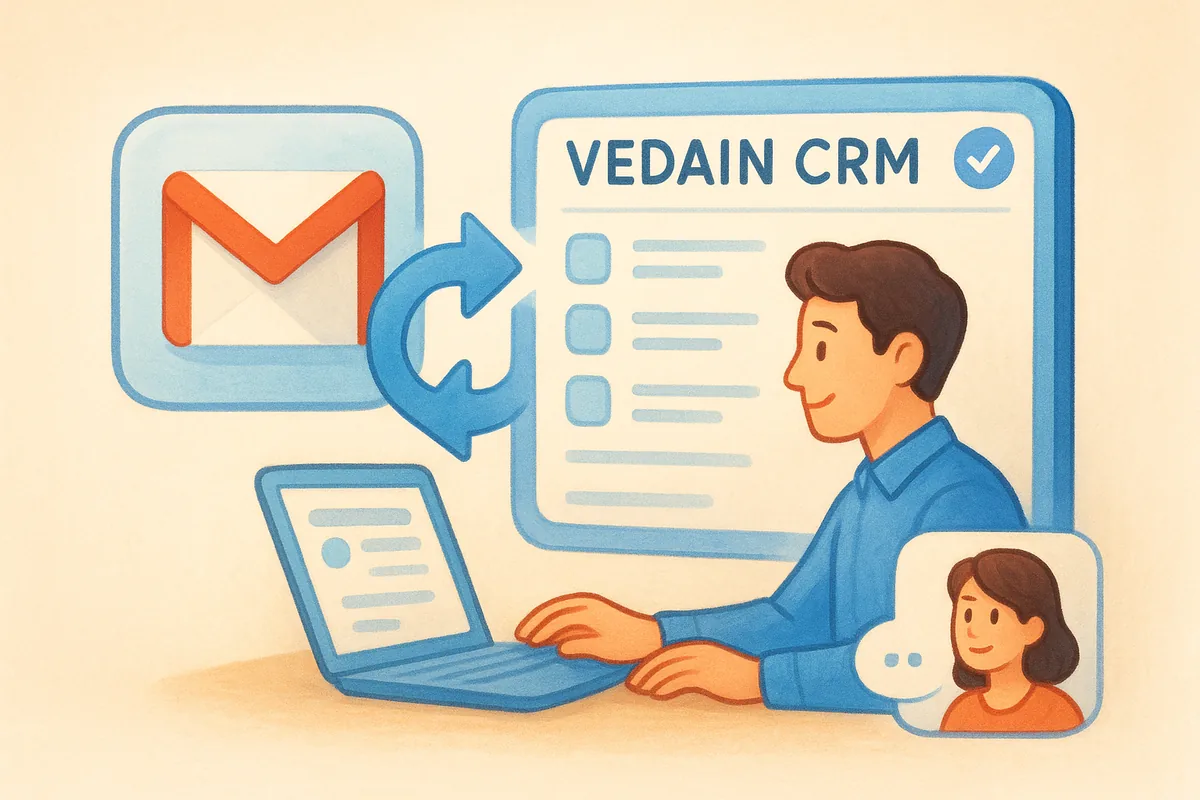
Vedain connects to Gmail for sending, and your Gmail inbox syncs two-way over IMAP, so messages you send and receive show up on the lead, contact and deal records. It also syncs with Microsoft 365, which helps when part of your team uses Outlook. The limit is clear: Vedain is built around sync, not around a panel that opens inside your inbox. You work in the Vedain web app and Gmail stays exactly as it is.
What surrounds the sync is the reason to shortlist it. You can run multi-step email campaigns with open and click tracking, a drag-and-drop designer and 130+ templates, and protect deliverability with email warmup, a mailbox health score and email verification. Lead emails from Bayut, Property Finder and Dubizzle are parsed from the synced mailbox into leads, and leads from IndiaMART, Justdial, Facebook and Instagram Lead Ads and website forms arrive without copy-paste. Inbox intelligence reads replies you have already received and turns them into CRM updates. Setup takes under five minutes, and you can see the full feature list.
Vedain trades an in-inbox sidebar for a CRM that captures your Gmail history automatically and adds WhatsApp, lead capture and deliverability tools around it.
Pricing
Vedain has one plan with every feature included, so there are no tiers to climb. Here is what the price covers and what it does not:
- •Plan: $10 per user per month, with no free plan.
- •Annual billing: two months free, about $8.33 per user per month.
- •Trial: 14 days, no credit card. If you do not subscribe, the account is paused, so you can still subscribe and pick up where you left off.
- •Billed separately: WhatsApp Business messaging, LinkedIn email and phone lookups, AI data clean-up and inbox intelligence (₹1.50 or $0.02 per record updated).
- •Email verification: a quick check is free, 50 mailbox checks are free to start, then $0.005 per mailbox check.
- •Payments: USD and AED through Stripe, INR through Razorpay including UPI and net banking.
Best for and main trade-off
Vedain suits small and mid-sized B2B teams in India and the UAE that sell over WhatsApp and email, capture leads from marketplaces and ads, and care about spam folders.
- •Best for: teams that want Gmail history, pipeline, campaigns and WhatsApp in one flat-priced tool.
- •Main trade-offs: no inbox sidebar, no native iOS or Android apps (the web app is mobile-responsive), an English-only interface and no LinkedIn automation.
2. Streak
How the Gmail integration works
Streak runs entirely inside the Gmail interface. Pipelines appear in your inbox, and you can drag an email into a stage, set reminders, use snippets and track opens and clicks without opening another tab. Paid plans add templates and email sequences.
That tight fit is also its limit. Streak has no standalone web app, and its mobile apps are limited. It works in desktop browsers rather than the Gmail mobile app. It does not create contacts automatically, Calendar sync is weaker than Copper's, reporting is basic, and integrations rarely reach beyond Gmail and Google Sheets.
Streak is the most natural fit for Gmail purists, and it stays simple on purpose, so you outgrow it when your process gets complicated.
Pricing
Streak's Pro plan is listed at about $49 per user per month billed annually, or $59 billed monthly, with a 14-day trial. Older reviews mention a free single-user plan, but others say it was retired, so check the pricing page for whether any free tier exists today.
- •Pro: about $49 per user per month annually.
- •Team of five: about $245 per month.
Best for and main trade-off
Streak fits people who live in Gmail on a laptop and need a simple pipeline.
- •Best for: solo founders and small teams with straightforward deals.
- •Main trade-offs: limited automation, no automatic contact creation, and Gmail-only lock-in if you move to Outlook.
3. Copper
How the Gmail integration works
Copper is built for Google Workspace, and it combines a Gmail sidebar with a web app. Once you connect it, emails and Calendar meetings sync in the background and attach to contact records. New contacts are created automatically when you email someone new, with no BCC tricks or forwarding.
The interface follows Google's design patterns, so adoption is quick. Pipelines are easy to build, and templates, sequences and open tracking are available on the right plan. The weaknesses are flexibility and automation. Customization is tighter than in more configurable tools, workflows are basic, and Copper does not enrich contacts from email signatures. Setup takes a little longer than the interface suggests.
Copper is the strongest pick for teams that already treat Google Workspace as their operating system.
Pricing
Copper has no free plan. Its entry plan is listed at roughly $9 per user per month billed annually, though the Business plan, which holds the fuller Gmail feature set, is listed at $99 per user per month billed annually. The trial lasts 14 days.
- •Entry plan: about $9 per user per month annually.
- •Business plan: $99 per user per month annually, about $495 per month for five users.
Best for and main trade-off
Copper rewards teams that want Gmail, Calendar and contacts tied together with minimal fuss.
- •Best for: Google Workspace-centered sales teams.
- •Main trade-offs: a steep jump from entry to Business pricing, limited customization and basic automation.
4. NetHunt CRM
How the Gmail integration works
NetHunt CRM is embedded in Gmail, not layered on as a sidebar. You can turn a thread into a lead or deal, move deals between stages, edit records, filter views and assign tasks, all inside the Gmail window.
Automation is where it separates itself from other Gmail-native tools. Its workflow builder supports multi-step rules, for example tagging a new lead, creating a task and sending a timed follow-up from a single trigger, and webhooks extend it further. It can also pull messages from WhatsApp, Telegram and social platforms into one customer timeline. The cost of that power is a learning curve, and reviewers note that the interface is less polished than Copper's.
NetHunt is the pick when you want Streak's in-inbox feel with real automation behind it.
Pricing
NetHunt has no free plan and offers a 14-day trial. Entry pricing is listed between about $24 and $30 per user per month depending on billing period and source, so confirm on its pricing page.
- •Entry plan: about $24 to $30 per user per month.
- •Team of five: about $120 to $150 per month.
Best for and main trade-off
NetHunt fits teams that want to run the whole sales cycle without leaving Gmail.
- •Best for: small teams that need customizable pipelines and automated follow-ups.
- •Main trade-offs: onboarding effort, and Gmail-only lock-in if you may switch email providers.
5. Salesflare
How the Gmail integration works
Salesflare aims to make the CRM a background job. It pairs a Gmail sidebar (a Chrome extension) with a web app, and it builds your database automatically from your email, meetings and signatures. Contacts are created for people you email or meet, and company details are enriched from email signatures and other sources.
It also tracks email opens and clicks, and website visits if you add its tracking script. Reminders nudge you when a conversation goes quiet, and a kanban board shows deal progress. How much you can do inside the sidebar versus the web app varies by task, so try both during the trial. Reporting and integrations are lighter than in larger systems.
Salesflare is the best fit when the main complaint is that nobody updates the CRM.
Pricing
Salesflare has no free plan, with a trial of up to 30 days. Entry pricing is listed at about $29 per user per month billed annually, and the Pro plan, which includes the full Gmail feature set, is $49 billed annually or $64 billed monthly.
- •Entry plan: about $29 per user per month annually.
- •Pro plan: $49 annually, so about $245 per month for five users.
Best for and main trade-off
Salesflare is built for relationship-driven B2B selling.
- •Best for: small B2B teams and solo reps who want automatic capture.
- •Main trade-offs: not designed for high-volume transactional sales, and the sidebar is not a full in-inbox CRM.
6. HubSpot CRM
How the Gmail integration works
HubSpot connects through a Chrome extension and a Gmail sidebar. Mid-thread you can pull up the contact record, insert templates, log the email and see when it was opened. It does not live inside Gmail, but it gives you enough context to reply without switching tabs.
The real depth sits outside Gmail. The free CRM covers contacts, deals and basic activity logging, while sequences and advanced sales tools sit on paid Sales Hub plans. HubSpot's auto-creation of contacts from email is limited, so some data entry stays manual. Because HubSpot is a large marketing, sales and service platform, it can feel oversized if you only want Gmail-based selling.
HubSpot is the safest zero-budget start, as long as you plan for the price jump when you need sequences.
Pricing
HubSpot offers a free CRM with limited features. Paid plans start at about $15 per user per month billed annually, while Sales Hub Professional has been listed at about $90 per seat per month billed annually, with a one-time onboarding fee (listed at $1,500 in one recent comparison). Trials on paid plans run 14 to 30 days.
- •Free CRM: $0.
- •Paid entry: about $15 per user per month annually.
- •Sales Hub Professional: about $90 per seat annually, roughly $450 per month for five seats before onboarding.
Best for and main trade-off
HubSpot works when you want to grow from free into a wider suite.
- •Best for: small teams that want to start free and may add marketing later.
- •Main trade-offs: advanced Gmail features are gated behind expensive plans, and the sidebar is lighter than embedded tools.
7. Zoho CRM
How the Gmail integration works
Zoho CRM takes a "sidecar" approach. The Gmail add-on shows CRM data beside each email, lets you track opens and schedule follow-ups, and syncs emails and calendar events to the CRM. The heavy lifting still happens in Zoho itself, and reviewers describe the Gmail integration as bolted on. It does not create contacts automatically, so expect some manual entry.
Inside Zoho you get a lot for the money. Scoring rules, lead routing and Blueprint-style process automation enforce how deals move between stages, which is useful as a team grows. The trade-off is setup time. Zoho has many tiers and sister products, so configuring it properly takes longer than with simpler tools.
Zoho gives you the broadest feature set for the lowest entry price, but Gmail is a side door, not the main entrance.
Pricing
Zoho CRM has a free plan for a small number of users with limited features, and paid plans start at about $14 per user per month billed annually. The trial lasts 15 days.
- •Free plan: limited users and features.
- •Paid entry: about $14 per user per month annually.
- •Team of five: about $70 per month.
Best for and main trade-off
Zoho suits budget-conscious teams that can invest an afternoon in setup.
- •Best for: cost-conscious teams that need pipelines, automation and a free starting point.
- •Main trade-offs: a thin Gmail experience, manual contact upkeep and a configuration learning curve.
8. Pipedrive
How the Gmail integration works
Pipedrive is pipeline-first, and its Gmail integration is a Chrome extension with a sidebar. From the inbox you can track opens, drop in templates and schedule emails, and emails and contacts sync both ways. Calendar sync is less polished, so double-check meeting details.
Most of the sales workflow happens in Pipedrive's own app. The kanban board is clear and drag-and-drop, and every logged call or email nudges you to set a next step. Contacts are not created automatically from email, and automation is lighter than in full workflow builders. Higher plans or add-ons are needed for advanced lead capture and forecasting.
Pipedrive is a pipeline tool that happens to work with Gmail, not a Gmail tool with a pipeline.
Pricing
Pipedrive has no free plan and offers a 14-day trial. Its entry plan is listed at about $14 per user per month, and higher plans cost more. One comparison cites about $59 per seat per month annually for a mid-tier plan.
- •Entry plan: about $14 per user per month.
- •Team of five: about $70 per month at entry level.
Best for and main trade-off
Pipedrive fits teams that think in deal stages.
- •Best for: small sales teams that want a simple visual pipeline.
- •Main trade-offs: fewer actions available directly in Gmail, and manual contact creation.
9. folk
How the Gmail integration works
folk is a relationship manager more than a classic sales CRM. Its Chrome extension lets you capture contacts from Gmail threads and LinkedIn, add notes and reminders, and use message templates from inside Gmail. It syncs email and Calendar meetings, and its relationship intelligence shows which teammate has the strongest connection to a contact.
Be careful with the "Gmail integration" label. folk's Gmail Sender cannot send sequences and does not track opens, clicks or bounces, though the broader product has sequences and analytics. Deal pipelines and custom objects sit on the higher Premium plan, and reviewers say structured sales forecasting is limited.
folk shines at warm introductions and network tracking, but it is the weakest option here for strict pipeline selling from Gmail.
Pricing
folk has no free plan and a 14-day trial. The Standard plan is $24 per member per month billed annually, or $30 billed monthly. Premium, which holds sequences, custom objects and deals, is $48 annually or $60 monthly.
- •Standard: $24 annually, about $120 per month for five members.
- •Premium: $48 annually.
Best for and main trade-off
folk is the natural choice when relationships are the product.
- •Best for: founders, recruiters, investors and partnership teams with warm-intro workflows.
- •Main trade-offs: no tracking or sequences through the Gmail Sender, and pipeline features sit on the higher plan.
Choosing the right Gmail CRM
The best CRM for Gmail integration is the one that matches how your team already works. Pick Streak or NetHunt if you want deals inside the inbox, Copper or Salesflare if you want a sidebar with automatic capture, and HubSpot or Zoho if a free plan is the priority. Pick Vedain if you sell from India or the UAE and want Gmail sync, WhatsApp, lead capture and email deliverability tools for one flat price.
Whatever you shortlist, compare the plan that holds the features you will use, not the entry price, and confirm current pricing on the vendor's page. A trial with your real mailbox beats any comparison table. If Vedain sounds like your setup, you can try Vedain CRM free for 14 days without a credit card and have your Gmail connected in under five minutes.
Frequently Asked Questions
Which CRM is best for Gmail?
It depends on how deeply you want the CRM inside your inbox. Streak and NetHunt CRM work inside Gmail, Copper and Salesflare add a sidebar, and Vedain sends from Gmail and syncs the inbox over IMAP for India and UAE teams that want a flat $10 per user price. Match the connection style to your team size and budget.
Does Google have a CRM tool?
No. Gmail gives you contacts, labels and basic tasks, but not lead management, deal tracking or automated follow-ups. You add a CRM that connects to Gmail to get those.
Is there a free CRM for Gmail?
Yes. HubSpot's free CRM and Zoho CRM's free plan both connect to Gmail, though free CRM plans limit users and features. Vedain has no free plan, but you can try it for 14 days without a credit card.
Which CRM has the best email integration?
For automatic capture, Salesflare and Copper stand out in the sidebar style, while Streak and NetHunt lead for pipelines inside Gmail. Judge any tool on whether it creates contacts automatically, syncs both ways and tracks opens and clicks on your plan.
Do I need a CRM that works inside Gmail, or is sync enough?
If you want to move deals without leaving the inbox, choose an embedded tool. If you mostly want your email history captured automatically and prefer working in a dedicated app, sync is enough and avoids Gmail-only lock-in.
Is it safe to connect a CRM to Gmail?
Reputable CRMs request access through Google's permission screen, and you can revoke it from your Google Account at any time. Check which permissions the tool asks for, where it stores data and whether it shares data with third parties. Vedain states that it never shares customer data with third parties.