Convert website visitors to leads.
Create embeddable forms in minutes. Every submission automatically creates a lead in your CRM.
Updated September 2026 · $10/user/month · everything in the CRM included
Included in the $10/user plan. Cancel anytime.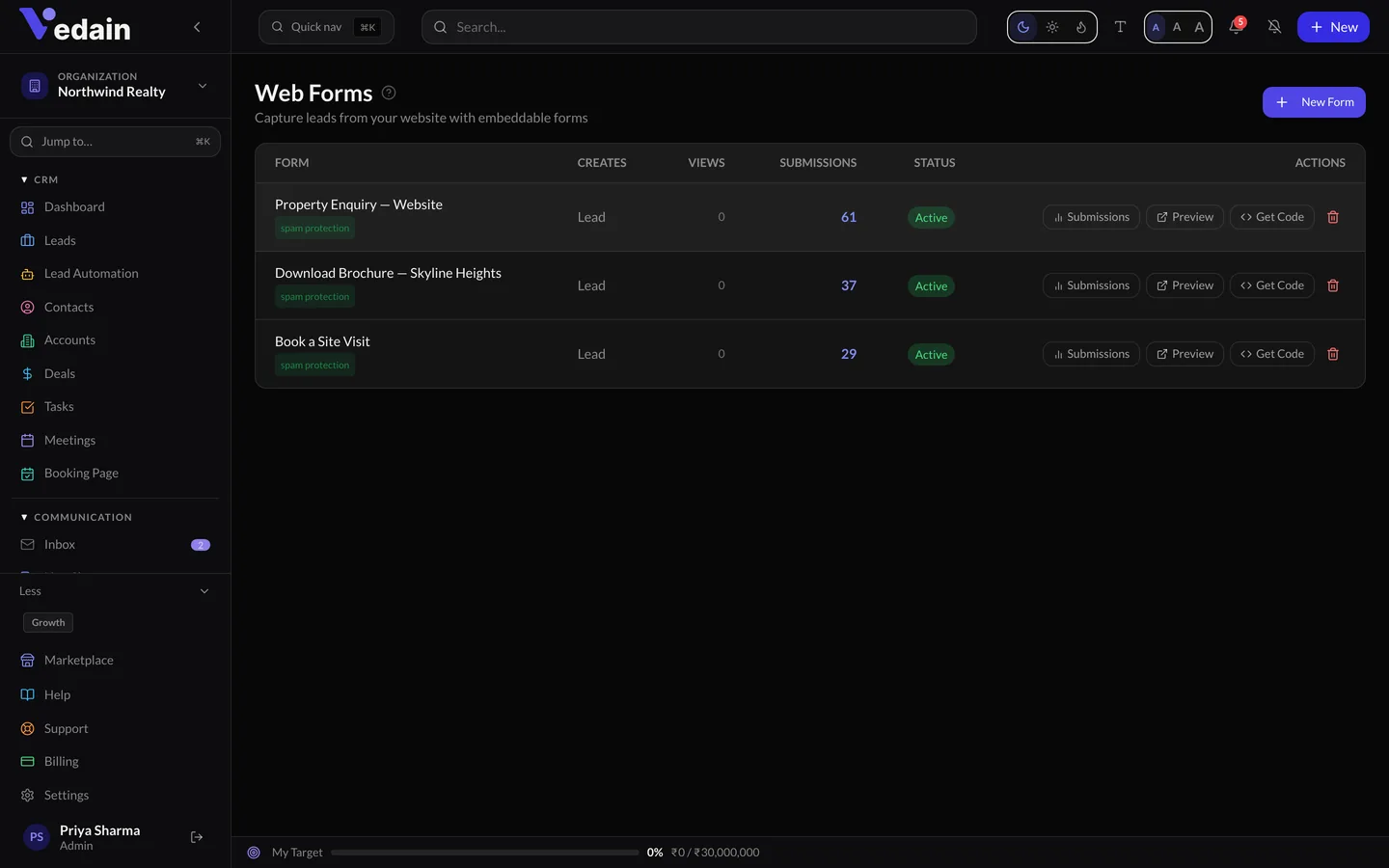
Convert website visitors to leads.
Build forms in the CRM, embed them with one snippet, and submissions become leads instantly — source-tagged, deduplicated and routed. Custom fields flow straight through, so the form asks exactly what your sales process needs.
The quiet workhorse of capture
Pair forms with workflows for instant welcome emails and owner notifications, track which pages and campaigns drive submissions, and stop paying a form SaaS for what your CRM does natively.
Part of Vedain, not bolted on
Lead Forms works on the same records, permissions and reports your team already uses — one platform, one price.
Questions
Go deeper on forms
Learn more about Lead Forms
Guides and best practices from our knowledge base.
Create a Sales Order from a Quote, a Deal or a Customer Record
A sales order records what the customer has agreed to buy. This guide covers the four ways to start one, filling in the order editor, GST and HSN/SAC codes, asking for an advance, order numbering, and what you can still change after the order is confirmed.
Customer Order Updates and Payments: Emails, WhatsApp and Payment Links
Keep customers informed and collect money against an order. This guide covers the order confirmation email, the four automatic customer updates (all off until you switch them on), optional WhatsApp messages, payment links on your own gateway, checking whether a link was paid, and recording payments by hand.
Dispatches, Delivery Challans and Proof of Delivery
Once an order is confirmed, goods go out in one or more dispatches. Each dispatch gets a delivery challan and takes stock out. This guide covers partial and full dispatch, the challan and packing slip, transport and e-way bill details, proof of delivery, failed or rescheduled deliveries, service orders and what each status means.
Turn it on this afternoon.
Lead Forms is ready in every Vedain workspace. New here? Start with forms and grow into the rest of the platform.
No credit card for the trial. Cancel from the same screen you enabled it.