This list gets straight to the point. We looked at nine tools that actually handle onboarding well, not just generic project trackers with a new label slapped on. You'll see how each one manages task automation, client communication, and progress tracking, plus where each tool falls short so you don't waste a trial period finding out yourself.
We built this comparison from a sales-tools perspective, since onboarding is really the handoff point between closing a deal and keeping a client. That's also why platforms like Vedain show up here: when your CRM pipeline and onboarding process share the same system, nothing gets lost in translation between sales and delivery. Below, you'll find pricing, standout features, and honest limitations for each option.
1. Vedain CRM for affordable end-to-end onboarding
What it does
Vedain CRM was built as a sales operating system, but the same pipeline logic that closes deals is exactly what makes it useful for client onboarding software buyers who don't want a separate tool for the handoff. Once a deal closes in the deal pipeline, you move that contact into an onboarding stage instead of exporting it into yet another app. Nothing gets lost between the account executive and whoever owns delivery, because it's the same record, the same notes, and the same history from the first cold email onward.
Key features
Underneath that pipeline sits a set of features most standalone onboarding tools charge extra for or don't offer at all. Vedain's no-code workflow builder lets you automate the onboarding sequence itself: trigger a welcome email, assign a kickoff task, and schedule a check-in call the moment a deal marks as won. Custom fields and smart filters track onboarding-specific data, like contract start date or implementation milestones, without a developer touching the setup.
- •Kanban-style pipeline you can repurpose for onboarding stages
- •Two-way Gmail and Outlook sync so client emails stay attached to the record
- •No-code workflows for kickoff tasks, reminders, and follow-ups
- •Custom dashboards to watch onboarding progress across the whole team
- •AI Agent Marketplace with AI agents for drafting onboarding emails and enrichment tasks
- •Granular permissions so client-facing reps only see what they need
Pricing
Vedain charges a single flat rate covering the whole platform at $10 per user per month, and that price covers every feature listed above, including automation, email sync, and unlimited records. There's no tiered pricing that locks workflows or reporting behind a higher plan, which is the opposite of how most CRM and onboarding vendors structure their fees.
The real cost of onboarding software isn't the monthly fee, it's the features you get locked out of until you upgrade.
Compare that against CRM tools that charge $30 to $50 per user once you add automation or reporting, and the math favors Vedain quickly for teams past five seats. You can try Vedain CRM without a credit card, and setup takes under five minutes.
Who it's for
Smaller sales teams and agencies that handle both sales and onboarding without a dedicated customer success department, are the best fit here. If your account executives stay involved after the contract signs, or if you're a founder wearing both hats, keeping everything in one CRM beats stitching together a sales tool and a separate client portal software just to avoid dropped handoffs. Teams that need a dedicated client-facing portal with milestone tracking should keep reading, since a couple of tools further down specialize in exactly that.
2. Dock for client-facing onboarding portals
What it does
Dock builds a branded workspace that you hand off to a new client the moment the contract closes. Instead of emailing PDFs and spreadsheets back and forth, you give the client a single link where they see their onboarding checklist, shared files, and next steps in one place. It's less of a project manager for your team and more of a storefront window for the client to watch their own progress.
Key features
Dock centers everything around that shared workspace, so the feature set leans heavily toward presentation and clarity rather than internal task automation. Clients can check off their own action items, upload requested documents, and see a timeline of what's left before go-live.
- •Branded client portals with your logo and colors
- •Shared task lists clients can complete themselves
- •Embedded files, videos, and links inside the workspace
- •Mutual action plans for sales-to-onboarding handoff
- •Basic analytics on client engagement with the portal
A client onboarding portal only works if the client actually opens it, so design and clarity matter as much as features.
Pricing
Dock's pricing starts in the range of $50 to $75 per month for a handful of workspaces, then scales up based on how many active client portals you need. There's no flat per-user rate like you'd find in a purpose-built CRM software that handles onboarding too, so costs climb fast once you're running dozens of client accounts at once.
Who it's for
Dock suits client-facing teams, like agencies and consultancies, that want the client to feel involved in their own onboarding rather than just receiving updates. It's a poor fit if you need internal task automation or a pipeline connecting sales to delivery, since that work still has to happen somewhere else.
3. GuideCX for complex, task-heavy implementations
What it does
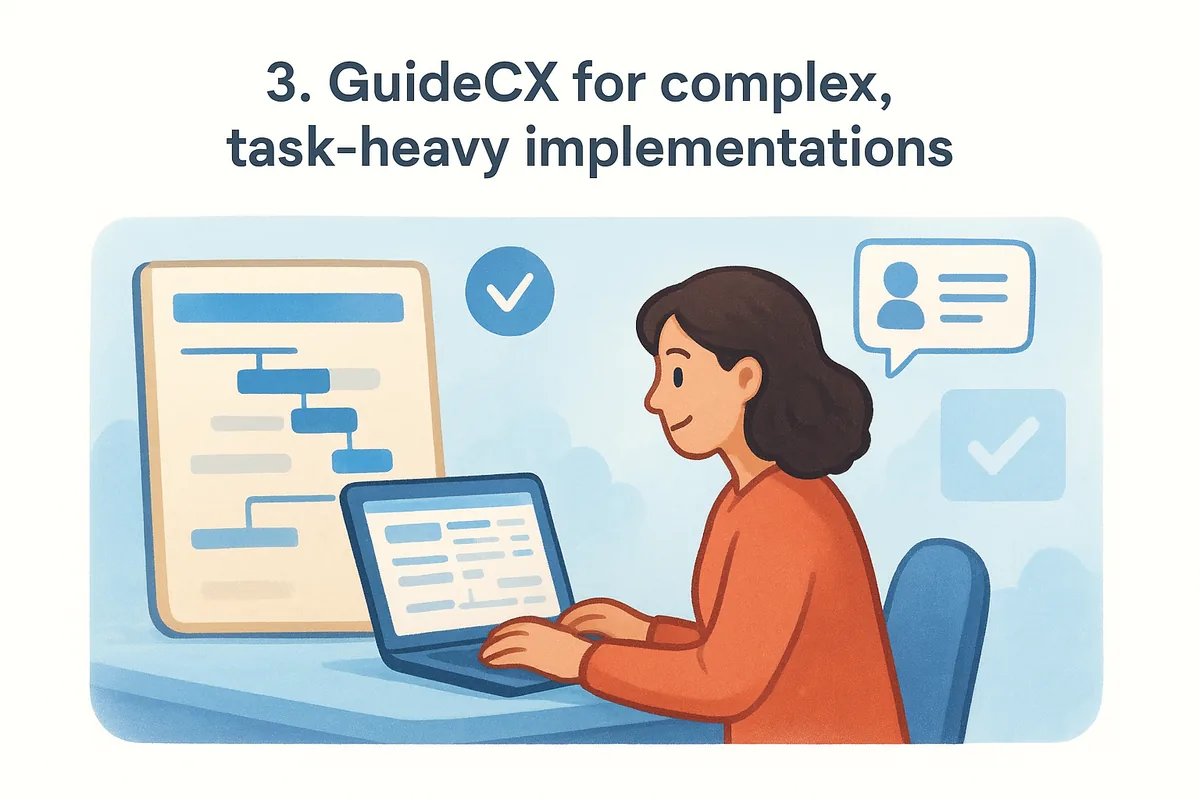
GuideCX handles onboarding projects that have dozens of interdependent tasks split across your team, the client, and sometimes a third-party partner. Think software implementations with data migrations, integrations, and multiple stakeholders signing off at each stage. Instead of a single checklist, GuideCX builds out full project plans with dependencies, so a delayed task on the client's side automatically pushes back everything downstream.
Key features
Project templates sit at the core of GuideCX, letting you standardize a repeatable implementation process across every new client, much the way an implementation plan template standardizes internal rollouts, while still adjusting timelines for edge cases. Role-based views mean your implementation manager sees the full project, while the client only sees their own tasks and deadlines.
- •Task dependencies that auto-adjust timelines when something slips
- •Multi-party project plans covering internal teams, clients, and partners
- •Resource management to balance workload across implementation staff
- •Client-facing dashboards showing real-time project status
- •Reporting on time-to-value and implementation bottlenecks
Complex onboarding doesn't fail because of one missed task, it fails because nobody tracked how that task affects the next ten.
Pricing
GuideCX doesn't publish flat pricing, and quotes typically start around $10,000 to $12,000 per year depending on team size and project volume. That puts it well outside the budget of smaller teams and closer to what you'd expect from other enterprise onboarding software built for professional services and complex B2B implementations.
Who it's for
GuideCX makes sense for companies with implementation teams managing five or more moving parts per client, like SaaS vendors selling into enterprise accounts or IT consultancies running multi-month rollouts. If your onboarding process is closer to sending three emails and a welcome call, this tool is overbuilt for the job, and you'll pay enterprise pricing for complexity you don't need.
4. OnRamp for enterprise-scale onboarding programs
What it does
OnRamp positions itself as customer onboarding software built for companies running dozens or hundreds of onboarding projects at once, the kind of volume where a shared spreadsheet template stops working. It gives revenue and customer success teams a single system to plan, launch, and track onboarding across every new account, with visibility that scales past what a project management tool was ever designed to handle. Large SaaS vendors and B2B service providers use it to standardize what used to be a different process for every account manager.
Key features
OnRamp leans on project templates paired with real-time analytics, so leadership can see onboarding health across the entire customer base rather than one account at a time. Automated milestone tracking flags accounts falling behind before they churn, and integrations pull data straight from your CRM so nothing needs manual re-entry.
- •Templated onboarding plans that scale across hundreds of accounts
- •Real-time dashboards for leadership-level visibility
- •Automated alerts when a project stalls or misses a milestone
- •Native integrations with major CRM and support platforms
- •Reporting on time-to-value across your entire client base
Enterprise onboarding software earns its price when it shows leadership patterns across hundreds of accounts, not just the status of one.
Pricing
OnRamp doesn't list public pricing, and quotes typically start in the tens of thousands per year based on the number of active projects and integrations you need. That places it firmly in enterprise budget territory, well beyond what a five-person team should ever consider paying.
Who it's for
Companies onboarding 50 or more clients simultaneously, especially SaaS vendors with dedicated customer success departments, get the most value here. Smaller teams handling a handful of onboarding projects a month will find the cost and complexity far outweigh what they actually need.
5. Userpilot for in-app product onboarding
What it does
Userpilot lives inside your actual product, not in a separate portal or project tool. Instead of emailing a client a checklist, you build interactive walkthroughs, tooltips, and checklists that appear the moment a new user logs in. It's built for software companies where onboarding means getting someone to activate a feature, not sign paperwork or share files with an account manager.
Key features
No-code flow builders let product and success teams launch in-app onboarding sequences without pulling an engineer off the roadmap. Behavior-based triggers show the right tooltip only when a user actually needs it, which cuts down on the generic tour every new SaaS user learns to click through.
- •No-code builder for tooltips, checklists, and modals
- •Behavior-based triggers tied to specific user actions
- •Segmentation so different plans or roles see different flows
- •In-app surveys measuring onboarding friction points
- •Analytics on feature adoption and activation rates
In-app onboarding software only earns its keep if it changes what users actually do, not just what they see.
Pricing
Userpilot's plans start around $299 per month for smaller teams and climb past $600 per month once you need advanced analytics or higher monthly active user limits. It's priced per product, not per client account, which matters if you're comparing it against client onboarding software billed per seat.
Who it's for
Userpilot fits product teams at SaaS companies tracking trials and expansions that are trying to reduce time-to-activation for self-serve or low-touch signups. It's a poor match if your onboarding is relationship-driven and involves a human account manager guiding a client through contracts, kickoff calls, and custom setup, since none of that happens inside your product's UI.
6. Asana for internal, task-driven onboarding
What it does
Asana wasn't built for client onboarding specifically, but plenty of teams repurpose its project boards to track kickoff tasks, deliverables, and internal deadlines. You create a project template for onboarding, assign tasks to whoever owns each step, and watch the board move from "not started" to "complete" across your team. It works best as an internal task tracker rather than something a client ever logs into themselves.
Key features
Boards, lists, and timeline views give your team flexibility in how they track an onboarding project, and task automation rules handle the repetitive parts, like reassigning a task when a step gets marked done, much like sales automation software tools do on the revenue side. Custom fields let you tag tasks by client, priority, or onboarding phase, so a manager can filter across every active account at once.
- •Multiple project views: board, list, timeline, and calendar
- •Rule-based automation for task assignment and status changes
- •Custom fields to tag tasks by client or onboarding stage
- •Reusable templates for repeatable onboarding checklists
- •Reporting dashboards on task completion and workload
A task tracker keeps your team organized, but it doesn't replace the client relationship data a real onboarding process needs.
Pricing
Asana's free plan covers small teams with basic boards, while the Starter plan runs about $10.99 per user per month billed annually. The Advanced plan, which unlocks reporting and more automation, costs closer to $24.99 per user per month, and neither tier includes a client-facing portal.
Who it's for
Asana suits internal operations and delivery teams that already run their work in Asana and want onboarding tasks living in the same place as everything else. It's a weak fit if you need clients to log in, check off their own tasks, or see branded progress, since Asana was never designed as client portal software.
7. ClickUp for all-in-one onboarding management
What it does
ClickUp positions itself as a do-everything workspace, and plenty of teams stretch that flexibility to cover client onboarding software needs without buying a separate tool. You build an onboarding space with lists, docs, and forms, then invite clients in as guests with limited access to only the tasks that concern them. Nothing about ClickUp assumes onboarding specifically, so you're configuring a general project tool to act like a specialized one.
Key features
Docs, whiteboards, and task lists all live inside the same workspace, which means onboarding checklists, kickoff notes, and shared files sit next to each other instead of scattered across separate apps. Custom statuses let you build a pipeline that mirrors your actual onboarding stages, from contract signed through go-live.
- •Guest access so clients see only their assigned tasks
- •Custom fields and statuses to mirror your onboarding stages
- •Automations for task assignment and status changes
- •Forms for collecting client information at kickoff
- •Dashboards showing onboarding progress across accounts
Flexibility is ClickUp's strength and its cost, since every onboarding workspace has to be built before it works.
Pricing
ClickUp's Unlimited plan starts around $7 per user per month billed annually, with the Business plan closer to $12 per user for more automation and advanced reporting. Guest seats for clients cost extra past a small included allowance, which changes the math once you're onboarding dozens of accounts at once.
Who it's for
Operations-heavy teams already running their internal work in ClickUp benefit most, since adding onboarding avoids managing a second tool. Teams wanting a purpose-built process out of the box, rather than one they configure themselves, will likely find the setup time frustrating compared to dedicated customer success software built for onboarding from day one.
8. Docusign for digital contract signing
What it does
Docusign handles one specific piece of onboarding: getting a signature on paper without printing anything. You upload a contract, service agreement, or NDA, drop in signature fields, and send it to the client for a legally binding e-signature. It's not client onboarding software in the full sense, since it won't track tasks or manage a project timeline, but almost every onboarding process has a signing step, and Docusign owns that step better than any general-purpose tool.
Key features
Beyond basic signing, Docusign builds out a full document workflow for anything that needs approval before onboarding can start. Templates save you from rebuilding the same contract every time, and audit trails give you a legal record of exactly who signed what and when.
- •Reusable templates for contracts, NDAs, and service agreements
- •Multi-party signing sequences with automatic reminders
- •Audit trail showing timestamps and IP addresses for every signature
- •Integrations with CRMs and onboarding tools to trigger next steps
- •Mobile signing so clients can complete documents from a phone
A signature isn't the finish line of onboarding, it's just the starting gun for everything that follows.
Pricing
Docusign's Personal plan starts around $10 per month for a single user with limited sends, while the Standard plan for small teams runs closer to $25 per user per month. Business Pro, which adds advanced fields and payment collection, costs around $40 per user per month.
Who it's for
Any team that needs contracts signed quickly benefits from Docusign, regardless of industry. It works best as a companion to real onboarding software rather than a replacement, since you'll still need something to track tasks, communication, and progress once the ink is dry.
9. Zite for custom AI-built onboarding portals
What it does
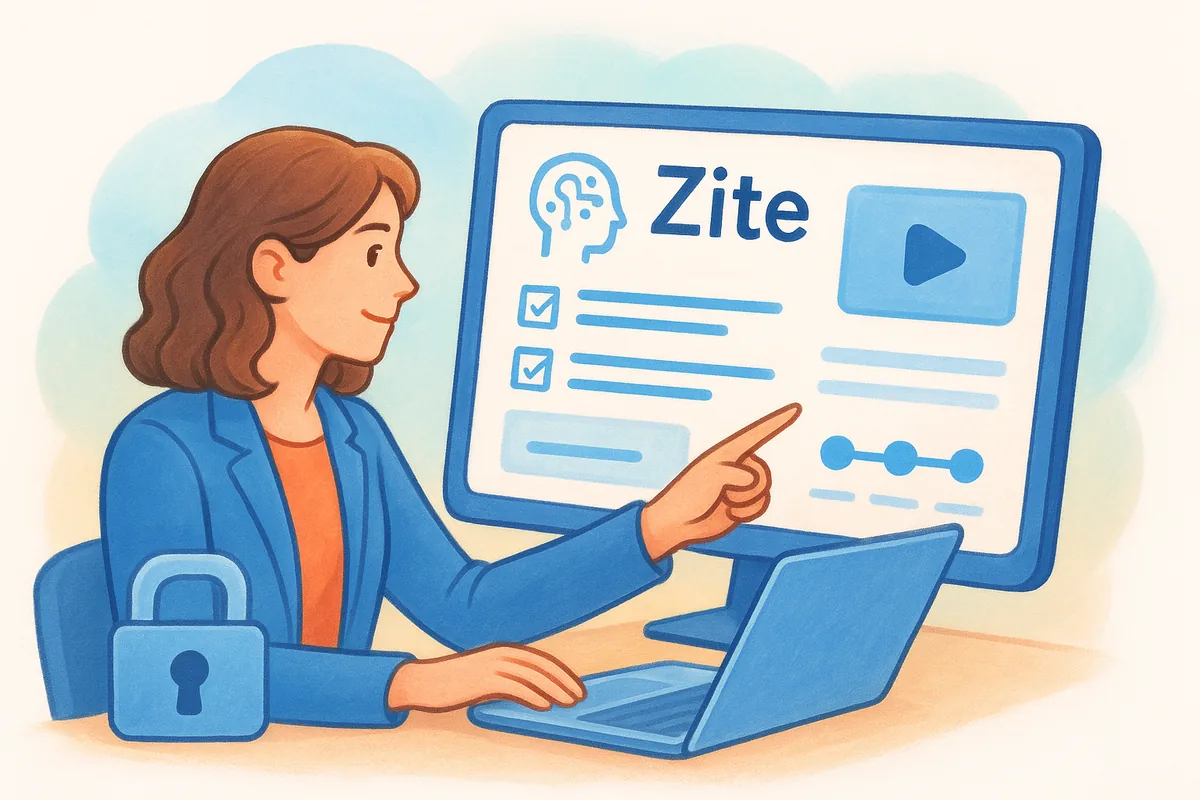
Zite takes a different approach than the rest of this list: instead of picking from prebuilt templates, you describe your onboarding process in plain English and Zite generates a working portal around it. Tell it you need a client-facing checklist with document uploads, a milestone tracker, and a welcome video embed, and it builds that structure in minutes rather than making you drag widgets around a canvas. It's aimed at teams whose onboarding process doesn't match any off-the-shelf template closely enough to feel worth the compromise.
Key features
The core of Zite is its AI-assisted builder, which turns a written description into a functional portal, complete with client logins, task assignments, and status tracking. Because everything gets generated from scratch, you're not stuck adapting someone else's idea of what onboarding should look like.
- •Natural-language builder that generates portal structure from a description
- •Client logins with permission controls per account
- •Custom fields and statuses matched to your exact process
- •Editable output, so you can adjust anything the AI builds
- •Integrations with common CRMs for pulling client data automatically
The value of an AI-built portal isn't the novelty, it's skipping the weeks most teams spend configuring a generic template to fit their actual process.
Pricing
Zite prices around $39 to $79 per month depending on how many active client portals you're running, with higher tiers unlocking more integrations and generation credits. There's no per-seat pricing model like you'd see with client onboarding software built around internal team seats, since the cost scales with portals, not staff.
Who it's for
Teams with an unusual or highly specific onboarding process, one that doesn't map cleanly onto a Kanban board or a generic checklist, get the most out of Zite. If your process is simple and standard, building it manually in a cheaper tool will likely cost you less time than learning to prompt an AI builder effectively.
Choosing the right client onboarding software
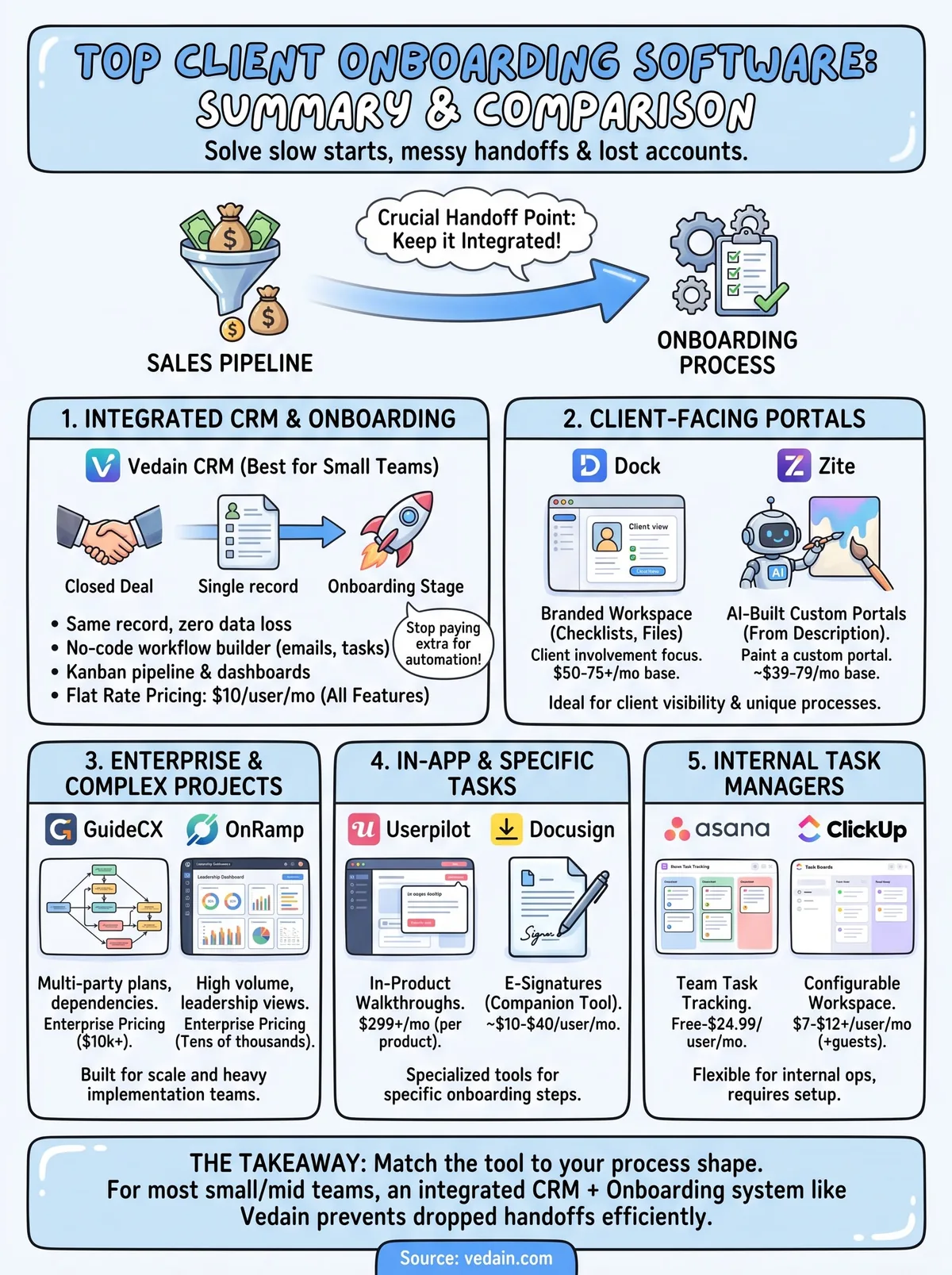
Match the tool to the shape of your onboarding, not the other way around. Portals like Dock and Zite shine when clients need a branded space to check their own progress. Heavy implementation platforms like GuideCX and OnRamp earn their price only when your projects have real dependencies across teams. Task trackers like Asana and ClickUp work if your team already lives there, and Docusign or Userpilot solve one narrow piece of the puzzle rather than the whole process.
But for most small to mid-sized sales teams, the real problem isn't finding a fourth tool to bolt onto your stack. It's keeping the handoff between closing a deal and delivering on it inside one system. That's exactly what client onboarding software should do when it's built on top of your CRM pipeline instead of beside it. If you want onboarding and sales sharing the same record from day one, start a free Vedain CRM trial with no credit card and see the setup in under five minutes.
Frequently Asked Questions
What is client onboarding software?
Client onboarding software organises everything that happens between a signed deal and a client getting value: welcome messages, document collection, kickoff calls, setup tasks and progress tracking. Some tools give clients a portal to follow along, while others run the process inside a CRM or project tool. The aim is the same: a repeatable process so no step is forgotten and new clients start quickly.
Can I use my CRM for client onboarding?
Yes, and for many small teams it is the simplest option because the client's history is already there. In Vedain, you can add onboarding stages to your pipeline and use no-code workflows to send a welcome email, assign kickoff tasks and schedule check-ins as soon as a deal is won. A dedicated tool makes more sense when you need a branded client portal or very complex implementation plans.
What should client onboarding software automate first?
Automate the steps that happen for every client and are easy to forget: the welcome email, the kickoff meeting invite, internal task assignments and the first check-in. Once those run on their own, add reminders for missing documents and payments. Keep personal touches, such as the kickoff call itself, with a person, and use automation to make sure they happen on time.
How much does client onboarding software cost?
Prices vary widely by type. Project tools and CRMs are usually priced per user per month, client-portal tools are often priced by the number of active clients or workspaces, and enterprise implementation platforms tend to quote annually. Vedain costs $10 per user per month with every feature included, so onboarding workflows and reporting do not require a higher plan. Always check the current price on each vendor's own pricing page.
Does Vedain include e-signatures for onboarding contracts?
No. Vedain does not have built-in e-signature, so teams that need signed contracts during onboarding use a signing tool they already have and keep the rest of the process in Vedain: the onboarding stages, workflows, tasks, email and WhatsApp follow-ups, and GST invoices and payment links. You can try it free for 14 days without a credit card.