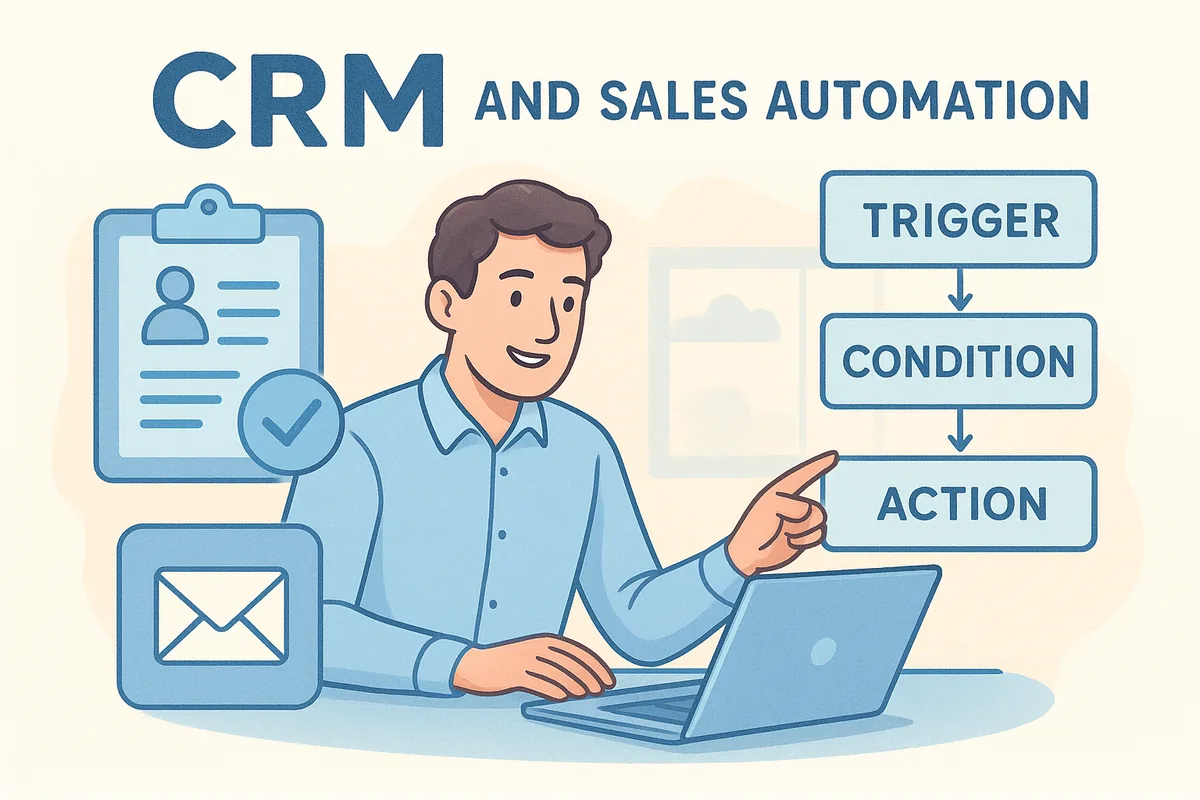
This article explains why it matters, how it works under the hood, what it looks like for teams that sell over WhatsApp and email, and how to compare tools before you buy. The examples come from workflows common in India and the UAE, such as IndiaMART and Justdial leads, Meta lead ads, and property portal enquiries.
Vedain CRM is built around this idea for small and mid-sized teams, so you will see where its features fit. Treat it as one option. The checks in this article work on any tool you are considering.
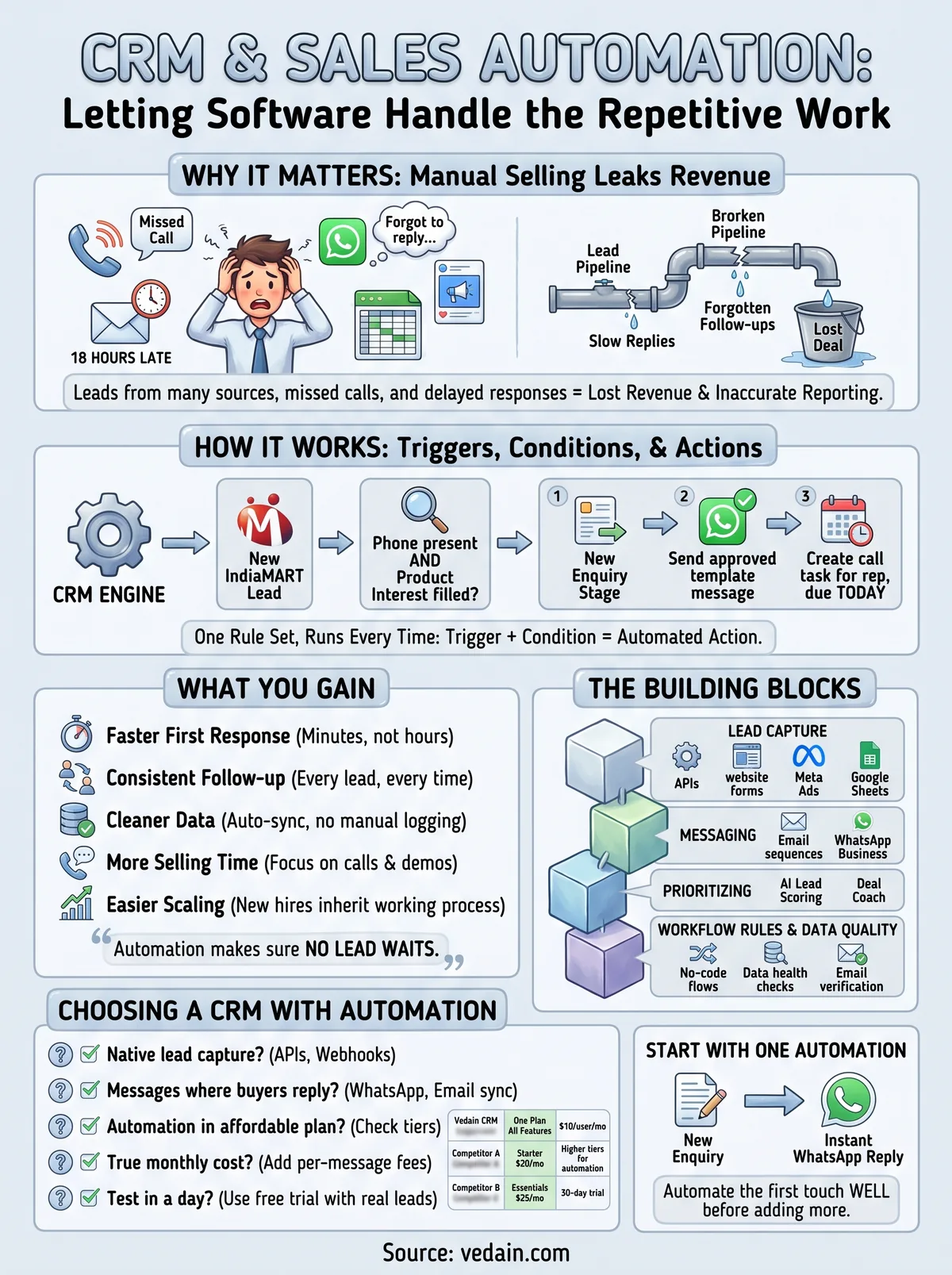
Why CRM and sales automation matters
Sales automation matters because deals are lost to slow replies and forgotten follow-ups far more often than to a weak pitch. Software does not forget. When your CRM runs the routine steps, every lead gets the same fast, consistent treatment, whether your reps are in the office or on the road.
Where manual selling leaks revenue
A small team usually receives leads from several places at once: IndiaMART and Justdial enquiries, Facebook and Instagram lead ads, website forms, and WhatsApp messages. Each source lands in a different inbox. Someone copies details into a sheet, someone else forgets to call back, and the buyer who enquired at 11 a.m. hears from you the next afternoon. By then they have usually spoken to two competitors.
The damage also shows up in your reporting. When reps skip logging calls and emails because it is tedious, your pipeline report shows what people remembered to enter, not what actually happened. A forecast built on that is a guess.
What you gain
Sales automation in a CRM pays off in five concrete ways:
- •Faster first response. A new lead gets an email or WhatsApp message within minutes, not hours.
- •Consistent follow-up. Every lead receives the same sequence, regardless of how busy the rep is.
- •Cleaner data. Emails and activity sync into records automatically instead of relying on manual logging.
- •More selling time. Reps spend their hours on calls and demos, not copying data between tabs.
- •Easier scaling. A new hire inherits a working process instead of learning it by trial and error.
Automation does not make reps sell better. It makes sure no lead waits.
What automation will not fix
Automation multiplies whatever you feed it. Duplicate records and wrong email addresses produce bad outreach, only faster. Over-automation has its own cost: if every message sounds robotic, buyers stop replying. Automate the first touch and the admin, then let a person take over once the lead responds.
How sales automation in a CRM works
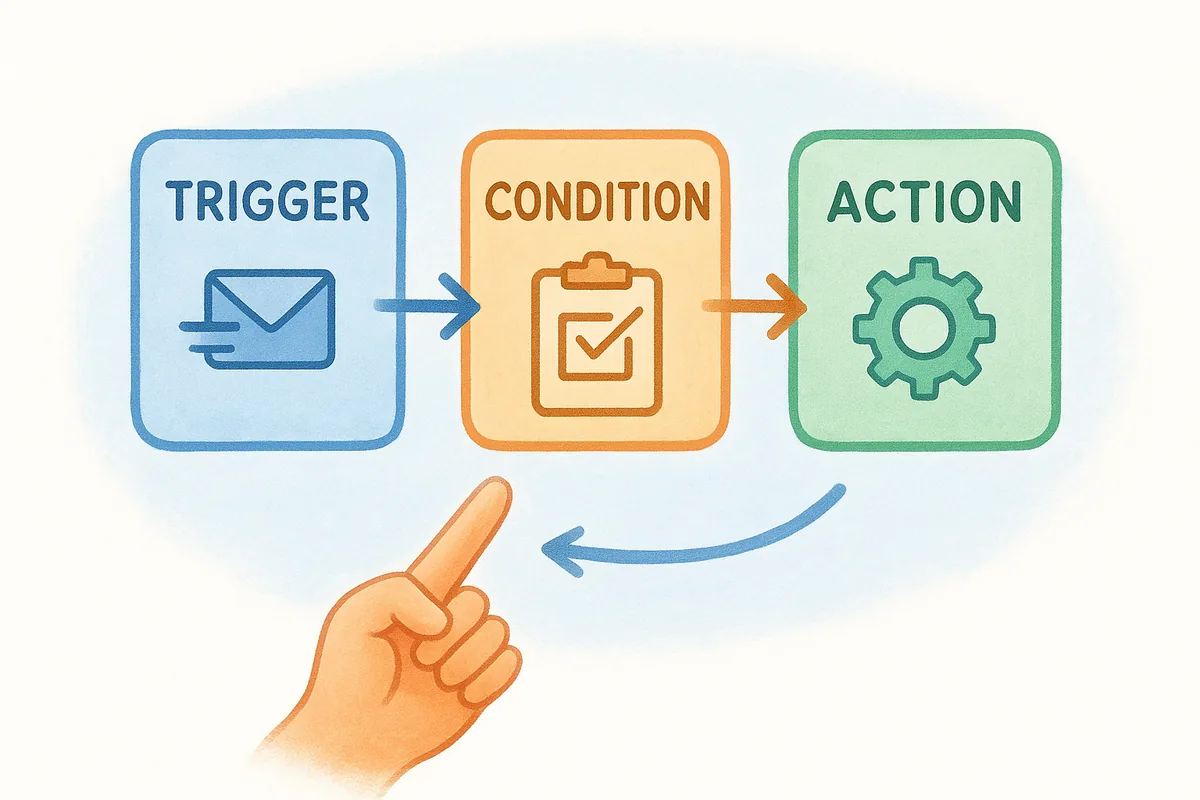
A CRM stores your customer data, and sales automation adds rules on top of it. When something happens (the trigger), and certain conditions are true, the CRM takes an action. Every automation you will ever build is a variation of that pattern.
Triggers, conditions, and actions
Think of each rule as three parts. The trigger is the event, such as a new lead arriving. The condition filters it, such as "phone number present." The action is what the CRM does next. Here is a template you can adapt for a marketplace lead. The exact options depend on your tool, so confirm each step is supported before you commit.
The building blocks
Most sales automation falls into five blocks. The table shows what each automates and where Vedain covers it.
| Building block | What it automates | Where Vedain covers it |
|---|---|---|
| Lead capture | Pulling leads in from every source | IndiaMART and Justdial via API, website forms, Meta Lead Ads, Google Sheets/CSV, Zapier/Make/webhooks |
| Messaging | Follow-ups on email and WhatsApp | Multi-step email sequences with open and click tracking, WhatsApp Business messaging |
| Prioritizing | Deciding who to call first | AI lead scoring, AI deal coach |
| Workflow rules | Routine updates and next steps | No-code workflows |
| Data quality | Clean records and valid emails | Data Health clean-up rules, email verification |
Capture and messaging are where small teams see results first. Scoring and workflow rules come after you have enough lead volume to prioritize.
How to build your first automation
Start small and prove one rule works before adding more.
- Pick one painful process, such as the first reply to a new enquiry.
- Clean your existing data, because duplicates and dead emails will break the rule.
- Write the rule as trigger, condition, and action, using the template above.
- Test with five real leads and read every message the CRM sends.
- Review after two weeks. Check reply rates and the leads that fell through, then adjust.
Automate one process well before you automate ten badly.
Examples of CRM sales automation in practice
The best examples automate the first hour of a lead's life, the outbound email routine, and the daily pipeline housekeeping. Each one replaces a task that reps do inconsistently when they are busy.
Responding to marketplace and ad leads
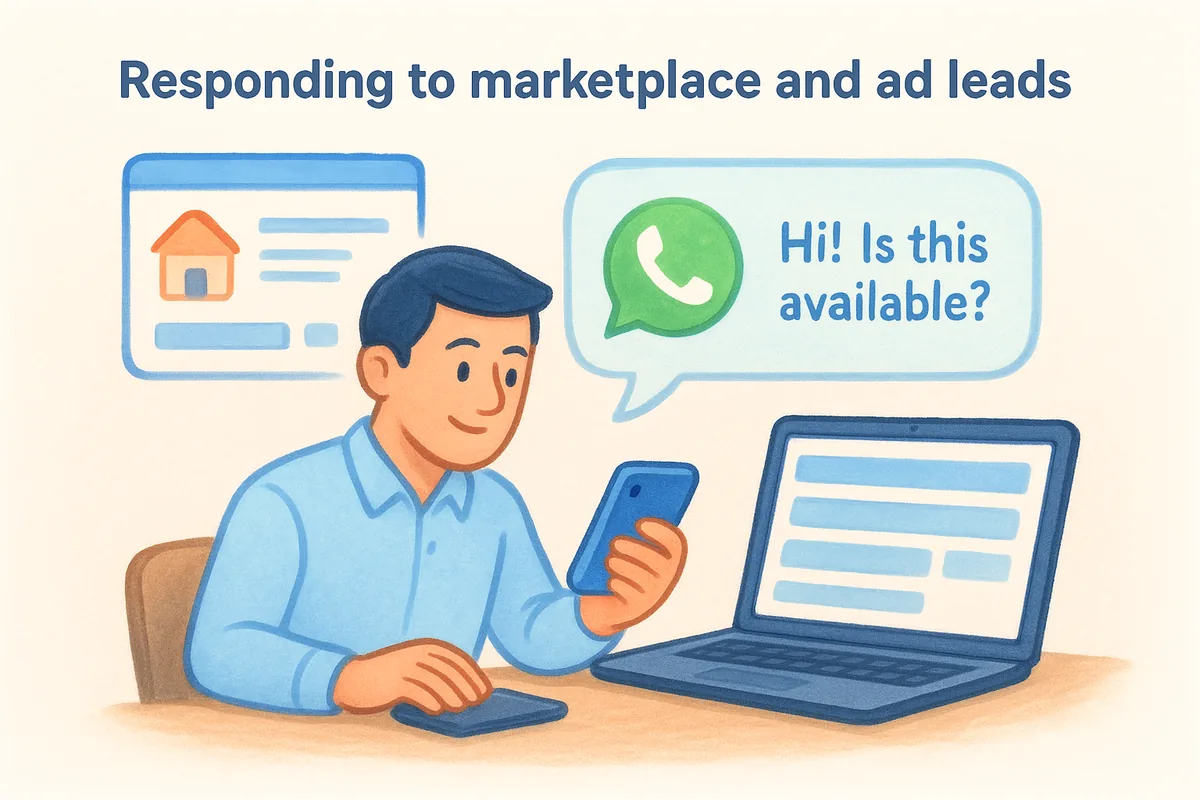
An IndiaMART or Justdial enquiry arrives through the API, becomes a lead in your CRM, and triggers a WhatsApp template reply while the buyer is still online. Speed of first response is the whole advantage here. In the UAE, property teams can do the same with Bayut, Property Finder, and Dubizzle lead emails, which Vedain parses from a synced mailbox into leads. The Real Estate playbook preconfigures property fields, buyer and seller stages, and templates at sign-up.
WhatsApp Business messaging is billed separately from the CRM, so work out the cost first. Say your team sends 300 marketing follow-ups in a month. Meta's marketing rate is ₹0.98 per message, so that is ₹294. Add the ₹1,000 monthly platform fee and the month costs ₹1,294. In your first month, add the ₹1,500 one-time registration. Service replies to inbound messages are free, and you load prepaid credits to cover message charges.
The highest-return automation is the one that answers a new lead before a competitor does.
Outbound email that protects deliverability
Outbound automation fails when emails bounce and your domain reputation drops. Verify your list before you send. Vedain's quick check is free, and mailbox checks cost $0.005 each, so verifying 1,000 addresses costs about $5, slightly less after your 50 free checks. Catch-all and unknown results are never charged.
Then run a multi-step sequence with open and click tracking, so you can see who engaged. Email warmup in Vedain is a gradual sending ramp on real sends, backed by a mailbox health score. That helps you grow volume without landing in spam.
Pipeline hygiene and prioritization
Once leads flow in, automation keeps the pipeline honest. AI lead scoring ranks who deserves a call today, and the AI deal coach flags deals that need attention. A booking page removes the back-and-forth of scheduling demos. Reports and custom dashboards then show real numbers, because the activity behind them was captured automatically instead of typed in at the end of the week.
How to choose a CRM with sales automation
Choose by channel fit, automation depth at the price you can afford, total cost including usage extras, and how fast you can get running. A long feature list matters less than whether the tool automates the channels your buyers actually use.
Five checks before you buy
Run every shortlisted tool through these questions:
- Does it capture your lead sources natively? Look for IndiaMART, Justdial, Meta lead ads, or an API and webhooks.
- Can it message where buyers reply? For most teams that means WhatsApp plus Gmail or Outlook sync.
- Is the automation in the plan you can afford? Some vendors gate advanced workflows to higher tiers.
- What is the real monthly cost? Add per-message, lookup, and clean-up charges to the seat price.
- Can you test it in a day? Use the free trial with your real leads, not demo data.
Side-by-side comparison
| Tool | Starting price | Free plan or trial | Best for |
|---|---|---|---|
| Vedain CRM | $10/user/month, one plan with every CRM feature | 14-day trial, no credit card, no free plan | Small teams in India and the UAE selling on WhatsApp and email |
| HubSpot | Free tier; Starter about $20/user/month | Free tier | Marketing-heavy teams |
| Salesforce | Essentials $25/user/month | 30-day free trial | Larger teams with admin resources |
| Zoho CRM | Entry paid plan about $14/user/month | Check Zoho's pricing page | Budget teams with technical capacity |
Competitor prices come from published vendor information and change often, so confirm them on each vendor's official pricing page. HubSpot gates advanced workflow automation to paid tiers, and Salesforce's Flow Builder is powerful but usually needs a dedicated admin.
What a five-person team pays
On Vedain, five users cost 5 × $10 = $50 per month (₹2,500 or AED 125). Annual billing gives two months free, so the year costs $500 instead of $600. For the entry plans listed above, the same team would pay $125 on Salesforce Essentials, $100 on HubSpot Starter, and $70 on Zoho's entry plan. That is not a like-for-like comparison, because automation depth varies by tier. Price the plan that contains the workflows you need.
Compare the price of the plan that contains your automation, not the cheapest plan on the page.
Start with one automation
CRM and sales automation comes down to one idea: the CRM runs the routine steps so your reps spend their time talking to buyers. The returns are fastest where leads arrive from many sources and go cold quickly. Begin with one process, usually the first reply to a new lead, and build it as a trigger, condition, and action. Clean your data first, test on real leads, and add more only after the first rule proves itself.
When you compare tools, check the lead sources, the messaging channels, the plan that contains the automation, and the true monthly cost. If you want to test this on your own leads, you can start your 14-day free trial of Vedain CRM. No credit card is needed, and setup takes under five minutes.
Frequently Asked Questions
What is CRM in automation?
A CRM is the database of your leads, contacts, and deals. Automation is the rule layer on top that acts on that data without anyone clicking. Together they form crm sales automation: the CRM remembers everything, and the rules make sure the next step happens. Automation is a rule layer on top of a CRM, not a replacement for one.
Which CRM is best for sales automation?
It depends on your channels and budget. A team selling on WhatsApp with IndiaMART or Justdial leads needs native support for those, while a marketing-heavy team may prefer a different tool. Shortlist two or three, then test each with real leads during the free trial.
Will CRM be replaced by AI?
No. AI is becoming a feature inside the CRM, powering lead scoring, deal coaching, and data clean-up, but you still need a system of record for customers and deals. AI makes the CRM do more of the work, and it depends on that record to work at all.
Is CRM hard to learn?
The basics are not. You need a pipeline, your lead sources connected, and one automation running. Vedain's setup takes under five minutes, and the 14-day trial gives you time to learn it on real leads.
What is the difference between CRM automation and marketing automation?
CRM automation manages relationships, deals, and follow-ups for sales teams. Marketing automation focuses on campaigns, audience segments, and lead nurturing. Many platforms combine both, so a sales automation CRM often includes email sequences that overlap with marketing tools.