This guide gives you a direct answer: how to actually automate content creation and scheduling using AI writing tools and workflow platforms like n8n, plus where a built-in solution beats stitching together five separate apps. You'll see what to automate, what still needs your voice, and how to avoid posts that read like every other AI-generated feed filler.
We'll walk through generating post ideas from your CRM data, drafting with AI, scheduling for consistent publishing, and measuring what actually drives engagement. We'll also show how Vedain's LinkedIn automation and AI Agent Marketplace let sales teams turn deal activity into content and publish it without switching tools or paying extra for the privilege.
What to know before you automate LinkedIn content
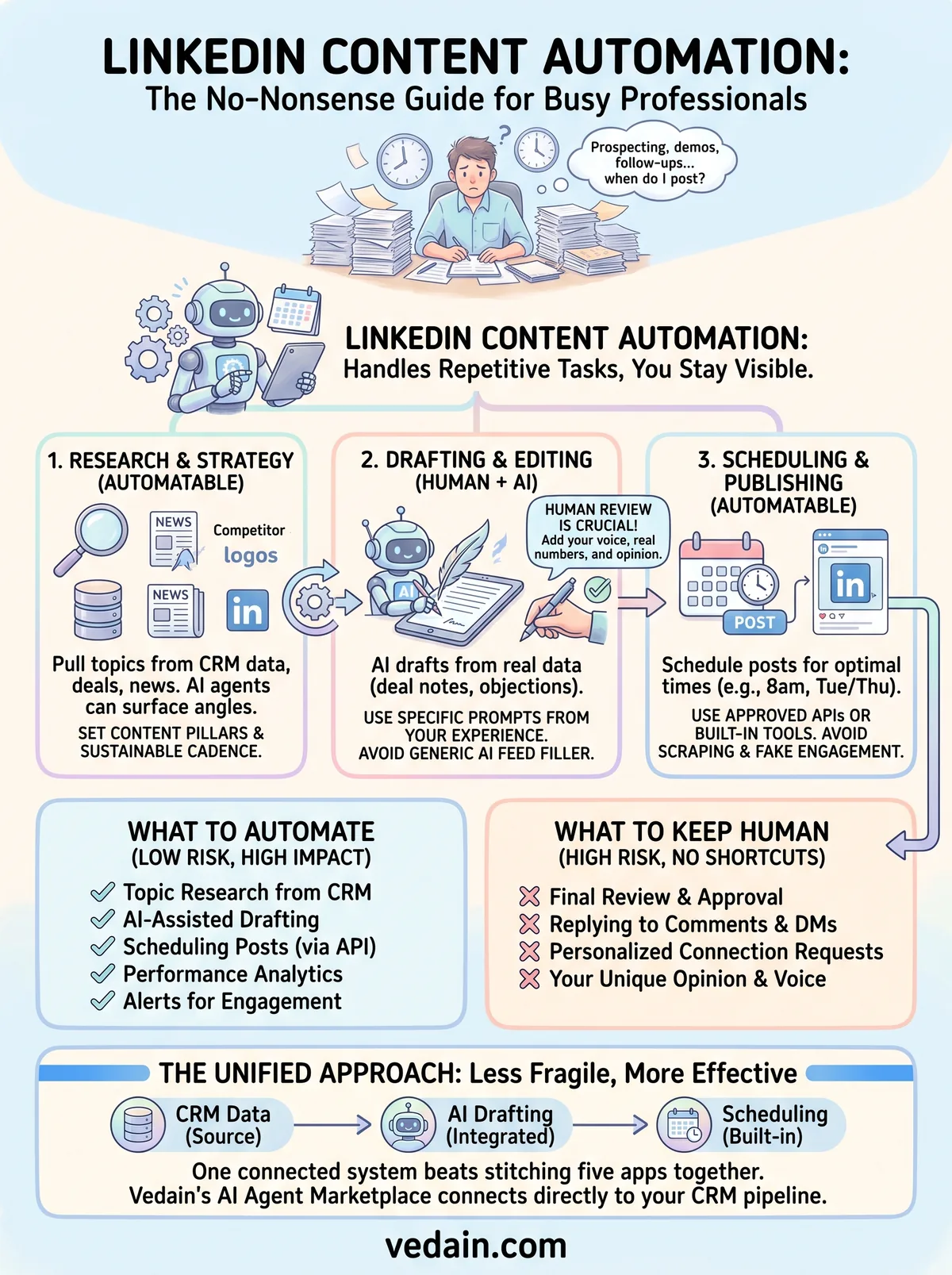
Before you connect a single tool, understand that LinkedIn content automation is really three separate jobs stitched together: research, writing, and publishing. Most people who try to automate everything at once end up with generic posts on a rigid schedule that nobody engages with. Split the process into stages instead, and decide which parts genuinely benefit from automation and which still need a human hand. Research and scheduling are the easy wins. Drafting is where you need to be more careful.
Automation isn't one thing, it's three separate jobs
Research means pulling topic ideas from your deals, customer conversations, industry news, and competitor activity. This part is almost entirely automatable, since a workflow tool can watch your CRM for closed deals or new objections and hand you a list of angles every Monday morning. Publishing is the second job, and scheduling tools handle this well because a queue of approved posts going out at 8am on Tuesday and Thursday doesn't require creativity, just reliability. Writing sits in the middle. AI can produce a strong first draft, but the post that actually gets comments almost always has a specific detail, a real number, or an opinion that only you could have written.
The posts that automation should never touch are the ones with your name, your numbers, and your opinion in them.
Why fully automated posts underperform
LinkedIn's feed algorithm favors posts that generate comments in the first 60 to 90 minutes after publishing, and generic AI output rarely earns that kind of reaction because readers can spot it. A post that says "Sales is hard, but persistence pays off" gets scrolled past. A post that says "I lost a $40k deal last quarter because I followed up too fast" gets comments. If you're going to lean on AI-generated LinkedIn posts, feed the model specifics from your actual work: a deal you closed, a call you had, a mistake you made. Vedain's one-click AI agents for your CRM do this by pulling from your pipeline data instead of generating from a blank prompt, which is a meaningfully different output than asking a general chatbot to "write a LinkedIn post about sales."
What LinkedIn actually allows
LinkedIn's own User Agreement prohibits scraping the platform and using unauthorized bots that mimic human behavior, like auto-liking or auto-commenting at scale to farm engagement. That's different from scheduling your own posts through an approved API connection or a tool built for that purpose, which LinkedIn permits and even supports through its Marketing Developer Platform. The line to watch is engagement automation, not content scheduling, and the same rule applies to ethical LinkedIn prospecting for B2B teams. Automating your own publishing calendar is safe. Automating fake comments or connection requests from your account is not, and it can get your account restricted.
Here's a quick way to sort what's safe to automate from what puts your account at risk:
Keep this distinction in mind as you build out your stack in the next steps: automate the drafting and the calendar, keep the actual engagement with your network human.
Step 1. Set your content goals and pillars
Skipping this step is why most automated LinkedIn accounts feel hollow. Before you build any workflow, decide what you actually want your LinkedIn presence to do for your pipeline, because content is only one of several ways to generate leads on LinkedIn. A founder trying to attract inbound demo requests needs a different content mix than a sales rep building credibility with decision-makers inside a target account list. Write down the outcome first, then work backward into the topics and cadence that support it.
Pick three to five content pillars
Getting specific here saves you from the "what should I post today" paralysis that kills consistency. Pillars give your automation tools a fixed menu to pull from instead of guessing at random topics every week. Most sales-focused LinkedIn accounts do well with a pillar list like this:

- •Deal stories: what you learned closing or losing a specific opportunity
- •Objection handling: real pushback you heard and how you responded
- •Industry commentary: your take on news or trends affecting your buyers
- •Product education: practical use cases, not feature announcements
- •Behind-the-scenes: how your team actually works, wins, and misses targets
Pillars aren't a content calendar, they're a filter that keeps your automation from drifting into generic posts.
Set a cadence you can actually sustain
Consistency beats volume on LinkedIn, and a realistic cadence matters more than an ambitious one you abandon after three weeks. Two to three posts per week is the sweet spot for most sales professionals, since it's frequent enough to stay visible without flooding your network's feed. Set the cadence before you touch a scheduling tool, because the tool should serve the plan, not the other way around.
Define what success looks like
Quantify the goal so you can tell later whether automation is actually working. If the aim is pipeline generation, track inbound messages or meeting requests tied to specific posts. If the aim is brand awareness ahead of a launch, track impressions and follower growth over a 90-day window instead. Vedain's revenue attribution reporting can tie a LinkedIn-sourced lead back to the deal it eventually became, which turns "this post did well" into "this post generated $12k in pipeline," a far more useful number when you're deciding what to keep automating.
Writing these pillars, cadence, and success metrics down takes maybe twenty minutes, but it's the difference between an automation stack that produces useful content and one that just produces content.
Step 2. Choose your automation tools and tech stack
Once your pillars and cadence are set, you need a stack that actually talks to each other. Most people bolt together a separate research tool, a writing tool, and a scheduler, then wonder why nothing syncs and half the workflow breaks every time one app updates its API. Before you sign up for anything, map out the three jobs from the last section, research, drafting, and publishing, and pick tools that cover as many of those in one place as possible. Fewer logins means fewer places for the process to fall apart.
The three pieces you actually need
Your content automation stack doesn't need to be complicated, but it does need each piece to hand off cleanly to the next one. Here's the minimum setup that works for a sales team:
- •A source of raw material: your CRM, deal notes, and call summaries, since this is where real detail lives
- •A drafting tool: an AI writer that can take that raw material and produce a post, not just a blank prompt box
- •A publishing layer: a scheduler with an approved LinkedIn connection that queues approved posts automatically
If you're already using n8n or one of the other sales automation software tools, you can wire these three pieces together yourself with triggers and API calls. It works, but it takes setup time and ongoing maintenance every time an API changes.
The best stack is the one with the fewest handoffs between where the idea starts and where the post publishes.
Build it yourself or use one connected system
Stitching together n8n, a separate AI writer, and a third scheduling app gives you flexibility, but every connection is a place things break, and someone on your team ends up maintaining plumbing instead of writing content. The alternative is a system where the CRM data, the AI drafting, and the publishing step already live together. Vedain's LinkedIn publishing and post scheduling does exactly this: it pulls context from your deals and pipeline activity through the AI Agent Marketplace, drafts the post, and schedules it for publishing without exporting anything to a third tool. For a sales team already running deals through a CRM, this cuts out the two most fragile parts of a DIY stack, the handoff between CRM and AI tool, and the handoff between AI tool and scheduler. Weigh your own team's appetite for maintaining integrations against the time saved by a connected system before you commit to either path.
Step 3. Automate topic research and idea generation
Finding something worth writing about is the part most people get stuck on, and it's also the easiest part to automate well. Topic research automation works because your best content ideas already exist somewhere in your business, you just need a workflow that surfaces them instead of you hunting for them manually every Sunday night. Set this up once and you'll never stare at a blank draft wondering what to post.
Pull ideas straight from your CRM
Good post ideas live in your deal notes, not in your head. A closed-won deal, a lost opportunity, a recurring objection logged across five different calls, these are the raw material for posts that sound like you instead of a content mill. If you're building this in n8n, a simple workflow looks like:
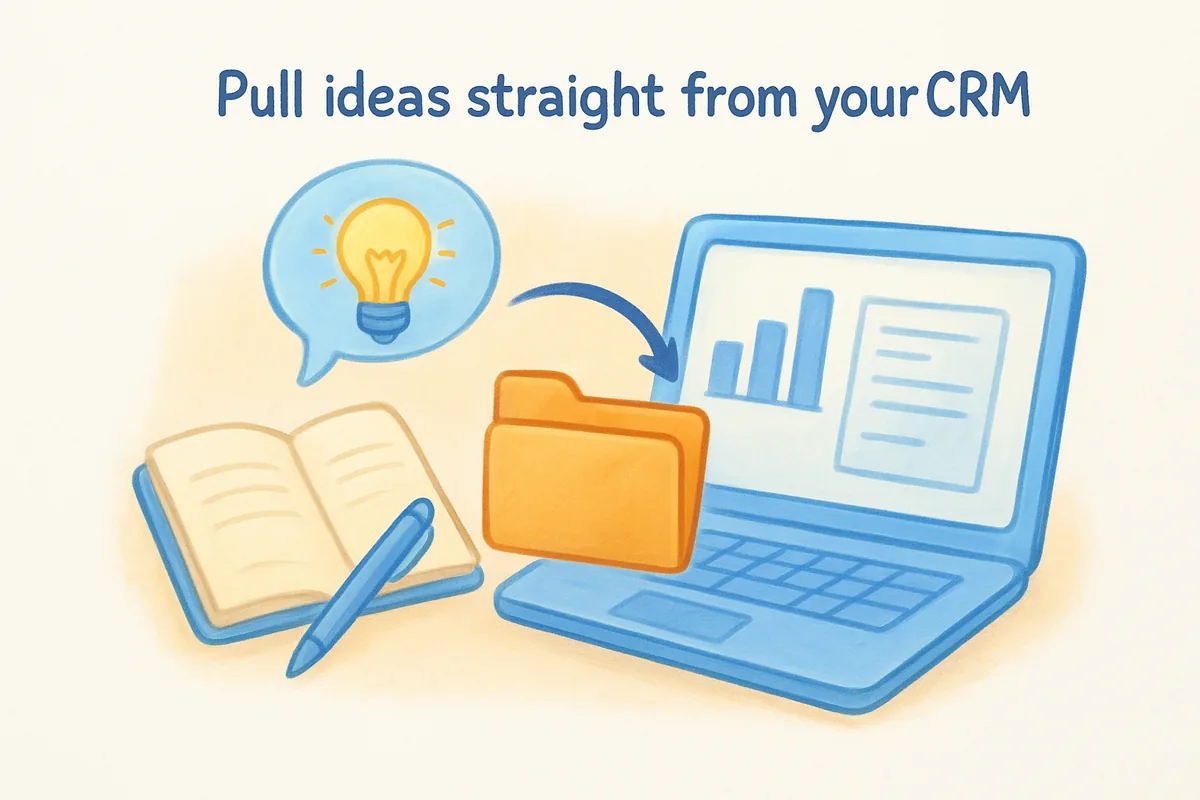
Vedain skips the middle steps here since its AI Agent Marketplace already watches pipeline activity and generates content angles directly from deal data, no separate n8n instance required. Notice how the trigger event matters more than the tool, because a deal closing or stalling is a more reliable content signal than a generic content calendar entry.
The best post ideas are already sitting in your CRM, you just need a workflow that pulls them out.
Monitor industry news and trends
Outside your own pipeline, a second automated feed keeps your content ideas for LinkedIn from getting stale. Set up an RSS or Google Alerts feed for your industry's biggest publications, then route new articles into a shared channel where you or your team can flag ones worth a reaction post. This isn't about reposting news, it's about having a queue of triggers you can react to with your own opinion.
Running both feeds side by side gives you a steady mix:
- •Internal feed: deal wins, losses, objections, and customer quotes
- •External feed: industry news, competitor moves, and market shifts
Keep both feeds landing in one place, whether that's a Slack channel, a shared doc, or directly inside your CRM's activity view. Piling up untouched ideas defeats the purpose, so review the list weekly and mark two or three worth drafting before moving to the next step.
Step 4. Generate LinkedIn posts with AI
Turning a raw idea into a publishable post is where most AI tools disappoint, because a generic prompt produces a generic post. AI-generated LinkedIn posts work best when you feed the model specifics pulled in step 3, the deal notes, the exact objection, the real number, instead of asking it to write from a blank slate. Treat AI as a drafting assistant that turns your raw material into a structured first pass, not a replacement for your judgment about what's worth saying in the first place.
Build a prompt template you reuse every time
Consistency in your prompt produces consistency in your output, so save a template instead of typing something new every session. A workable structure looks like this:
Feed this into whatever AI tool for sales writing you're using, whether that's a standalone chatbot or the drafting step inside a connected workflow, and you'll get a post that at least starts from your actual experience rather than a topic keyword.
A prompt built from your own deal notes will always beat a prompt built from a topic idea alone.
Match structure to what actually performs
LinkedIn's feed rewards posts that get read past the first two lines, so structure matters as much as content. Ask your AI draft for a short hook, three or four short paragraphs with line breaks between them, and a closing question that invites a comment rather than a like. Avoid asking for hashtags or emojis in the prompt, since both read as filler on a feed full of them already, and skip any request for a bullet-point listicle format unless the post genuinely is a list.
Let AI draft from pipeline data directly
Instead of copying deal notes into a separate chatbot, Vedain's AI Agent Marketplace reads pipeline activity directly and drafts a post from it, skipping the manual copy-paste step entirely. This matters because the draft already reflects your real numbers and your real deal, not a paraphrased version you typed into a prompt box from memory. Either path gets you a usable first draft, but starting from the actual CRM record instead of a manually written summary keeps more of the original detail intact, and detail is exactly what makes a post worth commenting on.
Step 5. Schedule and auto-publish your content
Once you've got approved drafts, the last mile is getting them onto LinkedIn at the right time without manually copying and pasting into the composer every morning. Scheduling LinkedIn posts through an approved tool is the lowest-risk piece of this whole process, since LinkedIn's Marketing Developer Platform explicitly supports third-party publishing through its API. The goal here is a queue that runs itself, so you set aside twenty minutes on Friday to load the week and never think about timing again.
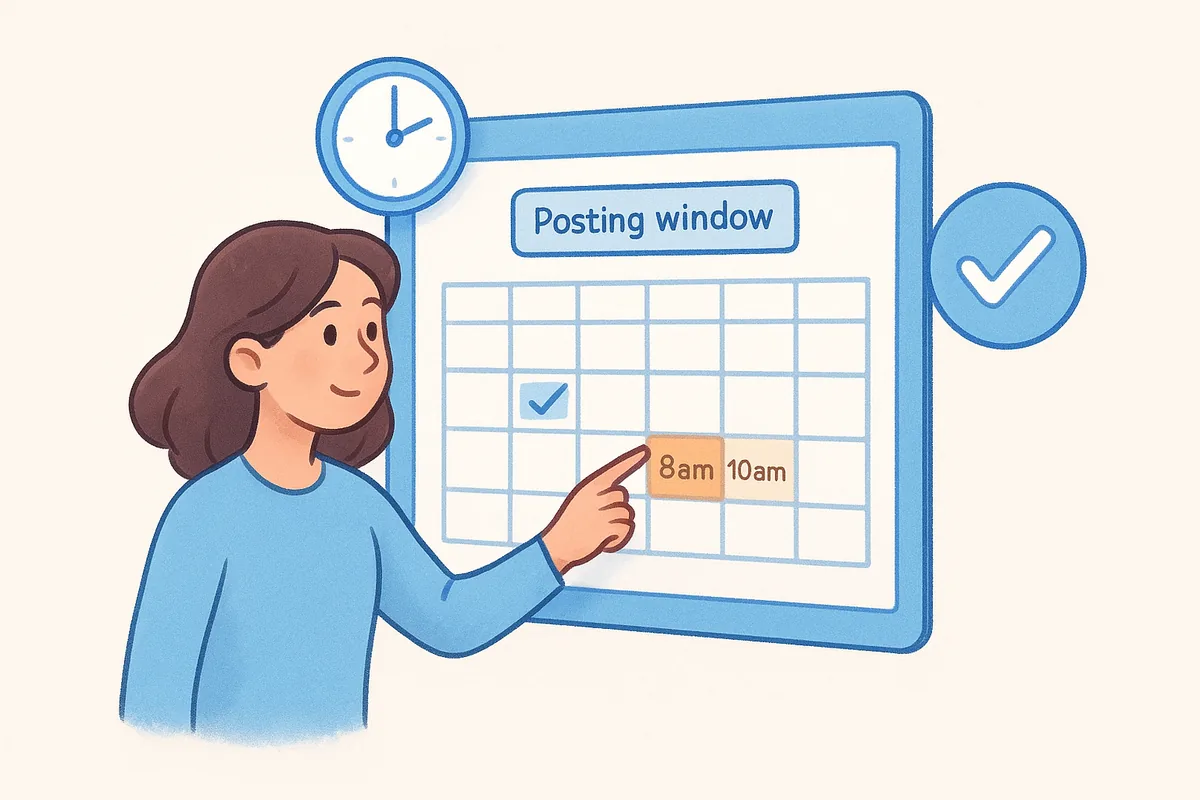
Pick a posting window and stick to it
Getting the timing right matters more than most people assume. Tuesday through Thursday, between 8am and 10am in your audience's timezone, consistently outperforms weekend or late-evening posting for B2B content, since that's when your buyers are actually scrolling before their first meeting. Testing two fixed slots per week, say Tuesday at 8am and Thursday at 8am, gives you clean data to compare against later instead of a scattered posting history that's hard to analyze.
A queue that publishes on autopilot only works if someone still checks it before the post goes live.
Build a review step into the queue
Here's the checklist worth running before anything auto-publishes, whether you're using a DIY n8n workflow or a built-in scheduler:
- •Confirm the post uses a real number or detail, not a generic statement
- •Check the hook line reads naturally in the first two lines before the "see more" cutoff
- •Remove any hashtags or emojis the AI draft added on its own
- •Confirm the closing line asks a question instead of just summarizing
Inserting this checklist between drafting and publishing catches the posts that read like filler before they go out to your entire network.
Auto-publish without leaving your CRM
Vedain's LinkedIn automation handles this step natively, so the post generated from your pipeline data in Step 4 moves straight into a publishing queue without exporting to Buffer, Hootsuite, or a separate n8n instance. Managing this inside the same platform where the deal data originated means your posting calendar, your CRM records, and your analytics all stay connected, which matters a lot once you get to measuring what actually worked in the next step. Rather than juggling logins across three tools just to get a post live, you approve it once and the schedule takes care of the rest.
Step 6. Automate engagement, replies, and analytics
Publishing the post is only half the job. The comments that show up in the first hour decide whether LinkedIn's algorithm keeps showing your post to more people, so engagement automation here means making sure you never miss that window, not outsourcing the replies themselves. Pair that with analytics tracking that ties a specific post back to a specific lead, and you finally know which pillar from Step 1 is actually worth your time.
Route comments and DMs to the right person
Setting up a notification workflow solves the biggest engagement problem: posts that get comments nobody answers for six hours. Wire your scheduler or CRM to push a Slack or email alert the moment a comment lands using a trigger-and-action builder that needs no code, so you or a teammate can reply while the post is still in LinkedIn's active feed window. If you're building this in n8n, a trigger on new post activity, filtered to comments and DMs, routed to a shared channel, takes about ten minutes to set up and saves you from refreshing LinkedIn all morning.
Automate the alert, not the reply, because a real answer in the comments is what earns the next one.
Track performance back to pipeline
Raw impression counts tell you almost nothing about whether your content strategy is working. What matters is whether a specific post led to a specific reply, meeting request, or closed deal, and that link gets lost the moment your scheduler and your CRM live in separate tools. Vedain's Reports & Analytics close that gap by keeping the post, the lead it generated, and the deal it eventually became inside the same record, so a monthly review built on CRM reports and dashboards shows you which pillar drove revenue instead of just which post got the most likes.
What still needs a human
Run this checklist before you let anything touch engagement automatically:
- •Reply personally to comments from prospects or people in your target accounts, always
- •Skip auto-commenting tools entirely, since they violate LinkedIn's terms and read as obviously fake
- •Automate the alert, not the response, for any comment that needs a real answer
- •Review analytics weekly, not daily, so you're judging trends instead of chasing single-post noise
Keeping the reply human and the tracking automated is the split that makes this whole system sustainable instead of another feed nobody trusts.
Step 7. Review, personalize, and stay within LinkedIn's rules
Every workflow in this guide ends at the same checkpoint: a human reading the post before it goes live. Reviewing AI-generated content isn't a formality you can skip once the system runs smoothly, it's the step that keeps your account from turning into the kind of feed people scroll past without reading. Build this review into your process now, while your stack is small, because it's much harder to bolt on discipline after you've automated your way into a habit of rubber-stamping drafts.
Build a five-minute review habit
Approving a post should take less time than writing one, so keep the review tight. Before anything publishes, check that the opening line would stop you mid-scroll, that the number or detail in the post is accurate, and that the closing question is one you'd actually want answered in your comments. Swap in a word you'd naturally say out loud somewhere in the draft, since AI writers tend toward a flat, polished tone that reads as nobody in particular. This step matters more than any tool you pick, because a reviewed post with a slightly rough edge outperforms a perfectly smooth one that sounds like everyone else's.
A post that sounds like you, even imperfectly, beats a perfect post that sounds like no one.
Stay inside LinkedIn's terms as you scale
As your LinkedIn posting schedule automation gets more sophisticated, the temptation grows to automate the parts LinkedIn doesn't allow, like auto-liking your own posts from secondary accounts or auto-connecting with everyone who comments. Resist it. LinkedIn's Professional Community Policies treat inauthentic engagement as a policy violation regardless of intent, and accounts flagged for it lose reach long before they lose access entirely. Keep your automation scoped to drafting and scheduling, the two jobs LinkedIn explicitly supports through its API, and leave every like, comment, and connection request to an actual person clicking a button.
Set a recurring audit
Put a recurring 20-minute slot on your calendar, once a month, to reread your last dozen posts as a stranger would. Ask whether they still sound like you, whether the pillars from Step 1 still match what your buyers care about, and whether any post reads as filler you'd cut if you saw it today. This audit is what separates a content engine that compounds over a year from one that quietly drifts into noise nobody notices leaving their feed.
Keeping your content engine running
Automating your LinkedIn presence isn't about disappearing from your own feed, it's about spending your time on the ten minutes that matter, like the review before publishing and the reply after. Everything else, the research, the drafting, the scheduling, can run on rails once you've set your pillars and picked a stack that talks to itself. LinkedIn content automation works when you split those jobs correctly, not when you try to hand the whole process to a chatbot and walk away.
Going forward, the teams that keep this running are the ones who tie their posts back to actual pipeline instead of vanity metrics, and who never let a draft publish without a human glance first. That's the whole system: real deal data in, a reviewed post out, on a schedule you can actually sustain.
If you'd rather run this from inside the CRM your deals already live in, book a live demo of Vedain and see the AI Agent Marketplace turn pipeline activity into published posts in one connected workflow.
Frequently Asked Questions
Can HubSpot automate LinkedIn posting and content scheduling?
Yes, HubSpot's Social Media Tools (included in Marketing Hub Professional at $800/month) allow you to schedule LinkedIn posts in advance and automate content distribution across your social channels. This feature competes directly with Salesforce's Social Studio, offering similar scheduling capabilities at a more accessible price point for mid-market companies. HubSpot also integrates with your CRM data to personalize LinkedIn content automatically.
What is the best AI tool for automatically generating LinkedIn content ideas?
Several platforms excel at this: HubSpot's Content Assistant (part of Marketing Hub), Vedain's AI-powered content engine, and Zoho's social media AI features all generate LinkedIn-ready content suggestions. HubSpot's tool costs $50/month as an add-on and uses GPT technology to create posts based on your industry and company data. Vedain offers specialized LinkedIn automation at competitive pricing, making it a strong alternative to enterprise-level Salesforce solutions.
How much does it cost to automate LinkedIn content with Pipedrive?
Pipedrive does not have native LinkedIn automation in its core CRM platform; instead, it recommends third-party integrations like Zapier or native tools like HubSpot for this functionality. If you want LinkedIn automation through Pipedrive, you'll need to use Pipedrive (starting at $14/month) plus a separate social automation tool like HubSpot ($800+/month) or Zoho Social ($25/month). For pure LinkedIn automation without a full CRM, standalone tools like Buffer or Hootsuite may be more cost-effective than bundled CRM solutions.
Does Zoho CRM include LinkedIn content automation and scheduling?
Yes, Zoho's social media management tools (part of Zoho Social, priced at $25-$50/month) integrate with Zoho CRM to automate LinkedIn posting and scheduling across multiple accounts. This positions Zoho as a more affordable alternative to HubSpot's $800/month Marketing Hub or Salesforce's enterprise pricing for similar functionality. Zoho also allows you to track LinkedIn engagement metrics directly within your CRM dashboard.
What CRM automates LinkedIn lead generation and content posting together?
HubSpot's integrated platform (Marketing Hub Professional at $800/month) combines LinkedIn content automation with lead capture and nurturing in one system, making it the most comprehensive solution available. Salesforce offers similar integration through its Social Studio and Salesforce CRM combination, but at significantly higher enterprise pricing. Zoho CRM provides a more budget-friendly option at $25-$65/month that connects LinkedIn automation with basic lead management, though it lacks some of HubSpot's advanced AI features.
Can you automate LinkedIn content posting with Vedain CRM?
Vedain offers specialized LinkedIn automation capabilities designed specifically for sales teams and content creators, with transparent pricing comparable to mid-market alternatives like Zoho ($25-$50/month range). While less feature-rich than HubSpot's comprehensive content suite, Vedain focuses on simplicity and LinkedIn-specific automation without the enterprise overhead of Salesforce. Vedain integrates with your existing CRM data to ensure LinkedIn posts are personalized and targeted to your audience segments.