
This guide skips the enterprise platforms built for 50-person sales floors and focuses on tools that fit solo operators and small teams, the same lighter CRM options small teams keep shortlisting: simple setup, honest pricing, and just enough automation to save you hours each week. Whether you need to track proposals, automate follow-up emails, or just stop losing client details in scattered spreadsheets, you'll find an option here that matches your workflow.
Below, we break down 9 CRMs worth considering in 2026, including where each one shines and where it falls short. We'll cover pricing transparency, ease of use, and which tools avoid the feature-gating that punishes freelancers for growing. By the end, you'll know exactly which CRM fits your client list and your budget.
1. Vedain CRM
Vedain CRM tops this list because it solves the exact problem freelancers hate most: paying for features you'll never touch. Most CRMs lock email sync, automation, or reporting behind a pricier tier, which stings when you're a one-person shop watching every dollar. Vedain CRM charges one flat rate for everything, so a freelancer managing three clients gets the same toolkit as a five-person studio managing thirty. Setup takes under five minutes, and you don't need a credit card to start the trial, which matters when you just want to test the waters before committing.

Key features
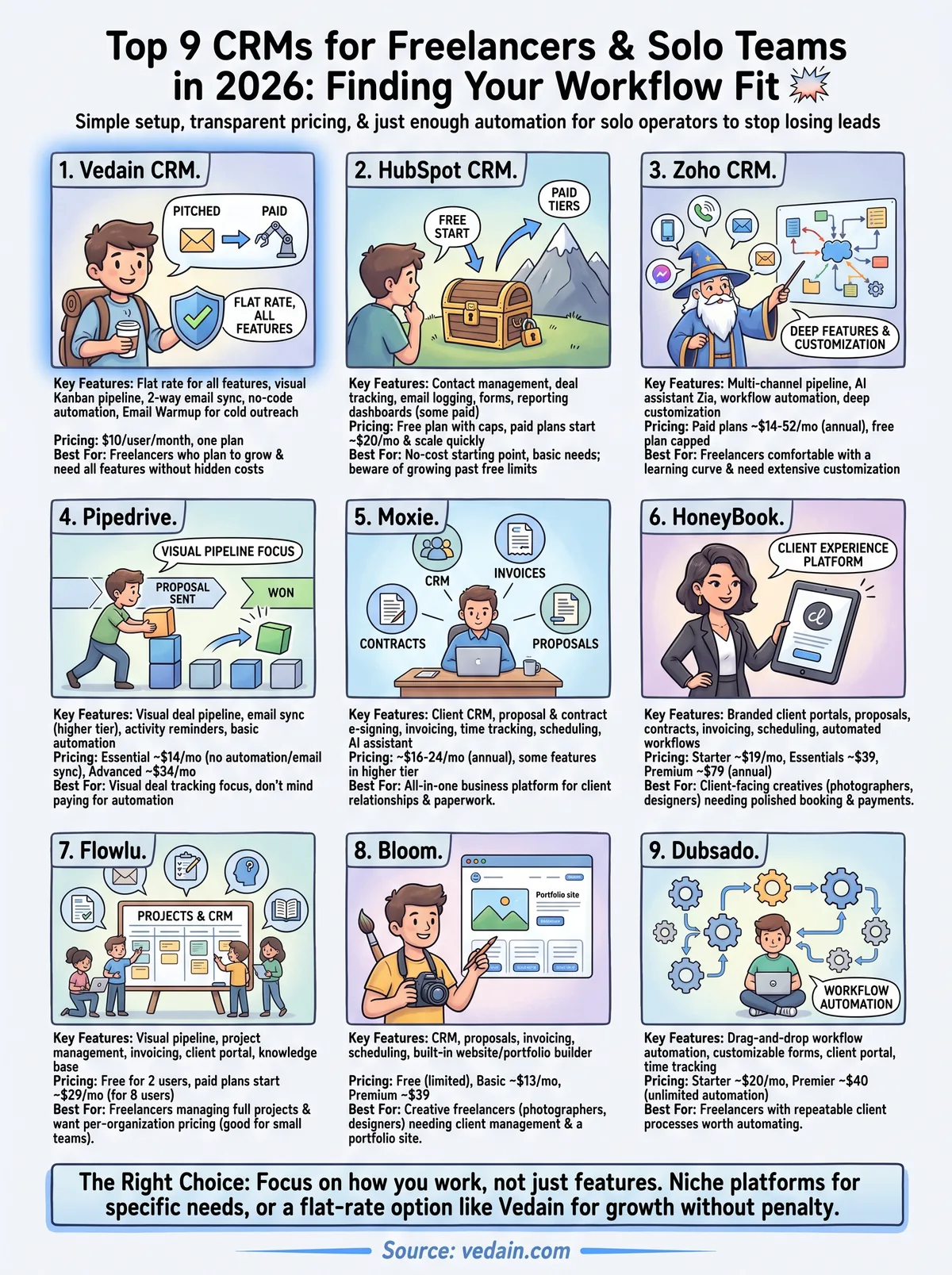
For a freelancer, the feature set reads less like a sales suite and more like a personal operations hub. You get a visual Kanban pipeline to track proposals from "pitched" to "paid," two-way Gmail and Outlook sync so client emails live next to the deal instead of buried in your inbox, and a no-code workflow builder for automating reminders and follow-ups. The Email Warmup tool is a genuine standout for freelancers cold-pitching new clients, since it protects your domain's deliverability with a gradual warmup ramp so your cold outreach email tools don't land in spam. You also get lead forms to capture inquiries straight from your portfolio site, custom dashboards to track income against monthly targets, and an AI CRM with 30-plus pre-built agents for tasks like drafting proposals or enriching a prospect's contact info.
Pricing
Vedain keeps pricing simple: $10 per user per month, with every feature included from day one. There's no "starter," "pro," or "enterprise" tier hiding automation or reporting behind an upsell. That flat structure is rare in this space; most competitors charge $10 to $20 just for a base plan, then tack on fees for the exact tools freelancers rely on most, like email sequences or workflow automation, which is why budget CRM software for one-person businesses is worth comparing carefully.
The best CRM for freelancers isn't the one with the most features, it's the one that doesn't punish you for using them.
Best for
Vedain suits freelancers who plan to grow. If you're a solo consultant today but expect to bring on a subcontractor or a virtual assistant next year, you won't need to migrate platforms or renegotiate pricing tiers. It's also a strong fit if you're currently cobbling together separate tools for email, pipeline tracking, and outreach automation, since Vedain replaces all three without the usual price jump. Freelancers focused on cold outreach or business development will especially appreciate the built-in email warmup and LinkedIn posting, features most CRMs at this price point simply don't offer. You can start a free Vedain trial and have your pipeline set up before your coffee gets cold.
2. HubSpot CRM
HubSpot built its reputation on a genuinely useful free tier, and that's why so many freelancers start here. You get contact management, deal tracking, and email logging without paying a cent, which makes it tempting if you're testing whether a CRM for freelancers is even worth the switch from spreadsheets. The catch shows up once your client list grows or you need automation beyond the basics, since HubSpot's paid tiers climb fast and the caps built into the free plan arrive sooner than most freelancers expect.
Key features
Freelancers get a clean contact database, a drag-and-drop deal pipeline, and native email tracking that shows when a client opens your proposal. HubSpot also bundles basic forms and a shared inbox, so lead capture from your website doesn't require a separate tool. Its reporting dashboards are polished, though the most useful ones sit behind paid plans.
Pricing
The free plan covers core CRM functions for up to 2 users, but marketing and automation features start around $20 per month and scale quickly toward $100+ once you add sequences, custom reporting, or multiple pipelines, as a full look at HubSpot's per-seat cost by tier makes clear. That pricing curve is steep for a solo freelancer.
A free CRM is only free until you need the features that actually save you time.
Best for
HubSpot works best for freelancers who want a no-cost starting point and don't mind outgrowing it. If your client roster is small and you mainly need contact records and basic deal stages, the free tier genuinely delivers. But if you plan to run email sequences, build automated workflows, or track a growing pipeline without upgrading every few months, you'll hit HubSpot's paywall faster than expected, and it's worth weighing cheaper tools that replace HubSpot before committing.
3. Zoho CRM
Zoho CRM has been around long enough to build a genuinely deep feature set, which appeals to freelancers who eventually want more than basic contact tracking. It's part of the larger Zoho suite, so if you already use Zoho Books or Zoho Projects, the integrations click together nicely. That depth comes at a cost, though: Zoho's interface can feel cluttered for someone who just wants to track a handful of client deals without wading through settings menus built for enterprise sales teams.
Key features
Zoho offers a multi-channel pipeline that pulls in email, social, and phone activity into one contact timeline, plus an AI assistant called Zia that scores leads and predicts deal outcomes. You also get workflow automation, custom modules, and a decent mobile app for managing clients on the go. The customization options run deep, letting you build fields and layouts specific to your freelance niche, whether that's design, copywriting, or consulting.
Pricing
Zoho's paid plans start around $14 per user per month billed annually and climb to $52 for the Ultimate tier, with automation and advanced analytics locked behind the higher tiers. A free plan exists but caps you at three users and strips out most automation, which limits its usefulness even for a solo freelancer who wants to grow and makes CRMs that undercut Zoho on price worth a look.
More features only help if you can actually find them when you need them.
Best for
Zoho suits freelancers comfortable with a learning curve who want room to customize every field and workflow to their exact process. It's a solid pick if you're already inside the Zoho ecosystem or run a business complex enough to justify the setup time. If you want something you can configure in minutes rather than hours, look elsewhere on this list.
4. Pipedrive
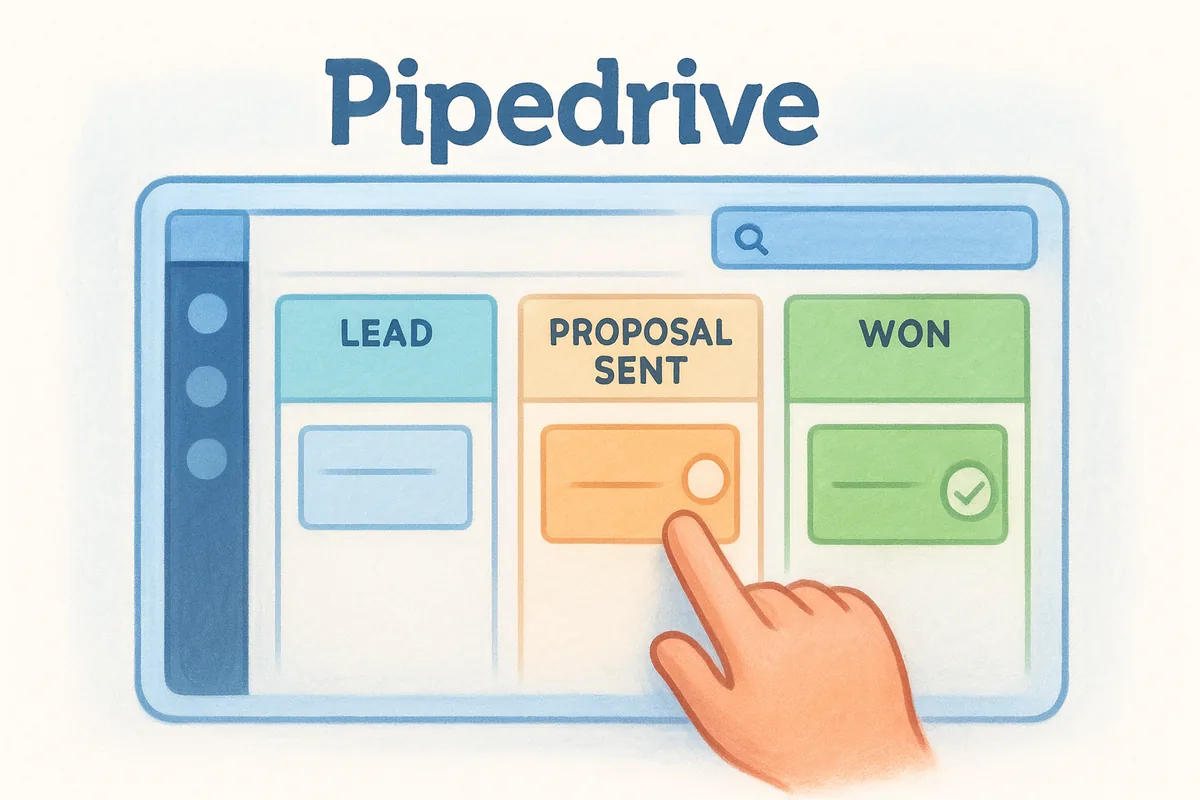
Pipedrive built its name on visual pipeline management, and it shows the moment you log in. The interface centers entirely on deal stages, which suits freelancers who think in terms of "where is this proposal right now" rather than complex reporting. It's simpler than Zoho and more sales-focused than HubSpot's free tier, making it a middle-ground option for a CRM for freelancers who want structure without a steep learning curve.
Key features
Pipedrive's core strength is its drag-and-drop pipeline view, one of the cleaner tools for managing a deal pipeline visually, which lets you move a client from "proposal sent" to "won" with a single click. It also includes email sync, activity reminders that nudge you to follow up before a lead goes cold, and basic automation for repetitive tasks like sending a thank-you email after a deal closes. Add-ons cover lead capture forms and a simple AI-powered sales assistant, though both cost extra on top of your base plan.
Pricing
Plans start around $14 per user per month for the Lite tier, but that entry level strips out email sync and automation, the exact features most freelancers need. To unlock those, you're looking at the Growth tier for roughly $39 per month, with AI features and richer reporting reserved for the Premium and Ultimate tiers above that.
A pipeline view is only useful if the plan that includes it fits your budget.
Best for
Pipedrive fits freelancers who live and breathe visual deal tracking and don't mind paying more to get automation and email sync included. It's a good match if you juggle several proposals at once and want a clear, uncluttered view of where each one stands. Freelancers on a tighter budget, though, will find the add-on pricing frustrating next to pipeline CRMs that cost less than Pipedrive.
5. Moxie
Moxie takes a different approach than the rest of this list: it's not a CRM bolted onto a sales tool, it's a freelancer business platform with CRM baked in alongside invoicing, contracts, and proposals. That makes it appealing if you're tired of stitching together four separate apps just to run your freelance business. Instead of thinking in terms of sales pipelines, Moxie thinks in terms of client relationships and the paperwork that surrounds them.
Key features
Moxie bundles a client CRM with proposal templates, contract e-signing, and invoicing, so a lead can move from first contact to signed contract to paid invoice without leaving the platform. It also includes time tracking and a scheduling tool for booking client calls, which suits freelancers billing hourly. An AI assistant helps draft proposals and client emails, cutting down the admin time that eats into billable hours.
Pricing
Moxie's plans run roughly $16 per month for solo freelancers on the entry tier, climbing to around $24 per month for the tier that unlocks automation and advanced reporting, both billed annually. That's steeper than a flat-rate CRM for freelancers like Vedain, especially once you factor in that some features still sit behind the higher tier.
A CRM that also handles your contracts and invoices only earns its price if you actually use all three.
Best for
Moxie fits freelancers who want one platform for everything, not just lead tracking. If you're currently juggling a separate invoicing tool, a contract app, and a spreadsheet for clients, consolidating into Moxie can genuinely simplify your workflow. It's less of a fit if you already have invoicing and contracts sorted and just need a lean, affordable place to manage your pipeline.
6. HoneyBook
HoneyBook built its reputation among photographers, designers, and event professionals who need client management wrapped in polish and branding. It positions itself less as a traditional CRM and more as a client experience platform, with every touchpoint from inquiry to final invoice designed to look professional in front of the client, not just organized behind the scenes. If your freelance work involves a lot of client-facing communication, like booking calls, sending contracts, or collecting deposits, HoneyBook's design-forward approach stands out from the spreadsheet-style CRMs on this list.

Key features
HoneyBook centers on branded client portals where customers can view proposals, sign contracts, and pay invoices without leaving a single link. It also includes scheduling, automated email and task workflows, and a mobile app built for freelancers managing clients between meetings. The pipeline view is simpler than Pipedrive's, but it's tightly integrated with the booking and payment tools most creative freelancers actually use daily.
Pricing
HoneyBook's Starter plan runs about $29 per month billed annually, with the Essentials tier around $49 and Premium near $109, each unlocking more automation, team seats, and advanced reporting. That's a steep jump for a solo freelancer compared to flat-rate options.
A polished client experience is worth paying for, but only if you actually bill enough clients to justify the tier.
Best for
HoneyBook suits client-facing freelancers, especially photographers, event planners, and designers who want booking, contracts, and payments wrapped into one branded experience. It's a weaker fit if you mainly need pipeline tracking and email sync without the added invoicing layer, since you'll pay for booking tools you may never touch.
7. Flowlu
Flowlu markets itself as an all-in-one business management suite, and for freelancers who need more than a pipeline, that positioning makes sense. Beyond the standard CRM, you get project management, invoicing, and even a built-in knowledge base for storing client documentation. Flowlu prices per organization rather than per user, which is unusual in this space and can work in your favor if you occasionally bring on a collaborator without wanting to pay per seat.
Key features
Flowlu's CRM includes a visual sales pipeline, task automation, and email integration, alongside project boards for managing deliverables once a deal closes. You also get built-in invoicing and a client portal, so you can send quotes and collect payment without a separate app. A knowledge base feature lets you document processes or share files with clients, which suits freelancers who juggle recurring project templates.
Pricing
Flowlu offers a free plan for up to two users with basic CRM and project tools. Paid plans start around $29 per month for the Team tier, covering up to eight users, and climb to roughly $99 per month for the Professional tier with advanced automation and reporting. Since pricing scales by team size rather than per seat, a solo freelancer pays the same as a small team on the same tier.
Paying per organization instead of per seat only saves you money once you actually add a second user.
Best for
Flowlu fits freelancers who manage full projects, not just leads, and want invoicing, task tracking, and CRM under one roof. It's a reasonable choice if you expect to bring on a part-time collaborator soon, since the per-organization pricing absorbs that growth without an immediate cost jump. If you only need a lean pipeline and email sync, Flowlu's broader toolkit may feel like more than you need.
8. Bloom
Bloom started as a client management tool for photographers and creative freelancers, and that origin still shapes its feature set. It bundles CRM functions with proposals, invoicing, and even a website builder, aiming to give solo creatives one login instead of five. Compared to Flowlu or Moxie, Bloom leans harder into the creative niche, with templates and workflows built around client shoots, design projects, and creative deliverables rather than generic sales pipelines.
Key features
Bloom's CRM tracks leads through a simple pipeline and pairs it with proposal and contract templates you can send in a few clicks. You also get invoicing with online payments, a scheduling tool for booking client calls or sessions, and a built-in website and portfolio builder, a feature none of the other tools on this list include. Automated workflows handle routine follow-ups, like nudging a client who hasn't signed a contract yet.
Pricing
Bloom offers a free plan limited to a small number of clients and basic features, which works fine for testing the waters. Paid plans start around $13 per month for the Basic tier and move up to roughly $39 per month for the Premium tier, unlocking automation, unlimited clients, and the website builder.
A CRM that also builds your portfolio site only pays off if you actually need a new site.
Best for
Bloom fits creative freelancers who want their client management, contracts, and portfolio in one place, especially photographers, designers, and videographers just starting out, and it sits alongside the CRM options built for creative studios worth reviewing. It's a strong budget pick if you don't already have a website and want to avoid paying for a separate site builder. If your work isn't visual or you already have a site and invoicing tool you like, Bloom's extra features add cost without much upside.
9. Dubsado
Dubsado has become a favorite among service-based freelancers who need heavier workflow automation than a simple pipeline offers. It's built for people who run a repeatable client process, think discovery call, proposal, contract, invoice, project, and want each step to trigger the next automatically. Unlike the lighter tools on this list, Dubsado rewards freelancers willing to spend a few hours upfront mapping out their workflows, since the payoff is a business that runs itself between client calls.
Key features
Dubsado's standout feature is its workflow automation, a drag-and-drop automation builder that lets you build multi-step sequences to send proposals, follow up on unsigned contracts, and trigger invoices without you touching a keyboard. You also get customizable forms for intake and scheduling, a client portal for contracts and payments, and time tracking for hourly billing. The lead capture forms embed directly on your website, feeding new inquiries straight into your pipeline instead of your inbox.
Pricing
Dubsado offers a free tier capped at three clients, which is really just a taste test rather than a usable plan. Paid pricing starts at $20 per month (or $200 annually) for the Starter tier, with the Premier tier at $40 per month unlocking unlimited automated workflows and advanced scheduling. Both tiers cover unlimited users, which is unusual and works in a solo freelancer's favor if you ever bring on a subcontractor.
Automation only pays off once you've actually built the workflow it's supposed to run.
Best for
Dubsado suits freelancers with a repeatable client process who want to automate the paperwork between "inquiry" and "paid." It's a strong fit for consultants, coaches, and service providers who send the same proposal and contract structure to every new client, and the CRM roundup for independent consultants covers more options in that vein. If your work varies too much project to project to justify building rigid workflows, the setup time may outweigh the benefit.
Finding the right CRM for your freelance business
The right choice comes down to how you actually work, not which tool has the longest feature list. Niche platforms like HoneyBook and Bloom make sense if your business is built around bookings and branded client experiences. Dubsado rewards freelancers with a repeatable process worth automating. But if you just want a CRM for freelancers that handles pipeline, email, and outreach without punishing you for growing past one client, that's a narrower field.
That's the gap Vedain fills. You get the pipeline, the email sync, the automation, and the deliverability tools that competitors split across pricing tiers, all for one flat rate. There's no calculator needed to figure out what you'll owe once you add a second client or a subcontractor.
If that sounds like what your freelance business needs, see exactly what Vedain costs per month and check what you'd actually pay elsewhere for the same toolkit.
Related reading
Frequently Asked Questions
What is the best free CRM for freelancers?
HubSpot offers the best free CRM for freelancers with unlimited contacts, basic deal tracking, and email integration at no cost. Zoho CRM also provides a strong free tier with up to 3 users and 10,000 records, making it ideal for solo freelancers just starting out. While Pipedrive and Salesforce require paid plans, HubSpot's free version remains the most feature-rich option for freelancers without a budget.
How much does Pipedrive cost for freelancers?
Pipedrive's Lite plan starts at $14 per month (billed annually) and includes basic sales pipeline management, making it one of the most affordable options for freelancers. Their Growth plan costs $39 per month and adds email sync and automation features. Compared to Salesforce's enterprise pricing and Zoho CRM's mid-range costs, Pipedrive offers excellent value for independent contractors managing client relationships.
Can freelancers use Salesforce CRM or is it too expensive?
Salesforce is generally too expensive for most freelancers, with Starter Suite at $25 per user per month and the more capable Pro Suite at $100, making it better suited for larger teams and enterprises. Freelancers typically find better value in alternatives like HubSpot's free tier, Zoho CRM's affordable plans starting at $14/month, or Pipedrive's $14/month Lite plan. Unless you're managing a large client base with complex workflows, Salesforce's cost outweighs the benefits for independent workers.
Is Zoho CRM good for freelance service providers?
Yes, Zoho CRM is excellent for freelance service providers with affordable pricing starting at $14 per user per month (billed annually) and robust features like contact management, task tracking, and email integration. The platform offers strong customization options and automation that allow freelancers to streamline client communications without the high costs of HubSpot's paid tiers or Salesforce. Zoho's free plan also supports up to 3 users, making it ideal for small freelance teams.
What CRM features do freelancers need most?
Freelancers prioritize contact management, pipeline tracking, email integration, and invoice management features in a CRM to maintain client relationships and track projects. Solutions like Pipedrive excel at visual pipeline management, while Zoho CRM and HubSpot offer strong all-in-one platforms with invoicing capabilities. Time tracking, project management, and mobile access are also critical features that many freelancers look for before choosing between options like Vedain or traditional CRMs like Salesforce.
Which CRM is easiest to use for freelancers with no technical experience?
HubSpot and Pipedrive are the easiest CRMs for non-technical freelancers, featuring intuitive interfaces, drag-and-drop functionality, and minimal setup time required. HubSpot's free version requires virtually no coding knowledge and includes excellent onboarding resources, while Pipedrive's visual deal pipeline makes it instantly understandable for beginners. Zoho CRM requires slightly more configuration, and Salesforce has a steeper learning curve compared to these user-friendly alternatives, making it better suited for experienced users.