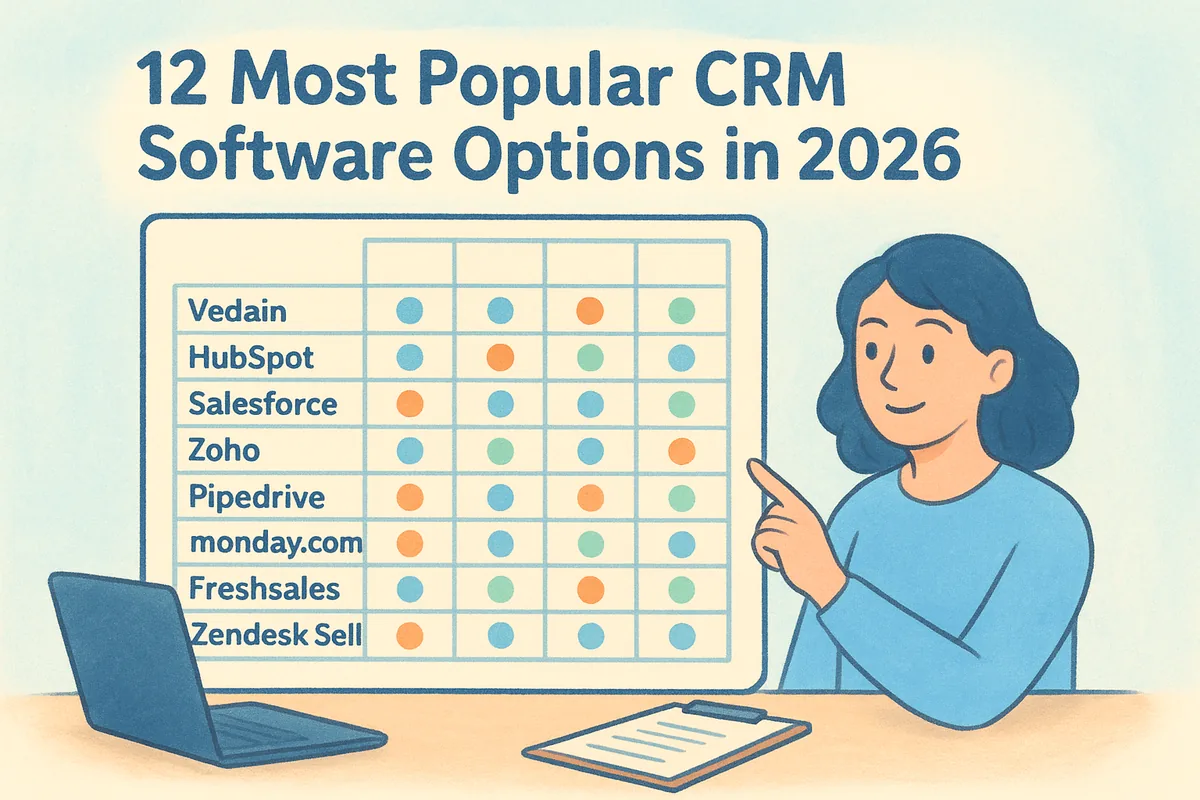
This list cuts through that noise. You'll find 12 of the best CRM tools on the market right now, broken down by what they actually do well, who they're built for, and what they cost once you factor in the add-ons most vendors don't mention upfront. Whether you're a five-person startup or a 200-person sales floor, you'll see where each platform fits and where it falls short.
We built this comparison from real usage patterns, not marketing copy. You'll get a straight read on pipeline management, email integration, automation depth, and pricing transparency for each tool, including where Vedain fits among the best sales CRM tools for teams tired of paying extra for features that should be standard. By the end, you'll know exactly which CRM matches how your team actually sells.
1. Best CRM software at a glance
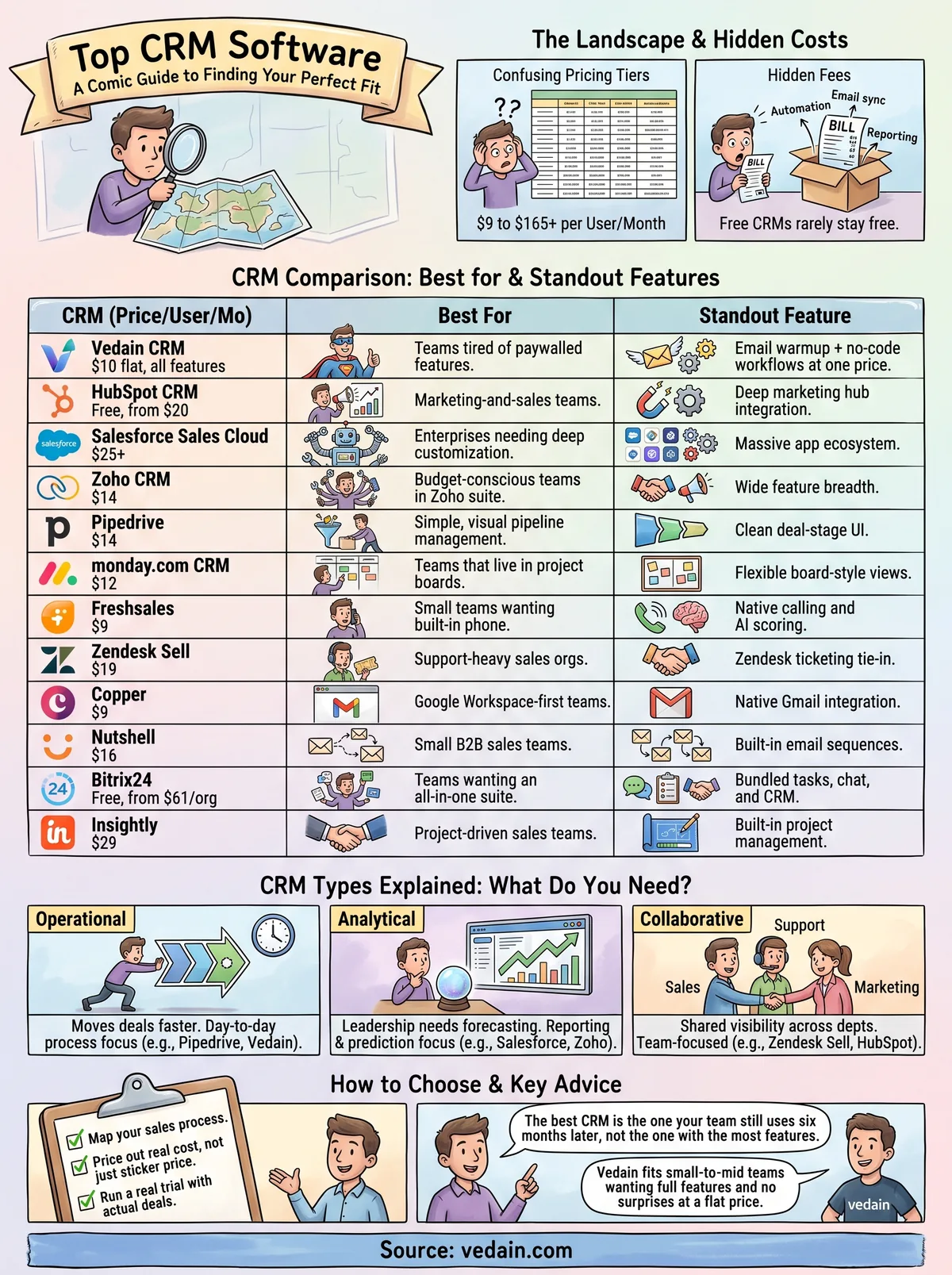
Before you dig into the details, here's the quick version. This CRM feature comparison chart lines up all 12 platforms by starting price, team size they suit best, and the one thing that makes each worth considering. Use it to shortlist two or three options, then jump to the full breakdown below for the specifics that actually matter, like whether email sync costs extra or whether automation is locked behind a higher tier.
The right CRM is the one that fits how your team already sells, not the one with the longest feature list.
This snapshot already tells a story. Several of the popular CRM software names here look cheap at first glance until you add the modules most teams actually need, like automation, email sync, or reporting, which often sit in a higher tier and turn into hidden CRM fees. Vedain and Freshsales stand out for keeping their entry price close to their real-world price, while Salesforce and Insightly climb fast once you add users or features. Zoho and Bitrix24 pack in a lot of functionality but ask you to manage more complexity in exchange. Keep this table open as you read through each profile below, since the pricing column rarely tells the whole story on its own.
2. Vedain CRM
Vedain built its reputation by refusing to play the tiered-pricing game most CRMs rely on. Every account gets the full platform: pipeline management, email sync, automation, and reporting, all for one flat rate. If you've ever hit a paywall trying to turn on a feature that should be basic, this is the CRM built specifically to fix that frustration.
Key features
Vedain packs in a visual deal pipeline, two-way Gmail and Outlook sync, a no-code workflow builder, and built-in email warmup that improves domain deliverability over 21 days, a feature most competitors sell as a separate product entirely. You also get lead forms for website capture, custom dashboards, and an AI Agent Marketplace with 30+ pre-built AI agents for data enrichment and content generation.
Best for
This platform suits small to mid-sized sales teams, startups, and any team switching from a popular CRM software platform that nickel-and-dimes them for automation or email tools. It also fits teams already using Gmail or Outlook who want native sync without a connector fee.
Pricing
Vedain charges $10 per user per month, flat, with the entire feature set included from day one. There's no credit card required to start a trial, and setup takes under five minutes.
When every feature ships in the base price, you stop guessing what your next invoice will look like.
Pros and cons
- •Pro: All-inclusive pricing means no surprise upsells as your team grows.
- •Pro: Built-in email warmup and workflow automation, usually add-ons elsewhere.
- •Con: Smaller third-party app marketplace than Salesforce or HubSpot.
- •Con: Newer brand, so fewer long-term case studies exist yet.
3. HubSpot CRM
HubSpot built its name on inbound marketing, and its CRM still shows that DNA. The free tier gets you basic contact management and deal tracking, which explains why it's one of the most popular CRM software picks for teams just getting started. Once you need automation, custom reporting, or more than a handful of email sends, you'll hit a paywall fast, and what HubSpot costs per seat climbs quickly compared to flatter-priced competitors.
Key features
HubSpot bundles contact and deal management, email tracking, meeting scheduling, and a visual pipeline into its free plan. Paid tiers unlock marketing automation, custom reporting dashboards, and deeper integrations with HubSpot's marketing and service hubs, which matters if your sales and marketing teams already share a workflow.
Best for
HubSpot suits marketing-and-sales teams that want their CRM tied directly to campaign performance and lead scoring. It's a strong fit if you're already running HubSpot's marketing tools and want everything under one login.
Pricing
The free plan covers basic CRM needs. Paid plans start around $20 per user per month and rise sharply as you add marketing hub features, hitting several hundred dollars monthly for mid-sized teams needing full automation.
Free CRMs rarely stay free once your team needs real automation.
Pros and cons
- •Pro: Generous free tier for basic contact and deal tracking.
- •Pro: Tight integration between marketing and sales data.
- •Con: Costs escalate fast once you add automation or reporting.
- •Con: Interface can feel cluttered with unused marketing features.
4. Salesforce Sales Cloud
Salesforce built the enterprise CRM category, and its Sales Cloud product still sets the bar for deep customization. If your business has complex approval chains, multiple sales territories, or a need for custom objects that don't exist in a standard CRM, Salesforce can build it. That flexibility comes at a cost, both in dollars and in the time it takes to configure everything correctly.
Key features
Salesforce offers custom object creation, advanced workflow automation, AI-powered lead scoring through Einstein, and one of the largest app marketplaces in the industry via AppExchange. You also get territory management, forecasting tools, and role-based permissions built for large, distributed sales teams.
Best for
This platform suits enterprises and fast-scaling companies that need heavy customization and have the budget or admin staff to manage it. Teams without a dedicated Salesforce admin often struggle to unlock the platform's full value, which is why many end up weighing a Salesforce alternative without the admin overhead.
Pricing
Plans start at $25 per user per month for the Starter tier, climbing past $165 per user for Unlimited edition. Most of the features that make Salesforce worth choosing sit in the higher tiers, not the entry plan.
Salesforce rewards teams with the resources to configure it, and punishes those without.
Pros and cons
- •Pro: Unmatched customization and third-party app ecosystem.
- •Pro: Scales cleanly for large, complex sales organizations.
- •Con: Steep learning curve and frequent need for a dedicated admin.
- •Con: Costs rise quickly once you need real automation or reporting depth.
5. Zoho CRM
Zoho CRM has been around long enough to build one of the widest feature sets in the industry, and it shows. If your business already runs on Zoho's suite of apps for invoicing, email, or projects, the CRM slots in as one more piece of a bigger puzzle. For teams starting from scratch, though, the sheer number of modules and settings can feel like a lot to configure before you get real value out of it.
Key features
Zoho CRM's feature set packs in AI-powered lead scoring through its Zia assistant, multichannel communication across email, phone, and social, and a customizable pipeline builder. You also get workflow automation, territory management, and deep integration with the rest of the Zoho suite, which matters if you're already using Zoho Books or Zoho Desk.
Best for
This platform suits budget-conscious teams that either already use other Zoho products or want a CRM with enough depth to grow into over several years, while teams put off by the module limits tend to shortlist Zoho alternatives priced for SMBs. It's a solid pick for businesses that don't mind a longer setup process in exchange for breadth.
Pricing
Plans start at $14 per user per month for the Standard tier, with Enterprise and Ultimate tiers pushing past $40 per user for full automation and AI features.
Zoho gives you more modules than most teams will ever touch, which is exactly the problem for teams that just want a simple pipeline.
Pros and cons
- •Pro: Wide feature breadth across sales, service, and marketing modules.
- •Pro: Strong value if you're already inside the Zoho ecosystem.
- •Con: Interface feels dated compared to newer competitors.
- •Con: Full automation and AI tools require higher-priced tiers.
6. Pipedrive
Pipedrive built its reputation on one thing: making the sales pipeline itself the center of the product. Sales reps who find other CRMs cluttered with marketing tools or reporting menus tend to gravitate here, since everything revolves around moving deals through stages. It's one of the best sales CRM tools for teams that want a clean, visual way to track where every opportunity stands without digging through nested menus.
Key features
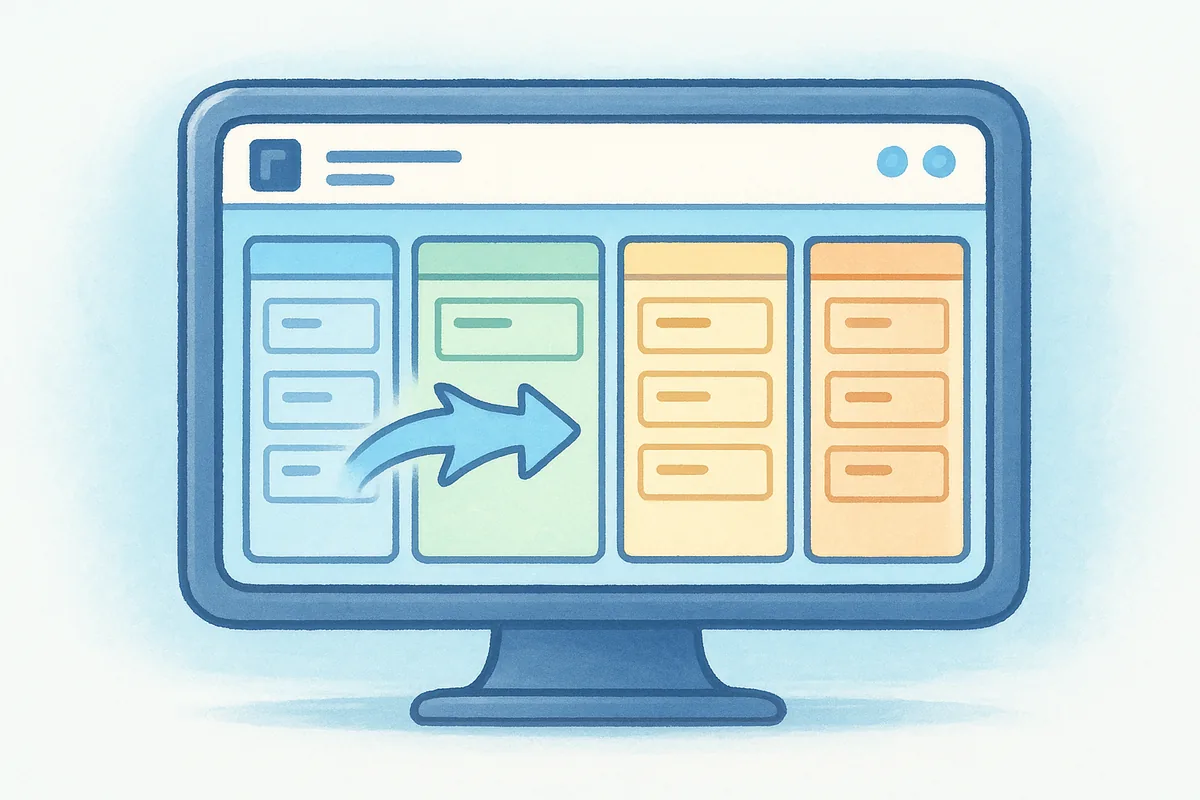
Pipedrive's core strength is its drag-and-drop deal pipeline, one of the cleaner takes on sales pipeline management software, letting reps move opportunities between stages with a single click. You also get email sync with Gmail and Outlook, activity reminders that nudge reps toward the next step, and customizable fields for tracking whatever data your sales process actually needs. Higher tiers add revenue forecasting and basic automation.
Best for
Small to mid-sized sales teams that want a simple, visual pipeline without a steep learning curve fit best here. It also suits reps who prefer a tool built around daily deal management rather than broader marketing or service features.
Pricing
Plans start at $14 per user per month for the Essential tier, with automation, forecasting, and advanced reporting locked behind Advanced and Professional tiers priced higher.
A clean pipeline view sells the demo, but check which tier actually unlocks automation before you commit.
Pros and cons
- •Pro: Intuitive, visual interface that reps adopt quickly.
- •Pro: Strong email sync and activity tracking out of the box.
- •Con: Automation and advanced reporting require pricier tiers, which pushes some teams toward Pipedrive alternatives with flatter pricing.
- •Con: Limited built-in marketing tools compared to broader platforms.
7. monday.com CRM
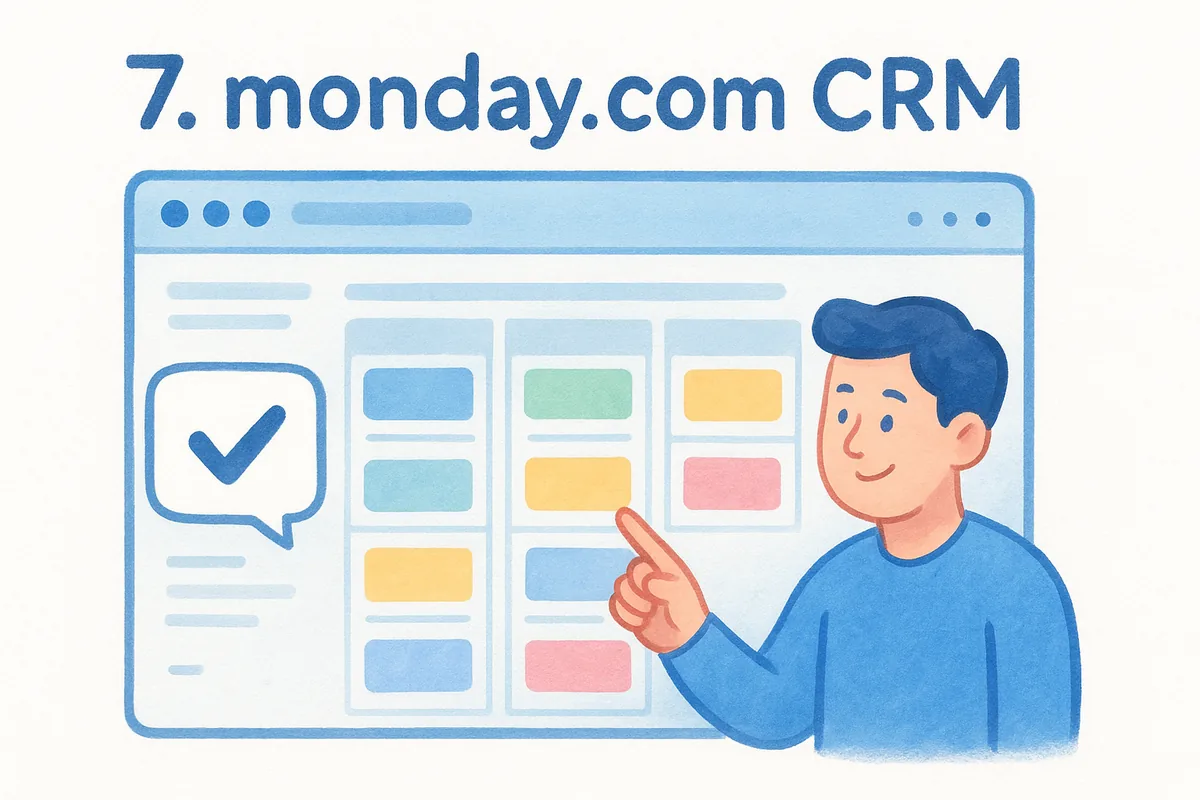
monday.com started as a project management tool and built its CRM on top of that same board-based structure. Teams that already run marketing campaigns, product roadmaps, or client onboarding through monday's boards can add a sales pipeline without asking reps to learn a second system. That flexibility is the whole pitch here: instead of a fixed pipeline layout, you build views that match how your team actually tracks work.
Key features
Columns and boards form the backbone of everything, letting you customize deal stages, add automation rules, and pull in data from other monday boards your team already uses. You also get email sync, customizable dashboards, and no-code automations that trigger actions like status changes or notifications when a deal moves stages.
Best for
This platform suits teams that already use monday.com for project management and want their sales pipeline in the same place. It also fits businesses that value flexible, visual layouts over a rigid, pre-built CRM structure.
Pricing
Plans start around $12 per user per month for the Basic CRM tier, with automation limits and advanced reporting reserved for Standard and Pro tiers priced higher per seat.
A board-style CRM works best for teams that already think in boards, not pipelines.
Pros and cons
- •Pro: Highly flexible views that adapt to non-standard sales processes.
- •Pro: Strong fit for teams already using monday.com elsewhere.
- •Con: Automation runs are capped on lower tiers.
- •Con: Can feel like a retrofit rather than a purpose-built CRM, unlike a Monday.com CRM alternative built for sales.
8. Freshsales
Freshsales, part of the Freshworks family, built its CRM around one strong differentiator: a built-in phone system that most competitors treat as a paid add-on or third-party integration. Sales teams that spend a lot of time on the phone find this saves both money and setup time, since calling, recording, and logging happen natively instead of through a bolted-on connector.
Key features
Freshsales includes native calling with call recording, an AI assistant called Freddy that scores leads and flags deals at risk, and a visual deal pipeline with customizable stages. You also get email tracking, built-in chat, and workflow automation that triggers tasks or notifications based on deal activity, all without needing a separate telephony tool bolted on.
Best for
Small to mid-sized teams that rely heavily on phone outreach fit best here, especially those who don't want to pay extra for a dialer integration. It also suits teams wanting AI-driven lead scoring without jumping to an enterprise-tier CRM.
Pricing
Plans start at $9 per user per month for the Growth tier, with Freddy AI features and advanced automation reserved for Pro and Enterprise tiers priced higher per seat.
A CRM with calling built in beats one where you're paying a third party just to pick up the phone.
Pros and cons
- •Pro: Native phone system saves on separate dialer costs.
- •Pro: AI lead scoring works well even on mid-tier plans.
- •Con: Advanced automation and reporting require higher tiers.
- •Con: Interface customization feels limited compared to broader platforms.
9. Zendesk Sell
Zendesk built its name on customer support ticketing, and its Sell product carries that DNA straight into the sales pipeline. Support-heavy organizations that already run Zendesk for tickets get a real advantage here, since sales reps can see a prospect's support history right next to their deal record. That tie-in makes Zendesk Sell one of the more practical popular CRM software picks for companies where sales and support teams work the same accounts.
Key features
Zendesk Sell includes a visual pipeline, built-in email and calling tools, and native access to Zendesk's support ticket data for any linked contact. You also get sales automation, lead scoring, and reporting dashboards that pull performance data across both sales and support interactions, which matters when renewal decisions depend on support history.
Best for
Organizations already using Zendesk for customer support fit best here, especially teams where account managers need visibility into open tickets before renewal conversations. It also suits mid-sized sales teams that want calling and email built in without a separate integration.
Pricing
Plans start at $19 per user per month for the Sell Team tier, with advanced automation and forecasting features reserved for Growth and Professional tiers priced higher per seat.
A shared record between sales and support beats toggling between two separate logins during every renewal call.
Pros and cons
- •Pro: Native tie-in with Zendesk support tickets and history.
- •Pro: Built-in calling and email reduce the need for add-ons.
- •Con: Less valuable if you don't already use Zendesk for support.
- •Con: Advanced reporting sits behind pricier tiers.
10. Copper
Copper built its CRM specifically for teams that live inside Google Workspace, and that focus shows in every corner of the product. Gmail becomes the CRM instead of a separate app you switch to, which cuts down on the double-entry that plagues teams bolting a CRM onto their existing inbox. If your sales team already runs Gmail, Google Calendar, and Google Drive for everything else, Copper slots in with almost no retraining.
Key features
Copper's native Gmail integration pulls contact details, email threads, and calendar events directly into deal records without a separate sync step. You also get a visual pipeline, automated data entry that logs calls and meetings from your calendar, and workflow automation for routine follow-ups. Reporting stays fairly basic compared to broader platforms, but it covers the pipeline metrics most small teams check daily.
Best for
Teams already running their business through Google Workspace fit best here, especially small sales teams that want their CRM to feel like an extension of Gmail rather than a separate destination. It's a weaker fit for teams standardized on Outlook.
Pricing
Plans start at $9 per user per month for the Basic tier, with automation and advanced reporting reserved for Professional and Business tiers priced higher per seat.
A CRM that lives inside Gmail beats one you have to remember to open.
Pros and cons
- •Pro: Deep, native integration with Gmail and Google Calendar.
- •Pro: Low learning curve for Google Workspace teams.
- •Con: Limited value for teams using Outlook instead.
- •Con: Reporting depth lags behind more robust competitors.
11. Nutshell
Nutshell built its CRM for small B2B sales teams that want pipeline tracking and email outreach without learning a sprawling platform. The company markets itself directly at businesses switching off spreadsheets or outgrowing a free CRM, and that focus keeps the interface simple. If you've tried a popular CRM software platform that felt like overkill for a five-person sales team, Nutshell sits at the opposite end of that spectrum.
Key features
Nutshell includes a visual pipeline, built-in email sequences for automated follow-ups, and contact management with activity timelines. You also get sales automation for task reminders, a reporting suite with pipeline and team performance views, and native integrations with Google Workspace and Microsoft 365 for calendar and contact syncing.
Best for
This platform suits small B2B sales teams that want email sequences and pipeline tracking bundled together without a steep setup process. It also fits teams that value phone support during onboarding, since Nutshell offers live customer service on every plan tier.
Pricing
Plans start at $16 per user per month for the Foundation tier, with advanced reporting and multiple pipelines reserved for the Pro and Power AI tiers priced higher per seat.
Built-in email sequences save small teams from paying for a separate outreach tool just to follow up consistently.
Pros and cons
- •Pro: Built-in email sequences reduce the need for a separate outreach tool.
- •Pro: Straightforward setup that suits small teams without dedicated admin support.
- •Con: Limited customization compared to larger platforms like Zoho or Salesforce.
- •Con: Reporting depth thins out on the entry-level tier.
12. Bitrix24
Bitrix24 packs an entire office suite around its CRM core, bundling tasks, chat, video calls, and document storage into one login. Businesses drawn to an all-in-one suite often land here specifically because they'd otherwise pay for five separate tools. The tradeoff shows up in complexity: with this many modules bolted together, new admins spend real time figuring out which settings actually matter for sales.
Key features
Core CRM tools cover a visual pipeline, lead and deal management, and email marketing campaigns. Layered on top, you get built-in team chat, video conferencing, task and project boards, and even an HR module for time tracking. Automation rules connect these pieces, so a closed deal can trigger a task assignment or a chat notification without extra setup.
Best for
Companies wanting bundled tasks, chat, and CRM under one roof fit best here, especially smaller teams that can't justify separate subscriptions for project management and internal messaging. It's a weaker choice for teams that just want a clean, focused sales pipeline without extra apps competing for attention.
Pricing
A free plan covers basic CRM and unlimited users, which stands out among popular CRM software options. Paid plans start around $61 per organization per month rather than per user, which can favor larger teams but confuses smaller ones comparing costs against per-seat competitors.
Per-organization pricing sounds cheap until you're the only one on the team actually using the CRM features.
Pros and cons
- •Pro: Free tier includes unlimited users and core CRM functions.
- •Pro: Bundles project management and internal chat, cutting other software costs.
- •Con: Interface complexity overwhelms teams wanting a simple pipeline.
- •Con: Per-organization pricing can confuse cost comparisons for small teams.
13. Insightly
Insightly built its CRM around a simple idea: sales and project delivery shouldn't live in separate tools. Once a deal closes, the same record carries forward into a project workspace, so account managers and delivery teams work from one history instead of exporting data into a second app. Teams that sell services or manage long implementation cycles tend to find this handoff saves real time compared to juggling a CRM and a project tool separately.
Key features
Insightly includes a built-in project management module that converts won deals into tracked projects with milestones and tasks. You also get a customizable pipeline, workflow automation, and relationship mapping that shows how contacts at an account connect to each other, which helps when multiple stakeholders are involved in a single deal.
Best for
Project-driven sales teams fit best here, especially agencies, consultancies, and B2B service businesses that need to track delivery after the sale closes. It's a weaker fit for transactional sales teams that don't need a project layer at all.
A CRM that hands off cleanly into project delivery saves you from rebuilding the same account history twice.
Pricing
Plans start at $29 per user per month for the Plus tier, with advanced automation and custom reporting reserved for Professional and Enterprise tiers priced higher per seat.
Pros and cons
- •Pro: Native handoff from closed deals into project tracking.
- •Pro: Relationship mapping clarifies complex, multi-stakeholder accounts.
- •Con: Entry pricing runs higher than most comparable CRMs.
- •Con: Interface feels less polished than newer competitors.
14. Types of CRM software explained
Not every CRM on this list solves the same problem, because CRM software actually splits into three distinct types of CRM, and confusing them wastes evaluation time. Operational CRM tools, like Pipedrive or Vedain, focus on running your day-to-day sales process: pipeline stages, email sync, task reminders. Analytical CRMs lean harder into reporting and forecasting, pulling historical deal data to predict revenue and flag risk, which is where platforms like Salesforce and Zoho pull ahead once you're on higher tiers. Collaborative CRMs prioritize shared visibility across departments, so sales, support, and marketing all work from the same contact record, a strength you see in Zendesk Sell's ticket tie-in or HubSpot's cross-hub data.
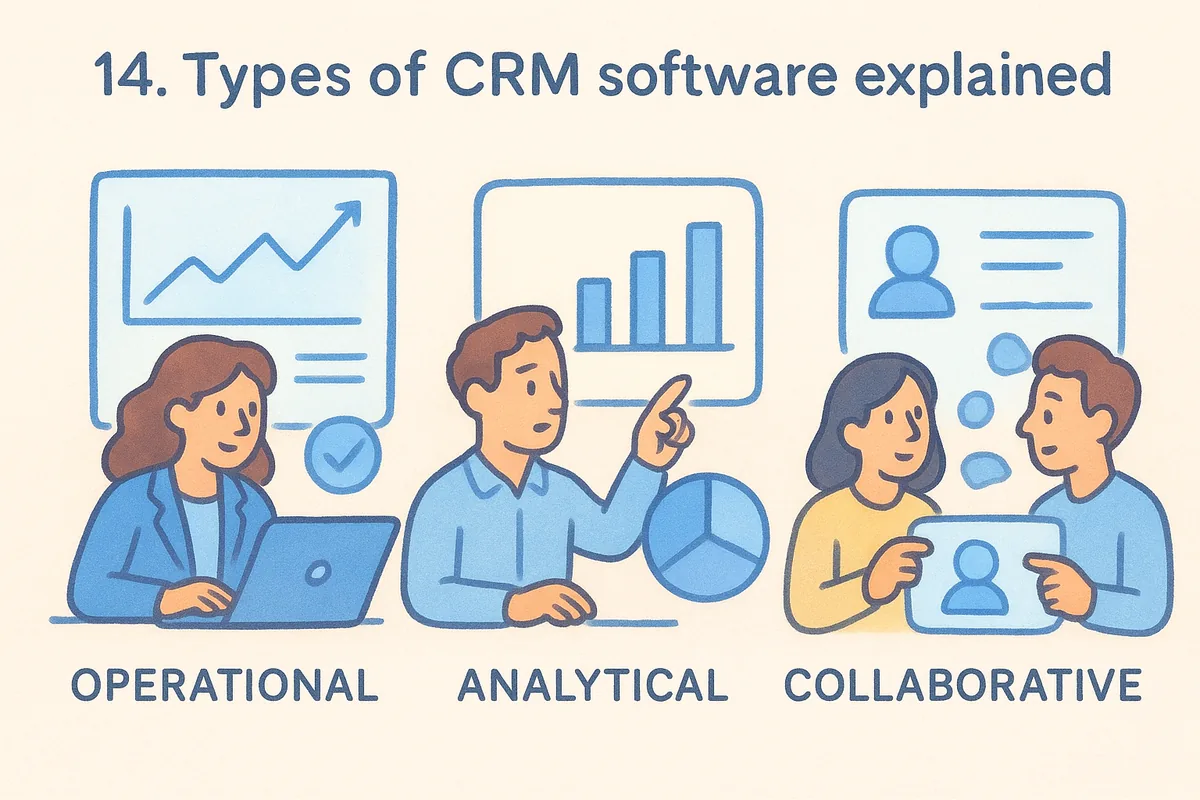
Most popular CRM software platforms today blend all three to some degree, but they still lean one direction. Knowing which lean matters more than reading a generic feature list.
A CRM built for reporting won't feel the same day-to-day as one built for moving deals, even if both call themselves "full-featured."
Deployment model matters too. Cloud-based CRMs, which cover every tool in this list, run through a browser with no server to maintain, and updates roll out automatically. On-premise CRMs still exist in industries with strict data residency rules, but they require IT staff most small teams don't have. Here's a quick way to sort the type you actually need:
- •Operational: you need reps moving deals faster, not more dashboards.
- •Analytical: leadership needs forecasting accuracy more than pipeline speed.
- •Collaborative: sales and support already fight over the same accounts.
15. How to choose the right CRM for your business
Picking from a list of popular CRM software only gets you halfway there, so it helps to work through a structured process for choosing a CRM. The real decision comes down to matching a platform's strengths to how your team actually sells, not to which brand shows up first in search results. Start by mapping your current process: how leads arrive, how many stages a deal moves through, and who touches a record before it closes. That map tells you more than any feature comparison chart ever will.
The best CRM is the one your team still uses six months after the free trial ends.
Next, price out the real cost of a CRM, not the sticker price. Vendors love to advertise a low entry tier, then charge extra for email sync, automation, or reporting once you actually need them. Run the math on what your team needs today and in a year, since a best CRM tool for five reps looks different than one for fifty.
Use this checklist before you commit:
- •Team size and growth plan: does pricing scale per seat or per organization?
- •Existing tools: does the CRM sync natively with your email provider and calendar?
- •Automation needs: is workflow automation included, or locked behind a higher tier?
- •Reporting depth: can leadership get forecasting data without exporting to a spreadsheet?
- •Onboarding time: can reps start using it within a week, or does it need a dedicated admin?
Whichever platform you shortlist, run a real trial with actual deals in it. Demos hide friction that only shows up once your team logs daily activity.
16. Frequently asked questions about CRM software
What is the most popular CRM software right now?
HubSpot and Salesforce hold the largest market share by user count, but "popular" doesn't always mean "best fit." Vedain CRM has grown quickly among teams that want the same core features without the tiered pricing that pushes automation and reporting into pricier plans.
What's the best CRM tool for a small team?
Small teams usually do best with a flat-rate, all-inclusive CRM rather than one that grows more expensive as they add features. Look for native email sync, a visual pipeline, and automation that doesn't require an upgrade to actually use.
How much should I expect to pay per user?
Most of the best sales CRM tools on this list start between $9 and $16 per user per month, though the real cost often climbs once you add automation, reporting, or higher contact limits. Vedain keeps its $10 rate flat regardless of which features you turn on.
A CRM's advertised price rarely matches what you'll actually pay once your team needs real automation.
Can I switch CRMs without losing my data?
Yes, nearly every platform on this list supports CSV import and export, so contacts, deals, and notes transfer over. Budget a few days for cleanup, since field mapping between two different CRMs is never a perfect match.
Do I need a CRM if my team is small?
Once you're tracking more than a handful of deals in a spreadsheet, a CRM saves time almost immediately. Even a two-person sales team benefits from pipeline visibility and automated follow-up reminders that a spreadsheet can't provide.
Picking the CRM that fits your team
Twelve platforms, one clear pattern: the best CRM tool for your business is the one that matches your actual sales process, not the one with the flashiest demo. Enterprises with dedicated admins can justify Salesforce's complexity. Google Workspace teams get real value from Copper. Support-heavy orgs benefit from Zendesk Sell's ticket tie-in. But most small and mid-sized sales teams just need a clean pipeline, working email sync, and automation that doesn't require a plan upgrade to switch on.
That's the gap Vedain fills. You get the full platform, warmup, workflows, reporting, AI agents, at one flat $10 per seat, with no feature gates waiting to surprise you three months in. Compare it against the rest, run the numbers on your own team size, and see how the pricing actually holds up. When you're ready to stop guessing what your next invoice looks like, see every plan and what's included and start your trial today.
Frequently Asked Questions
What is the most popular CRM software right now?
HubSpot and Salesforce hold the largest market share by user count, but "popular" doesn't always mean "best fit." Vedain CRM has grown quickly among teams that want the same core features without the tiered pricing that pushes automation and reporting into pricier plans.
What's the best CRM tool for a small team?
Small teams usually do best with a flat-rate, all-inclusive CRM rather than one that grows more expensive as they add features. Look for native email sync , a visual pipeline, and automation that doesn't require an upgrade to actually use.
How much should I expect to pay per user?
Most of the best sales CRM tools on this list start between $9 and $16 per user per month, though the real cost often climbs once you add automation, reporting, or higher contact limits. Vedain keeps its $10 rate flat regardless of which features you turn on. A CRM's advertised price rarely matches what you'll actually pay once your team needs real automation.
Can I switch CRMs without losing my data?
Yes, nearly every platform on this list supports CSV import and export, so contacts, deals, and notes transfer over. Budget a few days for cleanup, since field mapping between two different CRMs is never a perfect match.
Do I need a CRM if my team is small?
Once you're tracking more than a handful of deals in a spreadsheet, a CRM saves time almost immediately. Even a two-person sales team benefits from pipeline visibility and automated follow-up reminders that a spreadsheet can't provide.