This list answers the real question: which CRMs actually handle agency workflows, like managing multiple client accounts, tracking retainer deals, and automating outreach, without charging you for every feature you touch, and if you want a wider view, our roundup of CRMs built for agencies covers more options. We looked at pricing transparency, ease of setup, and whether the automation and email tools work out of the box instead of living behind a paywall.
You'll find nine platforms here, from enterprise-grade suites to lean, flat-rate options built for teams that want fast implementation and no surprises on the invoice. We'll break down pipeline management, email integration, and automation capabilities for each one, so you can match the tool to how your agency actually operates in 2026.
1. Vedain CRM
Vedain CRM built its entire pricing model around the exact frustration agencies run into with other platforms: paying more every time you need a feature that should already be included. At $10 per user per month, you get the full platform, not a stripped-down starter tier that pushes you toward an upsell six months later. For a crm for digital agencies managing dozens of client accounts and retainer deals at once, that flat rate changes how you budget for growth, since adding a new account manager doesn't mean re-negotiating your software costs.
The real test of an agency CRM isn't what it can do, it's what you still have to pay extra for once you're locked in.
Key features
Setup takes under five minutes, and you don't need a credit card to start the trial, which matters when you're evaluating tools between client calls instead of during a dedicated onboarding sprint. Vedain's visual Kanban pipeline lets you track every client deal and project handoff stage by stage, so account managers can see exactly where a prospect sits without digging through spreadsheets. Two-way email sync with Gmail and Outlook means your team's client correspondence lives inside the CRM automatically, no manual logging required.
- •Leads & Contacts management with custom fields, smart filters, and notes for tracking agency-specific details like retainer value or contract renewal dates
- •No-code Workflows builder for automating follow-ups, task assignments, and client onboarding sequences
- •Email Warmup that improves domain deliverability over 21 days, useful for agencies running cold email outreach for new business
- •Multi-step Email Campaigns for nurturing leads before they ever talk to a strategist
- •AI Agent Marketplace with 30+ pre-built agents for data enrichment and content generation, similar to the AI sales agents worth knowing in 2026
- •LinkedIn Automation for scheduling AI-generated posts, handy for agencies that pitch through personal branding
- •Custom Dashboards and Reports & Analytics, including conversion funnels and team leaderboards, to show clients and leadership real pipeline health
The AI Studio feature deserves a specific mention. It lets you build custom CRM features by describing what you need in plain English, which means agencies with unusual reporting requirements or client-specific workflows don't have to wait on a developer or a support ticket.
Best for
Digital agencies of any size, but especially teams of 5 to 50 who are tired of watching their CRM bill climb every time they add a user or unlock a feature they assumed was standard. Owners who've been burned by tiered pricing on platforms like HubSpot or Zoho, where the entry-level plan looks affordable until you need automation, email sync, or more than a handful of custom fields, will notice the difference immediately. Multi-client agencies running several pipelines at once benefit from the granular, module-level team permissions, since you can give a junior account manager access to their own deals without exposing every client relationship in the account.
Organizations that prioritize speed over deep customization fit especially well here. If your team wants a working sales operating system today rather than a six-week implementation project, Vedain's setup time and no-code automation builder solve that directly.
Pricing
Pricing stays simple: one plan, $10 per user per month, with every feature included. There's no separate tier for automation, no add-on cost for email warmup, and no cap on records that forces you to upgrade once your contact list grows past a few thousand entries. That transparency is the core differentiator Vedain leans on against competitors like Salesforce and HubSpot, where the advertised price rarely matches what you actually pay once your team needs workflows, reporting, or more seats.
Agencies running lean or scaling fast both land in the same pricing bracket, which makes forecasting software spend far easier when you're pitching new retainers and need to know your overhead won't shift mid-quarter. You can start a free trial without entering a card number, so you can test the pipeline and automation tools against your actual client workflow before committing. Check the full CRM pricing comparison to see how it stacks up against what you're paying now.
2. HubSpot Sales Hub
HubSpot Sales Hub is often the first name agency owners hear when researching a crm for digital agencies, mostly because of its brand recognition and a free plan that gets mentioned in every "best CRM" roundup. The platform bundles a CRM with marketing and service tools under one roof, which appeals to agencies that run client marketing campaigns alongside their own sales pipeline. That free tier works as a gateway rather than a destination, though, and most growing agencies outgrow it within a few months of real use.
Key features
HubSpot's core pipeline view lets you drag deals across stages, log calls, and track email opens without leaving the browser tab, which covers the basics any agency sales team expects. Two-way sync with Gmail and Outlook keeps client emails inside the CRM, and email tracking paired with a built-in meeting scheduler removes a lot of back-and-forth on new business calls. Custom reporting dashboards show deal velocity and win rates by rep, which helps owners see which account managers are actually closing retainers versus just filling the pipeline with stalled deals.
- •Deal pipeline with customizable stages and deal rotting alerts
- •Email tracking, templates, and automated sequences
- •Meeting scheduler synced to team calendars
- •Reporting dashboards for rep and team performance
- •Marketing Hub integration for shared contact and campaign data
Best for
Agencies already running HubSpot Marketing Hub, or planning to invest heavily in inbound content, get the most out of Sales Hub because the shared contact database eliminates double entry between marketing and sales teams. Larger shops with a dedicated RevOps person who can manage workflow complexity will extract more value here than a five-person agency trying to configure automation without technical support on staff.
Pricing
Pricing starts free for a couple of users with limited features, but the useful automation and reporting tools sit behind paid tiers that climb fast once your team grows past the basics, as the Sales Hub seat minimums and hidden costs make clear.
A CRM that's free to start but requires four figures a month by the time you need real automation isn't actually the affordable option it looks like on day one.
Most agencies land on Professional once they need forecasting and sequences, and that's where the monthly bill starts competing with a junior hire's salary rather than a software line item, which is why plenty of teams start comparing cheaper HubSpot alternatives.
3. Pipedrive
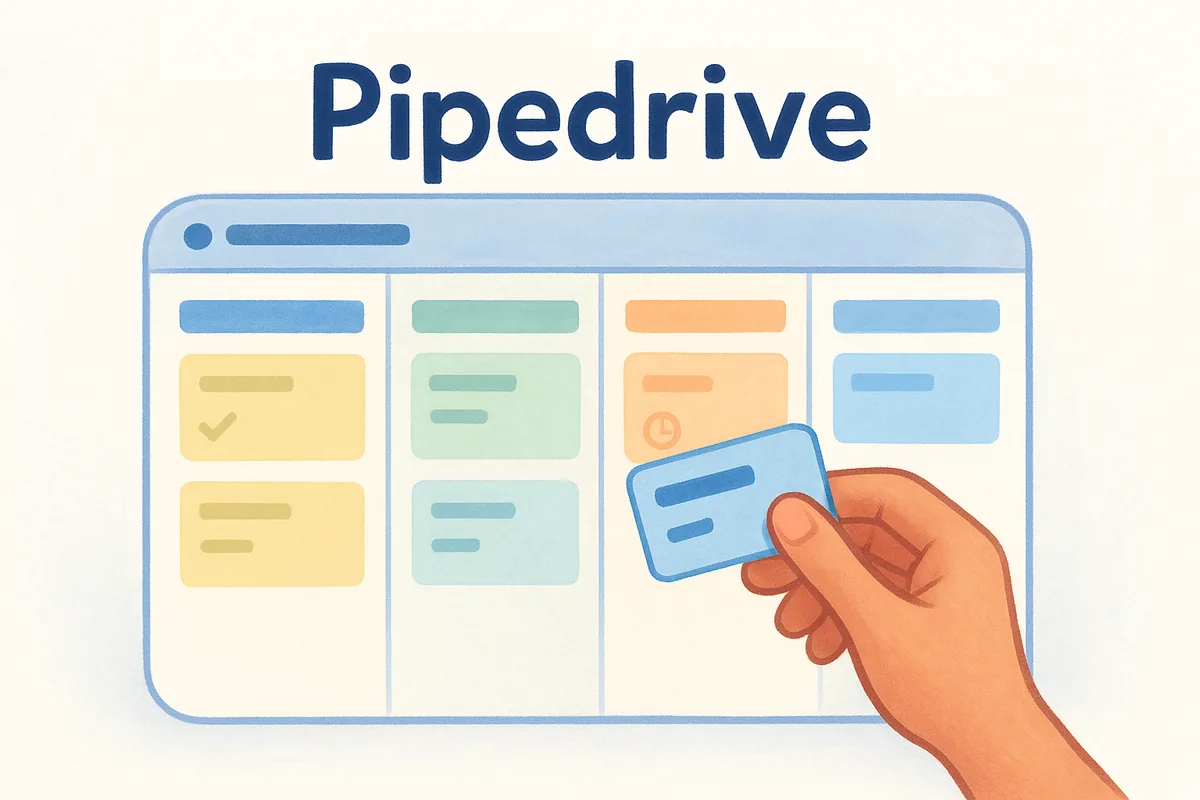
Pipedrive built its reputation on a visual pipeline that's genuinely easy to look at, which is why so many agency owners try it after getting overwhelmed by heavier platforms. It's a sales-first tool, not a bundled suite, so you won't find marketing automation or a service desk bolted on. For agencies that just want a clean, fast crm for digital agencies to track deals without a learning curve, that narrow focus is often the appeal rather than a limitation.
Key features
Deals move across a drag-and-drop board that's arguably the most polished in this list, and Pipedrive's activity-based selling model nudges reps to log the next call or email before they can move a deal forward. Email integration syncs with Gmail and Outlook, though full two-way sync and open tracking require a step up from the entry plan. Its automation builder handles basic if-this-then-that workflows, and the built-in AI features can draft emails or summarize deal activity, which saves time on routine client follow-ups.
- •Visual, customizable Kanban pipeline with multiple pipeline views per team
- •Activity reminders that flag deals with no scheduled next step
- •Basic-to-mid-tier workflow automation depending on plan
- •Email sync, templates, and open/click tracking
- •Forecasting and revenue reports by pipeline stage
Best for
Small agency sales teams that want a simple, visual pipeline without wading through a bloated feature set fit Pipedrive well. It suits shops where one or two people own new business and just need to see what's stalling and what's about to close, rather than agencies running complex multi-department workflows across sales, delivery, and account management.
A pipeline tool that's pleasant to use every day beats a feature-packed CRM your team quietly avoids opening.
Owners coming from spreadsheets often pick Pipedrive first because the interface requires almost no training, and reps adopt it within a day. That said, agencies that need deep automation, custom permission structures, or built-in email warmup for cold outreach will hit the ceiling of what Pipedrive offers without add-ons, a gap the Pipedrive alternative with LinkedIn and WhatsApp built in closes.
Pricing
Pipedrive's pricing scales by plan tier rather than a flat per-seat rate, and the features you actually need for agency work, like automation and revenue forecasting, sit on the higher tiers.
Agencies often start on Essential to test the pipeline, then find themselves upgrading to Advanced or Professional within a quarter once they need automation or forecasting that the base tier doesn't include. That upgrade path is worth mapping out before you commit, since the plan that looked cheapest in your trial isn't usually the one you'll settle on.
4. Zoho CRM
Zoho CRM sits at the center of a much bigger ecosystem, Zoho's own suite of dozens of business apps, which makes it appealing to agencies already running Zoho Books, Zoho Projects, or Zoho Campaigns. As a standalone crm for digital agencies, it packs an enormous amount of functionality into the interface, sometimes more than a lean agency team actually needs. That depth is Zoho's biggest strength and its biggest usability tax at the same time, since new hires often need real onboarding time before they're comfortable understanding how Zoho CRM works.
Key features
Zoho's pipeline management covers multiple deal stages, custom modules, and blueprint automation that can enforce specific steps before a deal moves forward, useful for agencies with a strict qualification process before a lead becomes a client. Zia, Zoho's built-in AI assistant, scores leads, predicts deal outcomes, and flags anomalies in your pipeline data, which adds a layer of intelligence smaller tools skip entirely. Email integration syncs with Gmail and Outlook, and the platform supports multichannel outreach across email, social, and even telephony if you add the right modules.
- •Customizable pipelines with blueprint-based process automation
- •Zia AI for lead scoring, forecasting, and sentiment analysis
- •Multichannel communication hub, including email, social, and telephony
- •Marketplace with hundreds of third-party extensions
- •Deep integration with the rest of the Zoho One suite
The more an ecosystem promises to do, the more time your team spends configuring it instead of selling.
Best for
Agencies already invested in other Zoho products get the most value here, since the shared data layer across apps cuts down on the manual syncing you'd otherwise handle with Zapier or a similar connector. Larger agencies with a dedicated ops person who enjoys configuring workflow automation and custom modules will find plenty to build on. Smaller teams without that bandwidth often end up using a fraction of what they're paying for, which is worth weighing honestly before you sign an annual contract.
Pricing
Zoho's tiered structure looks affordable at the entry level, but the automation, AI scoring, and advanced customization agencies actually want live on the higher plans.
Most agencies that want Zia's forecasting and blueprint automation end up on Enterprise, which puts the realistic cost well above the entry price quoted in most comparisons. Annual billing brings the per-seat rate down somewhat, but budget for the tier you'll actually use, not the one in the ads, and it's worth weighing cheaper CRMs that replace Zoho before you sign.
5. Monday sales CRM
Monday sales CRM grew out of Monday.com's project management roots, so it feels less like a traditional sales tool and more like a flexible database with pipeline stages bolted on. That heritage shows up in how customizable everything is: boards, columns, automations, all built to be reshaped however your agency wants. For a crm for digital agencies that already runs client work on Monday.com, adding the sales CRM keeps sales and delivery data inside one visual system instead of forcing your team to jump between separate platforms for pitching and fulfillment.
Key features
Boards replace the standard pipeline view, and each one can hold custom columns for anything from retainer value to campaign start dates, which suits agencies with non-standard sales processes that don't fit a rigid stage-by-stage model. Automation recipes handle routine tasks like moving a deal when a status changes or notifying an account manager when a contract is signed, all built through a no-code, plain-language interface. Email integration syncs with Gmail and Outlook, and the platform layers in AI features for drafting follow-ups and summarizing deal notes.
- •Fully customizable boards and columns instead of fixed pipeline stages
- •No-code automation recipes for status changes, notifications, and task creation
- •Email sync with tracking and templates
- •Built-in AI for email drafting and activity summaries
- •Cross-product integration with Monday's project management and marketing boards
A CRM built on flexible boards works great until every team configures theirs differently and nobody can compare pipelines anymore.
Best for
Agencies already running client projects on Monday.com's work management side benefit most, since sales and delivery data live under the same roof without a separate integration to maintain. Teams that want heavy customization, and have someone willing to build and maintain that structure, will get more mileage here than agencies wanting a sales CRM instead of a retrofitted project board that works well out of the box on day one. Owners who like seeing sales pipelines and project timelines on the same dashboard find real value in the crossover, especially when handing off a closed deal to the delivery team.
Pricing
Monday sales CRM prices per seat with a minimum seat count on most plans, which changes the math for smaller agencies compared to tools that let you pay for exactly the headcount you have.
Most agencies land on Standard or Pro once they need real automation and email tracking, and the minimum seat requirement on some plans means a three-person team can end up paying for capacity it doesn't use yet.
6. Salesforce Sales Cloud
Salesforce Sales Cloud is the default answer whenever someone asks what the biggest name in CRM is, and for good reason. It's the most configurable platform on this list, capable of modeling almost any sales process an agency could dream up. But that power comes with a cost most agencies underestimate: Salesforce is built for enterprise IT departments, not lean marketing shops, and treating it as a plug-and-play crm for digital agencies tends to end in a stalled implementation and a consultant invoice nobody budgeted for.
Key features
Salesforce's pipeline management sits inside a fully customizable object model, meaning you can create fields, relationships, and automation rules for literally any business scenario, including agency-specific needs like tracking retainer renewals across multiple business units. Einstein AI layers lead scoring, forecasting, and next-best-action suggestions on top of your pipeline data, which rivals what dedicated data science tools offer elsewhere. Email integration with Gmail and Outlook works well once configured, and the AppExchange marketplace has thousands of add-ons for anything the core platform doesn't cover natively.
- •Fully customizable objects, fields, and automation rules through Flow Builder
- •Einstein AI for lead scoring, forecasting, and deal insights
- •AppExchange marketplace with thousands of third-party integrations
- •Advanced reporting and dashboard builder with granular permission controls
- •Multi-currency and multi-business-unit support for agencies operating across regions
The most powerful CRM on the market only helps you if you have someone whose job is configuring it, not selling with it.
Best for
Larger agencies with 50+ employees, multiple offices, or a dedicated RevOps or Salesforce administrator on staff get real value from Sales Cloud, since someone needs to own the ongoing configuration work. Agencies that have outgrown simpler tools and need airtight permission structures across departments, or that serve enterprise clients who expect Salesforce-level reporting during account reviews, also fit well here. Smaller shops without that internal expertise usually end up paying a consultant just to keep the system usable, which is why many look at lighter Salesforce alternatives instead.
Pricing
Salesforce prices per user with tiers that climb sharply, and most of the automation and AI features agencies actually want live on the higher plans rather than the entry-level Starter tier.
Most agencies that need real forecasting and automation end up on Enterprise or higher, and implementation costs on top of the license fee are common once you factor in setup, data migration, and ongoing admin time. Budget for that total cost, not just the sticker price, before committing a team to it.
7. Productive.io
Productive.io takes a different angle than every other tool on this list: it wasn't built as a sales CRM that agencies adapted, it was built as an agency management platform that happens to include a CRM. Pipeline tracking sits alongside project profitability, resourcing, and time tracking in the same system, which appeals to agency owners who care less about lead scoring and more about whether a client relationship is actually making money once delivery costs get factored in. If you've ever closed a deal in one tool and then watched the numbers fall apart once the project team started billing hours in another, Productive is aimed squarely at that gap.
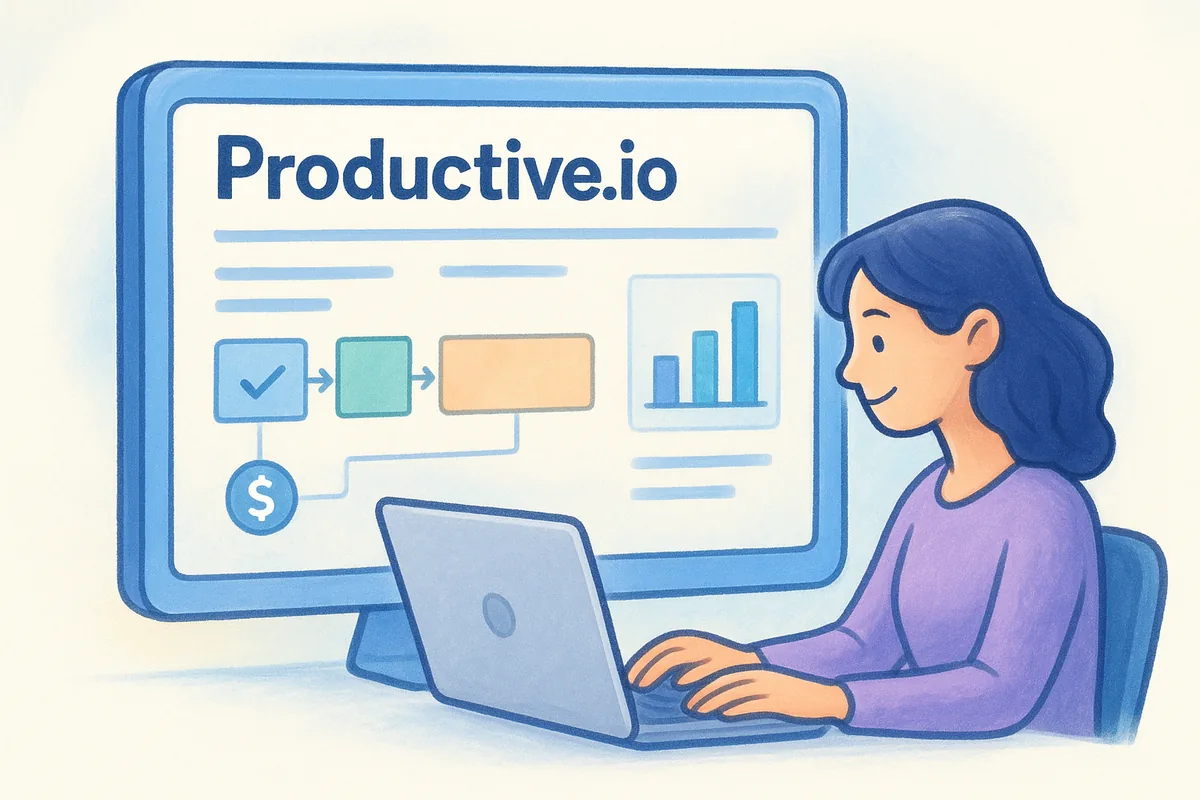
A closed deal that turns into an unprofitable project isn't a sales win, and Productive is built to catch that before it happens.
Key features
Deals move through a standard pipeline view, but the real differentiator is what happens after a deal closes. Productive links the won deal directly to a project budget, so account managers and project leads see estimated versus actual hours in the same place they tracked the sale. Time tracking feeds straight into profitability reports, which matters for agencies billing retainers or fixed-fee projects where scope creep quietly eats margin.
- •Sales pipeline with deal-to-project handoff built in
- •Budgeting and profitability tracking tied to each client account
- •Time tracking and resource planning across teams
- •Invoicing that pulls directly from tracked hours and budgets
- •Reporting on utilization, margin, and project health
Best for
Productive suits service-based agencies where sales and delivery need to share data, not live in separate tools connected by a shaky Zapier integration, much like a CRM built around proposals and retainers. Owners who want to see whether a new client is actually profitable, not just whether the deal closed, will get more value here than from a pure pipeline tool. It's a weaker fit for agencies focused purely on new business volume, since the CRM side is intentionally simpler than dedicated sales platforms; teams evaluating a crm for digital agencies mainly for outbound prospecting will find lighter automation and email tooling than what's available elsewhere on this list.
Pricing
Productive prices per user with tiers built around how much of the platform, beyond the CRM, your agency actually uses.
Agencies that only need the CRM piece often end up paying for project management features they'd rather source elsewhere, so weigh the bundled price against what you'd spend running a lean CRM alongside your existing delivery tools before committing to a full migration.
8. Insightly
Insightly carved out its space by treating the sales-to-delivery handoff as a first-class feature rather than an afterthought bolted onto a pipeline view. It's a genuine crm for digital agencies that need to track a deal through close and then keep watching the relationship as work begins, since the platform links contacts, organizations, and projects together instead of treating them as separate records. Agencies that have watched a signed client disappear into a delivery team's inbox, with no record left in the CRM of what was actually promised, will recognize the exact gap Insightly tries to close.
A CRM that stops tracking a client the moment the contract is signed is only doing half its job.
Key features
Relationship linking sits at the center of Insightly's design, mapping how contacts, organizations, and opportunities connect so an account manager can see every touchpoint a client has had with the agency, not just the deals tied to their name. Insightly AppConnect handles workflow automation across connected apps, letting you trigger tasks or notifications when a deal changes stage without writing code. The built-in project module converts a won opportunity into a tracked project with milestones and tasks, and Google Workspace and Outlook integrations keep email logging automatic, though CRMs with deeper email integration handle sync more thoroughly.
- •Relationship linking across contacts, organizations, and opportunities
- •AppConnect for no-code workflow automation across connected tools
- •Built-in project management module for post-sale delivery tracking
- •Custom objects and validation rules for agency-specific data
- •Mobile app with business card scanning for new business events
Best for
Growing agencies that want sales and early project delivery inside one system, without paying for a full agency management suite like Productive, tend to fit Insightly well. Teams that value relationship mapping over deep marketing automation will get more from this platform than agencies chasing heavy email sequencing or lead nurturing, since Insightly's marketing tools are noticeably lighter than dedicated sales-first CRMs. It suits shops with a moderate deal volume and a hands-on ops person willing to configure AppConnect rules rather than teams wanting automation working the moment they log in.
Pricing
Insightly prices per user with three paid tiers, and the automation and reporting agencies actually want sit on the middle and top plans rather than the entry level.
Smaller agencies often find the jump from Plus to Professional necessary almost immediately, since the automation that makes Insightly worth choosing over a simpler pipeline tool doesn't unlock until that second tier.
9. EngageBay
EngageBay closes out this list as the budget-conscious all-in-one option, bundling CRM, marketing, and support tools into a single platform aimed squarely at small teams that can't justify separate subscriptions for each function. It started as a HubSpot alternative for startups, and that positioning still shows: agencies get a marketing, sales, and service suite instead of a pure pipeline tool, which works well if your shop handles client acquisition and light support requests through the same small team. As a crm for digital agencies watching every line item, EngageBay's low entry price is the main draw, though the feature depth doesn't match dedicated sales platforms further up this list.
Key features
Deals move through a straightforward pipeline view with drag-and-drop stages, and the platform layers in marketing automation that most competitors charge extra for, including email sequences, landing pages, and lead scoring. Two-way email sync covers Gmail and Outlook, and a built-in helpdesk module lets you log support tickets without buying a separate tool once a client relationship moves past the sales stage. The automation builder handles multi-step workflows across marketing and sales, which is a real advantage for agencies running their own lead gen alongside client work.
- •Sales pipeline with customizable stages and deal tracking
- •Marketing automation, including email sequences and landing pages
- •Built-in helpdesk and live chat for client support
- •Lead scoring and basic AI-assisted email drafting
- •Contact and company management with custom fields
Bundling sales, marketing, and support into one cheap plan only pays off if your agency actually uses all three.
Best for
Small agencies and freelancers running lean teams get the most value here, especially shops weighing other budget CRM picks for small teams that don't have room for separate marketing automation and helpdesk software on top of a CRM. Owners who want one login for sales, campaigns, and client support, rather than three connected tools, will appreciate the consolidation more than agencies that already have dedicated platforms for each function. It's a weaker fit for larger teams needing granular permissions or deep customization, since EngageBay's flexibility caps out faster than Zoho or Salesforce once your agency scales past a handful of departments.
Pricing
EngageBay prices per user across four tiers, including a free plan for very small teams testing the waters before committing.
Most agencies outgrow the free plan quickly once they need real automation, and the jump to Growth is where the platform starts feeling genuinely useful for a small sales and marketing team working together.
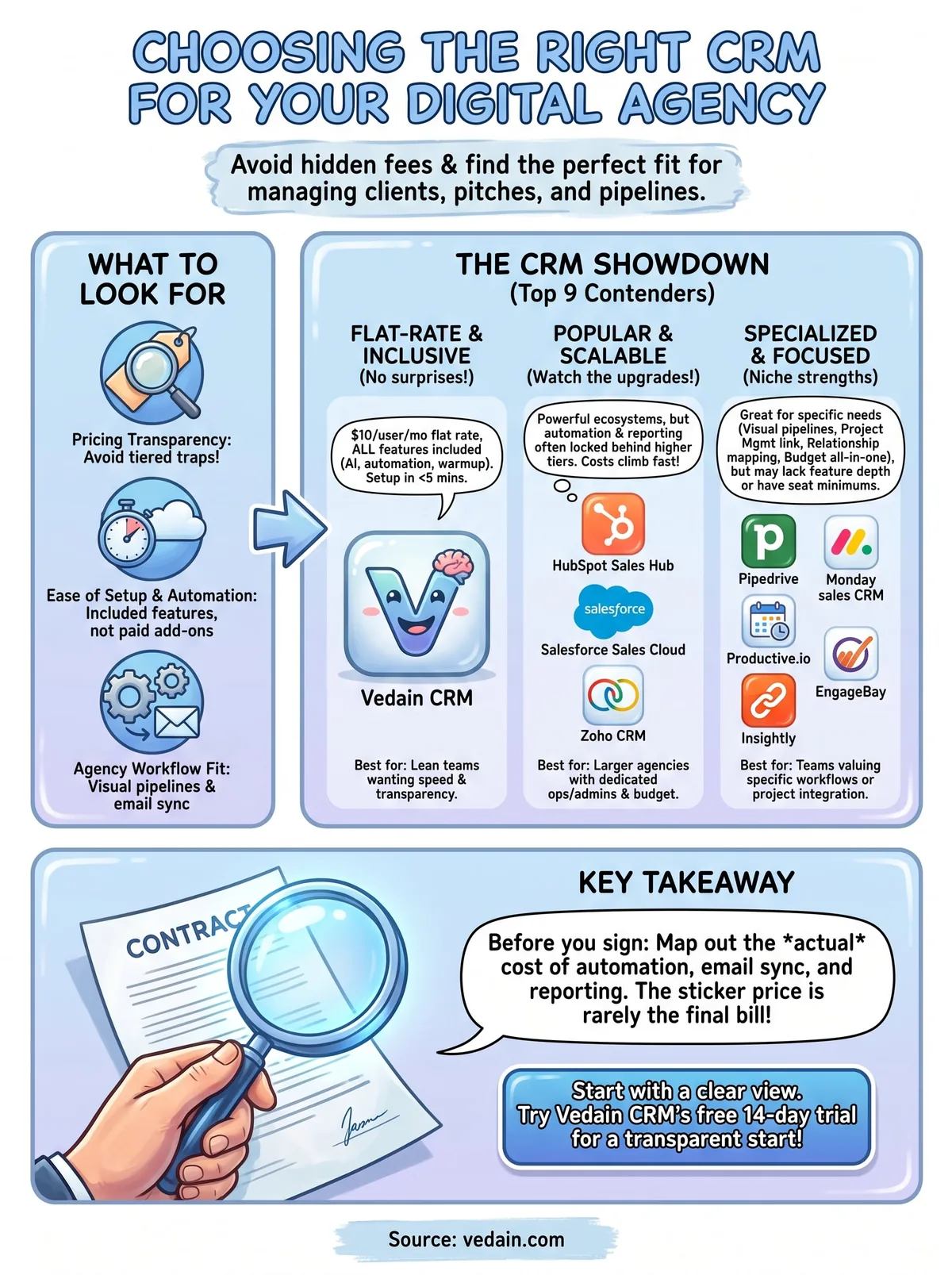
Picking the CRM that fits your agency
Nine tools, nine different bets on what your agency actually needs. Salesforce and Zoho reward teams with a dedicated admin to configure them. Productive and Insightly make sense if sales-to-delivery handoffs are your biggest headache. HubSpot and Pipedrive work fine until you need automation and hit the paywall behind the next tier. EngageBay and Monday sales CRM fit narrower use cases, budget-conscious teams or agencies already living on Monday.com's boards; if your shop leans design-led, the CRM picks for creative agencies cover that angle too.
Before you sign anything, map out what you'll actually pay once you need automation, email sync, and real reporting, not just the sticker price on the landing page. That's where most of these platforms quietly cost more than they first appear to.
If you want one flat rate that already includes pipelines, email sync, workflows, and AI tools without a second tier waiting to unlock them, start a free 14-day trial of Vedain CRM and see how your agency's actual workflow fits.
Related reading
Frequently Asked Questions
What is the best CRM for digital marketing agencies?
The best CRM for digital marketing agencies in 2026: HubSpot — best for agencies that want to showcase their marketing capabilities to prospects by running their own CRM + marketing on HubSpot. Vedain ($10/user) — best for cost-conscious agencies needing full pipeline management without enterprise pricing. Zoho CRM + Zoho Projects — best for agencies needing CRM and project management in one ecosystem. Monday.com CRM — best for agencies already using Monday for project management. Pipedrive ($34/user) — best for agencies focused on outbound new business development.
How do digital agencies track client retainers in CRM?
Digital agencies track retainers in CRM by: (1) Converting closed deals to active 'Account' records with retainer start date, monthly value, and renewal date. (2) Setting monthly check-in tasks with each retainer client. (3) Tracking retainer health with custom fields: NPS score, scope creep flag, at-risk status. (4) Setting renewal reminder tasks 90, 60, and 30 days before contract end. (5) Logging campaign performance discussions as activities on the account. (6) Creating a renewal pipeline to track upsell opportunities across the agency's retainer base.
Should a digital agency use a CRM or project management software?
Digital agencies need both — for different purposes. CRM tracks new business pipeline and client relationship history. Project management software (Asana, Monday, ClickUp) tracks project tasks, deadlines, and deliverables. The integration point is: closed CRM deal → new PM project (automate this handoff). Many agencies try to use PM software as CRM or CRM as PM software — both fail. HubSpot + Asana or Zoho CRM + Zoho Projects are common integrations that keep the two functions separate but connected.
What CRM features are most important for a 10-person digital agency?
Most important CRM features for a 10-person digital agency: (1) Proposal/quote tracking pipeline (service type, monthly value, start date). (2) Client contact management with role mapping (who's the decision-maker vs. day-to-day contact). (3) Email tracking to see when proposals were opened. (4) Meeting note logging after discovery calls and pitches. (5) Retainer renewal tracking with automated reminders. (6) Agency revenue reporting — MRR by client, team utilization, and pipeline value. (7) Integration with agency project management tool (Asana, Monday, ClickUp).
Can HubSpot manage agency client relationships?
Yes, HubSpot manages agency client relationships effectively. Agencies use HubSpot for: new business pipeline (contact → proposal → close), client communication history, retainer renewal tracking as opportunities in pipeline, and email sequences for prospect nurturing. HubSpot's advantage for agencies: if you recommend HubSpot to clients, running your agency on HubSpot gives you credibility and hands-on expertise. The limitation: HubSpot doesn't have native project management — integrate with Asana or ClickUp for delivery tracking.
What is the average CRM spend for a digital agency?
Average CRM spend for digital agencies in 2026 by size: 1-5 person agency — HubSpot free or $20-50/month (1-2 paid users). 5-15 person agency — $50-500/month (HubSpot Starter, Pipedrive, or Vedain). 15-50 person agency — $200-1,500/month (HubSpot Professional, Salesforce, or mid-tier CRM). 50+ person agency — $1,000-5,000/month (enterprise CRM + project management integration). Most agency owners underinvest in CRM — a $100-300/month CRM that catches one additional retainer renewal per quarter (at $5,000-20,000/month) generates 20-80x ROI.