If you're comparing options right now, you want a straight answer: which tools actually handle quotes well, and which ones bury that feature behind an enterprise tier you don't need. We looked at pricing transparency, e-signature and approval workflows, CRM integration, and how quickly a rep can turn a deal stage into a sent quote.
Below you'll find 10 quotation tools worth your time in 2026, including full CRM platforms reviewed side by side like Vedain that build quoting directly into the deal pipeline, standalone quote builders, and a few enterprise-grade options for teams with complex approval chains. Each entry covers pricing, standout features, and who it fits best.
1. Vedain CRM
Most CRMs treat quoting as an afterthought bolted onto the deal record. Vedain CRM builds it into the pipeline itself, so a rep can move a deal to "Proposal Sent" and generate a quote from the same screen where they're already tracking the conversation. That matters because the biggest quoting problem isn't the document, it's the disconnect between where you manage the relationship and where you produce the paperwork. Vedain closes that gap with quotes and proposals built into the CRM, and it does it at a flat rate that undercuts most of the tools later in this list.
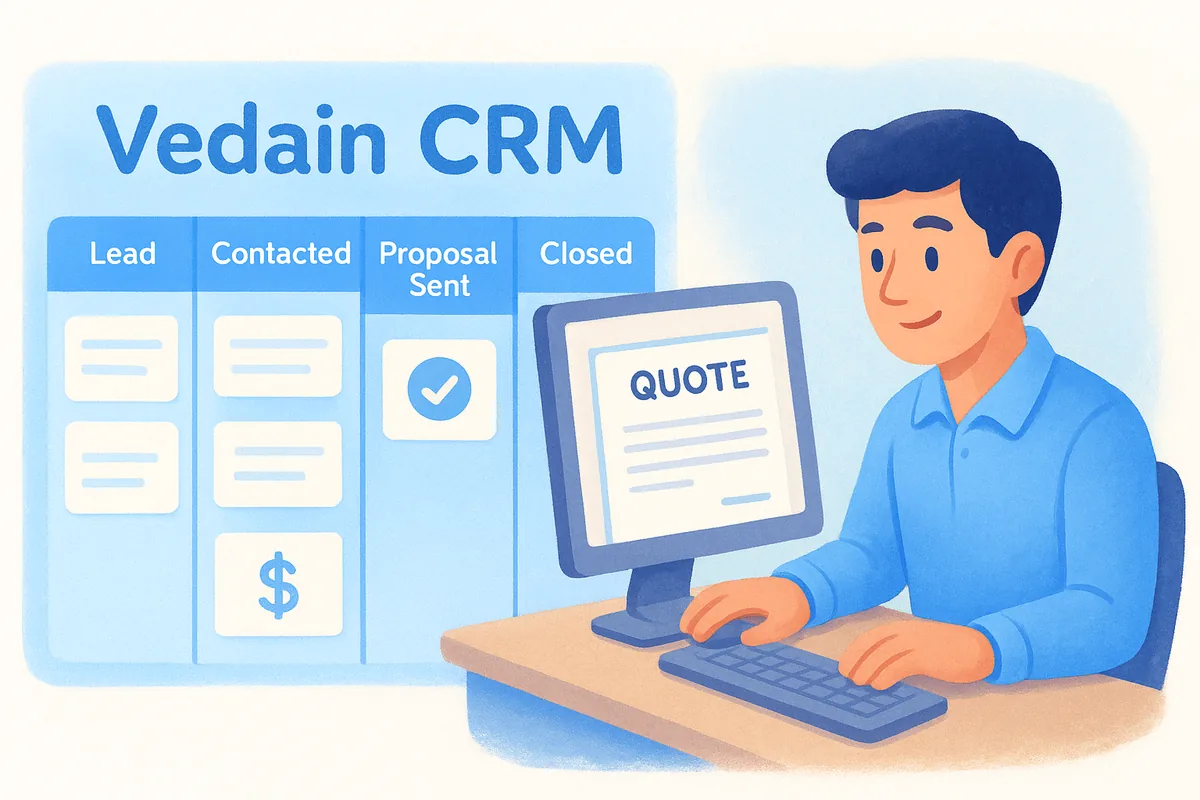
The best quotation management software isn't a separate app you remember to update, it's the same screen where you're already tracking the deal.
Key features
Vedain's approach to quoting leans on two things: the visual deal pipeline and the no-code workflow builder. Combine that with two-way email sync for Gmail and Outlook, and every quote you send gets tracked as part of the same thread the prospect replies to.
- •Deal Pipeline: Kanban-style board where quotes attach directly to the opportunity stage
- •Workflows: no-code automation for approval routing, follow-up reminders, and stage changes as a quote moves forward
- •Email Integration: two-way Gmail and Outlook sync, so quote emails and replies live inside the contact record
- •Custom Fields: add the quoting fields your deals need without writing code
- •Reports & Analytics: pipeline reports and conversion funnels that show exactly where quotes stall
- •Custom Dashboards: drag-and-drop widgets to track quote-to-close rate by rep or team
Enrichment agents from Vedain's AI CRM agent marketplace can also pull company data before you build a quote, so pricing tiers match the prospect's actual company size instead of a guess.
Best for
Vedain fits sales teams of 5 to 500+ people who want quoting, pipeline management, and email tracking in one system rather than stitching together a CRM and a separate quote builder. It's a strong pick if your team already lives in Gmail or Outlook and wants quotes to show up in the same inbox thread as everything else. Startups and small businesses that got burned by a competitor's tiered pricing, where quoting sat behind an "Enterprise" plan, tend to switch to Vedain specifically because nothing here is gated. Teams with limited IT resources also benefit from the no-code workflow builder, since building a custom quote workflow doesn't require a developer or a support ticket.
Pricing
Vedain runs on a single flat rate: $10 per user per month, with every feature included from day one. There's no add-on fee for automation, and no cap on the number of quotes, deals, or contacts you can create. You can start a trial without a credit card and have your pipeline and first quote workflow set up in under five minutes. Compare that to competitors that charge $50 to $150 per user for the plan that actually includes built-in quoting, and the math on switching becomes obvious fast. Check Vedain's current plan and pricing details before you commit, since promotional rates shift.
2. PandaDoc
PandaDoc built its reputation as a document automation platform, and quoting is one of its strongest use cases. You drag pricing tables, terms, and signature blocks into a template, then generate a polished proposal or quote in a few clicks. It's a popular choice for teams that need heavier document design than a basic PDF export, especially agencies and service businesses that send long proposals alongside a price quote.
A quote builder that also handles contracts and proposals saves you from juggling three separate tools for one deal.
Key features
Content blocks and a drag-and-drop editor let you assemble quotes from reusable sections, so a rep doesn't start from a blank page every time. Built-in e-signature collection means the prospect can approve and sign the same document without printing or forwarding it to DocuSign. Real-time tracking shows you when a prospect opens a quote and how long they spend on each page, which is useful for spotting stalled deals before you follow up blind.
- •Templates and content library: reusable pricing tables, clauses, and images
- •CPQ module: pulls product catalogs and pricing rules into a quote automatically
- •E-signature: legally binding signatures built into the same document
- •Payment collection: accept payment directly from an approved quote
- •Integrations: connects to CRMs like Salesforce and HubSpot, plus Zapier
Best for
PandaDoc suits agencies, consultancies, and service businesses that send detailed proposals, not just a one-page price sheet. Teams already running a separate CRM and just need a dedicated document and quotation software layer will find it slots in cleanly. It's less of a fit if you want quoting built into the same screen as your pipeline, since you're managing two systems instead of one.
Pricing
PandaDoc's Essentials plan starts around $19 per user per month billed annually, but it lacks the CPQ features most quoting-heavy teams need. You'll want the Business plan, priced around $49 per user per month, to unlock CPQ tools, content library controls, and CRM integrations. That's roughly five times what Vedain charges for a full CRM with quoting built in, so weigh whether you actually need PandaDoc's document design depth or just a reliable quote-to-close workflow.
3. Zoho Creator
Zoho Creator takes a different route than most tools on this list. It's a low-code app builder, not a dedicated quoting product, so teams use it to build a custom quote management app that matches their exact pricing structure, approval chain, and product catalog. That flexibility appeals to businesses with quoting rules too specific for an off-the-shelf template, like tiered distributor pricing or multi-currency contracts. The tradeoff is setup time: you're building an app, not just filling out a template.
A tool flexible enough to build any quoting workflow is also flexible enough to demand real setup work before it pays off.
Key features
Drag-and-drop form builders let you define exactly which fields a quote needs, from discount tiers to shipping terms, without writing code for the basic layout. Workflow rules trigger approval requests when a quote crosses a discount threshold, and you can chain multiple approvers based on deal size. Because Creator sits inside the broader Zoho ecosystem, quotes can pull customer data from Zoho CRM or Zoho Books if you're already running those products.
- •Custom forms: build quote layouts specific to your product catalog and pricing rules
- •Approval workflows: multi-step approval chains triggered by discount or deal size
- •Deluge scripting: for teams that need logic beyond drag-and-drop, Zoho's scripting language handles edge cases
- •Zoho ecosystem integration: syncs with Zoho CRM, Books, and Inventory
- •Mobile app: reps can generate and send quotes from a phone in the field
Best for
Zoho Creator fits businesses with an in-house admin or developer willing to invest time building and maintaining a custom quoting app, particularly manufacturers, distributors, or franchises with pricing rules that don't map cleanly to a generic template. It's a poor fit for a small sales team that wants a working quote workflow on day one, since the setup burden here is real. Teams already committed to the Zoho suite get the most value, since quote data flows into CRM and accounting without extra integration work, though it's worth seeing how one workspace compares with Zoho's product sprawl first.
Pricing
Zoho Creator's Standard plan starts around $8 per user per month, with Professional and Enterprise tiers running $20 and $25 per user per month for more automation and higher API limits. Those numbers look competitive on paper, but they don't include a pre-built quoting app. You're paying for the platform, then spending build hours (yours or a consultant's) to get a working quote-to-approval flow, a cost that an all-inclusive CRM at one low rate with quoting already built in, like Vedain, skips entirely.
4. Salesforce CPQ
Salesforce CPQ (Configure, Price, Quote) is the enterprise standard for complex product configuration, and it shows in both capability and cost. Built as an add-on to Salesforce Sales Cloud, it handles quoting for businesses selling bundled products, subscriptions, or anything with pricing rules too tangled for a simple template. Manufacturers and SaaS companies with tiered contracts, renewal terms, and multi-year discounts often land here because nothing else on this list matches its depth for quote-to-cash software at scale.
Salesforce CPQ solves quoting complexity that most sales teams don't actually have, at a price that assumes you do.
Key features
Guided selling walks reps through configuration questions so they can't accidentally quote an incompatible product bundle. Approval workflows route quotes through finance, legal, or management based on discount depth or contract length, which matters for regulated industries. Because it lives natively inside Salesforce, quote data updates the opportunity record automatically instead of syncing through a separate integration.
- •Guided selling: prevents invalid product or bundle combinations
- •Approval chains: multi-step routing tied to discount thresholds
- •Contract renewals: automated quote generation for subscription renewals
- •Native Salesforce integration: no separate sync layer for opportunity or quote data
- •Advanced pricing rules: volume discounts, tiered pricing, and multi-currency support
Best for
Larger organizations already running Salesforce as their core CRM, with a dedicated revenue operations or sales ops team to configure and maintain it, get the most from this tool. It fits businesses selling complex, configurable products where a wrong quote costs real money, think hardware bundles, multi-year SaaS contracts, or anything with compliance sign-off requirements. Small and mid-sized teams without that complexity will find the setup time and licensing cost hard to justify against Salesforce compared with a flat-rate CRM that already includes quoting.
Pricing
Most businesses see quotes starting around $75 per user per month for Salesforce CPQ, on top of whatever you're already paying for a Sales Cloud license, which pushes real-world costs well past $150 per user per month once both are combined. That's before factoring in implementation, one of the hidden CRM costs most vendors don't publish, since CPQ deployments commonly require a certified consultant to configure pricing rules and approval logic correctly. For teams whose quoting needs don't require that level of configuration, this is one of the steepest premiums on this list for a feature that comes standard elsewhere.
5. QuoteWerks
QuoteWerks has been around since the late 1990s, and it shows in how narrowly it focuses on one job: building and sending quotes fast, without forcing you into a full CRM overhaul. It runs as a desktop application (with a web and mobile companion) that plugs into whatever CRM or accounting software you already use, from Salesforce to QuickBooks. That makes it a favorite among IT resellers and hardware distributors who need to pull live pricing from distributor catalogs like Ingram Micro or Tech Data straight into a quote.
A quoting tool that bolts onto your existing CRM only works if that CRM is worth keeping around in the first place.
Key features
QuoteWerks pulls real-time pricing and availability from distributor and vendor catalogs, so a rep quoting hardware doesn't have to manually check stock before sending a price. Its document generation engine builds proposals with multiple product configurations side by side, letting a prospect compare a good, better, and best option in one PDF. Approval routing and revision tracking cover the basics without the enterprise-level complexity of a full CPQ suite.
- •Distributor integration: live pricing and stock from Ingram Micro, Tech Data, D&H, and others
- •Multi-tier quotes: build good, better, best pricing options in one document
- •CRM connectors: syncs with Salesforce, HubSpot, ACT!, and QuickBooks
- •Revision history: track every change made to a quote before it's sent
- •E-signature add-on: optional module for approvals, sold separately
Best for
QuoteWerks fits IT resellers, VARs, and hardware distributors who need catalog pricing baked into every quote and already have a CRM they're not looking to replace. It's a poor match for teams that want quoting and pipeline management in one screen, since QuoteWerks is explicitly built as an add-on, not a system of record. Teams without a distributor relationship to justify the catalog integration will find most of its specialty features go unused.
Pricing
QuoteWerks charges a one-time perpetual license starting around $199 to $349 per user, or a subscription option closer to $30 to $39 per user per month depending on the tier. E-signature, mobile access, and some integrations cost extra on top of the base license, which adds up fast for a small team compared to a flat, all-inclusive rate like Vedain's $10 per user per month, and it's worth checking how per-seat CRM costs compare across vendors.
6. DealHub
DealHub positions itself as a Deal Room platform, going a step past a basic quote builder by combining CPQ, contract management, and a shared digital space where buyer and seller negotiate a deal in real time. Instead of emailing a PDF back and forth, both sides work inside a single link that updates live as pricing or terms change. Sales teams selling complex, negotiated deals, think mid-market SaaS or services contracts with custom scopes, tend to gravitate here because the back-and-forth of redlining happens in one place instead of across a dozen email threads, though a CRM for SaaS sales teams may cover the same ground more cheaply.

A shared deal room only beats email if both sides actually use it, which means your buyer needs to be comfortable clicking a link instead of downloading a PDF.
Key features
Guided selling logic configures quotes based on rules you set for product bundles, discount limits, and approval triggers, so reps can't send a quote that violates pricing policy. The Deal Room itself lets buyers ask questions, request changes, and e-sign without leaving the page, and DealHub logs every interaction so you know exactly where a deal stalled. Contract lifecycle tools carry the same document from quote to signed agreement to renewal, which cuts down on the handoff between sales and legal.
- •CPQ engine: rule-based pricing, discount approval workflows, and product bundling
- •DealRoom: interactive, shared workspace for buyer and seller negotiation
- •E-signature: built-in, no third-party add-on required
- •Contract management: renewals and amendments tracked from the original quote
- •Analytics: deal engagement scoring shows which quotes are actually being read
Best for
Mid-market and enterprise sales teams with a multi-step negotiation process get the most out of DealHub, especially those selling subscriptions or services where terms shift before signature. Sales ops teams that want visibility into buyer engagement, not just whether a quote was opened but which sections got read, will value the analytics layer here. Smaller teams selling a straightforward product at a fixed price won't need this much negotiation infrastructure and will find the setup heavier than the deal size justifies.
Pricing
DealHub doesn't publish flat rate cards; pricing is quote-based and typically starts in the range of $60 to $80 per user per month depending on modules and contract length, with most deployments requiring a sales call and implementation period before go-live. That's a meaningful commitment compared to tools with transparent, published pricing, so budget extra time for the sales cycle itself before you even get to quoting your own customers.
7. Cincom CPQ
Cincom CPQ has been quoting complex, engineered products since before "CPQ" was a common acronym, and it still leans into that heritage. Manufacturers building configurable machinery, industrial equipment, or anything with thousands of possible part combinations use Cincom to make sure a quote never gets sent for a configuration that can't actually be built. Instead of a sales-focused tool bolted onto a CRM, Cincom treats quoting as an engineering problem first, which shows in how deep its configuration rules go compared to the rest of this list.
When a wrong quote means a factory builds the wrong machine, configuration rules matter more than a slick interface.
Key features
Cincom's configuration engine validates every option a rep selects against engineering constraints, so a quote for a custom industrial part can't include incompatible components. Guided selling walks reps and even self-service buyers through a decision tree that narrows valid configurations step by step, which cuts down on errors that used to require an engineer's review. Pricing logic handles multi-level bills of materials and cost-plus pricing models that generic quoting tools weren't built to calculate.
- •Configuration engine: enforces engineering and compatibility rules across thousands of part combinations
- •Guided selling: decision-tree interface for reps and self-service buyers
- •Document generation: technical quotes with drawings, specs, and multi-level BOMs
- •Dynamic pricing: cost-plus and rules-based pricing for engineered products
- •ERP integration: connects to major ERP systems for real-time cost and inventory data
Best for
Cincom CPQ fits industrial and manufacturing sales teams with complex, configurable products where a wrong quote means a wrong build, not just an awkward conversation. Companies with an engineering team involved in the sales process, reviewing configurations before a quote goes out, will find that Cincom removes a lot of that manual checking. It's a poor fit for straightforward product sales or service businesses, since the depth of configuration logic here solves a problem most small sales teams don't have.
Pricing
Cincom doesn't publish pricing, and quotes are built around your specific configuration complexity, user count, and implementation scope, typically landing well above $100 per user per month once implementation is included. Expect a sales consultation and a multi-week configuration process before go-live, since setting up rules for thousands of product combinations isn't a same-day job. For teams without that level of product complexity, this is far more infrastructure, and cost, than quoting actually requires, and lighter CRMs built for small manufacturers will cover the job.
8. Bitrix24
Bitrix24 markets itself as an all-in-one workspace, bundling CRM, quoting, project management, and even a company intranet into one login. Quoting sits inside the CRM module as a document generator that pulls product catalog data and pricing straight from a deal record, so a rep doesn't leave the pipeline to build a quote. Businesses drawn to Bitrix24 usually want to consolidate several disconnected tools, chat, tasks, CRM, quoting, into a single subscription rather than paying for five separate apps.
Bundling quoting into an all-in-one workspace only helps if your team actually uses the other eleven modules you're paying for.
Key features
Quote and invoice templates in Bitrix24 pull directly from the product catalog, so pricing stays consistent across every deal without a rep retyping numbers. Automation rules can move a deal to the next pipeline stage the moment a quote gets a client's electronic signature, cutting the manual follow-up step. Because Bitrix24 also runs task management, chat, and a company calendar, quote approvals can loop in a manager without leaving the platform for email.
- •Quote and invoice generator: builds documents from CRM product catalog data
- •Automation rules: trigger stage changes, tasks, or notifications on quote status
- •E-signature: built into higher-tier plans for client approval
- •Product catalog: shared pricing and inventory across quotes and invoices
- •Bundled tools: chat, tasks, and telephony alongside the CRM and quoting modules
Best for
Companies wanting to replace several disconnected apps with one CRM for a small and growing business, and willing to accept a steeper learning curve for that consolidation, fit Bitrix24 well. Small businesses on tight budgets sometimes start on the free tier just for basic quoting and CRM, then upgrade as their team grows. Teams that only need clean, fast quoting without a dozen adjacent modules to configure will likely find Bitrix24's interface more cluttered than helpful.
Pricing
Bitrix24 offers a free plan for small teams, though quoting features are limited and branding stays visible on documents. Paid plans start around $49 per month (billed annually) for the Basic tier (covering up to 5 users) and climb to $99 per month for Standard, with Professional running higher still for larger teams needing full automation and e-signature. Because pricing is per organization rather than strictly per seat at the entry tiers, costs can actually work out cheaper for very small teams, but they scale unpredictably as headcount grows past what a tier allows.
9. Qwilr
Qwilr turns a quote into a web page instead of a PDF, and that shift changes how prospects experience it. Reps build a scrollable, branded page with pricing tables, embedded video, and interactive quote options a buyer can toggle themselves, then send a single link instead of an attachment. Agencies, consultancies, and SaaS companies pitching to a modern buyer tend to pick Qwilr because the format feels more like a product demo than a paperwork step, and it renders cleanly on a phone, which a PDF rarely does.
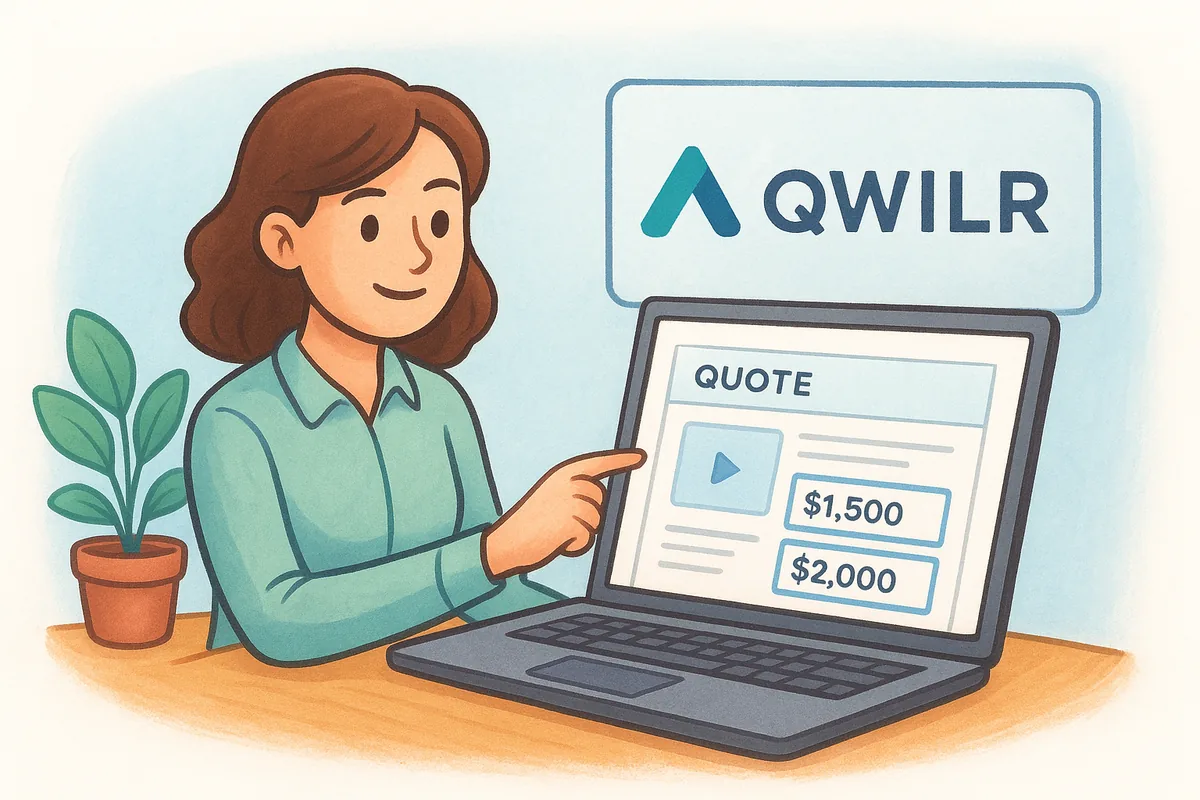
A quote that reads like a web page instead of a scanned document changes how seriously a prospect takes the pitch before they even reach the price.
Key features
Interactive pricing blocks let a buyer choose add-ons or tiers directly on the page, and the total updates live without a rep having to resend a revised document. Built-in analytics show exactly how long a prospect spent on each section, which is a sharper signal than a generic "opened" notification. Because the whole quote lives as a webpage, e-signature and approval happen on the same link, so there's no separate download-sign-reupload cycle.
- •Web-based quotes: interactive, mobile-friendly pages instead of static PDFs
- •Content blocks: embed video, pricing calculators, and testimonials directly in the quote
- •Engagement analytics: section-by-section view time, not just an open notification
- •E-signature: approvals happen on the same page as the quote
- •CRM integrations: connects to HubSpot, Salesforce, and Pipedrive for deal syncing
Best for
Qwilr suits agencies, consultancies, and SaaS sales teams pitching to buyers who expect a polished, modern experience rather than a bare-bones price sheet, and it pairs with the CRM picks for consultants and small consulting firms we compared separately. Teams selling a product with optional add-ons benefit most, since the interactive pricing toggle removes a round of email back-and-forth over which options to include. Businesses that mainly need a simple, fixed-price quote sent fast won't get much extra value from the design tools here, and the learning curve for building good-looking pages takes longer than filling out a template.
Pricing
Qwilr's Business plan starts around $35 per user per month billed annually, with a Scale plan closer to $59 per user per month adding CPQ features, approval workflows, and deeper integrations. There's no free plan for ongoing use, only a trial period, and heavier customization or embedded calculators can require the higher tier. That puts Qwilr well above a flat-rate CRM like Vedain for teams that mainly want quoting bundled with pipeline tracking rather than a standalone design-forward tool.
10. Scoro
Scoro built its name as a work management platform for agencies and professional services firms, and quoting sits inside a broader suite that also handles project delivery, time tracking, and billing. A rep builds a quote from the same record that later becomes the project plan, so the numbers a client approved carry straight through to the budget you're managing once work starts. That end-to-end link appeals to consultancies and agencies weighing their CRM options tired of a quote living in one tool while the actual project budget lives in a spreadsheet nobody updates.
A quote that turns into your project budget the moment it's approved closes a gap most quoting tools never touch.
Key features
Quotes in Scoro pull from the same product and service catalog used for invoicing, so pricing stays consistent from the first proposal through the final bill. Once a client approves a quote, Scoro converts it directly into a project with budgeted hours and costs already loaded in, which removes the manual re-entry that usually happens between sales and delivery. Real-time dashboards then track quoted value against actual hours logged, so you catch scope creep before it erases your margin.
- •Quote-to-project conversion: an approved quote becomes a live project budget automatically
- •Product and service catalog: shared pricing across quotes, projects, and invoices
- •Time tracking and billing: compares quoted estimates against actual hours logged
- •Custom quote templates: branded documents with line items and approval status
- •Dashboards and reporting: profitability tracking by client, project, or quote
Best for
Agencies, consultancies, and professional services firms that sell project-based work rather than a fixed product get the most from Scoro, since the quote-to-project handoff solves a real operational headache for that business model, though a CRM built around proposals and retainers handles the sales side for less. Teams that bill by the hour or by retainer, and want quoted estimates to feed directly into time tracking and invoicing, will find the setup pays off quickly. It's a weaker fit for straightforward product sales, where the project management and time tracking layers add complexity you don't need.
Pricing
Scoro's Essential plan starts around $26 per user per month billed annually, with Standard around $37 and Pro closer to $63 per user per month as you add advanced quoting, billing automation, and reporting. There's no free tier, and the features most quoting-heavy teams want sit in the higher plans, which pushes real costs well past what a flat-rate CRM charges for quoting alone.
Finding the right quoting tool for your team
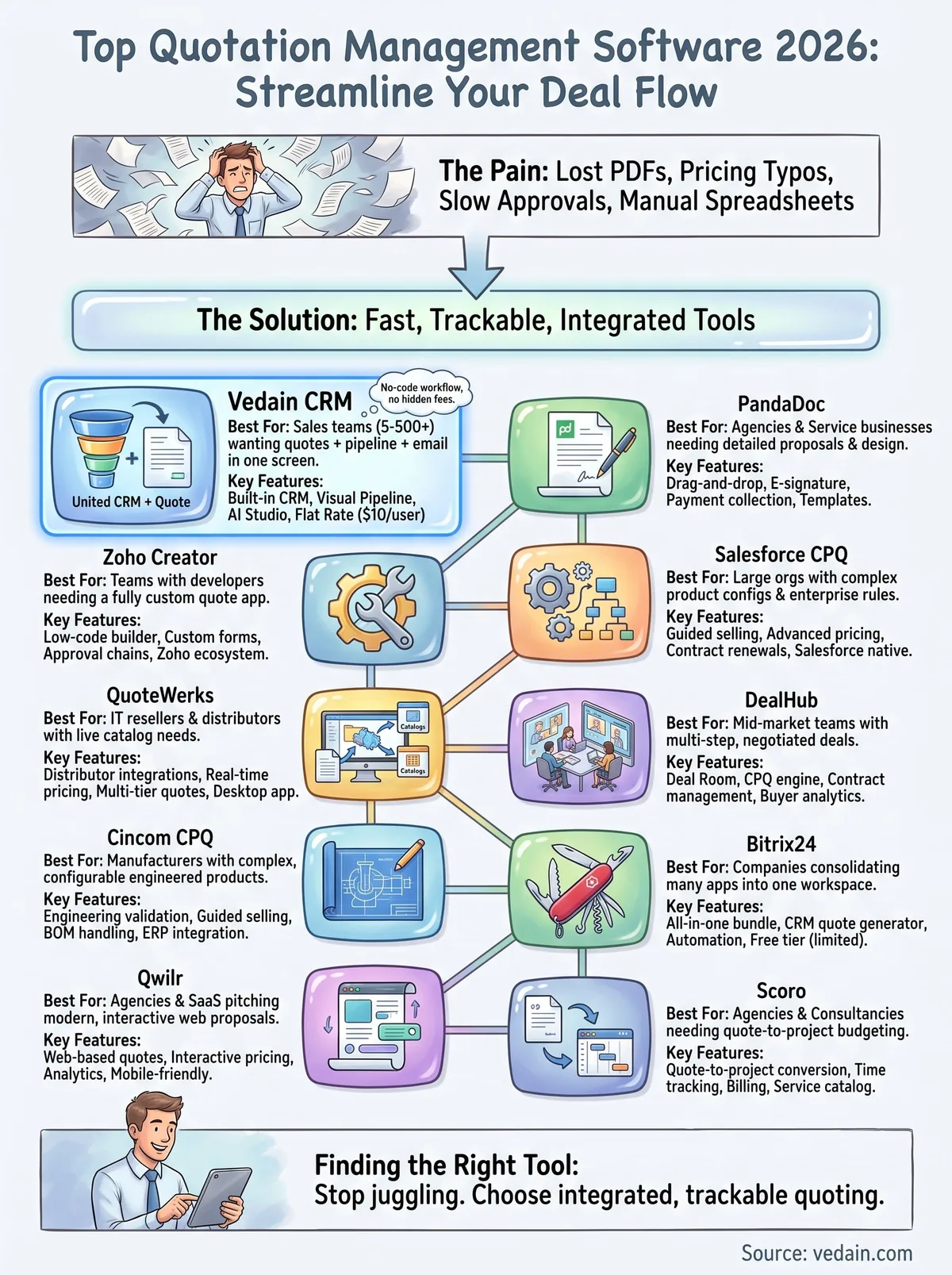
Most of the tools above solve one specific problem well: PandaDoc for document design, Cincom for engineered products, DealHub for negotiated deals. But if you're a small or mid-sized sales team, chances are you don't need a separate quoting app bolted onto your CRM, you need quoting built into the same screen where you already track deals. That's the gap most quotation management software on this list leaves open, and it's why paying $50 to $150 per user for CPQ features elsewhere rarely makes sense.
Vedain closes that gap at a flat $10 per user per month, with quoting, email sync, and automation included from day one, no tier to unlock later. Setup takes under five minutes, and you won't need a credit card to see if it fits your workflow. If you're ready to stop juggling separate tools for one deal, try Vedain free with no credit card and build your first quote today.
Frequently Asked Questions
What is the best free quotation management software in 2026?
Zoho CRM provides a forever-free tier for up to 3 users with quote generation capabilities, making it ideal for small businesses starting their quotation process. HubSpot's free CRM (up to 2 users) also includes basic quote tools. Pipedrive has no free plan, only a 14-day trial.
How much does Salesforce quotation management cost?
Salesforce CPQ (Configure, Price, Quote) is an add-on, with quotes typically starting around $75 per user per month on top of a Sales Cloud license (Pro Suite $100, Core $195 or Advanced $395 per user per month, billed annually), so combined costs commonly run well past $150 per user per month. Competitors like Vedain include quoting in a single flat $10 per user per month plan.
Can you generate professional quotes in HubSpot CRM?
Yes, HubSpot CRM allows users to create professional quotes directly within the platform using customizable templates and branding options. The quoting feature is available in HubSpot's Starter plan ($20/seat/month, or from $7 billed annually) and includes automatic quote tracking and e-signature capabilities. However, Salesforce CPQ and Zoho CRM offer more advanced configuration options for complex pricing scenarios compared to HubSpot's standard quote builder.
Which quotation software integrates best with existing CRM systems?
Zoho CRM's native quotation module integrates seamlessly since it's part of the same ecosystem, eliminating data sync issues entirely. Pipedrive also offers excellent integration capabilities with 500+ third-party apps and has native quote templates that sync automatically with deal pipelines. Salesforce CPQ integrates directly with Salesforce CRM but requires additional configuration, while HubSpot's quotes work natively with its CRM without separate plugins needed.
What quotation management software is best for B2B companies?
Salesforce CPQ is considered the industry leader for enterprise B2B quotation management due to its advanced configuration rules and approval workflows. For mid-market B2B operations, Vedain builds quoting into the deal pipeline with no-code approval workflows at a flat $10 per user per month, while Zoho CRM offers excellent B2B features from $14-52 per user per month (billed annually). Pipedrive serves small to mid-market B2B teams effectively with its pipeline-integrated quoting system.
Do quotation management tools include e-signature capabilities?
Yes, most modern quotation software includes built-in e-signature features—HubSpot, Zoho CRM, and Pipedrive all offer native e-signature functionality for quote approval. Salesforce CPQ integrates with DocuSign and Adobe Sign for advanced signing workflows, providing enterprise-grade security. However, Vedain does not include built-in e-signature, so teams that need signed quotes pair it with a separate signing tool.