This article compares nine CRMs built or well-suited for consulting work, focusing on what you actually need: simple pipeline tracking, easy client notes, email sync, and automation that saves you hours each week. If you run a small consulting business, you don't need enterprise complexity or a six-month rollout, you need a CRM for small and growing businesses that you can set up before your next client call.
We'll break down pricing, standout features, and where each tool falls short, so you can match a CRM to how your practice actually operates rather than paying for modules you'll never touch.
1. Vedain CRM
Vedain built its CRM for consulting firms around a simple idea: a consulting practice shouldn't need five different tools to run a sales process. You get leads and contacts management, a visual deal pipeline, two-way email sync, and automation workflows in one flat-rate plan, which matters if you've ever hit a paywall on a feature you assumed was standard. For a solo consultant or a small firm juggling client relationships without a dedicated sales ops person, that consolidation saves real time every week.
The best CRM for a consulting business is the one that doesn't force you to pay extra for the features you actually need.
Key features
Beyond the core pipeline and contact tools, Vedain's feature set includes a few things consultants specifically benefit from. The email warmup feature protects your domain reputation over 21 days, which matters if you send a lot of outbound proposals and cold outreach. The no-code workflow automation builder lets you set up follow-up reminders and task assignments without touching a line of code, and lead capture forms let you pull inquiries straight from your website into your pipeline.
- •Deal pipeline with Kanban board for tracking proposals and engagements
- •Two-way email sync for Gmail and Outlook
- •No-code workflow automation builder
- •Email warmup for deliverability
- •AI Agent Marketplace with 30+ agents for data enrichment and content generation
- •Custom dashboards and reports for pipeline visibility
- •LinkedIn automation for scheduling posts, useful for consultants building a personal brand
Who it's best for
Consultants and small consulting firms who want a full-featured CRM without navigating tiered plans are the clearest fit here. If you've outgrown a spreadsheet but don't want the complexity of an enterprise platform like Salesforce, Vedain sits in a comfortable middle ground. Teams that already run their business through Gmail or Outlook will appreciate the native two-way sync, and solo practitioners who want AI help with content and outreach get that built in rather than as an add-on.
Pricing
Vedain charges a single flat rate of $10 per user per month, and that price includes every feature on the platform, no feature gates, no hidden add-ons for automation or email sync. Compared to competitors that charge more for AI tools, deeper automation, or higher contact limits, this pricing model is unusually transparent, which is clearer once you see what CRM software actually costs across the market. You can try Vedain CRM without a credit card, and most consultants report having their pipeline set up in under five minutes, a meaningful difference from CRMs that require a multi-week onboarding process before you see any value.
2. Pipedrive
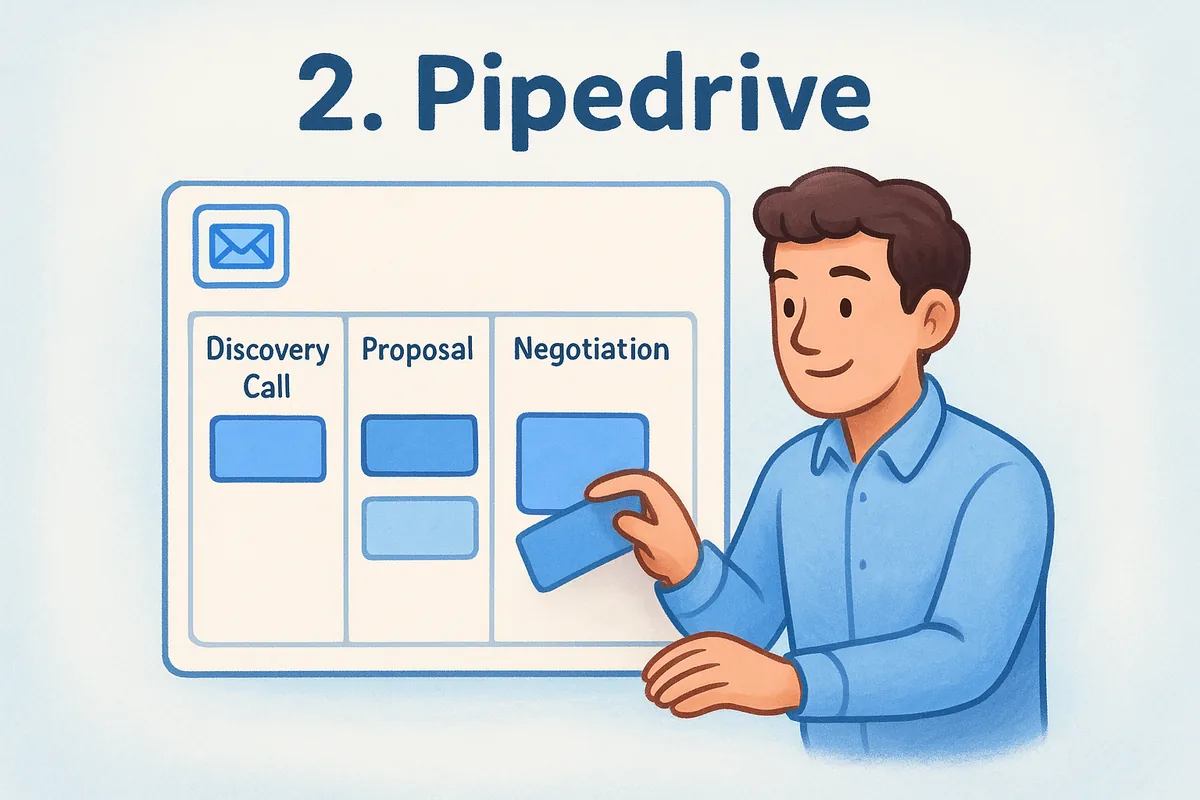
Pipedrive built its reputation on a clean, visual pipeline that salespeople actually enjoy using, and that focus carries over well to solo consultants who think in stages: discovery call, proposal, negotiation, signed. Pipeline management is genuinely the strongest part of the product, and the drag-and-drop interface makes it easy to see where every deal sits without digging through menus. Consultants who value simplicity over depth tend to like Pipedrive because it doesn't try to be everything at once.
Key features
The core of Pipedrive is its customizable pipeline, but the platform has added enough around it to handle most small-firm needs.
- •Visual deal pipeline with customizable stages
- •Email sync with Gmail and Outlook, though full two-way sync requires a higher tier
- •Activity reminders and follow-up scheduling
- •Basic workflow automation on paid plans
- •Reporting dashboards for deal forecasting
Who it's best for
Solo consultants and small teams who want a straightforward CRM focused almost entirely on deal tracking will feel at home in Pipedrive. It suits people who don't need heavy marketing automation or complex reporting and just want a clear visual of their sales process. If your consulting practice runs a fairly linear sales cycle, discovery call to proposal to close, Pipedrive's simplicity works in your favor rather than against it.
Pricing
Pipedrive's plans range from around $14 to $99 per user per month, and several features consultants actually want, like automation, AI tools, and advanced reporting, sit behind the higher tiers. That's a meaningful contrast to a flat-rate Pipedrive alternative, since a five-person firm needing automation could end up paying considerably more per seat than the advertised entry price suggests.
3. HubSpot CRM
HubSpot markets itself as an all-in-one growth platform, and for consultants who also handle their own marketing, that breadth can be genuinely useful. The free tier is generous enough that a solo practitioner can run contact management and basic pipeline tracking without paying anything, which is rare among the bigger CRM names. Marketing tools like landing pages and email templates come bundled in, so if you're generating leads through content or webinars, HubSpot connects that work directly to your sales pipeline.
HubSpot rewards consultants who need marketing and sales in one place, and costs them if they only need sales.
Key features
HubSpot's strength lies in how tightly its modules connect, though the depth you get depends heavily on which paid tier you're on.
- •Free CRM with contact and deal tracking
- •Marketing hub for email campaigns and landing pages
- •Meeting scheduling and live chat widgets
- •Reporting dashboards, more robust on paid tiers
- •App marketplace with hundreds of integrations
Who it's best for
Consultants who already lean on content marketing or webinars to generate leads get the most value from HubSpot, since the CRM and marketing tools share the same data. It also suits firms planning to grow into a larger sales and marketing operation, since HubSpot scales up rather than requiring a platform switch later. If your small consulting business runs mostly on referrals with little inbound marketing, though, you'll be paying for tools you won't touch.
Pricing
HubSpot's CRM is free to start, but the useful automation, custom reporting, and marketing features sit in paid tiers that range from roughly $20 to several hundred dollars per user per month, so it's worth checking how much HubSpot costs per user before committing. Costs climb quickly once you add contacts beyond the free limits or need multiple hubs working together, which is when a HubSpot alternative with flat pricing starts to look appealing.
4. Zoho CRM
Zoho positions itself as the budget-friendly workhorse of the CRM world, and it backs that up with an enormous feature set spread across dozens of modules. Consultants who like tinkering will find plenty to configure here, from custom modules to scoring rules, but that same depth means Zoho has a steeper learning curve than most tools built for a small consulting business. It's less a plug-and-play CRM and more a platform you gradually shape into what you need.
Key features
Zoho bundles sales, marketing, and even some service tools into one ecosystem, and understanding how Zoho CRM works helps if you want everything under one login.
- •Customizable modules and layouts for different client types
- •Zia, Zoho's built-in AI assistant, for lead scoring and predictions
- •Workflow automation and blueprint tools for multi-step processes
- •Multichannel communication including email, social, and telephony
- •Integration with the wider Zoho suite (Books, Projects, Campaigns)
Zoho gives you more knobs to turn than almost any CRM on this list, but turning them takes time you might not have.
Who it's best for
Firms already using other Zoho products, like Zoho Books for invoicing, get the most value here since the data flows between apps without extra setup. It also suits consultants who enjoy building their own workflows and don't mind a longer setup period in exchange for deep customization later. Solo practitioners who want something running in an afternoon should look elsewhere, since Zoho's flexibility comes with real onboarding time.
Pricing
Zoho CRM's small business plans run from about $14 to $52 per user per month, with the AI assistant and advanced automation reserved for the higher tiers. The entry-level plan feels limited fast, so most consulting firms end up on a mid-tier plan just to get workflow automation and better reporting, pushing the real monthly cost higher than the sticker price suggests.
5. Salesforce
Salesforce is the name most people think of first when they hear "CRM," and for good reason: it's the most powerful platform on this list. That power comes at a cost, though, and for a small consulting business, Salesforce often means paying for infrastructure built for sales teams ten times your size. Consultants who need deep customization, complex reporting, or integration with a large tech stack can build almost anything here, but the setup usually requires a consultant of your own just to configure the consultant CRM you bought.
Salesforce can do almost anything, but almost nothing about it is simple.
Key features
Salesforce's ecosystem is vast, and most consulting firms only ever touch a fraction of it.
- •Highly customizable objects, fields, and page layouts
- •AppExchange marketplace with thousands of add-ons
- •Einstein AI for lead scoring and forecasting on higher tiers
- •Advanced reporting and dashboard builder
- •Extensive third-party integration options
Who it's best for
Firms that expect rapid growth, plan to hire a dedicated admin, or already run other business functions through Salesforce get the clearest payoff here. It also suits consultants working alongside larger client organizations that standardize on Salesforce, since data can move between systems more easily. Solo practitioners or two-person firms rarely need this much horsepower, and the learning curve alone can eat into billable hours you'd rather spend with clients.
Pricing
Salesforce's Sales Cloud plans start around $25 per user per month and climb past $300 for the highest tiers, with automation, AI features, and advanced reporting locked behind the pricier plans. Add-ons for extra storage, sandboxes, or premium support push real costs higher still, which makes a leaner Salesforce alternative worth a look for a firm that just needs solid pipeline tracking and client notes.
6. Copper
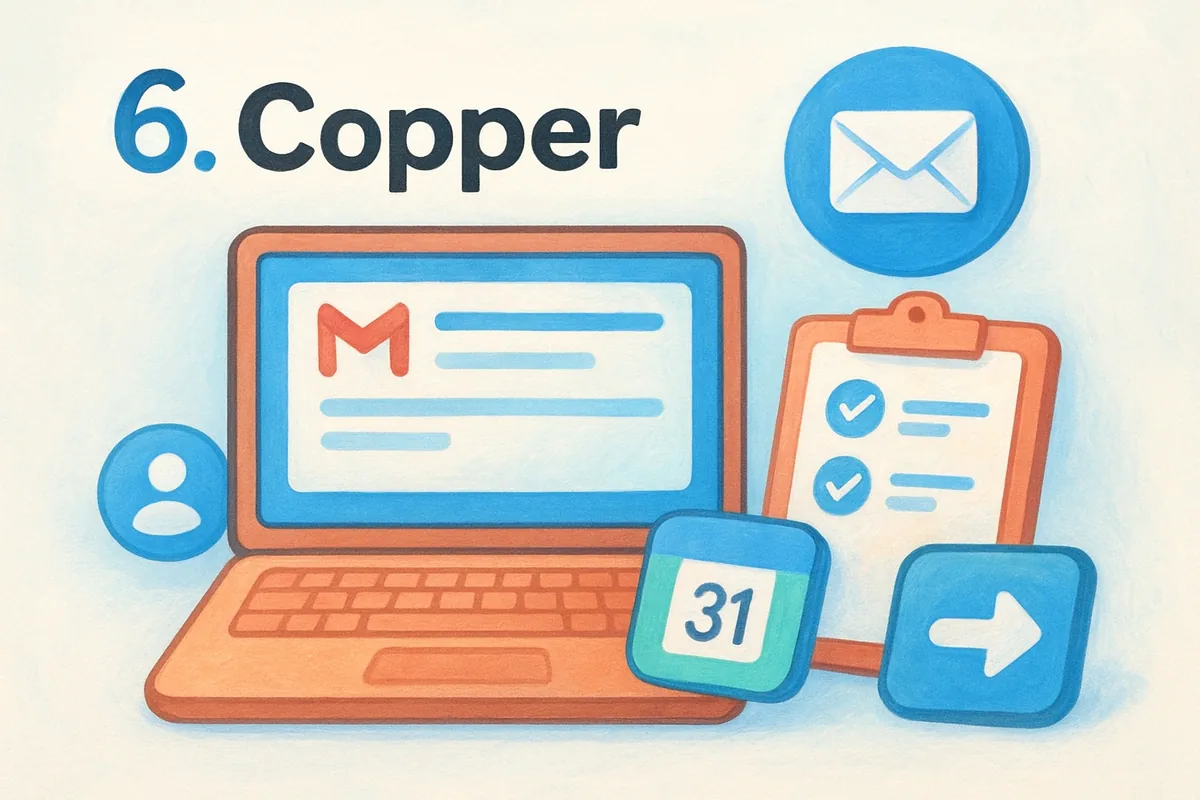
Copper built its CRM specifically for Google Workspace users, and if your consulting practice already lives in Gmail, Google Calendar, and Google Drive, that integration is the whole pitch. Google Workspace integration here isn't a bolt-on, it's the foundation, so contacts, emails, and meeting notes sync automatically without you copying anything by hand. Consultants tired of switching tabs between their inbox and their CRM tend to notice the difference within the first day of using it.
Copper works best when your CRM should feel like an extension of Gmail, not a separate tool you have to remember to update.
Key features
Copper keeps its feature set focused rather than sprawling, which suits consultants who want a lighter tool without sacrificing the essentials.
- •Native Gmail and Google Calendar integration with automatic data capture
- •Visual pipeline boards for tracking client engagements
- •Relationship insights that flag contacts going cold
- •Basic workflow automation for task reminders
- •Mobile app built around quick note-taking after meetings
Who it's best for
Consultants running their entire practice through Google Workspace get the most out of Copper, since the CRM disappears into tools they already use daily. It also suits smaller firms that want something simple enough to onboard a new hire in an afternoon, without a lengthy training process. If you're on Outlook instead of Gmail, though, Copper loses much of its advantage and you're better served elsewhere.
Pricing
Copper's plans start around $9 per user per month on annual billing and rise to roughly $49 for the higher tier, with automation and advanced reporting reserved for pricier plans. Contact limits also tighten on the entry plan, so growing firms often upgrade sooner than expected just to keep adding clients.
7. Salesflare
Salesflare built its name on automating the busywork that consultants hate most: manually logging calls, updating contact details, and typing meeting notes into a system nobody has time to maintain. It pulls data automatically from your email signatures, calendar, and social profiles, so contact records fill themselves in rather than sitting empty until you remember to update them. Consultants who've tried other CRMs and abandoned them because data entry felt like a second job tend to notice the difference fast.
A CRM that fills itself in gets used. One that demands constant data entry gets abandoned within a month.
Key features
Salesflare's whole design philosophy centers on reducing manual work, and that shows up across most of its core tools.
- •Automatic contact and company data enrichment from email and social signals
- •Visual pipeline with drag-and-drop deal stages
- •Automatic email and meeting logging tied to each contact
- •Built-in email tracking showing opens and link clicks
- •LinkedIn integration for pulling in contact details
Who it's best for
Solo consultants and small firms who find manual CRM data entry to be the reason they stop using a CRM altogether are the clearest fit here, alongside other contact management software that cuts manual updates. It also suits consultants who rely heavily on LinkedIn and email for relationship building rather than cold calling, since the automation is built around those channels specifically. Larger consulting teams needing deep customization or complex reporting will likely find Salesflare too lightweight for their needs.
Pricing
Salesflare's plans run from about $29 to $99 per user per month, which sits noticeably higher than several tools on this list despite a narrower feature set. The automation quality can justify the cost for a small consulting business drowning in manual updates, but firms watching every dollar of overhead should weigh that premium against flat-rate alternatives that include similar pipeline and email tools for less.
8. Insightly
Insightly pitches itself as the CRM that bridges sales and project delivery, which matters for consultants because the work doesn't stop when a deal closes. Project management tools live inside the same platform as your pipeline, so a signed engagement can convert straight into tasks, milestones, and deliverables without exporting anything to a separate app. Firms that bill by project rather than by one-off transactions tend to find this handoff genuinely useful, since it closes a gap most CRMs on this list leave open.
A CRM that only tracks the sale misses half the job for a consultant who also has to deliver it.
Key features
Insightly's feature set leans toward firms that need to manage both the sale and the work that follows.
- •Pipeline management with customizable stages and lead routing
- •Built-in project management with milestones, tasks, and Gantt-style timelines
- •Workflow automation for follow-ups and internal task assignment
- •Custom objects and relationship linking between contacts, organizations, and projects
- •Reporting dashboards for both sales and project progress
Who it's best for
Consulting firms that manage multi-phase client engagements, not just a sale followed by silence, get the clearest value from Insightly. It also suits teams of five to twenty who need one system for both business development and delivery tracking, rather than juggling a CRM and a separate project tool. Solo consultants running short, simple engagements may find the project features more than they need, and the interface can feel busier than lighter tools built purely for pipeline tracking.
Pricing
Insightly's plans range from about $29 to $99 per user per month, with project management depth and automation limits increasing at each tier. That pricing puts it well above flat-rate options for firms that only need pipeline tracking, so it's worth confirming you'll actually use the delivery-side tools before committing to a higher tier.
9. Scoro
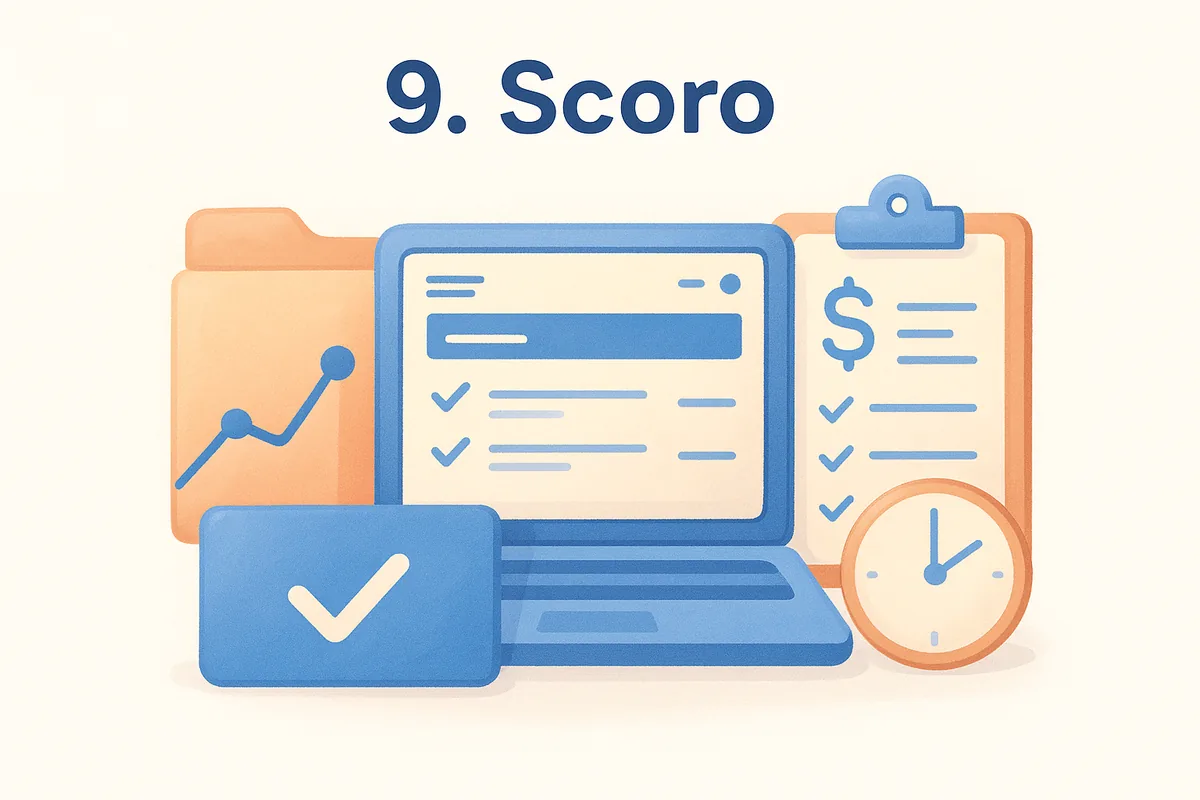
Scoro takes a different angle than most CRMs on this list: it treats sales as one piece of a larger business management system that also covers project delivery, time tracking, and billing. Consultants who bill hourly or by retainer often end up stitching together a CRM, a time tracker, and invoicing software separately, and Scoro's whole pitch is that you shouldn't need three subscriptions to run one practice. Work management sits at the center of the product, with the sales pipeline feeding directly into project setup and invoicing once a deal closes.
A consultant who bills by the hour needs a CRM that talks to their invoice, not one that stops the moment the deal closes.
Key features
Scoro leans heavily into the operational side of running a consulting firm, not just the sales conversation.
- •Deal pipeline connected directly to project and task creation
- •Built-in time tracking tied to billable hours and invoicing
- •Automated invoice generation from tracked time and fixed fees
- •Resource planning and utilization reporting for team capacity
- •Custom dashboards covering sales, delivery, and financials in one view
Who it's best for
Consulting firms billing by the hour or by retainer, and who want time tracking and invoicing built into the same system as their pipeline, get the most value from Scoro. It also suits small teams that dislike reconciling numbers across separate sales, project, and accounting tools every month. Solo consultants with simple engagements and no real billing complexity will likely find Scoro heavier than what they need.
Pricing
Scoro's plans start around $26 per user per month and climb past $100 for higher tiers, with time tracking, advanced reporting, and billing automation gated behind the pricier plans. That places it firmly above flat-rate CRMs in cost, so it's worth confirming your firm actually needs the project and billing depth before paying the premium.
10. How to choose the right CRM for your consulting business
Matching a CRM to your practice starts with being honest about your sales cycle. A solo consultant closing deals over a single discovery call needs something closer to Pipedrive's simple pipeline, while a firm managing multi-month engagements with delivery milestones needs the project depth of Insightly or Scoro. Sales cycle length should drive your shortlist more than any feature list a vendor hands you.
Budget matters just as much, but look past the sticker price on the pricing page. Several tools on this list advertise a low entry cost, then gate automation, AI features, or advanced reporting behind higher tiers, so a five-person firm can end up paying far more per seat than the homepage suggests. Flat-rate pricing like Vedain's removes that guesswork, since every feature is included at $10 per user per month regardless of team size.
Pick the CRM that fits how you actually sell today, not the one with the most features you might use someday.
Consider running through this checklist, plus our longer 9-step CRM selection checklist, before committing to any platform:
- •Does it sync natively with the email provider you already use, Gmail or Outlook?
- •Can you set it up yourself in under an hour without hiring outside help, or are the CRM systems hard to learn?
- •Does automation come standard, or does it require an upgrade?
- •Will the pricing stay predictable as you add team members?
- •Does it handle what happens after the deal closes, if your work involves ongoing delivery?
Trials tell you more than demos do, though knowing how to evaluate a CRM in 10 minutes helps you cut the shortlist fast. Spend thirty minutes moving a real client through your pipeline in each finalist before you decide, since a CRM that looks clean in a sales call can still feel clunky once you're logging actual notes and follow-ups.
11. Frequently asked questions about CRMs for consultants
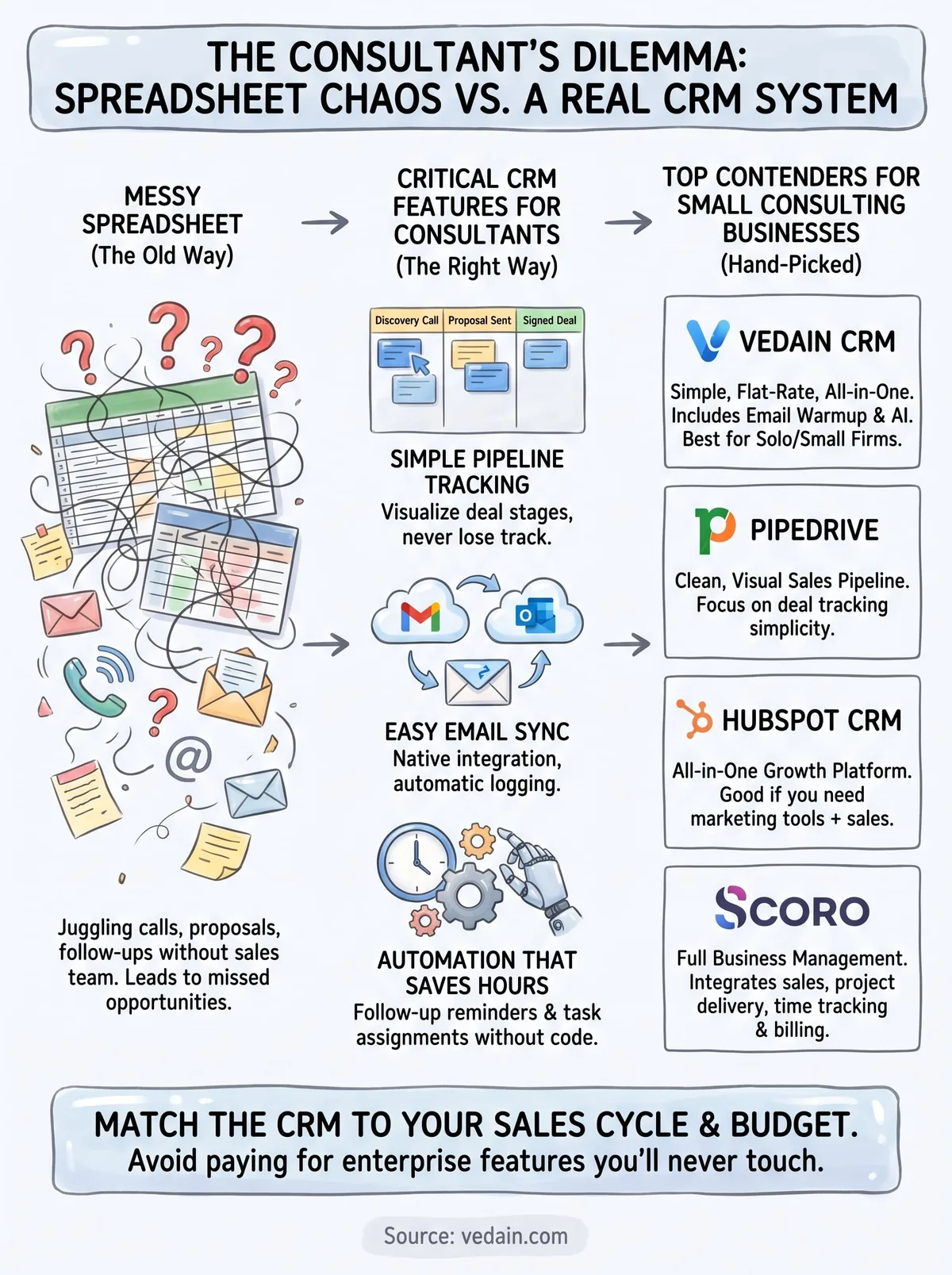
Do solo consultants actually need a CRM, or is a spreadsheet enough? A spreadsheet works until you're juggling more than a handful of active proposals, and most consultants hit that wall faster than they expect. Once you're missing follow-ups or forgetting who asked what in a discovery call, a lightweight CRM tool pays for itself within the first month just by catching what a spreadsheet can't remind you to do, and it helps to know what a CRM actually does before you pick one.
Can you find the best crm for small consulting business needs without paying for enterprise features? Yes, and that's really the whole point of this list. Tools like Vedain and Pipedrive strip out the enterprise complexity and price around what a two to ten person firm actually uses, rather than charging for modules built for sales departments of fifty.
A good CRM for a consultant should feel like a notebook that never forgets, not a system you have to manage on top of your actual client work.
How long should setup realistically take? For most tools on this list, a working pipeline takes under an hour, and platforms built with flat, all-inclusive pricing, like Vedain, often get you fully running in under five minutes. If a vendor tells you to expect weeks of onboarding, that's usually a sign the platform is overbuilt for a consulting practice your size.
Should you switch tools if you're already using free CRM software? Only if it's actively costing you deals or hours. Switching CRM platforms has real friction, migrating contacts, retraining habits, so make sure the new tool solves a problem your current one genuinely can't, rather than chasing a slightly shinier interface.
Finding the right fit for your practice
None of these nine tools is objectively "the best," they're built for different sales cycles, billing models, and tech habits. A consultant closing deals in one call needs something different than a firm managing multi-month engagements with delivery milestones, and that's why the right CRM depends on how you actually work, not which platform has the longest feature list.
What should guide your decision is simple: pick a tool that matches your sales cycle, fits your budget without surprise upgrades, and gets out of your way so you can focus on clients instead of managing software. If you want pipeline tracking, email sync, and automation without tiered pricing eating into your margins, that's exactly what Vedain was built to deliver.
Set up your first pipeline and see how it fits your practice, try Vedain CRM free for 14 days, no credit card required.
Related reading
Frequently Asked Questions
What is the best CRM for independent consultants?
The best CRM for independent consultants in 2026: HubSpot free — unlimited contacts, meeting scheduling, email tracking, and basic pipeline at no cost (ideal for solo consultants). Vedain ($10/user) — full-featured for solo or small firm at lowest price. Pipedrive ($15-34/user) — best for consultants with active proposal pipelines. Zoho CRM (free for 3 users or $14/user) — good balance of features and price. Solo consultants managing under 50 active relationships can start with HubSpot free. Firms with 2-10 consultants doing active business development need at least a $10-20/user paid plan.
What CRM features do management consultants need?
Management consultants need CRM for: (1) Long-cycle opportunity tracking (6-18 month sales cycles with multiple stakeholder touchpoints). (2) Relationship mapping — who knows whom at target accounts. (3) Meeting note logging and action item tracking post every client call. (4) Proposal tracking — sent, under review, decision pending stages. (5) Referral source tracking — which past clients or contacts generated new opportunities. (6) Email follow-up sequences for nurturing contacts who aren't ready to buy. (7) Revenue forecasting by engagement probability and expected project size.
Should consultants use a CRM or just spreadsheets?
Consultants should use a CRM once they have more than 20 active business development conversations. Spreadsheets fail when: you can't remember when you last contacted someone, you miss follow-ups because there's no reminder system, you have no visibility into your pipeline value, and you can't search conversation history across all contacts. A CRM at $10-20/user/month solves all of these. The switching cost is low (import your spreadsheet in 30 minutes). The productivity gain from systematic follow-up reminders alone typically generates additional revenue within 3-6 months.
How do small consulting firms track client relationships in CRM?
Small consulting firms track client relationships in CRM by: (1) Logging every meaningful interaction — calls, meetings, emails — as activities on the contact record. (2) Creating notes after each meeting with key decisions, next steps, and context. (3) Flagging key contacts with relationship health scores or custom tags (strategic, warm, cold). (4) Setting quarterly 'relationship maintenance' tasks for inactive clients and referral sources. (5) Tracking project history in custom fields or a linked 'Projects' deal stage. (6) Setting birthday/anniversary reminders for top clients. The goal: no important relationship goes cold because someone forgot to follow up.
Is HubSpot good for consulting firms?
HubSpot is good for consulting firms that also invest in content marketing — publishing thought leadership articles, running email newsletters, or hosting webinars. The CRM + Marketing Hub combination gives visibility from content consumption to sales pipeline conversion. For pure sales-motion consulting firms (outreach-heavy, referral-based), HubSpot's marketing features are expensive extras. In that case, HubSpot Starter ($20/user) for email sequences and tracking, or simpler tools like Vedain ($10/user) or Pipedrive ($15-34/user) are better value.
What is the cheapest CRM for a solo consultant?
The cheapest CRM for a solo consultant in 2026: HubSpot free — $0, unlimited contacts, basic pipeline, email tracking (200 alerts/month), meeting scheduling, and Gmail/Outlook integration. This covers most solo consultant needs indefinitely. If you outgrow the free plan, Vedain at $10/user/month adds email sequences, AI insights, and full reporting. The upgrade trigger: when you're missing follow-ups because there's no automation, or when you need pipeline reporting for business planning. Most solo consultants with 30-50 relationships can operate on HubSpot free for years.