This guide skips the marketing fluff and gets straight to what matters: which platforms actually handle multi-client pipelines, integrate with the email tools your team already uses, and won't nickel-and-dime you for automation or reporting. We looked at setup speed, pricing transparency, and how well each tool fits agencies managing anywhere from a handful of clients to hundreds of active deals.
Below you'll find 10 CRMs worth considering in 2026, including where flat-rate pricing models like Vedain's stand next to bigger names such as HubSpot, Pipedrive, and Zoho. Each entry covers who the tool fits best, what it costs, and where it falls short, so you can pick the right system for your agency's size without the guesswork.
1. What to look for in a CRM for agencies
Agencies run on billable hours and client relationships, not a single sales funnel. That's the core mismatch with most CRMs on the market: they're built for one company selling one product to one type of buyer, not a shop juggling ten client accounts with ten different sales cycles. Before you sign up for anything, figure out whether the tool can handle multi-client pipelines without forcing you to create a separate workspace or pay for a second license just to keep accounts from bleeding into each other.
Features that actually matter for agency workflows
Skip the feature checklists vendors hand you and focus on what your team touches every day. A CRM for an agency needs to support account-based views, not just individual deal tracking, so account managers can see every open opportunity, invoice, and conversation tied to a single client at a glance. It also needs solid email integration since most agency communication still happens in Gmail or Outlook threads, not inside the CRM itself.
- •Two-way email sync that logs conversations automatically
- •Custom fields and pipelines per client type or service line
- •Role-based permissions so freelancers and contractors see only what they need
- •Automation for recurring tasks like status updates and follow-up sequences
- •Reporting that breaks down performance by account, not just by rep
A CRM only earns its keep if it mirrors how your agency actually manages client relationships, not how a generic sales team does.
Pricing structure and hidden costs
Many platforms advertise a low entry price, then gate email automation, custom reporting, or API access behind a higher tier. That's where agencies get burned, since you often don't discover the limit until your team has already grown past it. Watch for per-seat pricing that multiplies fast once you add freelancers or subcontractors, and check whether automation, integrations, and reporting are included at your plan level or sold separately.
Scalability without a painful migration
Growing agencies switch tools more often than they'd like, usually because the CRM they picked at five people can't handle fifty. Consider how easily the platform lets you add users, archive old client pipelines, or restructure permissions as your roster changes. Vendors like Salesforce and HubSpot scale well but often require a plan upgrade or added modules to unlock that flexibility, while flatter pricing models avoid that friction entirely.
Setup time and team adoption
Overworked project managers won't fill out fifteen custom fields before they close their first deal. Prioritize tools that let you import contacts, set up a pipeline, and connect your inbox in under a day, since a CRM nobody uses is worse than no CRM at all.
2. Vedain CRM: affordable all-in-one CRM for agencies
Vedain built its pitch around the exact frustration most agencies run into: paying more every quarter as a vendor unlocks features you already needed on day one. The platform charges one flat rate per user with no tiers, no feature gates, and no surprise invoice when your team grows past ten people. For an agency juggling multiple client pipelines on a tight budget, that predictability alone makes it worth a look.
Key features
Vedain packs the essentials agencies actually use into a single plan rather than spreading them across upsells.
- •Visual deal pipeline with Kanban boards for tracking client opportunities by stage
- •Two-way email sync for Gmail and Outlook, so client threads log automatically
- •No-code workflow builder for recurring follow-ups and status updates
- •Email warmup with a gradual sending ramp to protect domain deliverability
- •Custom dashboards and reports broken down by account or rep
- •AI Agent Marketplace for data enrichment and content generation tasks
Best for
Agencies with lean teams and tight margins get the most value here, especially shops switching off HubSpot or Salesforce after outgrowing the free tier or hitting a paywall on automation.
Pricing
Every user pays $10 per month, and that price includes automation, email sync, unlimited records, and reporting. No add-on modules, no per-feature charges.
One flat price per seat means your agency never has to guess what the next invoice looks like.
Pros and cons
- •Pro: All-inclusive pricing with no hidden fees
- •Pro: Setup takes under 5 minutes, no credit card required for trial
- •Con: Fewer third-party integrations than legacy platforms like Salesforce
- •Con: Smaller ecosystem of agency-specific templates compared to older competitors
3. HubSpot Sales Hub: best for multi-service agencies
HubSpot built its reputation on the free CRM, but agencies serving multiple service lines usually end up on Sales Hub paired with Marketing Hub once they need real automation. That combination makes HubSpot a strong fit for shops running paid ads, content, and sales outreach under one roof, since the ecosystem connects marketing attribution directly to deal records. The catch is cost: once you add seats and hubs together, the best crm for agencies running lean budgets often finds HubSpot's total bill climbs fast.
Key features
HubSpot's strength lies in how deeply its modules talk to each other across departments.
- •Marketing, sales, and service hubs share one contact database
- •Custom deal pipelines with automated task assignment
- •Built-in reporting dashboards with attribution modeling
- •Native integrations with 1,500+ apps through the HubSpot marketplace
- •AI-assisted email drafting and lead scoring
Best for
Agencies offering marketing, creative, and sales services under one contract benefit most, since HubSpot ties campaign performance directly to pipeline data without exporting anything.
Pricing
Sales Hub starts around $20 per seat per month on the Starter tier, but agencies typically need Professional plans near $100 per seat to unlock workflow automation, which changes the math quickly for teams of ten or more.
HubSpot rewards agencies that need marketing and sales in one system, but you'll pay for that breadth even if you only use half of it.
Pros and cons
- •Pro: Deep marketing-to-sales attribution out of the box
- •Pro: Massive integration marketplace and onboarding resources
- •Con: Costs escalate quickly once you add seats or upgrade tiers
- •Con: Automation and reporting features are locked behind higher-priced plans
4. Pipedrive: best for sales-focused agency teams
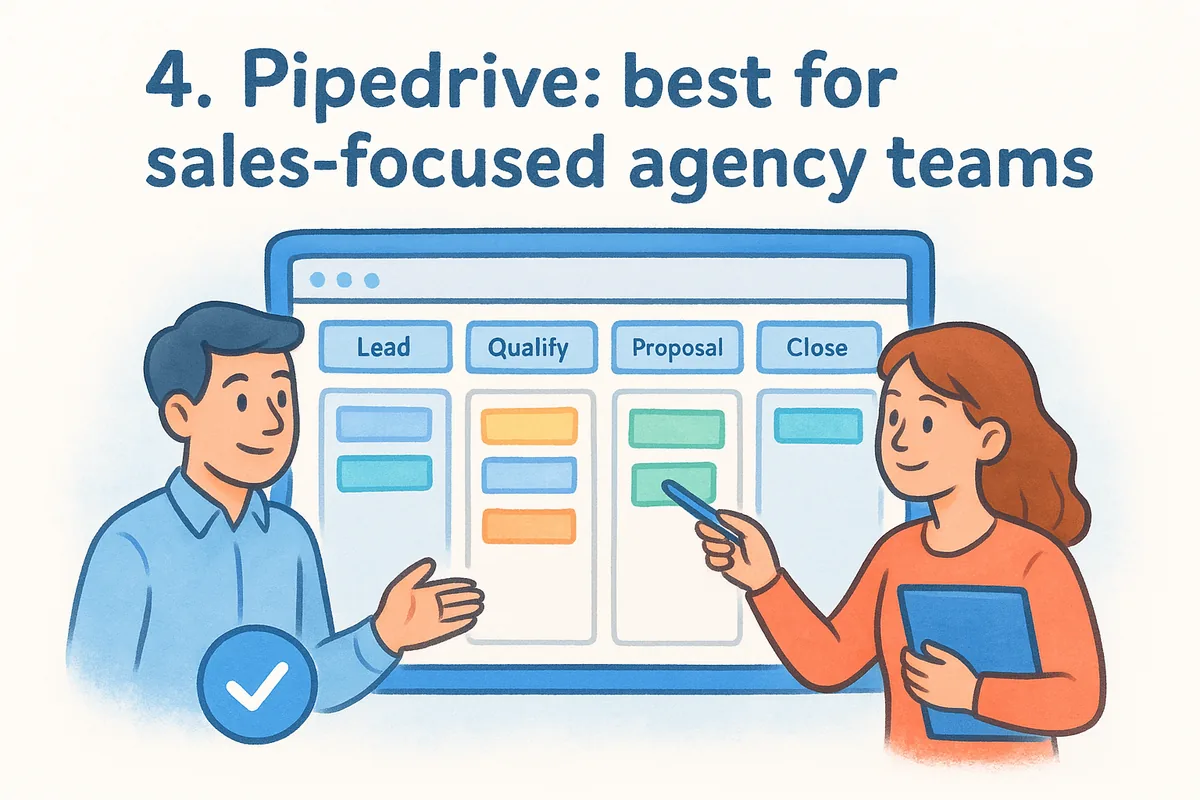
Pipedrive built its whole platform around one thing: helping reps move deals forward, and that focus shows up everywhere in the interface. Agencies running a straightforward new-business process, without the marketing complexity HubSpot bundles in, often find Pipedrive's visual pipeline easier to configure and cheaper to staff. It's less a full agency operating system and more a sales pipeline software built to keep account managers focused on the next call instead of buried in settings menus.
Key features
Pipedrive keeps its feature set narrow but sharp, aimed squarely at pipeline visibility and activity tracking.
- •Drag-and-drop pipeline view with custom stages per client type
- •Activity-based reminders that nudge reps toward the next follow-up
- •Email sync with open and click tracking
- •Workflow automation for repetitive tasks like lead assignment
- •Revenue forecasting reports tied to deal probability
Best for
Smaller agency teams with a single, repeatable sales process benefit most, especially shops that sell one core service and don't need marketing automation baked into the CRM.
Pricing
Plans start around $14 per seat per month on the Lite tier, with automation and reporting features unlocked at the Growth tier near $39 per seat, which still lands cheaper than most competitors on this list once you factor in what's included.
Pipedrive rewards agencies that want a lean, activity-driven pipeline instead of a full marketing suite bolted onto sales.
Pros and cons
- •Pro: Simple setup with minimal onboarding curve
- •Pro: Strong mobile app for reps working between client meetings
- •Con: Limited built-in marketing or client-portal features
- •Con: Advanced automation requires upgrading past the entry-level plan
5. Zoho CRM: best value with deep customization
Zoho built its reputation on customization depth at a price point most agencies can actually afford, and that combination keeps it near the top of any best crm for agencies comparison. Agencies that need unusual pipeline structures, like tracking retainer clients differently from one-off projects, can rebuild almost every screen in Zoho without touching code. That flexibility comes with a tradeoff: the interface takes longer to configure than Pipedrive or Vedain, so budget a few extra hours during setup.
Key features
Zoho packs an enormous amount of configurability into its base plans, which is rare among CRMs at this price point.
- •Custom modules and layouts for different client types or service lines
- •Blueprint automation for enforcing multi-step sales processes
- •Built-in AI assistant (Zia) for lead scoring and deal predictions
- •Multichannel support for email, social, and live chat inside one record
- •Deep integration with the wider Zoho suite, including invoicing and projects
Best for
Agencies with unusual workflows or multiple service lines benefit most, especially teams comfortable spending setup time upfront to get pipelines exactly right.
Pricing
Plans start around $14 per user per month on the Standard tier, with automation and AI features unlocked near $40 per user on the Enterprise tier, which still undercuts HubSpot and Salesforce at comparable feature levels.
Zoho rewards agencies willing to invest setup time for a CRM that bends to their exact workflow instead of forcing a generic template.
Pros and cons
- •Pro: Extensive customization without needing a developer
- •Pro: Competitive pricing relative to feature depth
- •Con: Steeper learning curve during initial configuration
- •Con: Advanced automation and AI features require higher-tier plans
6. Monday sales CRM: best for combined CRM and project work
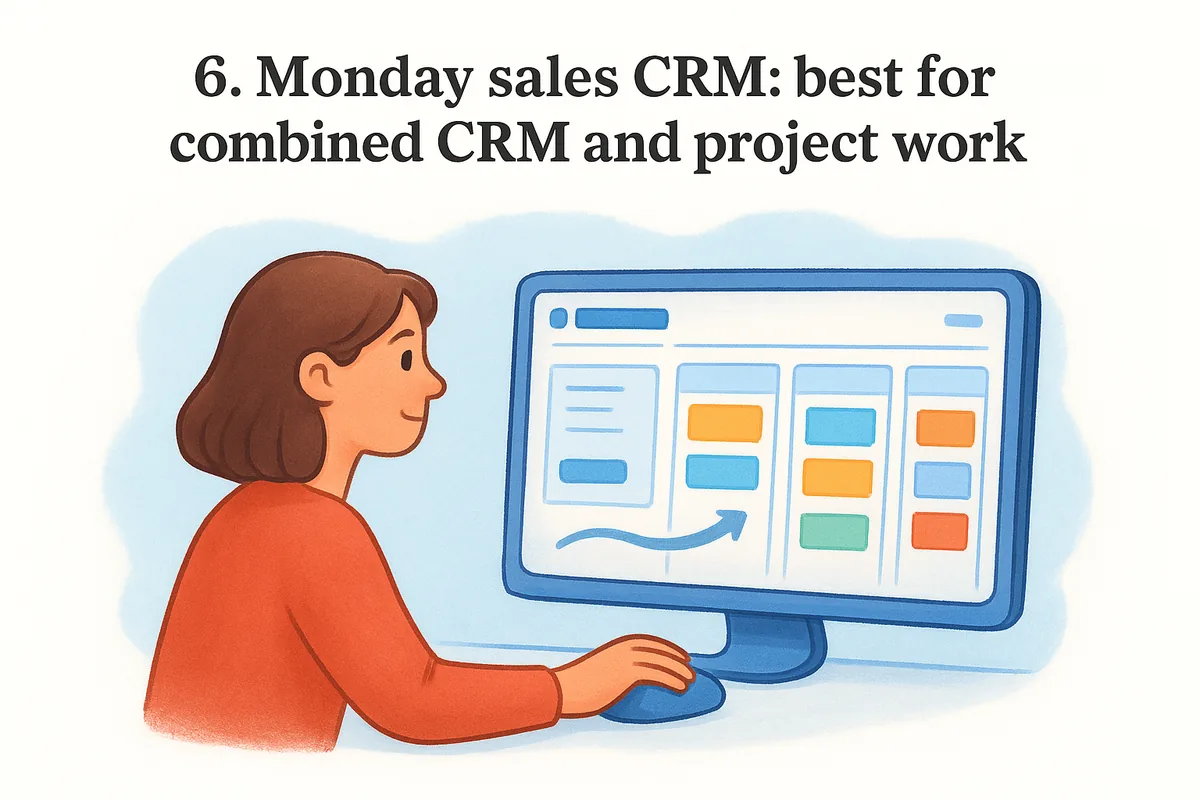
Monday.com started as a project management tool before building a dedicated CRM on top of its existing board structure, and that lineage shows up in how the platform handles agency work. Agencies that manage client onboarding, creative deliverables, and sales pipeline inside the same workspace get real value here, since a deal won in the CRM can trigger a project board without exporting anything. If your agency already runs on Monday for internal tasks, adding sales CRM as a module keeps everything under one login instead of stitching two tools together with Zapier.
Key features
Monday's CRM inherits the same visual, board-based interface that made its project management product popular with creative teams.
- •Customizable boards for pipeline stages, client onboarding, and project delivery
- •Automation recipes that move a deal into a project board once it's marked won
- •Email tracking and templates built into contact records
- •Time tracking and workload views for staffing client work
- •Dashboards pulling data from both sales and delivery boards
Best for
Agencies that want sales and delivery in one system benefit most, particularly shops already using Monday for internal project tracking who don't want a separate CRM subscription.
Pricing
The CRM product starts around $12 per seat per month on the Basic tier, with automation and integrations unlocked near $17 per seat on the Standard tier, and pricing requires a minimum of three seats regardless of team size.
Monday earns its spot when your agency needs one workspace for both winning the deal and delivering the project, not two separate logins.
Pros and cons
- •Pro: Seamless handoff from closed deal to active project board
- •Pro: Highly visual interface familiar to teams already using Monday
- •Con: Minimum seat requirements inflate cost for very small teams
- •Con: CRM-specific features feel less mature than dedicated sales platforms
7. Salesforce Sales Cloud: best for enterprise agencies
Salesforce built the category most other CRMs on this list still get compared against, and that scale shows up the moment your agency needs custom objects, territory management, or approval chains for six-figure retainers. Large agencies with dedicated ops or IT staff get the most out of Sales Cloud, since the platform rewards teams that can dedicate real hours to configuration instead of expecting something usable out of the box. Smaller shops searching for the best crm for agencies usually find Salesforce overbuilt for their needs, but if your agency already runs enterprise clients, the platform matches that complexity instead of fighting it.
Key features
Salesforce ships an ecosystem, not just a CRM, and agencies at scale lean on that depth.
- •Fully customizable objects, fields, and page layouts for any pipeline structure
- •AppExchange marketplace with thousands of third-party integrations
- •Einstein AI for lead scoring, forecasting, and next-best-action suggestions
- •Advanced permission sets for multi-team, multi-client access control
- •Robust reporting and dashboard builder across unlimited custom objects
Best for
Enterprise agencies with dedicated administrators or Salesforce consultants benefit most, particularly shops managing complex approval workflows across large client rosters.
Pricing
Plans start around $25 per user per month on the Starter tier, but agencies typically need the Core or Advanced editions, priced from $195 per user, to unlock the automation and customization Salesforce is known for.
Salesforce fits agencies that need enterprise-grade flexibility and have the budget and staff to configure it properly.
Pros and cons
- •Pro: Unmatched customization and third-party ecosystem
- •Pro: Scales to thousands of users without hitting a platform ceiling
- •Con: Requires significant setup time and often a dedicated admin
- •Con: Pricing climbs fast once you need automation or AI features
8. Insightly: best CRM with built-in project management
Insightly sits in an odd but useful spot between a pure CRM and a project delivery tool, which makes it a natural fit for agencies that hand off a closed deal straight into execution. Unlike Monday's board-based approach, Insightly ties project management directly to the CRM record itself, so an account manager can see the original deal terms right next to the tasks and milestones a delivery team is working through. Teams tired of exporting won deals into a separate tool tend to land here after outgrowing simpler pipeline trackers.
Key features
Insightly bundles relationship mapping and delivery tracking into one record type, which few CRMs on this list attempt.
- •Relationship linking that maps contacts across multiple client organizations
- •Project pipelines that trigger automatically once a deal closes
- •Custom workflow automation for task assignment and status updates
- •Native integrations with Gmail, Outlook, and QuickBooks
- •Reporting dashboards that combine sales and project data
Best for
Agencies delivering client projects after the sale, like web design or consulting shops, benefit most from having sales and delivery data live in the same record instead of two disconnected systems.
Pricing
Plans start around $29 per user per month on the Plus tier, with project management and advanced automation unlocked near $49 per user on the Professional tier, putting Insightly closer to HubSpot's pricing than Vedain's flat rate.
Insightly earns its place when your agency needs the sale and the project it produces to live in the same record.
Pros and cons
- •Pro: Built-in project management removes the need for a second tool
- •Pro: Relationship mapping handles complex client org charts well
- •Con: Entry-level pricing runs higher than Pipedrive or Zoho
- •Con: Interface feels dated compared to newer competitors
9. Productive.io: best full agency operations platform
Productive.io skips the pretense of being a general-purpose CRM and instead builds around how agencies actually run: sell the work, staff the work, bill the work, and track profitability the whole way through. Agencies that need to know whether a client is actually profitable, not just whether the deal closed, get more out of Productive than any pure sales tool on this list. It's less a sales pipeline software and more a full operations layer with a CRM bolted onto the front end, which suits agencies that sell retainers or project-based work with real margin pressure.
Key features
Productive ties the sales pipeline directly into resourcing and finance, which few competitors attempt.
- •Deal pipeline that converts won opportunities into staffed projects automatically
- •Time tracking and resource planning tied to each client account
- •Budget and profitability reporting broken down by project or retainer
- •Invoicing and billing built into the same platform as the CRM
- •Automation for recurring tasks like status reports and budget alerts
Best for
Mid-sized agencies billing hourly or on retainer benefit most, especially shops that already track profitability manually in spreadsheets and want that data connected to the pipeline that generated it.
Pricing
Plans start around $9 per user per month on the entry tier for basic project tracking, but agencies typically need the Professional or Ultimate tiers, priced near $28 per user, to unlock the CRM pipeline, budgeting, and automation features together.
Productive earns its spot when your agency cares more about margin per client than deals closed per month.
Pros and cons
- •Pro: Connects sales, resourcing, and profitability in one platform
- •Pro: Strong fit for retainer-based and hourly billing models
- •Con: CRM features feel secondary compared to dedicated sales tools
- •Con: Full feature set requires a higher-priced tier than the advertised entry price
10. Apptivo: best modular CRM for smaller agencies
Apptivo takes a different approach than most of the platforms on this list: instead of one fixed product, it sells a suite of connected apps you can turn on or off depending on what your agency actually needs. A small shop running lean can start with just the CRM and invoicing modules, then add project tracking or a client portal later without switching platforms. That modularity makes Apptivo one of the more flexible options in any best crm for agencies search, especially for teams that don't want to pay for features they'll grow into someday.
Key features
Apptivo bundles a wide app library under one login, letting agencies pick only what fits their current stage.
- •Configurable CRM with custom fields, pipelines, and lead scoring
- •Built-in invoicing, estimates, and expense tracking tied to client records
- •Project management app that links tasks directly to the originating deal
- •Email integration with Gmail and Office 365
- •App Store for adding modules like supply chain or field service as needed
Best for
Smaller agencies and freelancers scaling up gradually get the most out of Apptivo, particularly shops that want invoicing and light project tracking without buying a separate finance tool.
Pricing
Plans start around $20 per user per month on the Premium tier, with the full app suite, including advanced reporting and automation, unlocked near $40 per user on the Ultimate tier.
Apptivo works best for agencies that want to add capability piece by piece instead of committing to a full platform upfront.
Pros and cons
- •Pro: Modular pricing lets small teams pay only for what they use
- •Pro: Invoicing and expense tracking built in without a third-party tool
- •Con: Interface feels less polished than newer competitors
- •Con: Support response times lag behind higher-priced platforms
11. EngageBay: best budget all-in-one marketing CRM
EngageBay markets itself as a HubSpot alternative for teams that can't stomach HubSpot's pricing, and for small agencies bundling marketing and sales into one contract, that pitch mostly holds up. The platform combines email marketing, landing pages, live chat, and a CRM pipeline under one login, which suits agencies still doing their own lead generation instead of relying purely on referrals. Compared to the best crm for agencies already covered here, EngageBay wins on price but asks you to accept a smaller integration library and a less polished interface in return.
Key features
EngageBay leans hard into marketing automation alongside its core CRM, which sets it apart from sales-only tools like Pipedrive.
- •Deal pipeline with drag-and-drop stages and custom fields
- •Built-in email marketing with sequences and landing page builder
- •Live chat and helpdesk ticketing bundled into the same plan
- •Marketing automation workflows triggered by contact behavior
- •Native integrations with Gmail, Office 365, and Zapier
Best for
Small agencies running their own lead generation benefit most, especially shops that would otherwise pay separately for email marketing software and a CRM.
Pricing
Plans start around $14.99 per user per month on the Basic tier, with marketing automation and advanced reporting unlocked on the Pro tier at roughly $100–120 per user, and a limited free plan exists for teams testing the waters first.
EngageBay fits agencies that want marketing and sales bundled together without paying HubSpot's markup for the same combination.
Pros and cons
- •Pro: Marketing and CRM features bundled at a fraction of HubSpot's cost
- •Pro: Free tier available for very small teams to trial the platform
- •Con: Interface and support feel less refined than bigger competitors
- •Con: Advanced automation and reporting require the higher-priced tier
12. How to choose the right CRM for your agency
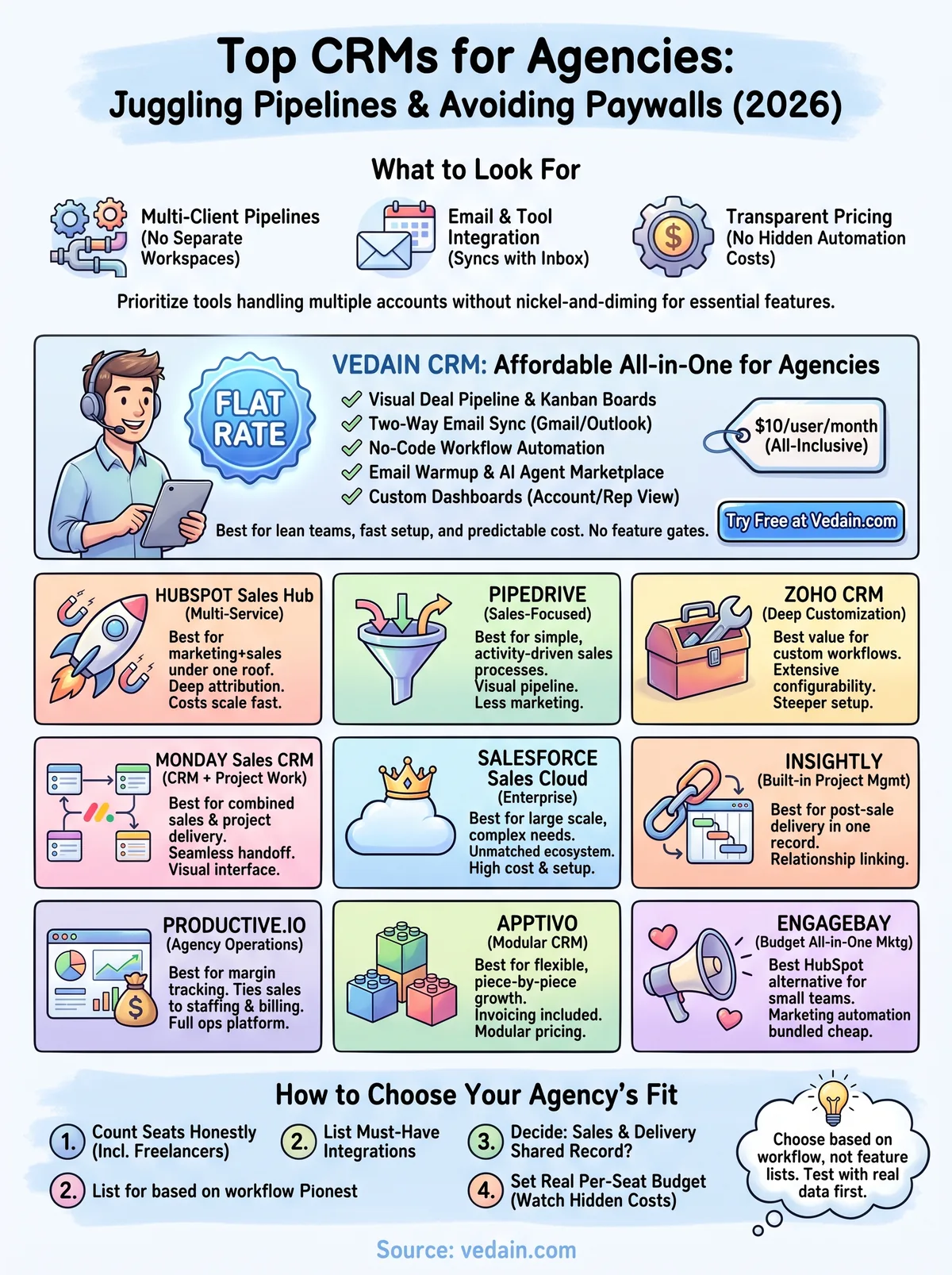
Matching a CRM to your agency comes down to three questions: how many client pipelines you're running, how tightly sales connects to delivery, and how much you can spend per seat without triggering another price hike in a year. Chasing feature lists gets you nowhere if the platform doesn't fit how your team actually bills clients, whether that's project-based, retainer, or hourly work. The best crm for agencies on this list split cleanly along those lines: Vedain and Pipedrive for lean sales-first teams, HubSpot and Zoho for shops layering in marketing, and Productive or Insightly for agencies that need delivery baked into the same record.
Start by mapping your current headcount against where you expect to be in eighteen months, since a CRM that fits five people can buckle at twenty-five without warning.
- •Count your seats honestly, including freelancers and contractors who'll need logins
- •List the integrations you can't live without, like Gmail, QuickBooks, or a project tool
- •Decide if sales and delivery need to share a record, or if a handoff between two tools is fine
- •Set a real budget ceiling per seat, not just an entry-tier price you saw on a pricing page
- •Ask what's gated behind higher tiers, since automation and reporting are the usual culprits
Choose the CRM that matches how your agency already works, not the one with the longest feature list.
Testing matters more than reading comparisons like this one. Every platform here offers a free trial or a low-commitment entry plan, so run your actual client data through two or three finalists before committing a year of budget. Pull in the account managers who'll use it daily, not just the founder signing the contract, since adoption problems show up in week two, not during the demo call.
Picking the right fit for your team
No single CRM wins every category on this list, and that's the point. HubSpot suits agencies bundling marketing and sales, Productive fits shops obsessing over margin, and Salesforce makes sense once you've got the headcount and budget to justify it. But if you're running a lean agency tired of watching per-seat pricing creep up every time you need automation or reporting, the calculus changes fast.
Most agencies searching for the best crm for agencies aren't looking for more features, they're looking for fewer surprises on the invoice. That's the gap Vedain fills: one flat rate, every feature included, no tier to outgrow next quarter. Setup takes minutes, not weeks, and you won't need a dedicated admin to keep it running.
If predictable pricing and a fast setup matter more than a bloated feature list, try Vedain CRM free and see how your pipeline runs without the paywalls.
Related reading
Frequently Asked Questions
What is the best CRM for agencies in 2026?
HubSpot is widely considered the best CRM for agencies in 2026 due to its comprehensive features, excellent agency-specific tools, and scalability across team sizes. However, the best choice depends on your specific needs—Salesforce excels for enterprise agencies, Pipedrive is ideal for sales-focused teams, and Zoho offers the best value for budget-conscious agencies. Most top agencies use a combination of these platforms based on their workflow requirements.
How much does HubSpot cost compared to Salesforce for agencies?
HubSpot's Sales Hub Starter costs $20/seat/month ($7 billed annually), while Salesforce's Starter Suite begins at $25/user/month; the gap widens at higher tiers (HubSpot Professional $90-100/seat vs Salesforce Core $195/user), making HubSpot more affordable for small to mid-sized agencies. Zoho CRM offers even lower pricing starting at $14/user/month, though it has fewer enterprise features than HubSpot. For large enterprises, Salesforce's functionality often justifies the higher cost despite the price difference.
Which CRM is best for multi-client management in agencies?
HubSpot and Salesforce are the top choices for managing multiple clients simultaneously, as they offer advanced account hierarchies and permission-based access controls. Pipedrive provides excellent pipeline visibility for agencies handling numerous deals across different clients, while Freshsales offers strong team collaboration features at a lower price point. Zoho CRM is also effective for multi-client scenarios but requires more customization.
What CRM has the best integrations for agency workflows?
HubSpot has the most extensive native integrations with 1,500+ apps including email, marketing automation, and project management tools, making it ideal for agencies. Salesforce's AppExchange marketplace offers 4,000+ integrations but requires more technical setup. Pipedrive, Freshsales, and Zoho all provide solid integration ecosystems, though Pipedrive's Marketplace has fewer options than HubSpot's.
Is Zoho CRM better than Pipedrive for agencies on a tight budget?
Zoho CRM and Pipedrive both start at $14/user/month (annual), but Zoho also has a free plan for up to 3 users and its Professional plan ($23) undercuts Pipedrive's Growth plan ($39), making it the budget winner for cost-conscious agencies. However, Pipedrive offers superior sales pipeline visualization and ease of use, which many agencies find worth the extra expense. For agencies needing robust features without breaking the bank, Zoho provides better value, while Pipedrive suits those prioritizing user experience and sales-specific functionality.
Can Vedain CRM compete with HubSpot and Salesforce for agencies?
Vedain CRM is a general all-in-one CRM rather than an agency-specific tool, and it lacks the market presence and ecosystem of HubSpot and Salesforce. Where it competes is price and inclusion: pipeline, email sync, workflows, campaigns and reporting are all included at one flat $10/user/month. HubSpot and Salesforce remain dominant due to their larger ecosystems, more integrations, and stronger brand recognition. Vedain works best for lean agencies that want predictable per-seat costs without tier upgrades.