The right CRM syncs two-way with your existing inbox, logs conversations automatically, and lets you trigger sequences without leaving your email client. Some platforms bolt this on as a premium add-on. Others, like Vedain, build native two-way sync into the base plan so every rep's inbox and pipeline stay in step from day one, without paying extra for what should be standard.
Below, we broke down nine CRMs worth considering in 2026, weighing sync depth, setup time, and pricing transparency alongside raw email features. You'll see how each handles automated sequences, deliverability, and reporting, so you can match a tool to how your team actually sells instead of how a sales page says it should work.
1. Vedain CRM
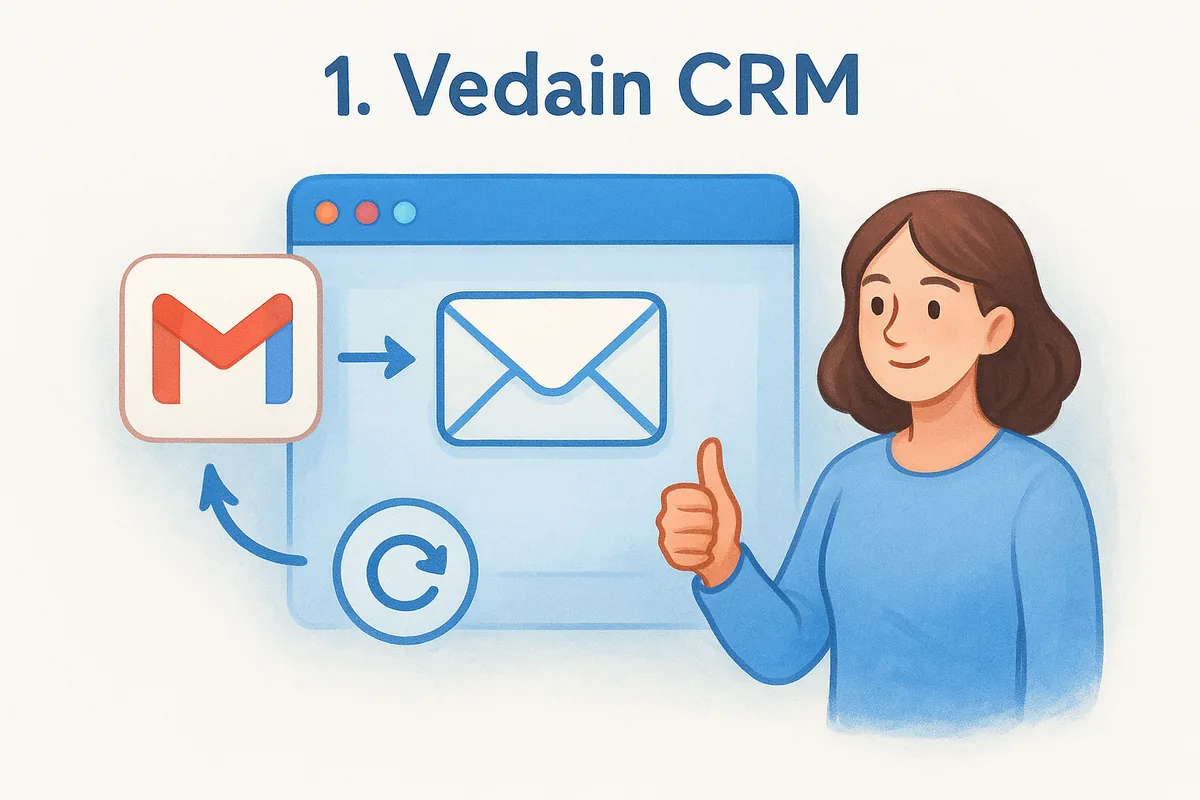
Vedain built its email integration to feel like a natural extension of Gmail or Outlook, not a bolted-on sync tool you have to babysit. You connect your inbox in under five minutes, and from that point every email, reply, and open gets logged against the right contact and deal automatically. There's no per-seat email add-on, no separate "sync tier" you need to upgrade into. It's just part of the $10 per user per month plan, which puts Vedain in a different category from CRMs that treat inbox sync as a premium feature.
How the email integration works
Vedain uses two-way sync with both Gmail and Outlook, meaning emails you send from your regular inbox show up in the CRM timeline, and emails you send from inside Vedain land in your actual sent folder. You're not locked into a separate compose window that feels disconnected from how you already work. The sync captures opens and replies in real time, so a rep can see whether a prospect read yesterday's follow-up before deciding whether to call.
What sets this apart from most competitors on this list is the built-in email warmup feature. New domains and inboxes get flagged by spam filters if you start blasting cold emails on day one. Vedain warms up your sending domain over 21 days, gradually increasing volume and engagement signals so your outbound emails actually land in inboxes instead of spam folders. Most CRMs don't touch deliverability at all. They assume your email already works and hand you a sync button.
A CRM's email sync is only as useful as your emails' deliverability, and Vedain is one of the only platforms that addresses both in the same plan.
Key features
Beyond the inbox sync itself, Vedain packages a full sales stack around it:
- •Visual deal pipeline with drag-and-drop Kanban boards for tracking opportunities stage by stage
- •Multi-step email campaigns with automated sequences you can trigger straight from a contact record
- •No-code workflow builder for automating tasks like follow-up reminders or lead assignment
- •Lead capture forms that push new leads directly into your pipeline from your website
- •AI Agent Marketplace with over 30 pre-built agents for data enrichment and content generation
- •Custom dashboards with drag-and-drop reporting widgets
- •Granular team permissions at the module level, useful once you're managing more than a handful of reps
Each of these ships in the same plan, so you're not choosing between email sync and automation, or automation and reporting. That's a real departure from how HubSpot or Zoho structure their tiers.
Pricing
Vedain charges a flat $10 per user per month, and that price includes everything: email sync, warmup, workflows, campaigns, custom fields, unlimited records, and the AI tools. There's no enterprise tier hiding the features you actually need, and no credit card required to start a trial. Compare that to platforms where email sync alone can push you into a $50 or $90 per user tier, and the math becomes obvious for teams watching their software spend.
Best for
Vedain fits small to mid-sized sales teams that want inbox-level CRM sync without paying extra for what feels like a basic feature elsewhere. It also suits teams that are actively sending cold outreach and need deliverability handled, not just email logging. If you're a founder-led sales team or a startup replacing a spreadsheet, the five-minute setup and flat pricing remove most of the friction that usually delays CRM adoption for months.
2. HubSpot CRM and Sales Hub
HubSpot popularized the idea of a free CRM with email tracking, and it's still the name most sales teams recognize first. The free tier gives you basic contact syncing and email logging, but the real email integration muscle sits inside Sales Hub, HubSpot's paid tier that unlocks sequences, templates, and deeper automation. That split matters, because a lot of teams sign up expecting HubSpot's full email toolkit and discover it's gated behind a subscription that climbs fast once you add seats.
How the email integration works
HubSpot connects to Gmail and Outlook through a two-way sync that logs emails automatically and tracks opens, clicks, and replies inside the contact timeline. You can send from Gmail or from HubSpot's own interface, and both directions stay mirrored. The free plan caps you at limited tracked emails per month, and sequences (automated multi-step email follow-ups) only unlock once you move into a paid Sales Hub tier, which is where most growing teams end up spending real money.
Key features
HubSpot's ecosystem is broad, and email integration is just one piece of it:
- •Email tracking and notifications for opens and clicks
- •Sequences for automated, multi-step outreach in paid tiers
- •Meeting scheduling links embedded directly in emails
- •Deal pipelines synced with email activity
- •Reporting dashboards that pull from email and deal data together
Pricing
HubSpot's free CRM covers basic email logging, but Sales Hub Starter runs $20 per seat per month, and Professional jumps to roughly $100 per seat per month billed annually, with a required onboarding fee on higher tiers. That's a steep climb if your team just wants reliable email sync without extra licensing layers. HubSpot's own pricing page lays out the seat minimums and tier gates in detail.
HubSpot's free plan gets you started, but full email automation lives behind a Sales Hub subscription that scales quickly with headcount.
Best for
HubSpot suits teams already using its marketing or service tools and want everything under one vendor. It also works for larger sales orgs with budget to absorb per-seat Sales Hub costs. If you're price-sensitive or just need solid two-way email sync without paying for a broader marketing suite, you'll likely outgrow the free tier faster than expected.
3. Salesflare
Salesflare markets itself as the CRM for small B2B teams that hate manual data entry, and its email integration is built around that pitch. Instead of asking reps to log calls and meetings, it pulls signals from your inbox and calendar automatically, then builds contact timelines without much manual input. That autopilot approach makes it popular with agencies and consultancies who want a lightweight CRM that doesn't feel like extra admin work.
How the email integration works
Salesflare syncs two-way with Gmail, Outlook, and Exchange, logging every email, meeting, and even email signature detail into the contact record automatically. It scans signatures to update job titles and phone numbers on its own, which cuts down on stale contact data. You get open and click tracking, plus a shared team inbox view so anyone can see the full email history on a deal, not just the rep who sent the last message.
Salesflare's strength is automatic data capture, so reps spend less time updating records and more time actually emailing prospects.
Key features
Salesflare leans heavily into automation around the inbox itself:
- •Automatic contact and company enrichment pulled from email signatures and social profiles
- •Visual pipeline with drag-and-drop deal stages
- •Email sequences for automated follow-up cadences
- •Meeting and call logging synced from your calendar
- •LinkedIn integration for pulling social data into contact records
Pricing
Salesflare offers three tiers: Growth at $29 per user per month, Pro at $49 per user per month, and Enterprise at $99 per user per month, all billed annually (monthly billing costs more). Email sequences and some automation features require the Pro tier, so the entry-level plan doesn't give you the full email toolkit. That pricing puts Salesflare well above flat-rate platforms, especially once you factor in the jump needed to unlock sequences.
Best for
Salesflare fits small B2B teams, agencies, and consultancies that want minimal manual data entry and don't mind paying a premium for automation. It's a strong fit if your team is small enough that automatic enrichment saves real hours, but less compelling if you're price-sensitive or need sequences without upgrading past the entry tier.
4. Copper
Copper built its reputation as the CRM that lives entirely inside Google Workspace, and that positioning still defines who it works for today. If your team runs on Gmail, Google Calendar, and Google Drive, Copper feels less like a separate tool and more like an extra tab bolted onto tools you already use. That tight Google Workspace integration is the whole pitch, and it's also the limiting factor if your team runs on Outlook instead.

How the email integration works
Copper syncs directly with Gmail through a Chrome extension and native Workspace integration, capturing emails, attachments, and calendar events into the right contact and deal record automatically. You can view and update deal information right from your Gmail sidebar without switching tabs, which cuts down on the context-switching that slows reps down. Outlook support exists but feels like an afterthought compared to how deeply Copper wires into Google's ecosystem, so Microsoft-based teams don't get the same experience.
Key features
Copper's feature set stays focused on relationship tracking rather than broad sales automation:
- •Gmail sidebar for viewing and editing deal data without leaving your inbox
- •Automatic activity logging for emails, meetings, and calls
- •Visual pipeline boards for tracking deals by stage
- •Workflow automation for task reminders and lead routing
- •Google Drive integration for attaching files directly to deal records
Copper's tight Google Workspace fit makes it feel invisible for Gmail-first teams, but that same design leaves Outlook users with a weaker experience.
Pricing
Copper prices in three tiers: Starter at $12 per user per month, Basic at $29 per user per month, and Professional at $49 per user per month, all billed annually with higher monthly rates. Workflow automation and advanced reporting only unlock on the Professional tier, so the entry-level plan mainly covers contact and email tracking. Details sit on Copper's pricing page, though the jump from Starter to Professional is steep if you need automation early.
Best for
Copper suits Google Workspace-native teams, particularly agencies and consultancies that already run their entire workflow through Gmail, Calendar, and Drive. It's a weaker fit if your team splits between Gmail and Outlook, or if you need workflow automation without paying for the top tier.
5. Pipedrive
Pipedrive built its name on visual pipeline management, and its email integration is designed to keep that pipeline view front and center while you work through your inbox. Sales reps who like seeing deals as cards moving across stages tend to gravitate toward Pipedrive because the email tool doesn't pull you away from that visual layout. It's a solid best CRM with email integration pick if pipeline visibility matters more to your team than deep automation.

How the email integration works
Pipedrive connects to Gmail and Outlook through a two-way sync that logs emails against the right deal and contact automatically, and you can send, reply, and open templates without leaving the CRM interface. Email open and click tracking works out of the box on most tiers, and you can link an unlimited number of email accounts on higher plans. Reps who prefer working from Pipedrive's own inbox view rather than jumping back to Gmail get a cleaner experience here than with some competitors, since the email panel sits right next to the deal record.
Key features
Pipedrive keeps its feature set tightly focused on pipeline and email workflow rather than broad marketing tools:
- •Customizable visual pipelines with drag-and-drop deal stages
- •Email and video call tracking built into the activity timeline
- •Workflow automation for follow-up tasks and lead assignment
- •AI-powered sales assistant that suggests next actions based on deal activity
- •Revenue forecasting reports tied to pipeline stage probability
Pipedrive's email tool works best when your team already thinks in pipeline stages rather than inbox folders.
Pricing
Pipedrive runs five tiers: Essential at $14 per user per month, Advanced at $34, Professional at $64, Power at $79, and Enterprise at $129, all billed annually with higher monthly rates. Email open tracking and templates exist on Essential, but full email sync features and automation depth improve noticeably as you move up tiers. Full breakdowns sit on Pipedrive's pricing page.
Best for
Pipedrive suits sales teams that live in a pipeline view and want email logging alongside it rather than a separate marketing suite. It fits mid-sized teams comfortable paying more as they climb tiers for deeper automation, but it's a less obvious choice if you want full automation and sync at entry-level pricing.
6. Zoho CRM
Zoho CRM comes from a company that sells over 50 business apps, and that scale is exactly what shapes its email integration. If your team already runs Zoho Books, Zoho Desk, or Zoho Campaigns, the email sync becomes one more piece of a much larger puzzle rather than a standalone feature. That breadth is a strength for teams committed to the Zoho ecosystem, but it also means the CRM interface can feel more crowded than tools built around email sync alone.
How the email integration works
Zoho connects to Gmail and Outlook through two-way sync, pulling emails into contact and deal records automatically while letting reps send from either their native inbox or Zoho's own mail client. The platform also ships its own email client, Zoho Mail, which some teams adopt entirely instead of syncing an external inbox. Email tracking covers opens and clicks, and Zoho's SalesSignals feature notifies reps in real time when a prospect opens an email or replies, so follow-up timing doesn't rely on someone remembering to check.
Zoho's email integration works best when you treat it as part of a wider app suite, not just a sync tool bolted onto a CRM.
Key features
Zoho packs a wide feature set into its CRM tiers, and email sits alongside several adjacent tools:
- •SalesSignals for real-time email open and reply notifications
- •Canvas for building custom record layouts without code
- •Zia AI assistant for lead scoring and email sentiment analysis
- •Multichannel communication spanning email, phone, live chat, and social
- •Blueprint for enforcing structured, multi-step sales processes
Pricing
Zoho runs four main tiers: Standard at $14 per user per month, Professional at $23, Enterprise at $40, and Ultimate at $52, all billed annually with higher monthly rates. Mass email sending caps and automation depth both scale with tier, so a team on Standard will hit sending limits faster than one on Enterprise. Full details sit on Zoho's pricing page, and the gap between entry and top tier is wide enough to matter for budgeting.
Best for
Zoho CRM suits teams already invested in the broader Zoho suite, or organizations that want one vendor covering CRM, helpdesk, and marketing under a single login. It's a weaker fit if you just want clean email sync without wading through dozens of adjacent modules you'll never touch.
7. Freshsales CRM
Freshsales, part of the Freshworks family, positions itself as a CRM with built-in phone and email tools rather than one that leans on third-party add-ons. Reps who need to call and email from the same screen tend to like Freshsales because the activity timeline blends both channels without extra plugins. It's a solid pick if your team already runs other Freshworks products like Freshdesk, since the account and contact data carry across tools.
How the email integration works
Freshsales connects to Gmail and Outlook through two-way sync, logging sent and received emails against the right contact and deal automatically. You get built-in email templates, open and click tracking, and the option to send from Freshsales' own interface or your native inbox. The standout piece is Freddy AI, Freshsales' assistant that scores leads and suggests the best time to send a follow-up based on past engagement patterns, so reps aren't guessing when a prospect is likely to open an email.
Freddy AI's send-time suggestions give Freshsales an edge over CRMs that only log emails without helping you time them better.
Key features
Freshsales bundles email sync with a broader set of built-in communication tools:
- •Freddy AI for lead scoring and deal insights
- •Built-in phone dialer alongside email in the same activity feed
- •Visual deal pipeline with drag-and-drop stages
- •Workflow automation for task assignment and follow-up reminders
- •Territory management for splitting accounts across reps or regions
Pricing
Freshsales runs four tiers: Growth at $9 per user per month, Pro at $39, Enterprise at $59, and a free plan for very small teams, all billed annually with higher monthly rates. Freddy AI and advanced workflow automation only unlock on Pro and above, so the entry tier covers basic email sync without the AI layer. Pricing details sit on Freshworks' pricing page.
Best for
Freshsales suits teams that call and email prospects in roughly equal measure, since the built-in dialer removes the need for a separate phone tool. It also fits organizations already using Freshdesk or other Freshworks products who want shared contact data. Teams that only need email sync without a phone system attached might find the pricing steps less justified once you factor in features you won't touch.
8. Streak
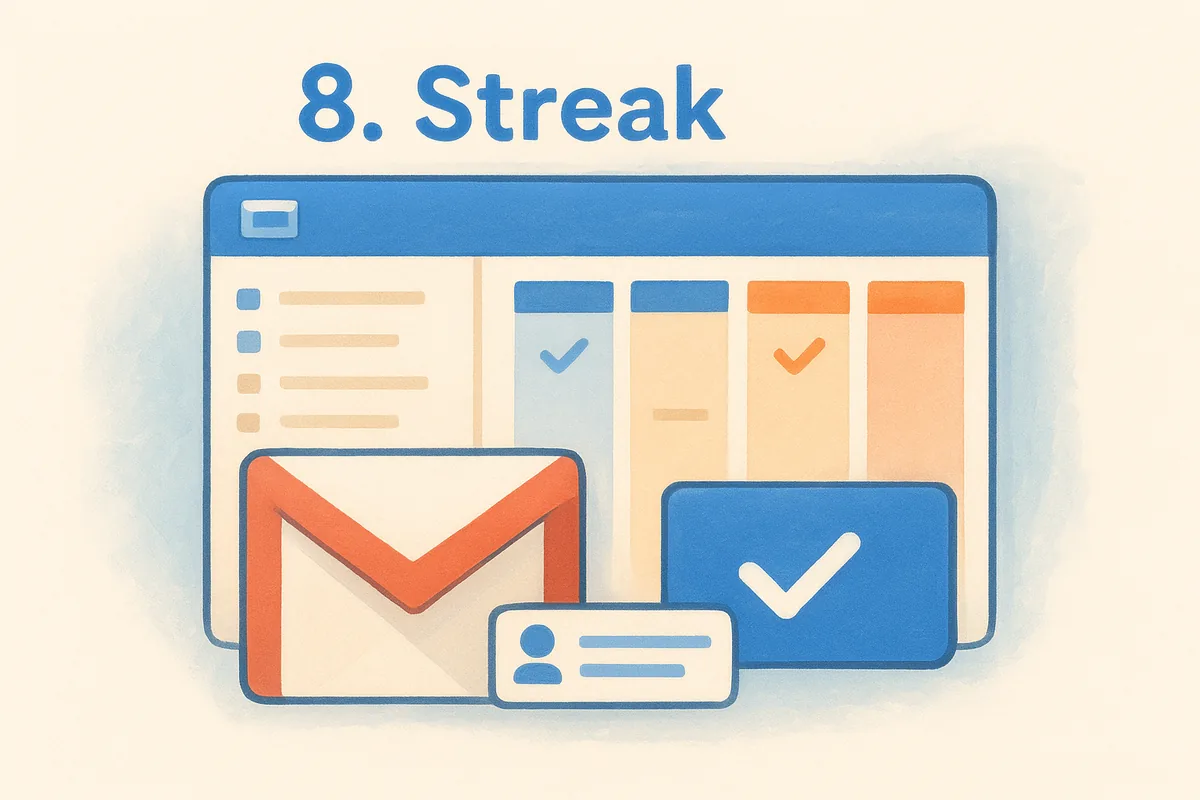
Streak takes a different approach than every other CRM on this list: it doesn't have its own interface at all. The entire CRM lives inside Gmail as a browser extension, turning your inbox into a pipeline manager without ever opening a separate app. Teams that spend most of their day in Gmail already, and want zero context switching, tend to find this setup faster to adopt than a standalone platform.
How the email integration works
Since Streak runs directly inside Gmail, there's no traditional sync to configure. Every email you send or receive gets tracked automatically, and you can turn any thread into a pipeline entry with a couple of clicks. Mail merge lets you send personalized bulk emails straight from your Gmail compose window, and open tracking shows a small icon in your inbox the moment a recipient reads your message. The catch: Streak only works with Gmail. Outlook users get nothing, since the whole product is built as a Chrome extension wired into Google's mail client.
Streak skips the sync problem entirely by turning your Gmail inbox into the CRM itself, which works great until your team needs Outlook.
Key features
Streak keeps its feature set focused on what a Gmail-based workflow actually needs:
- •Pipeline tracking built directly into your inbox with customizable stages
- •Mail merge for personalized bulk email sending
- •Email open and link tracking shown as icons next to messages
- •Shared inboxes so team members see the same email threads and notes
- •Task and reminder snoozing tied to specific emails or threads
Pricing
Streak offers a free plan for individual users, then scales through Solo at $19 per user per month, Pro at $49, and Enterprise with custom pricing, all billed annually with higher monthly rates. Mail merge limits and pipeline features expand as you move up tiers, so the free plan works fine for testing but caps out fast for anyone sending real outreach volume. Pricing specifics sit on Streak's pricing page.
Best for
Streak fits solo operators and small teams that live entirely inside Gmail and don't want to learn a new interface. It's a strong pick for freelancers, recruiters, or small agencies running lightweight pipelines. It's a poor fit the moment your team splits between Gmail and Outlook, or once you need reporting and automation beyond what an inbox extension can reasonably offer.
9. Nutshell
Nutshell markets itself as the CRM built for small businesses that don't have a dedicated sales ops person to configure everything. Its email integration reflects that philosophy: setup takes minutes, and the interface avoids the sprawling menus you find in Zoho or Salesforce. Teams migrating off spreadsheets or a shared inbox often pick Nutshell because it feels approachable without sacrificing the two-way sync most reps expect from a modern CRM.
How the email integration works
Nutshell connects to Gmail and Outlook through Nutshell Engagement, syncing sent and received emails into the right contact and lead timeline automatically. Reps can send from their native inbox or from Nutshell's interface, and both directions stay mirrored without manual logging. The platform also tracks email opens and link clicks in real time, plus it flags when a lead hasn't been contacted in a set number of days, which catches deals that would otherwise go quiet.
Nutshell's automatic follow-up flags matter more than raw sync speed, since most missed deals die from silence, not slow syncing.
Key features
Nutshell rounds out its email sync with a feature set built for lean sales teams:
- •Personalized email sequences with automated multi-step follow-ups
- •Visual pipeline board with drag-and-drop stages
- •Built-in reporting covering sales activity, conversion rates, and team performance
- •Nutshell Forms for capturing website leads directly into the pipeline
- •Map-based territory view for teams managing field sales or regional accounts
Pricing
Nutshell runs three tiers: Foundation at $19 per user per month, Pro at $49, and Power AI at $69, all billed annually with slightly higher monthly rates. Email sequences and advanced automation only unlock on Pro and above, so Foundation covers basic sync without the outreach tools most sales teams eventually want. Sequence limits and reporting depth also expand as you climb tiers, which pushes many growing teams toward Pro faster than they'd planned.
Best for
Organizations that want a simple, low-friction CRM without a steep learning curve tend to settle on Nutshell quickly. It suits small sales teams and field reps who value the map view, but price-sensitive teams needing sequences from day one will find the jump to Pro adds up fast compared to flat-rate alternatives.
Picking the right CRM for your inbox
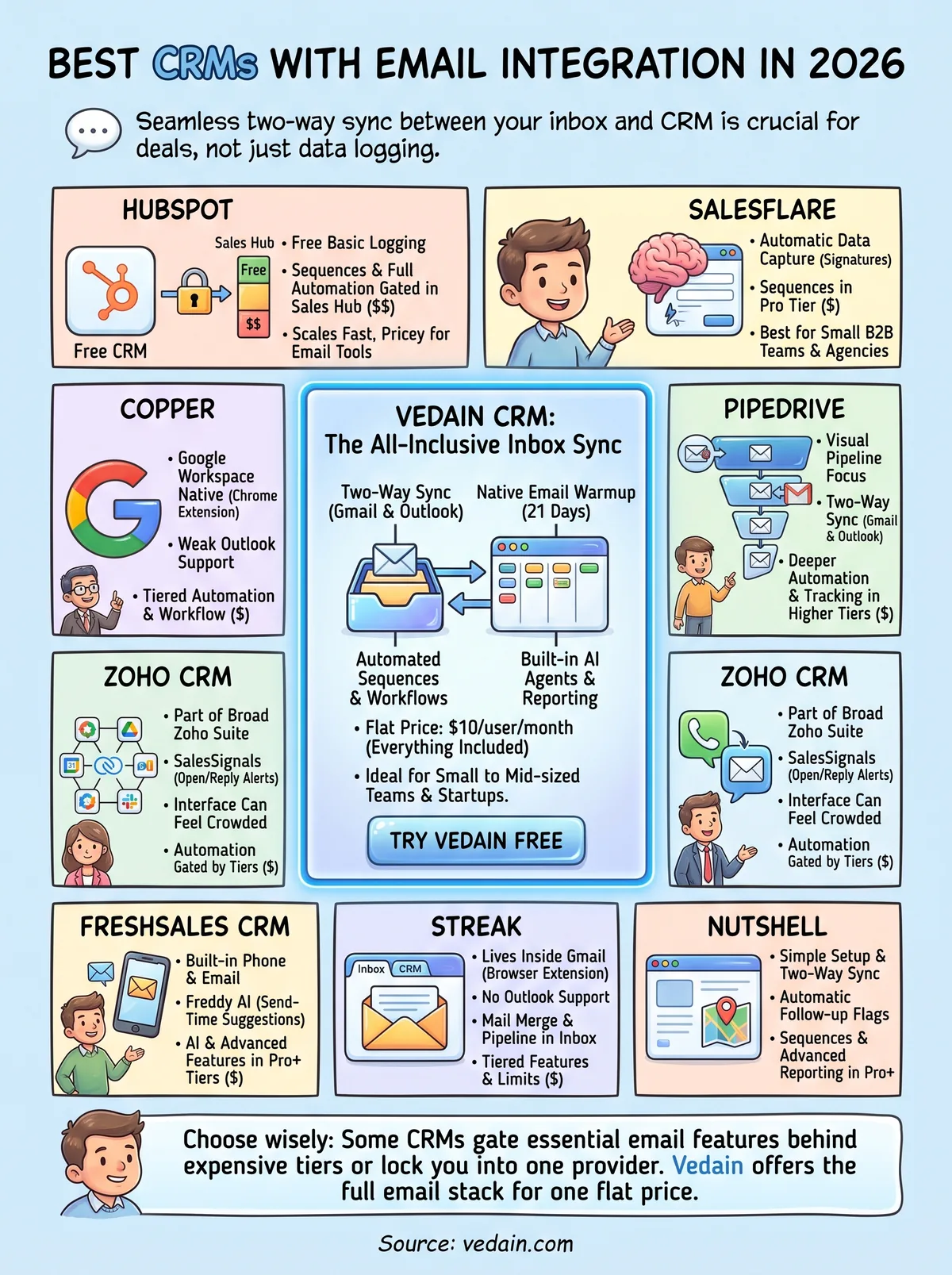
Every CRM on this list can technically sync with Gmail or Outlook, but sync alone isn't the point. What matters is whether that sync comes bundled with the automation, reporting, and deliverability tools your team actually needs, or whether you'll pay extra for each piece separately. HubSpot, Zoho, and Pipedrive all push sequences and deeper automation into higher tiers. Streak and Copper lock you into a single email provider. Salesflare and Nutshell charge a premium just to unlock outreach features most teams expect from day one.
Vedain skips that pattern entirely. Two-way sync, warmup, workflows, and reporting all ship in the same $10 per user plan, with no tier to climb and no feature gate to hit later. If you're tired of CRMs that nickel-and-dime basic email functionality, start a free Vedain trial at vedain.com and see how fast your inbox and pipeline sync without a credit card or a sales call.
Frequently Asked Questions
What is the best CRM with email integration for small businesses?
Pipedrive and Freshsales are the best CRMs with email integration for small businesses, offering affordable pricing starting at $14-15/month with native Gmail and Outlook integration. Pipedrive excels at pipeline visualization while Freshsales provides superior automation features. Both are significantly cheaper than HubSpot ($45/month) and Salesforce ($165/month) while maintaining robust email functionality.
Does Salesforce have built-in email integration?
Yes, Salesforce has built-in email integration through Salesforce for Gmail and Outlook, allowing users to log emails automatically to records. However, this functionality requires additional configuration and can increase costs beyond the base $165/month subscription. HubSpot and Zoho offer more seamless out-of-the-box email integration at lower price points.
Which CRM has the best email tracking and open rates?
HubSpot and Freshsales offer the most comprehensive email tracking and open rate reporting across all price tiers. HubSpot's free CRM includes email tracking, while Freshsales delivers advanced email analytics starting at $15/month. Vedain and Pipedrive also provide solid email tracking, though HubSpot's reporting dashboard is more intuitive for monitoring engagement metrics.
Can you integrate multiple email accounts in Zoho CRM?
Yes, Zoho CRM allows integration of multiple email accounts including Gmail, Outlook, and custom SMTP servers with unlimited email synchronization. Zoho's pricing starts at $18/month per user, making it competitive with Freshsales and more affordable than HubSpot or Salesforce. Unlike Pipedrive, Zoho also supports team email inbox collaboration within the platform.
What is the difference between native email integration and plugins?
Native email integration means the CRM has built-in email functionality without requiring third-party extensions, as seen in HubSpot, Zoho, and Freshsales. Plugin-based integration (like Salesforce's approach) requires additional installation and often costs more while offering less seamless workflows. Native integration from providers like Pipedrive and Vedain typically offers faster syncing, better data accuracy, and simpler user onboarding.
Which CRM offers the best email automation features?
HubSpot and Freshsales lead in email automation with advanced workflows, drip campaigns, and behavioral triggers starting at $45/month and $15/month respectively. Zoho CRM also provides robust email automation capabilities at $18/month, rivaling HubSpot's features at half the price. Pipedrive and Vedain offer basic email automation, while Salesforce requires additional investment in Marketing Cloud for advanced automation.