That's why we put this guide together. As the team behind Vedain CRM, a platform built specifically to give sales teams full-feature access at a flat $10/user/month, we've spent years studying what works (and what doesn't) in this space. We know where competitors lock features behind expensive tiers, where setup becomes a bottleneck, and where real value hides beyond the marketing pages.
This article breaks down 15 of the best CRM platforms you can buy online in 2026, with real pricing details, feature comparisons, and honest takes on who each tool is actually built for. Whether you're a startup founder shopping for your first CRM or a sales leader looking to switch from an overpriced plan, you'll walk away with a clear picture of your options, and enough context to make a confident decision. Let's get into it.
1. Vedain CRM
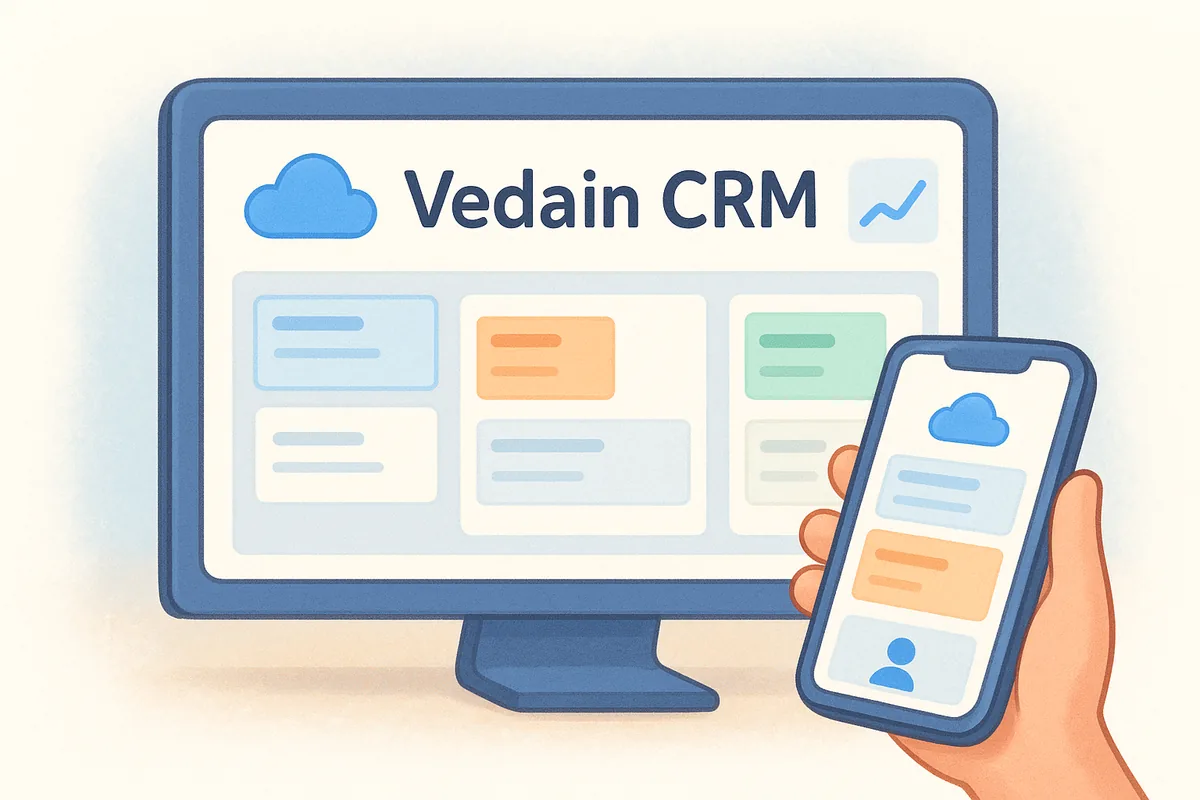
Vedain is a cloud-based CRM built for sales teams that want a complete tool set without paying enterprise prices. It covers everything from lead management and deal pipelines to email automation and AI-powered features, all under a single flat-rate plan.
What Vedain CRM is best for
Vedain works best for small to mid-sized sales teams that need a full-featured CRM without juggling multiple pricing tiers. If you're switching from a platform where key features sit behind expensive upgrades, Vedain is designed to remove that friction entirely. It fits teams using Gmail or Outlook for daily communication, and it's especially strong for organizations that want automation without hiring a developer.
Standout features and key limits
Vedain packs a lot into its base price. You get two-way email sync with Gmail and Outlook, a visual Kanban deal pipeline, no-code workflow automation, multi-step email campaigns, and a 21-day email warmup tool for domain deliverability. The AI Agent Marketplace includes 30+ pre-built agents for data enrichment and content generation, and the AI Studio lets you build custom CRM features just by describing what you want in plain English.
Vedain includes email warmup, unlimited records, and automation in every plan - features that competitors either charge extra for or reserve for top-tier subscribers.
One limit worth noting: Vedain is optimized for sales-focused workflows. If you need deep customer support ticketing or full project management built into the same platform, you may need a separate tool to cover those functions.
What it's like to set up and use day to day
Setup takes under five minutes, and you don't need a credit card to start your trial. Once you're in, the interface is clean and the Kanban pipeline is immediately usable without any configuration work. Connecting your email takes a few clicks, and you can import leads and contacts via CSV right away.
Day to day, the no-code automation builder handles repetitive tasks like follow-up sequences and lead assignment, so your team spends more time selling instead of managing the tool.
Vedain CRM pricing
Vedain charges a flat $10 per user per month, with no feature tiers, no hidden fees, and no locked capabilities. Every user gets access to the full platform, including AI tools, email automation, workflows, and analytics. When you buy CRM software online, this kind of transparent all-in pricing is rare - most competitors charge two to five times more for equivalent functionality.
2. HubSpot CRM
HubSpot is one of the most widely recognized names in the CRM space, and its free tier has made it a default starting point for a lot of growing teams. The platform covers contact management, deal tracking, and marketing tools under one roof, though the free version has more limits than its branding suggests.
What HubSpot CRM is best for
HubSpot fits best for early-stage teams that want a free entry point and plan to scale into more marketing and sales automation over time. It works well for companies already invested in content marketing or inbound strategies, where the CRM and marketing tools share the same data.
Standout features and key limits
HubSpot's strength is its breadth of integrations and its tight connection between CRM, email marketing, and content tools. The contact timeline, live chat, and basic deal pipeline are all available on the free plan. However, the major limits kick in fast. Automation, reporting, and sequences are locked behind paid tiers that can quickly climb to $800 or more per month depending on your contact count and seat count.
If you decide to buy CRM software online and start with HubSpot's free tier, budget for a significant price jump the moment your team needs automation or detailed reporting.
What it's like to set up and use day to day
Setup is straightforward, and the onboarding flow guides new users through the basics. Day to day, the interface is polished but can feel cluttered as your contact volume and feature count grows.
HubSpot CRM pricing
HubSpot's free plan covers core CRM functions. Paid Sales Hub plans start at $20 per user per month for Starter, but the Professional tier, which unlocks automation and advanced reporting, starts at $100 per user per month.
3. Pipedrive
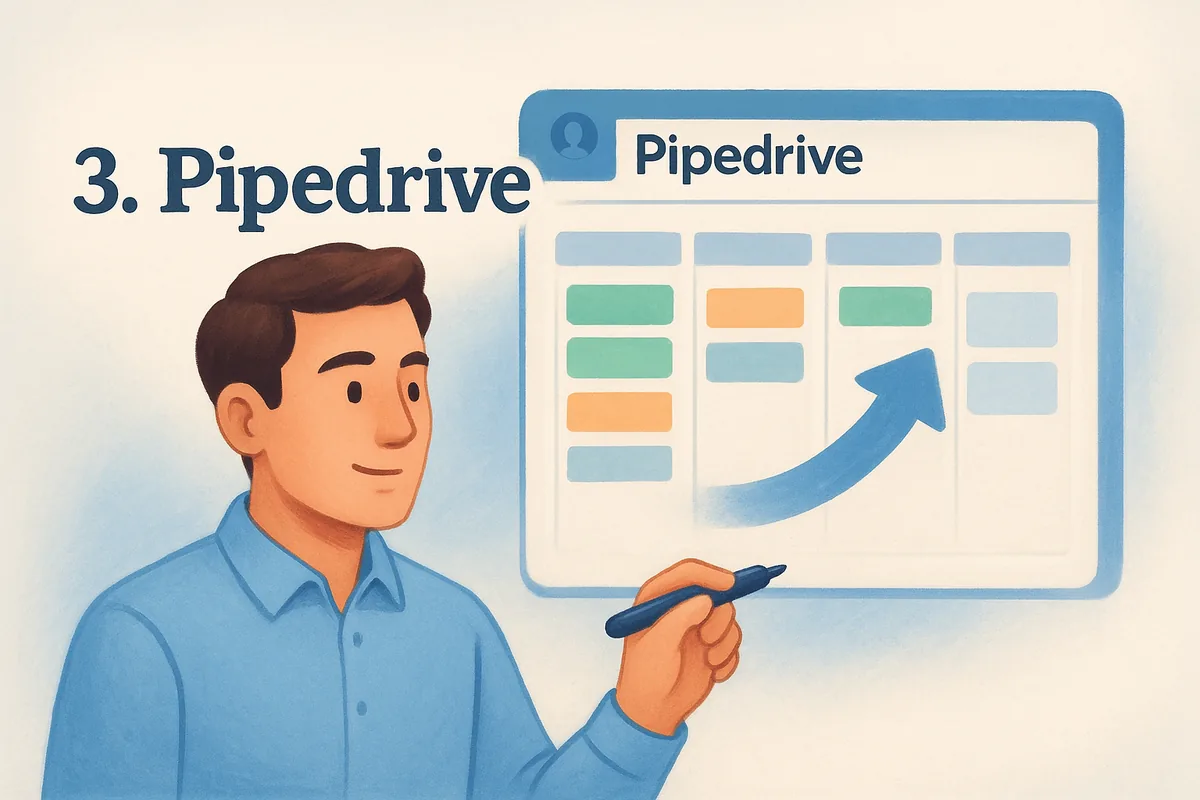
Pipedrive is a sales-focused CRM built around visual pipeline management. The platform centers on moving deals through stages, making it a natural fit for teams that think in terms of pipeline activity rather than contact records or marketing workflows.
What Pipedrive is best for
Pipedrive works best for small sales teams that want a clean, activity-driven workflow without a steep learning curve. If your team focuses primarily on closing deals rather than running complex marketing campaigns alongside sales, Pipedrive gives you a focused tool that doesn't overwhelm you with extra modules.
Standout features and key limits
Pipedrive's visual deal pipeline is its strongest asset. You can drag and drop deals between stages, set activity reminders, and get a clear view of where each opportunity stands. The platform also includes email sync, customizable pipelines, and basic reporting on all paid plans.
The biggest limit is that Pipedrive locks advanced automation, AI-powered features, and revenue forecasting behind higher-priced tiers, so the base plan feels restrictive as your team grows.
What it's like to set up and use day to day
Setup is quick, and the onboarding process walks you through building your first pipeline in minutes. Day to day, the interface stays focused and uncluttered. However, if you need workflow automation or AI tools, you'll hit walls on the Essential and Advanced plans fairly quickly, which pushes you toward more expensive subscriptions sooner than expected.
Pipedrive pricing
Pipedrive's Essential plan starts at $14 per user per month (billed annually). The Advanced plan, which adds email sequences and automation, costs $29 per user per month. If you want to buy CRM software online and keep costs predictable as your team scales, Pipedrive's tier structure can add up faster than the entry price suggests.
4. Zoho CRM
Zoho CRM is part of a broader suite of business applications from Zoho Corporation, covering everything from email and HR tools to accounting and marketing automation. The CRM itself handles leads, contacts, pipeline management, and multichannel communication, and it integrates tightly with other Zoho products if your team already uses them.
What Zoho CRM is best for
Zoho CRM fits best for businesses already using other Zoho tools, like Zoho Books or Zoho Campaigns, where connecting everything in one ecosystem matters. It also works for mid-sized teams that need a customizable CRM without moving into enterprise pricing territory.
Standout features and key limits
Zoho CRM includes workflow automation, email integration, and AI-powered sales predictions through its Zia assistant on higher plans. You also get multichannel communication tracking across email, phone, and social platforms. The main limit is the learning curve. Zoho packs in a lot of options, and configuring the platform to match your specific process takes more time than most lightweight CRMs. Teams without a dedicated admin often find setup slow and configuration confusing.
If you plan to buy CRM software online and want deep customization, Zoho delivers it, but factor in the setup time before committing.
What it's like to set up and use day to day
Getting started with Zoho takes longer than simpler tools. The onboarding flow covers the basics, but reaching full functionality requires building out modules, custom fields, and automation rules that take days rather than minutes to configure. Day to day, once everything is in place, the interface is functional, though some users find navigation across modules less intuitive compared to more focused sales CRMs.
Zoho CRM pricing
Zoho CRM's Standard plan starts at $14 per user per month (billed annually). The Professional plan, which includes automation and inventory management, costs $23 per user per month. Enterprise, which adds AI features, runs $40 per user per month.
5. Salesforce Sales Cloud
Salesforce Sales Cloud is the market-leading CRM platform relied on by thousands of enterprise sales organizations worldwide. It covers the full sales lifecycle, from lead capture and contact management to advanced forecasting, territory planning, and AI-powered insights through its Einstein layer.
What Salesforce Sales Cloud is best for
Teams that need enterprise-grade depth and customization will find the strongest fit with Salesforce. If your business operates across multiple regions or business units with distinct sales processes, Salesforce gives you the configurability to support all of them inside one platform.
Standout features and key limits
Salesforce includes pipeline management, opportunity tracking, AI forecasting, and an AppExchange marketplace with thousands of add-ons. The platform's depth is unmatched. However, that depth comes at a real cost. Implementation typically requires dedicated Salesforce administrators or certified consultants, and even basic customizations take significant time and resources. Smaller teams often end up paying for power they never actually use.
If you plan to buy CRM software online and your team has fewer than 50 people, Salesforce's complexity and cost structure may work against you more than for you.
What it's like to set up and use day to day
Setup is far from fast. A full Salesforce deployment typically takes weeks to months, and most organizations bring in a partner to handle configuration. Day to day, the interface is functional but dense, and training new reps takes considerably longer compared to lighter CRM tools.
Salesforce Sales Cloud pricing
Salesforce's Starter Suite begins at $25 per user per month, but the Pro Suite, which most teams actually need, starts at $100 per user per month. The Enterprise plan runs $165 per user per month, and add-ons can push the total cost significantly higher.
6. monday CRM
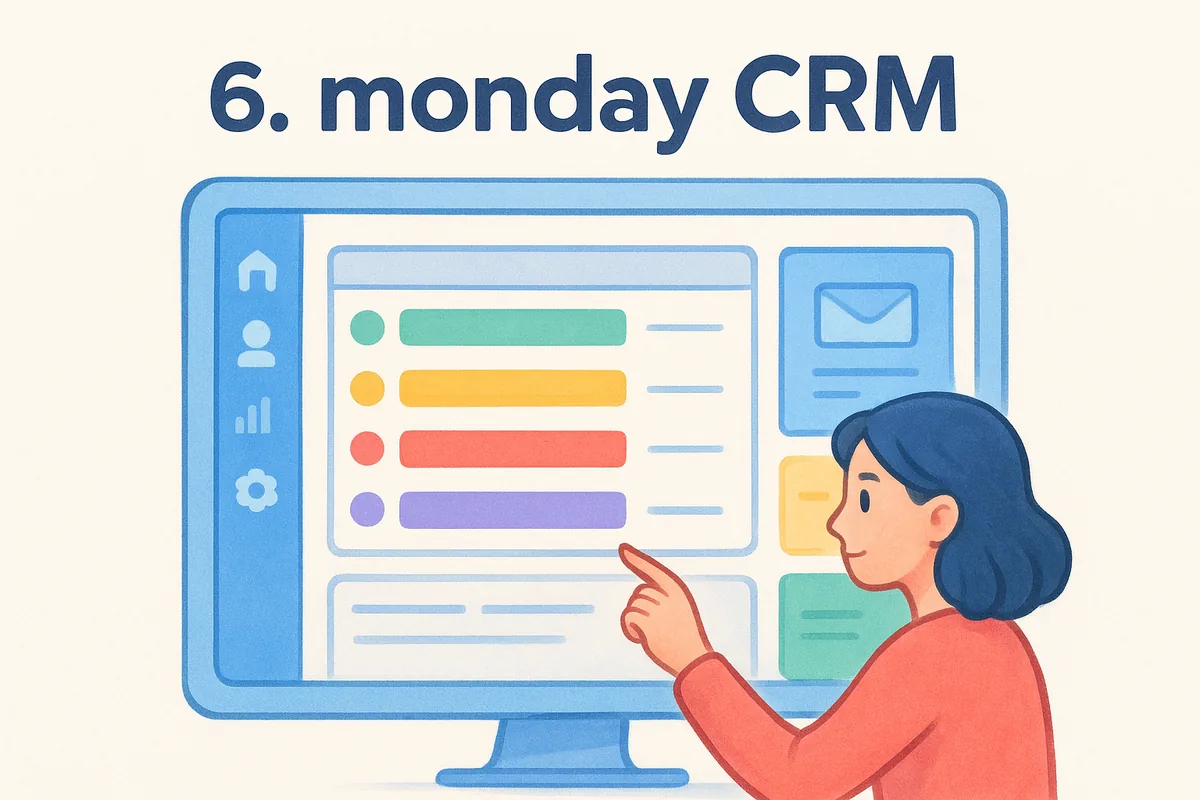
monday CRM is built on top of the monday.com work operating system, giving it a more flexible, project-board feel than most traditional sales CRMs. It handles contact management, deal tracking, and pipeline visualization, with a heavy emphasis on customization and team collaboration.
What monday CRM is best for
monday CRM fits best for teams that already use monday.com for project management and want their sales pipeline in the same environment. It also works for organizations that need highly flexible pipeline layouts and don't want to be constrained by a rigid CRM structure.
Standout features and key limits
monday CRM lets you customize almost every element of your pipeline, from column types to board views, which gives teams the freedom to build workflows that match their exact process. You also get email sync, activity tracking, and automation recipes built in.
The main limit is that monday CRM's flexibility can work against you if your team doesn't have someone willing to spend time configuring and maintaining the setup.
The platform also lacks some sales-specific depth that purpose-built CRMs offer, particularly around email warmup, AI-driven enrichment, and advanced reporting at the base tier.
What it's like to set up and use day to day
Setup moves quickly if you're already familiar with monday.com's board interface. New users coming from a traditional CRM often need time to adjust to the board-based layout rather than a standard list or Kanban format. Day to day, the drag-and-drop interface keeps things visual, but adding meaningful sales automation takes more configuration work upfront.
monday CRM pricing
monday CRM's Basic plan starts at $12 per seat per month (billed annually). The Standard plan, which adds automation and integrations, runs $17 per seat per month. If you want to buy CRM software online without spending time on heavy configuration, the setup overhead is worth factoring into your decision.
7. Freshsales
Freshsales is a sales CRM from Freshworks that covers contact management, deal pipelines, and email outreach in one platform. What sets it apart from many competitors is its built-in phone and live chat capabilities, which most CRMs push you to handle through third-party integrations.
What Freshsales is best for
Inside sales teams that rely heavily on phone calls alongside email will get the most out of Freshsales. If your reps make high call volumes and need a CRM that logs those interactions automatically without bolting on a separate telephony tool, Freshsales handles that natively without additional setup.
Standout features and key limits
The platform includes AI-powered lead scoring through its Freddy AI assistant, contact timelines, email sync, and a visual deal pipeline. The built-in phone dialer and live chat give it real advantages for multichannel sales teams. The significant limit is that workflow automation and advanced AI features sit behind the Pro and Enterprise tiers, which means the Growth plan leaves teams with restricted automation capabilities from the start.
If you want to buy CRM software online and need automation running on day one, the Growth plan's feature gates will likely push you to a higher tier faster than expected.
What it's like to set up and use day to day
Setup is guided and relatively fast, with Freshsales walking you through email connection and pipeline creation step by step. Day to day, the interface is clean and organized, though teams that regularly move between the phone, email, and deal modules often find the navigation adds more clicks as their workflow scales.
Freshsales pricing
Freshsales offers a free plan for up to three users. The Growth plan starts at $9 per user per month (billed annually), while the Pro plan runs $39 per user per month.
8. Zendesk Sell
Zendesk Sell is a sales CRM built by Zendesk, the company better known for its customer support platform. It connects sales pipeline management with the broader Zendesk ecosystem, making it a natural fit for teams where sales and support workflows overlap on a regular basis.
What Zendesk Sell is best for
Zendesk Sell works best for companies already using Zendesk Support who want their sales and service teams sharing the same customer data without manual syncing. If your organization handles both inbound support tickets and outbound sales activity, having both functions in one ecosystem reduces the gaps that typically slow down handoffs between teams.
Standout features and key limits
Zendesk Sell includes email integration, activity tracking, a visual sales pipeline, and built-in click-to-call functionality. The contact and deal records pull in support ticket history from Zendesk, which gives your reps useful context before they reach out. The main limit is that Zendesk Sell makes the most sense only if you're using other Zendesk products. Standalone, it offers less depth and fewer AI or automation features than competitors at similar price points.
If you plan to buy CRM software online and your team has no connection to Zendesk's support tools, you'll likely find better value and more complete sales features elsewhere at the same price.
What it's like to set up and use day to day
Setup is guided and moves at a reasonable pace for teams already inside the Zendesk environment. New users unfamiliar with Zendesk will face a slightly steeper onboarding curve. Day to day, the interface stays clean, but some reps find the navigation less intuitive than CRMs built purely around sales workflows.
Zendesk Sell pricing
Zendesk Sell's Team plan starts at $19 per agent per month (billed annually). The Growth plan runs $55 per agent per month, which is where most meaningful automation and reporting features unlock.
9. SugarCRM
SugarCRM is an open-source-rooted CRM platform that has evolved into a cloud-based solution targeting mid-market and enterprise organizations. It combines sales automation, marketing tools, and customer service management under one platform.
What SugarCRM is best for
SugarCRM fits best for mid-market businesses that need deep customization and have the technical resources to manage a more complex environment. If your team requires advanced workflow automation and custom data models, SugarCRM gives you the flexibility to build around your specific process rather than adapting to a rigid out-of-the-box structure.
Standout features and key limits
The platform includes predictive lead scoring, email automation, and a configurable pipeline with strong reporting capabilities. You also get customer journey mapping and service case management built in. The main limit is its minimum seat requirement, which locks smaller teams out of most plans entirely. Getting full value from the customization options also requires dedicated technical resources.
If you want to buy CRM software online and your team has fewer than 10 users, SugarCRM's pricing structure will likely price you out before you even evaluate the features.
What it's like to set up and use day to day
Setup requires significant time and technical effort, especially if you need custom modules or unique data configurations. Day to day, the interface is functional but dated compared to newer CRMs, and your team will need proper onboarding training to use it efficiently without wasting time navigating the system.
SugarCRM pricing
SugarCRM does not publish per-user monthly pricing publicly on its website. Most plans require a minimum of three users, and the Sell plan starts around $49 per user per month billed annually. Enterprise plans run considerably higher and typically require direct contact with their sales team for a custom quote.
10. Insightly
Insightly is a CRM platform that combines sales pipeline management with built-in project management, making it unusual among dedicated sales tools. It targets small to mid-sized businesses that need to manage not just the deal, but what comes after it closes.
What Insightly is best for
Teams where closing a deal immediately triggers a series of delivery tasks get the most from Insightly. Agencies, consulting firms, and service businesses that onboard clients right after conversion find the project layer genuinely useful.
If your post-sale process involves task handoffs and multi-step delivery, Insightly connects those activities directly to your CRM records without requiring a separate tool.
Standout features and key limits
The platform includes contact management, opportunity tracking, and a built-in project module that converts won deals into projects in one click. You also get email templates, workflow automation, and custom dashboards across most plans.
Advanced features like automation and detailed reporting stay locked behind the Professional and Enterprise plans, which pushes cost up quickly for teams that need those capabilities from day one.
If you want to buy CRM software online and your work ends at the close, Insightly's project layer adds overhead without adding value for pure sales teams.
What it's like to set up and use day to day
Setup is guided and straightforward, walking you through pipeline and project configuration step by step. Most teams can get their first pipeline running in under an hour.
Day to day, switching between deal records and project views works well once your workflow is configured, though reps focused purely on pipeline often find the extra modules create clutter they never use.
Insightly pricing
Insightly charges per user with three main tiers:
11. Less Annoying CRM
Less Annoying CRM does exactly what its name suggests. It strips away the complexity that clutters most CRM platforms and focuses entirely on contact management, pipeline tracking, and basic task logging for small teams and solo operators. If your biggest complaint about CRM tools is that they feel overbuilt for what you actually need, this platform is designed with that frustration in mind.
What Less Annoying CRM is best for
This tool works best for very small teams and solo sales professionals who need a clean, low-friction way to track contacts and follow-ups without spending hours configuring a more complex system. It fits businesses where simplicity matters more than depth, and where your team would rather spend ten minutes getting started than a full day wading through settings and onboarding flows.
Standout features and key limits
The platform covers contact management, a simple pipeline view, task reminders, and a daily agenda email that surfaces what needs your attention each morning. There are no feature tiers, which keeps costs predictable. The hard limit is that automation, email sync, reporting, and AI tools are entirely absent, making it a poor fit for any team that wants workflows beyond manual data entry and basic note-taking.
If you want to buy CRM software online and your team plans to scale or add automation within the next year, Less Annoying CRM will likely feel restrictive before long.
What it's like to set up and use day to day
Setup takes under ten minutes, and the interface requires almost no training. Day to day, the minimalist design keeps navigation fast, but reps who need activity dashboards, email tracking, or pipeline analytics will quickly run into hard walls with no upgrade path to unlock those features.
Less Annoying CRM pricing
Less Annoying CRM charges a flat $15 per user per month with no annual commitment required. Every user gets full access to all features, though the feature set itself is intentionally limited compared to most competing platforms at similar price points.
12. OnePageCRM
OnePageCRM is a sales-focused CRM built around a single core idea: every contact needs a next action attached to it. Rather than giving you a traditional pipeline or contact database, it keeps your team moving by surfacing exactly who to follow up with and when, turning your contact list into an active task queue instead of a passive record.
What OnePageCRM is best for
OnePageCRM fits best for small sales teams and solo operators who find traditional CRMs too passive. If your reps lose deals because follow-ups slip through the cracks, the action-stream approach keeps accountability front and center without requiring managers to chase down activity reports.
Standout features and key limits
The platform centers on its Next Action system, which assigns a required follow-up step to every contact. You also get email integration, deal pipeline tracking, and basic reporting across its paid plans. The platform is genuinely simple to navigate, but that simplicity becomes a ceiling quickly. Advanced automation, AI tools, and deep analytics are largely absent, and teams that need workflow automation or multi-step email sequences will find OnePageCRM too thin for those requirements.
If you want to buy CRM software online and your team needs automation running alongside pipeline management, OnePageCRM's feature set will likely feel limiting before your first quarter ends.
What it's like to set up and use day to day
Setup is fast, typically under fifteen minutes, and the interface requires almost no training. Day to day, the action-first layout keeps reps focused on outreach rather than browsing records, though teams used to visual Kanban pipelines may need time to adjust to the format.
OnePageCRM pricing
OnePageCRM's Professional plan starts at $9.95 per user per month (billed annually). The Business plan runs $19.95 per user per month and adds team management features and advanced reporting.
13. SuiteCRM
SuiteCRM is an open-source CRM platform built as a community fork of SugarCRM's legacy codebase. It gives organizations full control over their data and environment, making it one of the few options where you can self-host the entire system without paying per-user licensing fees.
What SuiteCRM is best for
SuiteCRM fits best for technically capable teams and organizations that prioritize data ownership above all else. If your business operates in a regulated industry where storing customer data on a third-party server creates compliance concerns, SuiteCRM's self-hosted model removes that dependency entirely.
Standout features and key limits
The platform includes contact management, deal pipelines, workflow automation, and email campaign tools in its open-source package. Because the code is publicly available, your team can modify and extend it however you need. The hard limit is that all of that flexibility requires technical resources to actually use. Installation, configuration, updates, and security patches fall entirely on your team or your hosting provider.
If you want to buy CRM software online and need a system running within days rather than weeks, SuiteCRM's setup demands will likely slow you down significantly.
What it's like to set up and use day to day
Setup requires server provisioning, database configuration, and manual installation steps before you can even log in. That process takes hours at minimum and much longer for teams without dedicated IT support. Day to day, the interface reflects its older codebase, and navigating between modules feels less polished compared to modern cloud CRMs.
SuiteCRM pricing
SuiteCRM's core platform is free to download and use. Hosted plans through SuiteCRM's official cloud offering start at approximately $95 per month for up to ten users, billed annually.
14. Odoo CRM
Odoo CRM is part of the broader Odoo business suite, an open-source platform that covers everything from accounting and inventory to HR and e-commerce. The CRM module handles lead management, pipeline tracking, and basic email outreach, and it connects directly to other Odoo apps if your team already runs operations inside that ecosystem.
What Odoo CRM is best for
Odoo CRM fits best for businesses already using or considering Odoo's wider suite of business tools. If your team wants to manage sales, purchasing, and operations inside a single platform rather than connecting multiple separate tools, Odoo's integrated approach reduces the number of systems you need to maintain.
Standout features and key limits
The CRM module includes a visual Kanban pipeline, lead scoring, email integration, and activity scheduling. Because it connects to Odoo's other modules, you can link deals directly to quotes, invoices, and inventory records without a separate integration. The main limit is that getting full value requires adopting more of the Odoo ecosystem, which adds setup complexity and cost. Using the CRM in isolation delivers less value than platforms built purely around sales workflows.
If you want to buy CRM software online and your team only needs a sales CRM without broader ERP functionality, Odoo's setup overhead may outweigh its benefits.
What it's like to set up and use day to day
Setup takes meaningful configuration time, particularly if you're activating multiple modules alongside the CRM. Day to day, the pipeline interface is clean and responsive, but navigating between modules requires more clicks than most purpose-built sales CRMs.
Odoo CRM pricing
Odoo's CRM module is free when self-hosted. The cloud-hosted Standard plan starts at $9.10 per user per month, billed annually, with the Custom plan running higher based on your module selections.
15. Bitrix24
Bitrix24 is a cloud-based platform that combines CRM, project management, internal communication, and HR tools under a single login. It targets teams that want to consolidate multiple business functions rather than run separate tools for sales, collaboration, and task management.
What Bitrix24 is best for
Bitrix24 fits best for teams that need a free starting point and want sales, communication, and project tools working together from day one. If your organization manages both internal collaboration and customer relationships in the same environment, Bitrix24's broad feature set makes that possible without adding separate subscriptions.
Standout features and key limits
The platform includes a visual sales pipeline, contact management, email marketing, telephony, and live chat alongside built-in video calls and task boards. The free plan supports unlimited users, which stands out compared to most alternatives. The main limit is that the free tier caps storage and restricts automation, and the interface can feel overwhelming given how many tools are packed into one place. Teams that only need a sales CRM often find themselves navigating modules that have nothing to do with their daily work.
If you want to buy CRM software online and your team only needs sales-focused tools, Bitrix24's breadth adds noise rather than value.
What it's like to set up and use day to day
Setup moves quickly at the surface level, but getting the CRM module configured to reflect your actual sales process takes real time. Day to day, switching between the CRM, tasks, and communication panels requires more clicks than purpose-built sales platforms, and new reps often need structured onboarding before they can work efficiently.
Bitrix24 pricing
Bitrix24's free plan supports unlimited users with limited storage and automation. Paid plans start at $49 per month for five users (billed annually), with higher tiers running $99 and $199 per month based on user count and feature access.
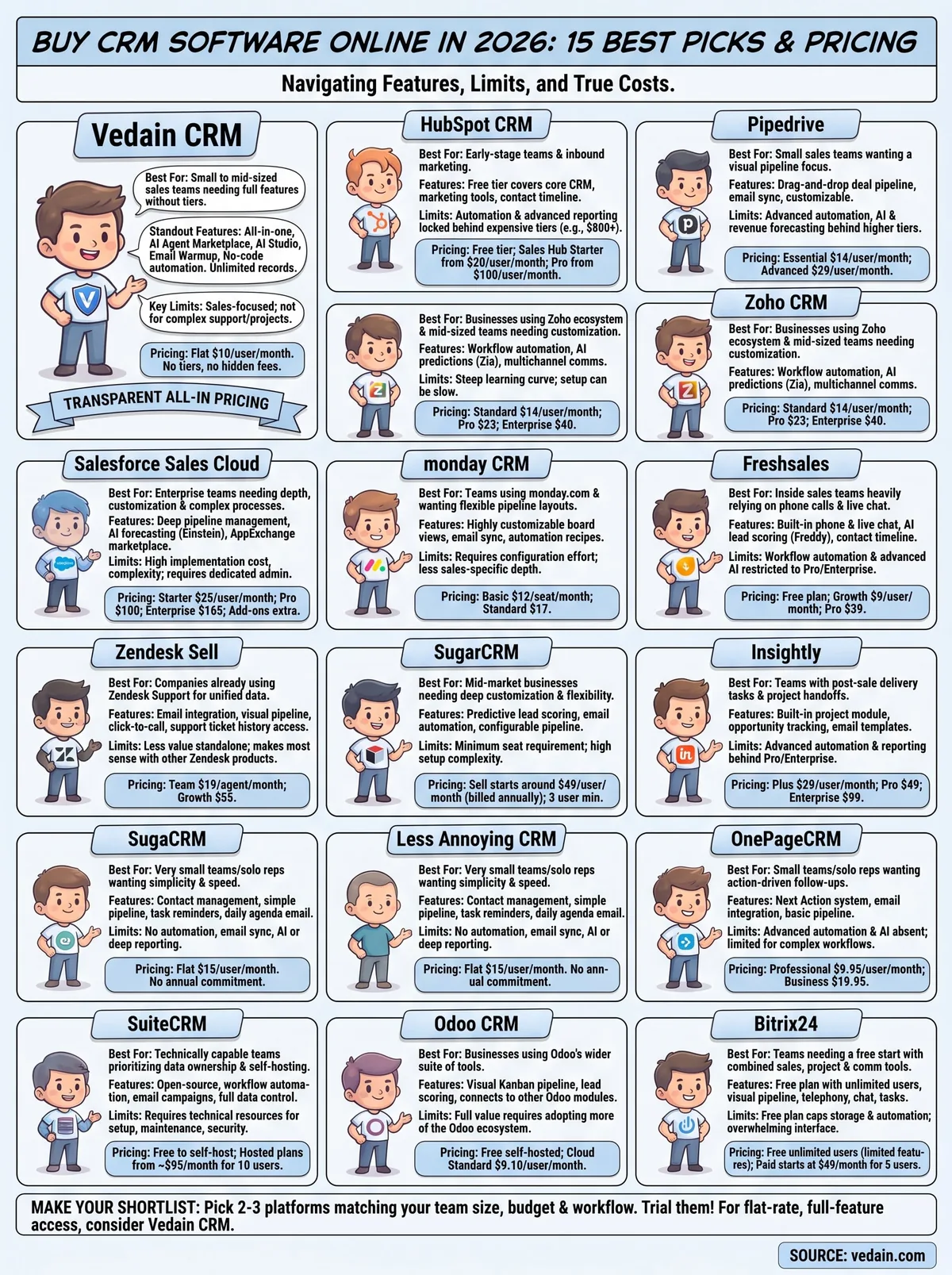
Make your shortlist
You now have a clear look at 15 platforms you can evaluate before you buy CRM software online. The right choice depends on what your team actually does every day. If you need a tool that handles automation, email, and pipeline management in one place without tiered pricing surprises, that narrows your list fast. If you're managing a large enterprise with complex territory structures, a platform like Salesforce may justify the cost and setup time. For most small and mid-sized sales teams, though, the best CRM is the one your reps actually use, which means it needs to be fast to set up, easy to navigate, and priced in a way that doesn't penalize growth.
Start with the two or three platforms that match your team size, budget, and workflow, then trial each one before committing. If flat-rate, full-feature access is a priority, start your free Vedain CRM trial and see how it fits your sales process.
Frequently Asked Questions
What is the cheapest CRM software to buy online in 2026?
Zoho CRM and Pipedrive offer the most affordable CRM solutions, with both starting at around $15-20 per user per month. Freshsales provides a competitive free tier with paid plans beginning at $15/month, making it an excellent budget-friendly option compared to HubSpot's $50/month starter plan and Salesforce's higher enterprise pricing. For businesses with minimal budgets, Vedain also offers cost-effective alternatives with transparent pricing structures.
Is HubSpot CRM cheaper than Salesforce in 2026?
Yes, HubSpot CRM is significantly cheaper than Salesforce for most small to mid-sized businesses. HubSpot's free CRM tier and starter plan at $50/month are substantially more affordable than Salesforce's entry-level Professional plan starting at $165/month. However, Zoho CRM and Pipedrive undercut both options with plans starting at $15-20/month, making them better choices for budget-conscious companies.
Which CRM software has the best free trial in 2026?
HubSpot offers a completely free CRM with unlimited contacts and basic features, making it the best free option without requiring a credit card or trial expiration. Zoho CRM and Freshsales also provide extended free trials (14-21 days) with full feature access, while Pipedrive offers a 14-day free trial and Salesforce provides a similar trial period. Vedain and other competitors typically offer shorter trial windows, making HubSpot the top choice for risk-free evaluation.
What CRM software is best for small businesses with tight budgets?
Pipedrive and Zoho CRM are the best options for small businesses with tight budgets, both starting at under $20/month per user. Freshsales also provides excellent value with its free tier plus affordable paid plans, while HubSpot's free CRM tier requires no payment but has limited advanced features. These options offer better pricing than Salesforce and provide small businesses with powerful sales tools without enterprise-level costs.
Does Zoho CRM offer better value than HubSpot?
Zoho CRM generally offers better value for businesses prioritizing affordability, starting at just $15/month compared to HubSpot's $50/month starter plan. Both include strong automation and integration features, but Zoho's lower pricing makes it ideal for cost-conscious teams, while HubSpot excels in user-friendliness and free tier options. Pipedrive and Freshsales provide middle-ground alternatives, with Pipedrive favored for sales teams and Freshsales for customer support integration.
What are the hidden costs to consider when buying CRM software online in 2026?
Beyond base subscription fees, CRM hidden costs include per-user charges (most platforms bill $15-165+ per seat), API overage fees, advanced integrations, and premium add-ons like AI features or custom workflows. Implementation and training costs can add hundreds to thousands of dollars, especially with Salesforce, while HubSpot, Zoho, Pipedrive, and Freshsales offer more transparent pricing with fewer surprise fees. Always verify whether your plan includes essential features like email integration, analytics, and API calls before purchasing to avoid unexpected expenses.