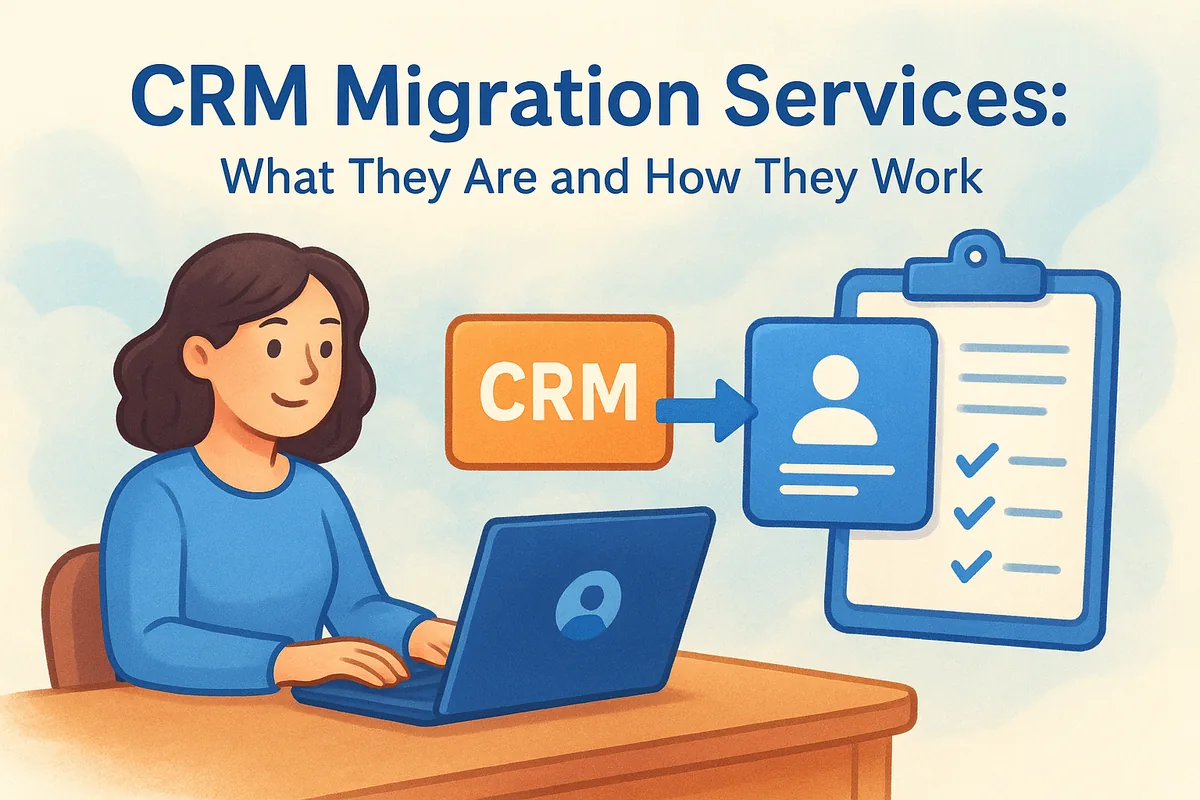
At their core, these services handle three things: extracting your existing data cleanly, mapping it to your new CRM's fields and pipeline stages, and validating everything before your team logs in on day one. Whether you're migrating from HubSpot, Pipedrive, or Zoho, or just tired of chasing leads in a spreadsheet, the goal is the same: zero disruption to active deals while you switch platforms.
This article breaks down what CRM migration services actually include, the typical steps a migration follows, and what separates a smooth transition from a messy one. We'll also show you where a fast-setup platform like Vedain simplifies the process, so you spend less time migrating and more time selling.
Why CRM migration services matter for your business
Most sales teams underestimate what a CRM switch actually costs until they're mid-migration and half their deal history has vanished. Lost revenue and broken customer records are the two outcomes every team fears, and both happen more often than vendors admit. A rushed export from your old system, a mismatched field mapping, or a skipped validation step can quietly erase notes, deal stages, and contact history that took years to build. Professional CRM migration services exist specifically to prevent that, because the risk isn't hypothetical, it's the default outcome of doing it yourself without a plan.
The hidden cost of a bad migration
Downtime during a migration isn't just an IT inconvenience, it's a sales pipeline sitting frozen while reps can't find who to call next. Teams that migrate without a structured process routinely report losing a week or more of productive selling time, and some never fully recover deals that fell through the cracks during the switch. The financial impact adds up fast when you consider what a single lost enterprise deal costs versus what a clean migration would have taken.
A CRM migration that isn't planned properly doesn't just move your data, it moves your problems into a new system.
Data integrity protects deals already in motion
Every active pipeline has deals sitting at different stages, each with its own history of emails, calls, and notes attached. Reliable migration work preserves that deal context so a rep picking up a lead on day one in the new CRM sees the same story they saw the day before. Without that continuity, reps end up guessing at where a prospect actually stands, which slows down deals that were already close to closing. This is exactly why timing and sequencing matter so much in a migration, not just moving the data but moving it without touching what's already in motion.
Team adoption starts with a clean handoff
Sales reps resist new tools when the new tool feels less reliable than the old one, and a messy migration is the fastest way to trigger that resistance. Getting the data right the first time builds trust in the platform before your team has even sent their first email from it. That's why a clean migration is as much about change management as it is about technical data transfer, since a CRM your team doesn't trust is a CRM they'll quietly work around within a month.
How CRM migration services work step by step
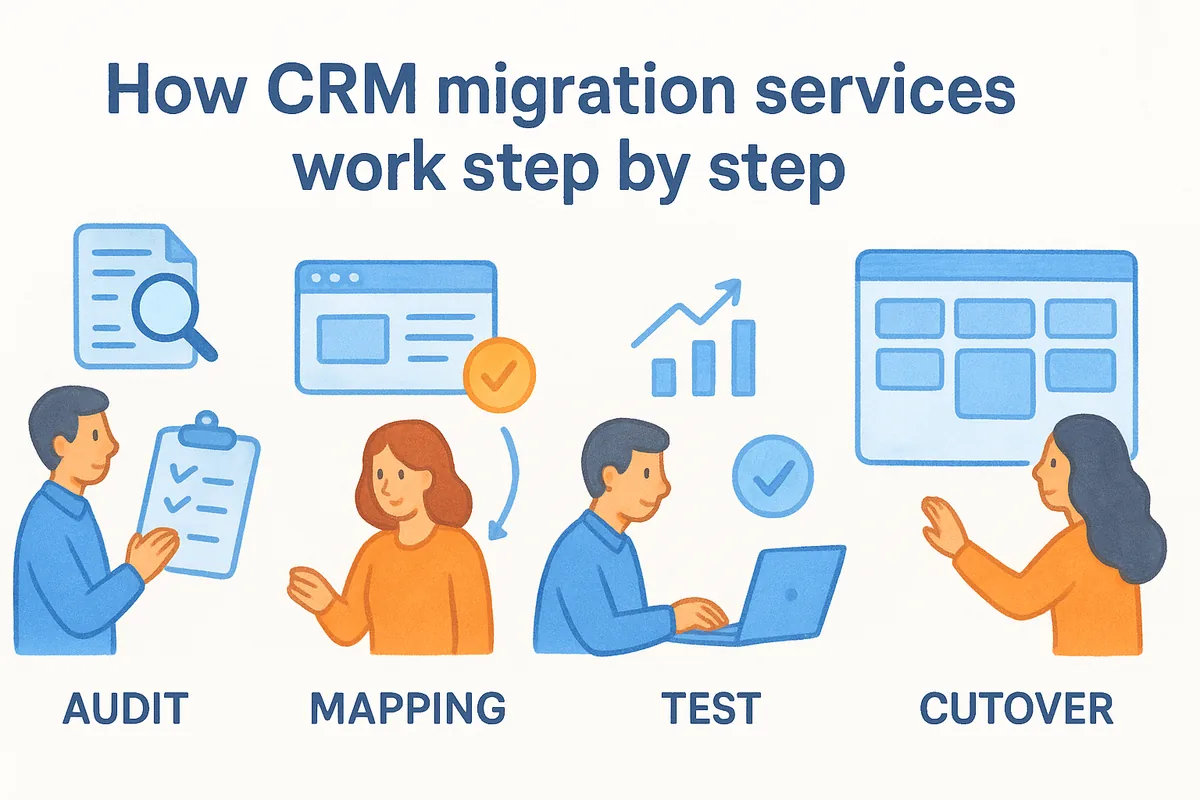
A competent migration follows a sequence, not a scramble. Skipping steps is exactly how teams end up with duplicate contacts and orphaned deals in their new CRM, so every reliable provider works through the same core phases even if they brand them differently.
Audit and scoping
Before anyone touches your data, a good migration audit maps out what actually exists in your current system: how many contacts, deals, custom fields, and attachments you're carrying, plus which of it is stale and not worth moving. This step also defines what "done" looks like, so there's no ambiguity later about whether the migration succeeded.
Data mapping and cleanup
Next comes matching your old CRM's fields to your new one's structure, which sounds mechanical but is where most migrations quietly fail. Deal stages rarely line up one-to-one between platforms, so someone has to decide how a "Negotiation" stage in Pipedrive maps to Vedain's Kanban pipeline without losing the deal's actual status. This is also when dedupe and cleanup happen, since importing junk data into a clean system defeats the whole point of switching.
Test migration and validation
Before the full move, a test migration runs on a sample set of records to confirm the mapping works and nothing breaks on import. This is the checkpoint most DIY migrations skip entirely, and it's the single biggest predictor of whether the final cutover goes smoothly.
Skipping the test migration is the single most common reason full migrations go wrong.
Full migration and cutover
Once validation passes, the full dataset moves over, typically scheduled during a low-activity window like a weekend, to minimize disruption to active selling. Email integrations, permissions, and automation rules get reconnected at this stage too, not just raw contact and deal records.
Post-migration verification
Finally, someone checks the new system against the old one, spot-checking deal counts, contact totals, and a sample of records for accuracy. Vedain's own onboarding builds this verification step into setup, so teams can confirm their pipeline matches before they start working leads in the new system:
- •Confirm record counts match between old and new systems
- •Spot-check deal stages and notes on active opportunities
- •Test email sync on a handful of accounts before rolling out to the whole team
- •Verify permissions match each rep's role
Types of CRM migration services to consider
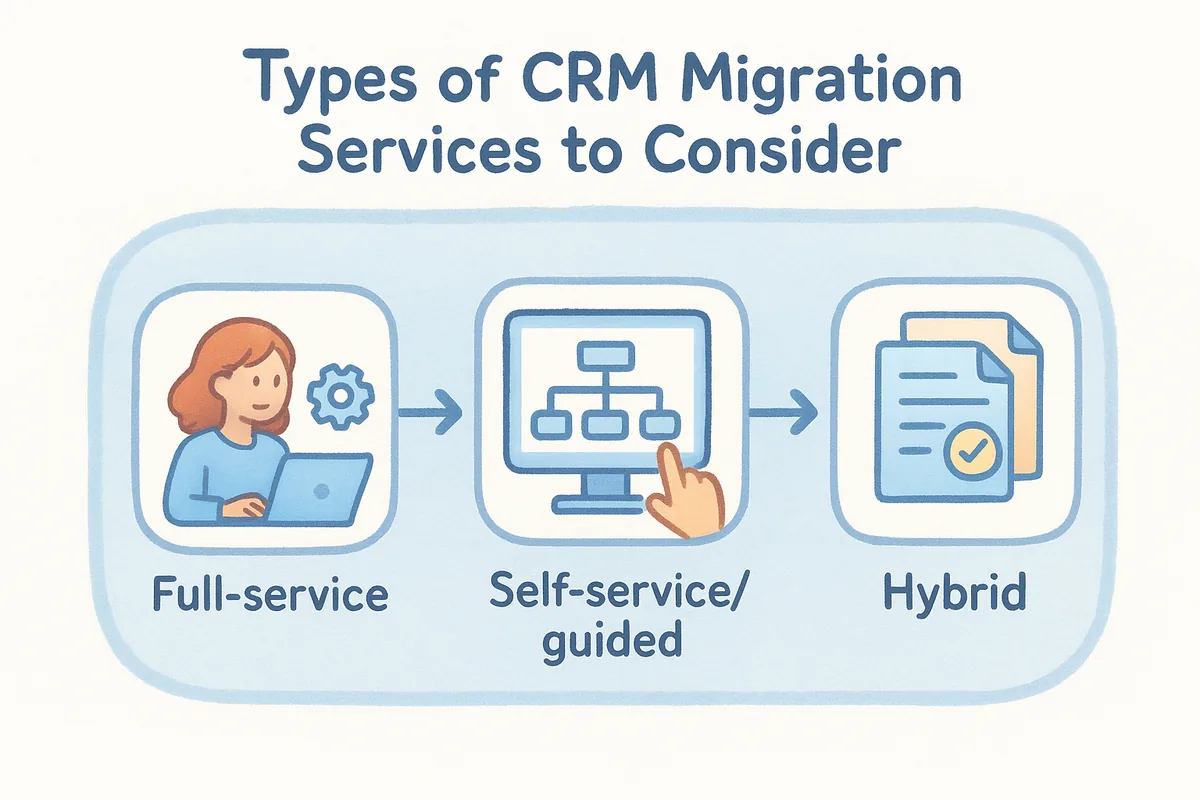
Not every migration needs the same level of hand-holding, and picking the wrong type of service usually means paying for more than you need or getting less support than the job actually requires. Full-service migration puts a specialist team in charge of the entire process, from audit through cutover, which makes sense for teams with complex pipelines, heavy customization, or thousands of records they can't afford to get wrong. Businesses moving off Salesforce or a heavily customized HubSpot instance almost always land here, since the field mapping alone can take days.
Self-service and guided migration
Smaller teams with cleaner data often don't need a full-service engagement at all. Guided migration tools built into the new CRM walk you through mapping and importing your own export files, with support available if something breaks. Vedain's import wizard follows this model: you upload a CSV or connect your old CRM directly, map the fields yourself with on-screen guidance, and the system flags duplicates before they land in your pipeline.
The right migration type depends on your data's complexity, not the size of your team.
Hybrid migration for mixed data sources
Many businesses aren't moving from a single clean system, they're consolidating a CRM, a spreadsheet, and a marketing tool's contact list all at once. Hybrid migration services handle multiple data sources in parallel, merging and deduping across all of them before anything hits the new platform. This is where most in-house attempts fall apart, since manual merging across three sources almost guarantees duplicate records.
First-time CRM migration from spreadsheets
Teams moving off spreadsheets face a different problem: there's no existing field structure to map from, just inconsistent columns and years of manual habits. First-time migration services focus less on technical mapping and more on structuring your data for the first time, deciding what counts as a lead versus a contact, and setting up pipeline stages that didn't exist before.
What to look for in a CRM migration provider
Picking a provider isn't just about price, it's about who's actually accountable if your data shows up broken on day one. Track record with your source CRM matters more than generic migration experience, since moving data out of Salesforce requires different handling than moving it out of a spreadsheet or Pipedrive. Ask any provider you're evaluating how many migrations they've run from your specific system, and don't accept a vague answer.
Transparency about process and timeline
A provider who can't walk you through their exact steps, from audit to post-migration verification, hasn't done this enough times to have a repeatable process. Clear timelines protect you from open-ended engagements that drag on for weeks while your team works in two systems at once. Get a written scope before you start, covering what's included, what counts as done, and who owns fixing errors discovered after go-live.
If a provider can't explain their process in plain language, they probably don't have one worth trusting.
Data security and compliance practices
Your CRM holds customer emails, deal values, and sometimes payment details, so data handling during migration deserves real scrutiny. Ask where your exported data lives during the transfer, who has access to it, and how long it's retained after the project closes. Providers that can't answer this clearly are a red flag regardless of how polished their sales pitch sounds; see the FTC's guidance on data security for a baseline on what responsible handling looks like.
Support after the migration
The real test of a migration isn't the cutover weekend, it's the first month afterward when reps start finding gaps the test migration missed. Post-launch support should be built into the engagement, not sold separately, since problems that surface after go-live are usually the provider's responsibility to fix. Vedain includes this kind of support inside onboarding by default, so a flat $10-per-user plan doesn't turn into a surprise consulting bill once your data's already moved.
- •Confirm experience migrating from your specific source system
- •Get a written scope with timeline and completion criteria
- •Ask directly about data security and retention practices
- •Check whether post-launch fixes are included or billed separately
- •Look for references from teams of a similar size to yours
Common challenges CRM migration services solve
Every migration runs into the same handful of problems, just in different combinations depending on how messy the source data is. Good crm migration services exist because these issues are predictable, not because each one is a surprise. Knowing what typically breaks helps you evaluate whether a provider actually has a plan for it.
Duplicate and conflicting records
Contacts entered manually over years almost always exist in multiple versions, with slightly different emails, phone numbers, or company names attached to each. Deduping logic has to catch these before import, merging records intelligently instead of just deleting the newer or older entry and losing whichever details were unique to it. Skip this step and reps end up calling the same prospect twice within a week, which looks unprofessional and wastes selling time.
Broken integrations after cutover
Email sync, calendar connections, and third-party tools rarely reconnect automatically during a migration, and teams often don't notice until follow-ups start disappearing. Integration testing before full rollout catches this early, confirming Gmail or Outlook sync still works and campaigns still trigger as expected.
The migrations that fail quietly are worse than the ones that fail loudly, because nobody notices until deals go cold.
Custom field mismatches
Older CRMs accumulate custom fields that made sense years ago but don't map cleanly to a new system's structure. Field mapping decisions determine whether that history survives the move or gets flattened into a generic notes field nobody reads. A provider who understands your industry's data structure will flag these mismatches during scoping, not after go-live.
Team resistance during transition
Even a technically perfect migration fails if reps don't trust the new system enough to use it consistently. Change management support, meaning training, documentation, and a clear point of contact for questions, solves the adoption problem that pure data migration can't touch on its own. Providers who treat migration as purely technical work usually underestimate how much resistance shows up in week one, when reps default back to old habits under deadline pressure.
Getting your CRM migration right
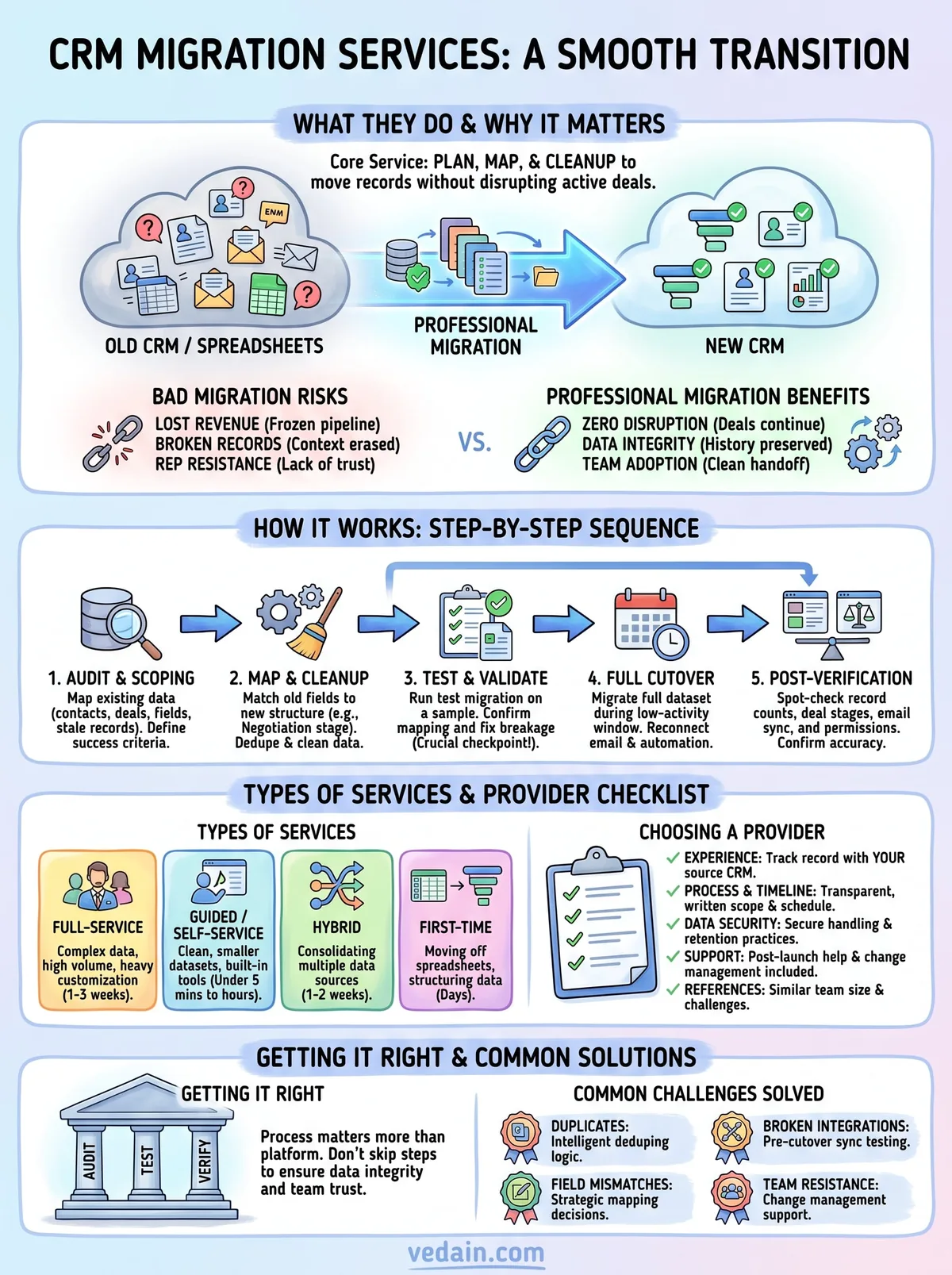
A good migration comes down to the same handful of decisions: audit before you export, test before you commit, and verify before your team starts working leads. CRM migration services exist because skipping any of those steps is how deal history disappears and reps stop trusting the new system before they've even logged in. Whether you hire a full-service provider or handle it yourself with guided tools, the process matters more than the platform you're leaving behind.
If you're weighing whether to bring in outside help or migrate on your own, start by checking how much hand-holding your data actually needs. Clean, smaller datasets often don't require a specialist team at all, especially when your new CRM builds verification into onboarding by default. See how Vedain handles migration setup and you'll have your pipeline moved and checked in less time than a typical scoping call takes.
Related reading
Frequently Asked Questions
How much does CRM migration typically cost?
CRM migration costs typically range from $5,000 to $50,000+ depending on data volume, complexity, and your current system. Basic migrations from platforms like Pipedrive or Freshsales to HubSpot may cost $10,000-$20,000, while enterprise migrations from Salesforce to another system can exceed $100,000. Most providers charge based on the number of records, custom fields, and integrations requiring transfer, with additional fees for data cleansing and validation.
What is the difference between CRM migration and CRM implementation?
CRM migration transfers your existing data from one system to another, while CRM implementation sets up a brand new CRM system from scratch. Migration focuses on preserving historical data, customer relationships, and configurations (like moving from Zoho to Salesforce), whereas implementation involves initial configuration, workflow design, and user training for a fresh CRM deployment. Many organizations combine both processes when upgrading from legacy systems to modern platforms like HubSpot or Vedain.
How long does it take to migrate data to a new CRM?
Most CRM migrations take between 2 to 6 months from planning to full deployment, depending on data complexity and organization size. A small business migrating from Pipedrive to HubSpot might complete migration in 4-6 weeks, while large enterprises moving from Salesforce to another platform typically need 3-6 months. Timeline includes data audit, mapping, cleansing, testing, user training, and a parallel run period to ensure data accuracy before full cutover.
Will I lose customer data during CRM migration?
Data loss during CRM migration is rare when working with professional migration services that follow proper protocols and backup procedures. Reputable providers conduct pre-migration audits, create complete data backups, perform parallel testing, and validate data integrity before and after transfer to platforms like HubSpot, Salesforce, Zoho, or Freshsales. The key is choosing a migration partner with proven experience and implementing staged testing rather than a single cutover approach.
Can I migrate from Salesforce to HubSpot without losing customizations?
You can migrate core customer data from Salesforce to HubSpot, but custom fields and complex Apex code customizations often cannot transfer directly. HubSpot's migration tools preserve standard objects, contacts, accounts, and opportunities, though you'll need to manually reconfigure Salesforce-specific customizations or workflows in HubSpot's native tools. Professional migration services can map equivalent functionality in HubSpot, but rebuilding complex automation typically requires additional implementation work and cost.
What's the best CRM to migrate to in 2024?
The best CRM to migrate to depends on your needs: HubSpot excels for SMBs seeking ease-of-use with affordable pricing ($50-$3,200/month), Salesforce dominates for enterprises requiring advanced customization, Zoho offers cost-effective solutions ($20-$165/month), Pipedrive specializes in sales pipelines, and Freshsales provides good mid-market balance. Consider data migration compatibility, long-term scalability, API capabilities, and total cost of ownership when evaluating platforms like Vedain, which provides industry-specific solutions for particular business types.