The right CRM should handle your sales pipeline for bookings while also supporting client communication, automated follow-ups, and reporting on what's actually converting into signed contracts. It shouldn't force you into enterprise pricing or bury the features you need behind a paywall.
This list breaks down nine CRMs worth considering in 2026, comparing pricing, automation depth, and ease of setup so you can match the tool to how your team actually works. We'll cover flat-rate pricing options like Vedain alongside more established names, so you can decide what fits your budget and your booking workflow without guessing.
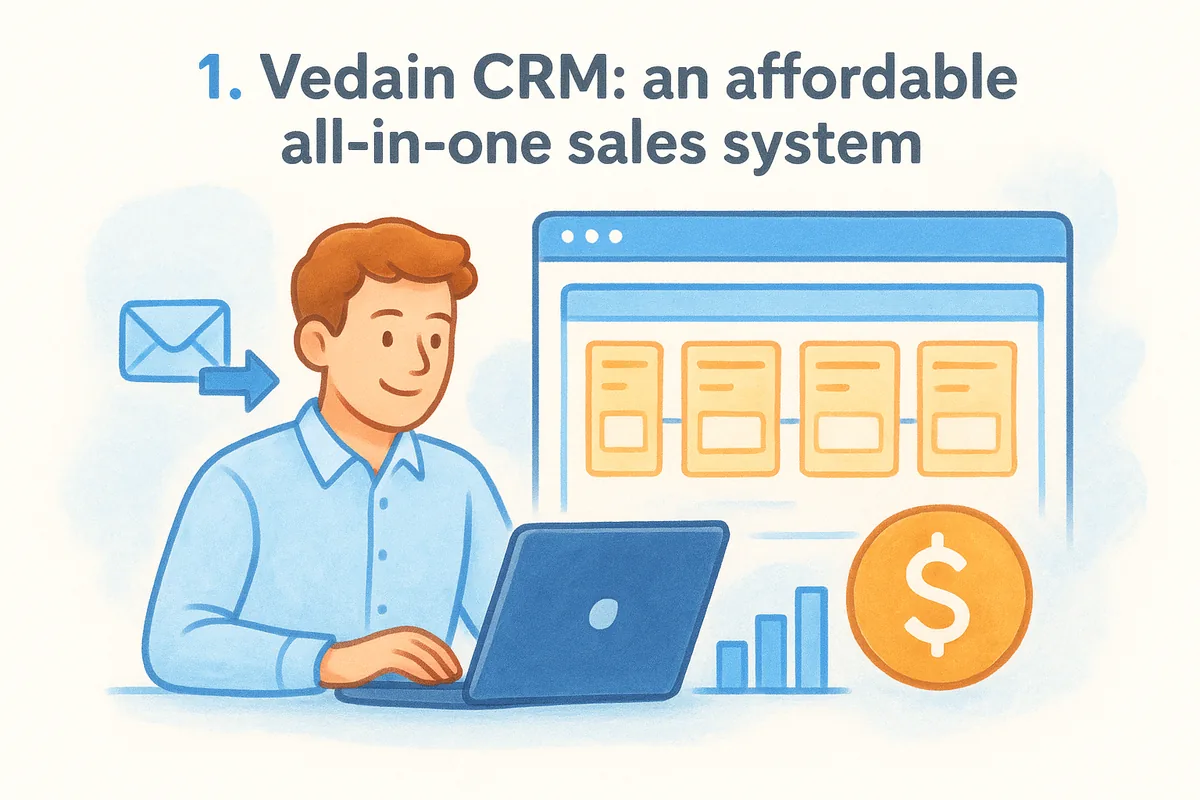
1. Vedain CRM: an affordable all-in-one sales system
Event management companies live and die by follow-up. A wedding inquiry that sits unanswered for three days often books with a competitor instead. Vedain CRM was built as a complete sales operating system rather than a bolted-together set of add-ons, which matters for event teams juggling corporate clients, private bookings, and vendor relationships at the same time. Its single plan includes the full feature set — affordable CRM pricing with no feature gates — so a five-person event studio gets the same automation and reporting tools as a fifty-person agency, without hitting a paywall halfway through the season.
Key features
The visual deal pipeline works well for tracking events through stages like inquiry, proposal sent, deposit paid, and contract signed, using a drag-and-drop Kanban board that mirrors how most event planners already think about bookings. Two-way email sync with Gmail and Outlook means every client email thread stays attached to the deal record automatically, so nobody has to forward messages manually. The no-code workflow builder can trigger reminder emails when a proposal has sat unanswered for 48 hours, or notify your team when a deposit invoice is overdue. Lead capture forms embed directly on your website, feeding new inquiries straight into the pipeline instead of an inbox that gets buried during peak booking season.
A CRM only earns its keep when it stops leads from slipping through the cracks between the first inquiry and the signed contract.
Beyond the core pipeline, Vedain includes an AI Agent Marketplace with prebuilt agents for enriching contact data and drafting follow-up content, plus LinkedIn posting and Chrome-extension lead capture for teams that generate leads through social outreach, something venue partners and corporate planners increasingly expect. Custom dashboards let you build a view specific to event throughput: bookings per month, average deal size, and conversion rate by lead source.
Best for
Small to mid-sized event companies and wedding or corporate planning teams that want serious automation without enterprise pricing or a steep learning curve. Teams already living in Gmail or Outlook will appreciate that email sync is built in rather than sold as an upgrade. It also suits agencies managing multiple event types at once, since custom fields let you tag records by event category, guest count, or venue without cluttering the interface.
Pricing
Vedain charges a flat $10 per user per month with no hidden tiers, covering every feature mentioned above. There's no credit card required to start a trial, and setup typically takes under five minutes, which matters when you need the system running before your next inquiry lands. Compare that against competitors that charge extra for automation or email sync, and the savings add up quickly for a five-person team.
Limitations
Vedain doesn't include native ticketing, seating charts, or attendee check-in tools, so it's not a replacement for dedicated event-day software. Event companies that need registration pages or badge printing will want to pair it with a specialized event platform for the operational side, using Vedain purely to manage the sales and client relationship side of the business.
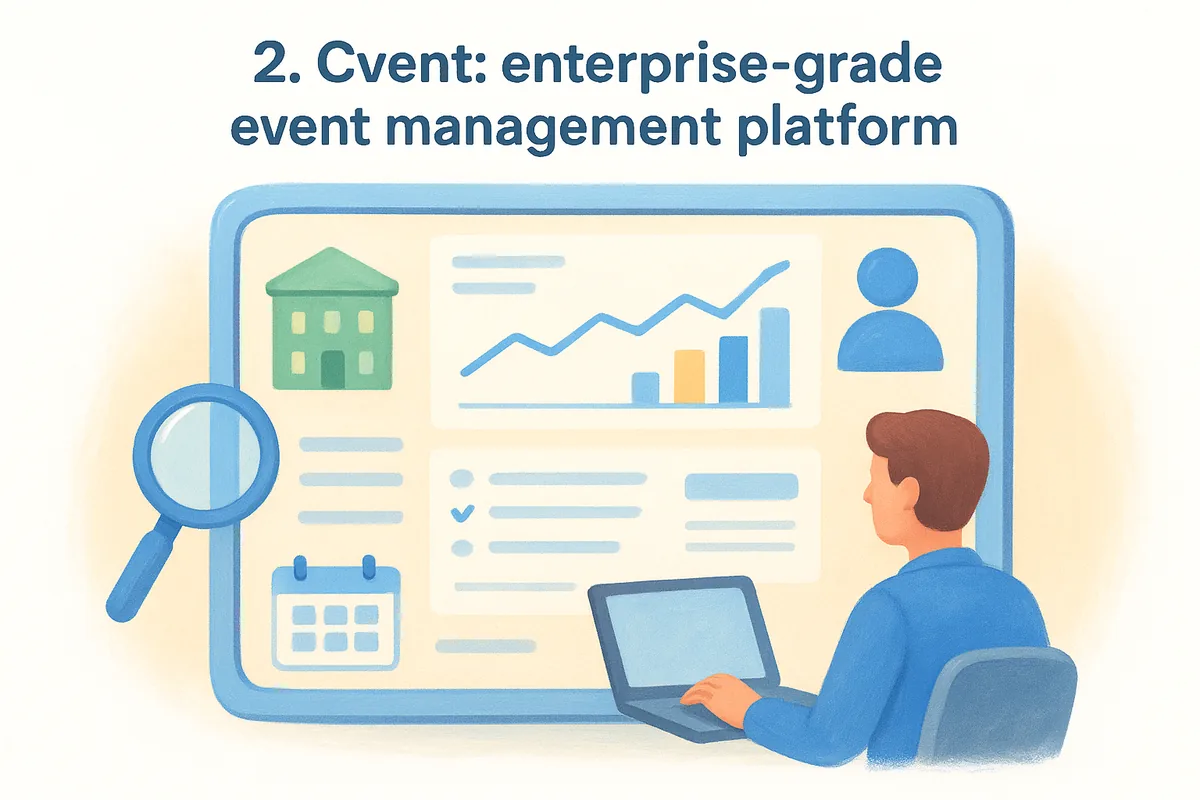
2. Cvent: enterprise-grade event management platform
Cvent has built its name on large-scale corporate events and conferences, and it shows in the depth of its platform. Instead of a simple deal pipeline, Cvent bundles registration, venue sourcing, and attendee management into one system, which suits event teams juggling thousands of attendees across multiple sessions. If your company runs annual conferences with hundreds of exhibitors, this is the kind of scale Cvent was designed to handle.
Key features
Cvent's venue sourcing tool lets planners compare thousands of venues by capacity, layout, and pricing before a contract is signed. Registration and ticketing handle everything from early-bird pricing to group discounts, and the attendee hub gives guests a personalized agenda they can build themselves. Budgeting tools track spend against categories like catering and AV, which matters for corporate planners who need to justify costs to finance teams after the event wraps.
Enterprise event software earns its price tag only when the scale of your events actually needs it.
Best for
Cvent fits large corporate event teams and conference organizers managing complex, multi-session events with sizable budgets and dedicated operations staff. It's a poor fit for a five-person wedding or small-business event studio, since much of the platform's power goes unused at that scale.
Pricing
Cvent doesn't publish flat pricing anywhere on its site. Instead, quotes are custom, based on attendee volume, modules selected, and contract length, which typically means a sales call and a proposal before you see a number. Expect costs to run well into the thousands annually even for mid-sized deployments, according to third-party G2 reviews.
Limitations
Setup and onboarding can take weeks rather than minutes, given the number of modules involved. Smaller teams often find the interface overbuilt for their needs, paying for registration and budgeting tools they'll never touch. Pricing opacity also makes it hard to compare against flat-rate alternatives without going through a sales cycle first.
3. Zoho Backstage: built-in ticketing and payments
Zoho Backstage targets event organizers who need ticketing, agenda building, and attendee communication in one place, without stitching together separate tools for registration and payment processing. It fits naturally into the wider Zoho ecosystem, so companies already using Zoho CRM for small business or Zoho Books for accounting get a smoother data flow between event operations and the rest of the business.
Key features
Built-in ticketing and payment processing let you sell tickets directly from your event microsite, with support for multiple ticket tiers and promo codes. The agenda builder handles multi-track sessions and speaker management, useful for conferences with parallel programming. A mobile app gives attendees session schedules and networking tools, and organizers get real-time check-in data during the event itself, which helps flag no-shows for sponsor reporting afterward.
Ticketing and CRM data need to live in the same system, or you'll spend event week reconciling spreadsheets instead of running the show.
Best for
Backstage suits event organizers running ticketed conferences or public events where payment collection and attendee check-in matter as much as lead tracking. Companies already invested in Zoho's broader suite will find integration smoother than pairing a standalone ticketing tool with an unrelated CRM.
Pricing
Zoho Backstage offers a free plan for smaller events, with paid tiers scaling based on attendee count and features like custom branding or advanced reporting. Exact pricing details live on Zoho's own site, and costs climb noticeably once you need higher attendee caps or premium support.
Limitations
Backstage is built around ticketed events, so it's a weaker fit for event companies whose business is mostly private bookings like weddings or corporate off-sites where no tickets change hands. Deal pipeline and sales automation features are thinner than what a dedicated CRM offers, since Backstage's core strength is the event day itself, not the months of lead nurturing that lead up to it. Companies needing both strong sales pipeline management and ticketing often end up running two tools side by side.
4. Pipedrive: sales pipeline for sponsors and exhibitors
Pipedrive built its reputation as a pure sales pipeline tool, and that focus shows up clearly when event companies use it to manage sponsorship deals, exhibitor contracts, and repeat corporate clients. Rather than trying to handle registration or attendee logistics, Pipedrive sticks to what a sales pipeline CRM does best: moving a lead from first contact to signed contract with visibility at every stage. For an event business whose real bottleneck is closing sponsors and venue partnerships rather than running the event floor, that narrower focus can be an advantage.
Key features
Pipedrive's visual pipeline view lets you track sponsorship deals or exhibitor bookings through custom stages, with drag-and-drop movement between them. Activity reminders nudge reps to follow up on stalled proposals, and email tracking shows when a prospect opens a contract PDF. The automation builder can send a templated follow-up when a deal sits idle for a set number of days, similar in spirit to workflow tools in other CRMs on this list, though Pipedrive gates some automation and reporting depth behind higher tiers.
A pipeline tool that only tracks deals, without event-day features, works best when your bottleneck is closing sponsors, not running the show floor.
Best for
Exhibitor and sponsorship-heavy event businesses, along with corporate event sales teams that need a dedicated pipeline without ticketing or attendee management bolted on. Teams that already outsource event-day logistics to a separate platform will find Pipedrive a clean fit for the sales side alone.
Pricing
Pipedrive's plans start around $14 per user per month on the Lite tier and climb to about $79 on Ultimate (billed annually) for advanced automation and reporting, according to Pipedrive's pricing page. Email sync and workflow automation, included free with some competitors, often require a mid-tier or higher plan.
Limitations
Pipedrive has zero built-in event or ticketing features, so it only ever covers the sales half of an event company's operations. Reporting on event-specific metrics like guest count or venue capacity requires custom fields you build yourself, and per-user costs rise quickly once you need the automation tier, which is worth checking against how Pipedrive compares with an all-inclusive CRM.
5. HubSpot CRM: marketing automation for event teams
HubSpot built its reputation on inbound marketing, and that heritage shows up clearly when event companies use it to nurture leads long before a proposal ever gets sent. Marketing teams that run webinars, email campaigns, or landing pages to generate event inquiries will find HubSpot's marketing automation tools tightly woven into the CRM itself, so a lead who downloads a venue guide or registers for a webinar flows straight into a contact record with full activity history attached.
Key features
HubSpot's free CRM tier covers contact management, deal tracking, and basic email templates, which makes it an easy entry point for small event teams testing the waters. Landing pages and forms capture inquiries from marketing campaigns without needing a separate tool, and workflow automation can score leads based on engagement, flagging which corporate prospects are worth a phone call versus a follow-up email. Reporting dashboards break down which marketing channel actually produces booked events, not just inquiries.
Lead nurturing tools only pay off for event businesses whose bottleneck is generating inquiries, not closing the ones already in the pipeline.
Best for
Event management companies for event management companies that lean heavily on content marketing, webinars, or paid campaigns to fill their pipeline will get the most value here. It suits marketing-driven teams more than operations-heavy ones, since HubSpot's strongest tools live upstream of the sales conversation rather than inside it.
Pricing
The free tier works for very small teams, but meaningful automation and reporting require the Starter plan and up, priced per seat with costs that climb quickly at the Professional and Enterprise tiers, according to HubSpot's own pricing page. Many event companies end up paying far more than expected once they need custom reporting or advanced workflows.
Limitations
HubSpot has no native event or ticketing functionality, so it handles marketing and sales only. Pricing structure penalizes growing contact lists, and smaller event studios often find themselves priced out of the automation tier they actually need to compete — one of HubSpot's biggest tradeoffs.
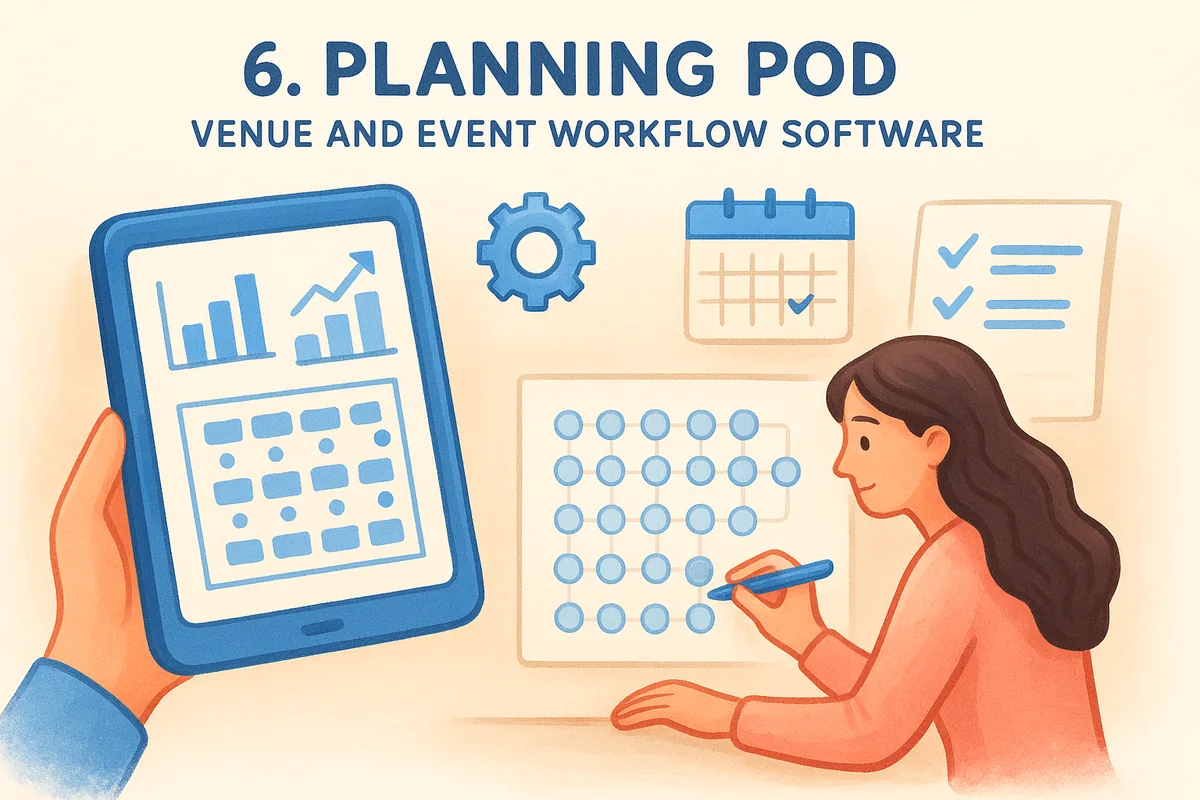
6. Planning Pod: venue and event workflow software
Planning Pod started as a tool for venue owners and event planners who needed proposals, contracts, and floor plans in one place, and that operational DNA still shows. Rather than positioning itself as a sales-first CRM, it leans toward event workflow management, covering the logistics that happen after a deal closes: seating charts, task checklists, and vendor coordination. Event businesses running weddings or corporate off-sites at their own venue tend to get the most mileage out of it, since the tool assumes you're managing physical space as much as client relationships.
Key features
Built-in floor plan and seating chart tools let planners map out a venue layout and adjust it as guest counts change, which matters for anyone booking banquet halls or ballrooms. Online proposals and e-signature contracts speed up the booking process, and a shared calendar keeps staff and vendors aligned on setup times. Task lists and checklists templated by event type reduce the chance something gets missed on event day, and a client portal gives couples or corporate clients a place to review details without an email chain.
Software built around a venue floor plan solves a different problem than software built around a sales pipeline, and event companies need to know which one they're actually short on.
Best for
Planning Pod suits venue owners and in-house event teams who manage the physical logistics of a space alongside client bookings. It fits smaller operations that want proposals, contracts, and floor plans bundled together rather than assembled from separate tools.
Pricing
Plans start around $59 a month for a single user and scale up based on team size and add-on modules like online payments, according to Planning Pod's pricing page. Costs rise quickly for multi-user teams compared to flat per-seat pricing elsewhere on this list.
Limitations
Sales pipeline and lead nurturing tools are thin compared to a dedicated CRM, so tracking inquiries before they become bookings feels like an afterthought. Reporting on deal conversion and lead source is limited, and teams that need real sales automation will likely need a second tool anyway.
7. Momentus: venue booking and relationship management
Momentus grew out of software built for convention centers and large venues, and it still carries that DNA even as it markets itself to broader event companies. Rather than a sales pipeline built for closing deals fast, Momentus focuses on venue and space management, tracking room bookings, catering orders, and long-term client relationships across a physical facility. Companies that own or operate their own event space, rather than booking venues on behalf of clients, tend to find the closest fit here.
Key features
Room and space booking sits at the center of the platform, letting staff see availability across multiple rooms or halls at once and avoid double-booking during peak season. Catering and resource management tools track orders for food, AV equipment, and staffing tied to each booked event, which matters for venues juggling several events on the same day. A CRM module handles client relationship history and repeat bookings, and reporting breaks down revenue by room, event type, or account manager.
Software built around booking a physical room solves a different problem than software built around nurturing a lead into a signed contract.
Best for
Momentus suits convention centers, hotels with event space, and venue owners who need to manage bookings across multiple rooms alongside client accounts. It's a stronger fit for a venue-side business than for an event planning agency that books space on behalf of clients rather than owning it.
Pricing
Momentus doesn't publish flat pricing, instead offering custom quotes based on venue size, number of rooms managed, and modules selected, according to information on Momentus's own site. Expect a sales conversation before you see a real number, similar to Cvent's enterprise-style approach.
Limitations
Momentus leans heavily toward venue operations, so companies without their own physical space will find much of the platform irrelevant. Sales pipeline tools for nurturing corporate leads before a booking exist, but they're thinner than what a dedicated CRM offers, and pricing opacity makes upfront budgeting harder for smaller teams comparing options.
8. GlueUp: membership and community event management
GlueUp grew out of software for associations and membership organizations, and that background still shapes how it handles events. Instead of treating each event as a one-off sale, GlueUp assumes you're running a recurring community, think trade associations, chambers of commerce, or membership-based businesses that host events for the same group of people month after month. Event companies that serve a defined membership base rather than one-time clients will recognize the workflow immediately.
Key features
GlueUp bundles membership management with event registration, so renewing dues and registering for the annual conference happen inside the same contact record. Email marketing tools handle newsletters and event invitations to your member list, and a built-in CRM tracks engagement history, useful for spotting which members attend regularly versus which ones have gone quiet. Event registration and ticketing cover the logistics side, while a mobile app gives members a directory and networking tool during in-person gatherings.
A CRM built around membership renewal solves a different problem than one built around closing a single event contract.
Best for
GlueUp suits associations, chambers of commerce, and membership organizations that run events as part of an ongoing relationship with dues-paying members rather than one-time clients. Event companies managing a community loyalty program or a recurring conference series for the same audience each year will get more value here than a wedding or corporate event studio booking new clients constantly.
Pricing
GlueUp offers tiered plans based on the number of contacts and events managed, with pricing details available directly through GlueUp's own site. Costs scale with your member list size, so organizations with large communities should expect to land in a higher tier than the entry-level pricing suggests.
Limitations
GlueUp's sales pipeline tools are thinner than a dedicated CRM, since the platform assumes most revenue comes from membership dues and event tickets rather than negotiated deals. Event companies that need to track proposals, contract stages, or deposit follow-ups will find the deal management features shallow compared to purpose-built sales CRMs.
9. Whova: engagement-focused event app and CRM
Whova built its name as an event app for attendee networking, and it has grown into a broader platform that event companies use to manage both the guest experience and some of the sales work behind it. Rather than starting from a deal pipeline, Whova starts from the attendee experience, then works backward into registration, agenda management, and a basic CRM for tracking leads generated at booths or through event marketing. Companies running conferences, trade shows, or networking-heavy events tend to get the most value, since the app's networking features are what attendees actually notice.

Key features
The mobile event app gives attendees a personalized agenda, in-app messaging, and business card scanning for networking, which doubles as lead capture for exhibitors working a trade show floor. Registration and ticketing handle payment collection and check-in, while a built-in CRM module tracks leads scanned at the event and syncs them with exportable contact lists. Live polling, Q&A, and session feedback tools keep attendees engaged during multi-track programming, and organizers get post-event analytics on session attendance and engagement scores.
An event app built for attendee engagement treats lead capture as a side benefit, not the main job.
Best for
Whova suits conference and trade show organizers who need a strong attendee-facing app alongside basic lead tracking for exhibitors and sponsors. It fits event companies whose main challenge is engagement during the event itself, rather than nurturing a lead over months before a contract gets signed.
Pricing
Whova prices based on expected attendee count and selected modules, with quotes available through Whova's own pricing page. Smaller events cost less, but pricing climbs as attendee numbers and feature needs grow, and there's no flat per-user rate like some CRMs on this list.
Limitations
Whova's CRM functions are built for event-day lead capture, not long-term pipeline management, so tracking a booking from first inquiry through contract signature feels bolted on rather than central. Event companies whose real bottleneck is nurturing leads before the event, not during it, will likely need a dedicated CRM running alongside Whova.
10. How to choose a CRM for your event business
Most event companies fall into one of two camps: teams whose real bottleneck is closing deals, and teams whose real bottleneck is running the event itself once it's booked. Start by figuring out which camp you're in before you compare feature lists, because a sales-first CRM like Vedain or Pipedrive solves a different problem than event-day software like Cvent or Momentus. Buying the wrong type means paying for modules you'll never touch while still missing the tool that actually fixes your bottleneck.
The best CRM for event management companies is the one that matches your actual bottleneck, not the one with the longest feature list.
Next, count your team and be honest about what you'll pay per seat as you grow. A five-person studio on a per-user flat rate pays a fraction of what an enterprise quote-based platform charges, and that gap widens every time you add a hire. Consider these questions before you commit, alongside a longer checklist for choosing a CRM:
- •Where do most deals stall? Before the proposal, during negotiation, or during event-day logistics?
- •Do you need ticketing and payments, or does that live in a separate tool already?
- •How many people need seats, and does pricing scale predictably as you add them?
- •Does your team already live in Gmail or Outlook, and does the CRM sync natively?
- •Do you need automation like follow-up reminders and lead scoring, or will you build workflows manually?
Also factor in setup time. Enterprise platforms like Cvent or Momentus often take weeks of onboarding before your team sees value, while flat-rate tools built for small teams can be running within minutes — a gap that comes down to how steep a CRM's learning curve really is. If your busy season starts in six weeks, that timeline alone might decide the shortlist for you.
Finally, watch for feature gating. Several platforms on this list charge extra for email sync, automation, or advanced reporting once you outgrow the entry tier, and those add-on costs rarely show up until you're already committed, so it helps to compare what each CRM really costs per seat first.
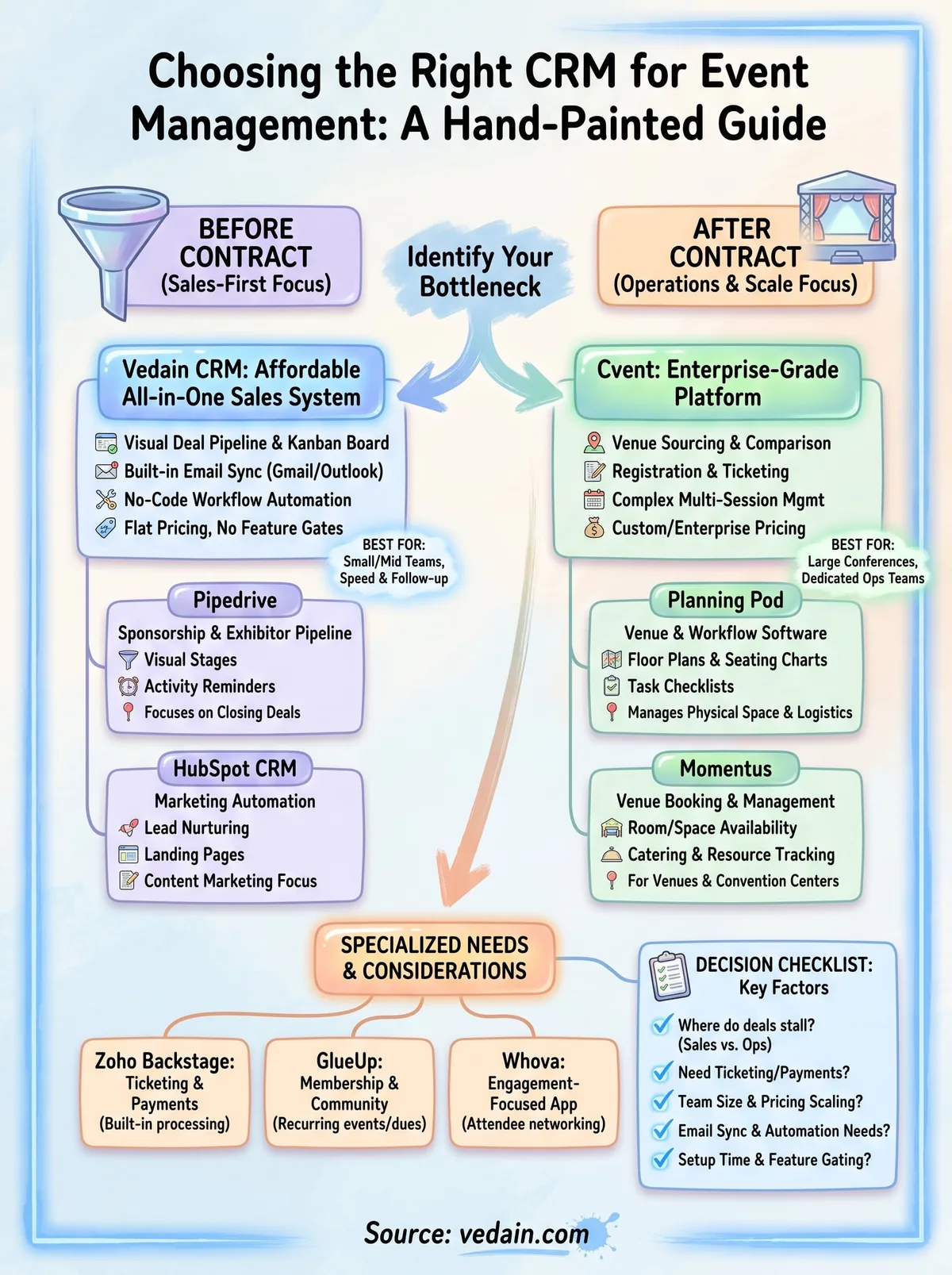
Finding the right CRM for your events
Nine tools, one real question: does your bottleneck sit before the contract or after it? Enterprise platforms like Cvent and Momentus solve for event-day scale. Niche tools like GlueUp and Whova solve for membership loyalty or attendee engagement. But if your actual problem is leads going cold while you chase proposals, a sales-first CRM built for follow-up speed beats a bloated event suite every time.
Most event companies overpay for modules they never touch, or underpay and miss the automation that would've saved a booking. Vedain skips that tradeoff: one flat rate, every feature included, running in under five minutes without a credit card. That combination matters most during peak booking season, when you don't have weeks to spare on onboarding.
If you're ready to stop losing inquiries between tools, start your free Vedain trial and see how quickly your pipeline gets organized.
Related reading
- •9 Best CRMs for HVAC Companies in 2026
- •9 Best CRMs for Logistics Companies in 2026
- •10 Best CRMs for Nonprofits in 2026
- •9 Best CRMs for Gyms and Fitness Studios in 2026
Frequently Asked Questions
What is the best CRM for event management companies in 2026?
The best CRM for event management companies depends on your budget and needs, but top options include HubSpot (Sales Hub from $20/seat/month), Salesforce (from $25/user/month), and Vedain ($10/user/month), a sales-first CRM for managing booking pipelines (it has no built-in ticketing). For mid-market event companies, Zoho CRM offers excellent value at $14/user/month with strong customization capabilities, while Pipedrive excels at pipeline management for event sales at $14/user/month.
Can I use HubSpot for event management?
Yes, HubSpot can be used for event management through its CRM, email marketing, and forms features, making it suitable for smaller event companies. However, HubSpot lacks native event-specific features compared to specialized event platforms like Cvent or Zoho Backstage, which provide dedicated ticketing and attendee management tools. For event-focused workflows, you may need additional third-party integrations or consider purpose-built platforms like Eventbrite combined with HubSpot.
Is Salesforce good for managing events and attendees?
Salesforce is excellent for large enterprise event management companies due to its powerful customization and scalability, though it requires more technical setup and costs $25-$550 per user per month (Starter Suite to Max), with most teams on Pro Suite ($100) or Core ($195). Salesforce's Audience Studio module helps with attendee segmentation and personalization, but smaller event companies often find it over-engineered compared to simpler alternatives like Pipedrive or Zoho CRM. For mid-market sales needs, Vedain offers a booking pipeline with email sync and automation at $10/user/month, though without ticketing or attendee tools.
What CRM features do event management companies need most?
Event management companies primarily need contact management, email marketing automation, registration tracking, attendee segmentation, and reporting capabilities. HubSpot and Salesforce offer comprehensive feature sets, while Zoho CRM provides all essential features at a lower cost ($14/user/month), and Vedain covers the booking pipeline, email sync and automation but not ticketing or venue tools. Pipedrive is ideal if your main focus is converting event leads into sales with its visual pipeline management.
How much does a CRM for event management cost?
CRM pricing for event management ranges from $10/user/month (Vedain) and $14/user/month (Pipedrive Lite) up to $195+/user/month (Salesforce Core, formerly Enterprise), with HubSpot Sales Hub from $20/seat/month and Zoho CRM from $14/user/month offering good mid-range options. Vedain charges a flat $10 per user per month with every feature included. Most platforms offer free trials to test features before committing to a paid plan.
Should I use Zoho CRM or Pipedrive for my event company?
Zoho CRM is better for event companies needing comprehensive features like email automation, forms, and reporting from $14/user/month, with strong customization for attendee management. Pipedrive ($14/user/month) is ideal if your primary focus is converting event registrations into sales with its intuitive visual pipeline, though it lacks some email automation features that Zoho provides. For an all-inclusive sales pipeline at a flat rate, Vedain ($10/user/month) is another option, while HubSpot and Salesforce serve as more enterprise-level alternatives.