If you're comparing tools right now, you want a straight answer: which CRM actually fits how photographers work, not one of the general sales platforms ranked for 2026 stuffed with features you'll never touch. The right pick should handle client communication without extra plugins, support booking and invoicing without duct-taping three apps together, and stay affordable as your client list grows past a handful of shoots a month.
This roundup breaks down nine CRMs worth considering in 2026, from photography-specific platforms to flexible general CRMs like Vedain that photographers are increasingly using for their sales pipeline and lead tracking. You'll get a clear look at pricing, standout features, and who each tool actually fits, so you can stop trialing five apps and pick the one that saves you hours every week.
1. Vedain CRM
Most photographers don't discover Vedain CRM through photography forums, they find it while comparing sales tools for a side studio or a growing team of associate shooters. Vedain isn't built specifically for photography, but that's part of the appeal: it's a flexible sales pipeline platform that photographers configure around shoots, packages, and client stages, without paying extra for automation, email sync, or reporting that photography-specific tools often lock behind pricier plans.
Key features
Building a workflow in Vedain starts with the deal pipeline, a visual Kanban board where you drag a lead from "inquiry" to "booked" to "delivered" the same way a sales rep tracks a deal, and building those stages around your shoot process takes minutes. Photographers use custom fields to store shoot dates, package tiers, and locations right on each contact record, so nothing lives in a separate spreadsheet.
- •Email Integration with CRMs that sync Gmail and Outlook both ways, so client replies show up on their CRM record automatically
- •Workflows, a no-code builder for automating repetitive work like booking confirmations, reminder emails, and post-shoot follow-ups
- •Lead Forms you embed on your website to capture inquiries straight into the pipeline
- •Email Campaigns for nurturing past clients with seasonal mini-session offers
- •Reports & Analytics showing conversion rates from inquiry to booked shoot
- •An AI CRM with a marketplace of ready-made agents for drafting client emails or enriching contact data
That combination covers most of what a solo photographer or small studio needs for client communication and lead tracking, without stitching together a separate email tool and automation app.
Pricing
Vedain charges a flat $10 per user per month, an inexpensive CRM that still includes everything listed above. There's no separate tier for automation, no cap on contacts, and no upcharge for email sync, which matters if you've been quoted $40 to $60 a month elsewhere for comparable capability, as a look at how much CRM platforms charge per seat makes clear.
The real cost difference isn't the monthly fee, it's what you stop paying extra for.
You can try Vedain free for 14 days without entering a credit card, and setup takes under five minutes, which matters when you'd rather be editing photos than configuring software.
Best for
Vedain suits photographers who've outgrown a simple booking app and want real pipeline visibility, especially those running a studio with multiple shooters or juggling both wedding bookings and a growing portrait client base. If you're already comfortable thinking in terms of leads and deal stages, or you want automation and reporting without paying photography-software premiums, Vedain is worth the trial. It's a weaker fit if you want a tool built entirely around contracts and galleries out of the box, since Vedain leans general-purpose rather than photography-specific.
2. HoneyBook
HoneyBook is the name most wedding and portrait photographers already know, built specifically for creative service businesses and the studios around them rather than adapted from a general sales tool. It bundles client communication, contracts, invoicing, and scheduling into one dashboard, which explains why it shows up on nearly every "best CRM for photographers" list you'll find.
Key features
Centered around a project pipeline view, HoneyBook lets you track a client from inquiry through booking to final delivery, with automated emails firing at each stage. Contracts and invoices live in the same workflow, so a client can sign an agreement and pay a deposit from a single link.
- •Smart files that combine a proposal, contract, and invoice into one client-facing document
- •Built-in scheduling for discovery calls and shoot bookings
- •Automated payment reminders and recurring invoicing for payment plans
- •Templates for common photography workflows like weddings, portraits, and events
- •Mobile app for managing bookings from a shoot location
Quickbooks integration syncs your invoicing data for tax season, which saves a manual export step most photographers dread.
Pricing
HoneyBook runs three tiers: Starter at roughly $19 a month, Essentials around $39, and Premium near $79, billed monthly (annual plans knock the price down noticeably). Automation and multiple team members are locked to the higher tiers, so a growing studio pays considerably more than a solo shooter on Starter.
Photography-specific tools like HoneyBook charge for the workflow, not just the contact database.
Best for
HoneyBook fits solo wedding and portrait photographers who want contracts, invoicing, and booking baked in from day one, without configuring anything themselves. It's a weaker fit once you're managing a team or want deep sales pipeline reporting, since those features sit behind the pricier tiers and still feel less flexible than a dedicated sales CRM.
3. Dubsado
Dubsado has a reputation among photographers for one thing above all: customization. Where HoneyBook hands you polished templates, Dubsado hands you a blank canvas and lets you build forms, contracts, and workflows exactly the way you want, which appeals to photographers who've outgrown a rigid tool and want control over every client touchpoint.

Key features
Building a client journey in Dubsado means chaining together forms, emails, invoices, and contracts through its workflow builder, which triggers actions based on where a lead sits in your pipeline. Photographers often use it to automate the entire path from inquiry questionnaire to signed contract to final gallery delivery without touching a single email manually, the same job tools built for onboarding new clients handle in other industries.
- •Custom workflow automation with conditional branching based on client answers
- •Client portal where couples or families can view contracts, invoices, and questionnaires in one place
- •Scheduling with buffer times and package-specific availability
- •Time tracking for session-based billing
- •Lead capture forms that feed directly into your pipeline
That flexibility comes with a steeper learning curve than most competitors on this list, and new users regularly report spending a full weekend setting up their first workflow.
Pricing
Dubsado offers two paid tiers: Starter at $20 a month and Premier at $40 a month, both billed monthly, with a discount for annual billing. The Starter plan caps you at three active clients, which rules it out for anyone shooting more than a few sessions monthly.
Customization is Dubsado's strength, but it's also the reason setup eats a weekend instead of an afternoon.
Best for
Dubsado suits photographers who want granular control over contracts, forms, and automated workflows and don't mind investing setup time upfront to get there. It's a poor fit if you want something working within the hour, since the interface and workflow builder demand patience that a busier studio often can't spare during peak booking season.
4. Sprout Studio
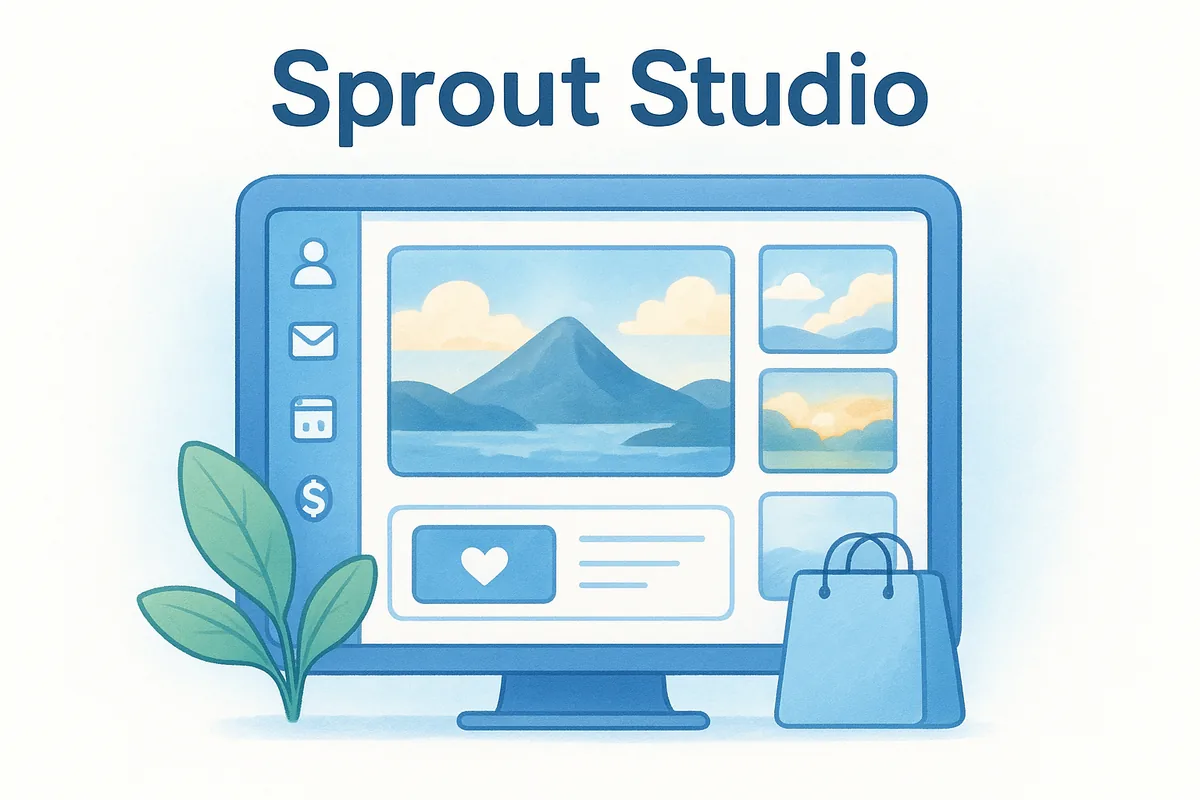
Sprout Studio pitches itself as an all-in-one studio manager built specifically for photographers, and it leans harder into the delivery side of the business than HoneyBook or Dubsado do. Gallery proofing, print ordering, and client image delivery sit alongside the usual client communication and invoicing tools, which makes it a natural fit if you sell prints or albums as part of your packages.
Key features
Sprout's standout is its online gallery system, letting clients favorite images, order prints, and pay for upgrades directly from the gallery view. Bookings, contracts, and invoices flow through the same pipeline, so a client's entire journey from inquiry to final print order stays in one record.
- •Client galleries with built-in print store and lab integration
- •Automated workflows for sending contracts, questionnaires, and reminders
- •Session and shoot scheduling with calendar sync
- •Mileage and expense tracking for tax reporting
- •Mobile-friendly client portal for viewing and approving proofs
That print-focused toolkit is rare among general CRMs, which typically stop at invoicing and skip gallery delivery entirely.
Pricing
Sprout Studio runs three tiers, starting around $25 a month for solo photographers, climbing to roughly $37 for growing studios, and up to $55 for larger teams, all billed monthly with an annual discount. Print store commissions and lab partner fees sit outside the subscription price, so factor those into your real monthly cost.
A CRM that sells your prints for you is worth the extra tier, if print sales are actually part of your business.
Best for
Sprout Studio suits photographers whose revenue depends on print and product sales, not just session fees, since the built-in client galleries double as a storefront. It's a weaker choice if your business is purely digital delivery, since you'd be paying for a print infrastructure you never use, and the automation depth still trails a dedicated sales pipeline tool like the ones earlier on this list.
5. 17hats
17hats bills itself as a business management platform for solo operators and freelancers across creative industries, not just photography, but it's earned a loyal following among wedding and portrait shooters who want bookkeeping bundled with client management. Unlike Dubsado's steep customization curve, 17hats leans toward simplicity, offering pre-built templates for contracts, invoices, and questionnaires that you can launch within a day rather than a weekend.
Key features
Running a shoot through 17hats starts with its pipeline view, which tracks a lead from first contact through booked, shot, and paid stages. Bookkeeping sits closer to the surface here than in most photography CRMs, with income and expense tracking built directly into the same dashboard you use for client communication.
- •Automated workflows for sending contracts, invoices, and questionnaires on a schedule
- •Built-in bookkeeping with income, expense, and quarterly tax estimates
- •Online scheduling with client self-booking for consultations
- •Lead capture forms that plug straight into your pipeline
- •Client portal for signing contracts and paying invoices
That bookkeeping layer sets 17hats apart from HoneyBook and Sprout Studio, both of which push you toward a separate accounting tool come tax season.
Pricing
Pricing runs on two tiers: Essentials at roughly $19 a month and Standard around $50 a month, both billed monthly with a discount for annual plans. The Essentials tier caps you at fewer active projects, so a busy solo photographer often needs Standard within the first year.
Bundling bookkeeping into your CRM sounds convenient until you realize it rarely matches what a dedicated accounting tool can do.
Best for
Solo photographers who want contracts, invoicing, and basic bookkeeping under one login will find 17hats a solid fit, especially if you're not ready to pay for a separate accounting tool. Teams needing multiple users or deeper sales pipeline reporting should look elsewhere, since 17hats caps collaboration features and its reporting stays shallow compared to a dedicated CRM for photographers built around growth.
6. Studio Ninja
Studio Ninja markets itself as a lightweight CRM built specifically for wedding and portrait photographers who want speed over depth. Compared to Dubsado's blank-canvas approach, Studio Ninja ships with ready-made templates for contracts, invoices, and questionnaires, so you're sending your first proposal within an hour of signing up rather than spending a weekend building workflows from scratch.
Key features
Everything in Studio Ninja revolves around a simple job pipeline that tracks a client from inquiry through booking, shoot, and delivery, with color-coded stages you can rearrange to match your own process. The interface stays deliberately uncluttered, which photographers switching from more complex tools often mention as the reason they stuck around.
- •Contract and invoice templates built for common photography packages
- •Automated email sequences triggered by pipeline stage changes
- •Task and to-do lists tied to each client's job card
- •Calendar sync with Google and Outlook for shoot scheduling
- •Client questionnaires that feed answers directly into the job record
That template-first setup makes Studio Ninja one of the faster tools on this list to get running, especially if you're not interested in tweaking every workflow yourself.
Pricing
Studio Ninja charges a flat $28 a month for solo photographers on the Essentials plan, with a Teams plan at $46 a month for studios adding staff or associate shooters. Both prices apply regardless of client volume, unlike Dubsado's client caps.
A CRM that ships with finished templates gets you booking clients faster than one that hands you a blank page.
Best for
Studio Ninja fits solo wedding and portrait photographers who want a working system on day one without configuring automation themselves. It's a weaker match if you need deep sales pipeline reporting or granular customization, since the simplicity that makes setup fast also caps how far you can bend the tool as your studio grows.
7. Táve
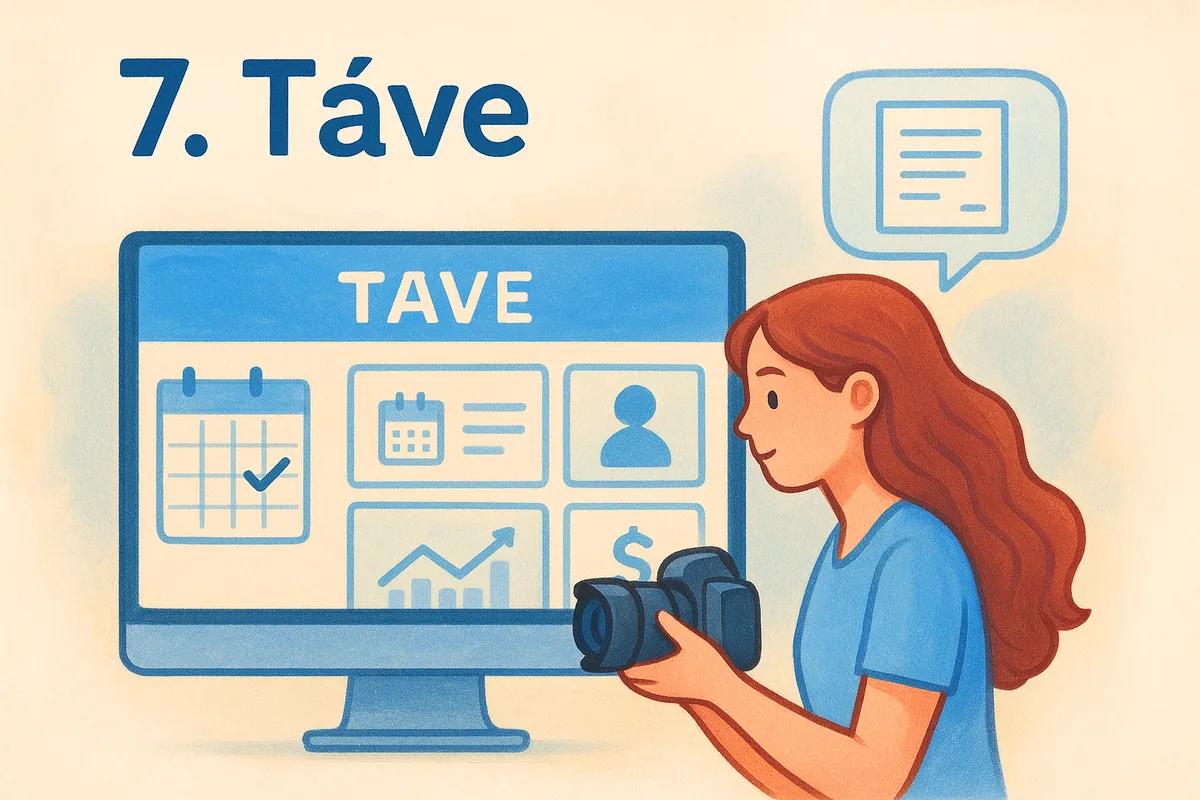
Táve has been around longer than most tools on this list, and it shows in how deep its studio management features run for photographers shooting high-volume wedding seasons, the same crunch CRMs for wedding and event companies are built around. Built for photographers who juggle dozens of active jobs at once, Táve leans into job tracking, contracts, and financial reporting rather than flashy client portals, which makes it feel more utilitarian than HoneyBook or Studio Ninja.
Key features
Organizing a busy season in Táve starts with its job tracker, a dashboard showing every active client, shoot date, and outstanding balance at a glance. Photographers running multiple shooters or second shooters lean on its scheduling tools to avoid double-booking a single date.
- •Contract and questionnaire templates built for wedding and portrait workflows
- •Automated email workflows triggered by job status changes
- •Detailed financial reporting on income, outstanding balances, and package performance
- •Lead capture forms with built-in follow-up sequences
- •Multi-user access for studios running several shooters or editors
That financial reporting depth is where Táve pulls ahead of lighter tools, giving studio owners a clearer picture of which packages actually make money.
Pricing
Táve charges $21.25 a month for its Solo plan and $37.50 a month for Studio, both billed monthly with a discount for annual billing, and both plans include unlimited clients and jobs.
A CRM built for volume only pays off once you're actually running enough jobs to need it.
Best for
Volume-focused wedding studios juggling multiple shooters and a packed calendar get the most out of Táve's job tracking and financial reporting. Solo photographers shooting a handful of sessions a month will likely find the interface more complex than necessary, and photographers wanting modern client communication tools like smart files or a polished client portal should look toward HoneyBook or Sprout Studio instead.
8. Pixieset Studio Manager
Pixieset started as a gallery hosting tool, and that history shows in how well its Studio Manager add-on handles client delivery compared to the pipeline and automation tools earlier on this list. Photographers who already use Pixieset for gallery hosting often add Studio Manager as a natural extension rather than switching to a separate CRM for photographers, since client records, bookings, and galleries all live under one login.
Key features
Managing a client in Pixieset starts with a simple booking and contract flow, where you send a proposal, collect a signature, and generate an invoice from the same screen. Because gallery hosting is native to the platform, delivering final images never requires a third-party plugin or export step.
- •Online galleries with client proofing, favoriting, and print store built in
- •Contracts and invoicing with automated payment reminders
- •Lead capture questionnaires that feed new inquiries into your client list, handling the basics software for managing incoming leads usually covers
- •Booking calendar with availability blocks for consultations and shoots
- •Client-facing portal for viewing contracts, invoices, and galleries together
That gallery-first design is where Pixieset pulls ahead of tools like Dubsado or Táve, both of which treat delivery as an afterthought.
Pricing
Pixieset bundles Studio Manager into its existing gallery plans, starting around $8 a month for basic gallery hosting and climbing to roughly $40 a month for the Professional tier that unlocks full CRM features like automated workflows and multiple users. Annual billing brings the effective monthly cost down noticeably.
A gallery platform that grows into a CRM saves you from managing two logins and two invoices.
Best for
Photographers already invested in Pixieset for gallery delivery get the most value here, since adding Studio Manager costs less than migrating to a standalone CRM. Studios that don't already use Pixieset galleries should weigh whether the CRM features alone justify the switch, since the pipeline and reporting depth still trail dedicated tools like Táve or Vedain.
9. ShootQ
ShootQ was one of the earliest dedicated studio management tools for photographers, launching well before HoneyBook or Dubsado existed, and it still carries that early workhorse feel today. Wedding photographers who've used it for a decade tend to stick with it out of habit more than excitement, since ShootQ covers the basics of booking, contracts, and invoicing without the polish or automation depth of newer competitors.
Key features
Navigating ShootQ centers on its job pipeline, a straightforward list view tracking each client from inquiry through booking, shoot, and final payment. Questionnaires and contracts attach directly to each job record, so nothing gets lost between a signed agreement and the actual shoot date.
- •Contract and invoice templates built for wedding and portrait packages
- •Lead capture forms that route new inquiries into your pipeline automatically
- •Task lists and reminders tied to each job's timeline
- •Basic email templates for booking confirmations and follow-ups
- •Multi-user access for studios with associate shooters
That feature set covers the fundamentals of running a crm for photographers, though it lacks the visual polish and modern client portal that HoneyBook or Sprout Studio offer.
Pricing
ShootQ charges a flat $35 a month regardless of team size, billed monthly with no separate tiers to navigate. That simplicity cuts both ways: you're not paying extra for automation, but you're also not getting the bookkeeping or gallery features bundled into competitors at a similar price point, which is worth weighing against what CRM plans really cost once hidden fees appear.
An older tool that still does the job isn't a reason to skip newer options built with more features at the same price.
Best for
Veteran studios already running their business through ShootQ and comfortable with its dated interface will find little reason to switch, especially if migrating years of client records feels riskier than the upgrade is worth. New studios shopping for their first CRM should look at Studio Ninja or Táve instead, both of which deliver more automation and a cleaner interface for a comparable monthly price.
Choosing the right CRM for your studio
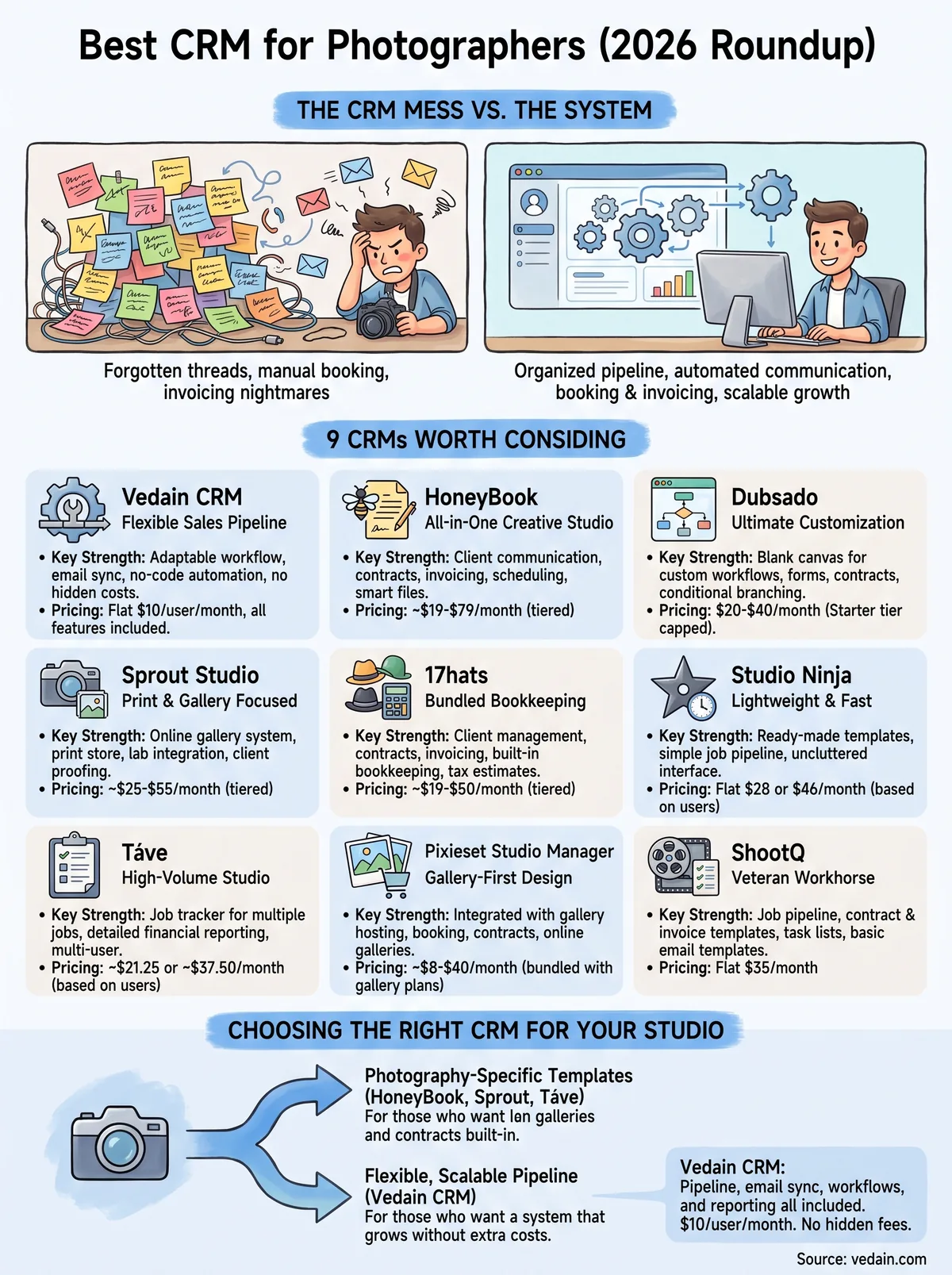
Picking between nine tools comes down to one question: does your business need photography-specific templates, or does it need a flexible sales pipeline that scales without punishing you for growth? Photography-native tools like HoneyBook, Sprout Studio, and Táve shine when you want galleries and contracts built in from day one. But if you're tired of paying more every time you add a team member or turn on automation, that's exactly the pattern a crm for photographers built on transparent pricing avoids.
Vedain gives you the pipeline, email sync, workflows, and reporting a growing studio actually uses, all for $10 a user a month with nothing locked behind a higher tier. No credit card required to test it against your current workflow, and setup takes less time than editing a single gallery. See what $10 per user actually includes and decide whether it fits your studio better than what you're paying now.
Frequently Asked Questions
What is the best CRM for photographers on a budget?
Pipedrive is the best budget-friendly CRM for photographers, starting at $14/month with excellent pipeline management features tailored to photography workflows. While Salesforce and HubSpot offer more comprehensive features, they're significantly more expensive at $165/month and $50/month respectively, making Pipedrive ideal for freelance and small photography studios. Zoho CRM also competes well at $18/month with customizable modules perfect for photographer client management.
Can I use HubSpot CRM for photography business management?
Yes, HubSpot CRM can be used for photography business management as its free tier includes contact management, email tracking, and basic pipeline features without credit card requirements. However, HubSpot's $50/month Professional plan is better suited for photographers needing advanced automation, while Vedain and Pipedrive offer more photography-specific workflows at comparable or lower price points. HubSpot works best for photographers who also want integrated marketing automation tools.
Which CRM is better for photographers: Zoho or Salesforce?
Zoho CRM is significantly better for photographers than Salesforce due to its lower price ($18-45/month), easier customization for photography workflows, and photography-specific templates. Salesforce, starting at $165/month, is enterprise-grade overkill for most photography businesses and requires extensive configuration. For mid-sized photography studios wanting advanced features, Zoho provides the best balance between functionality and affordability compared to Salesforce's corporate-focused approach.
What CRM features do photographers need most?
Photographers need CRM features including client contact management, session scheduling, portfolio galleries, invoice and payment tracking, and email automation for booking reminders and follow-ups. Vedain specifically offers photography-focused CRM tools with built-in gallery features, while Pipedrive and Zoho allow custom fields for photography-specific data like session types and equipment preferences. HubSpot and Salesforce can accommodate these needs through integrations and custom development, but photography-specialized platforms offer faster setup.
Is Vedain CRM specifically designed for photographers?
Yes, Vedain is specifically designed as a photography-focused CRM with built-in features for portfolio management, client galleries, and session scheduling that photographers need out-of-the-box. Unlike generic CRMs like HubSpot, Salesforce, and Zoho that require customization, Vedain's interface is tailored to photography workflows and pricing models. For photographers seeking a purpose-built solution, Vedain offers faster implementation compared to configuring competitors' platforms.
How much does CRM software cost for photography studios?
CRM software for photography studios ranges from free to $165/month depending on features: Pipedrive starts at $14/month, Zoho at $18/month, HubSpot's free tier or $50/month Professional, and Salesforce at $165/month, with Vedain offering mid-range photography-specific pricing. Most photography studios find the $14-50/month range sufficient for managing clients, bookings, and invoicing without enterprise features. Budget $300-600 annually for a quality CRM that supports your photography business growth.