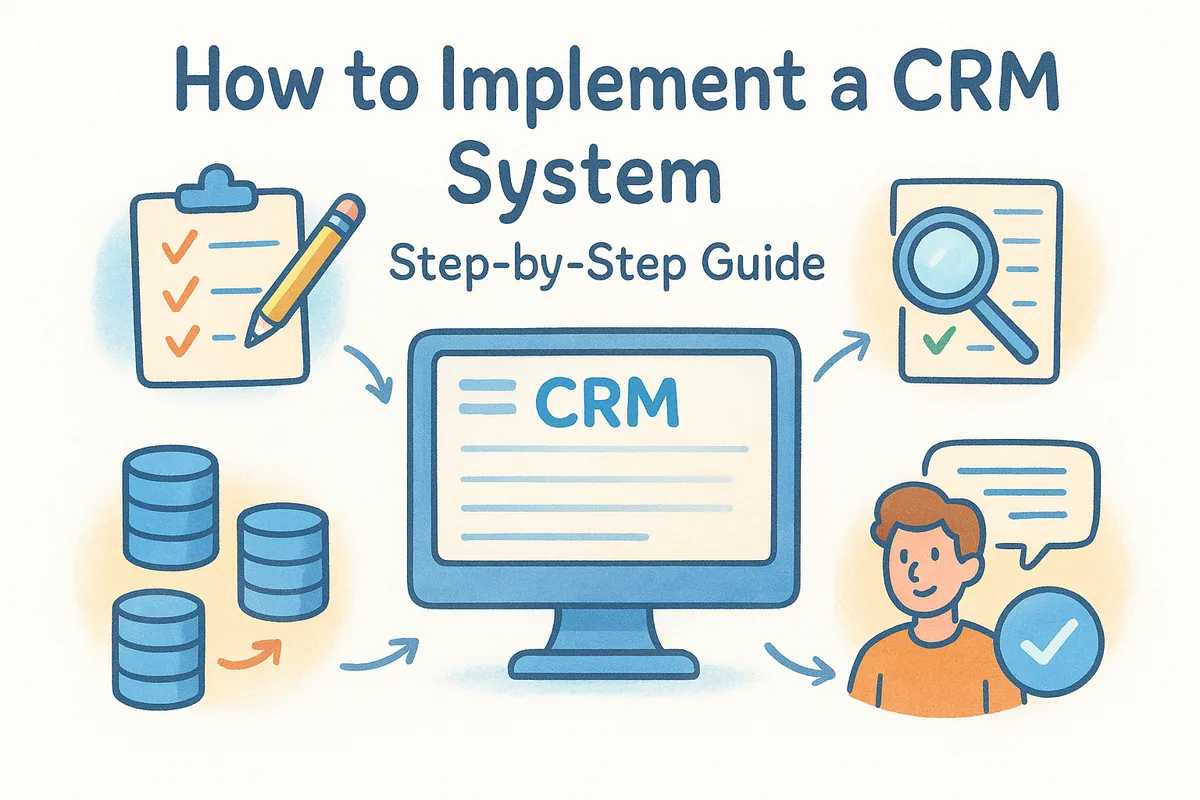
This guide walks through the actual sequence: mapping your current sales process, choosing a platform that fits your team's size and budget, migrating your data without losing history, and getting reps to actually log in and use it. That last part matters most. A CRM only works if your team adopts the tool instead of quietly avoiding it.
We'll cover each stage in order, from defining requirements before you demo a single product, to setting up pipelines, automations, and permissions once you've picked one. We built Vedain around this exact process, since flat pricing and a five-minute setup only help if the implementation itself doesn't drag on for months.
What CRM implementation really involves
Most people think CRM implementation means picking software and importing a contact list. It's actually four separate projects stacked together: process mapping, platform selection, data migration, and change management. Skip any one of them and the whole rollout wobbles. A CRM rollout plan that only covers the technical setup ignores the part that actually determines whether the tool survives past quarter one, which is whether your team trusts it enough to use it daily instead of reverting to email threads and sticky notes. If you want the owners, dates, and success metrics written out, use a CRM implementation plan template as your starting point.
It's a people project first
Software doesn't fix a broken sales process, it just documents it faster. Before you touch a vendor's website, you need clarity on how deals actually move through your pipeline today, who touches them at each stage, and where they stall. Skipping this step is why so many teams end up with a CRM that mirrors their spreadsheet chaos instead of fixing it.
A CRM implementation succeeds or fails on adoption, not on features.
The four workstreams you're actually managing
Treat implementation as a checklist with owners, not a single task assigned to whoever suggested the software:
- •Requirements gathering: what the tool needs to do, for whom, by when
- •Platform evaluation: pricing, integrations, and permission structure
- •Data migration: cleaning and mapping existing records before import
- •Team onboarding: training, workflows, and a go-live date everyone knows
Each of these has its own timeline and its own way of derailing the project if nobody owns it. A five-person sales team might compress all four into a week. A 200-person org might need a month per stage, or bring in outside help, which is where CRM implementation services and their real costs come into the picture. Either way, the sequence stays the same, and platforms like Vedain are built assuming you'll move through it fast rather than get stuck configuring for months.
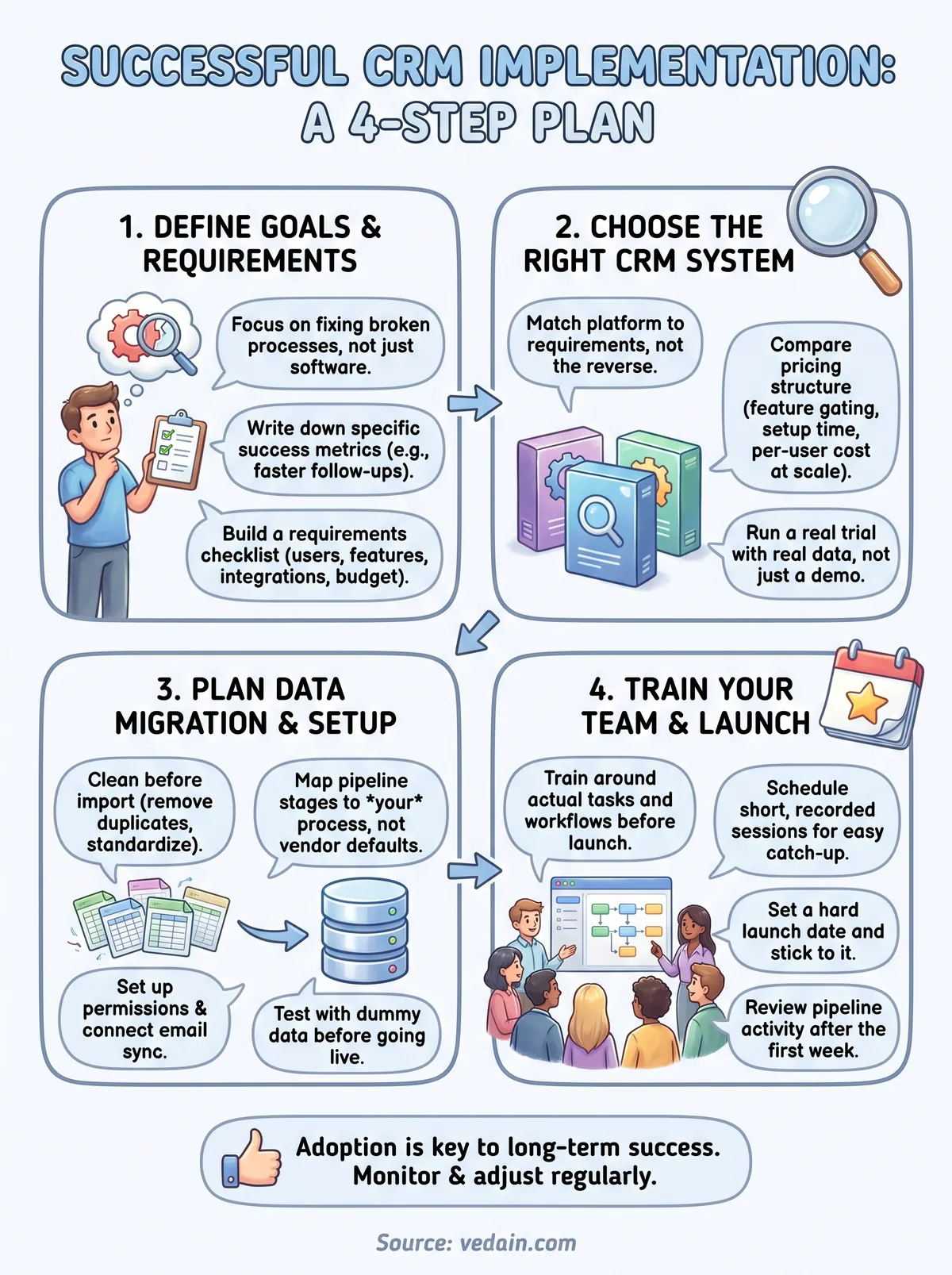
Step 1. Define your goals and requirements
Before you look at a single vendor, write down what's actually broken. Are deals falling through the cracks because nobody follows up? Is your team wasting hours on manual data entry? Naming the specific pain points gives you a way to measure success later, instead of just hoping the new software feels better than the old spreadsheet.
Write down what success looks like
Start with numbers, not vibes. If your goal is faster follow-ups, define what "faster" means: same-day contact instead of a three-day lag, for example. Defining requirements this precisely turns a vague wish into something you can test during a trial.
Vague goals produce vague CRM implementations.
Build a requirements checklist
Gather input from the people who'll actually use the system daily, not just the person signing the invoice. A short list works better than a 40-tab spreadsheet nobody reads:
- •Number of users and expected growth over 12 months
- •Must-have features (pipeline stages, email sync, automation)
- •Integrations you can't live without (Gmail, Outlook, existing tools)
- •Budget ceiling per user, per month
- •Who owns rollout and who owns ongoing admin
Organizations that skip this step end up choosing a CRM system based on whoever gave the best demo, then discover mid-rollout that it's missing something the whole team assumed was standard.
Step 2. Choose the right CRM system
Once you know what you need, resist the urge to pick whatever tool your last company used. Match the platform to your requirements list, not the other way around, and if you want a structured path through it, work through a step-by-step way to pick a CRM for a small business. Most CRM software comparisons get derailed by feature checklists that hide the real cost: tiered pricing that charges extra for automation, email sync, or reporting once you're locked in.
Compare pricing structure, not just sticker price
Ask vendors directly whether the quoted price includes automation, integrations, and unlimited records, or whether those sit behind a paywall. A tool that looks cheap at $15 per user can end up costing more than a flat $10 per user plan once you add the features your team actually needs, so it helps to see what CRM software actually costs across vendors before you commit.
The cheapest CRM on paper is often the most expensive once you add the features you were told were optional.
Run a real trial, not a demo
A sales demo shows you the best-case scenario. A trial shows you whether your team can actually use it. Load real data, run a real pipeline for a week, and see if reps log in without being reminded. Vedain's pricing skips the tiering problem entirely, which is worth checking before you sign anything longer-term.
Step 3. Plan data migration and setup
Once you've picked a platform, resist the urge to dump every spreadsheet into it on day one. Data migration is where most rollouts get messy, because nobody cleans the data before it moves, and it's worth knowing how CRM migration works before you move years of records. Duplicate contacts, dead leads, and inconsistent field names all follow you into the new system if you don't deal with them first.
Clean before you import
Go through your existing records and decide what's worth keeping. A five-year-old lead who never responded doesn't need a home in your new pipeline. Standardize how you name deal stages, custom fields, and tags before import, since fixing that after 10,000 records are already loaded is painful, and follow a proven process for importing contacts from Excel without losing data.
A clean CRM migration takes longer up front and saves months of cleanup later.
Map your pipeline before you flip the switch
Set up your stages, permissions, and automations to match the process you mapped in Step 1, not the default template the software ships with. A basic CRM setup checklist keeps this from turning into a scramble:
- •Import contacts and companies with deduplication turned on
- •Recreate your actual pipeline stages, not the vendor's defaults
- •Set module-level permissions by role
- •Connect Gmail or Outlook for two-way email sync
- •Test one full deal cycle with dummy data before going live
Vedain's lead capture and tracking tools include smart filters that catch duplicates during import, which saves a cleanup pass later.
Step 4. Train your team and launch
Rolling out a new system without training is the fastest way to send your team back to spreadsheets. Reps need to see exactly how their daily workflow maps onto the new tool, not just sit through a generic feature tour. CRM training works best when it's tied to real deals your team is already working, not a demo account full of fake companies.
Train before launch day, not after
Schedule training sessions around actual tasks: logging a call, moving a deal stage, sending a templated email. Keep sessions short, under 30 minutes, and record them so new hires can catch up later without pulling someone off the phones. Assign a point person, usually whoever owns the rollout, to field questions during the first two weeks.
Training that happens after launch day is training nobody remembers.
Pick a launch date and stick to it
Set a hard CRM launch date and communicate it early, so the old system stops being an option. A short checklist keeps the switch clean:
- •Freeze changes to the old system one week before launch
- •Confirm every rep has logged in and completed one full workflow
- •Assign an internal contact for questions during week one
- •Review pipeline activity after seven days, not after a month
Vedain's no-code automation builder helps here, since reps see fewer manual steps to learn on day one.
Making your CRM stick
Getting a CRM live is the easy part. Keeping your team inside it six months later is the real test of whether your CRM implementation actually worked. Revisit the goals you wrote down in Step 1 every quarter, not just at launch, and check whether reps are logging activity without being nagged. If adoption slips, it's usually a sign the pipeline no longer matches how deals actually move, not a sign your team needs another training session.
Hold onto the requirements list from Step 1 and the setup checklist from Step 3. They're your reference points when someone proposes a new field, integration, or automation six months from now. A CRM that stays useful is one that keeps getting adjusted, not one that gets configured once and ignored. If you're still comparing platforms, try Vedain free for 14 days and see how fast a flat-rate, feature-complete setup actually goes live.
Frequently Asked Questions
How long does it take to implement a CRM system?
CRM implementation timeline by platform: Vedain, Pipedrive, Freshsales — 3-7 days for a 5-20 person team (self-implemented). HubSpot — 1-3 weeks (more configuration options, but guided onboarding). Zoho CRM — 1-2 weeks (more features = more configuration). Salesforce — 3-6 months with implementation partners for a 20+ person team. The main time investments: data migration from spreadsheets (Day 1-2), pipeline and custom field configuration (Day 2-3), email integration and automation setup (Day 3-5), team training (Day 5-7). Go live in stages — don't wait for perfection.
What are the steps to implement a CRM system?
CRM implementation steps: (1) Define your sales process — map out the stages a deal goes through from first contact to closed. (2) Choose the CRM — evaluate 2-3 options, start a trial, test with real data. (3) Migrate existing data — export contacts from spreadsheets, import to CRM, deduplicate. (4) Configure pipeline — set up stages, custom fields, and required fields to match your process. (5) Connect integrations — email (Google/Microsoft), calendar, phone dialer. (6) Build automation — lead assignment rules, follow-up task creation, email sequences. (7) Train the team — 2-4 hours hands-on training per rep. (8) Go live — run old tracking parallel for 2 weeks, then cut over fully.
What data do you need to migrate when implementing a CRM?
Data to migrate when implementing a CRM: (1) Contacts — name, email, phone, company, job title (always required). (2) Accounts/Companies — company name, industry, size, website (if B2B). (3) Deals/Opportunities — deal name, value, stage, close date, assigned rep. (4) Notes and interactions — historical call logs, meeting notes, email summaries. (5) Custom fields — any non-standard data your team tracks (lead source, product interest, industry segment). Priority order: contacts first, then deals, then historical notes. If historical data is messy, it's sometimes better to start clean and archive old records.
What are the most common CRM implementation mistakes?
Most common CRM implementation mistakes: (1) Over-configuring — building complex automations and reports before the team has basic adoption. (2) Migrating dirty data — importing spreadsheets with duplicates, missing emails, and inconsistent field values pollutes the new CRM immediately. (3) Skipping training — assuming reps will figure it out causes adoption failure within 30 days. (4) Wrong pipeline stages — copying Salesforce's generic stages instead of mapping to how your team actually sells. (5) No adoption measurement — if you don't track daily active users and activity logging, you won't catch low adoption until it's too late.
How do you get sales reps to adopt CRM after implementation?
Get sales rep CRM adoption after implementation by: (1) Making CRM a requirement in weekly pipeline reviews — managers reference only CRM data, not Excel or verbal updates. (2) Removing alternative tracking systems — if spreadsheets are still allowed, reps use them. (3) Making CRM the easiest path — BCC email logging, mobile app, email plugin for Gmail/Outlook reduce friction. (4) Gamification — weekly leaderboards for activity logging in first 30 days. (5) Manager role modeling — if managers log their own activities in CRM, reps follow. (6) Early wins — celebrate the first deal closed using CRM-sourced follow-up data to prove the value.
How much does CRM implementation cost for a small business?
CRM implementation cost for a small business in 2026: Self-implemented (Vedain, Pipedrive, HubSpot Starter) — $0-2,000 (mainly staff time, 1-5 days). Guided onboarding from vendor — $500-3,000 one-time. Implementation partner for HubSpot or Zoho — $2,000-10,000 for full setup and training. Salesforce implementation partner — $10,000-50,000 for a 10-20 person team. Data cleaning and migration service — $500-2,000. Training (external trainer for a full day) — $1,000-3,000. For most small businesses, self-implementation with vendor documentation and a 1-day team training session is sufficient and keeps total implementation cost under $2,000.