This list cuts through that guesswork. You'll find the 10 best cloud-based CRM platforms available right now, broken down by what each one actually does well, who it fits, and where the pricing gets tricky. Whether you're comparing crm software cloud options for a five-person startup or a 200-seat sales org, you'll see exactly where each platform stands on features, automation, and cost.
We built this comparison from hands-on use, not marketing pages, so you'll see real pricing breakdowns and honest tradeoffs, including where flat-rate platforms like Vedain beat the tiered pricing models common at HubSpot, Pipedrive, and Salesforce. By the end, you'll know which cloud CRM software fits your team's size, budget, and workflow, without paying for features you'll never touch.
1. Vedain CRM
Vedain CRM tops this list because it solves the exact frustration most buyers have with cloud-based CRM software: unpredictable pricing that grows the moment your team does. Vedain runs on a single flat rate of $10 per user per month, and that number includes automation, email sync, and AI tools that competitors lock behind higher tiers. Setup takes under five minutes, no credit card required, which matters if you've ever been burned by a trial that quietly converts to a paid plan.
Key features
Vedain packs a full sales stack into one interface instead of forcing you to bolt on separate tools for email, automation, and reporting. The standout pieces:
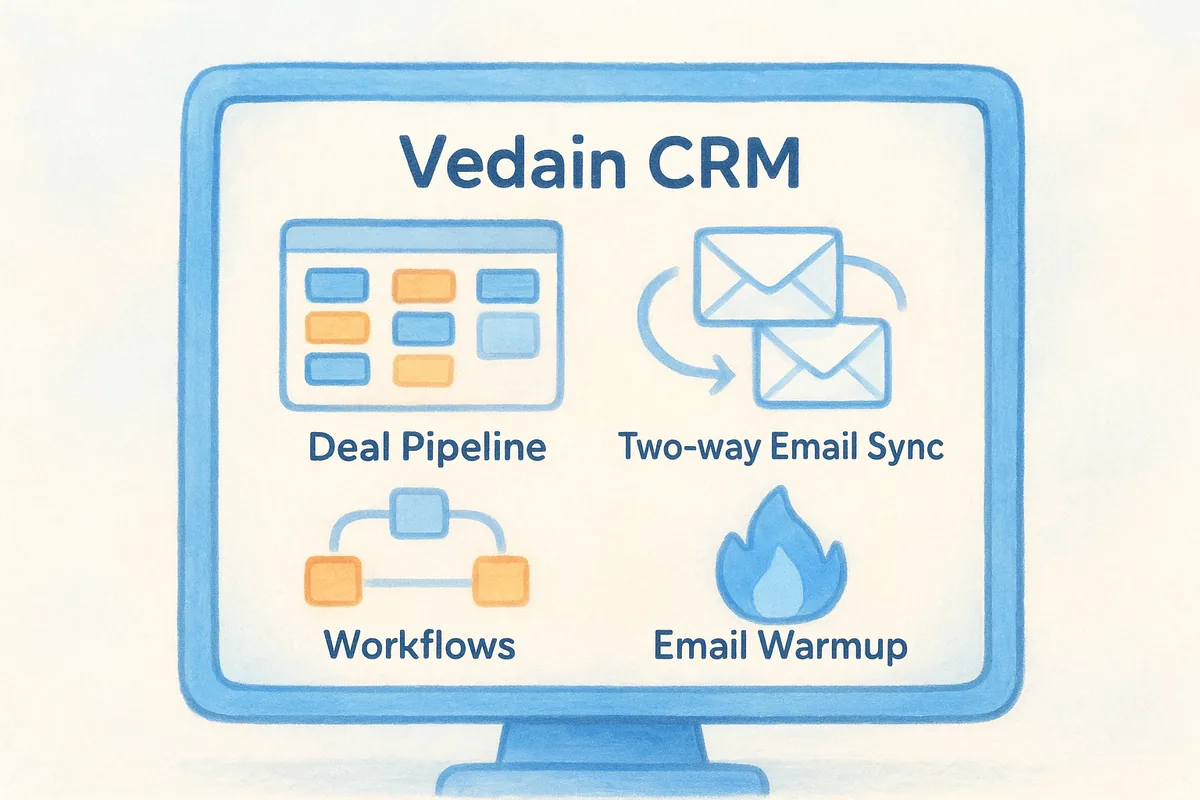
- •Deal Pipeline with a visual Kanban board for tracking opportunities stage by stage
- •Two-way email sync for Gmail and Outlook, so nothing gets logged manually
- •Workflows, a no-code automation builder for follow-ups, task assignment, and lead routing
- •Email Warmup that improves domain deliverability with a gradual warmup ramp, a feature most CRMs don't touch at all
- •AI Agent Marketplace with 30+ pre-built agents for data enrichment and content generation
- •Custom Dashboards with drag-and-drop widgets and team leaderboards for tracking sales targets
Best for
Vedain fits sales teams who are tired of paying extra for things that should already be included, like automation, unlimited records, or email deliverability tools. It's a strong match for startups and small to mid-sized businesses that want a complete sales operating system without hiring an admin to manage licenses and add-ons. Teams migrating off HubSpot, Pipedrive, or Zoho because of surprise upsells tend to feel the difference immediately: the same workflows, campaigns, and reporting that cost extra elsewhere come standard here.
The core advantage of Vedain isn't a single feature, it's that nothing costs extra once you're in.
Organizations scaling from five users to five hundred also benefit, since the flat per-seat price means budgeting doesn't require a spreadsheet of tier calculations. If your team lives in Gmail or Outlook and wants a CRM that just plugs into that workflow, Vedain removes the integration guesswork.
Pricing
Vedain charges $10 per user per month across the board, with no feature gates, no hidden add-ons, and no separate pricing tier for automation or AI tools. That's a meaningful contrast to platforms where the advertised entry price only unlocks a fraction of the product. Pricing is available in USD, INR, and AED, which helps international teams avoid currency conversion surprises. There's no long-term contract requirement, and the free trial doesn't ask for a credit card upfront, so you can test the full platform before committing budget to it.
2. Salesforce Sales Cloud
Salesforce Sales Cloud is the industry benchmark for enterprise CRM software, built for large sales organizations that need deep customization and near-limitless integrations. It's been around longer than nearly every competitor on this list, and that maturity shows in its ecosystem of add-ons, but it also means the platform carries more complexity than most small teams want to manage. Companies choosing Salesforce usually keep a dedicated admin or consultant on staff, because configuring the platform well takes real technical investment rather than a quick setup wizard.
Key features
- •Opportunity management with customizable pipeline stages and forecasting tools
- •Einstein AI for lead scoring, predictive analytics, and automated data entry
- •AppExchange marketplace with thousands of third-party integrations
- •Flow Builder, Salesforce's no-code workflow automation tool
- •Reporting dashboards that pull from nearly any object in the platform
Best for
Salesforce fits large enterprises with complex sales processes spanning multiple departments, regions, or product lines. It suits teams that already have, or plan to hire, a Salesforce administrator, since the platform's flexibility comes with a learning curve that smaller teams rarely have the bandwidth to manage on their own.
Salesforce rewards technical investment; without it, you're paying enterprise prices for a fraction of the platform.
Organizations evaluating cloud crm software purely for long-term scalability, not day-one simplicity, tend to land here, especially once headcount pushes past the hundreds.
Pricing
Pricing starts at $25 per user per month for the Starter Suite and climbs to $550 per user per month for the Max edition, with most growing sales teams landing in the $100 to $195 per user per month range for Pro Suite or Core (formerly Enterprise). Several automation and AI features listed above require add-on purchases or higher-tier plans, so the advertised entry price rarely reflects what a full-featured deployment actually costs. See Salesforce's official pricing page for current tier breakdowns before you budget.
3. HubSpot CRM
HubSpot built its reputation on a genuinely useful free tier, and that's still the reason most small teams try it first. The catch shows up once you need more than basic contact management: HubSpot's pricing structure splits into separate hubs for marketing, sales, and service, and the features that make the CRM actually powerful, like advanced automation or custom reporting, live behind paid add-ons. It's a solid cloud based crm software starting point, but the jump from free to functional gets expensive fast.
Key features
- •Contact and deal management with a free tier covering up to 2 users and basic pipeline tracking
- •Marketing Hub integration for landing pages, email campaigns, and lead capture forms
- •Sequences and workflows, though full automation requires the Sales Hub Professional tier or higher
- •Reporting dashboards with customizable widgets, limited on lower tiers
- •HubSpot Academy, an extensive library of free training content and certifications
Best for
HubSpot suits marketing-led teams that want their CRM tightly connected to campaign and content tools, since the platform was built around that integration first. Startups testing the waters with a free CRM before committing budget also do well here, as long as they understand the eventual upgrade path. Teams that need marketing and sales data in one system, without stitching together separate platforms, get real value from the hub structure.
HubSpot's free tier is generous, but the real cost shows up once your team needs automation.
Pricing
The free CRM covers basic contact and deal tracking for up to 2 users. Sales Hub Starter runs $20 per user per month, Professional jumps to $100 per user per month, and Enterprise reaches $150 per user per month, with many automation and reporting features gated to Professional and above. Check HubSpot's pricing page for the current tier breakdown.
4. Zoho CRM
Zoho CRM appeals to teams already living inside the Zoho ecosystem, since it connects natively with Zoho Books, Zoho Desk, and dozens of other Zoho apps. As standalone cloud crm software, it's genuinely capable, with a deep feature set that rivals platforms costing far more. The tradeoff is navigation: the interface packs in so many modules and settings that new users often need weeks to feel comfortable, and customization frequently requires digging through nested menus rather than a straightforward setup flow.
Key features
- •Zia AI assistant for lead scoring, sentiment analysis, and sales forecasting
- •Blueprint, a process automation tool that enforces sales workflow steps
- •Multichannel communication covering email, phone, live chat, and social media in one view
- •Canvas, a drag-and-drop interface builder for customizing record layouts
- •Zoho Marketplace with hundreds of third-party and native app integrations
Best for
Zoho CRM fits businesses already using other Zoho products, since the connected ecosystem removes a lot of manual data syncing between finance, support, and sales tools. It also suits teams with the patience to configure a highly customizable system, since almost every field, layout, and automation rule can be adjusted to match an existing process. Companies that outgrew a simpler CRM and need more granular control over data structure tend to land here.
Zoho rewards teams willing to configure it deeply, but that depth comes at the cost of a steeper learning curve.
Price-sensitive teams comparing crm software cloud options against Zoho often cite the interface complexity as the main reason they eventually switch to something simpler.
Pricing
Zoho CRM's paid plans run from $14 per user per month for Standard up to $52 per user per month for Ultimate, billed annually, with monthly billing costing more. Zia AI features and advanced workflow automation are locked to the Enterprise and Ultimate tiers, so budget-conscious teams on lower plans miss out on the platform's most useful capabilities. Full details are on Zoho's pricing page.
5. Pipedrive
Pipedrive built its entire product around one idea: salespeople think in pipelines, not spreadsheets. That focus shows in how clean the interface feels compared to bulkier platforms like Zoho or Salesforce. As a cloud based crm software option, it's one of the most visually intuitive tools on this list, which explains why so many small sales teams pick it as their first real CRM after outgrowing spreadsheets. The tradeoff is scope: Pipedrive does pipeline management extremely well but leans on paid add-ons for marketing automation, and its reporting depth lags behind more feature-dense platforms once your process gets complicated.
Key features
- •Visual sales pipeline with drag-and-drop deal stages, the platform's signature feature
- •Activity-based selling that prompts reps toward the next action on every deal
- •Email sync with two-way tracking for Gmail and Outlook
- •Automations builder for repetitive tasks, available from the Growth tier up
- •Insights and forecasting reports for pipeline visibility across the team
Best for
Pipedrive suits small sales teams that want a CRM they can set up in an afternoon without a training session. It fits reps who spend most of their day working deals rather than configuring systems, since the pipeline view mirrors how most salespeople already think about their work.
Pipedrive's strength is simplicity, but that same simplicity means you'll outgrow it faster than a more modular platform.
Teams comparing crm cloud based software purely on ease of use, not depth of automation, tend to shortlist Pipedrive first.
Pricing
Plans start at $14 per user per month for Lite and scale to $79 per user per month for Ultimate, billed annually. Automation and advanced reporting features require the Growth tier or higher, pushing the realistic cost for a functional setup closer to $39 per user per month. See Pipedrive's pricing page for current details.
6. Freshsales
Freshsales, part of the Freshworks suite, built its reputation on an AI assistant called Freddy that scores leads and flags deals likely to close. Compared to other cloud crm software platforms on this list, Freshsales sits in a comfortable middle ground: more polished than Pipedrive's bare-bones pipeline, less sprawling than Zoho's module maze. Teams already running Freshdesk for support get the biggest win here, since ticket history and sales context live in the same customer record without extra syncing work.
Key features
- •Freddy AI for lead scoring, deal insights, and next-best-action recommendations
- •Built-in phone and email with call recording and click-to-dial, no third-party dialer needed
- •Visual deal pipeline with customizable stages and drag-and-drop cards
- •Workflow automation for lead assignment, follow-up sequences, and task creation
- •Freshworks integrations, including native connections to Freshdesk and Freshmarketer
Best for
Freshsales fits support-driven sales teams that want customer service and sales activity visible in one timeline, particularly companies already paying for Freshdesk. It also suits teams that want built-in calling without stitching in a separate VoIP tool, since the phone functionality works out of the box rather than through an add-on marketplace.
Freshsales earns its price tag mainly through the Freshworks ecosystem, less so as a standalone pipeline tool.
Businesses evaluating crm software cloud options against Freshsales often choose it specifically for that ecosystem lock-in, not because the CRM alone outperforms competitors on pure pipeline features.
Pricing
Freshsales plans run from $9 per user per month for Growth up to $59 per user per month for Enterprise, billed annually. Freddy AI features and advanced workflow automation require the Pro tier or above, so budget plans miss the platform's most talked-about capability. Details are on Freshworks' pricing page.
7. Insightly
Insightly built its name on project management crossover, giving sales teams a way to track a deal all the way through delivery instead of losing visibility the moment a contract closes. That makes it a different animal from most cloud based crm software on this list, which mostly stop caring once the deal is won. The interface feels a bit dated next to Pipedrive or Freshsales, and the learning curve is steeper than the pricing page suggests, but the payoff is a genuine bridge between sales and post-sale work that few competitors bother building.
Key features
- •Project management module that converts closed deals into trackable projects with tasks and milestones
- •Custom relationship linking, mapping connections between contacts, organizations, and deals
- •Workflow automation for lead routing, task creation, and email alerts
- •Insightly AI for data enrichment and duplicate record detection
- •Native integrations with QuickBooks, Mailchimp, and Microsoft 365
Best for
Insightly suits teams that manage delivery after the sale, like agencies, consultancies, or B2B service businesses where the CRM needs to hand off cleanly into project execution. Organizations comparing cloud crm software for that specific handoff problem rarely find as tight a fit elsewhere, since most platforms treat delivery as someone else's tool.
Insightly earns its place by tracking the deal after it's won, not just up to the close.
Companies that don't need project tracking will find the extra structure gets in the way rather than helping.
Pricing
Plans start at $29 per user per month for Plus and reach $99 per user per month for Enterprise, billed annually, with a required minimum of 10 users on most tiers. Workflow automation and Insightly AI features are limited on lower plans, pushing realistic budgets toward the Professional tier at $49 per user per month. Full pricing details are on Insightly's website.
8. Copper
Copper built its entire product around one audience: teams that live inside Google Workspace and refuse to leave Gmail for their CRM work. Instead of asking reps to switch tabs, Copper embeds directly into Gmail, Google Calendar, and Google Drive, so contact records and deal updates show up right next to the inbox. As cloud based crm software goes, that native integration is the whole pitch, and it works well if your team already runs on Google's tools daily. Outside that ecosystem, Copper's value drops fast, since its features assume Google Workspace as the foundation rather than an optional add-on.
Key features
- •Gmail and Google Workspace integration built directly into the inbox, not bolted on through a browser extension
- •Automatic activity logging that captures emails, calls, and meetings without manual entry
- •Visual pipeline boards with drag-and-drop deal stages similar to Pipedrive's layout
- •Relationship insights that flag deals going cold based on email response patterns
- •Workflow automation for task creation, lead assignment, and follow-up reminders
Best for
Copper fits Google Workspace shops where switching between Gmail and a separate CRM tab wastes real time every day. It suits small to mid-sized teams that want a CRM to feel like an extension of their inbox rather than a standalone system requiring its own login habit.
Copper only makes sense if Google Workspace is already your team's home base.
Teams running Outlook instead of Gmail should skip Copper entirely, since the integration depth that justifies its price disappears outside Google's ecosystem.
Pricing
Copper's plans start at $23 per user per month for Basic and reach $99 per user per month for Business, billed annually. Advanced automation and reporting features require the Professional tier or higher, so smaller budgets often miss the workflow tools that make Copper worth choosing over a cheaper pipeline-only tool. Current details are on Copper's pricing page.
9. Keap
Keap grew out of Infusionsoft, and that history still shapes the product: it's less a pure CRM than a combined sales and marketing automation engine built for small businesses that sell through a repeatable follow-up process. As cloud based crm software, Keap leans hard into automated campaigns, invoicing, and appointment booking rather than pipeline visuals alone. That breadth is the appeal, but it also means the setup takes longer than a simple pipeline tool, since building out campaigns and automations requires more upfront configuration than most competitors on this list.
Key features
- •Automated campaign builder for multi-step follow-ups combining email, SMS, and task reminders
- •Built-in invoicing and payments, letting sales teams bill clients without a separate tool
- •Appointment scheduling integrated directly into contact records
- •Lead scoring and tagging for segmenting contacts by behavior and engagement
- •Landing pages and forms for capturing leads without a separate marketing platform
Best for
Keap suits small businesses and solo operators who want sales, billing, and marketing automation in a single subscription rather than stitching together three separate tools. It fits service businesses, coaches, and consultants whose sales process depends heavily on automated nurture sequences rather than a rep-driven pipeline.
Keap earns its price by replacing three tools at once, not by being the sharpest pipeline CRM on its own.
Teams that only need deal tracking, without the marketing and invoicing layer, will likely find Keap more than they need.
Pricing
Keap now sells one platform from $299 per month billed monthly (about $249 per month billed annually), covering two users, with extra users at $39 each. Automation features are included; the old feature tiers are gone. See Keap's pricing page for current tier details.
10. Monday CRM
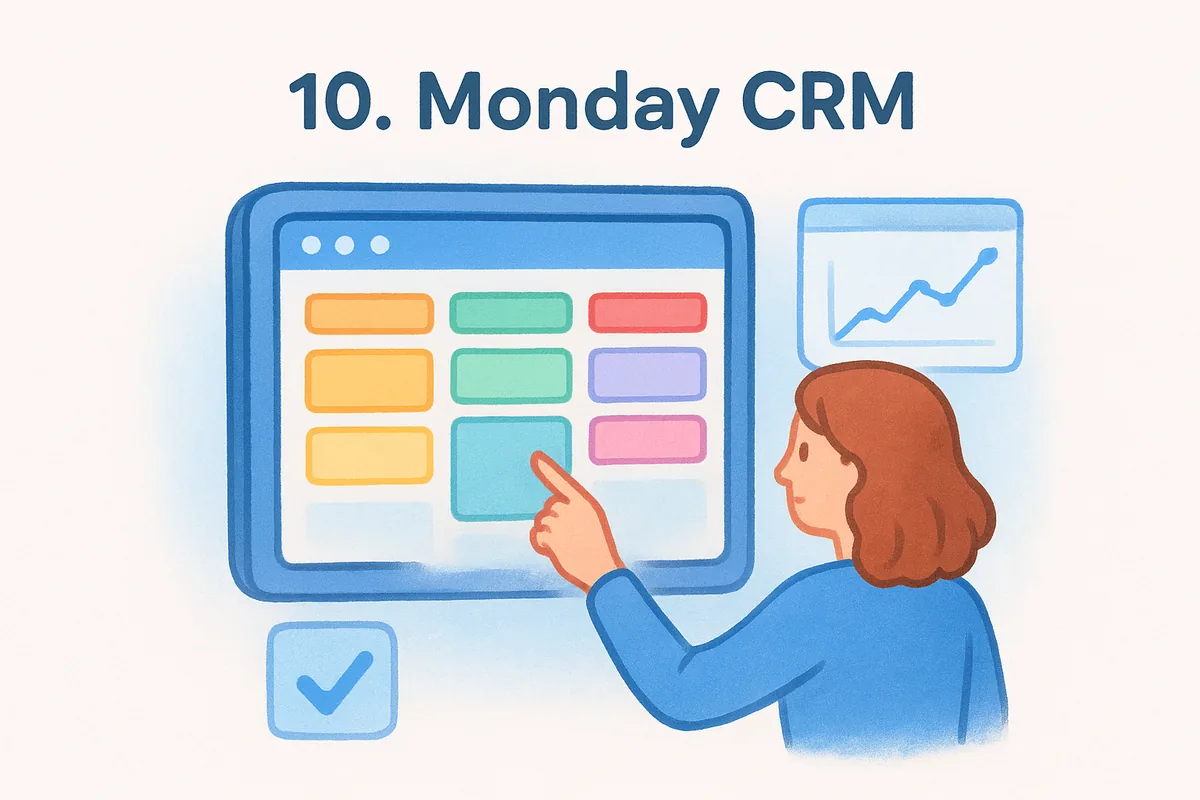
Monday CRM grew out of Monday.com's work management platform, and that heritage shows in how visual and flexible the whole system feels. Instead of a fixed pipeline structure, you build boards that track deals, leads, or entire sales processes using color-coded status columns, which makes it one of the more customizable options in this cloud based crm software roundup. Teams that already run projects on Monday.com get the biggest advantage here, since sales boards sit right next to marketing or delivery boards without switching platforms. The flexibility cuts both ways, though: without a clear plan for how you structure boards, the system can turn messy fast.
Key features
- •Customizable boards for pipelines, lead tracking, or account management, built from templates or scratch
- •Automation recipes for status changes, task assignment, and follow-up reminders
- •Visual dashboards that pull data across multiple boards into one view
- •Native integrations with Gmail, Outlook, Slack, and the broader Monday.com ecosystem
- •Mobile app with full board access and notification syncing
Best for
Monday CRM suits teams already using Monday.com for projects who want sales tracking in the same workspace instead of a separate login. It also fits sales managers who prefer building their own process from scratch rather than adapting to a preset pipeline structure.
Monday CRM rewards teams who already think in boards; everyone else spends setup time building a structure other CRMs give you by default.
Teams wanting a CRM to work immediately, with no configuration, should look elsewhere on this list.
Pricing
Plans start at $12 per user per month for Basic and reach $28 per user per month for Pro, billed annually, with a minimum of three seats required. Advanced automation and integration limits scale with the tier, so heavier automation needs push most teams toward Standard or Pro. Full details are on Monday.com's pricing page.
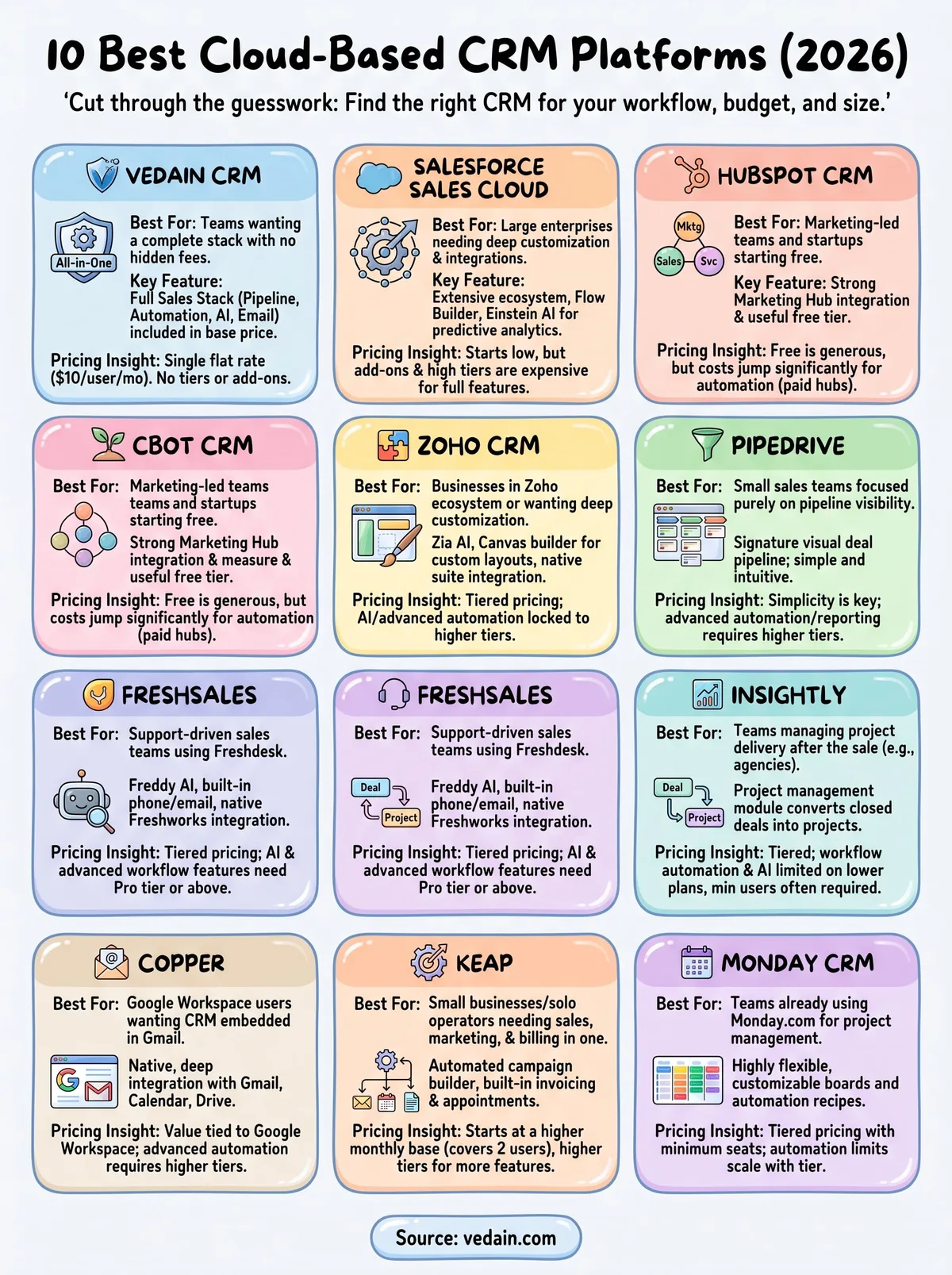
Finding the right cloud CRM for your team
Every platform on this list solves a real problem for some team, but most of them ask you to pay extra the moment you need automation, AI, or email tools that should already be included. That's the pattern worth watching as you compare cloud-based CRM software: check what's actually in the base price, not just the number on the pricing page. Salesforce and Zoho reward deep configuration. Pipedrive and Copper reward simplicity within a narrow use case. Keap and Insightly solve problems most sales teams don't have.
If you want the shortest path to a full sales stack without tier calculations or add-on surprises, start where this list started. Vedain gives you the pipeline, automation, email sync, and AI tools other platforms gate behind higher plans, all for one flat rate per user. Try Vedain CRM free and see how much of your current CRM bill was paying for features you already needed included.
Frequently Asked Questions
What is the best cloud-based CRM for small businesses in 2026?
Pipedrive and Freshsales are the best cloud-based CRMs for small businesses, offering affordable pricing starting at $14 and $9 per user per month respectively (billed annually) with intuitive interfaces. HubSpot's free tier is also excellent for startups with zero upfront costs, though paid Sales Hub plans begin at $20/seat/month. These platforms provide essential features like contact management, pipeline tracking, and automation without the complexity of enterprise solutions like Salesforce.
How much does Salesforce CRM cost compared to HubSpot and Zoho?
Salesforce Sales Cloud starts at $25/user/month for Starter Suite, with Pro Suite at $100 and Core at $195, so its full-featured tiers are significantly more expensive than HubSpot (Sales Hub $20-150/seat/month) and Zoho CRM ($14-52/user/month billed annually). HubSpot offers better mid-market value with comprehensive features, while Zoho provides the most budget-friendly option for cost-conscious businesses. Salesforce justifies its premium pricing with advanced customization and enterprise-grade scalability.
Which cloud CRM has the best automation features?
HubSpot leads in automation capabilities with sophisticated workflow builders, email sequences, and lead scoring available across all paid tiers. Salesforce offers enterprise-grade automation through Flow, though it requires higher expertise and cost (Pro Suite $100+/user/month). Zoho CRM provides excellent automation at a fraction of the price (from $14/user/month), making it ideal for businesses seeking advanced features on a budget.
Is a cloud-based CRM more secure than on-premise CRM software?
Cloud-based CRMs like HubSpot, Salesforce, and Zoho are generally more secure than on-premise solutions because vendors invest heavily in compliance certifications (SOC 2, ISO 27001, GDPR). Cloud platforms provide automatic security updates, data redundancy, and 24/7 monitoring without requiring internal IT infrastructure. However, security depends on proper implementation—cloud CRMs are only secure when users enable strong authentication and follow security best practices.
What are the top cloud CRM platforms for sales teams in 2026?
The top cloud CRM platforms for sales teams are Pipedrive, Salesforce, and HubSpot, each excelling in pipeline management and sales forecasting. Pipedrive ($14/user/month+) is best for small-to-medium sales teams with visual pipeline tracking, while Salesforce offers enterprise-level analytics and customization for large organizations. HubSpot and Freshsales provide balanced functionality at mid-market prices (HubSpot Sales Hub $20-150/seat/month, Freshsales $9-59/user/month), making them ideal for growing sales departments.
Do cloud-based CRMs integrate with other business tools?
Yes, all major cloud CRMs including HubSpot, Salesforce, Zoho, and Pipedrive offer extensive integrations with email, accounting, marketing, and productivity tools. HubSpot features 1,500+ native integrations, while Salesforce's AppExchange provides 7,000+ options for deep customization. Zoho and Freshsales offer solid integration ecosystems with popular platforms like Gmail, Stripe, and Slack, though HubSpot and Salesforce remain the most comprehensive for multi-tool workflows.