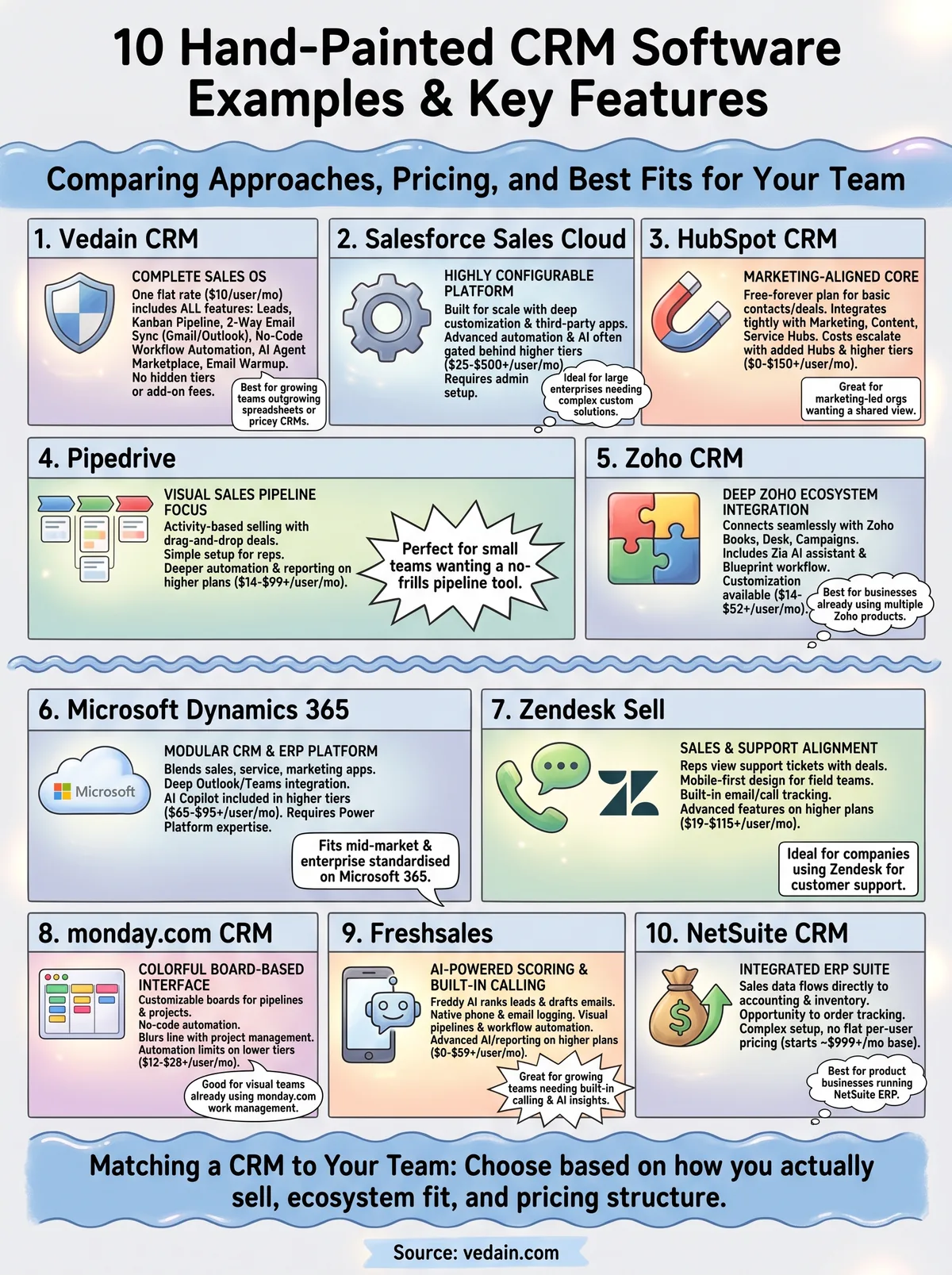
This article walks through 10 crm software examples, from well-known names like HubSpot and Salesforce to leaner, more affordable platforms built for smaller teams. For each one, you'll see what it's built for, who tends to use it, and how businesses put it to work managing contacts, tracking deals, and automating follow-ups.
We built Vedain because most of these platforms either overload you with features you'll never touch or nickel-and-dime you for basics like email sync and automation. As you go through these crm software samples, pay attention to pricing structure and what's actually included at each tier, not just the marketing page. That's usually where the real differences show up.
1. Vedain CRM
What it does
Vedain gives you a complete sales operating system in one flat-rate platform, covering leads, deals, email, and automation without splitting features across tiers. You get leads and contacts management with custom fields and smart filters, a visual Kanban-style deal pipeline, two-way email sync for Gmail and Outlook, and a no-code workflow builder for automating follow-ups. Beyond the core sales tools, Vedain includes an email warmup feature that improves domain deliverability over 21 days, something most CRMs charge extra for or skip entirely. The platform also ships with an AI Agent Marketplace of more than 30 pre-built agents for data enrichment and content generation, plus an AI Studio that lets you build custom CRM features by describing what you need in plain English.
The core idea behind Vedain is simple: one price, every feature, no surprises when your team grows.
Who it's for
Sales teams that have outgrown spreadsheets but don't want to pay for enterprise complexity will feel at home here. Business owners and founders managing their own pipeline, along with small to mid-sized teams switching from pricier platforms like HubSpot or Salesforce, make up most of Vedain's user base. Organizations that rely on Gmail or Outlook for daily communication benefit directly from the built-in two-way email sync for Gmail and Outlook, since it keeps every conversation logged against the right deal without manual copy-pasting. Teams with limited IT resources also lean on Vedain's no-code workflow builder and five-minute setup to get running without a technical onboarding project.
Pricing
Vedain charges a single flat rate of $10 per user per month, and that price includes every feature on the platform, not just a starter tier. There are no feature gates, no add-on fees for automation, email sync, or AI agents, and no credit card required to start a trial.
Companies that have been burned by "starts at $X" pricing pages that balloon once you add automation or reporting tend to find this structure refreshing. If you want to see the full feature set for yourself, Vedain CRM's pricing page breaks down exactly what's included, and there's nothing hiding below the fold.
2. Salesforce Sales Cloud
What it does
Salesforce Sales Cloud is the platform most people picture when they hear the word CRM. It handles lead and opportunity tracking, forecasting, territory management, and custom reporting through a highly configurable interface built on the broader Salesforce Platform. Because it's built to scale, you can layer in custom objects, third-party apps from the AppExchange, and workflow automation through Flow Builder. That flexibility is also the catch: most of the advanced sales automation features live behind higher-tier plans or require a Salesforce admin to configure properly, which is why many teams hire consultants just to get the platform running the way they want.
Salesforce gives you nearly unlimited configurability, but you pay for that flexibility in both price and setup time.
Who it's for
Large sales organizations with dedicated revenue operations staff get the most value here, especially companies that need deep customization across multiple departments, not just sales. Enterprises already running other Salesforce products, like Service Cloud or Marketing Cloud, benefit from the shared data model and unified reporting. Smaller teams without an admin on staff often find the learning curve steep for something as basic as building a deal pipeline, which is one reason price-sensitive teams look for a lighter Salesforce alternative with simpler setup paths.
Pricing
Salesforce's Sales Cloud plans range from roughly $25 per user per month on the entry Starter tier up to $500 per user per month for Unlimited Edition, with automation, forecasting, and AI features gated behind the pricier tiers, which is why many smaller buyers end up comparing Salesforce alternatives built for small business. Add-ons for extra storage, sandboxes, and premium support push real-world costs higher for most growing teams.
3. HubSpot CRM
What it does
HubSpot CRM built its reputation on a free-forever core plan that covers contact management, deal tracking, and basic email logging without asking for a credit card. Marketing teams and sales teams often end up on HubSpot together because the CRM connects directly to HubSpot's marketing, content, and service hubs, giving everyone a shared view of a contact's journey from first website visit to closed deal. Reporting dashboards, meeting scheduling, and live chat widgets come bundled in even on lower tiers, which is why so many people searching for an example crm software land on HubSpot first.
HubSpot's free tier is genuinely useful, but the real product lives in the paid hubs layered on top of it.
Who it's for
Marketing-led organizations that need tight alignment between demand generation and sales get the most out of HubSpot's connected hub structure. Startups testing their first CRM often start on the free plan, then find themselves upgrading once they need custom reporting, sequences, or more than a handful of automated workflows. Teams that don't touch HubSpot's marketing or service products, though, frequently end up paying for hub connections they never use, since HubSpot's pricing pushes toward bundling rather than a standalone sales tool.
Pricing
The free CRM plan covers basic contact and deal tracking for unlimited users, but Sales Hub Starter runs about $20 per user per month, Professional jumps to roughly $100 per user per month, and Enterprise climbs past $150 per user per month, as our full breakdown of HubSpot's per-user cost shows. Add the Marketing Hub or Service Hub, and monthly costs multiply fast, particularly once you factor in the required onboarding fees HubSpot charges on Professional and Enterprise tiers. Compared with the flat $10 per user Vedain charges, HubSpot's layered pricing rewards heavy marketing users far more than sales-only teams.
4. Pipedrive
What it does
Pipedrive built its entire product around the visual sales pipeline, and it shows the moment you log in. Deals sit as draggable cards across pipeline stages, and the interface nudges you toward the next action on every open deal rather than burying that information in a report you have to run manually. Activity-based selling is baked into the core workflow, so reps get reminded to make calls, send emails, or schedule meetings before a deal goes cold. Automation, email tracking, and a basic AI sales assistant round out the toolset, though the deeper automation and reporting features live behind the higher-tier plans rather than coming standard.
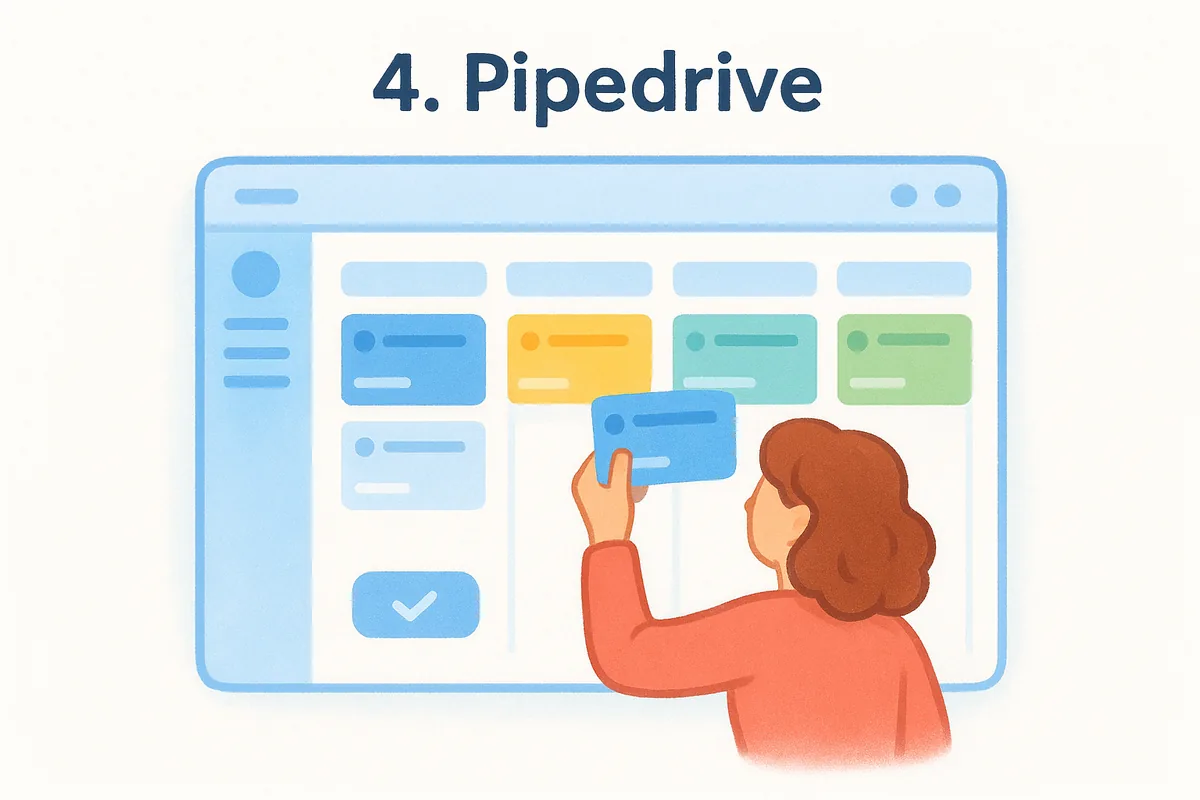
Pipedrive's pipeline view makes it obvious what to do next, which is exactly why sales reps who've never used a CRM tend to pick it up fast.
Who it's for
Individual sales reps and small sales teams who want a no-frills pipeline tool gravitate toward Pipedrive over heavier platforms. Founders running their own sales process appreciate that the setup takes minutes and doesn't require a dedicated administrator to configure. Teams that need marketing automation, customer service tools, or deep customization outside the pipeline usually outgrow it, since Pipedrive stays intentionally narrow compared to broader CRM software examples like HubSpot or Zoho.
Pricing
Plans start around $14 per user per month for the Essential tier, with Advanced near $34, Professional near $64, and Power and Enterprise tiers climbing past $99 per user per month for teams that need advanced automation, forecasting, or phone support. As with most sample crm software pricing pages, the entry price looks appealing until you need workflow automation or custom reporting, both of which sit on higher tiers than the base plan suggests, which pushes many small teams toward Pipedrive alternatives with simpler pricing.
5. Zoho CRM
What it does
Zoho CRM covers the standard sales basics, lead scoring, pipeline views, and email tracking, but its real strength is how deeply it plugs into the rest of the Zoho ecosystem. Teams already running Zoho Books, Zoho Desk, or Zoho Campaigns get a CRM that shares data across all of them without extra integration work. Zia, Zoho's built-in AI assistant, adds predictive lead scoring and basic conversational analytics, and the platform includes a decent workflow builder called Blueprint for enforcing sales processes step by step. Buyers researching crm software examples with heavy customization options often land here, since Zoho lets you build custom modules and layouts without touching code.
Zoho rewards teams already inside its ecosystem far more than those bolting it onto tools from other vendors.
Who it's for
Businesses running multiple Zoho products get the most value, since the CRM becomes one piece of a connected back office rather than a standalone tool. Cost-conscious teams that want more customization than Pipedrive offers, but don't need Salesforce-level complexity, also fit well here. Companies outside the Zoho ecosystem, though, often find the interface cluttered with settings and modules they never touch, and support response times get mixed reviews compared to smaller, more focused Zoho alternatives.
Pricing
Zoho CRM's paid plans start around $14 per user per month for Standard, climb to about $23 for Professional, $40 for Enterprise, and $52 for Ultimate, all billed annually. Monthly billing costs more at every tier, and several automation and AI features stay locked behind Enterprise and Ultimate. A free plan exists but caps out at three users, which makes it a short-term option rather than a real long-term fit for growing sales teams.
6. Microsoft Dynamics 365
What it does
Microsoft Dynamics 365 blends CRM and ERP functions into one modular platform, letting you pick sales, customer service, marketing, or field service apps and connect only the pieces you need. Sales teams get opportunity tracking, forecasting, and relationship insights powered by Microsoft's AI layer, Copilot, which drafts emails and summarizes account history directly inside the interface. Because it runs on the Power Platform, admins can build custom apps, dashboards, and automated flows without writing much code, though doing that well usually still takes someone with Power Platform experience. Deep integration with Outlook, Teams, and Excel makes it an easy fit for organizations already standardized on Microsoft 365, since data flows between the CRM and everyday office tools without extra middleware.
Dynamics 365 works best as an extension of a Microsoft-heavy tech stack, not as a standalone CRM you bolt onto other tools.
Who it's for
Mid-market and enterprise companies already running Microsoft 365, Azure, or other Microsoft business tools get the most value from Dynamics 365, since the licensing and data integration favor that ecosystem. IT departments that want to build custom workflows across sales, service, and operations from a single platform also lean toward it, particularly in industries like manufacturing and finance where Microsoft already dominates the back office. Smaller sales teams researching examples of CRM software for a quick, self-serve setup usually find Dynamics 365 heavier than what they need, both in cost and in the administrative overhead of configuring modules correctly.
Pricing
The Sales Professional plan starts around $65 per user per month, while Sales Enterprise runs closer to $95 per user per month with forecasting, Copilot features, and deeper customization included. Bundling additional Dynamics 365 apps, like Customer Service or Field Service, increases the per-user cost further, and most implementations also require Power Platform licensing to unlock custom automation.
7. Zendesk Sell
What it does
Zendesk Sell grew out of Zendesk's customer support roots, so it leans hard into sales and service alignment, giving reps visibility into support tickets right next to deal history. The pipeline view handles the usual drag-and-drop stages, and built-in email and call tracking log activity automatically instead of relying on reps to update fields by hand. A mobile-first design stands out here too, since Zendesk built the app for reps who spend more time in the field than at a desk, with offline access and route planning for outside sales teams. Sequences automate follow-up emails, and prebuilt reports cover pipeline health without much setup.
Zendesk Sell earns its spot among crm software examples mainly because it treats sales and support as one continuous relationship, not two separate systems.
Who it's for
Companies already running Zendesk for customer support get the clearest payoff, since sales reps can see open tickets and satisfaction scores without switching tools. Field sales teams that need a strong mobile app also do well here, particularly reps who spend most of the day traveling between appointments rather than sitting at a computer. Teams with no existing Zendesk footprint, though, often find the CRM features thinner than dedicated sales platforms, since Zendesk Sell was clearly built as a companion product first and a standalone CRM second.
Pricing
Zendesk Sell starts at roughly $19 per user per month for the Team plan, climbs to about $55 for Growth, and reaches $115 for Professional, all billed annually with monthly billing costing more. Advanced reporting, multiple sales pipelines, and lead scoring stay locked behind the Growth and Professional tiers, so smaller teams comparing sample crm software pricing should check which automation features actually ship at the entry price before committing.
8. monday.com CRM
What it does
monday.com CRM sits on top of the broader monday.com work management platform, so the CRM inherits that same colorful, board-based interface instead of the traditional list-and-pipeline layout most sales tools use. You build pipelines as customizable boards, track deals with color-coded status columns, and automate repetitive steps like lead assignment or follow-up reminders through a no-code automation builder. Because it's built on a flexible base platform, teams often extend the CRM board to include tasks, projects, or client onboarding checklists right alongside the sales pipeline, which blurs the line between CRM and general project management.
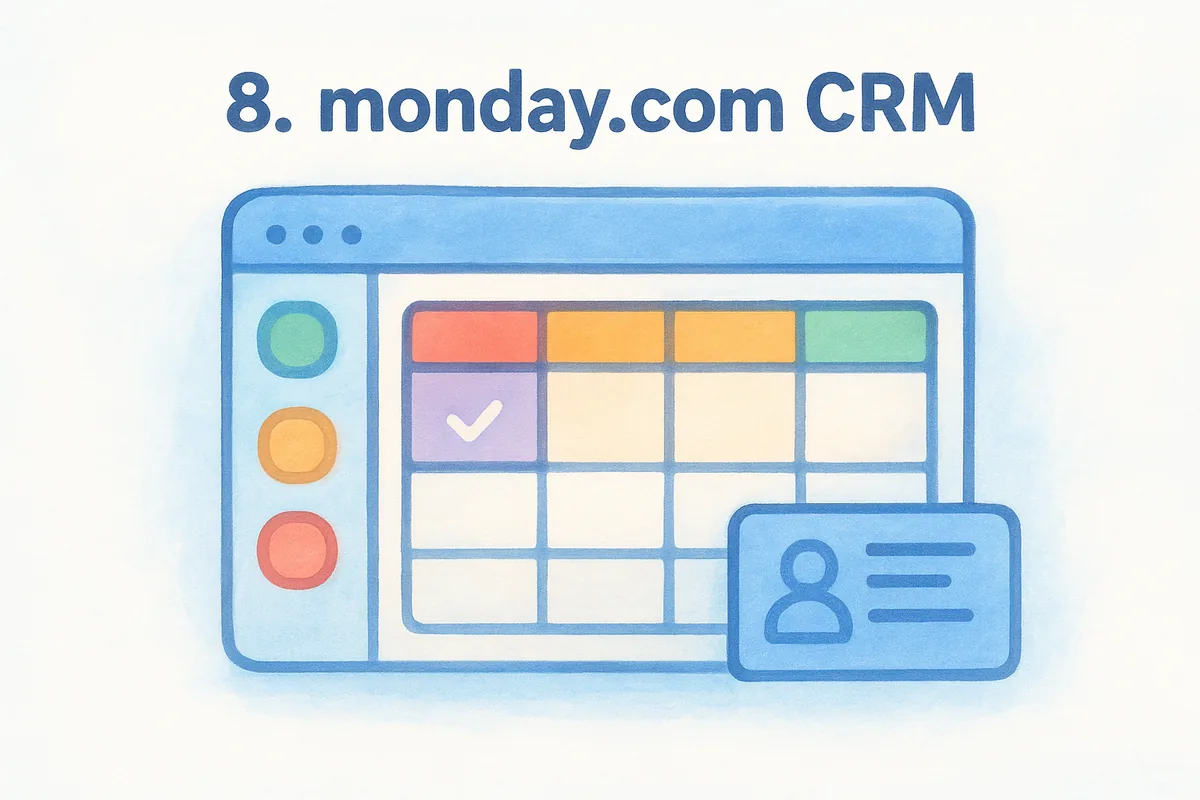
monday.com works less like a dedicated CRM and more like a customizable workspace that happens to include one.
Who it's for
Teams that already run projects or marketing campaigns on monday.com's work management platform get the most value, since the CRM slots into a tool they use daily anyway. Visual thinkers who prefer color-coded boards over traditional Kanban pipelines tend to prefer this layout, though sales-first teams often look at a real CRM instead of a project board like Pipedrive or Salesforce. Sales teams needing deep email marketing, advanced forecasting, or built-in phone dialing usually need third-party integrations to fill the gaps, since monday.com's CRM leans more toward flexible tracking than specialized sales tooling.
Pricing
monday.com CRM starts around $12 per user per month for Basic, moves to about $17 for Standard, $28 for Pro, and custom pricing for Enterprise, all billed annually with a required minimum of three seats. Core CRM features like automations and integrations get capped at lower tiers, and unlocking higher automation limits or advanced reporting pushes most growing teams toward Pro. Compared with Vedain's flat $10 per user rate with no seat minimums, monday.com's per-tier caps mean small teams often pay more than the sticker price suggests once they hit automation limits.
9. Freshsales by Freshworks
What it does
Freshsales, part of the Freshworks suite, centers on AI-powered lead scoring through its Freddy AI assistant, which ranks contacts based on engagement and predicts which deals are likely to close. Built-in phone and email round out the core toolkit, so reps can call, email, and log activity without switching between separate apps. Visual deal pipelines, workflow automation, and territory management cover the sales basics, while Freddy also drafts follow-up emails and flags deals at risk of stalling. Teams comparing crm software examples with native calling built in, rather than bolted on through a third-party integration, tend to shortlist Freshsales early.
Freshsales stands out among CRM software examples for baking AI scoring and calling into the core product instead of selling them as add-ons.
Who it's for
Growing sales teams that want built-in calling without paying extra for a phone integration find real value here, especially teams making high call volumes daily. Companies already using Freshdesk or other Freshworks products benefit from shared contact data across support and sales, similar to how Zendesk Sell connects to its support roots. Organizations that need heavy customization or complex multi-department workflows, though, usually outgrow Freshsales faster than platforms built for that scale, and it's worth seeing how Freshsales stacks up against a flat-rate CRM before committing.
Pricing
Freshsales offers a free plan for up to three users, then moves to roughly $9 per user per month for Growth, $39 for Pro, and $59 for Enterprise, all billed annually with monthly rates running higher. Advanced AI features, custom reports, and multiple sales pipelines stay locked behind Pro and Enterprise, so the entry-level price hides real gaps once a team needs deeper automation or forecasting.
10. NetSuite CRM
What it does
NetSuite CRM ships as part of Oracle's broader NetSuite ERP suite, so it treats sales data as one piece of a much bigger financial and operational picture rather than a standalone pipeline tool. You get opportunity management, quoting, and order tracking that flow directly into inventory, billing, and revenue recognition, which means a closed deal in NetSuite can trigger a fulfillment order without anyone re-entering data. Sales forecasting ties into real financial reporting instead of separate spreadsheets, and partner relationship management modules help companies that sell through resellers or distributors track commissions and channel performance. Customization runs deep through SuiteScript and SuiteFlow, but implementing either usually requires a NetSuite consultant rather than an in-house admin.
NetSuite CRM makes the most sense once your sales data needs to talk directly to your accounting and inventory systems, not before.
Who it's for
Companies that already run NetSuite for accounting, inventory, or ERP get the clearest benefit, since the CRM removes the need to sync sales data into a separate financial system. Manufacturers, distributors, and product-based businesses with complex order-to-cash processes lean on NetSuite more than service businesses do, given how tightly the platform ties sales to fulfillment. Smaller teams researching examples of CRM software for a simple sales pipeline typically find NetSuite far more platform than they need, both in cost and in implementation time.
Pricing
NetSuite doesn't publish flat per-user pricing. Instead, it charges a base platform license plus per-user access fees, with total costs typically starting around $999 per month for the base platform and climbing from there depending on modules and user count. Implementation projects often run into tens of thousands of dollars, which puts NetSuite well outside the budget of most small sales teams.
Matching a CRM to how your team actually sells
Every example of CRM software in this list solves the same core problem differently, and the right pick depends less on brand recognition and more on how your team actually sells. Salesforce and NetSuite make sense once you have dedicated admins and complex operational needs. HubSpot and Zoho reward teams already inside their broader ecosystems. Pipedrive and monday.com suit reps who want a simple pipeline without much configuration.
If you're a small or mid-sized sales team tired of paying extra for email sync, automation, or basic reporting, Vedain's flat pricing avoids that trap entirely, and a side-by-side look at what each CRM really costs makes the gap obvious. One rate, every feature, no tier-jumping just to unlock a workflow builder you assumed was standard. You get the full sales operating system from day one, not a starter version designed to push you toward an upgrade later.
If that sounds closer to what you actually need, see Vedain CRM in action without a sales call and find out how quickly your team gets set up, no credit card required.
Frequently Asked Questions
What is the cheapest CRM software for small businesses?
Zoho CRM and Pipedrive offer the most affordable entry-level options, starting at $14-$15 per user per month, making them ideal for small businesses on tight budgets. HubSpot's free tier is completely free but limited in features, while Freshsales starts at $12 per user per month. For cost-conscious startups, Zoho and Pipedrive provide the best balance of affordability and essential CRM functionality without sacrificing core sales features.
Which CRM software is best for B2B sales teams?
Salesforce and HubSpot are widely considered the best CRM solutions for B2B sales teams due to their advanced pipeline management, customization capabilities, and enterprise-level features. Salesforce excels in complex sales processes with its Sales Cloud platform ($165+ per user/month), while HubSpot Professional ($800/month) offers excellent automation and reporting for mid-market B2B companies. Both platforms provide superior lead scoring, multi-stage deal tracking, and integration ecosystems compared to competitors like Zoho and Pipedrive.
Can I use CRM software for customer service and support?
Yes, many CRM platforms like HubSpot Service Hub, Freshsales, and Zoho CRM include built-in customer service features for ticketing, support automation, and knowledge management. HubSpot Service Hub ($50-$800/month) and Freshsales ($12-$99/month) are specifically designed to merge sales and service operations in one platform. While Salesforce and Pipedrive are primarily sales-focused, they can be extended with additional modules to handle customer support workflows.
What is the difference between HubSpot and Salesforce CRM?
HubSpot is designed for smaller teams and mid-market companies with all-in-one marketing, sales, and service tools starting at $50/month, while Salesforce is an enterprise-grade platform with advanced customization and scalability at $165+ per user/month. HubSpot offers ease of use and faster implementation, whereas Salesforce requires more technical expertise but provides superior customization for complex enterprise sales processes. Both are market leaders, but HubSpot wins for simplicity while Salesforce leads in enterprise flexibility.
Which CRM has the best mobile app for field sales teams?
Pipedrive and Freshsales offer the most user-friendly mobile apps, allowing field sales teams to manage deals, contacts, and activity logs on the go with offline access capabilities. Salesforce's mobile app is powerful but can be complex for field reps, while HubSpot's mobile experience is solid but less optimized for offline work compared to Pipedrive and Freshsales. For field teams needing intuitive, lightweight mobile-first CRM access, Pipedrive ($14-$99/month) and Freshsales ($12-$99/month) are superior choices.
What are the best CRM options for e-commerce businesses?
HubSpot and Zoho CRM are the top choices for e-commerce businesses, offering native Shopify and WooCommerce integrations, customer lifecycle tracking, and abandoned cart recovery features. Freshsales also provides strong e-commerce functionality with built-in tools for managing customer segments and purchase history, starting at $12/month. While Salesforce and Pipedrive can support e-commerce through integrations and custom development, HubSpot and Zoho deliver out-of-the-box e-commerce capabilities that allow online retailers to centralize customer data and automate post-purchase engagement.