This list cuts through that. We compared the best crm software on the market today based on what actually matters day to day: pipeline visibility, email sync, automation depth, and total cost per user, not just the sticker price. Whether you're a five-person startup or scaling past 500 reps, you'll find a platform here that matches your budget and workflow instead of forcing you into an enterprise tier you don't need.
Below you'll find 12 of the best crm platform options for 2026, including where each one shines and where it falls short. We built Vedain around the frustration of feature-gated pricing, so you'll also see how flat-rate, all-inclusive tools stack up against the household names like HubSpot, Pipedrive, and Salesforce.
1. Vedain CRM
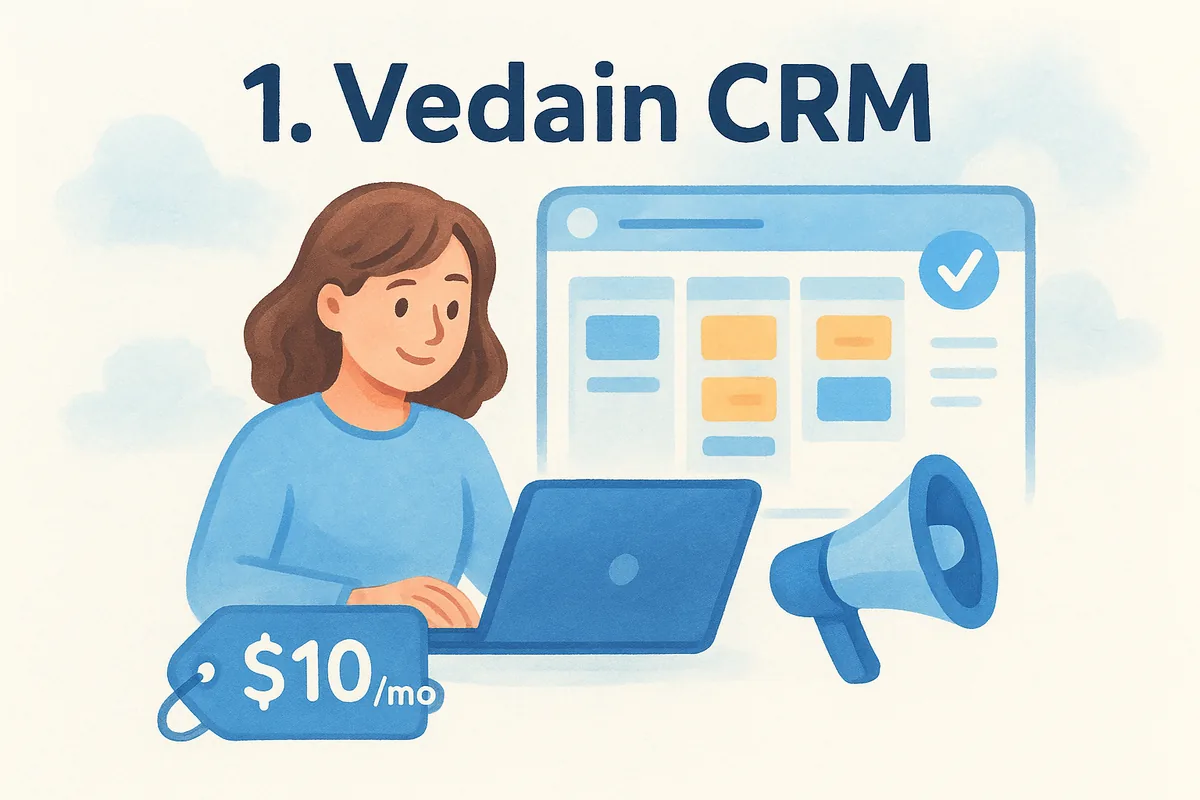
Vedain built its reputation on one simple idea: charge one flat rate and include everything. At $10 per user per month, you get the full sales operating system, pipeline management, email sync, automation workflows, AI agents, and even email warmup, without upgrading to a "pro" or "enterprise" tier to unlock features that competitors treat as add-ons. For teams evaluating the best crm management software on price transparency alone, this is the platform that started the conversation.
Key features
Granular permissions and a no-code workflow builder make Vedain flexible enough for teams that outgrow spreadsheets fast. Here's what ships standard with every seat:
- •Visual Kanban deal pipeline with custom stages and drag-and-drop cards
- •Two-way email sync for Gmail and Outlook, plus multi-step campaign sequences
- •Email warmup that improves domain deliverability over 21 days
- •No-code workflow automation builder for follow-ups, lead routing, and task creation
- •Lead capture forms for your website, feeding directly into the pipeline
- •30+ pre-built AI agents for data enrichment and content generation
- •LinkedIn automation for scheduling AI-generated posts
- •Custom dashboards, sales targets, and team leaderboards
A CRM should charge you for seats, not for the features you already assumed were included.
Pricing
Vedain runs a single plan at $10 per user per month, billed with no minimum seat count and no hidden add-ons for automation, email sync, or reporting. There's no credit card required to start a trial, and setup typically takes under five minutes according to onboarding data from the company. Compare that to competitors that quote a low "starter" price, then charge extra per contact tier or per automation credit, and the total cost of ownership tells a very different story once your team scales past ten seats.
Best for
Vedain fits small to mid-sized sales teams, startups, and founders who want enterprise-grade automation without enterprise pricing. It's also a strong match if your team already lives in Gmail or Outlook and wants native two-way sync rather than a clunky plugin. Organizations burned by feature-gated pricing at HubSpot or Salesforce, where the quote grows every time you ask for one more capability, tend to find the flat rate refreshing.
Limitations
Vedain is younger than legacy players like Salesforce or Zoho, so its third-party app marketplace and integration library are still growing. Enterprises with deeply custom compliance requirements or massive multi-department deployments may find the platform's current ecosystem lighter than what Salesforce offers, though the AI Studio's plain-English feature builder is closing that gap quickly for most sales use cases.
2. HubSpot CRM
HubSpot is the name most people think of first when they search for the best crm software, and for good reason: its free tier gets a lot of solo founders started before they ever pay a dime. The catch shows up once you need real automation or reporting depth, where HubSpot's tiered pricing structure starts adding up fast. It's a polished platform, but the polish comes with a bill that grows every time you want another capability unlocked.
Key features
HubSpot bundles marketing, sales, and service hubs into one ecosystem, which is its biggest draw for companies that want everything under one login.
- •Contact and deal management with a visual pipeline
- •Marketing automation and landing page builder (separate hub)
- •Live chat and shared inbox tools
- •Custom reporting dashboards
- •Native integrations with a large app marketplace
Pricing
The free CRM covers basic contact and deal tracking, but automation, custom reporting, and multiple pipelines require the Sales Hub Starter plan and up, which climbs quickly once you add Marketing Hub or Service Hub seats. Enterprise pricing can run into thousands per month once you factor in contact tiers and add-on hubs, according to HubSpot's own pricing page.
The free plan gets you in the door, but the real HubSpot bill starts once your team needs automation.
Best for
HubSpot suits marketing-led organizations that want sales, marketing, and service tools tightly integrated under one roof, especially companies already running HubSpot's marketing suite. If your team measures success by lead nurturing campaigns as much as deal closing, the ecosystem pays off.
Limitations
Smaller teams often find the pricing structure confusing, with contact-based tiers that penalize database growth rather than seat count. Because features are split across separate hubs, achieving the best crm platform experience often means paying for modules you don't fully use just to unlock the one automation feature you actually need.
3. Zoho CRM
Zoho built one of the widest software suites on the market, and its CRM is the anchor product that ties dozens of other Zoho apps together. If your business already runs on Zoho Books, Zoho Desk, or Zoho Campaigns, the CRM slots in naturally and shares data across the whole suite. That breadth is also Zoho's biggest tradeoff: the interface can feel like a control panel with too many switches, especially for teams that just want a clean pipeline view.
Key features
Zoho packs an enormous amount of functionality into its tiers, which is exactly why so many searches for the best crm packages end up comparing it against leaner tools.
- •Multi-channel lead capture across email, social, and web forms
- •Zia AI assistant for lead scoring and sales forecasting
- •Blueprint tool for mapping out sales process stages
- •Customizable modules and layouts per team
- •Deep integration with the wider Zoho One suite
Pricing
Plans start around $14 per user per month on annual billing for the Standard tier, but automation, AI forecasting, and advanced analytics sit behind the Enterprise tier, which runs closer to $40 per user per month according to Zoho's pricing page. That's a wide range to navigate before you know which features your team actually needs.
A CRM that does everything only helps if your team can find the feature they need without a training manual.
Best for
Zoho fits businesses already invested in the Zoho ecosystem, or teams that want one vendor handling CRM, accounting, and support desk software together.
Limitations
New users often report a steep learning curve, and support response times lag behind what smaller, more focused vendors offer. Teams that just want pipeline tracking and email sync end up paying for modules tied to other Zoho apps they'll never touch.
4. Pipedrive
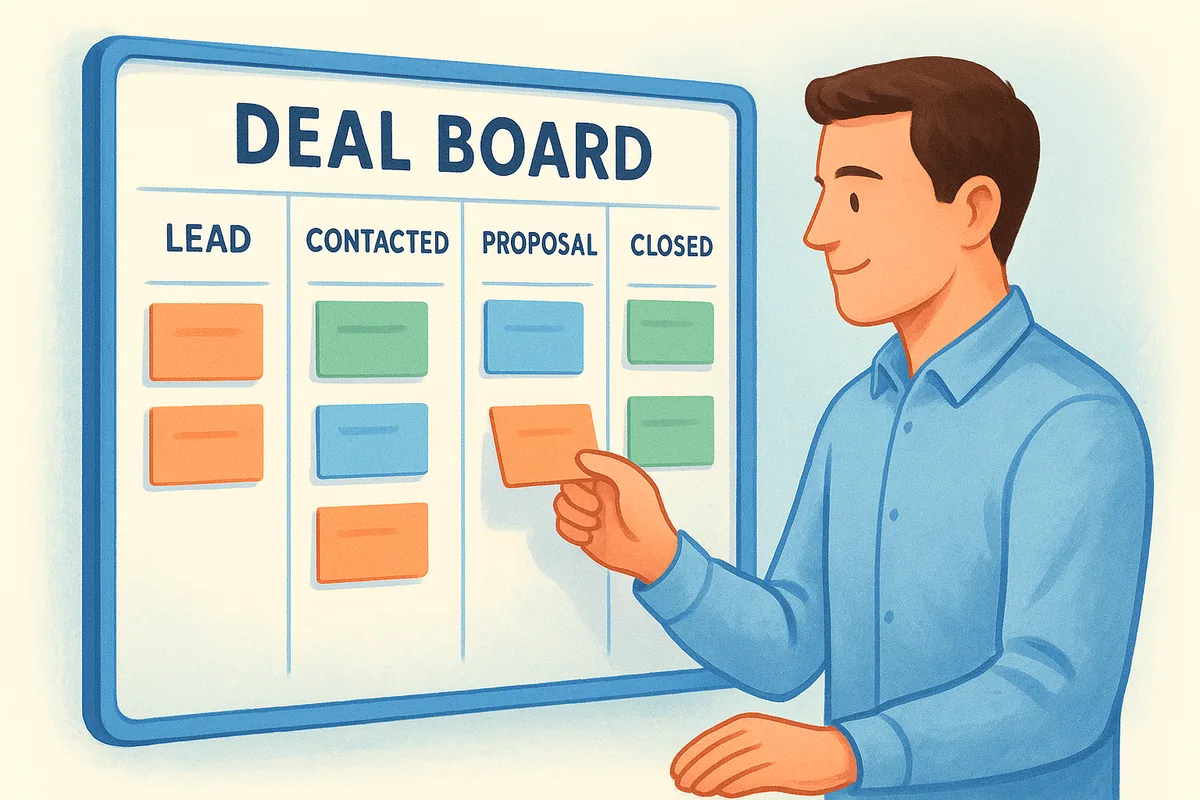
Pipedrive was built by salespeople frustrated with clunky CRMs, and that origin still shows in how the pipeline view works. Everything centers on the deal board, which makes it one of the more visually intuitive options when you're comparing the best crm platform choices for a small sales team that just wants to see where every deal stands. It doesn't try to be a marketing suite or a support desk, and that focus is exactly why so many reps prefer it over bulkier alternatives.
Key features
Pipedrive's strength is in the details around deal movement rather than breadth of modules.
- •Visual pipeline with customizable stages and drag-and-drop deals
- •Activity-based selling reminders that nudge reps toward next steps
- •Email sync with templates and open tracking
- •Sales forecasting and revenue reports
- •Automation builder for repetitive tasks (higher tiers only)
Pricing
Plans start at $14 per user per month for the Essential tier billed annually, but automation, email tracking limits, and advanced reporting sit behind the Advanced and Professional tiers, which run $39 and $64 per user per month respectively according to Pipedrive's pricing page. AI-powered features and enhanced customization require the top-tier plan.
A clean pipeline view means little once automation and reporting sit three tiers above where you started.
Best for
Pipedrive suits small sales teams and solo founders who want a straightforward deal tracker without marketing or service features bolted on. Startups running lean sales motions tend to like the low learning curve.
Limitations
Once you need multi-step automation, custom reporting, or AI forecasting, you're pushed into pricier tiers fast, and the total cost per user climbs well past what the entry price suggests. Native email marketing and deeper AI tools also require add-ons rather than coming standard.
5. Salesforce Sales Cloud
Salesforce is the enterprise standard against which every other CRM gets measured, and its sheer scale is both the appeal and the burden. Companies searching for the best crm management software often land here because Salesforce can theoretically do anything, but that flexibility comes with a implementation timeline measured in months, not minutes, plus a dedicated admin to keep it running.
Key features
Salesforce's ecosystem is built around customization depth rather than out-of-the-box simplicity.
- •Highly configurable objects, fields, and page layouts
- •Einstein AI for lead scoring, forecasting, and conversation insights
- •AppExchange marketplace with thousands of third-party integrations
- •Advanced workflow and approval process automation
- •Role-based territory and permission management
Pricing
Starter Suite begins around $25 per user per month, but the Professional, Enterprise, and Unlimited tiers climb to $80, $165, and $330 per user per month respectively on annual billing, according to Salesforce's pricing page. Most of the automation and AI features sales teams actually want sit in the Enterprise tier and above.
Salesforce can do almost anything, which is exactly why most teams only end up using a fraction of what they're paying for.
Best for
Salesforce suits large enterprises with dedicated administrators, complex approval chains, and budgets that support ongoing customization work. Regulated industries with heavy compliance needs also lean toward Salesforce for its audit trail depth.
Limitations
Smaller teams frequently find Salesforce overbuilt for their needs, paying enterprise prices for configuration options they'll never touch. The learning curve is steep enough that many companies hire consultants just to get the initial setup right, and that implementation cost rarely shows up on the pricing page you compared before signing.
6. monday.com CRM
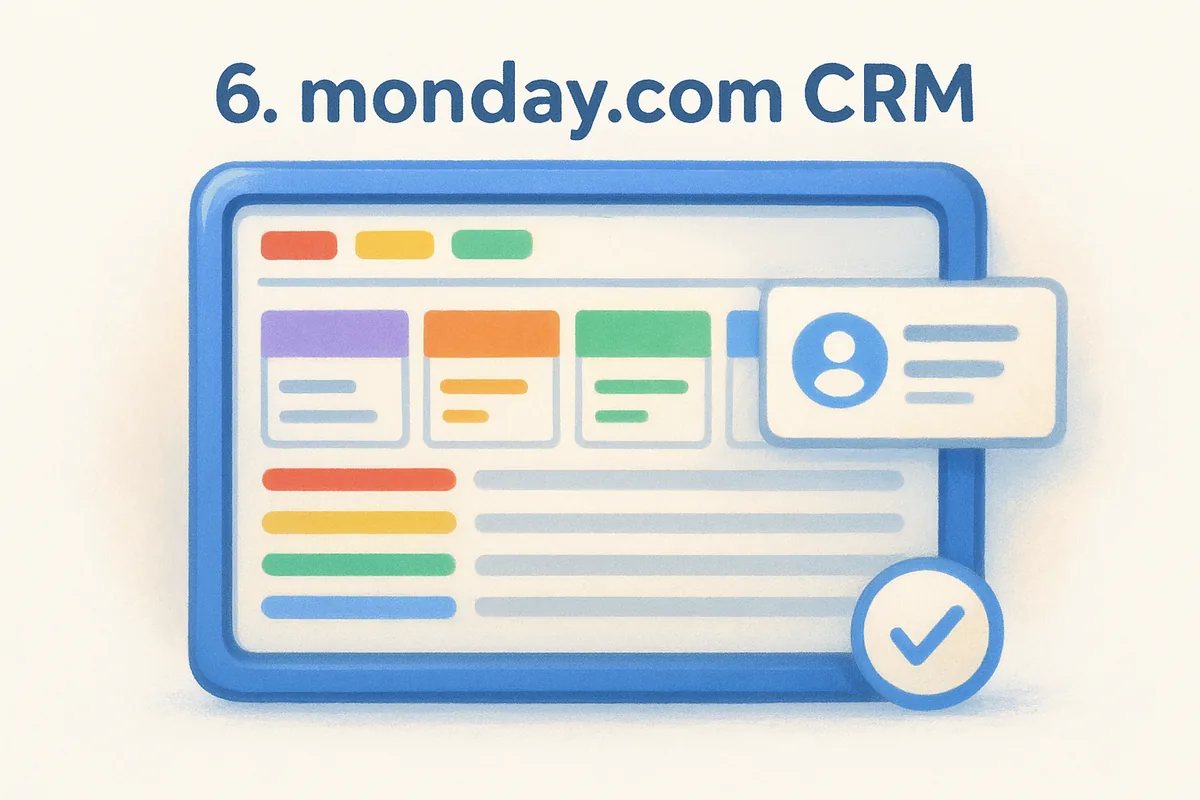
monday.com started as a work management tool, and its CRM product still carries that DNA. Everything sits on the same flexible board system the company built its brand on, so if your team already runs projects in monday.com, adding the CRM feels like flipping a switch rather than learning new software. Searchers comparing the best crm packages often land here because of that visual, color-coded interface that makes pipelines feel less like spreadsheets and more like a mission control board.
Key features
Customization is the headline feature, since almost every column, automation, and view can be rebuilt to match how your team actually sells.
- •Customizable boards for leads, deals, and post-sale accounts
- •Automation recipes for task assignment and stage changes
- •Email tracking and templates built into deal cards
- •Integration hub connecting to over 200 apps
- •Dashboards pulling data across multiple boards
Pricing
Plans start at $12 per user per month on the Basic CRM tier billed annually, but automation actions and integrations are capped by tier, and unlocking higher limits pushes you to the Standard or Pro plans at $17 and $28 per user per month, according to monday.com's pricing page. A three-seat minimum applies to every plan, which raises the real entry cost for very small teams.
Flexibility is monday.com's biggest selling point, but every automation you add eats into a monthly action limit you'll need to watch.
Best for
monday.com suits teams that already use its work management platform and want sales tracking without switching tools entirely.
Limitations
The CRM feels less purpose-built for sales than dedicated platforms, and automation action caps can throttle busier teams faster than the pricing page suggests.
7. Freshsales by Freshworks
Freshsales comes from the same company behind Freshdesk, and that support-desk pedigree shows in how tightly the CRM ties customer context to sales conversations. Freddy AI, Freshworks' built-in assistant, scores leads and suggests next actions right inside the deal view, which appeals to teams comparing the best crm software options that bake AI into the core product rather than selling it as a bolt-on. The interface stays clean even as you add automation, which is rarer than it sounds at this price point.
Key features
Freshsales leans on AI scoring and built-in phone/chat tools to keep reps working from one screen instead of switching apps constantly.
- •Freddy AI for lead scoring, deal insights, and next-best-action suggestions
- •Built-in phone and chat widgets alongside email sync
- •Visual deal pipeline with customizable stages
- •Workflow automation for follow-ups and lead assignment
- •Territory management for larger sales orgs
Pricing
The Growth plan starts at $9 per user per month billed annually, but Freddy AI's forecasting and advanced automation require the Pro tier at $39, with the Enterprise plan reaching $59 per user per month according to Freshworks' pricing page. The gap between the entry price and the tier that unlocks AI forecasting is one of the widest on this list.
An AI assistant only helps your pipeline if it's included in the plan you can actually afford.
Best for
Freshsales suits teams that want phone and chat built into the CRM natively, especially inside-sales teams making high call volumes daily.
Limitations
Unlocking Freddy AI's full forecasting power pushes you well past the advertised starting price, and some users report the mobile app lags behind the desktop experience in feature parity.
8. Close
Close built its entire product around one persona: the outbound sales rep who lives on the phone and in the inbox all day. There's no marketing hub, no project boards, just a calling and email-first CRM that skips the pipeline visuals other tools lean on. Teams comparing the best crm packages for pure sales velocity often shortlist Close because it strips away the extras that slow down a rep mid-call.
Key features
Close bakes communication tools directly into the record view instead of treating them as add-ons.
- •Built-in calling, SMS, and email with no separate dialer software needed
- •Power Dialer and Predictive Dialer for high-volume outbound teams
- •Multi-step email and call sequences for automated follow-up
- •Custom reporting on call activity, not just deal stage
- •Pipeline view that stays lightweight and rep-focused
Pricing
The Startup plan begins at $19 per user per month billed annually, while the Professional and Enterprise tiers run $59 and $109 per user per month, according to Close's pricing page. Calling minutes and SMS credits are metered separately on top of the seat price, which catches teams off guard once call volume climbs.
A dialer built into your CRM only saves money until the per-minute charges start stacking up.
Best for
Close suits outbound-heavy sales teams, especially SaaS and agency sales reps who spend most of the day cold calling and emailing rather than managing long enterprise deal cycles.
Limitations
Close lacks the marketing automation, lead forms, and AI content tools that broader platforms bundle in, so teams needing anything beyond outbound sales tracking will need a second tool. The metered calling costs also make the real monthly bill harder to predict than the flat seat price suggests.
9. Nutshell
Nutshell markets itself as the CRM for teams tired of overcomplicated software, and it delivers on that promise with a setup that favors small sales and marketing teams working together. It bundles basic email marketing tools right into the CRM, which is unusual at this price point and saves you from bolting on a separate Mailchimp subscription just to send a newsletter. If you've been comparing the best crm platform options and keep hitting a wall between "too simple" and "too enterprise," Nutshell sits comfortably in the middle.
Key features
Nutshell's feature set leans toward small teams that want pipeline tracking and light marketing automation without a steep learning curve.
- •Visual pipeline board with drag-and-drop deal stages
- •Built-in email marketing and drip sequences
- •Sales automation for task assignment and follow-up reminders
- •Reporting dashboards with pipeline and rep performance views
- •Map-based lead visualization for field sales teams
Pricing
The Foundation plan starts at $13 per user per month billed annually, while the Pro and Power AI tiers run $25 and $42 per user per month, according to Nutshell's pricing page. Email marketing sends are capped by plan, and higher contact volumes push you toward the upper tiers faster than the sticker price suggests.
Bundling email marketing into your CRM only saves money if your send volume actually fits inside the plan you picked.
Best for
Nutshell suits small B2B sales teams, especially those with field reps, that want lightweight marketing tools without adopting a separate platform.
Limitations
Nutshell's automation and AI features lag behind more automation-focused competitors, and larger teams may find the reporting depth thin once they need granular forecasting or multi-department views.
10. Copper
Copper built its entire product around one integration: Google Workspace. If your team lives in Gmail, Google Calendar, and Google Sheets, Copper installs directly inside Gmail's sidebar, pulling contact history and deal context into the same inbox you already check fifty times a day. Teams comparing the best crm management software for a Google-first workflow tend to land here first, since most competitors treat Google integration as an afterthought rather than the core design principle.
Key features
Copper's feature set stays tightly scoped around what a Google Workspace user actually needs day to day.
- •Native Gmail sidebar showing deal stage, notes, and contact history without leaving your inbox
- •Automatic activity logging that captures emails, calls, and meetings tied to a contact
- •Visual pipeline with customizable stages for deals and projects
- •Workflow automation for task creation and lead assignment
- •Google Calendar and Drive sync built in, not bolted on
Pricing
The Starter plan runs $9 per user per month billed annually, while the Pro and Business tiers climb to $23 and $69 per user per month, according to Copper's pricing page. Automation, advanced reporting, and multiple pipelines require the Pro tier or higher, which is a familiar pattern among the platforms on this list.
A CRM that lives inside Gmail only pays off if your whole team already runs on Google Workspace.
Best for
Copper suits small teams and agencies fully committed to Google Workspace who want a lightweight CRM without switching their daily email habits.
Limitations
Outside the Google ecosystem, Copper loses much of its appeal, since Outlook users get a noticeably thinner integration. Reporting and customization also feel limited compared to platforms built for broader sales operations rather than a single email provider.
11. Attio
Attio pitches itself as the CRM built for teams that think in data models, not static contact lists. Instead of locking you into predefined fields for "Leads" and "Deals," Attio treats every record as a customizable object you can reshape to match your actual sales process. Founders comparing the best crm packages for a startup-friendly, API-first tool tend to gravitate here, especially technical teams that want to build their own workflows rather than adapt to someone else's template.
Key features
Attio leans hard into flexibility and real-time collaboration rather than out-of-the-box simplicity.
- •Fully customizable data objects for companies, people, deals, or anything else you define
- •Real-time sync so every teammate sees pipeline changes instantly
- •Attio AI for research summaries and record enrichment
- •Robust API and webhook support for custom integrations
- •Shared views and reports that update live across the team
Pricing
Attio offers a free plan for small teams testing the waters, while the Plus and Pro tiers scale up from there with higher record limits and automation depth, according to Attio's pricing page. Enterprise pricing requires a custom quote once you need advanced permissions or SSO, which is typical for platforms built around a flexible data model rather than fixed modules.
A CRM that lets you redesign the data model is powerful, but only if someone on your team has the time to build it.
Best for
Attio suits startups and technical sales teams who want to build a CRM around their exact process rather than adapt their process to fit rigid software.
Limitations
That same flexibility becomes a burden for non-technical teams, since Attio expects you to configure objects and views yourself rather than handing you a ready-made pipeline. Newer sales hires often need more onboarding time here than with simpler, template-driven platforms.
12. Keap
Keap grew out of Infusionsoft, and it still carries that small-business, marketing-automation-first DNA. Instead of positioning itself as a pure sales pipeline tool, Keap blends CRM and marketing automation into one product built for solo entrepreneurs and small teams that need invoicing, appointment booking, and email nurture sequences alongside deal tracking. Anyone comparing the best crm software for a business that sells and markets with the same three-person team will recognize the appeal quickly.
Key features
Keap's feature set stretches beyond typical CRM territory into billing and client management.
- •Visual pipeline for tracking deals through custom stages
- •Marketing automation with email and SMS sequences
- •Built-in invoicing, payments, and appointment scheduling
- •Lead capture forms and landing pages
- •Automated follow-up campaigns triggered by client behavior
Pricing
The Pro plan starts at $199 per month for two users, while the Max plan runs $289 per month for three users, according to Keap's pricing page. Additional users cost extra per seat, and the pricing model is closer to a flat monthly platform fee than the per-user structure most competitors on this list use.
A CRM priced per platform instead of per seat only makes sense once your team size matches the included user count.
Best for
Keap suits solo consultants, coaches, and small service businesses that want invoicing and marketing automation bundled with basic deal tracking, rather than a dedicated sales team managing a high-volume pipeline.
Limitations
Because pricing bundles a fixed number of users, Keap gets expensive fast once you scale past a small team, and the interface feels dated next to newer platforms. Sales teams needing deep pipeline reporting or granular permissions will find Keap's CRM features thinner than its marketing toolset.
13. The 4 types of CRM software explained
Not every CRM solves the same problem, and knowing the difference saves you from buying the wrong category outright. Vendors generally sort CRM software into four types based on what the platform is actually built to optimize: operational CRM, analytical CRM, collaborative CRM, and strategic CRM. Most tools on this list, including Vedain, Pipedrive, and Freshsales, sit primarily in the operational bucket, since that's what most teams searching for the best crm platform actually need day to day.
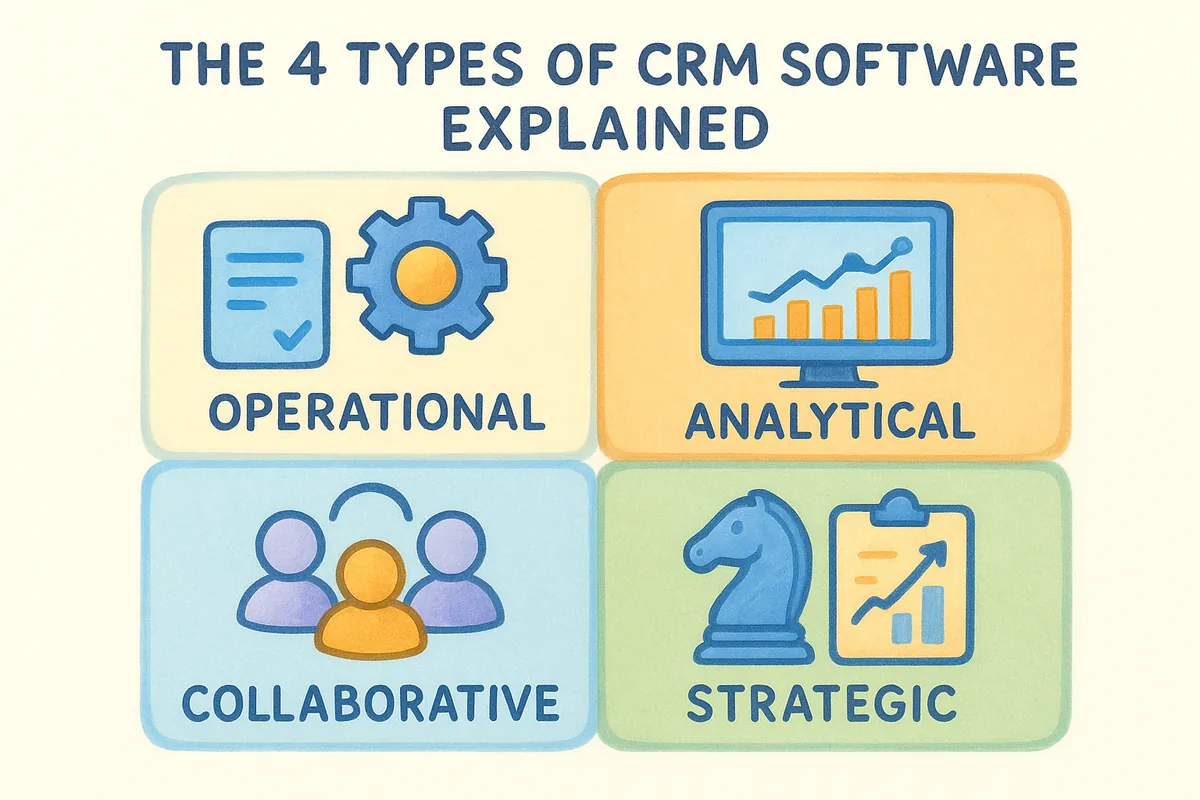
The type of CRM you need depends on whether you're chasing deals, analyzing data, or coordinating departments.
Operational CRM
Operational CRM automates the sales, marketing, and service tasks your team repeats daily, things like pipeline stages, email sequences, and lead routing. It's the category most small and mid-sized sales teams reach for first, and it's where Vedain, Pipedrive, and Freshsales focus their entire product.
- •Pipeline and deal-stage automation
- •Email sequences and follow-up reminders
- •Lead capture and routing workflows
Analytical CRM
Analytical CRM shifts the focus toward mining historical deal data for patterns, forecasting revenue, and scoring leads by behavior instead of gut feel. Salesforce's Einstein and Zoho's Zia lean hardest into this model, using past pipeline activity to predict which opportunities are actually likely to close. Teams that need this depth usually notice it once forecasting spreadsheets stop matching what actually happens in the pipeline.
Collaborative and strategic CRM
Collaborative CRM breaks down silos between sales, marketing, and support so every department works from the same customer record instead of separate spreadsheets. monday.com and the wider Zoho suite both lean into this model by connecting CRM data across tools your whole company already uses.
Strategic CRM takes a longer view, treating customer relationships as a long-term asset rather than a quarterly pipeline metric. It shows up less as a specific feature and more as a company-wide focus on retention and lifetime value, worth weighing once you're comparing the best crm packages for a business built to last, not just this quarter's targets.
14. How to choose the best CRM for your business
Choosing the best crm management software comes down to matching the platform to how your team actually sells, not to which vendor has the flashiest homepage. Start by mapping your sales process on paper before you touch a demo. If you can't describe your stages in five words each, no CRM will fix that confusion for you.
Match the pricing model to your team size
Seat-based pricing like Vedain's or Pipedrive's scales predictably as you hire, while flat platform fees like Keap's only make sense if your headcount matches the included seats. Run the math at your projected size twelve months out, not just today's headcount, since that's when contact tiers and automation caps usually bite.
Weigh must-have features against nice-to-haves
List the handful of features you'd cancel a subscription over, things like email sync or automation, separately from features you'd merely enjoy. Here's a quick filter to run every shortlist through:
- •Does it sync natively with Gmail or Outlook, or require a third-party plugin?
- •Are automation and reporting included at your price tier, or gated behind an upgrade?
- •Can a non-technical rep set up a pipeline stage without submitting a support ticket?
- •Does the vendor publish pricing openly, or require a sales call to get a quote?
The best crm platform for your team is the one whose limitations you can live with, not the one with the longest feature list.
Vendors like Salesforce and Zoho win on raw feature count, but that only matters if your team will actually use those modules. Testing with a free trial, ideally with your own data loaded in, beats reading another comparison chart every time.
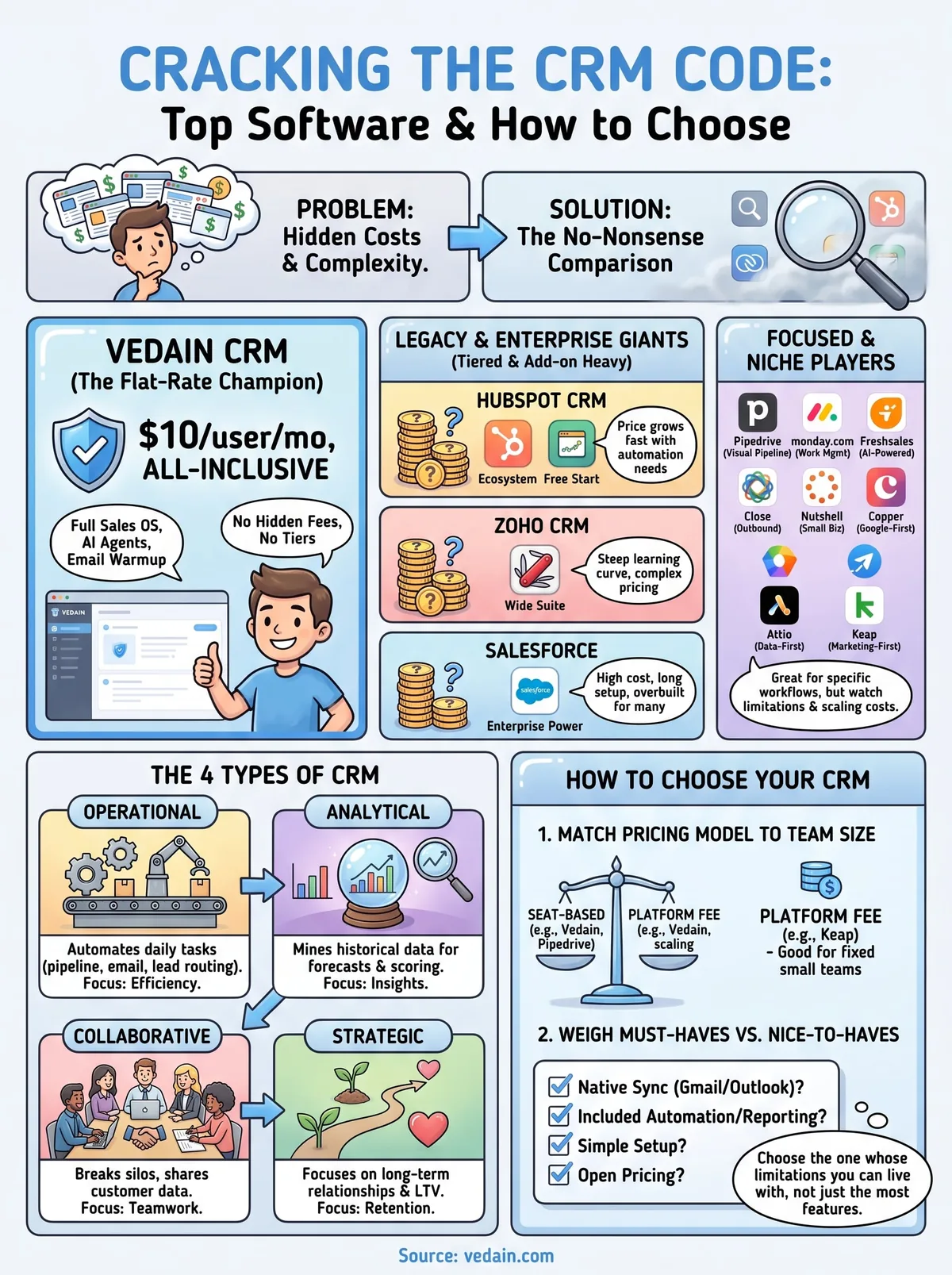
Finding the right fit for your sales team
Every platform on this list solves a real problem for someone, but the best crm management software for your team is the one that matches your budget and your actual sales process, not the one with the longest feature list. If you're managing enterprise approval chains, Salesforce earns its price tag. If you're a solo consultant juggling invoices, Keap fits. But if you're a small to mid-sized sales team tired of watching your bill grow every time you want automation, reporting, or email sync included, you don't need another tiered pricing page to decode.
That's the gap Vedain fills. One flat rate, every feature included, no seat minimums, no upgrade prompts halfway through building a workflow. Setup takes minutes, not a sales call. If that sounds like the best crm software fit for where your team is headed, start your free Vedain trial and see your pipeline running before your coffee gets cold.
Frequently Asked Questions
What is the best CRM software for small businesses in 2026?
Pipedrive and Freshsales are the best CRM options for small businesses, offering affordable pricing starting at $14-15/month with essential sales features. Both platforms provide intuitive interfaces and strong automation capabilities without the complexity of enterprise solutions like Salesforce. HubSpot's free tier is also excellent for teams just starting with CRM, though paid plans begin at $45/month.
How much does Salesforce CRM cost compared to HubSpot?
Salesforce CRM starts at $165/month (Essentials plan) while HubSpot's Professional plan begins at $800/month for similar functionality. Salesforce is generally more expensive but offers greater customization for enterprise organizations, whereas HubSpot provides better value for mid-market companies needing integrated sales, marketing, and service tools. For budget-conscious teams, Zoho CRM ($20/month) and Pipedrive ($14/month) offer comparable features at significantly lower price points.
Which CRM has the best automation features?
HubSpot and Salesforce offer the most advanced automation capabilities, with HubSpot being more user-friendly for building workflows without coding. Zoho CRM also provides powerful automation through Zoho Flow, while Pipedrive excels with sales-specific automation like deal movement triggers and task assignments. Freshsales delivers solid automation features for lead scoring and email sequences at a fraction of the cost of enterprise competitors.
What CRM integrates best with email and calendar tools?
HubSpot and Salesforce offer the most seamless integration with Microsoft Outlook, Google Workspace, and third-party email platforms through native connectors. Pipedrive and Zoho CRM provide strong email integration with Gmail and Outlook, though some advanced features may require additional setup. Freshsales integrates well with popular email providers but has more limited third-party app connectivity compared to market leaders like HubSpot.
Is Zoho CRM better than Salesforce for mid-market companies?
Zoho CRM is better for mid-market companies focused on cost efficiency, starting at just $20/month with strong customization and integration capabilities. Salesforce is better if your company needs enterprise-grade scalability, advanced AI features, and extensive third-party ecosystem support, though it costs significantly more. Many mid-market teams choose Zoho for its balance of affordability and functionality, while larger organizations typically invest in Salesforce or HubSpot's premium tiers.
What CRM software has the best customer support in 2026?
HubSpot and Salesforce offer 24/7 customer support across all paid plans, with Salesforce providing dedicated account managers for enterprise customers. Freshsales delivers excellent support with live chat available on all plans, making it a strong alternative for companies prioritizing responsive service teams. Pipedrive and Zoho provide good support through help centers and email, though live chat availability may be limited depending on your plan tier.